
For classes and wellness
Managing your classes, now simpler.
The fitness class management software that understands your operations and relationships. Everything you need to automate your schedule, clients, reminders, and stock control.
- Schedule
- Training Plans
- Session Packs
- Reports
See Siimplo running your studio
Every module, exactly as your team will use it.
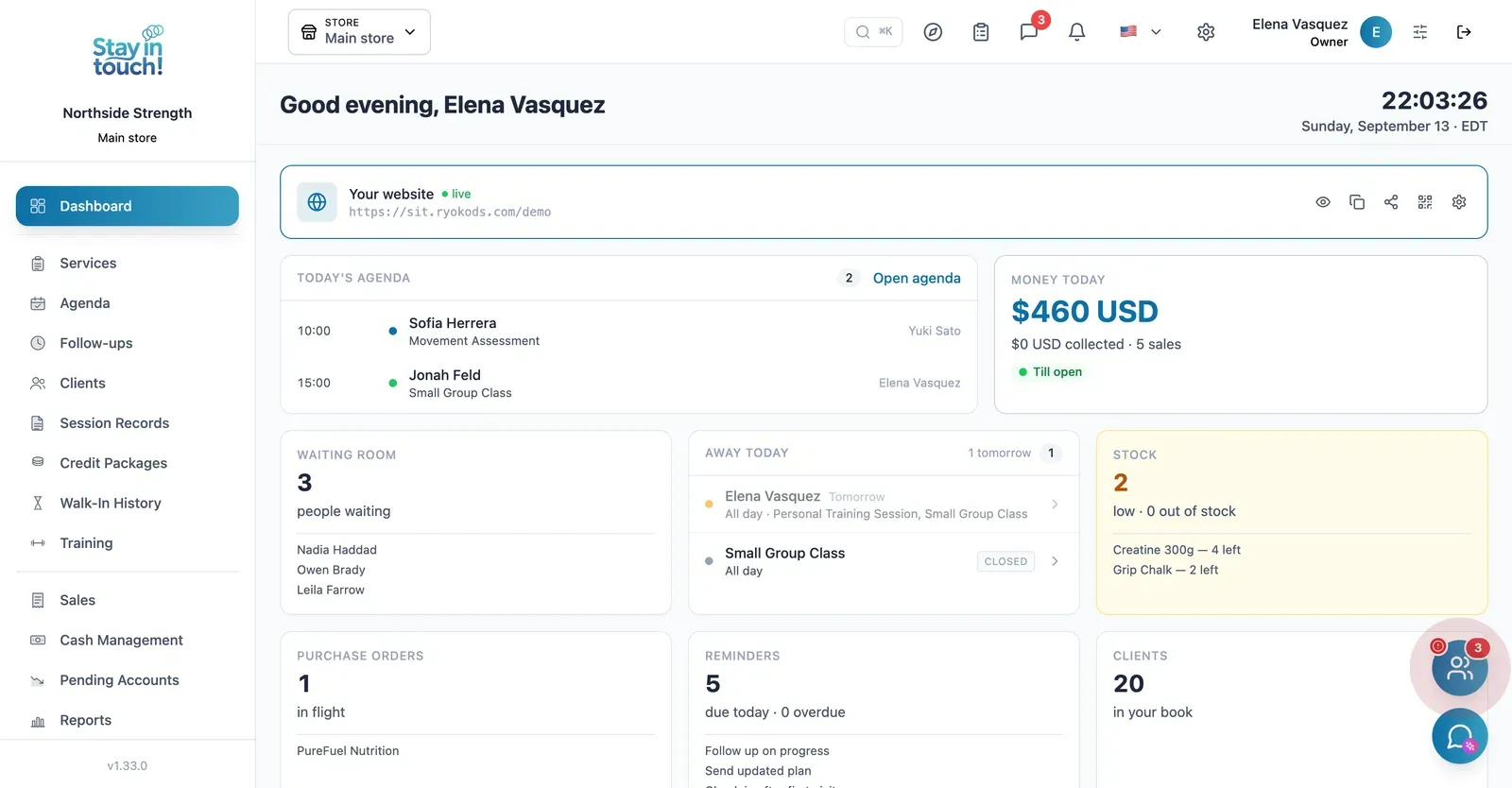
Dashboard
Sessions booked for today, your active member count and the booking link members use — all on the first screen.
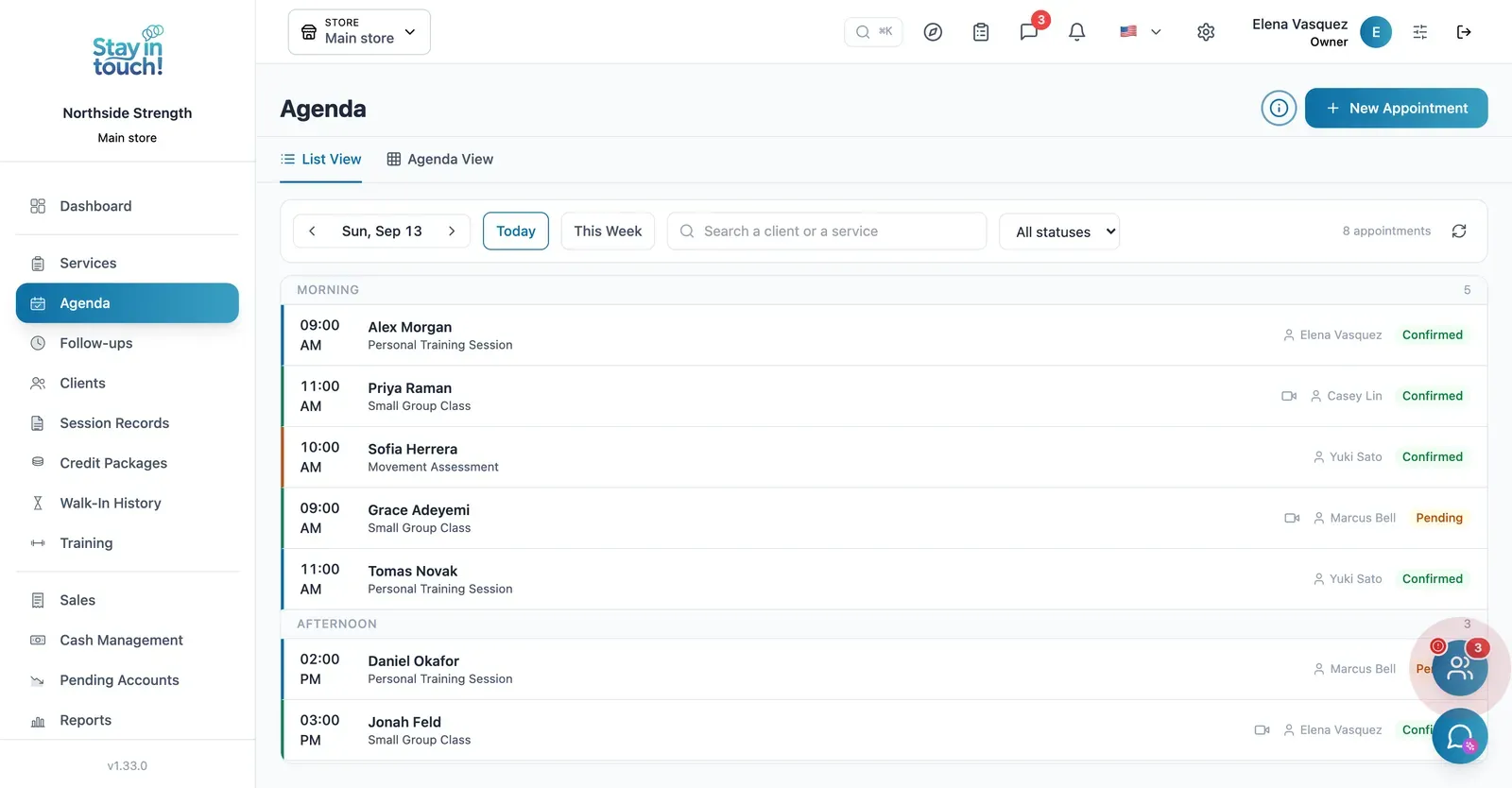
Schedule
One-on-one sessions and group classes side by side, each class expanding to show who signed up and how many spots are left.
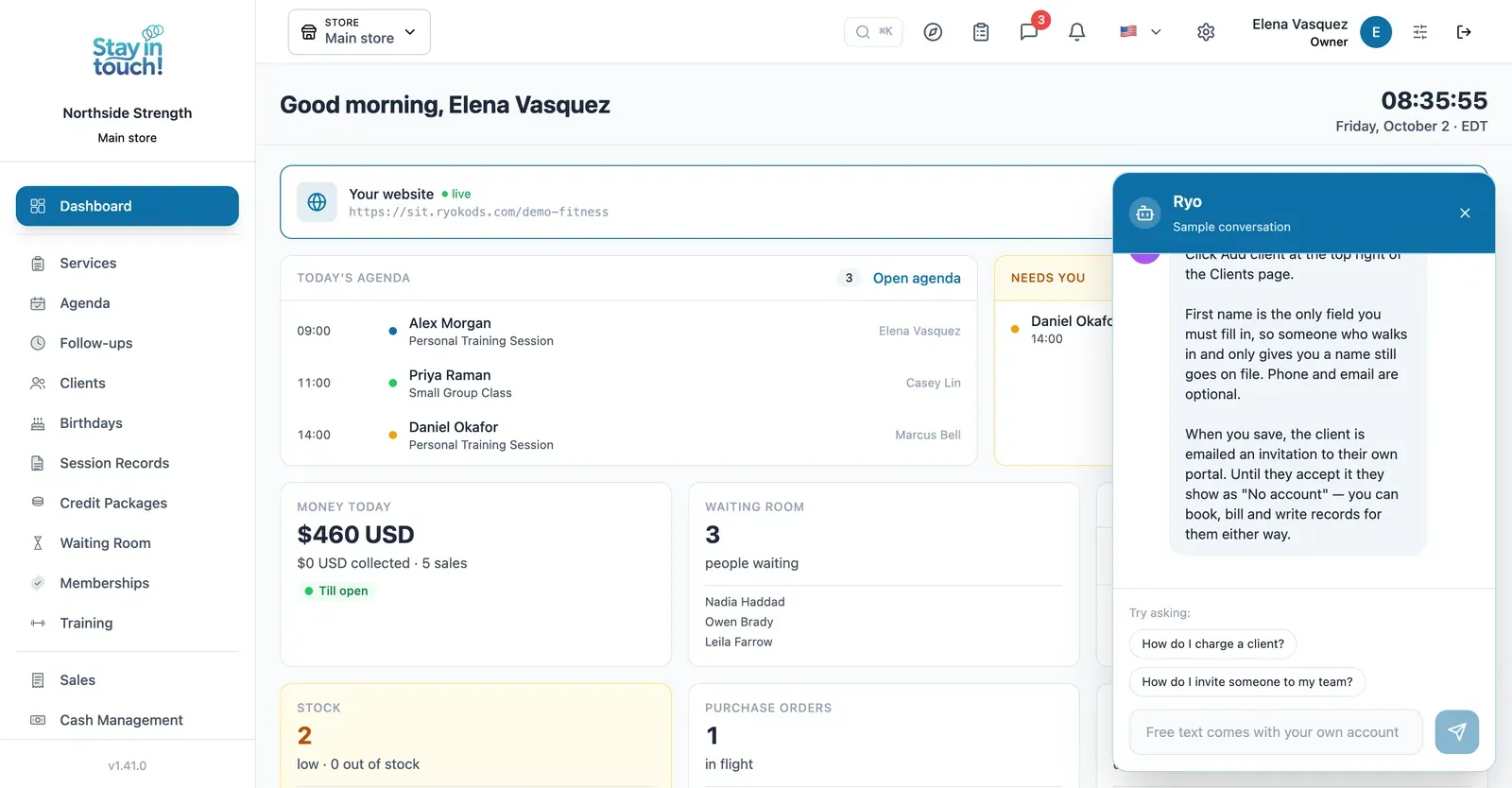
Ryo, the AI assistant
Ask in your own words and it walks you through Siimplo step by step; it also reads your real schedule and drafts the appointment for you to confirm.
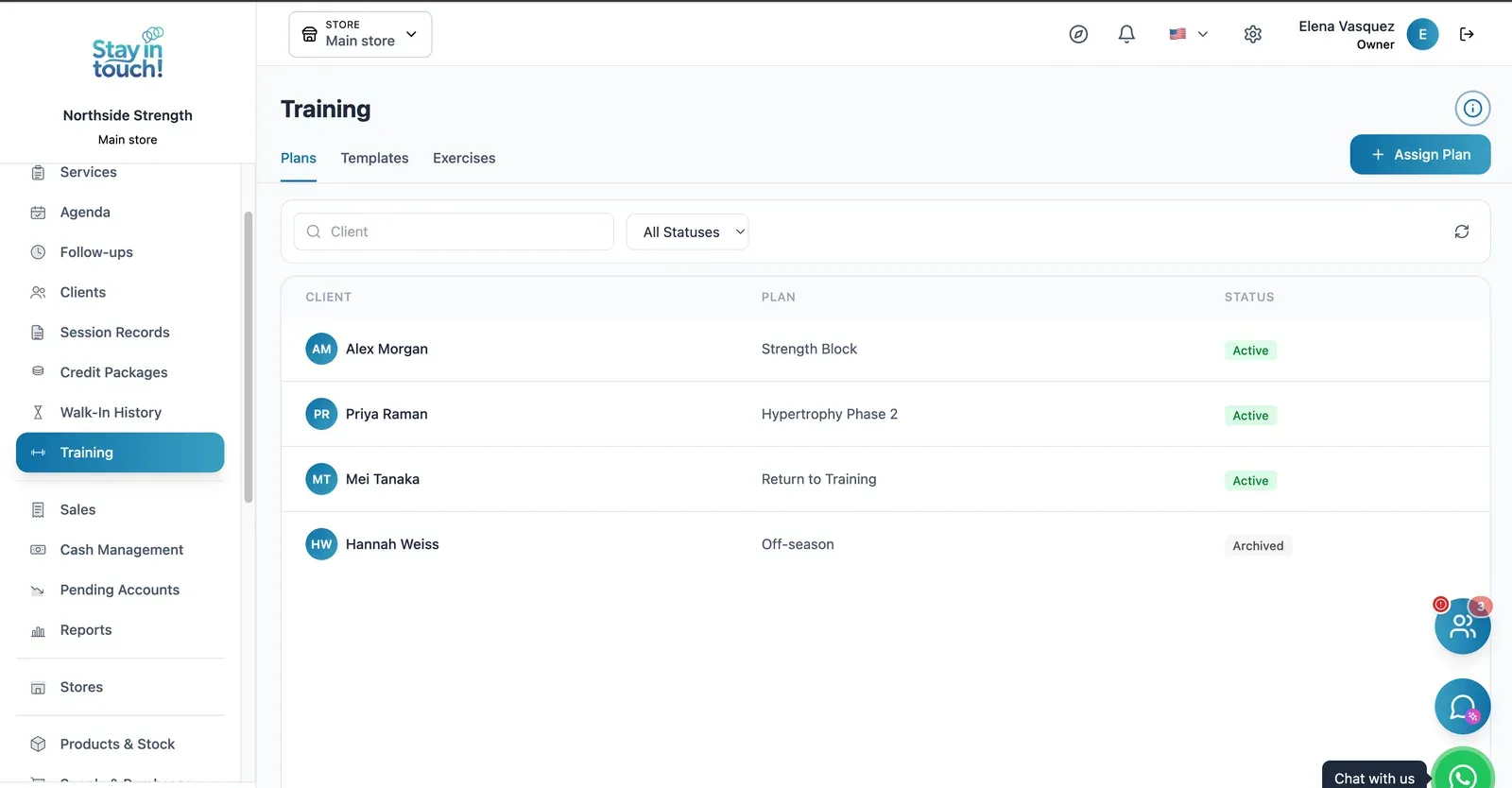
Training Plans
Assign strength, hypertrophy or pre-season blocks per member, built from your own exercise library and reusable templates.
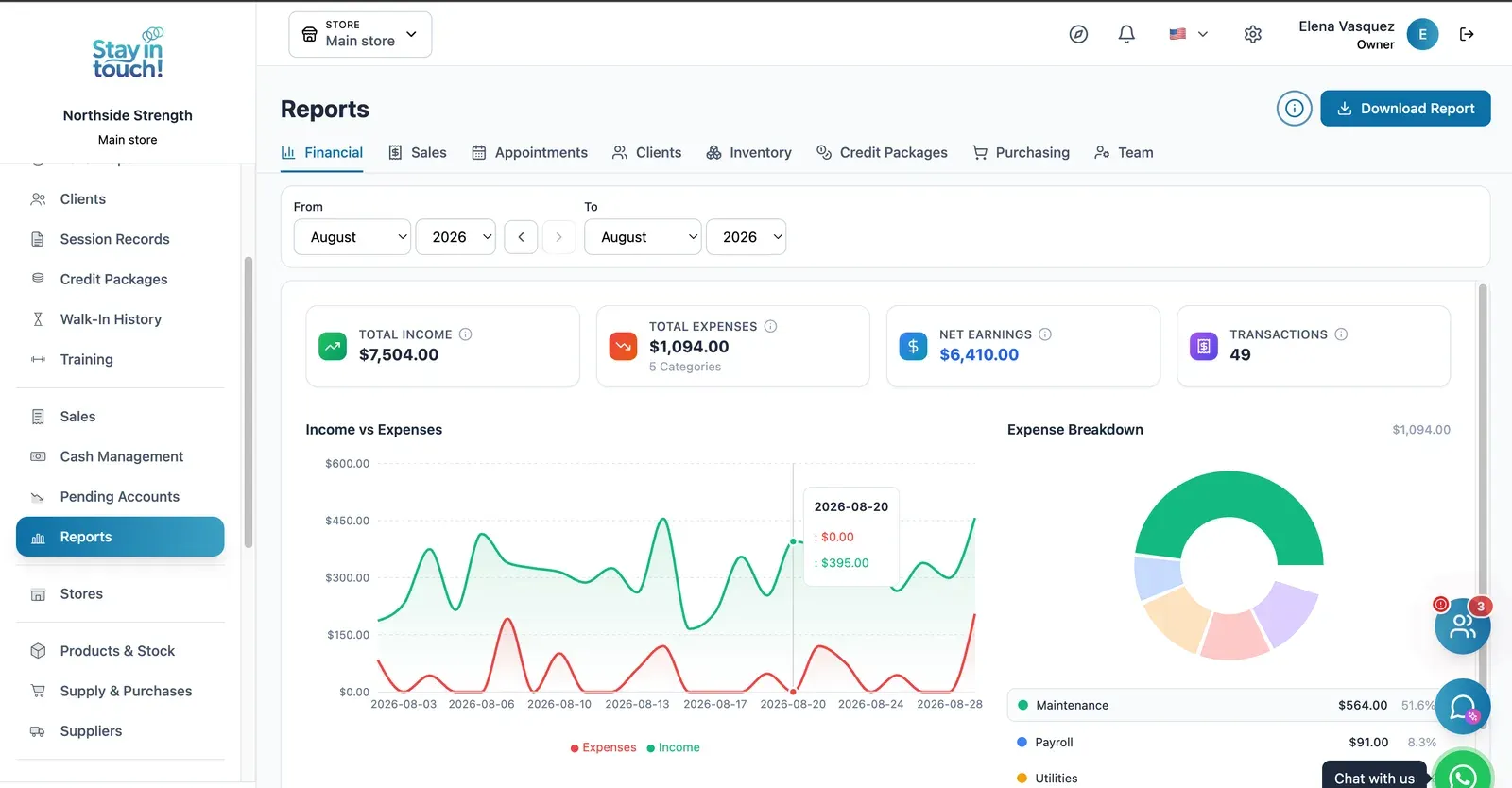
Reports
Revenue, expenses and net profit for any date range, with a trend chart, a category breakdown and a downloadable report.
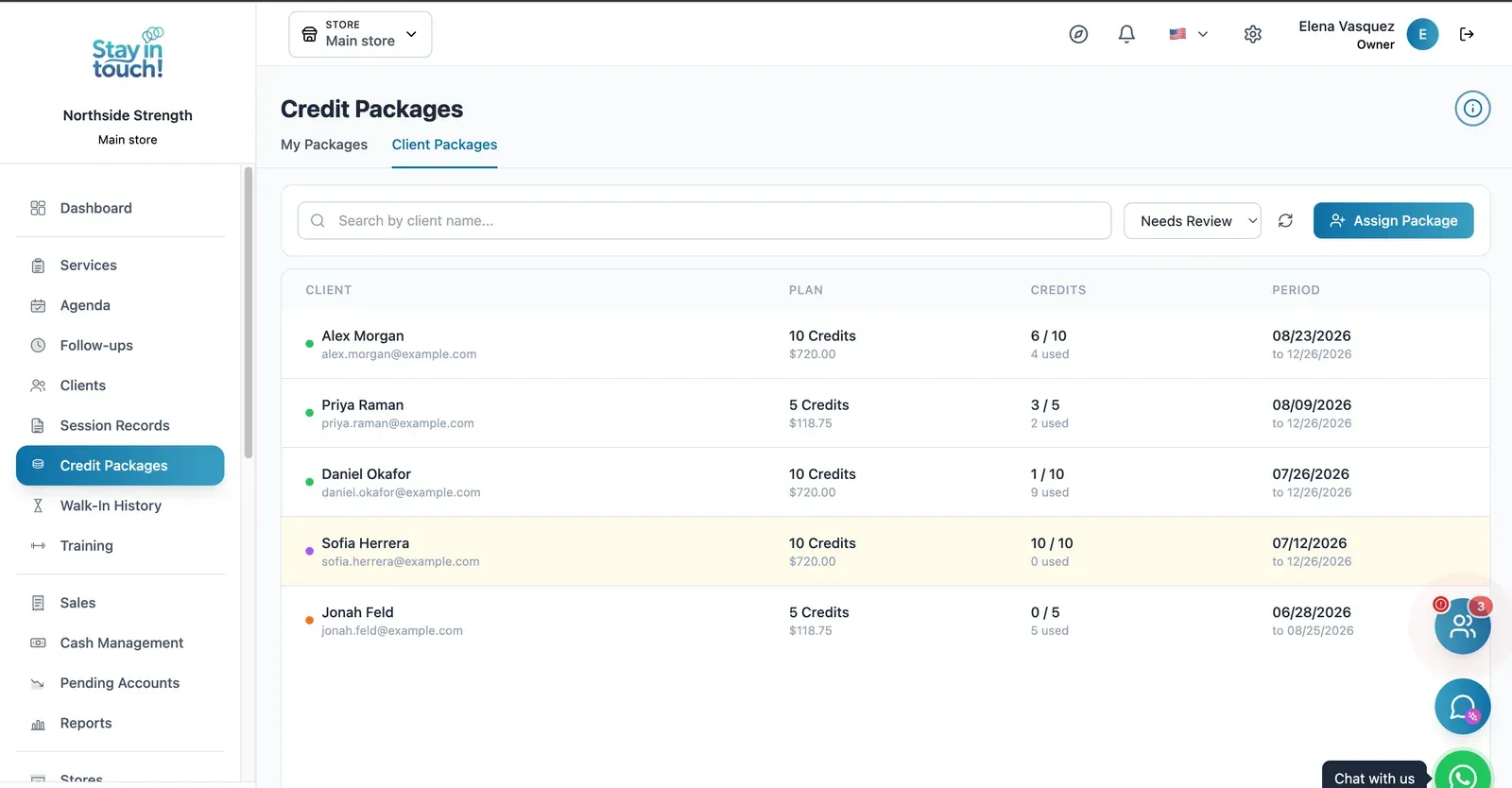
Session Packs
Sell blocks of 5 or 10 sessions and let the system burn down credits automatically — the way personal training actually sells.
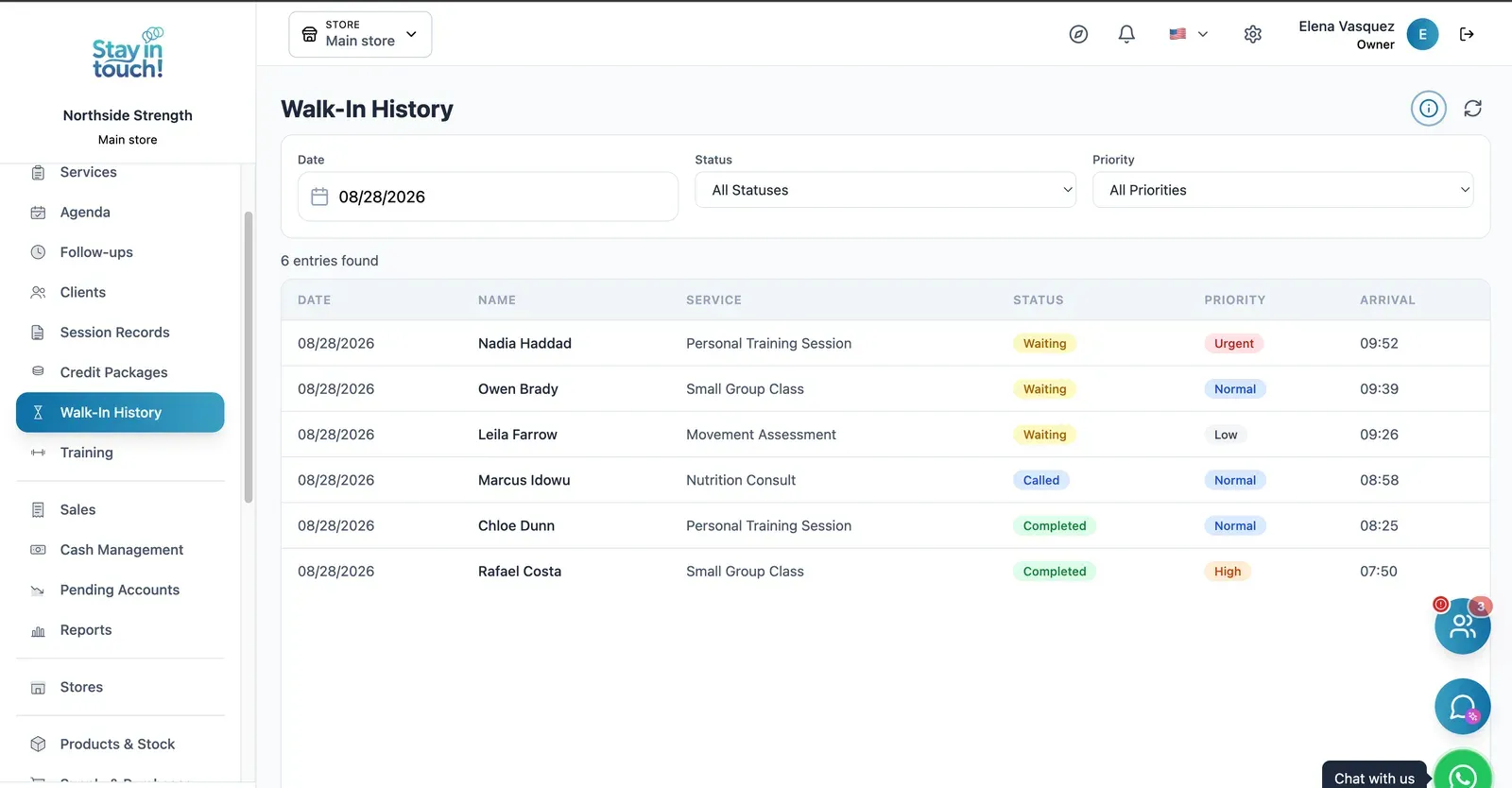
Front Desk
Who's checked in, who's been called and who's done, so class turnover doesn't turn into a queue at the desk.
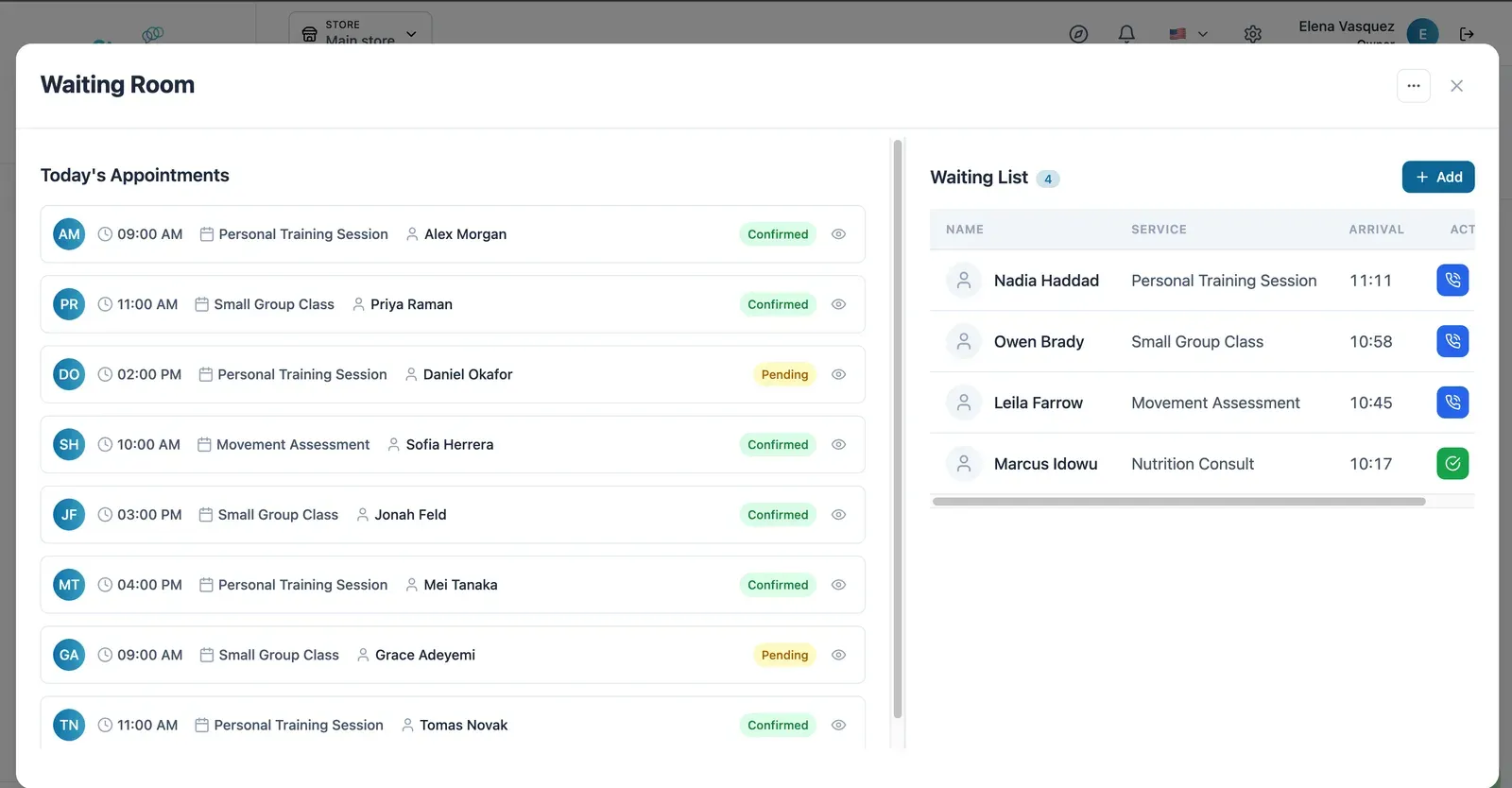
Live Waiting Room
Today's appointments on one side, who has arrived on the other — call the next one in with a single click.
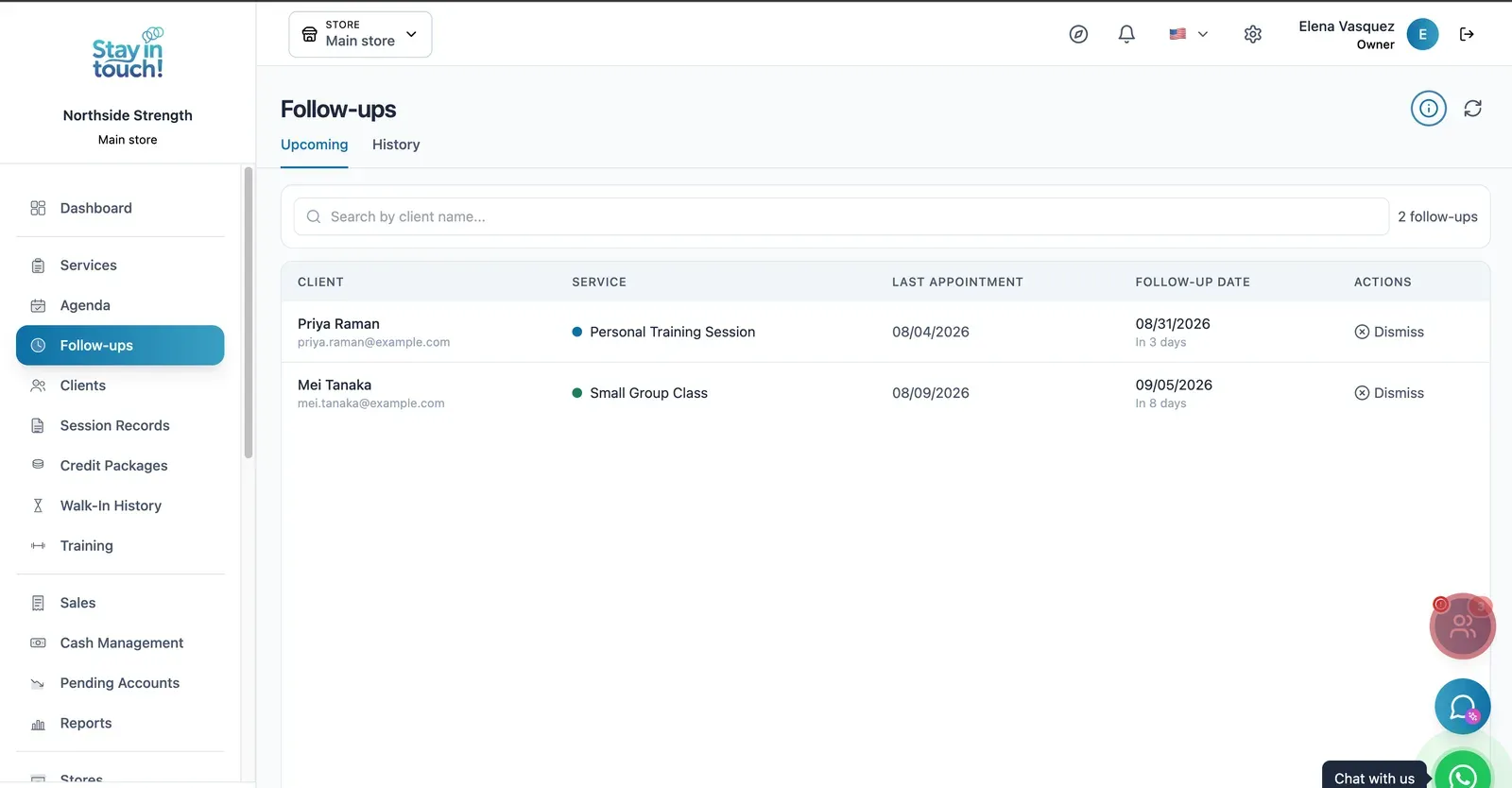
Follow-ups
Who is due back and when — post-visit checks and recalls queued automatically instead of living in someone's head.
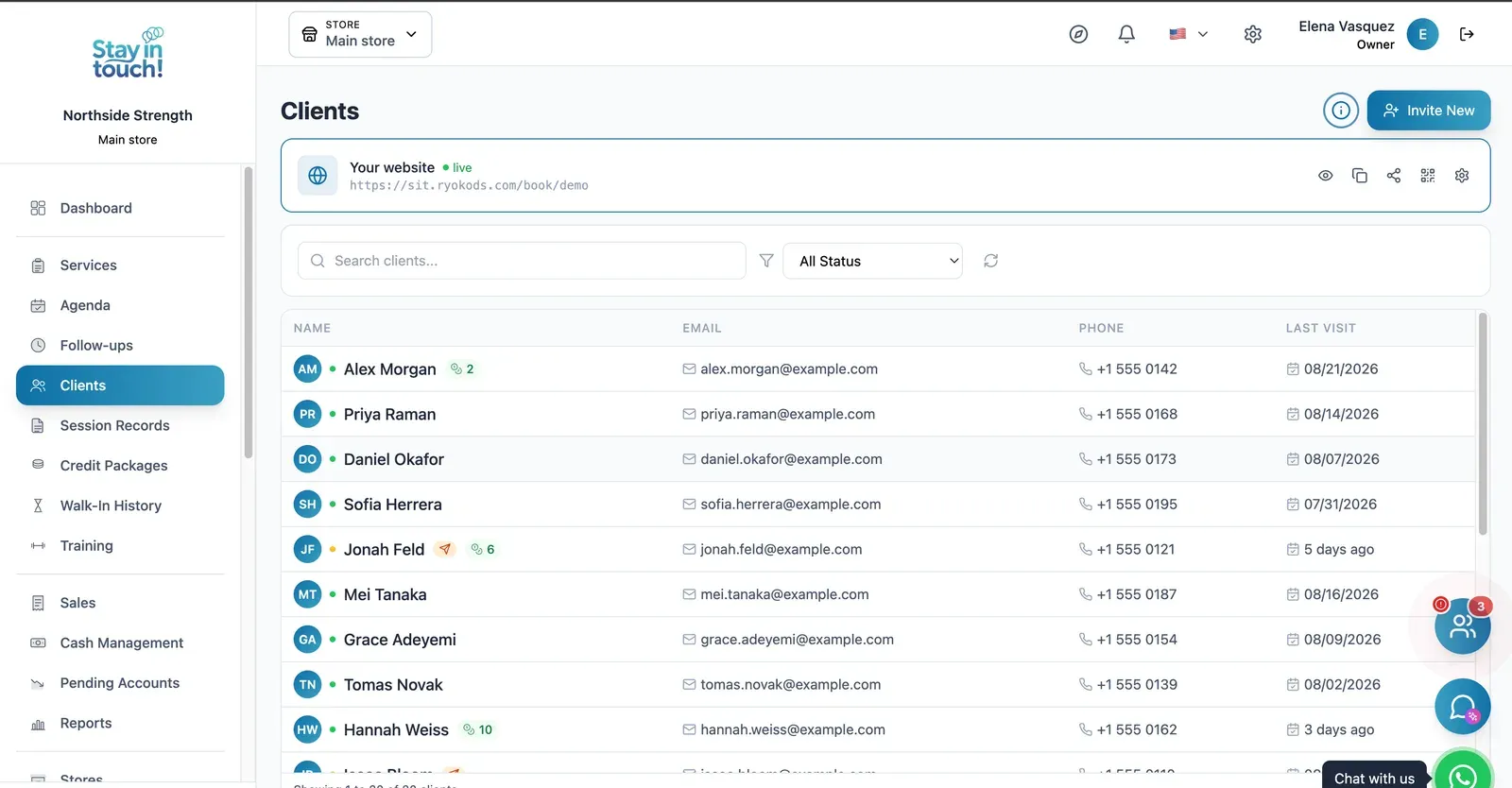
Members
Your whole membership with contact details, remaining session credits and pending invites in one searchable list.
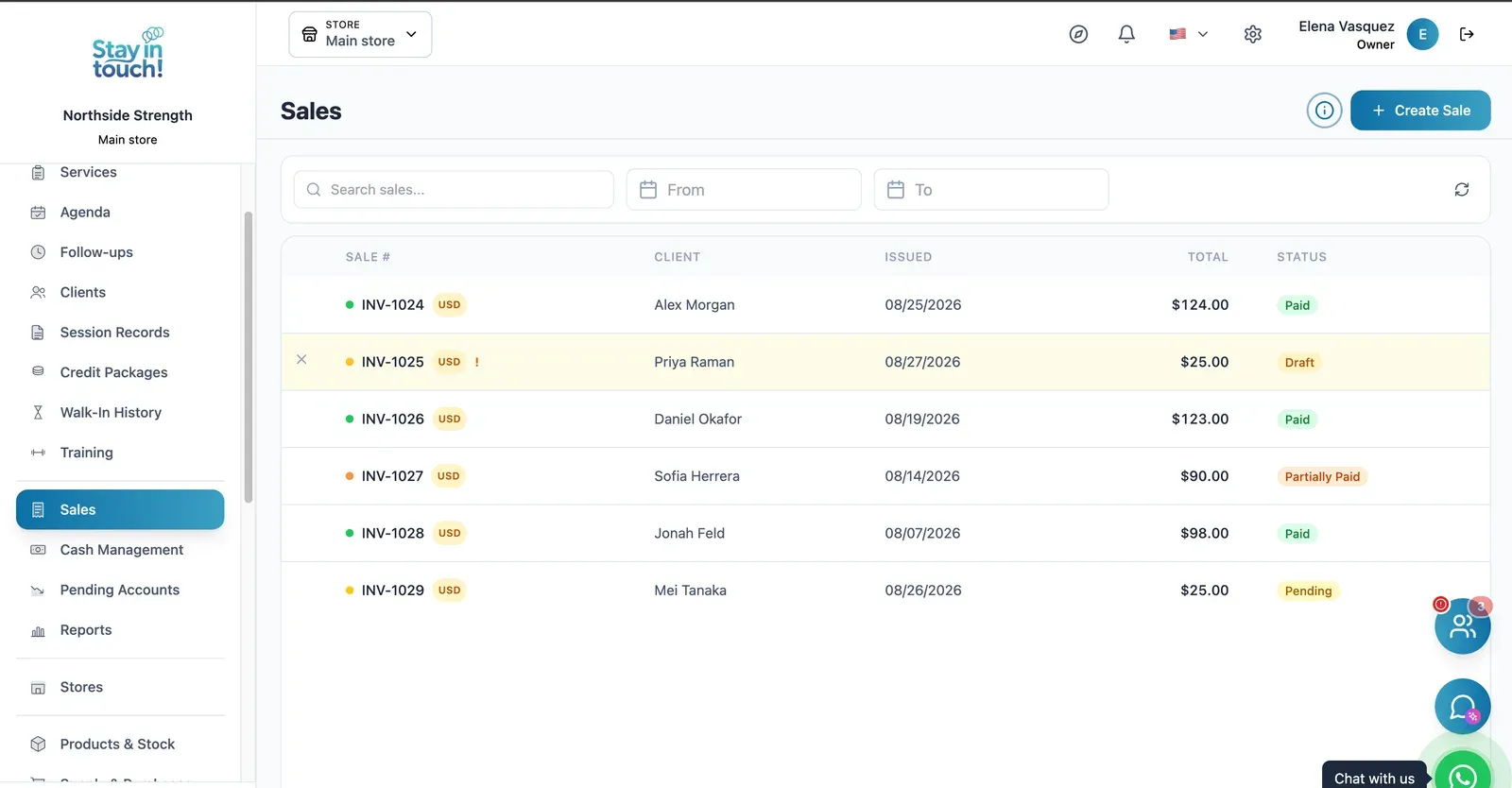
Sales & Invoices
Every invoice in one ledger — paid, partially paid, pending or draft — with the register built into the same screen.
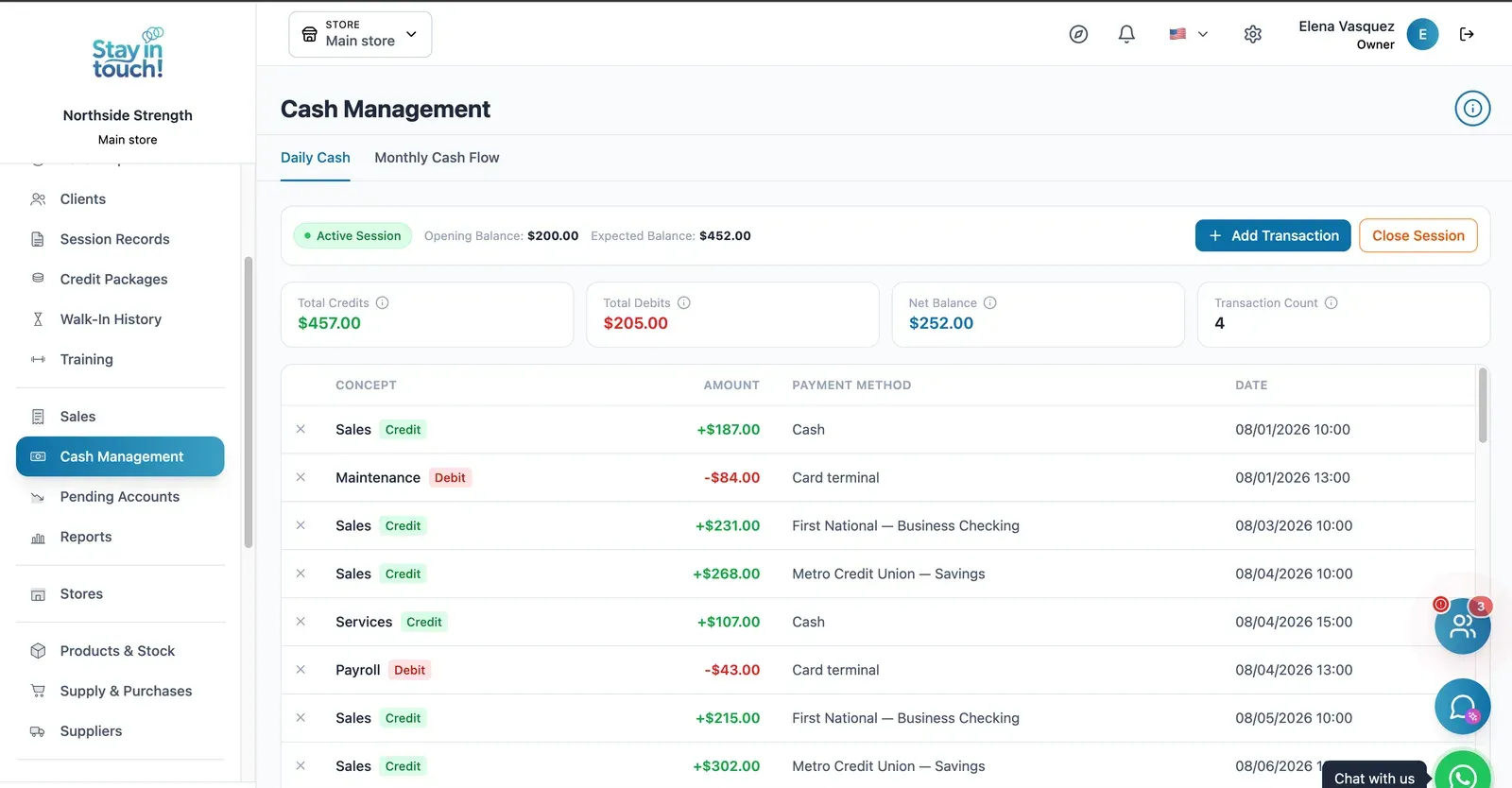
Cash Control
Open and close the register with opening and expected balances, income, expenses and every movement tagged by payment method.
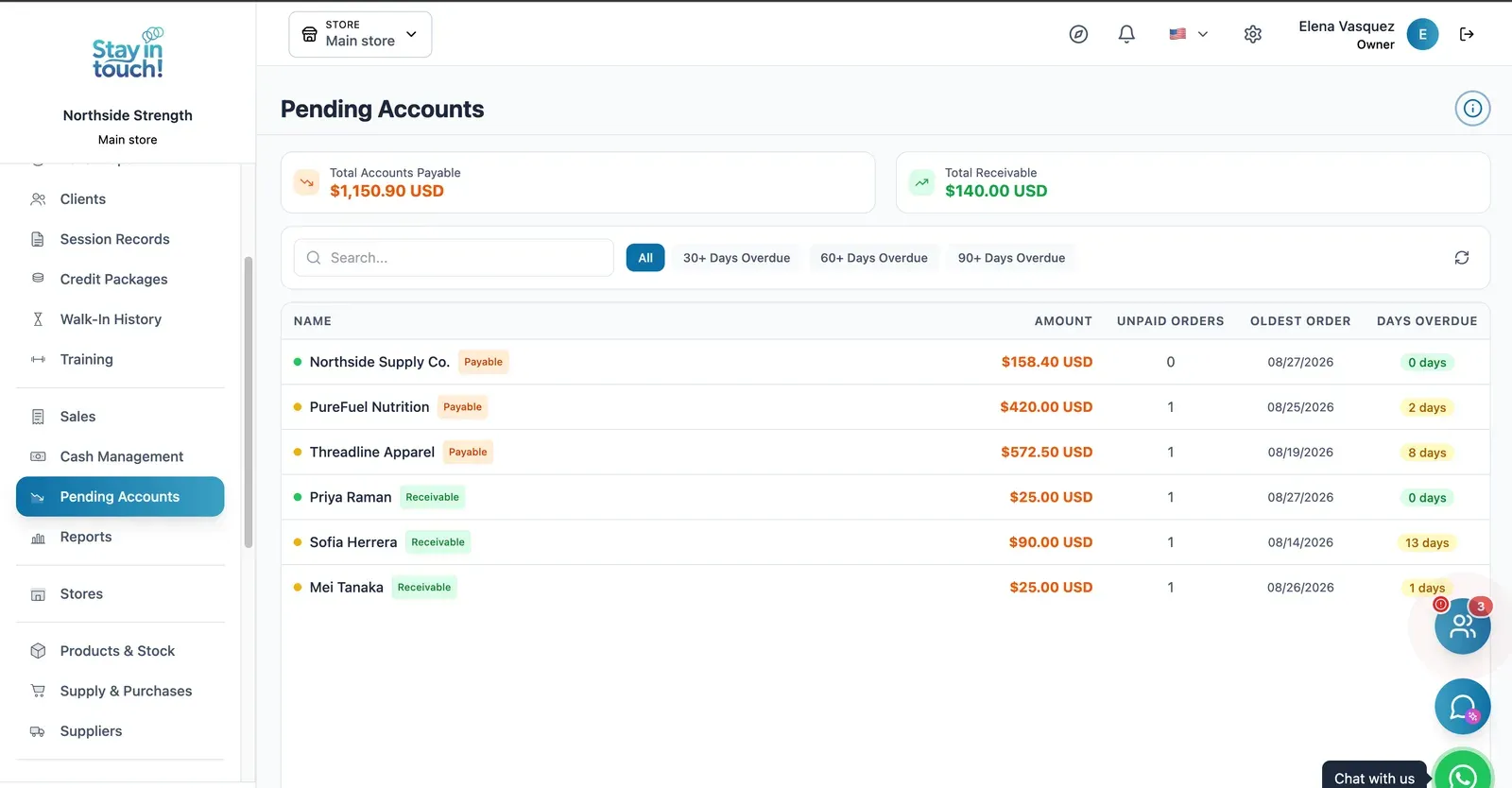
Payables & Receivables
What you owe and what you're owed, aged past 30, 60 and 90 days, with the overdue count on every row.
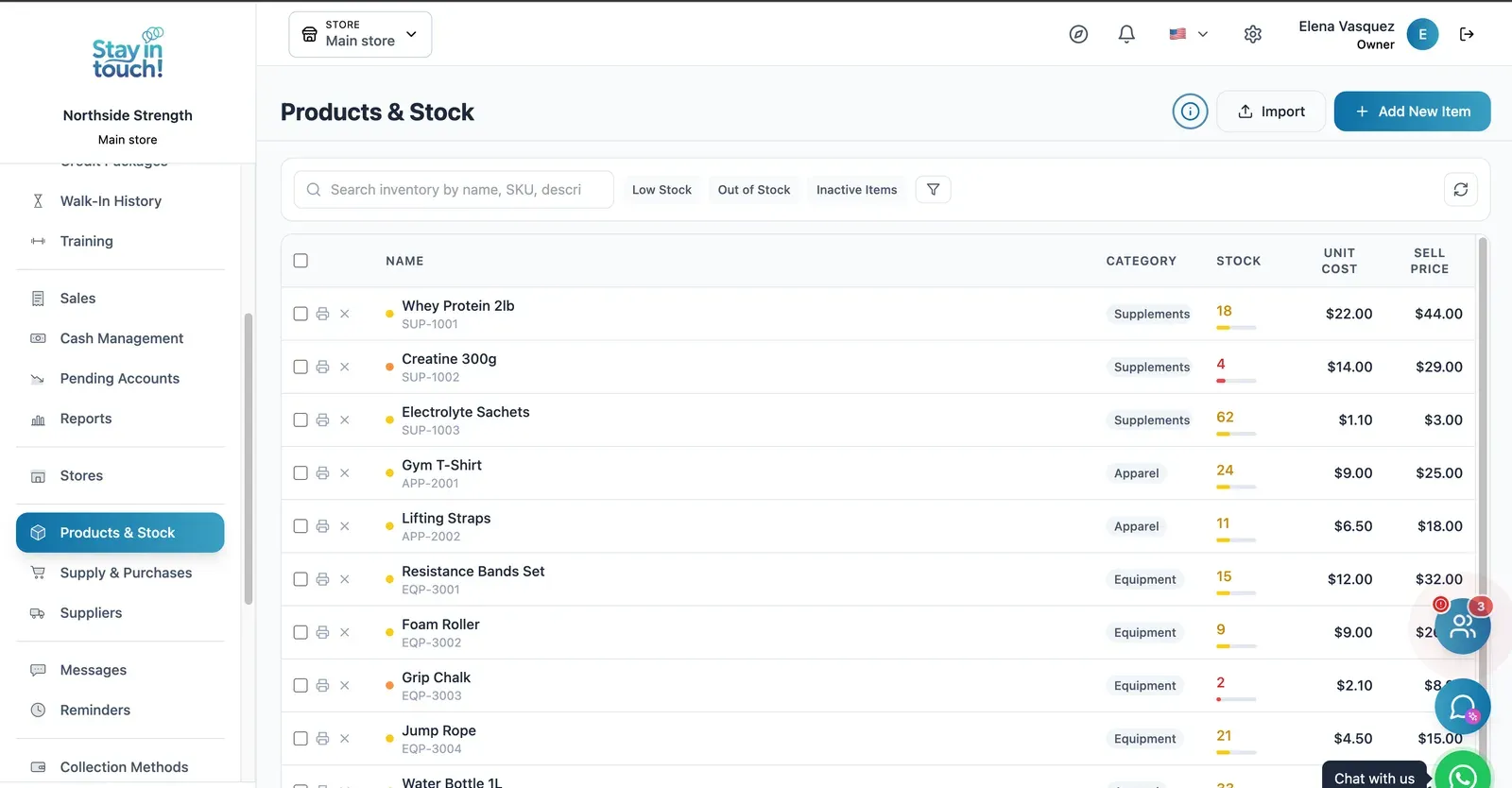
Pro Shop Stock
Supplements, apparel and equipment with SKUs, cost and retail price, and low-stock flags before you run out of whey.
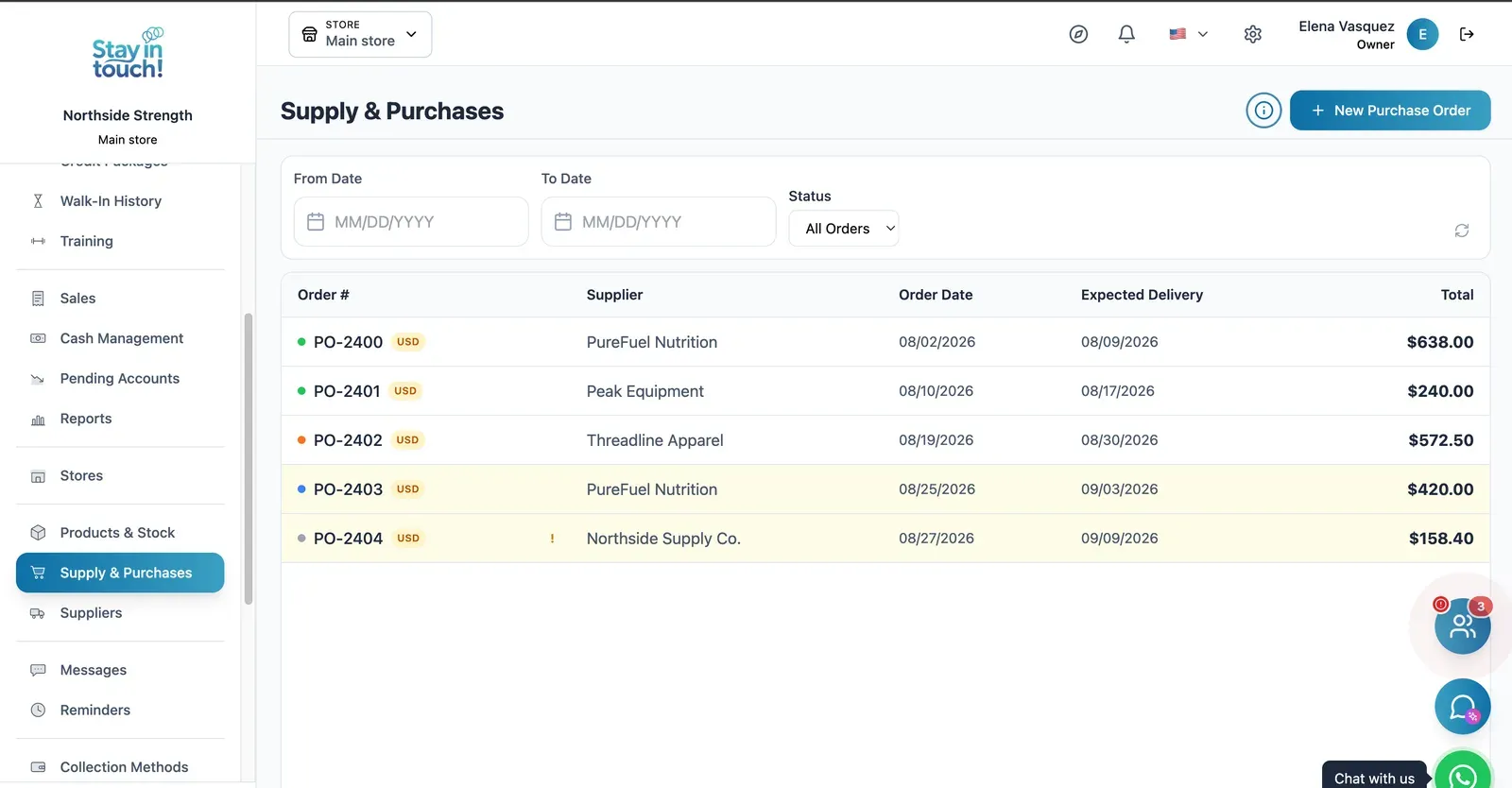
Purchase Orders
Track what you've ordered from whom, when it was placed and when it's due — with late deliveries flagged.
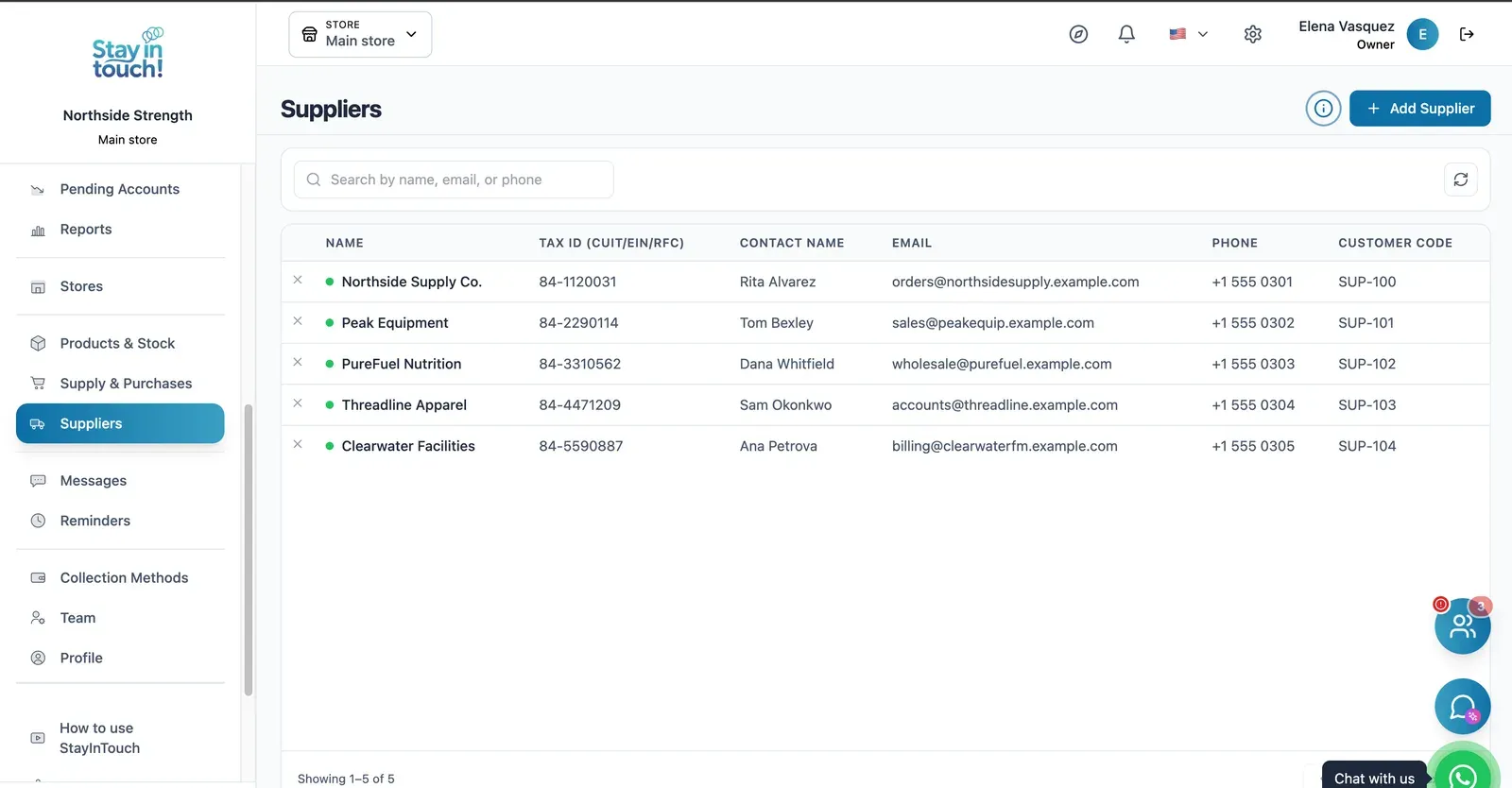
Suppliers
Your vendor book with tax ID, contact person, ordering email and internal supplier code.
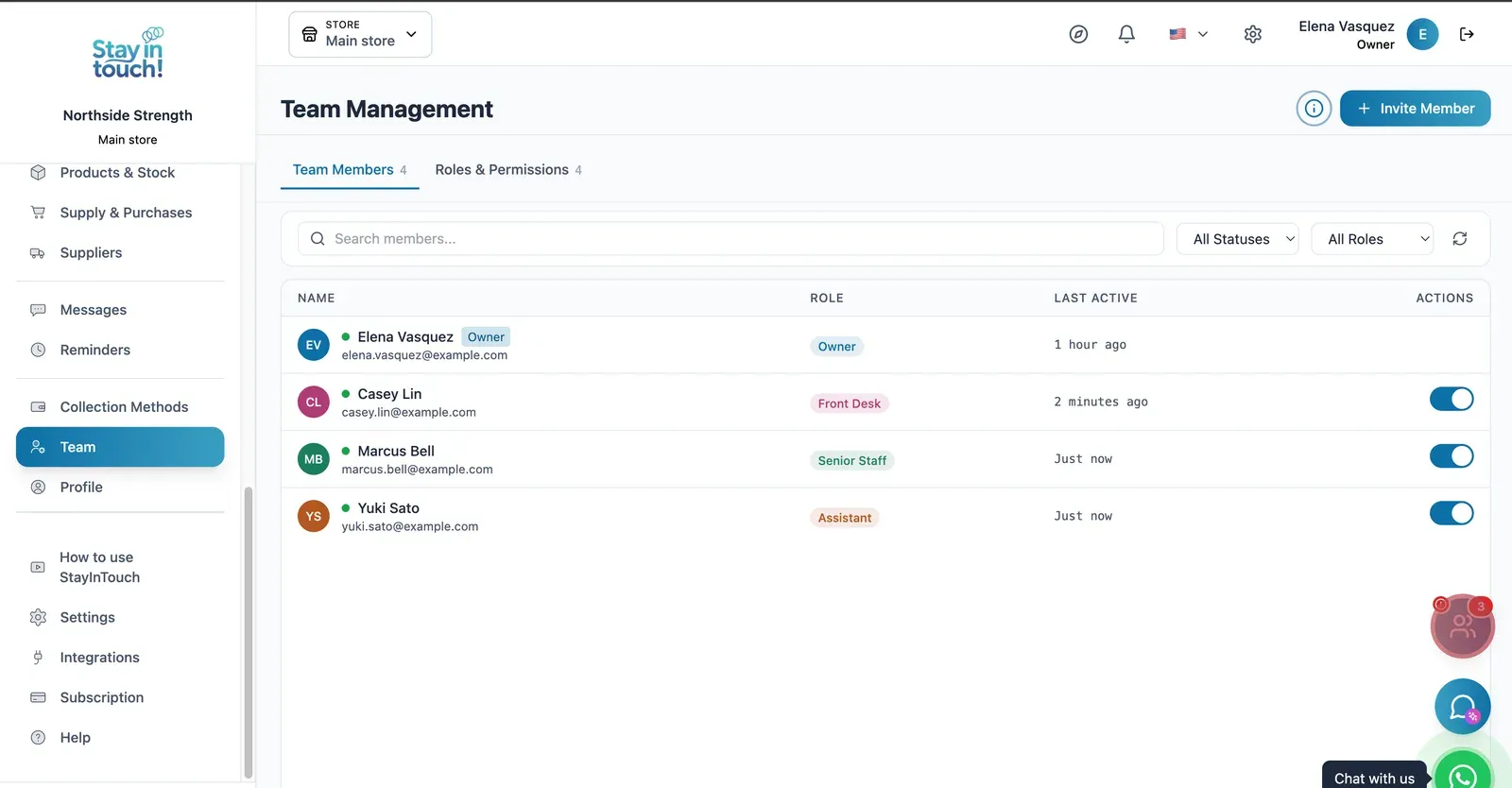
Team & Permissions
Your staff roster with roles, last activity and access toggles, plus a permissions tab as the business grows.
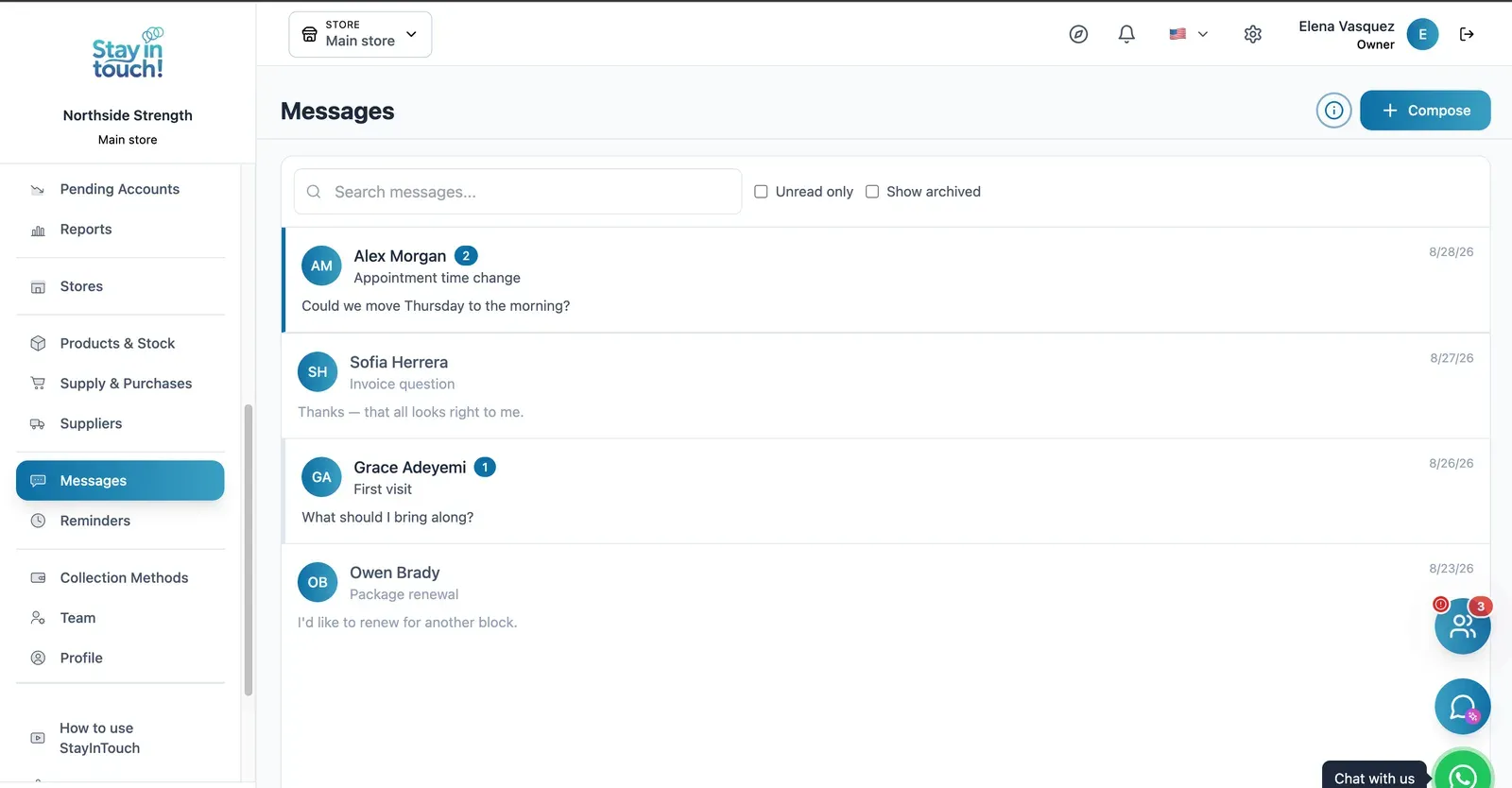
Messages
Client conversations kept in the record instead of scattered across personal phones, with unread counts and archiving.
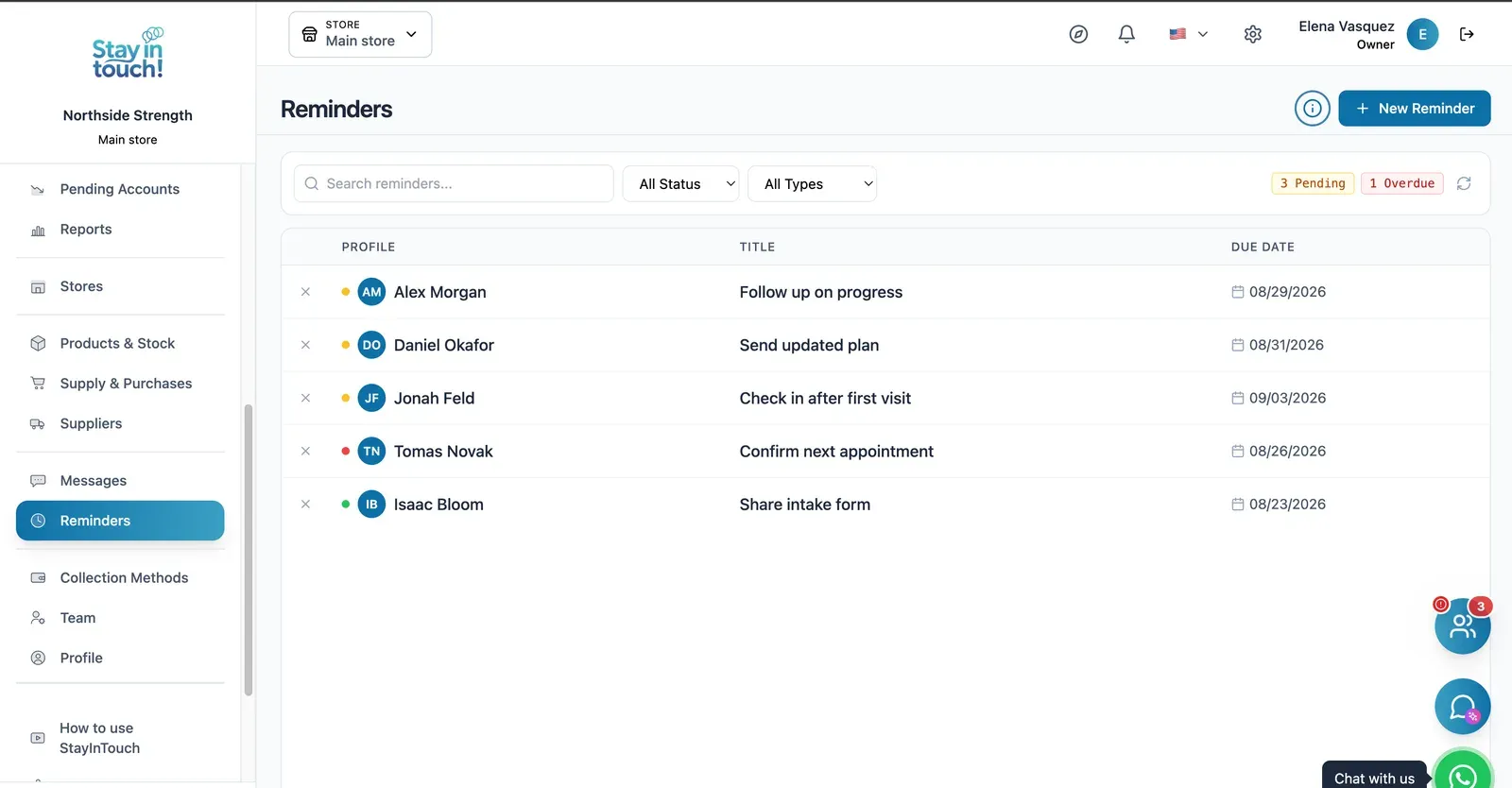
Reminders
Follow-up tasks tied to a client with due dates, so “I'll call them back” becomes something you can actually track.
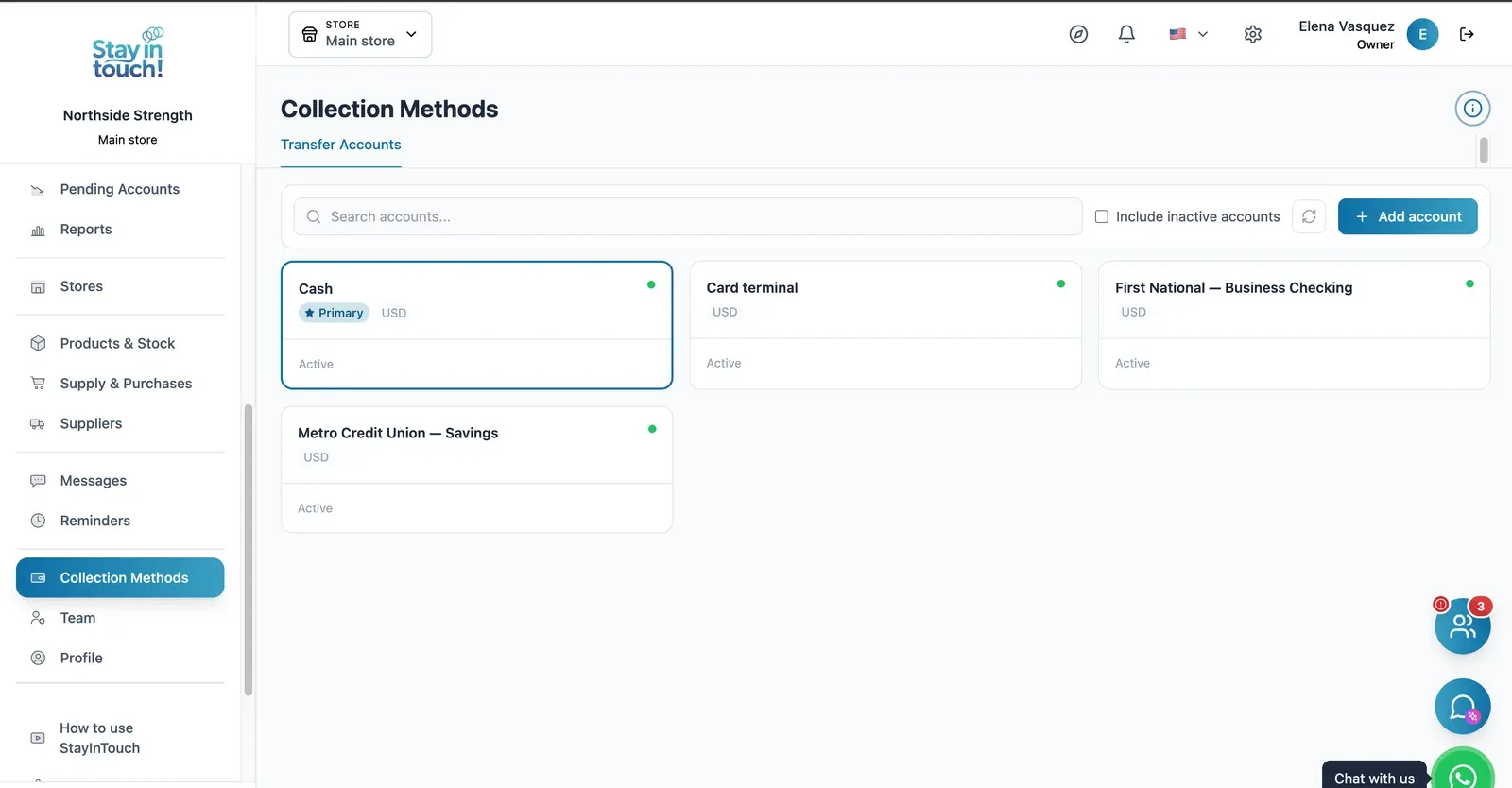
Payment Methods
Every way you collect — cash, card terminal, bank accounts — each with its currency and active state.
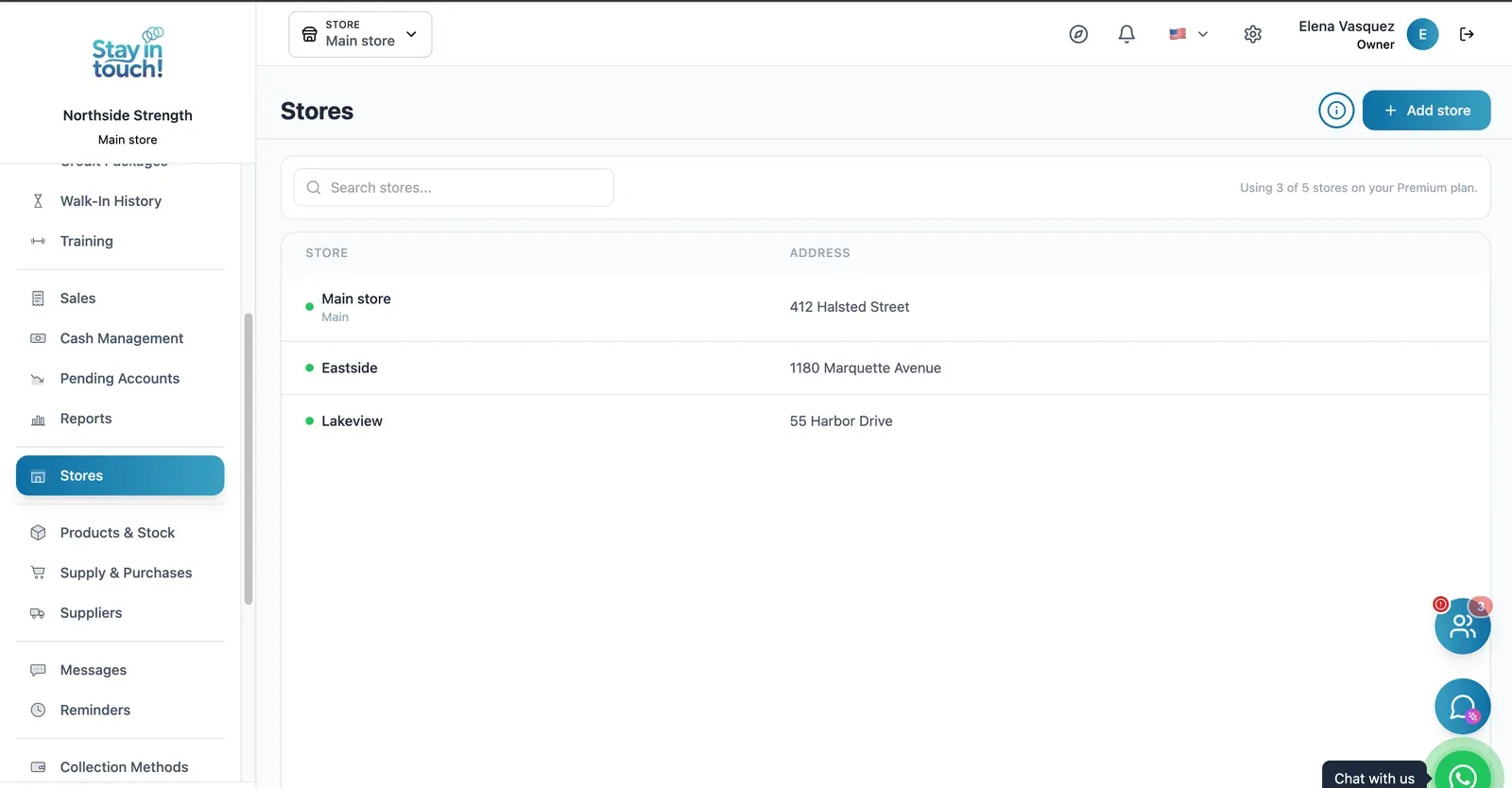
Multi-store
Run every store from one account on the top plan, each with its own team, stock and register.
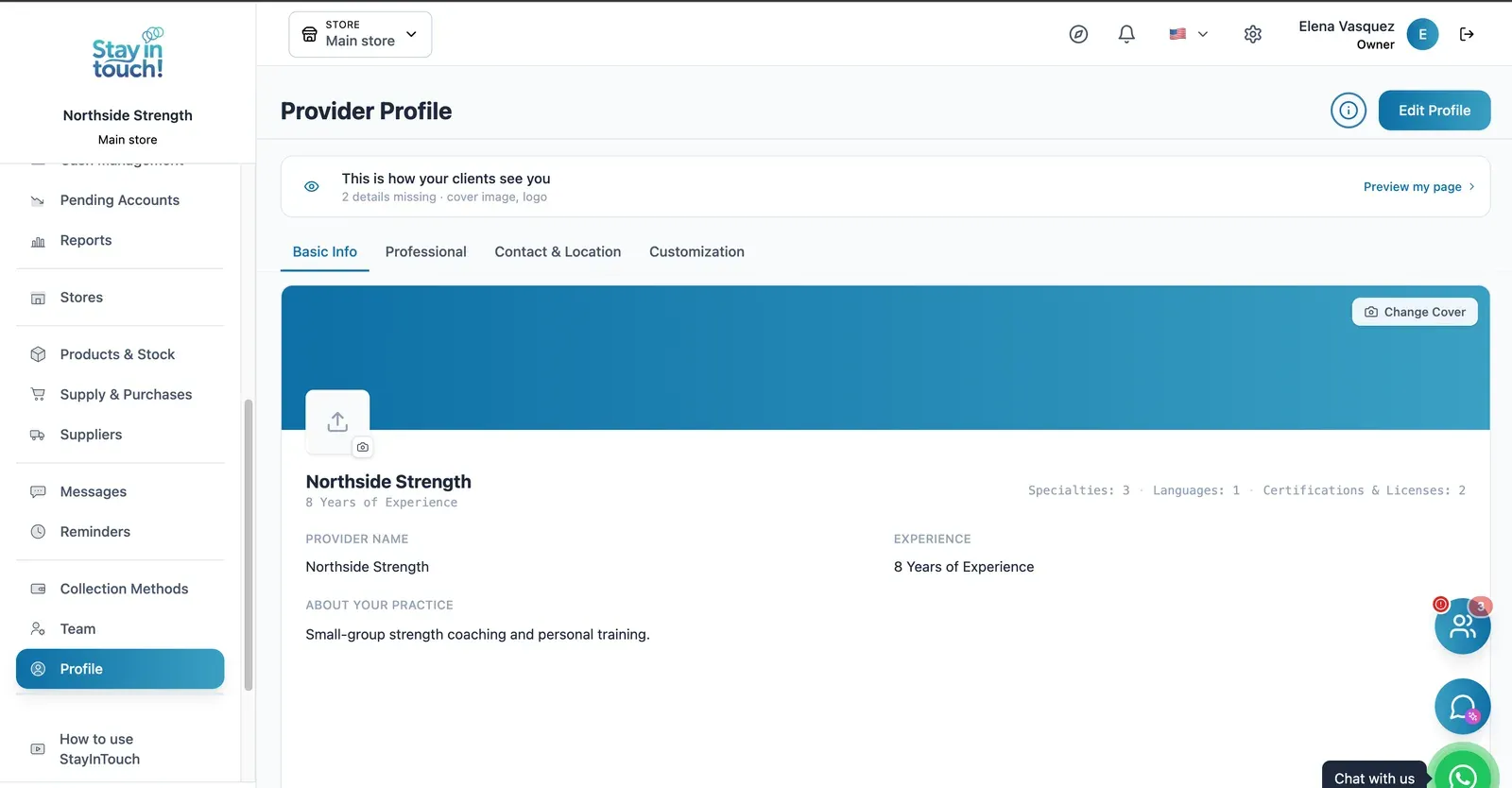
Public Profile
The client-facing page for your business: cover image, logo, description, specialties, languages and certifications.
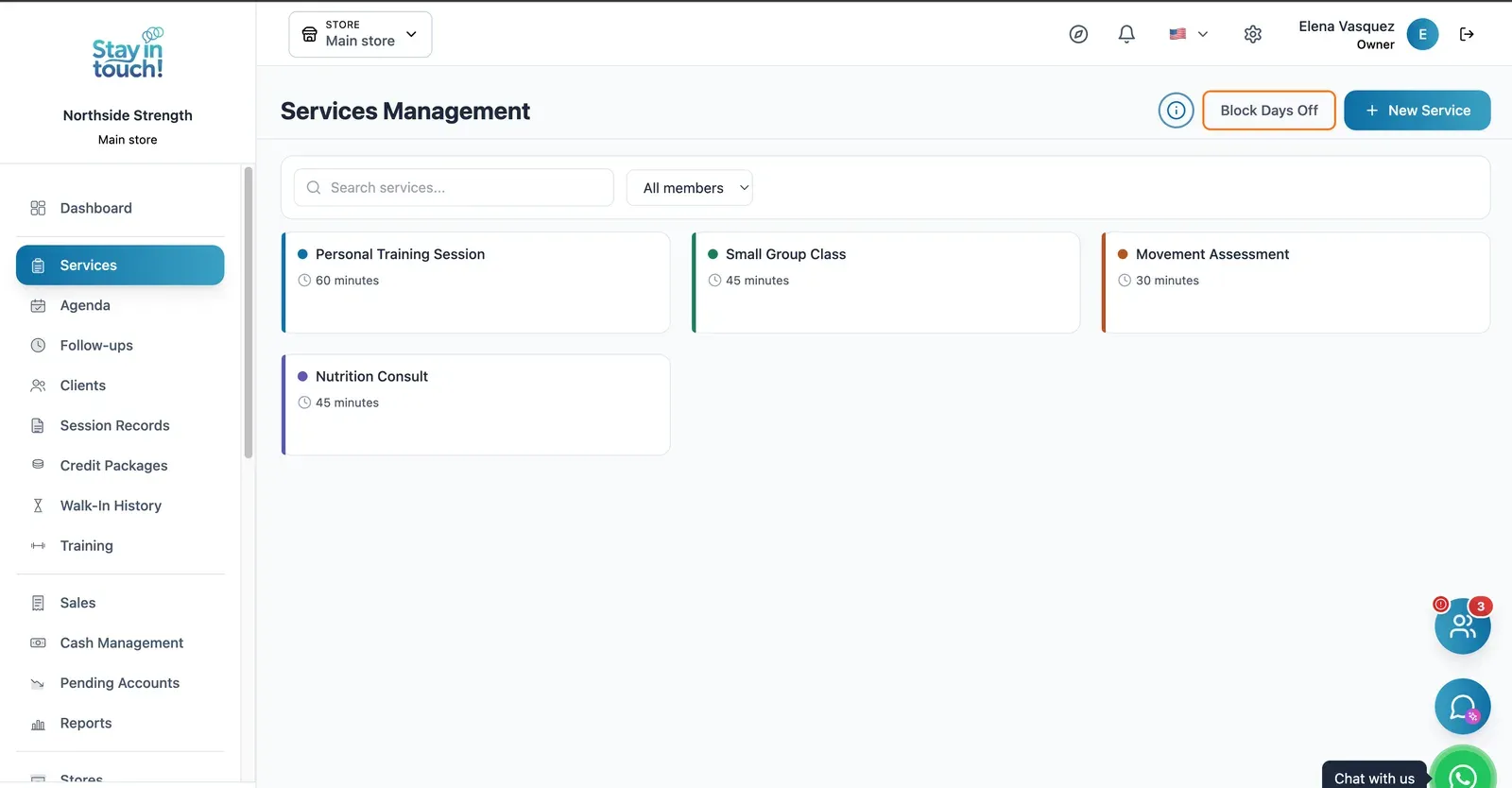
Services
Personal training, small-group classes, functional assessments and nutrition consults, each with its own duration and availability.
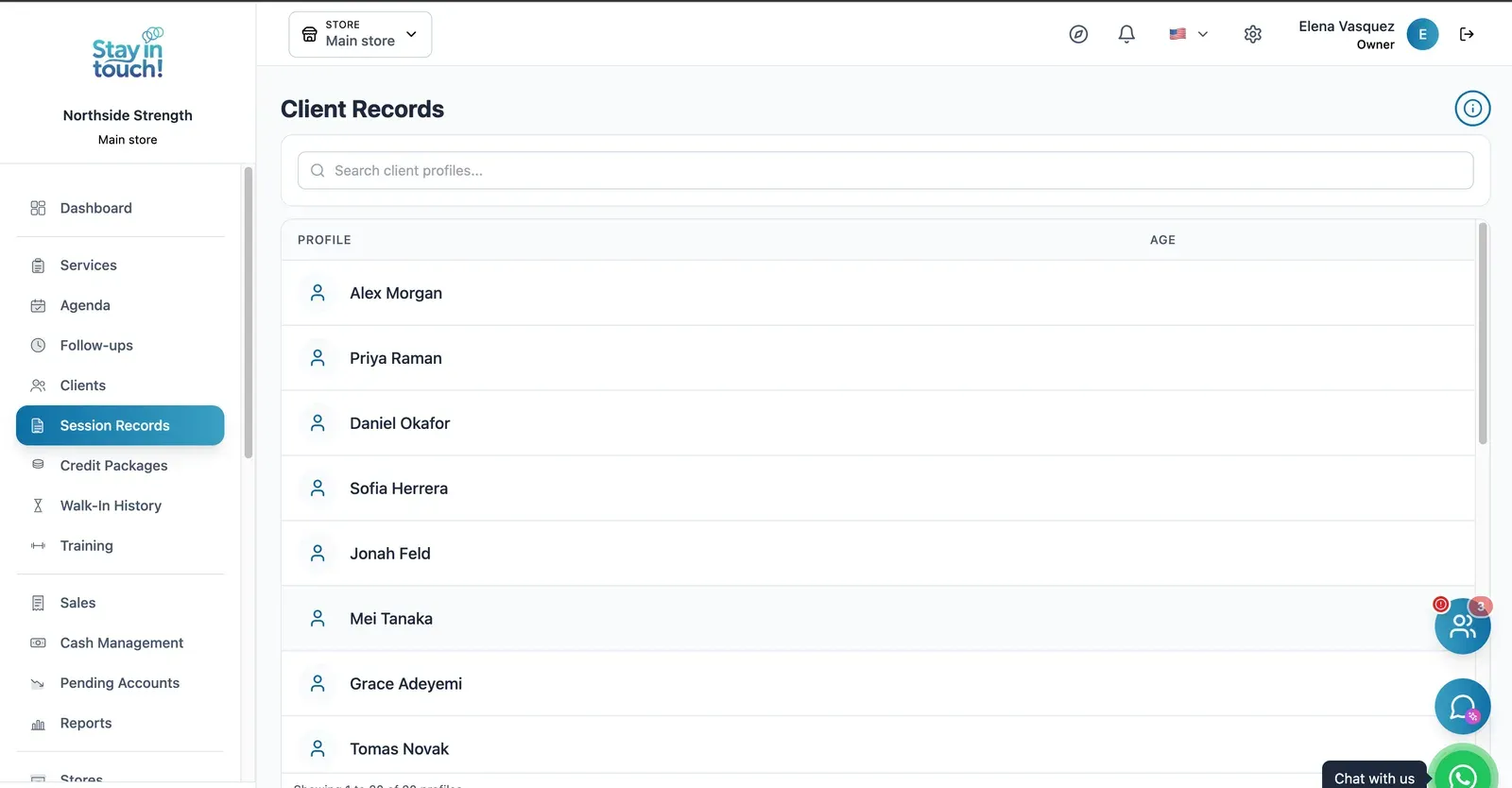
Session Records
A profile per member holding their session history, so any trainer can pick up where the last one left off.
Screen 1 of 24
Website included
Your own website, free from day one
Every Siimplo account publishes a page for your business: your services, online booking and your catalog — no designer, no hosting.
Your services on display, always up to date
Clients book themselves, 24/7
Product catalog with prices
Automatic messages
What reaches your client
Not sample copy: these are the approved templates the platform sends, exactly as they go out.
Pick the moment
Appointments
Waiting room
Billing
Credits
Reminders
14 automatic messages in your trade, each with its own approved template.
They go out from your business's own WhatsApp. Connecting your own number is free on every plan.
The nudges nobody asked for — a reminder, an invitation to book again — start switched off on purpose: no one is messaged from a flow their business never turned on.
On by default
Privacy
Your data, under lock and key
What your clients tell you is stored encrypted. Without the key, not even a full copy of the database gives it up.
What gets encrypted
Client records and notes
Allergies and conditions to watch for
Emergency contact
Reason for the visit in the waiting room
Messages and WhatsApp
Included on every plan, the free one too. Nothing to set up.
Client record
- Notes
- Prior right knee injury, avoid impact work
- Allergies
- Ibuprofen
- Emergency contact
- Martin Reed — (512) 555-0198
Tap to see how it's stored
What isn't encrypted, and why
Dates, names and account numbers stay readable: they are how the system finds the record. What gets encrypted is what the record says.
Who can see it
Encryption doesn't replace permissions. Every role — owner, front desk, senior staff, assistant — sees only what it should, over the same data.
Your data is yours
Export all your data in 1 click
In Settings → Export data, tick “Select all” and click once. We prepare everything in the background and email you a link to a single .zip file with one spreadsheet per list, ready to open in Excel, Google Sheets or Numbers.
No lock-in
Exporting doesn't depend on your plan. Even if you move to the free plan, you can take out everything you've recorded since day one.
Spreadsheets that just open
Every list is a CSV file with column headings in your language and accented names intact.
Everything, or one period
Lists with dates — sales, cash and the like — can be narrowed to a date range. Leave it empty and you get everything.
Included in every plan, the free one too. Only the account owner can export, and the emailed link works for 30 days.
Settings → Export data
Select all
- Clients
- Sales, line by line
- Appointments and classes
- Products and stock
- Suppliers and purchases
- Cash movements
- Credit packages
- Memberships
- Reminders
- Follow-ups
- Visit records and assessments
Emailed to you: one .zip, one spreadsheet per list
Artificial intelligence
AI drafts, you confirm
Siimplo uses AI for the work that takes your time but not your judgment: finding a gap in the calendar, writing a first draft, reading a spreadsheet, checking a receipt. Whatever gets saved to your account goes through the same path as if you'd done it by hand, with your role's permissions.
Ryo, your assistant
Ask in your own words — "who's free tomorrow at 10?", "when is there room this week?" — and Ryo reads your real schedule, only what your role is allowed to see. If you want to book, it drafts the appointment on a card, and it goes into the calendar when you press "Confirm booking".
AI helpers in your forms
- Create a service by describing it in your own words: AI fills in the form and writes the description, and you review it before saving.
- Import your product spreadsheet: AI works out which column is which, even when the headings don't match.
- A summary of a client's records over the months you pick, written by AI, saved and ready to print as a PDF.
Receipts that check themselves
When a client uploads the bank transfer for an appointment deposit, a credit package or a membership, AI checks that the receipt isn't altered or a repeat, and that the amount, bank and account holder match. If everything checks out the payment is confirmed on its own; if something doesn't, it hands it to you to review. You switch it on per payment method.
Ryo, the AI helpers and receipt validation are included depending on your plan. What AI writes is a draft: review it before you rely on it. Your clients never talk to the AI.
Ryo
AI assistant
Is there room in HIIT on Tuesday at 7 pm?
Yes, HIIT on Tuesday at 7:00 pm has space. Who should I book?
Jessica Miller
Booking to confirm
Jessica Miller
HIIT · 60 min
Tuesday · 7:00 pm
With Sarah
Confirm bookingRyo never books on its own: the appointment exists only once you press "Confirm booking".
And also
The details that save your day
What we've been adding to the portal, built around how you work.
Confirm from the reminder
Your clients confirm or cancel from the reminder, and the calendar shows who confirmed and who hasn't answered yet.
Repeating appointments
Book a standing appointment once: every one to four weeks on the days you pick, or every one to six months on the same day of the month.
The calendar your way
One column per team member to see everyone's day, or the week and a three-day view by the hour. Tap a free hour to book.
Online booking limits
Per service, set how far ahead clients can book online and how many bookings each client can make per week, month or year.
QR coupons
Create discounts per service and hand them out as a QR code that opens your website with the coupon already applied.
Birthdays
A list of your clients' upcoming birthdays, so none slips by.
Tags, and how they found you
Tag clients — VIP, wholesale, whatever helps — filter by tag, and note how each one found you. Bookings from your website are recorded automatically.
A portal your clients install
Your clients add their portal to their phone's home screen and see the sales you made them, with what's paid and what's still owed.
Activity log
The account owner sees who changed what, and when: prices, hours, clients, stock, cash, sales and more.
Simplify your daily routine
Join thousands of professionals who have streamlined their operations and grown their business with Siimplo.
Your data, under lock and key
Your clients' records are stored encrypted in the database, not just in transit. With role permissions, everyone on your team sees only what they should.
24/7 Access
Manage your practice from anywhere and anytime
Multi-Language
Support and platform available in English and Spanish
AI Assistant
Ryo answers questions about your schedule and leaves the booking ready to confirm
How It Works
Get started in three simple steps
Sign Up Free
Create your account in minutes, no credit card required
Set Up Your Space
Import your clients and customize your schedule
Start Growing
Automate reminders and focus on what you love
Training Programs
Build and deliver professional training programs to your clients — all in one place.
Exercise Library
Upload your own exercises with descriptions, instructions, and muscle group tags. Build a personal library that grows with your practice.
YouTube Video Integration
Link YouTube videos to any exercise so clients can watch proper technique demonstrations directly inside their training plan.
Personalized Training Plans
Combine exercises into structured plans and assign them to individual clients. Track progress and adjust plans as your clients improve.
Powerful Reports & Insights
Make data-driven decisions with a clear view of your business
Access your complete business dashboard from any browser. Track cash flow, sales, purchases, and invoices, all in one place.
Cash flow overview and balance at a glance
Sales reports by time period
Purchase and supply expense tracking
Invoice history and payment status
Customers
Businesses that already trust us
In the words of the people who run Siimplo every day.
I used to keep class lists in a notebook and there was always one person too many on the floor. Now everyone books from the link, and a missed class keeps its credit instead of starting an argument.
What sold me was seeing who is paid up without opening a spreadsheet. I know before someone walks onto the floor.
It took me a week to get my class packs set up the way I actually sell them. I haven't touched it since — the reminders go out on their own and people show up.
We run two locations that used to keep separate books. Seeing both from one place is how I finally learned which time slots actually make money.
The website with our class schedule gave me back half a day of texting every week. Parents look it up and sign their kid in without asking me.
Monthly Plans
Choose the plan that fits your practice. All plans include core features and 24/7 support.
Free
Perfect for getting started
- Max 30 clients
- Max 10 weekly slots on services
- Your website with online booking
- Appointments
- Online booking
- Credit Packages
- Memberships with Check-in
- Booking link & QR code
- Sensitive data encryption
- One-click export of all your data
Starter
For solo practitioners
- Max 100 clients
- Max 50 weekly slots on services
- Your website with online booking
- Appointments
- Online booking
- Credit Packages
- Memberships with Check-in
- Booking link & QR code
- Visit Records
- Invoicing
- Reminders
- Messaging
- Training plans
- Sensitive data encryption
- One-click export of all your data
- AI helpers
Professional
For growing practices
- Unlimited clients
- Unlimited weekly slots
- Your website with online booking
- Appointments
- Online booking
- Credit Packages
- Memberships with Check-in
- Booking link & QR code
- Visit Records
- Invoicing
- Reminders
- Messaging
- Training plans
- Inventory
- Cash management
- Supply purchases
- Team management
- Waiting room
- Priority Support
- Additional stores
- WhatsApp notifications
- Sensitive data encryption
- One-click export of all your data
- AI helpers
- Ryo, the AI assistant
- AI receipt validation
Frequently Asked Questions
Everything you need to know about fitness class management software.
What is fitness class management software?
How does Siimplo help manage fitness studio clients?
Can clients book fitness classes online with Siimplo?
Does Siimplo work for yoga studios and personal trainers?
How does Siimplo handle memberships and credit packages?
How much time does fitness management software save per week?
Who can see my clients' records?
Can I take my data out?
What does the AI do, and what doesn't it?
Start today. Your time is worth it.
Join thousands of professionals using Siimplo. Start for free today, no credit card required.
Get Started FreeNo card required. Cancel anytime.