What this trade's businesses do on the platform, every day.
+150
quote requests per day
+3,600
quotes sent per month
+240
visits scheduled per day
+600
jobs invoiced per day
Platform figures, rounded down.
One job, start to finish
From a quote request to the invoice.
Follow one Juniper Plumbing & Air job for Emily, from the quote request on your website to getting paid. Each step happens in a different module and nothing is typed twice.
Juniper Plumbing & AirServicesTeamContactRequest a quote
Juniper Plumbing & Air
Plumbing
Request a quote →
Water heaters
Request a quote →
Air conditioning
Request a quote →
A request with photos, from your site
Juniper Plumbing & Air
Step 1 of 8·Module: Website
1Monday 8:20 AM·Website
A quote request comes in
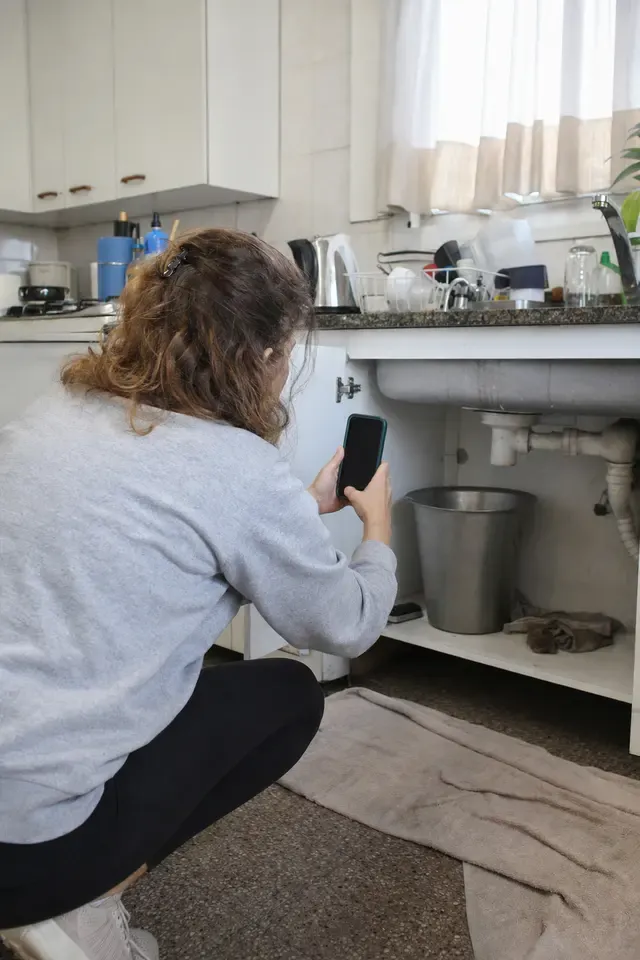
Emily visits your website, taps “Request a quote”, describes the job, leaves the address and uploads a couple of photos. The request lands in Jobs as a new request, with everything in it.
2Monday 11:00 AM·Quotes
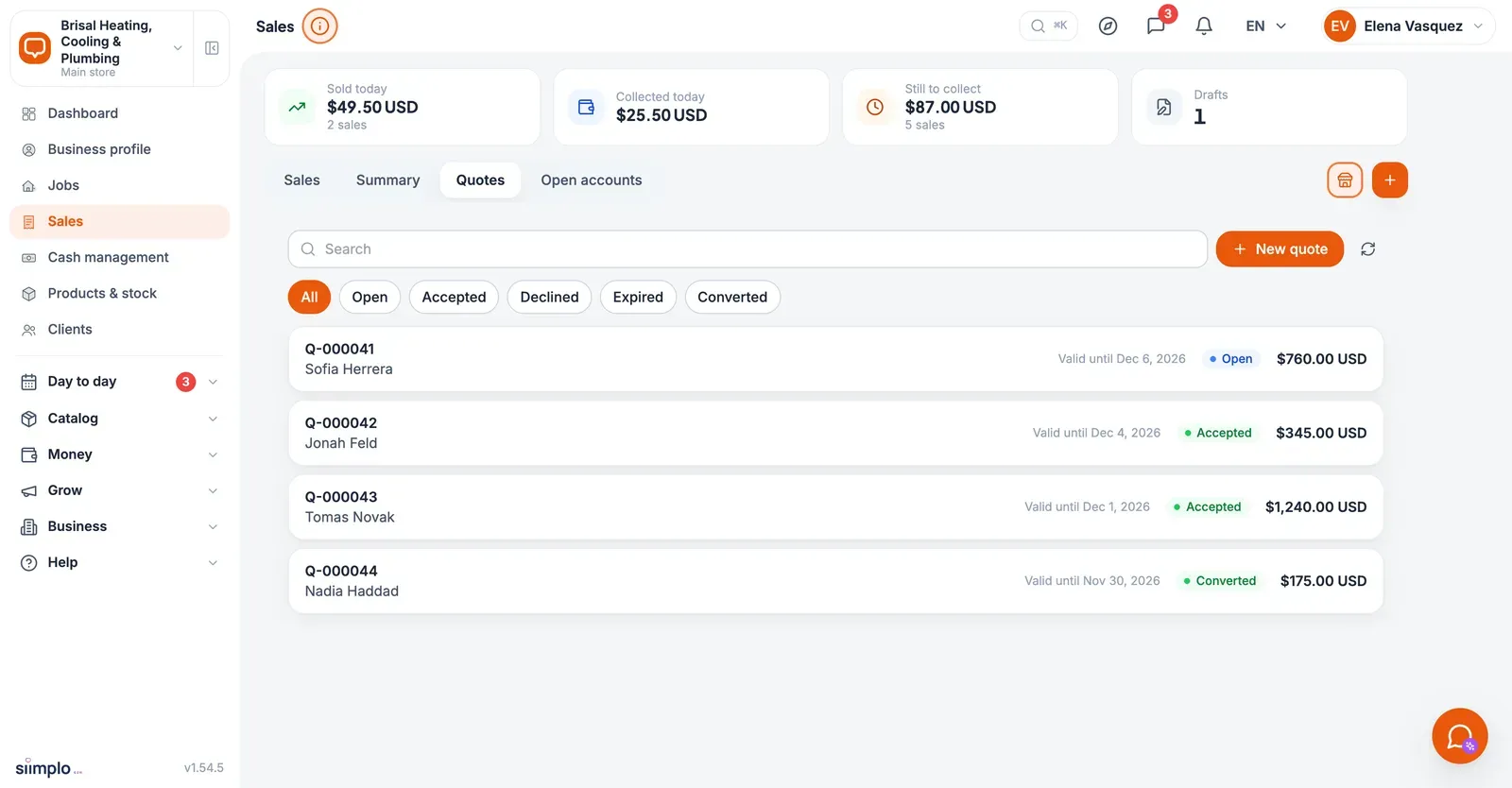
You build the quote from your price list
Add items from your price list, by the hour, by the square foot or each, and send it to Emily by WhatsApp or email. No spreadsheet, no maths by hand.
3Wednesday 9:00 AM·Jobs
The visit goes on the crew calendar
Once the quote is accepted, you schedule the visit for whoever goes on site, and you're warned if they already have one at that time. The day before, Emily gets the reminder on WhatsApp.
4Thursday 10:30 AM·Inventory & purchasing
Materials come out of stock
Log what the job used and stock goes down on its own. If something runs low, you build the supplier order from what's missing.
5Thursday 5:00 PM·Sales & cash
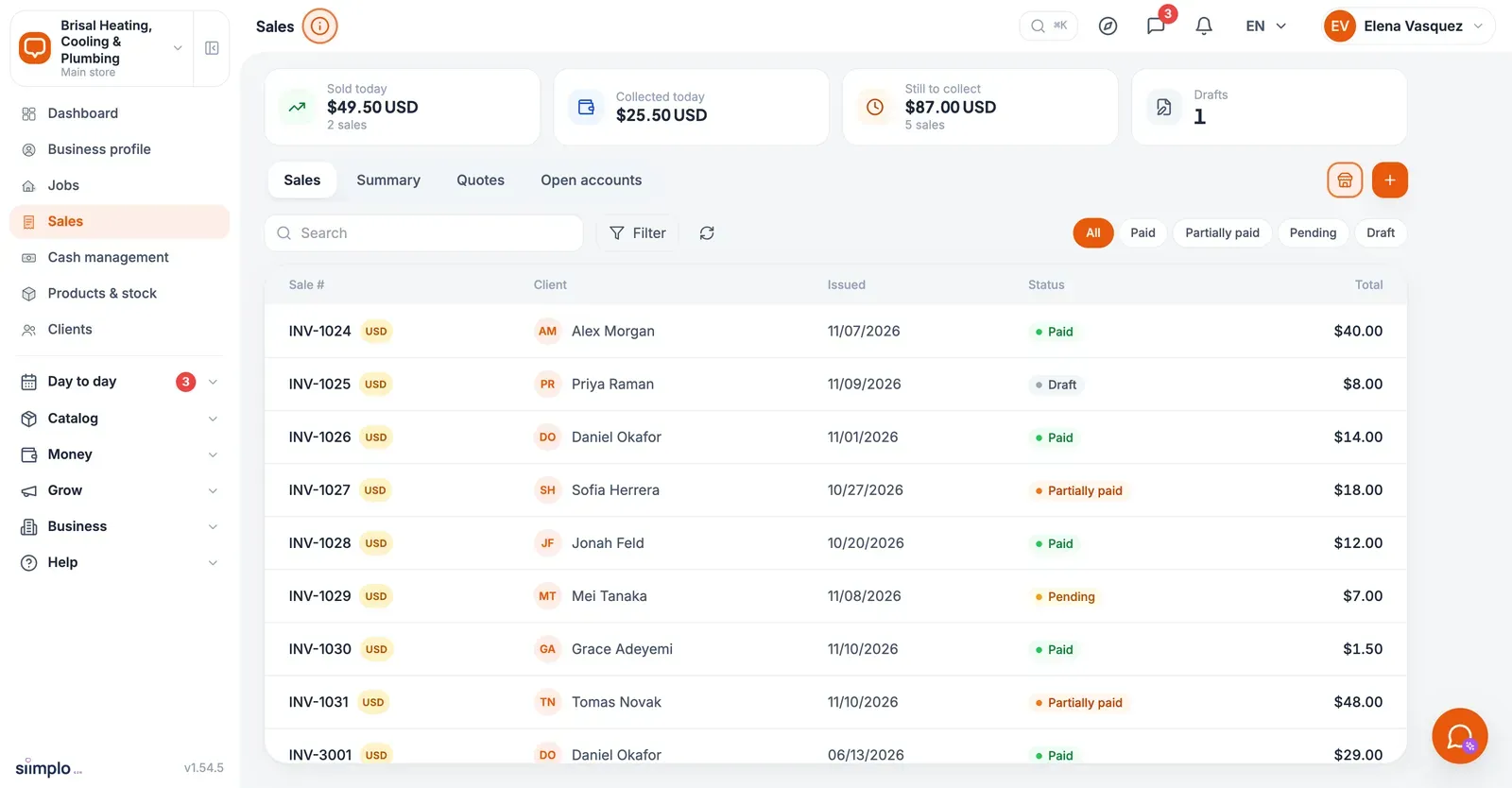
Done: the job becomes a sale
Mark the job done and it turns into a sale with the quote's lines. Pick how Emily paid and the cash register updates itself.
6Six months later·Maintenance plans
And they come back on a maintenance plan
Offer a plan with check-ups in the months you choose and a discount on other work. As each check-up comes up, the job appears in your list by itself.
7End of the month·Reports
And the numbers are already done
Which jobs you closed, what you billed and how you were paid: the report builds itself from what you already entered.
8Whenever you need it·AI
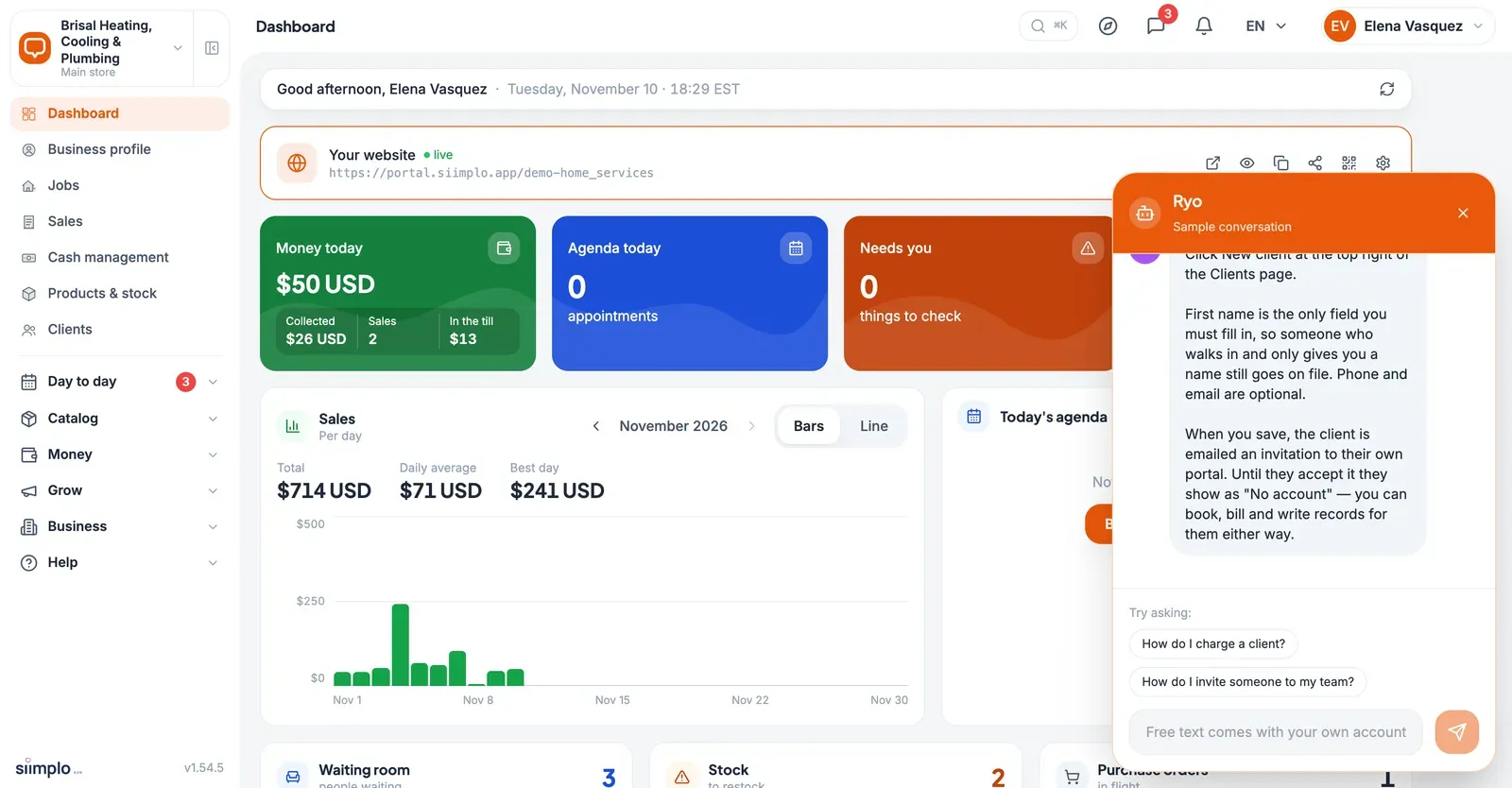
And if you need a hand, there's Ryo
Ask how to build a quote or how to turn a job into a sale. Ryo answers with the steps, inside the portal.
Live follow-up
We don't leave you alone with the software
Most businesses don't know where to start or what to do next. Someone from the Siimplo team walks with you: sets everything up with you, checks in to see how it's going, and helps you decide how to keep growing.
A kick-off video call
We set your account up with you: your details, your clients and your website, so you leave the call with everything running.
We check in on how it's going
We go over what you're using, what's missing and where you got stuck.
A person on WhatsApp, not a bot
When you don't know how to do something, you message someone on the team who knows your account.
Ideas to grow, not just support
We help you think through your business's next step: how to take payments, how to bring in more clients, how to organise the day.
Included on every plan, Free too. No extra cost.
Your follow-up
Kick-off call: your account and website set upDone
Check-in: we reviewed your first weekDone
Next step: share your website link on InstagramToday
Siimplo team
Hi! How are the first few days going? I saw you've added your details. If you like, today I'll show you how to share your website on Instagram.
Yes, let's do it!
Monthly plans
Choose the plan that fits your business. Start free and move up when you need more.
Our best plan, free for 2 months
Everyone who signs up starts on the full Professional plan, free for 2 months. It's automatic, no code needed. When they end, you carry on in Free or pick a paid plan.
Free
To get started
USD 0/month
Up to 10 clients
1 user
Your website with your services
Request a quote form with photos
Jobs and visits with photos, notes and materials: up to 10 a month (requests from your website don't count)
Crew calendar
Price list with starter items for your trade
Quotes by WhatsApp or email, up to 10 a month
QR code and shareable link
Sales: up to 50 a month
Online payments through your own Mercado Pago or Stripe
Stock and suppliers: up to 20 products
Reports for the last 30 days
Sensitive data encryption
One-click export of all your data
Live follow-up: we help you set everything up and grow
Online payments through your own Mercado Pago or Stripe
Included
Included
Included
ARCA e-invoicing in Argentina (Factura C)
Not included
Included
Included
Cash management
Not included
Included
Included
ARCA Factura A and B, with VAT books (Responsable Inscripto)
Not included
Not included
Included
Stock
Products in stock
20
300
Unlimited
Purchase orders to suppliers
Not included
Not included
Included
Website and online selling
Your website with your services
Included
Included
Included
QR code and shareable link
Included
Included
Included
Instagram marketing
Sold separately
Sold separately
Sold separately
Promotions and notices on your website
Not included
Included
Included
Messages and WhatsApp
Automatic reminders
Not included
Included
Included
Messaging
Not included
Included
Included
WhatsApp notifications
Not included
50 a month
500 a month
WhatsApp campaigns from your own business number
Not included
Not included
Included
Artificial intelligence
AI helpers
Not included
Not included
Included
Ryo, the AI assistant
Not included
Not included
Included
Team
Users
1
2
Unlimited
Additional stores
Not included
Not included
Included
Reports
Report history
30 days
12 months, with export
All of it, plus email
Security and support
Sensitive data encryption
Included
Included
Included
One-click export of all your data
Included
Included
Included
Live follow-up: we help you set everything up and grow
Included
Included
Included
Priority support
Not included
Included
Included
WhatsApp notifications are sent from Siimplo’s number; connecting your own business number is available on every plan. WhatsApp campaigns go out from your own business number, which you connect, and Meta charges for each message separately. Instagram marketing is bought separately, as monthly post packs, on any plan.
Why is it free? Because a system that keeps your business in order is like wifi or electricity: the basics of getting work done, not a luxury. We don't want any small business left out because it can't pay. That's why the Free plan is forever.
Everything a home services business runs on
The work, the money and the materials, in one portal for you and your crew.
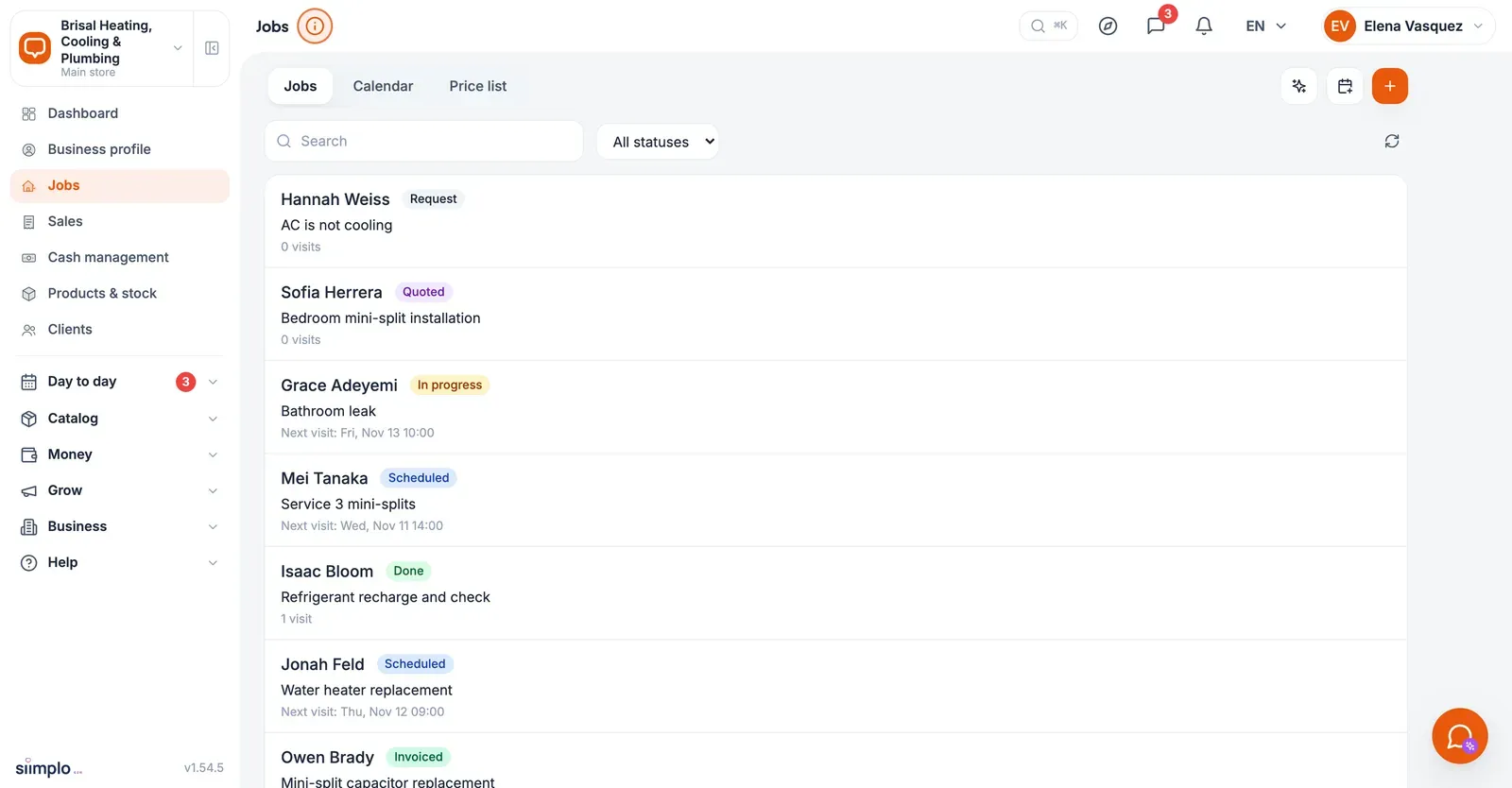
Jobs and visits
Every job from request to invoice, with its visits, the client's address, photos, notes and the materials used. A visit can also stand alone, without a job.
Crew calendar
Visits per worker by day and week. A job that spans several days shows as its visits, and booking someone twice warns you first.
Price list
What you charge, per hour, per square foot or square metre, or each. It starts with items for your trade, and you change them as you like.
Quotes
Lines from your price list or typed freely, materials from stock, sent to the client by WhatsApp or email.
Request a quote
A form on your own website where clients describe the job, add the address and upload photos. Each one arrives as a new request.
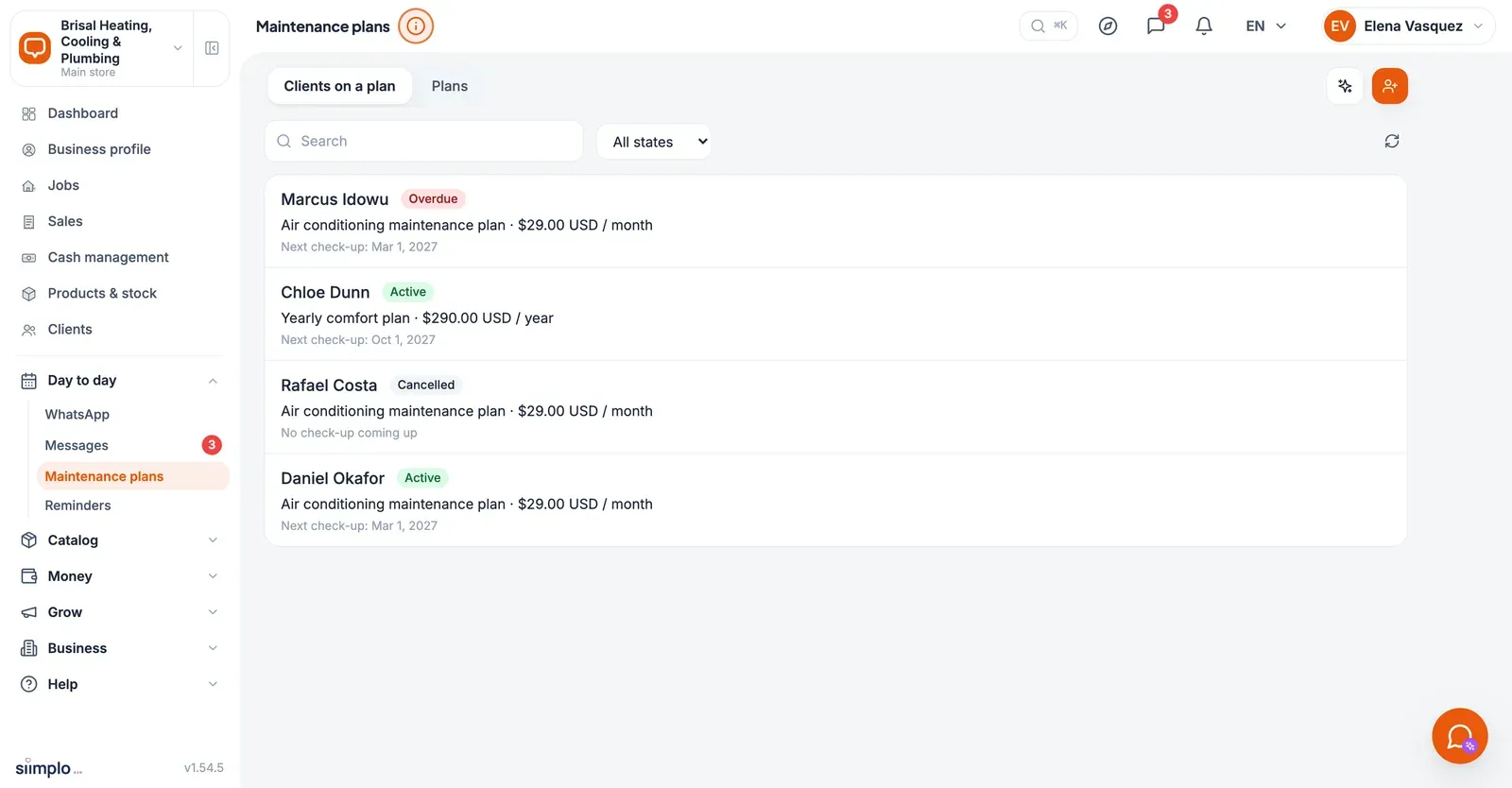
Maintenance plans
Plans with scheduled check-ups and a discount on other work. When a check-up is due, a request job is created for you to schedule.
Materials from stock
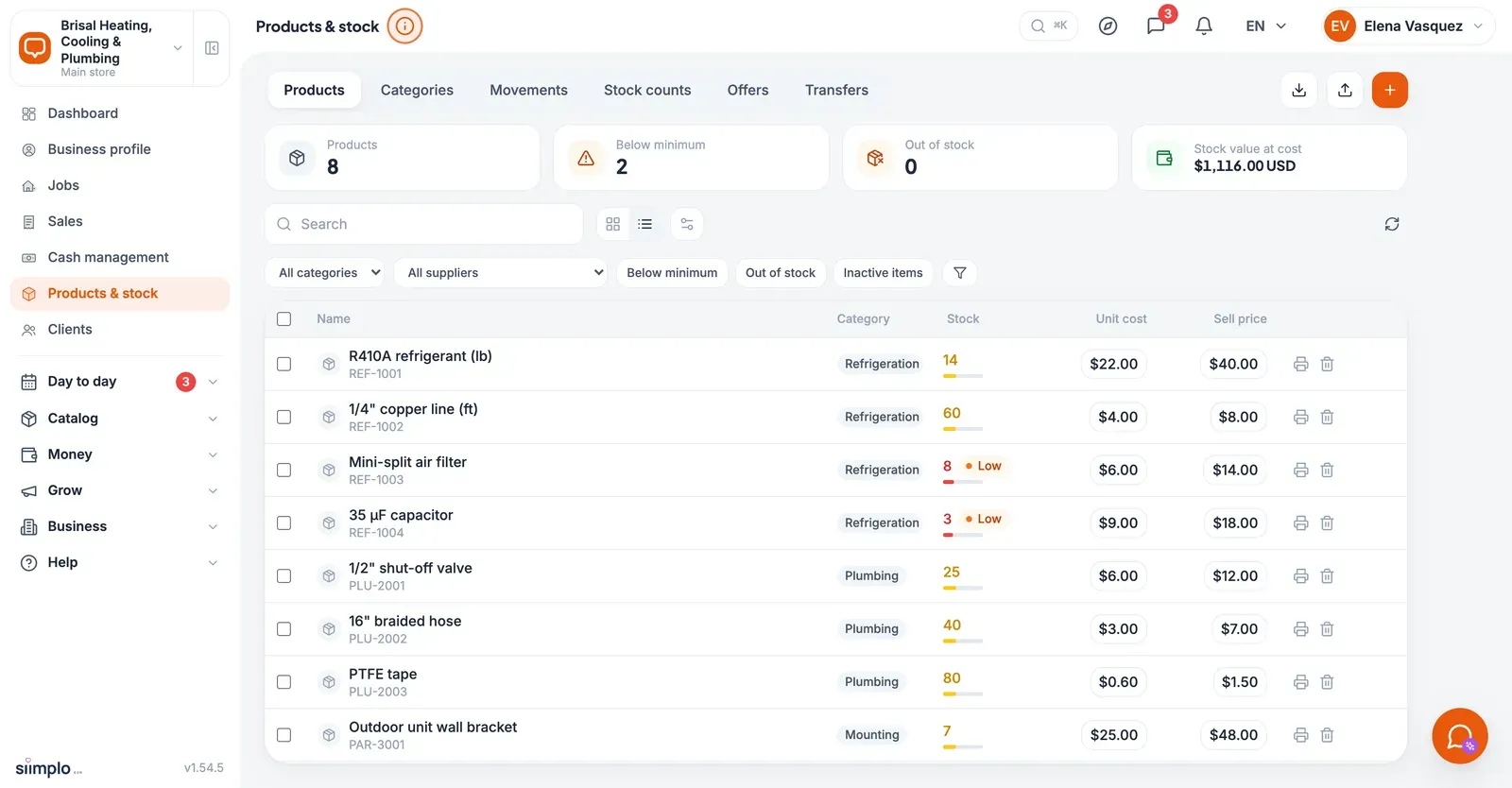
Products, stock, suppliers and purchase orders. What the crew uses on a visit comes out of stock.
Sales and cash
Sales, balances, daily and monthly cash, payment methods and fixed expenses. ARCA e-invoicing in Argentina.
Team and roles
Invite your crew by email and give each a role. A role can be limited to their own work, so they see only the jobs and visits they are on.
Free website
WhatsApp reminders
Sales & ARCA e-invoicing
Online payments
Stock control
Gift cards
Reports
AI Instagram posts
Ryo, the AI assistant
Free website
WhatsApp reminders
Sales & ARCA e-invoicing
Online payments
Stock control
Gift cards
Reports
AI Instagram posts
Ryo, the AI assistant
Clients
Cash Control
Purchase Orders
Suppliers
Payables & Receivables
Reports
Messages
Team & Permissions
Multi-store
Clients
Cash Control
Purchase Orders
Suppliers
Payables & Receivables
Reports
Messages
Team & Permissions
Multi-store
One portal for every home trade
You pick your trade when you sign up, and your price list starts with the work that trade usually charges for.
General contractor
Residential construction
Carpentry
Electrical
Handyman
HVAC
Landscaping
Painting
Plumbing
Roofing
A job at your business
From request to sale, in one place
This is Siimplo on an ordinary job: the request comes in, you quote, the crew goes out and the finished work gets paid.
Request from your websiteEmily · leak under the sink · 3 photos
1
A request comes in from your website
Your client fills in Request a quote: what they need, the address and photos. It lands in Jobs as a request, photos included.
Quote sentBy WhatsApp · 4 price-list items
2
You quote from your price list
Add items from your price list and materials from your stock, and send it by WhatsApp or email from the job itself.
Visit reminderEmily · Tue 12, 9–11 am
3
The visit, on the crew calendar
Schedule the visit with its time and who's going. The day before, your client gets a reminder by WhatsApp or email.
Sale createdQuote + materials from the visit
4
Done is the sale
Mark the job done and the sale is built from the quote and the materials used. Take the payment and your cash register is up to date.
Professional website included
Your own website, free from day one
Every Siimplo account publishes a complete website for your business, on every plan, the free one too: your story, your work, a gallery, FAQs and a Request a quote form. No designer, no hosting.
Your story, your trades and your FAQs
A Request a quote button instead of booking
Clients describe the job, add the address and attach photos
Not sample copy: these are the approved templates the platform sends, exactly as they go out.
Pick the moment
Visits
Billing
Reminders
6 automatic messages in your trade, each with its own approved template.
They go out from your business's own WhatsApp. Connecting your own number is free on every plan.
The nudges nobody asked for — a reminder, an invitation to book again — start switched off on purpose: no one is messaged from a flow their business never turned on.
Juniper Plumbing & Air
Visit reminder
Hi Emily, this is a reminder from Juniper Plumbing & Air: we'll visit you on Tuesday, November 12 between 9:00 am and 11:00 am at 1450 Maple Ave. If you need to change it, ask from your client portal.
10:31
See my visit
On by default
Recurring work
Maintenance plans that fill your calendar
Sell a plan, for example an HVAC plan with two check-ups a year. Members get a discount on other work, and you never have to remember who is due.
Check-ups on the months you choose
Each plan says how many check-ups a year it includes and when.
A request when one is due
Siimplo creates a request job by itself, so you only schedule the visit.
A discount on other work
Clients on a plan pay less for the jobs outside it.
Privacy
Your data, under lock and key
What your clients tell you is stored encrypted. Without the key, not even a full copy of the database gives it up.
What gets encrypted
Client details and notes
Emergency contact
Messages and WhatsApp
Your questions to Ryo and its answers
Included on every plan, the free one too. Nothing to set up.
Client record
Notes
Side gate, ring the bell by the garage
Emergency contact
Jorge (neighbour), 351 555-0142
Messages
Can you come Tuesday morning?
Tap to see how it's stored
What isn't encrypted, and why
Dates, names and account numbers stay readable: they are how the system finds the record. What gets encrypted is what the record says.
Who can see it
Encryption doesn't replace permissions. Every role — owner, front desk, senior staff, assistant — sees only what it should, over the same data.
Your data is yours
Export all your data in 1 click
In Settings → Export data, tick “Select all” and click once. We prepare everything in the background and email you a link to a single .zip file with one spreadsheet per list, ready to open in Excel, Google Sheets or Numbers.
No lock-in
Exporting doesn't depend on your plan. Even if you move to the free plan, you can take out everything you've recorded since day one.
Spreadsheets that just open
Every list is a CSV file with column headings in your language and accented names intact.
Everything, or one period
Lists with dates — sales, cash and the like — can be narrowed to a date range. Leave it empty and you get everything.
Included in every plan, the free one too. Only the account owner can export, and the emailed link works for 30 days.
Settings → Export data
Select all
Clients
Jobs and visits
Quotes
Sales, line by line
Products and stock
Suppliers
Cash movements
Export
Emailed to you: one .zip, one spreadsheet per list
Artificial intelligence
AI drafts, you confirm
Siimplo uses AI for the work that takes your time but not your judgment: finding a gap in the calendar, writing a first draft, reading a spreadsheet, checking a receipt. Whatever gets saved to your account goes through the same path as if you'd done it by hand, with your role's permissions.
Ryo, your assistant
Ask how to do anything in Siimplo and it answers with the steps, without leaving the screen you're on. It follows the conversation, so you can ask a follow-up.
AI helpers in your forms
Import your product and materials spreadsheet: AI works out which column is which, even when the headings don't match.
Ryo, the AI helpers and receipt validation come with the Professional plan. What AI writes is a draft: review it before you rely on it. Your clients never talk to the AI.
Ryo
AI assistant
How do I turn a finished job into a sale?
Open the job in Jobs and, from the ⋮ menu, tap “Mark done”. Then, in the same menu, “Create sale”: it's built from the linked quote's lines and the materials from the visits that haven't been invoiced yet. Review it and take the payment like any other sale.
Ryo answers questions about using Siimplo, in your language.
Marketing
Instagram posts drawn from your brand
Describe what you want to post and Siimplo draws it in your own colours, layout and typography — a post, a carousel of two to five slides or a story — and posts it to your Instagram account when you say so.
1
Build your brand kit once
Add up to six images you already use — past posts, flyers, your website — and the logo to print: the one on your profile or one just for marketing.
2
Say what it should say
Type it in your own words — “Spring tune-up: get your AC serviced before the heat — request a quote from our website” — pick post, carousel or story, and tick which of your address, phone, WhatsApp or Instagram handle to print on it.
3
It cooks in about a minute
The picture is drawn from your kit, so it keeps your palette and your look. Open it full size, download it, or press Post to Instagram and Siimplo publishes it to the account you connected, with the caption you write.
Not quite right? Recreate it with a note — “bigger headline, more white space” — and keep the first one too.
Mark the ones you like and filter your history by them.
Every piece comes at the size Instagram uses — 4:5 for posts and carousels, 9:16 for stories — and posts straight from Siimplo once your Instagram account is connected.
Marketing is sold as packs of posts, not as part of a plan: Light posts once a week, Regular three times a week, Daily every day. A post is one image, a story or a whole carousel, and every post includes two redraws. Buy, change or cancel your pack from your Billing page. Pictures are drawn by AI — check them before posting. Siimplo does not make videos.
New creation
Post · drawn from your brand kit
Brand kit
Logo
What should it say?
Spring tune-up: get your AC serviced before the heat — request a quote from our website
Post 4:5Carousel · 2–5 slidesStory 9:16
Your business
AC check-ups
Request a quote from our website
Ready in about a minute. Download it, or post it to Instagram from the card.
And also
The details that save your day
What we've been adding to the portal, built around how you work.
ARCA e-invoicing
Issue a Factura C from a finished sale, with ARCA's CAE and QR code on the PDF, and void it with a Nota de Crédito C when needed. You use your own certificate, and each location invoices on its own point of sale. For monotributistas and exempt businesses in Argentina, on the Starter and Professional plans.
Get paid online with Mercado Pago or Stripe
Connect your own Mercado Pago or Stripe account in one click and your clients pay online what's left on a sale, from their portal: a finished job or their maintenance plan's instalment. The money goes straight into your account, the sale is marked paid and the payment is recorded in your cash register — no receipts to check. With both connected, your client picks. On every plan: Mercado Pago in Argentina, in pesos; Stripe by card, wherever Stripe operates, in your account's currency.
Stock history
Every movement of a material, with who made it and why, and the value of your stock on a past date.
Tags, and how they found you
Tag clients — building manager, company, whatever helps — filter by tag, and note how each one found you.
Merge duplicate clients
The account owner combines two duplicate records of the same client into one, keeping all of their history.
Promotions and notices
Post a promotion or a notice — “AC check-up before summer”, “Closed Monday the 25th” — with an optional image and button, and the dates it runs. It shows as a banner on your website and in your clients’ portal until it ends or you switch it off. On paid plans.
Instagram posts drawn from your brand
Keep a brand kit — up to six images you already use and your logo — and describe what you want to post. Siimplo draws a post, a carousel of up to five slides or a story in your colours, layout and typography, with your address, phone or Instagram printed on it if you like. Recreate it with a change until it is right, keep the ones you like, download it or post it to your Instagram account from Siimplo. Sold as packs of posts a month, bought from your Billing page.
A portal your clients install
Your clients add their portal to their phone's home screen and see the sales you made them, with what's paid and what's still owed, and their maintenance plan with its next check-up.
Your own WhatsApp number
Connect your business's WhatsApp number on any plan and answer your clients' messages from the Siimplo inbox.
Activity log
The account owner sees who changed what, and when: prices, hours, clients, stock, cash, sales and more.
Why Siimplo for home services
Built around jobs and visits, not appointment slots.
Jobs, not time slots
A job can take 20 minutes or three weeks. Siimplo plans it as visits on your crew's calendar instead of squeezing it into an agenda.
On site or in the office
It runs in the browser on a phone, a tablet or a computer. Nothing to install.
Fewer calls
Clients get the quote, the visit reminders and any change by WhatsApp or email.
Your data, yours
Sensitive data is encrypted, and you can export everything in one click on any plan.
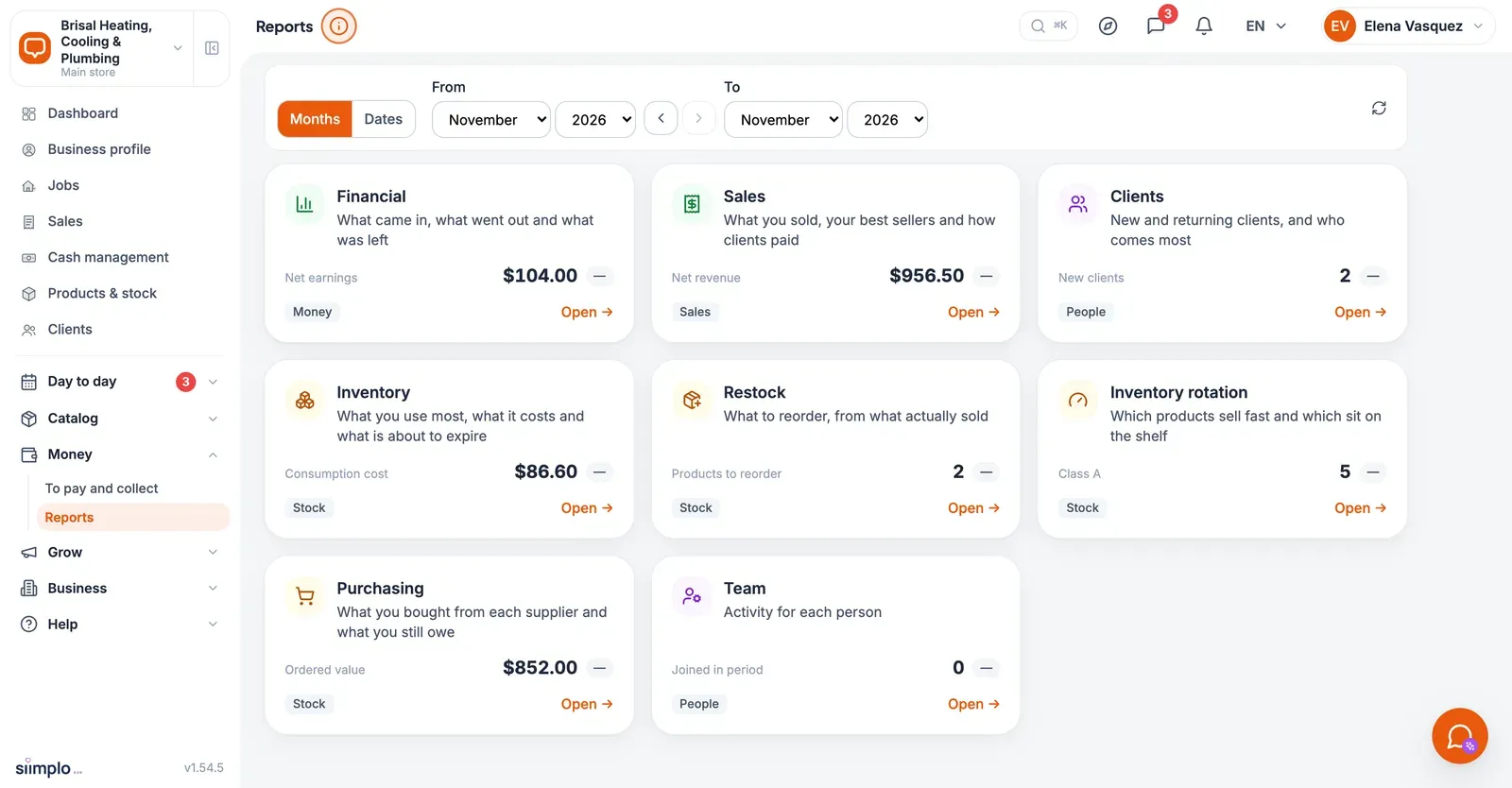
Reports & insights
Make decisions with a clear view of your jobs
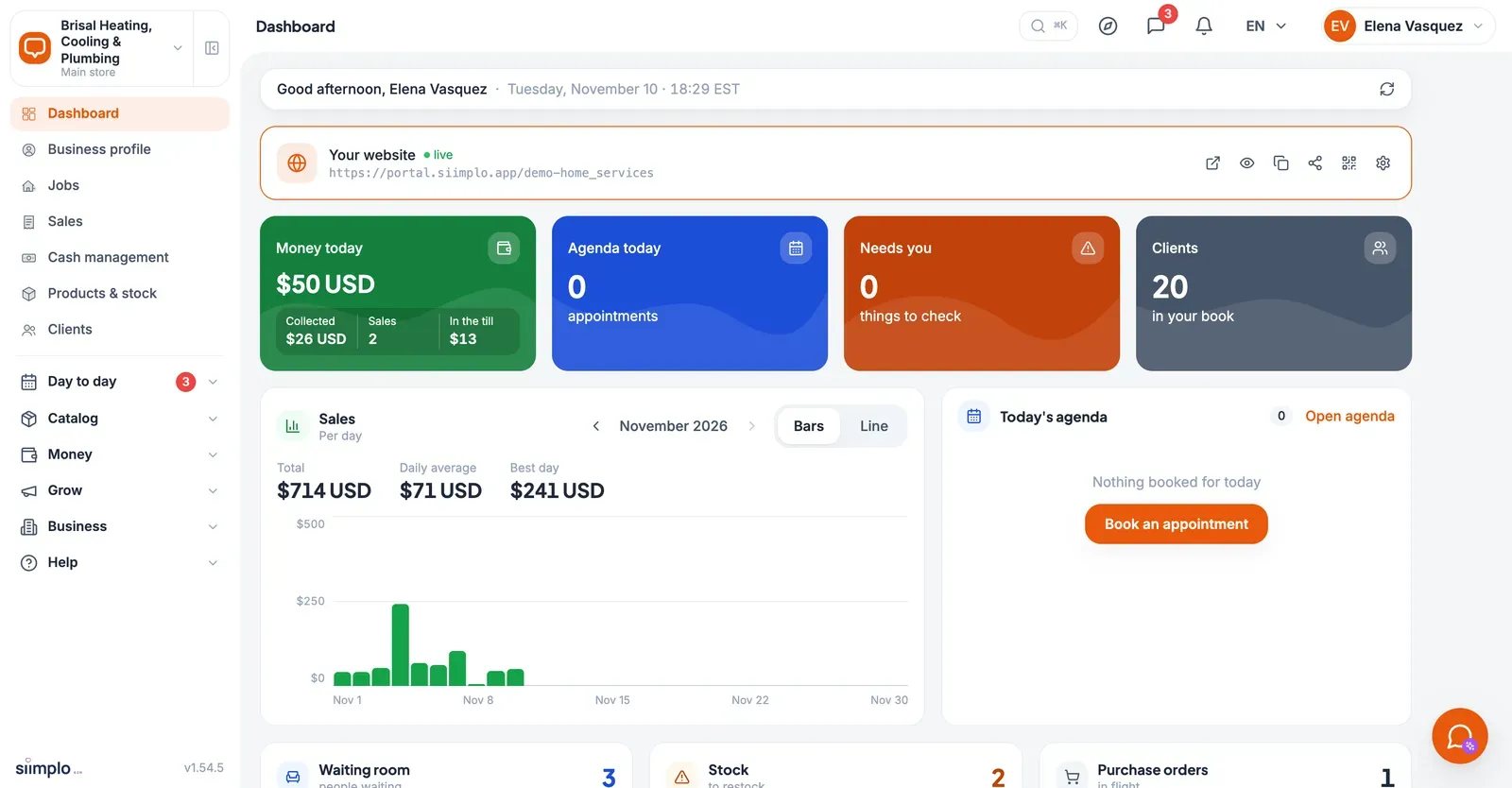
Access your business's complete dashboard from any browser. Track income, expenses, sales and payments, all in one place.
Income, expenses and net profit by period
Labour and materials sales by category
Supplier purchases and materials stock
Sales history and payment status
Customers
Businesses that already trust us
In the words of the people who run Siimplo every day.
Requests come in from the form on my website with photos of the problem. Before I head out I already know what to load in the van.
Rubén GaitánOwner · Plomería GaitánCórdoba
I build the quote from the price list and send it by WhatsApp from the job itself. I stopped copying prices out of a notebook.
With maintenance plans, each unit's check-up shows up on its own as a job a couple of weeks ahead, and clients on the plan get their discount on everything else.
Gustavo PereyraOwner · Clima Sur InstalacionesBahía Blanca
Setting up the crew and the price list took me a weekend at the start. Now a job that runs for days is just its visits on the calendar, and I can see who's on each one.
The materials from each visit come off the stock, and when the job is done the sale already has them. Not a single can of paint slips through.
Silvina RossiManager · Pinturas RossiMar del Plata
Start in three steps
No card, no installation.
1
Create your account
Sign up free and pick your trade. Your price list starts with its usual items.
2
Share your website
Put the link on your van, your cards and your social profiles, and requests start coming in.
3
Run your jobs
Quote, schedule the visits, do the work and charge it, from the same portal.
Frequently asked questions
Everything you need to know about software for home services.
Which businesses is it for?
General contractors, residential construction, carpentry, electrical, handyman, HVAC, landscaping, painting, plumbing and roofing. It is one portal for all ten: you pick your trade when you sign up, and that only fills in the first items of your price list.
Does it have an appointment agenda?
No, on purpose. A job can take 20 minutes or three weeks, so instead of appointment slots Siimplo plans each job as visits: a date, a start and end time and the crew going. The crew calendar shows the visits per worker by day and week.
How do quotes work?
From a job you build the quote with lines from your price list, lines you type freely and materials from your stock, then send it to the client by WhatsApp or email. When the job is done, Done creates the sale from the accepted quote plus anything added on the way.
How do clients ask me for a quote?
Your website has a Request a quote form. The client writes what they need, the address, uploads photos and leaves their name, phone and email. Each request lands in Jobs, ready to quote.
What are maintenance plans?
A plan you sell to your clients, for example an HVAC plan with two check-ups a year. It sets the months of its check-ups and a discount on other work. When a check-up is due, Siimplo creates a request job by itself so you only have to schedule the visit. Maintenance plans are on the paid plans: up to 15 clients on Starter and unlimited on Professional.
Can my crew use it?
Yes. Invite each member by email and give them a role, which sets what they can see and do. A role can be limited to their own work, so a worker sees only the jobs and visits they are on. Free has one user, Starter two and Professional unlimited.
Does it work in the US and in Argentina?
Yes. In the US you price in USD and take card payments through your own Stripe account. In Argentina you price in ARS and USD, take payments through your own Mercado Pago account and issue ARCA e-invoices. The money goes straight into your account: Siimplo never holds it and adds no fee.
Does it issue ARCA electronic invoices?
Yes, for businesses in Argentina. From a finished sale you issue a Factura C: ARCA authorizes it with a CAE, and the PDF carries the CAE and ARCA's QR code. If it has to be voided, a Nota de Crédito C for the full amount cancels it. You connect your own ARCA certificate, and Siimplo walks you through each step without ever asking for your Clave Fiscal. Factura C is on the Starter and Professional plans, at no extra cost. If you're a Responsable Inscripto, the Professional plan also issues Factura A and B — ARCA's rule picks the letter from your client's VAT condition — with their credit notes, the VAT rate of each product and service, and the VAT books.
Will you help me set up and use Siimplo?
Yes, on every plan, Free included. With live follow-up, someone from the team sets everything up with you on a video call, checks in to see how it's going and answers you on WhatsApp (a person, not a bot). There's no extra cost.
Why is it free?
Because a system that keeps your business in order should be the basics, not a luxury. The Free plan is free forever, with no card, up to 10 clients, and jobs and visits, the price list, quotes (up to 10 jobs and 10 quotes a month; requests that come in from your website don't count) and Request a quote included. As you grow, the paid plans add unlimited clients and sales, more jobs and quotes, maintenance plans, cash, e-invoicing, reminders, a bigger team and, on Professional, branches, purchase orders and AI. Those plans are what keep the free one going.
Can I take my data out?
Yes, whenever you want and on any plan: your data is yours. In Settings → Export data, one click starts the export and we email you a link to a single .zip file with one CSV spreadsheet per list, which opens in Excel, Google Sheets or Numbers. The link works for 30 days, and only the account owner can export.
What does the AI do, and what doesn't it?
Ryo, the assistant, answers how to do anything in Siimplo without leaving the screen. The AI helpers match the columns of a spreadsheet you import. Everything else you confirm yourself, with your role's permissions, and your clients never talk to the AI. Included in the Professional plan.