
For retail stores
Managing your shop, now simpler.
The retail management software that centralizes sales, inventory control, and invoicing on a platform designed so your only priority is serving your customers.
- Products & Stock
- Sales
- Cash Control
- Reports
Everything your shop needs to grow.
A complete platform designed for modern retail and variety businesses.
See Siimplo running your store
Every module, exactly as your team will use it.
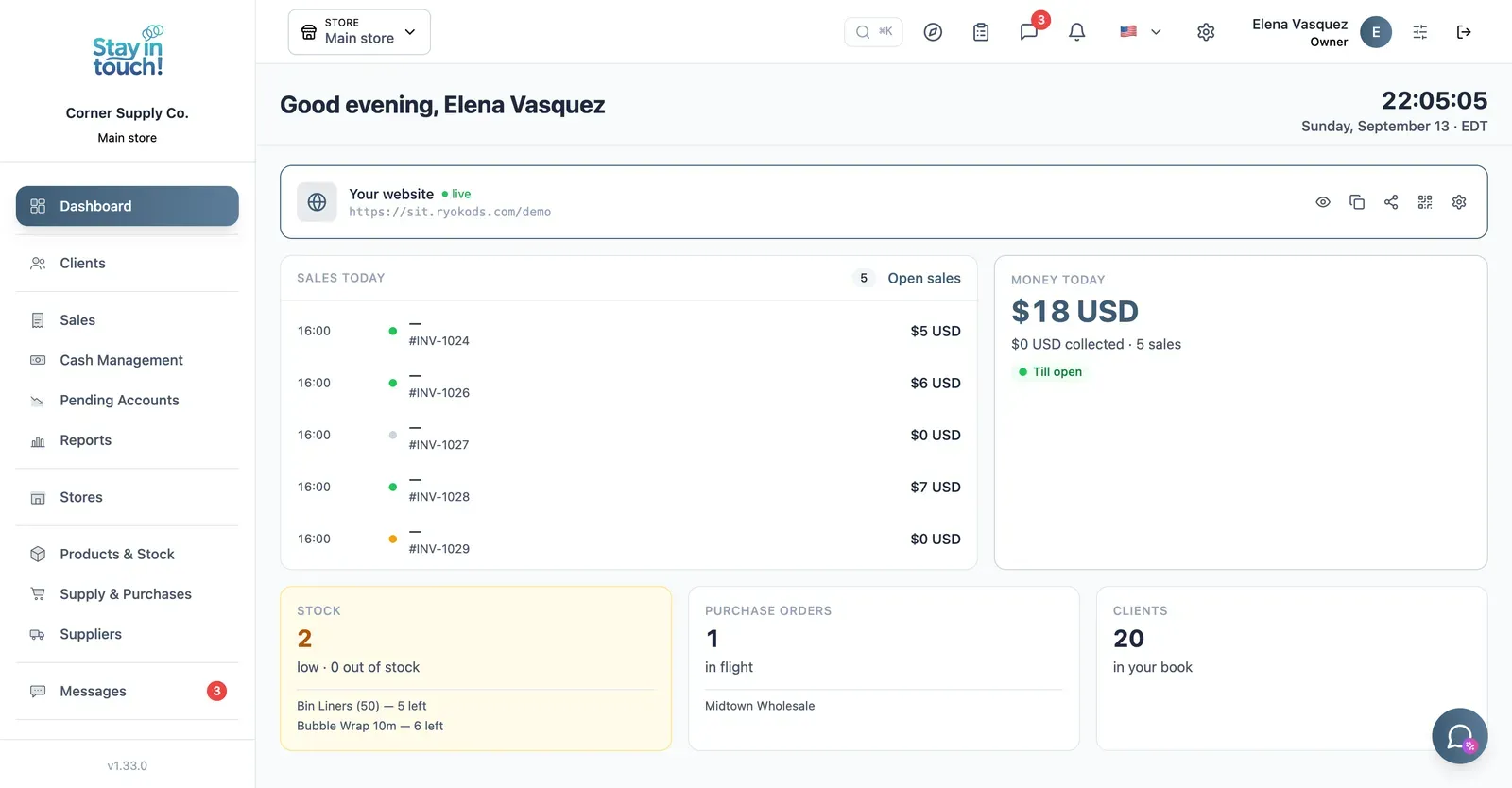
Dashboard
Your customer count and the Virtual Reception link customers scan to register themselves — your front door, online.
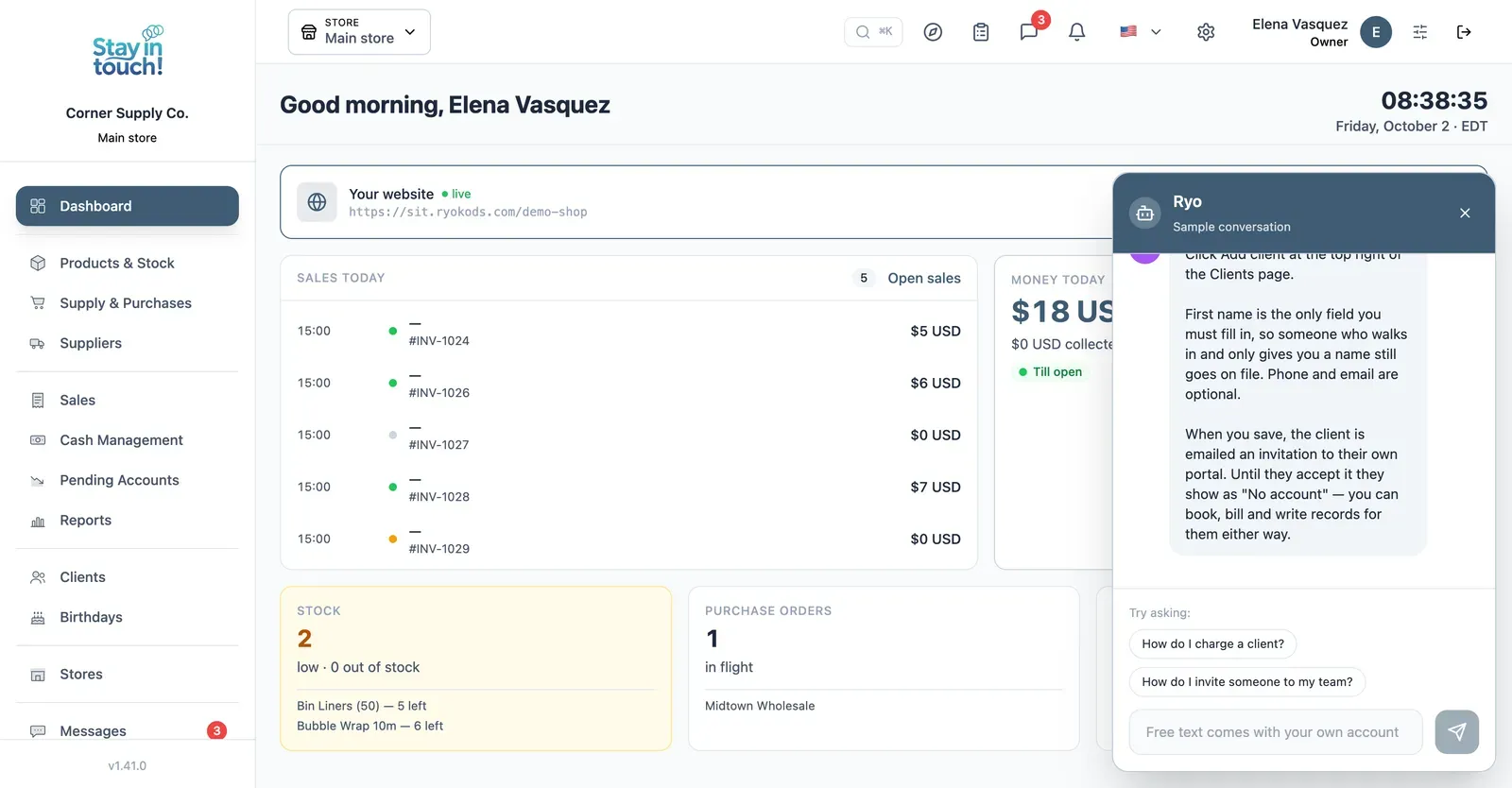
Ryo, the AI assistant
Ask how to do anything in Siimplo and it walks you through it step by step, without leaving the screen you're on.
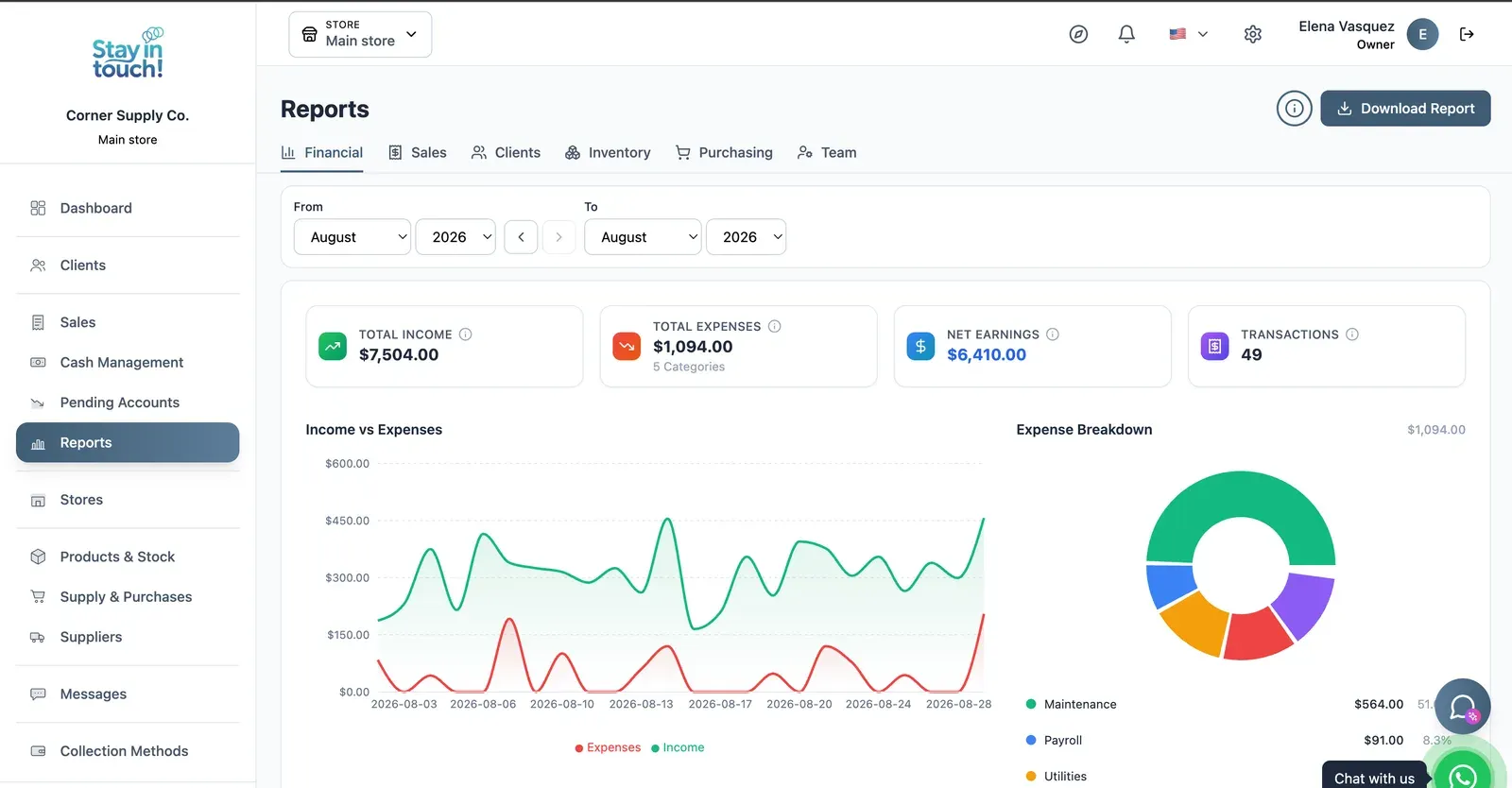
Reports
Revenue, expenses and net profit for any date range, with a trend chart, a category breakdown and a downloadable report.
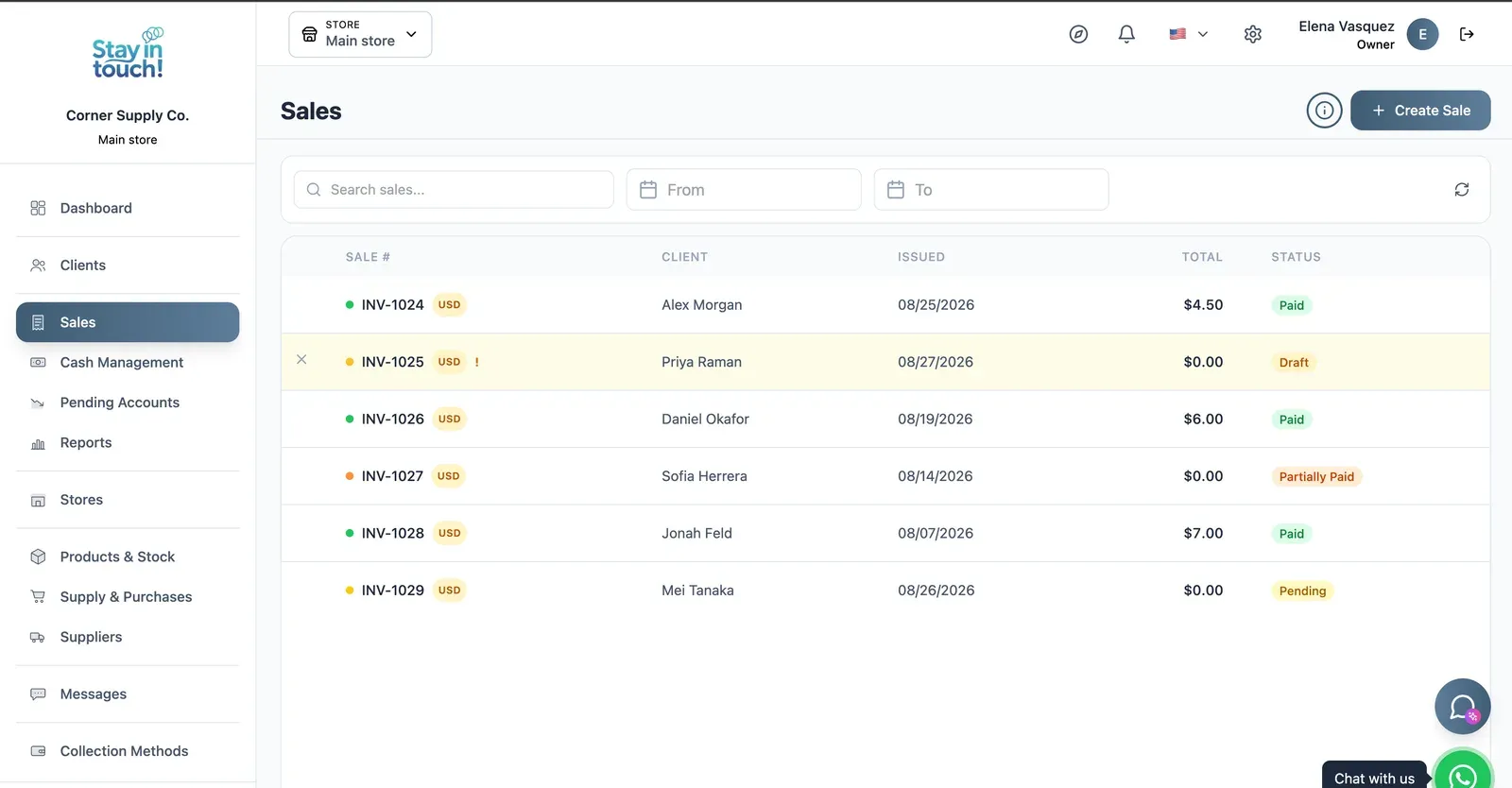
Sales
Every sale in one ledger — paid, partially paid, pending or draft — with the register on the same screen.
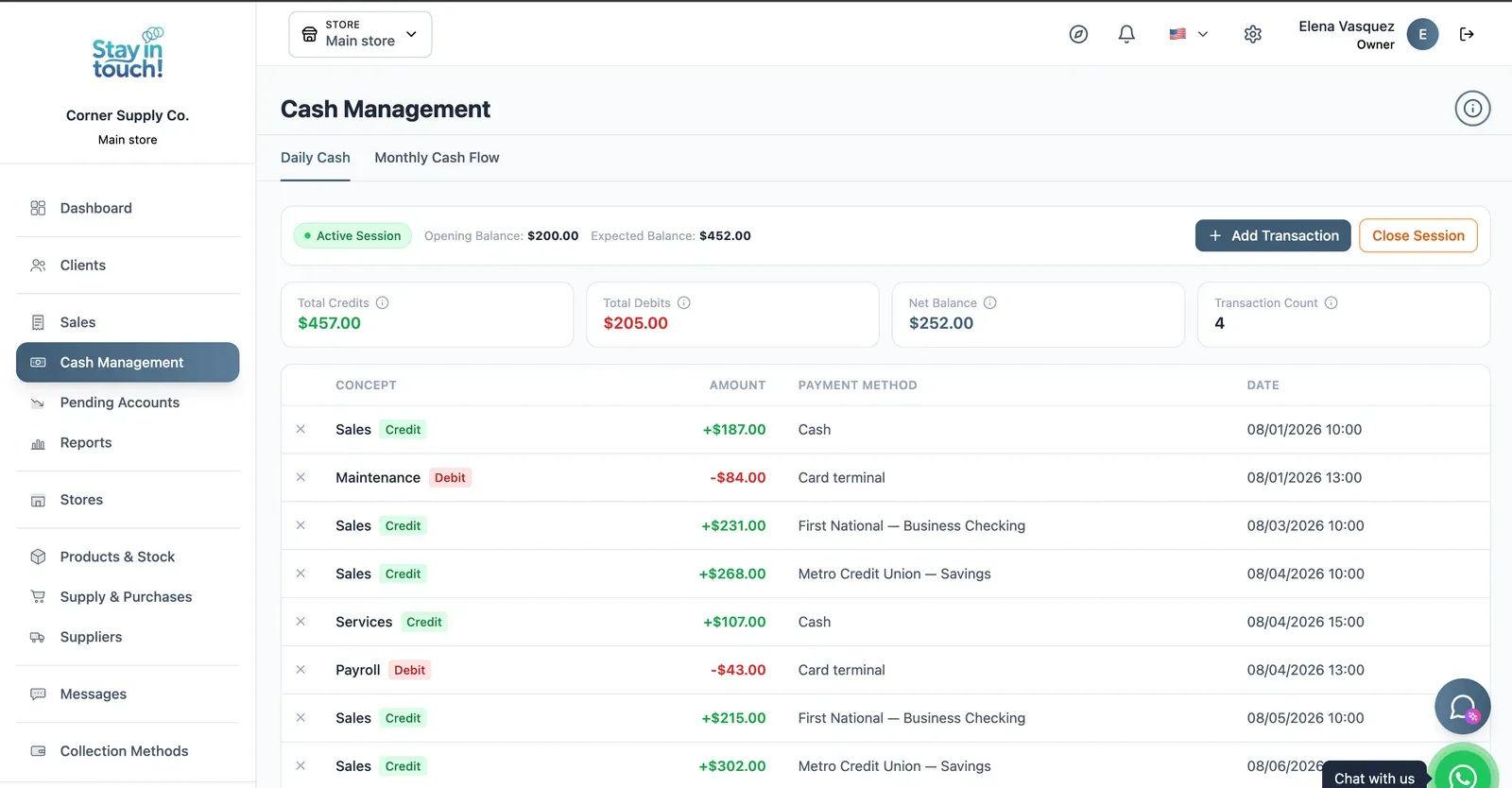
Cash Control
Open and close the register with opening and expected balances, income, expenses and every movement tagged by payment method.
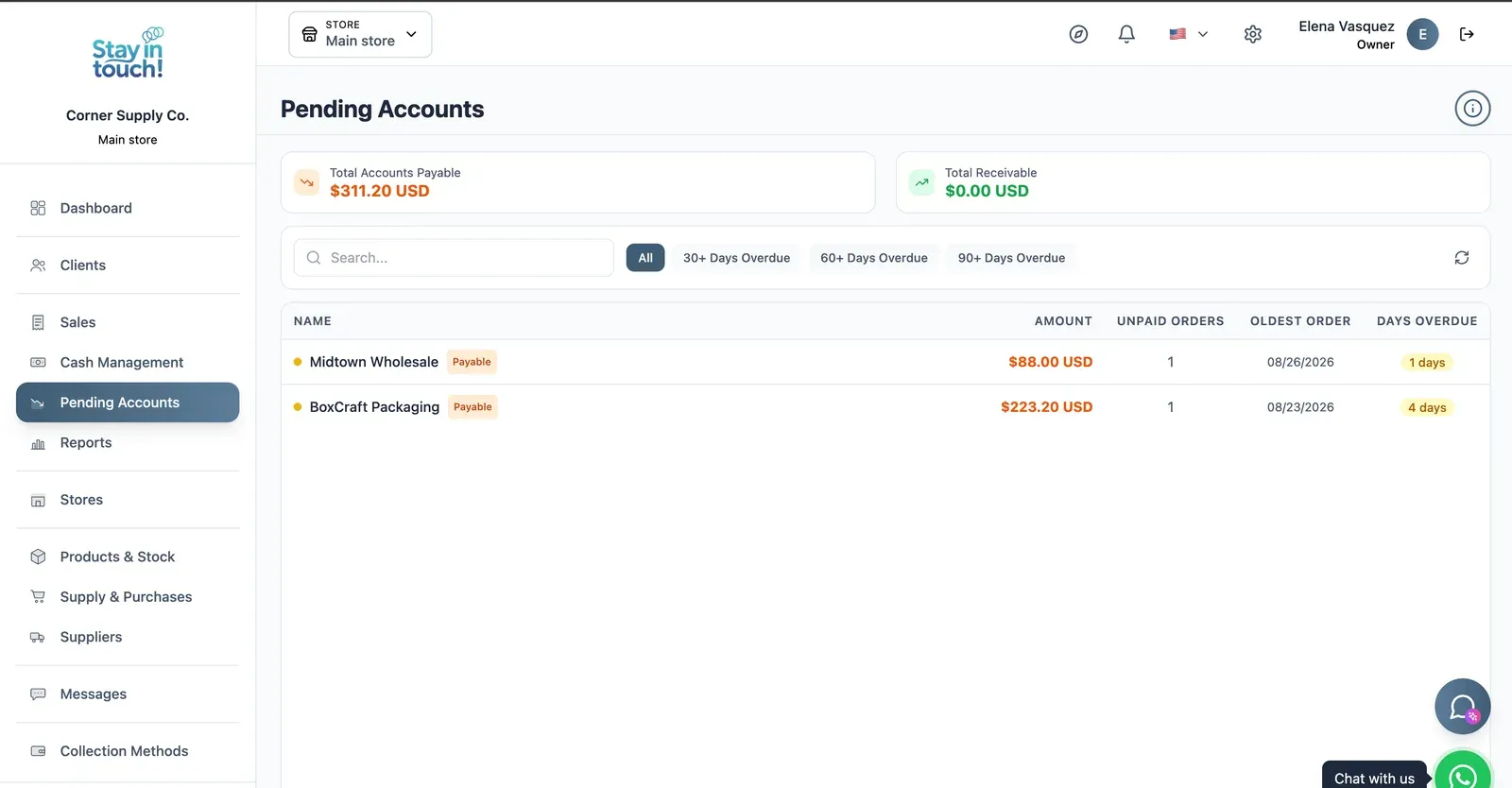
Payables & Receivables
What you owe and what you're owed, aged past 30, 60 and 90 days, with the overdue count on every row.
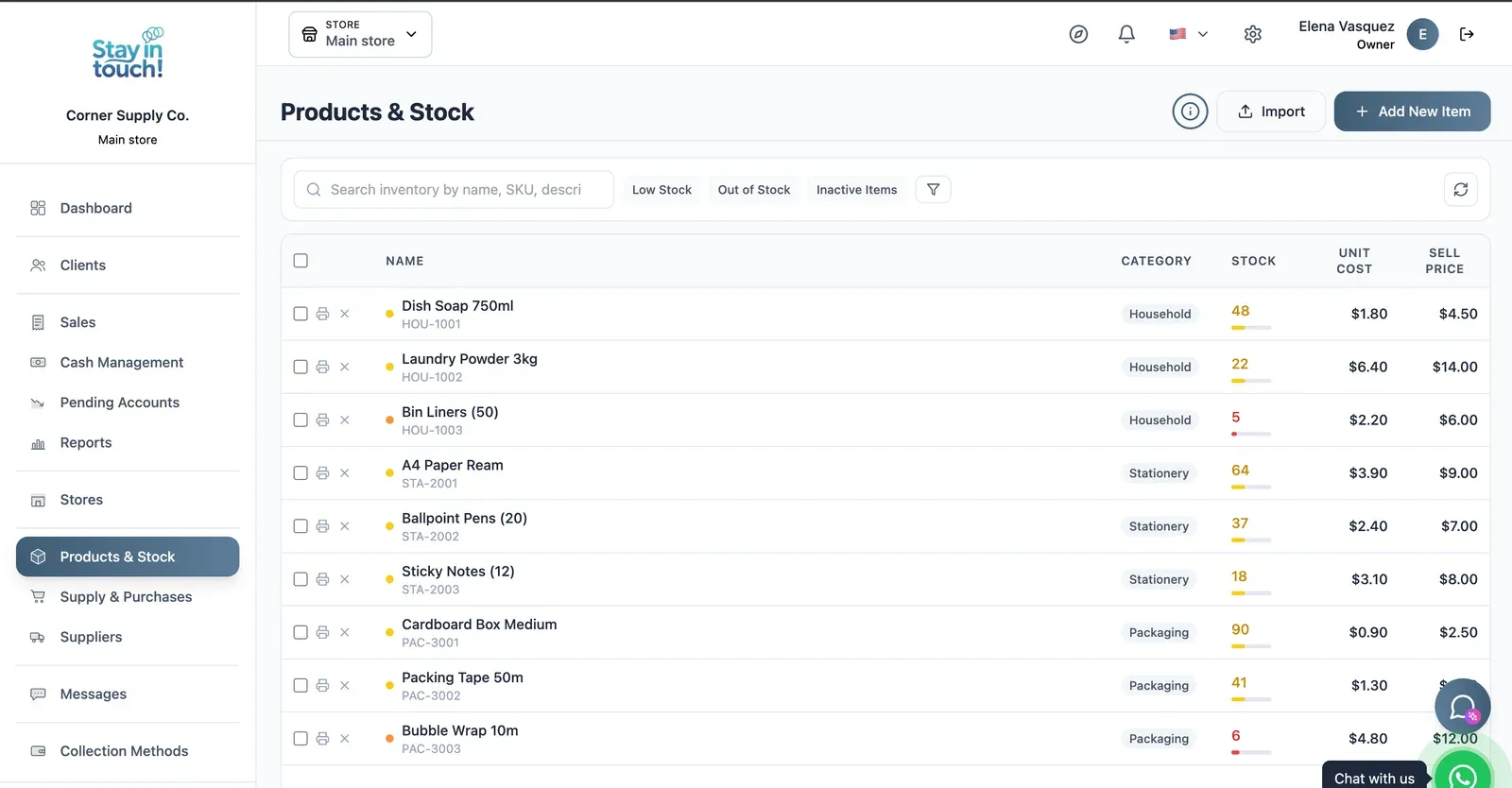
Products & Stock
SKU-level stock across every category, low items flagged in red, cost against sale price, bulk actions and label printing.
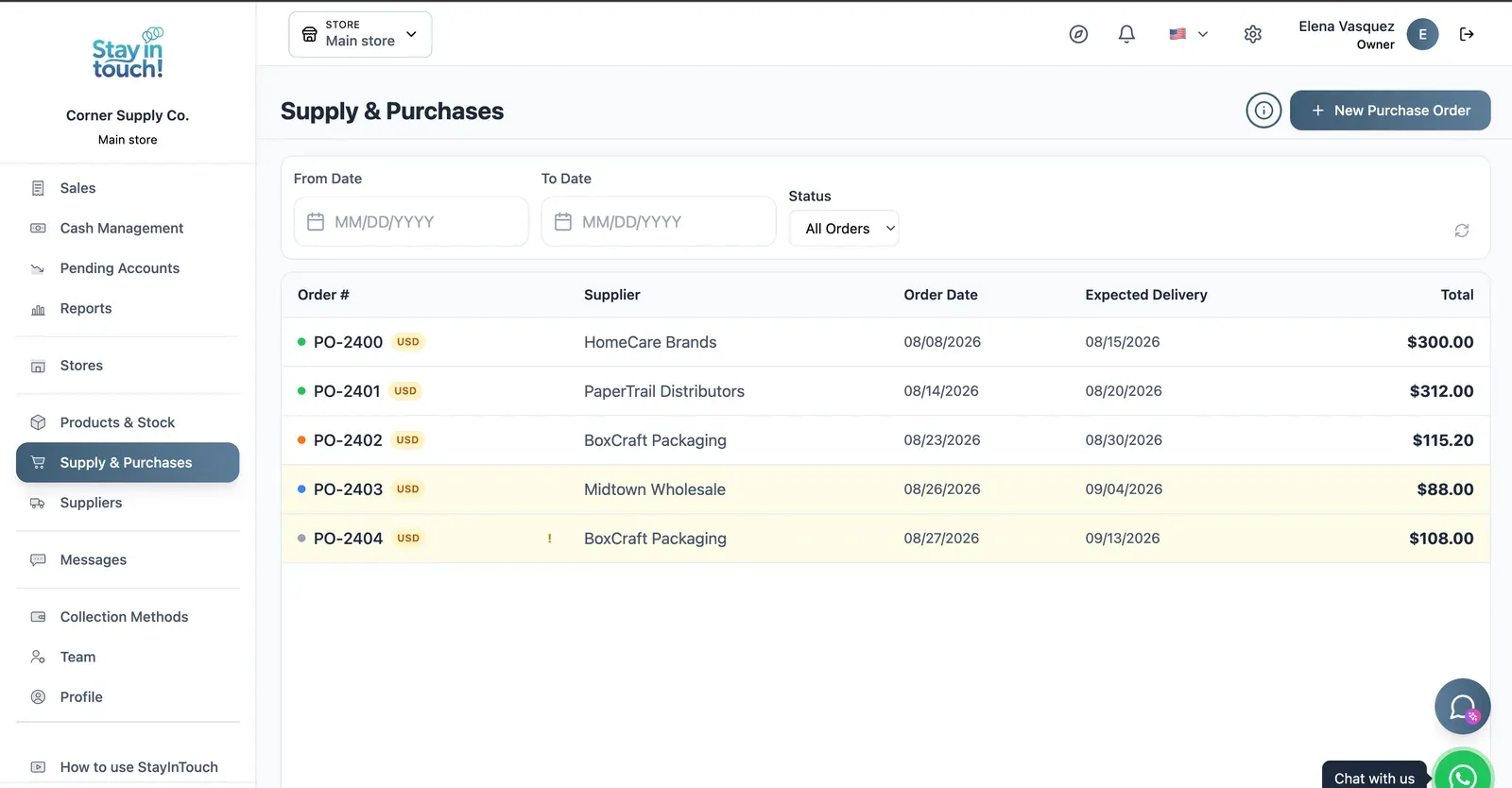
Purchase Orders
Track what you've ordered from whom, when it was placed and when it's due — with late deliveries flagged.
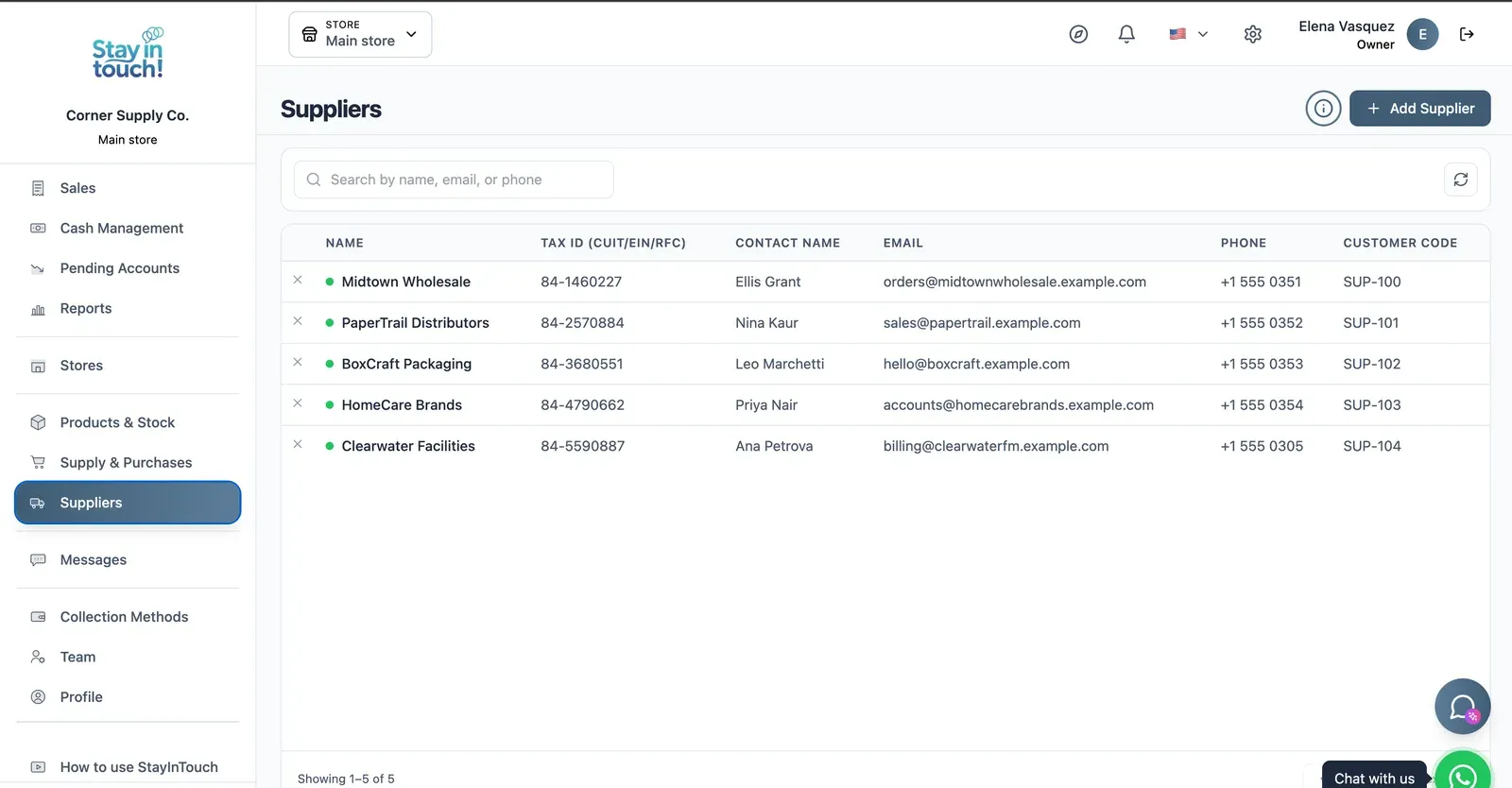
Suppliers
Your vendor book with tax ID, contact person, ordering email and internal supplier code.
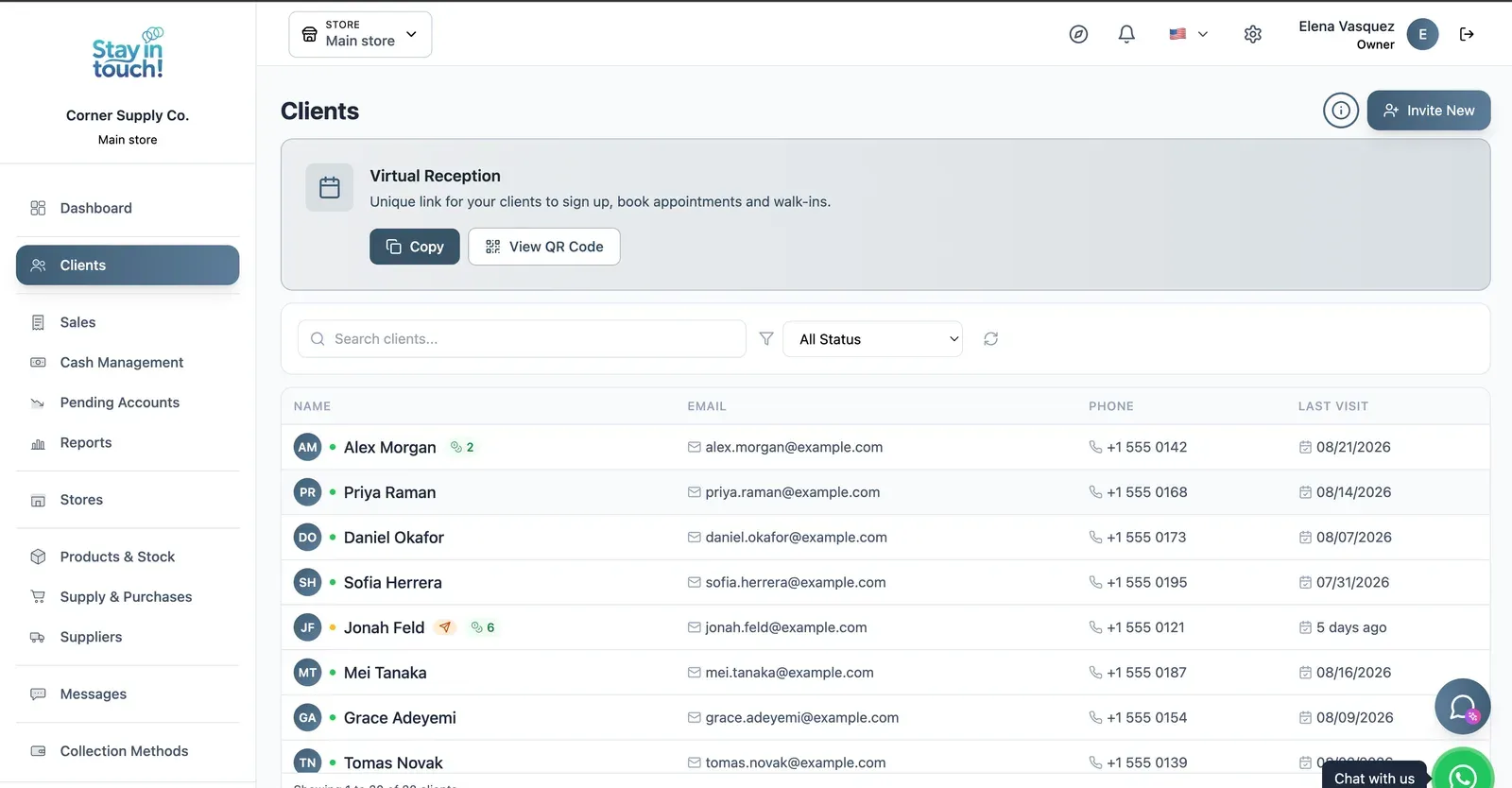
Customers
Your customer book with contact details and store credit, plus the shareable registration link at the top.
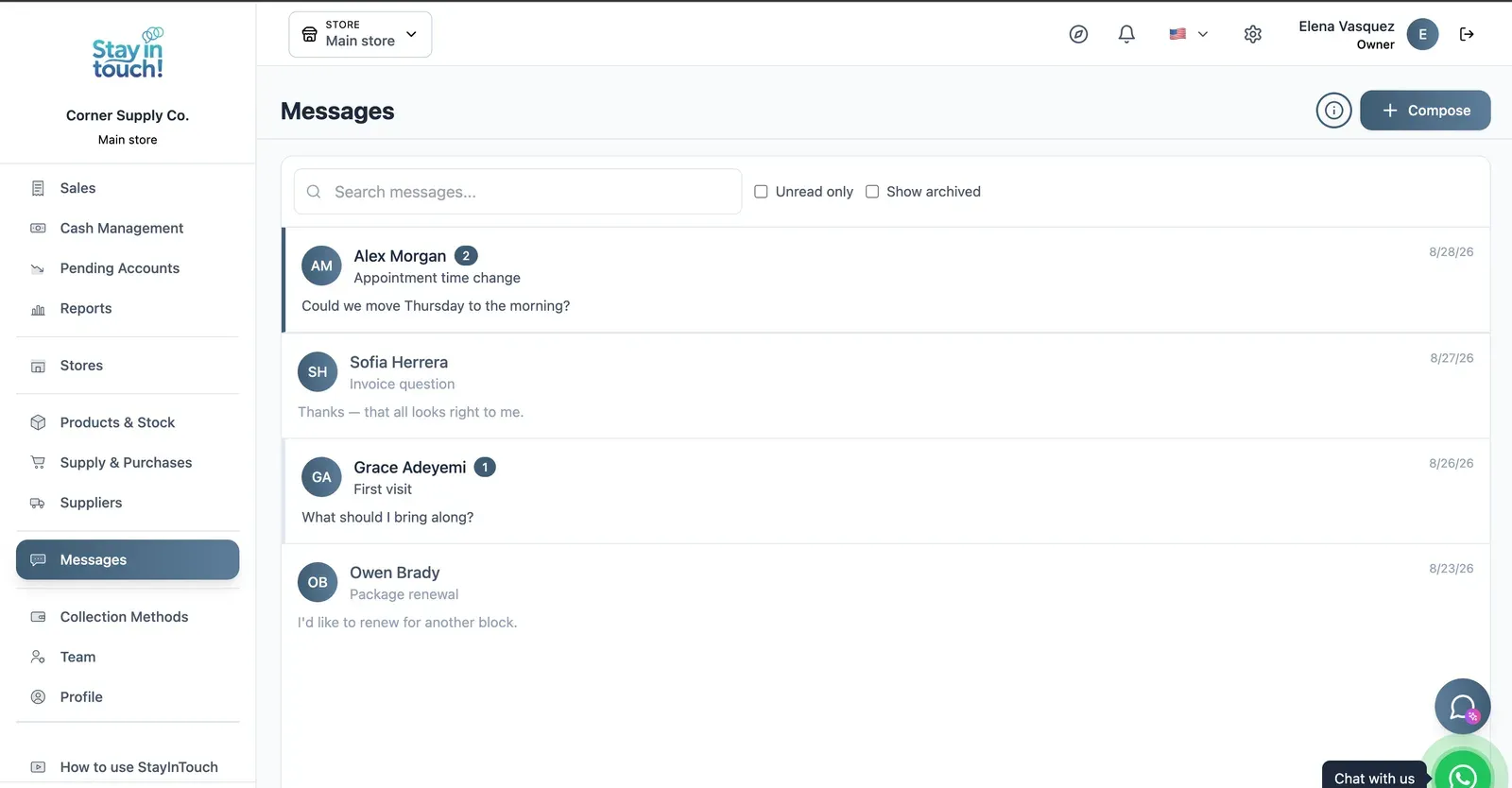
Messages
Client conversations kept in the record instead of scattered across personal phones, with unread counts and archiving.
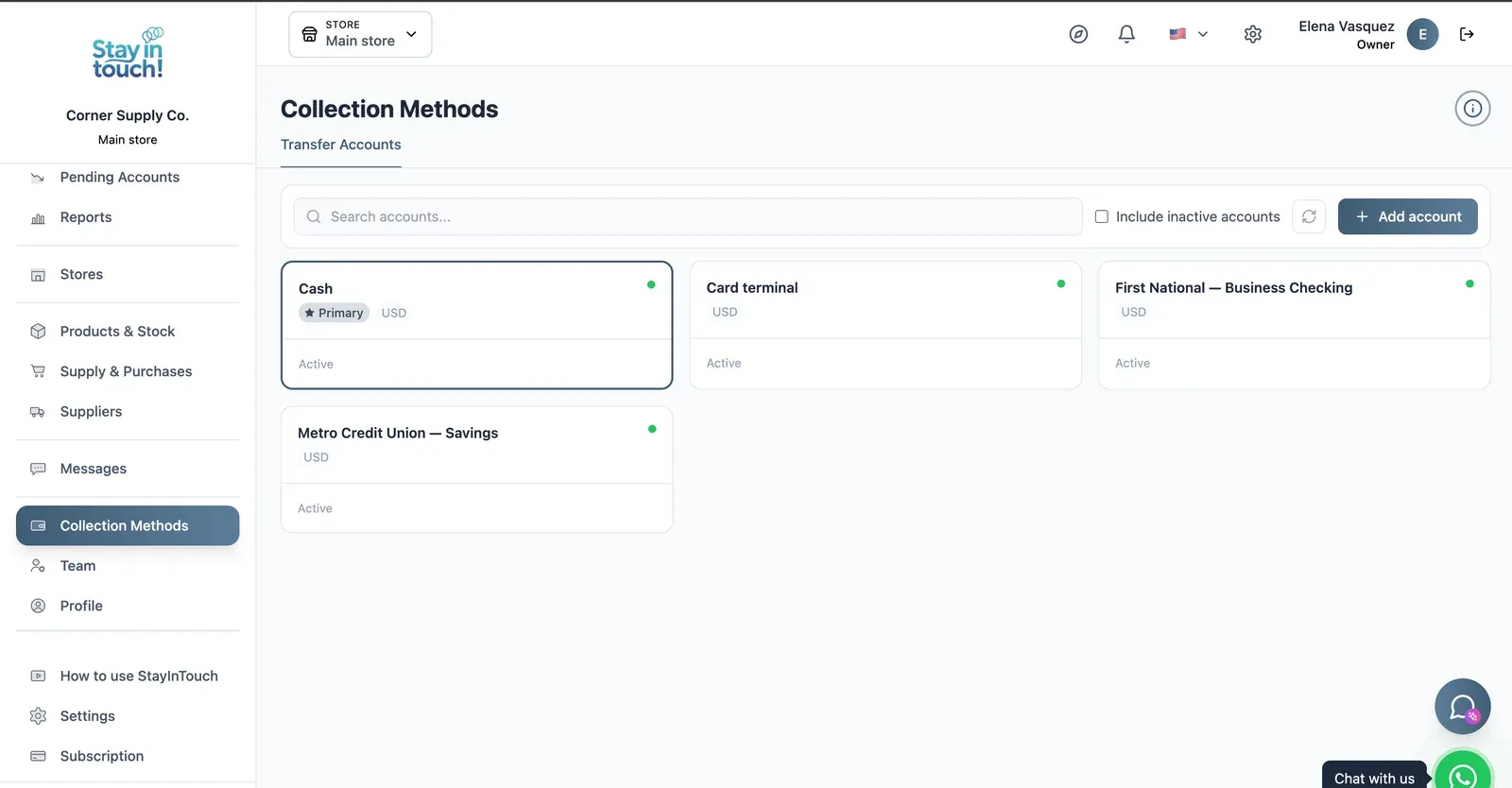
Payment Methods
Every way you collect — cash, card terminal, bank accounts — each with its currency and active state.
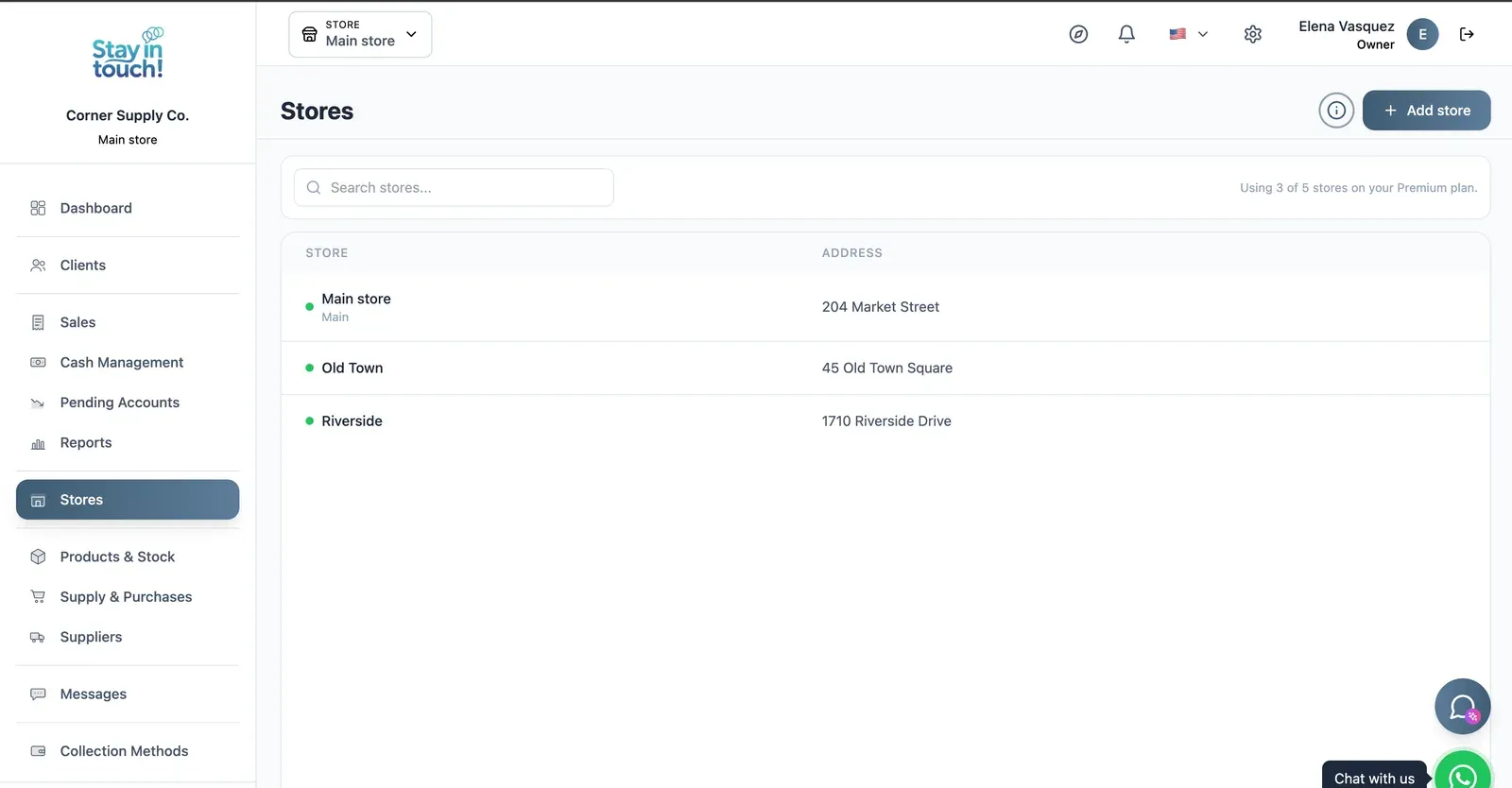
Multi-store
Run every store from one account on the top plan, each with its own team, stock and register.
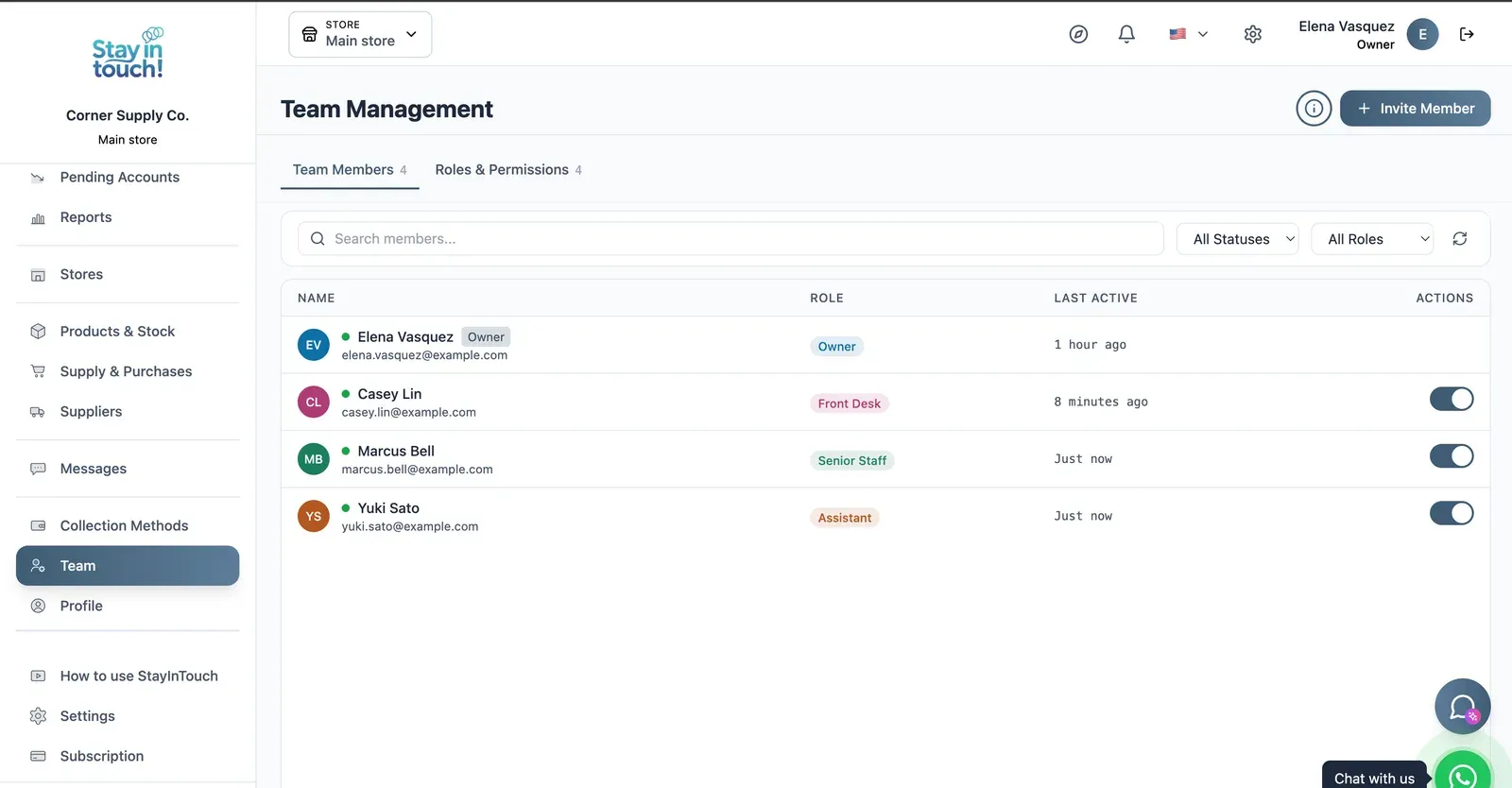
Team & Permissions
Your staff roster with roles, last activity and access toggles, plus a permissions tab as the business grows.
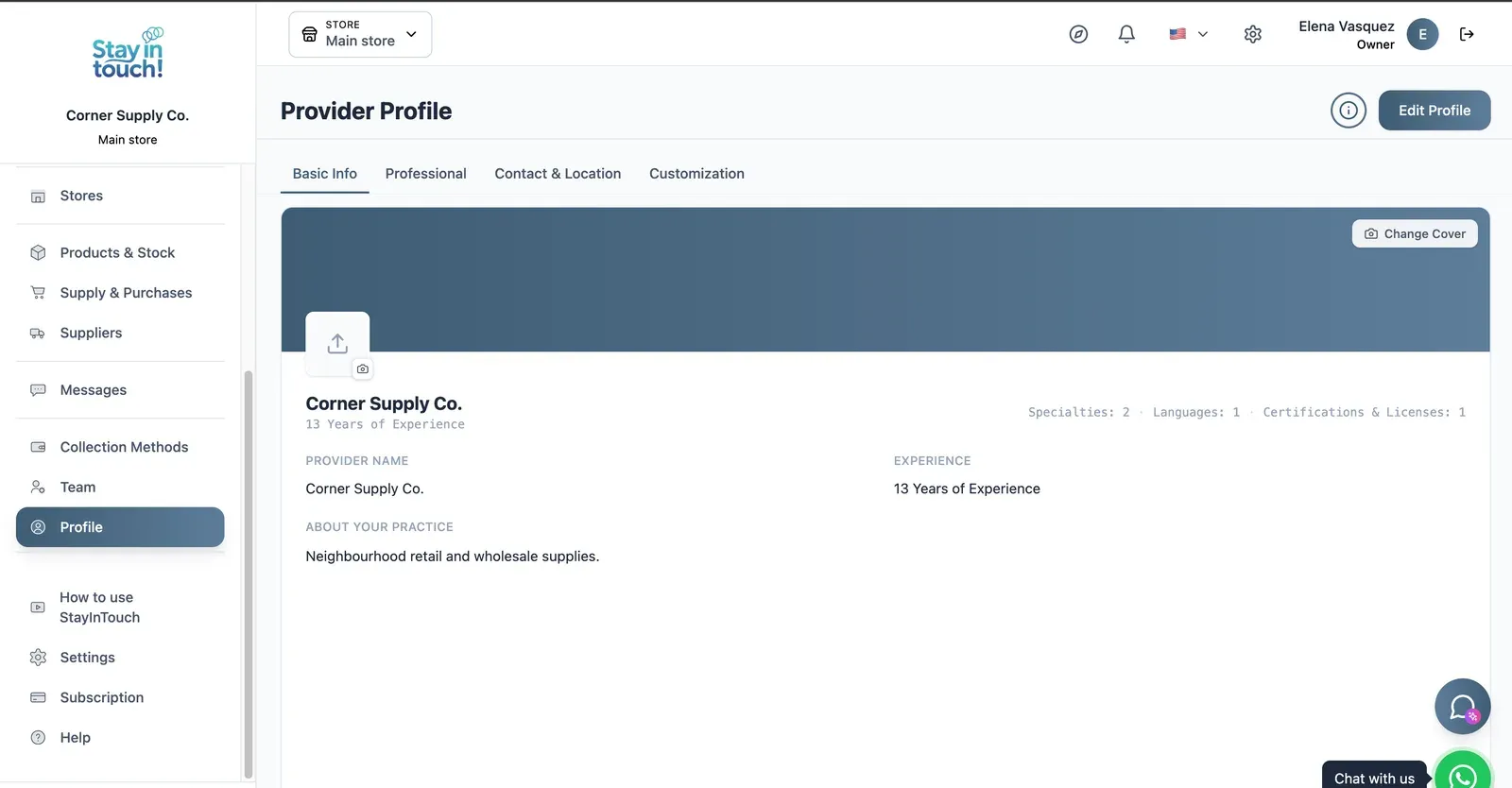
Store Profile
Your public store page: cover image, logo, description, hours and location, editable across four tabs.
Screen 1 of 15
Website included
Your own website, free from day one
Every Siimplo account publishes a page for your store: your catalog with prices, your address and your WhatsApp — no designer, no hosting.
Your catalog with photos and prices
Address, phone and WhatsApp
Clients sign up on their own
Privacy
Your data, under lock and key
What your clients tell you is stored encrypted. Without the key, not even a full copy of the database gives it up.
What gets encrypted
Customer details and notes
Internal notes on the account
Emergency contact
Messages with your customers
Included on every plan, the free one too. Nothing to set up.
Customer record
- Notes
- Wholesale account, always needs an invoice
- Internal note
- Open complaint about a late delivery
- Messages
- Do you still have size 10 in black?
Tap to see how it's stored
What isn't encrypted, and why
Dates, names and account numbers stay readable: they are how the system finds the record. What gets encrypted is what the record says.
Who can see it
Encryption doesn't replace permissions. Every role — owner, front desk, senior staff, assistant — sees only what it should, over the same data.
Your data is yours
Export all your data in 1 click
In Settings → Export data, tick “Select all” and click once. We prepare everything in the background and email you a link to a single .zip file with one spreadsheet per list, ready to open in Excel, Google Sheets or Numbers.
No lock-in
Exporting doesn't depend on your plan. Even if you move to the free plan, you can take out everything you've recorded since day one.
Spreadsheets that just open
Every list is a CSV file with column headings in your language and accented names intact.
Everything, or one period
Lists with dates — sales, cash and the like — can be narrowed to a date range. Leave it empty and you get everything.
Included in every plan, the free one too. Only the account owner can export, and the emailed link works for 30 days.
Settings → Export data
Select all
- Clients
- Sales, line by line
- Products and stock
- Suppliers
- Purchase orders
- Cash movements
Emailed to you: one .zip, one spreadsheet per list
Artificial intelligence
AI drafts, you confirm
Siimplo uses AI for the work that takes your time but not your judgment: finding a gap in the calendar, writing a first draft, reading a spreadsheet, checking a receipt. Whatever gets saved to your account goes through the same path as if you'd done it by hand, with your role's permissions.
Ryo, your assistant
Ask how to do anything in Siimplo and it answers with the steps, without leaving the screen you're on. It follows the conversation, so you can ask a follow-up.
AI helpers in your forms
- Import your product spreadsheet: AI works out which column is which, even when the headings don't match.
Ryo, the AI helpers and receipt validation are included depending on your plan. What AI writes is a draft: review it before you rely on it. Your clients never talk to the AI.
Ryo
AI assistant
How do I add someone to my team?
In Team, invite them by email and give them a role, which sets what they can see and do. They get an invitation and sign in with a password or their Google account.
Booking to confirm
Confirm bookingRyo never books on its own: the appointment exists only once you press "Confirm booking".
And also
The details that save your day
What we've been adding to the portal, built around how you work.
Stock history and batches
Every stock movement of a product with who made it and why, your stock's value as of a past date, and batches with expiry dates.
Tags, and how they found you
Tag clients — VIP, wholesale, whatever helps — filter by tag, and note how each one found you. Bookings from your website are recorded automatically.
Birthdays
A list of your clients' upcoming birthdays, so none slips by.
Merge duplicate clients
The account owner combines two duplicate records of the same client into one, keeping all of their history.
A portal your clients install
Your clients add their portal to their phone's home screen and see the sales you made them, with what's paid and what's still owed.
Activity log
The account owner sees who changed what, and when: prices, hours, clients, stock, cash, sales and more.
Built for the way your shop really works.
Spend less time on paperwork and more time behind the counter.
Simple Interface
An intuitive design that your whole team can learn in minutes.
Cloud Access
Your data is always available and backed up, from any device.
Customer Messaging
Stay in touch with your customers through two-way messaging and WhatsApp.
Your data, under lock and key
Your customers' details are stored encrypted in the database, not just in transit. With role permissions, everyone on your team sees only what they should.
Powerful Reports & Insights
Make data-driven decisions with a clear view of your store
Access your store's complete dashboard from any browser. Track income, expenses, sales and invoices, all in one place.
Income, expenses and net profit by period
Sales by category and by period
Supplier purchases and stock turnover
Invoice history and payment status
Customers
Businesses that already trust us
In the words of the people who run Siimplo every day.
I ring up a sale and the stock comes off in the same move. I used to count inventory on Sundays and always come up short with no explanation.
I loaded the online catalogue once, and now customers check the price and what's in stock before they come. They walk in knowing what they're buying.
I've asked for more wholesale-specific features than it has today. What it did fix is what I owe each supplier, which was my worst mess.
The reports told me what actually sells and what had been sitting on the shelf for months. I changed half of what I order.
I opened a second store and didn't have to set anything up twice. Same account, two locations, separate numbers.
Up and running in three steps.
No complex setup — start managing your shop today.
Create your account
Sign up and set up your shop profile in just a few minutes.
Load your products
Add your catalog and stock, or import it to get started fast.
Start selling
Record sales, track inventory, and grow with clear reports.
Plans that grow with your shop.
Start free and upgrade as your business grows.
Free
Perfect for getting started.
- Your website with catalog
- Customer profiles
- Sales & invoicing
- QR code & shareable link
- Sensitive data encryption
- One-click export of all your data
Starter
For growing shops.
- Your website with catalog
- Customer profiles
- Sales & invoicing
- Inventory & stock control
- Customer messaging
- Cash register control
- Supplier purchases & payables
- QR code & shareable link
- Sensitive data encryption
- One-click export of all your data
- AI helpers
Professional
For established businesses.
- Your website with catalog
- Customer profiles
- Sales & invoicing
- Inventory & stock control
- Customer messaging
- Cash register control
- Supplier purchases & payables
- QR code & shareable link
- Sales & business reports
- Team management
- Additional stores
- Sensitive data encryption
- One-click export of all your data
- AI helpers
- Ryo, the AI assistant
Frequently Asked Questions
Everything you need to know to get started.