
For hardware stores
Hardware store software that knows your counter.
Eight thousand items, the same screw in five sizes, customers buying one or a case. Siimplo keeps real stock per SKU, checks out fast, and tells you what to reorder.
- Scheduling
- modules.clinical-records.title
- Cash Control
A hardware store doesn't have products, it has sizes
A hardware store's inventory is retail's extreme case: thousands of items, nearly all cheap, and most of them existing in several sizes that are one product to the customer and five separate things to your stock. A one-inch screw and a three-inch screw aren't interchangeable and can't be counted together.
That detail is what breaks improvised systems. Enter "screws" as one item and the inventory is useless for reordering; enter them one by one by hand on every sale and nobody sustains it through a busy counter hour.
Siimplo treats each size as its own SKU with its own code, price and quantity. Scan or search by code, the exact item rings up, and stock comes down at the moment of sale rather than at the end of the day.
By the unit and by the case, at the same time
The other peculiarity of a hardware store is that the same item sells two ways: the homeowner takes three, the contractor takes the box of a hundred. If the system only understands one of those, somebody is doing arithmetic at the counter every day.
In Siimplo the unit and the case are separate presentations with their own prices, so trade pricing and counter pricing coexist without manual discounts. Each sale deducts the right quantity from inventory.
And because shelf labels print from the same system, the price on the shelf is the price at the register — even in the week you push through a whole supplier list update.
Account customers are half the revenue
A neighborhood hardware store sells to the neighbor, but it bills because of the contractor, the builder and the company that collects materials and settles at month end. That running account, kept in a notebook, loses more money than any theft.
Siimplo holds a balance per customer: what they took, what they paid and what's outstanding. When the contractor walks in for more material, the balance is on screen before you load another bag.
The reports show the same by customer and by item, which is what lets you see what sells every day and what has been occupying a shelf for a year.
What you'll use every day
Stock by SKU
Every size as its own item, with its code, price and quantity.
Unit and case
Two presentations of one item, with counter and trade pricing.
Barcodes
Scan and sell, without hunting through a list of eight thousand items.
Shelf labels
Printed from the system, so shelf and register always agree.
Account balances
Each customer's balance on screen before material leaves the store.
Online catalog
A public website with items and prices, included on every plan.
See Siimplo running in your hardware store
Every module, the way your team will use it through a busy counter hour.
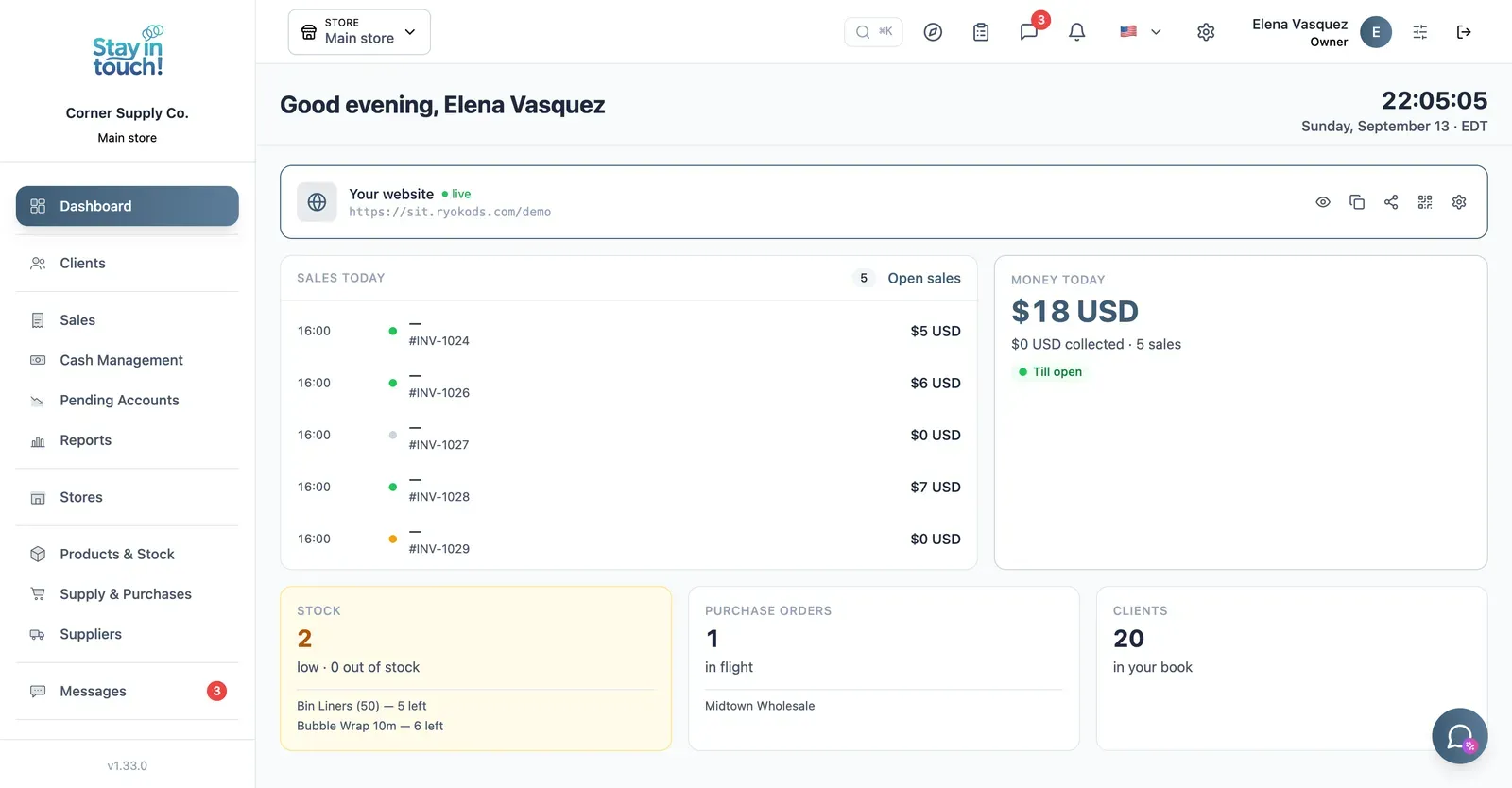
Dashboard
Your customer count and the Virtual Reception link customers scan to register themselves — your front door, online.
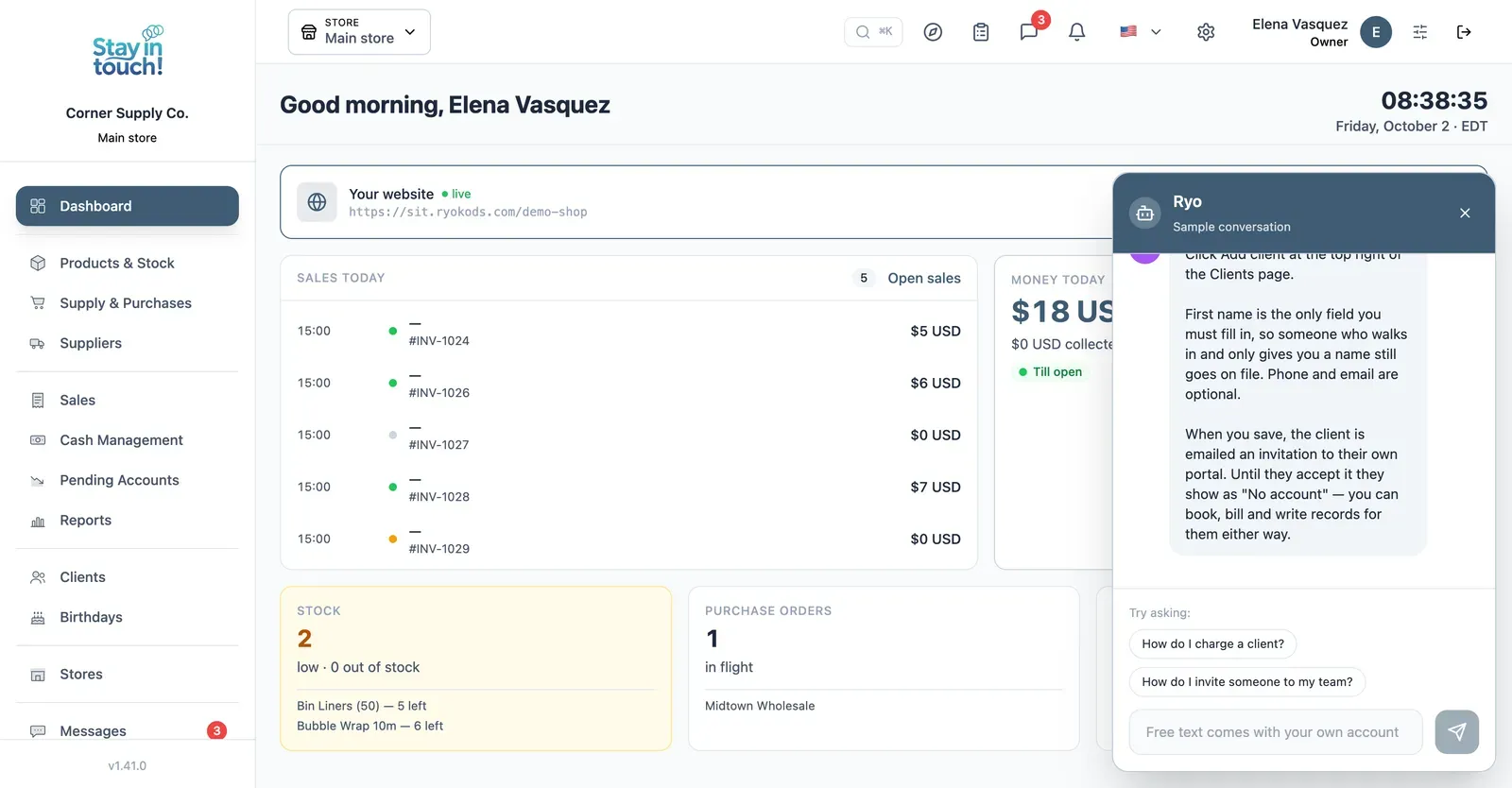
Ryo, the AI assistant
Ask how to do anything in Siimplo and it walks you through it step by step, without leaving the screen you're on.
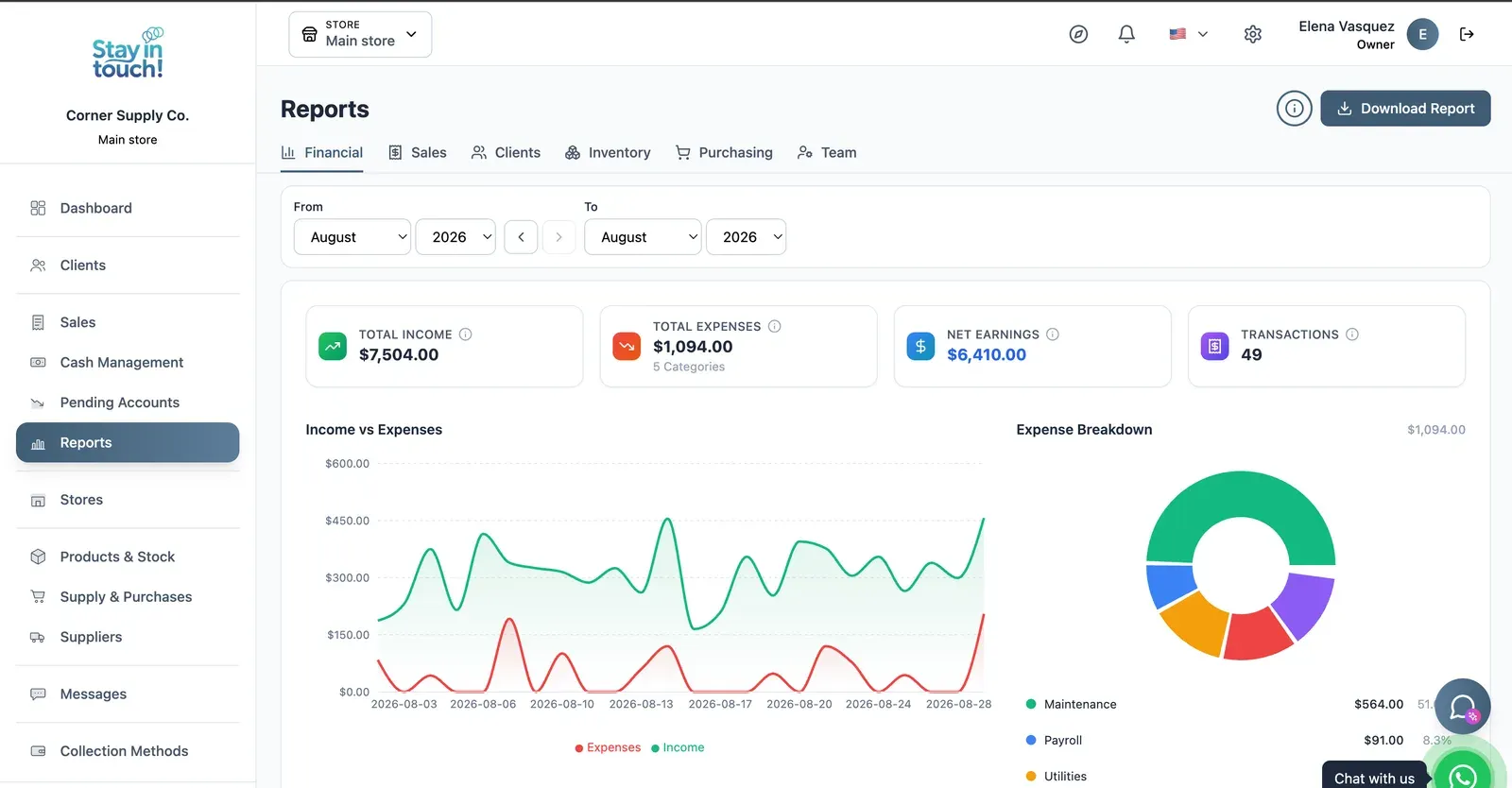
Reports
Revenue, expenses and net profit for any date range, with a trend chart, a category breakdown and a downloadable report.
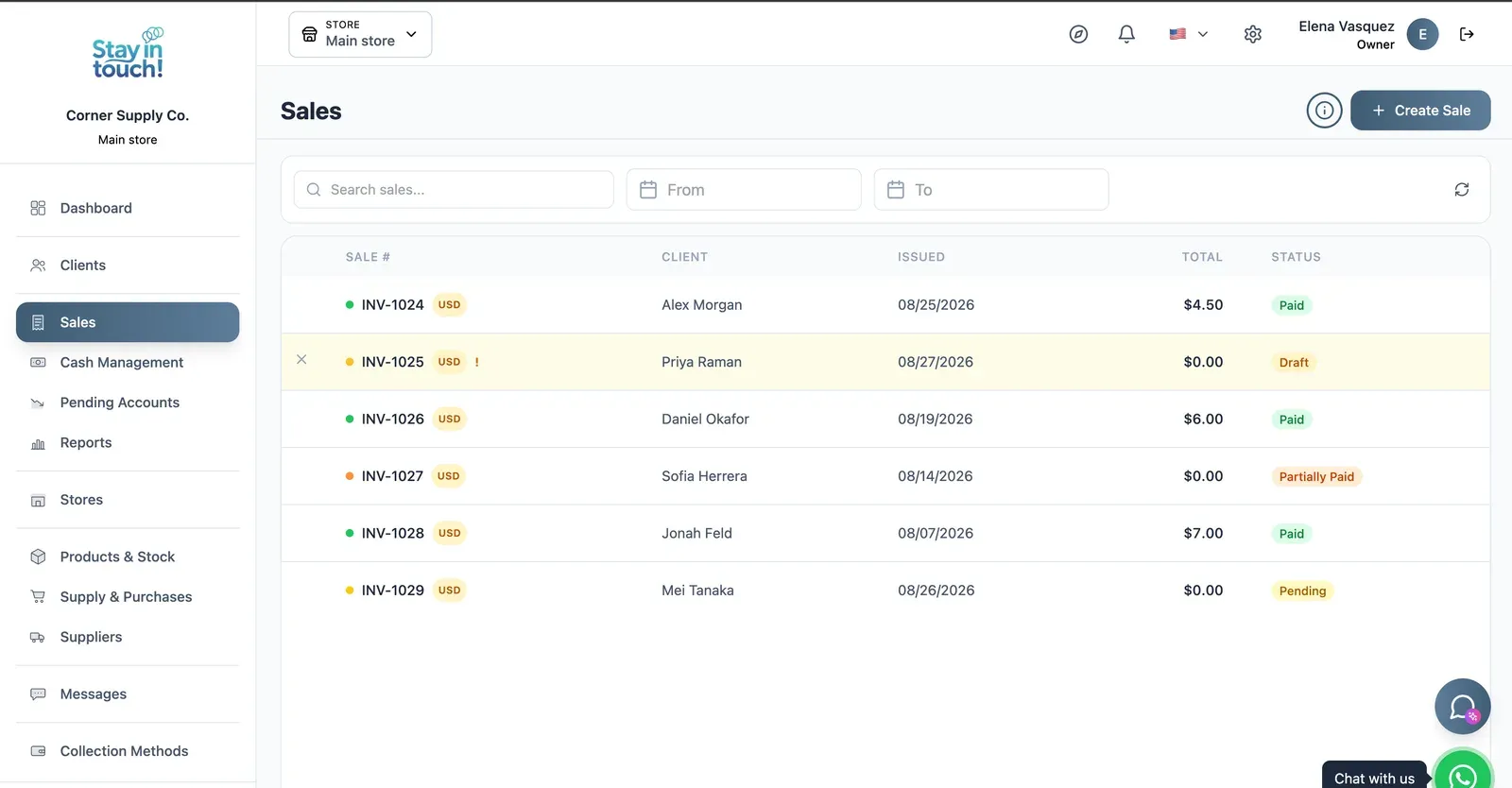
Sales
Every sale in one ledger — paid, partially paid, pending or draft — with the register on the same screen.
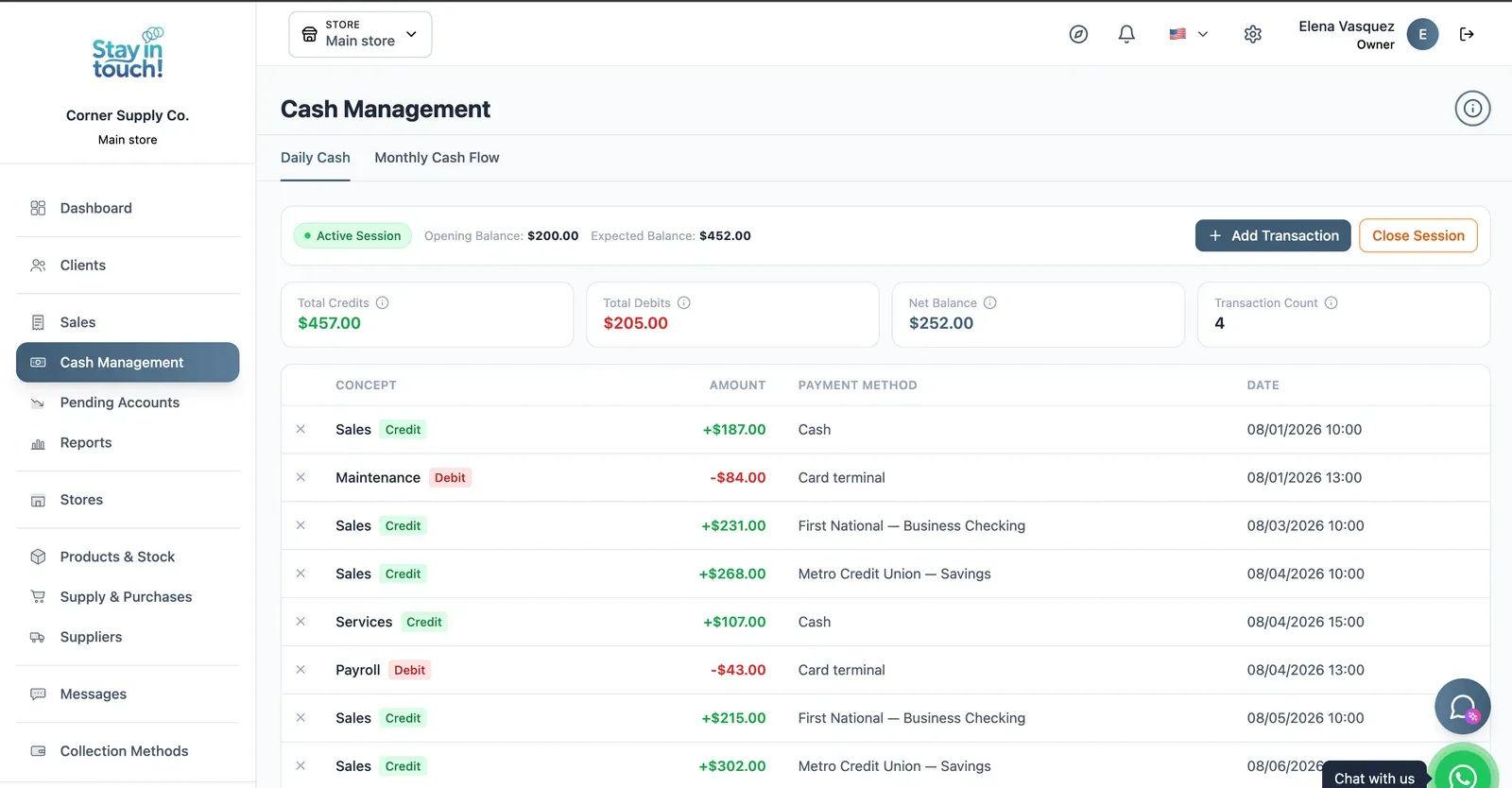
Cash Control
Open and close the register with opening and expected balances, income, expenses and every movement tagged by payment method.
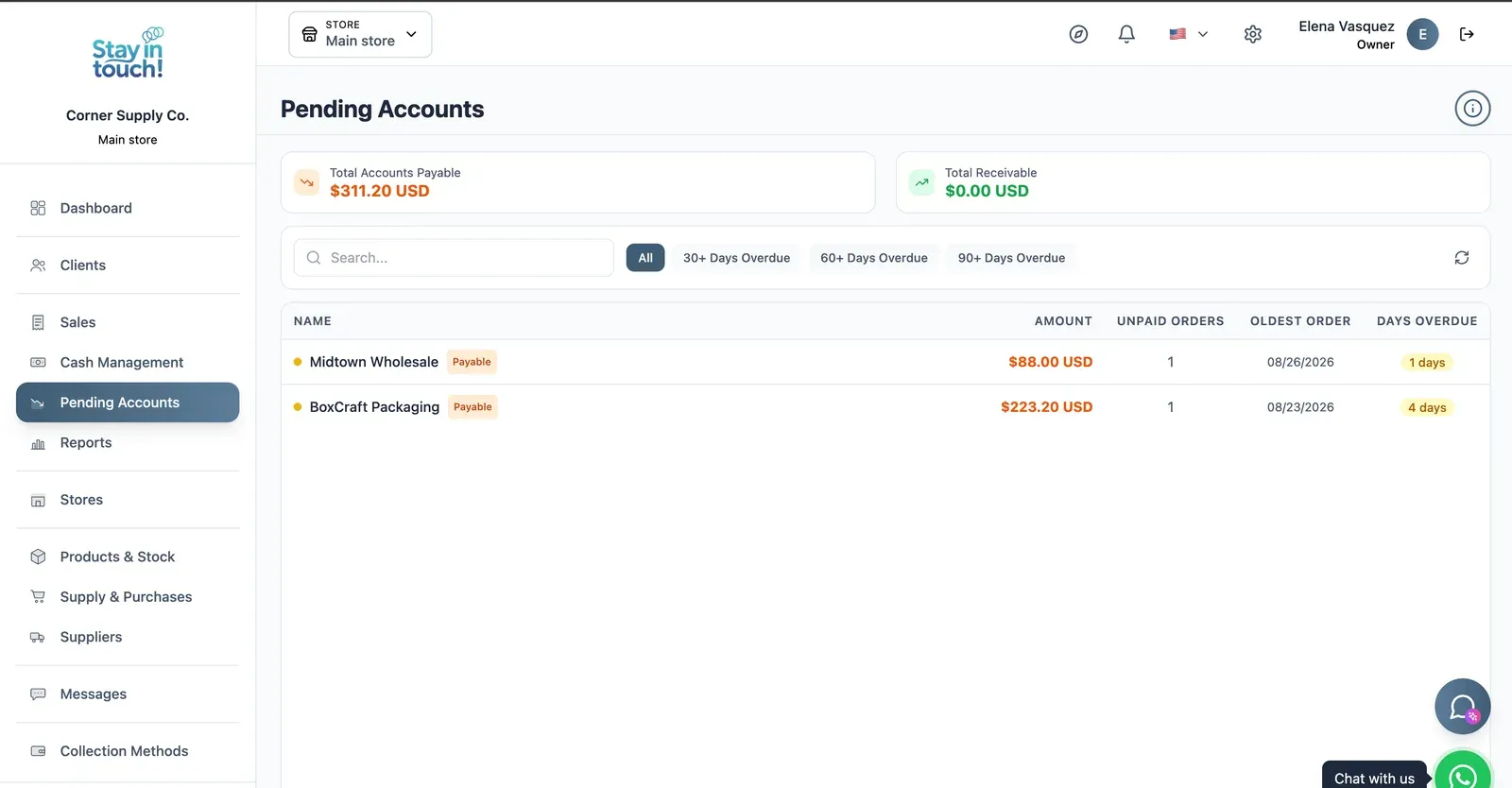
Payables & Receivables
What you owe and what you're owed, aged past 30, 60 and 90 days, with the overdue count on every row.
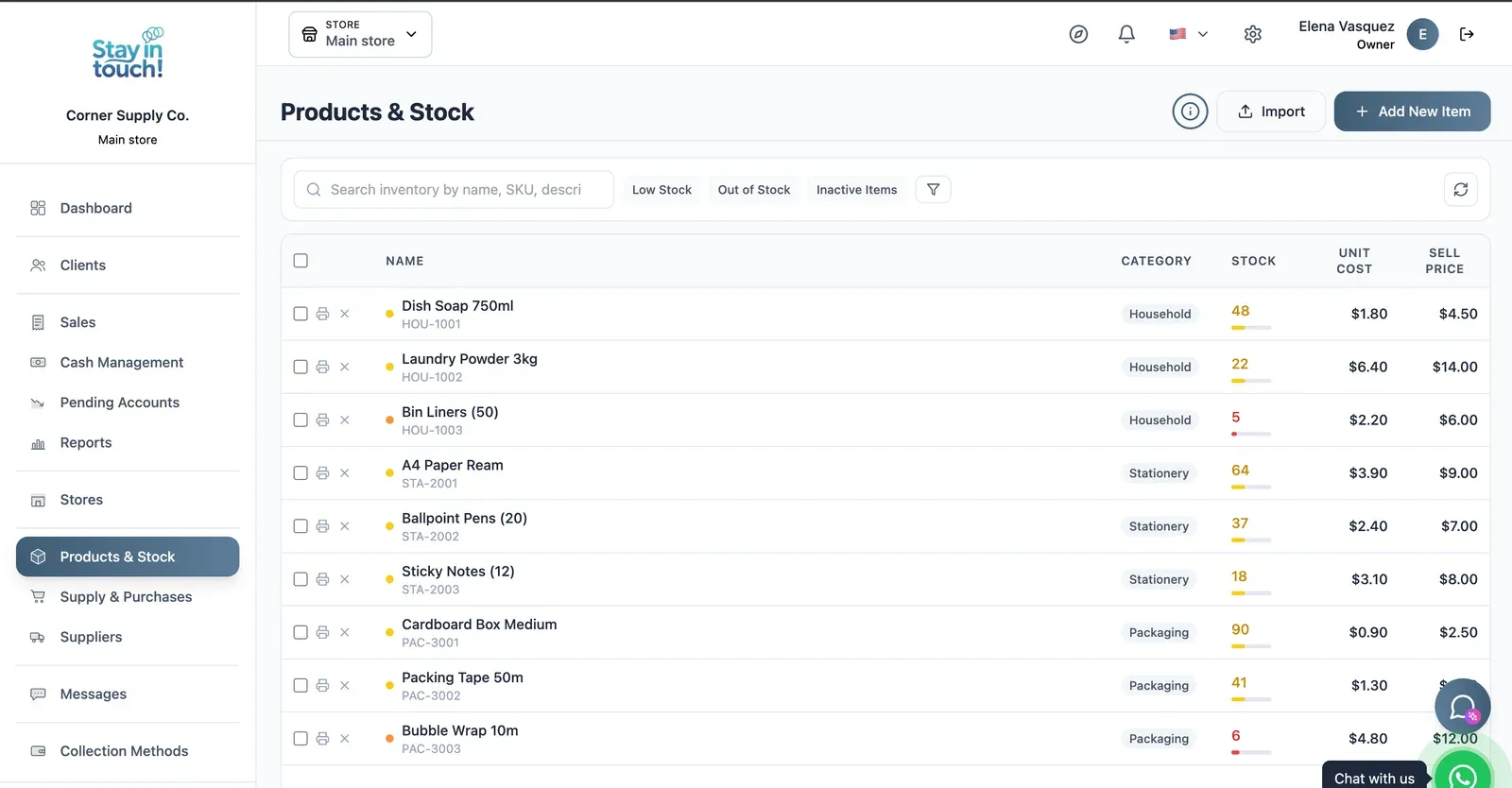
Products & Stock
SKU-level stock across every category, low items flagged in red, cost against sale price, bulk actions and label printing.
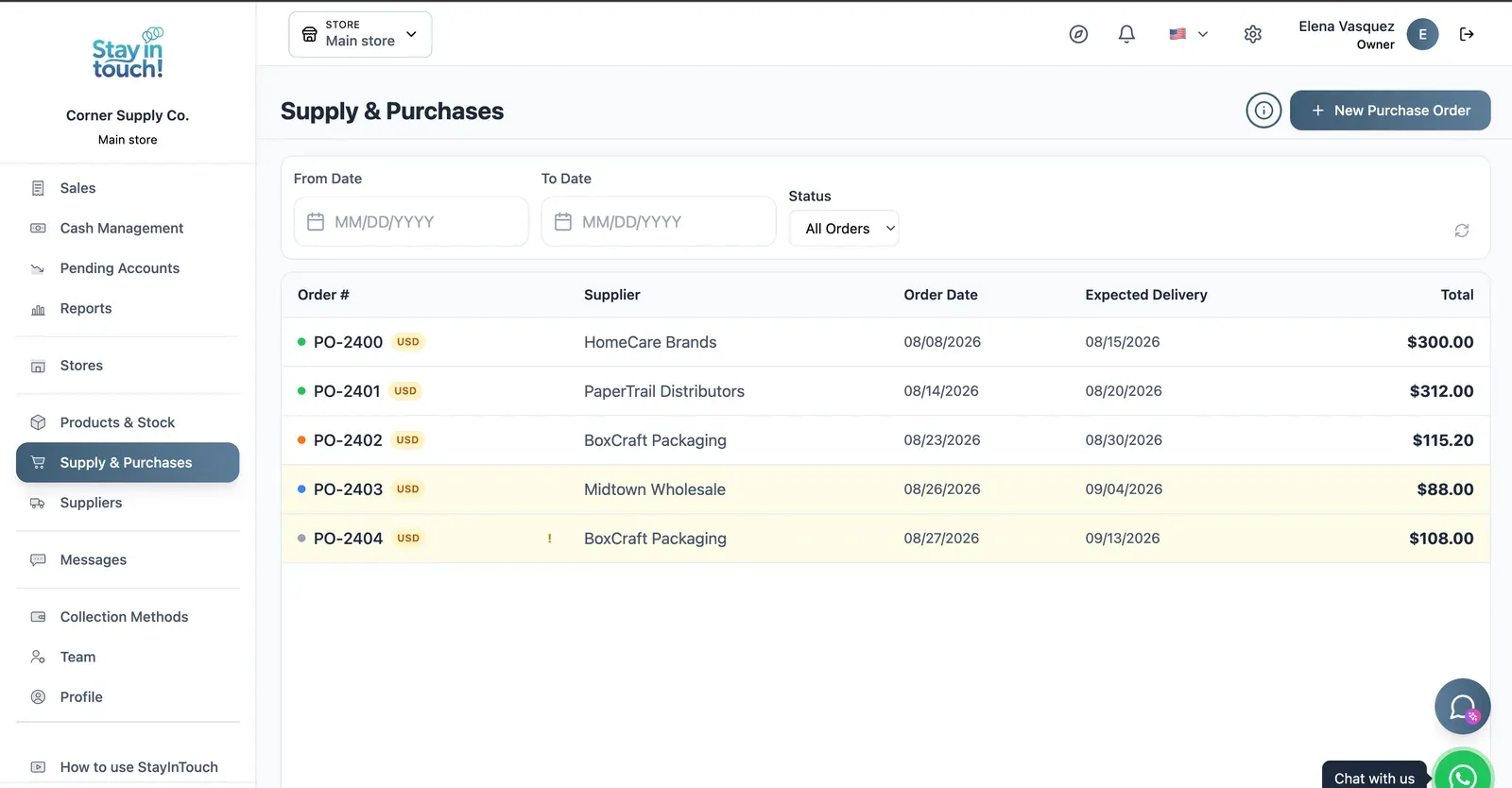
Purchase Orders
Track what you've ordered from whom, when it was placed and when it's due — with late deliveries flagged.
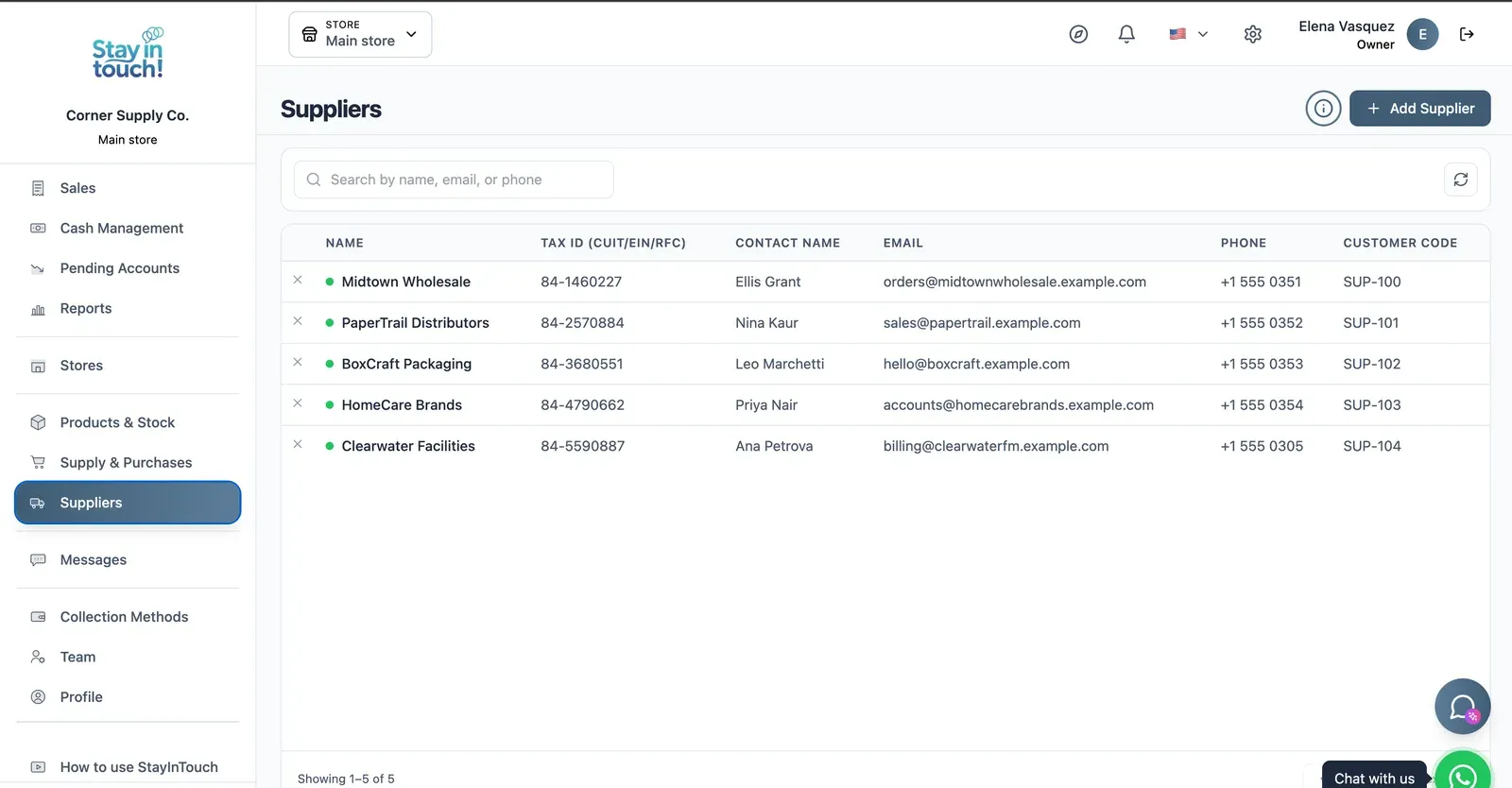
Suppliers
Your vendor book with tax ID, contact person, ordering email and internal supplier code.
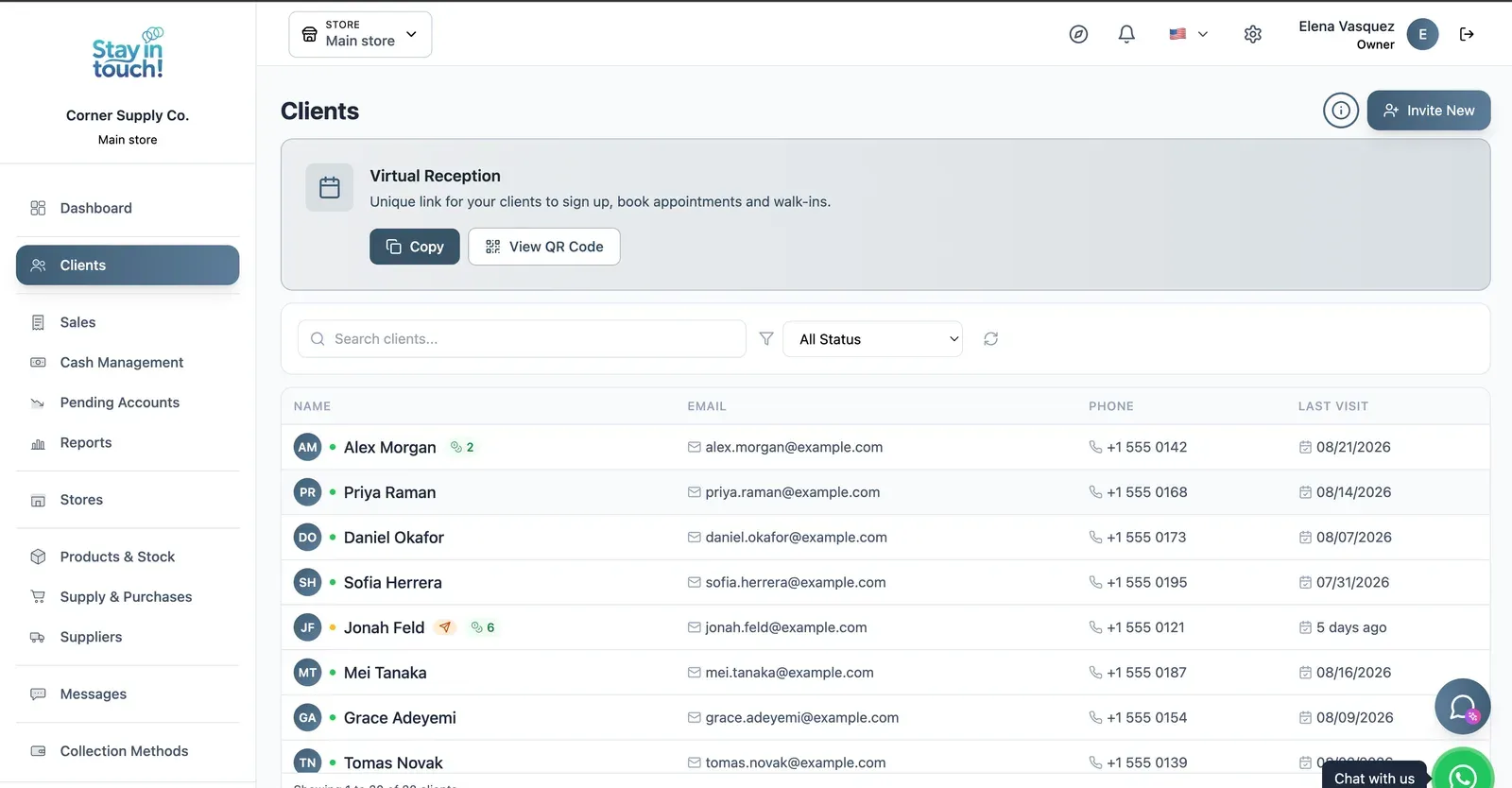
Customers
Your customer book with contact details and store credit, plus the shareable registration link at the top.
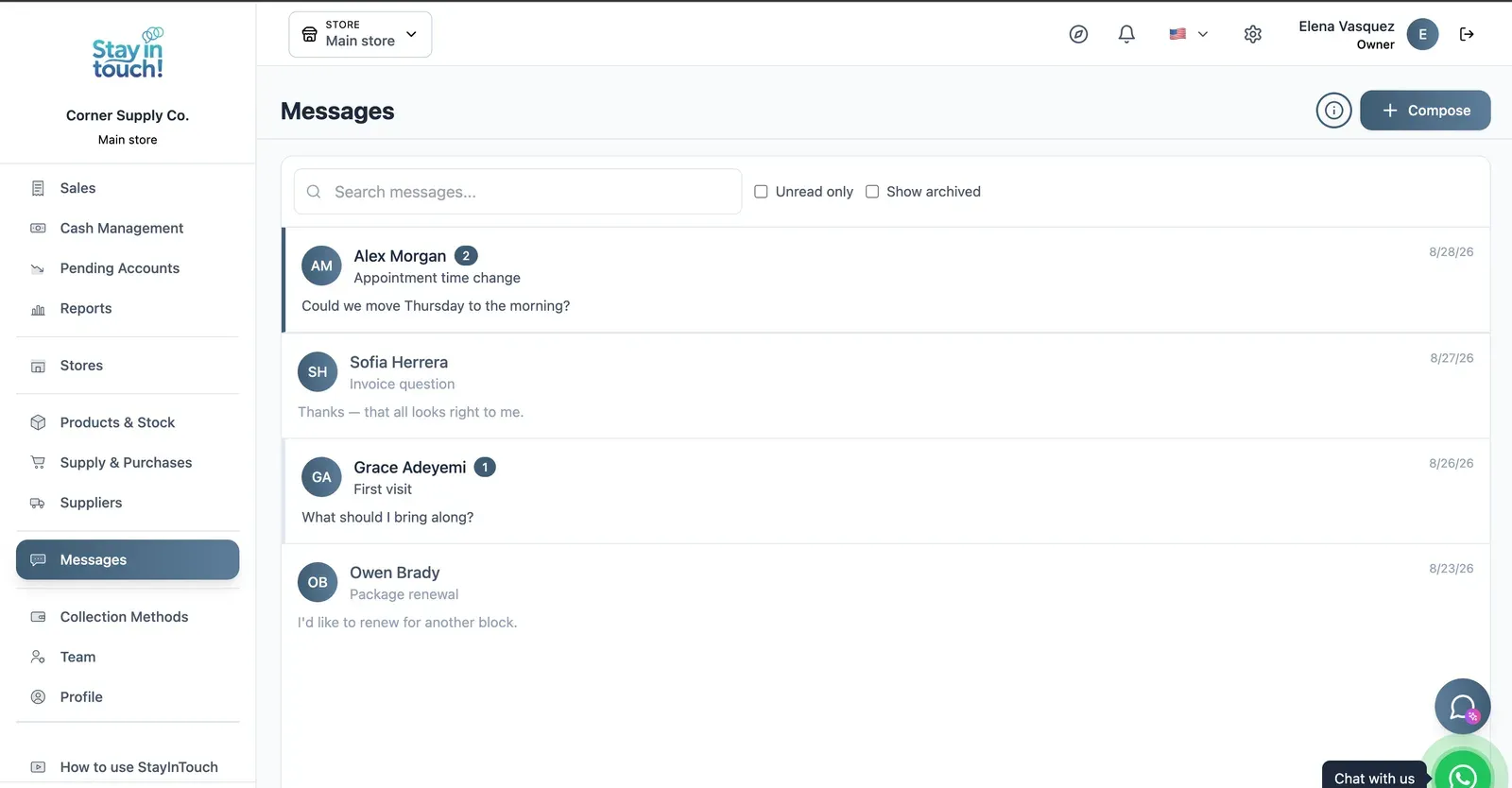
Messages
Client conversations kept in the record instead of scattered across personal phones, with unread counts and archiving.
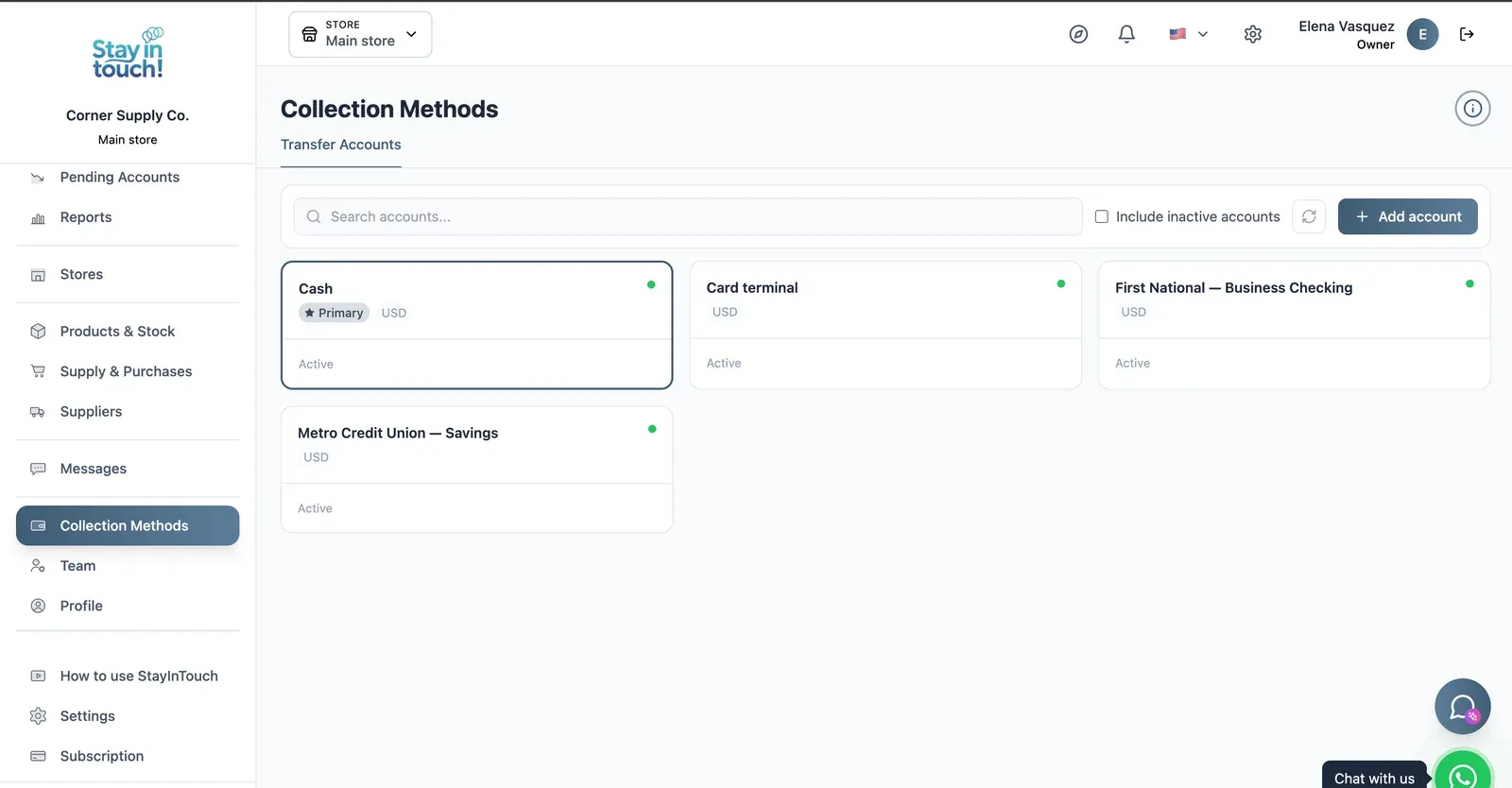
Payment Methods
Every way you collect — cash, card terminal, bank accounts — each with its currency and active state.
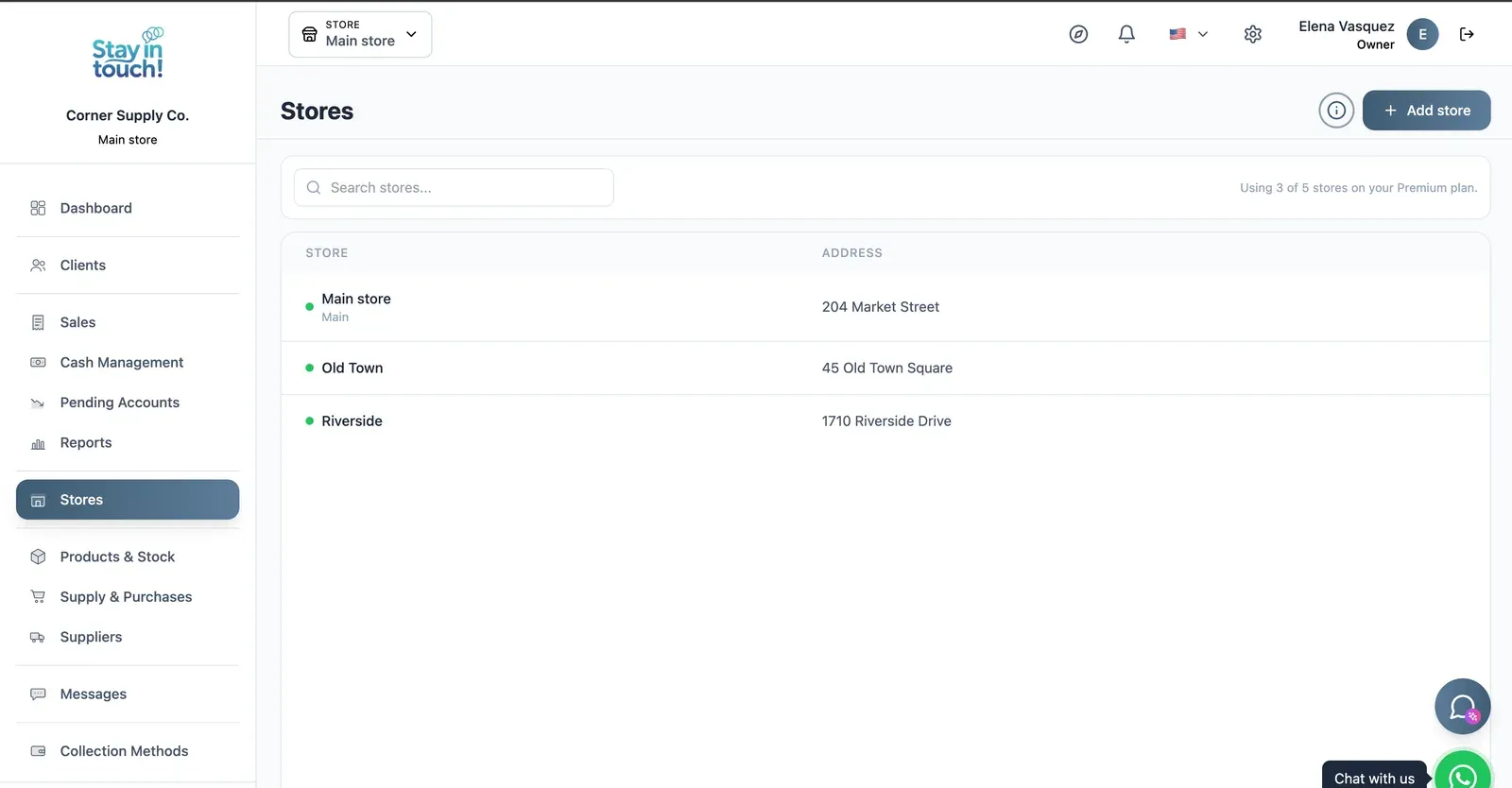
Multi-store
Run every store from one account on the top plan, each with its own team, stock and register.
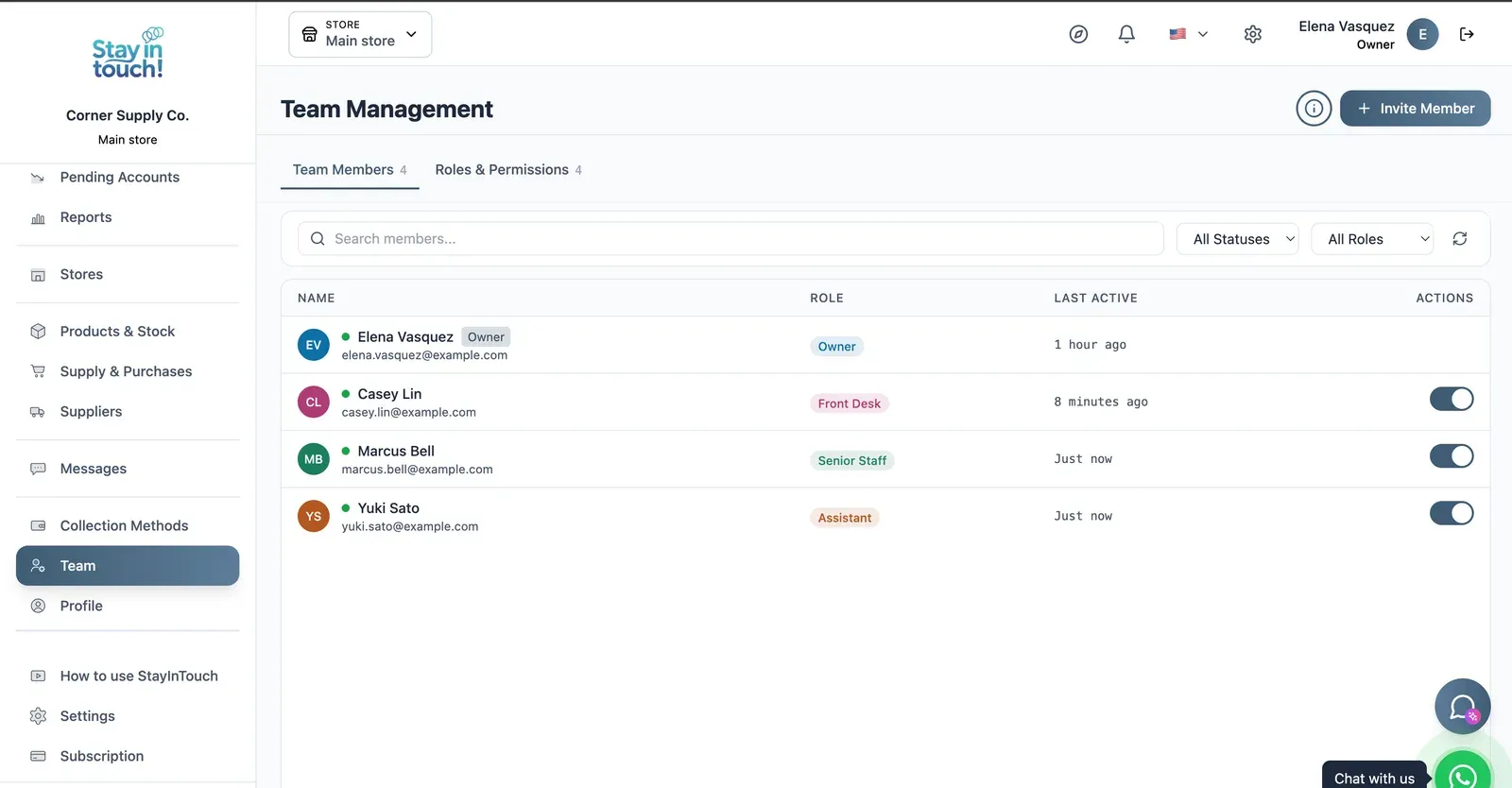
Team & Permissions
Your staff roster with roles, last activity and access toggles, plus a permissions tab as the business grows.
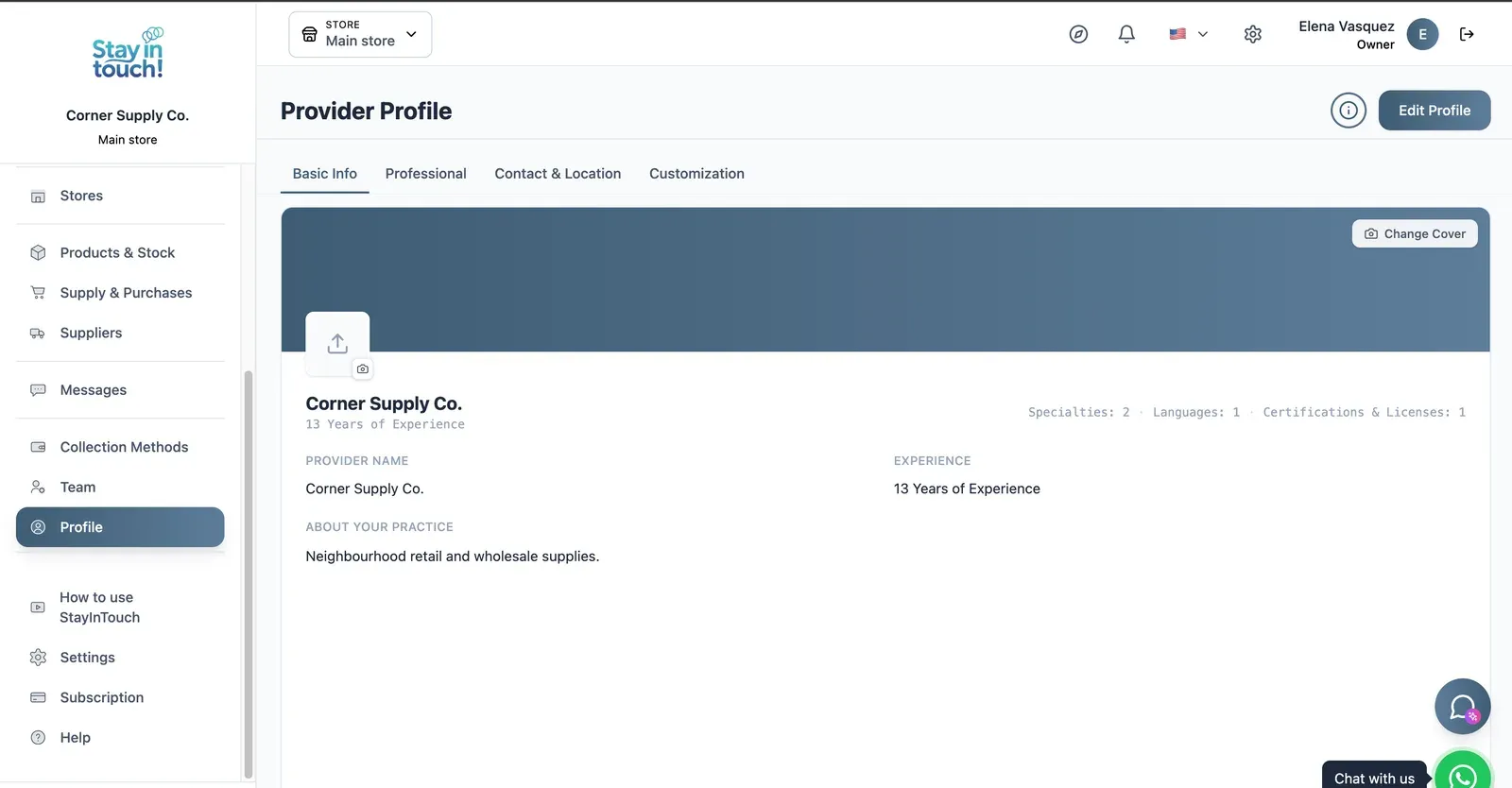
Store Profile
Your public store page: cover image, logo, description, hours and location, editable across four tabs.
Screen 1 of 15
Website included
Your own website, free from day one
Every Siimplo account publishes a page for your store: your catalog with prices, your address and your WhatsApp — no designer, no hosting.
Your catalog with photos and prices
Address, phone and WhatsApp
Clients sign up on their own
Common questions
Does this work for a single-location store?
Is there free hardware store software?
Can it handle several thousand items?
Can I sell by unit and by case?
Does it track contractor accounts?
Does it print price labels?
Does it include appointment scheduling?
Is it available outside the US?
Try it on your fastest-moving items.
Load twenty SKUs with their sizes and ring up a sale. The free plan asks for no card.
Get Started