
For language academies
Your academy in one place: courses, students, tuition and teachers.
The management platform for language academies — English, Italian, any language. Courses on a weekly timetable, students under the parent who pays, a tuition grid where each month becomes an invoice, roll call per class and a monthly payroll run for your teachers.
- Courses
- Tuition Grid
- Attendance
Everything your academy needs to run.
One platform for the academic side and the money side — no spreadsheets stitched together.
See Siimplo running your academy
Every module, exactly as your team will use it.
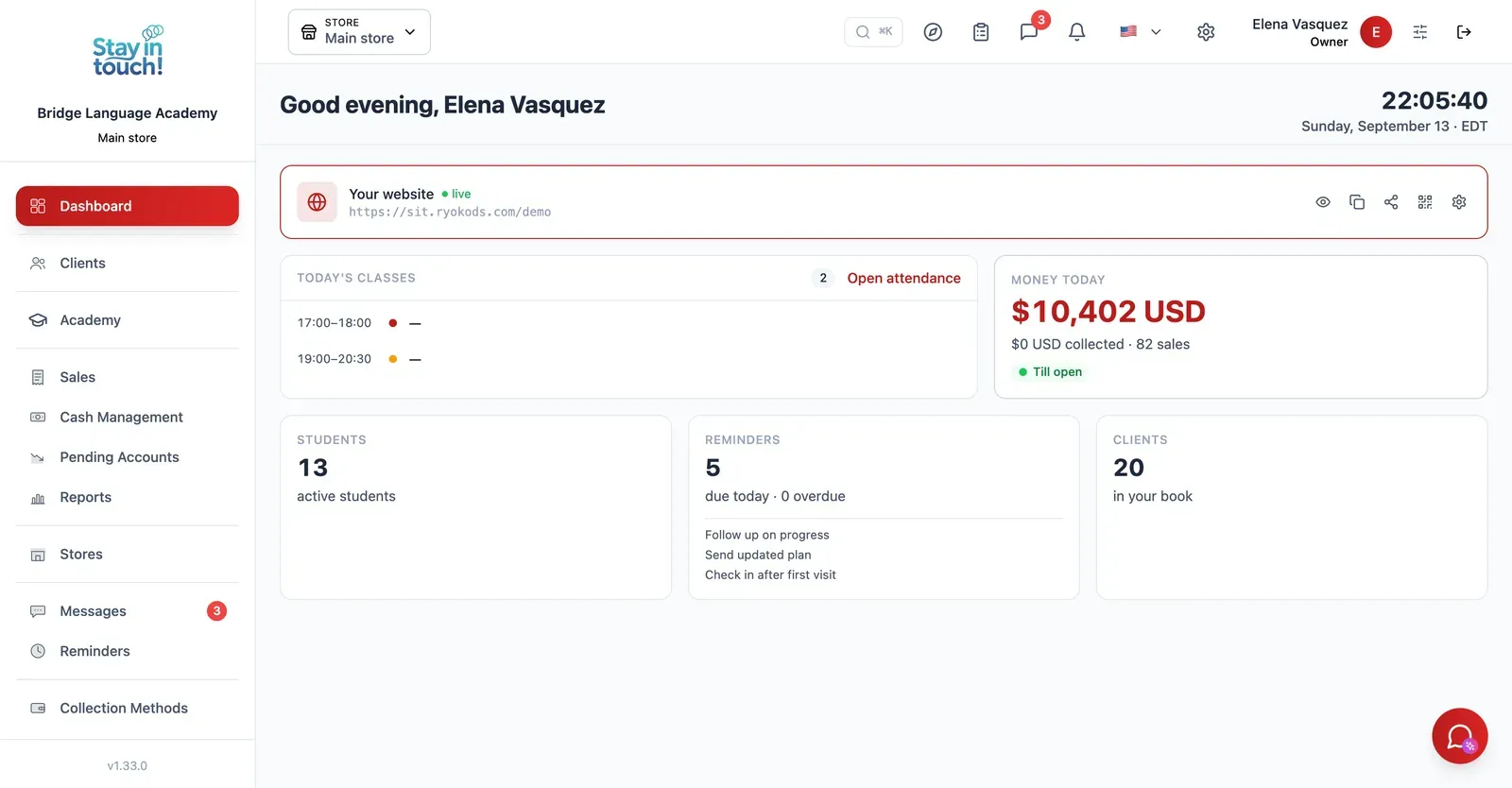
Dashboard
Your academy on one screen the moment you log in — families, students and this month's collections.
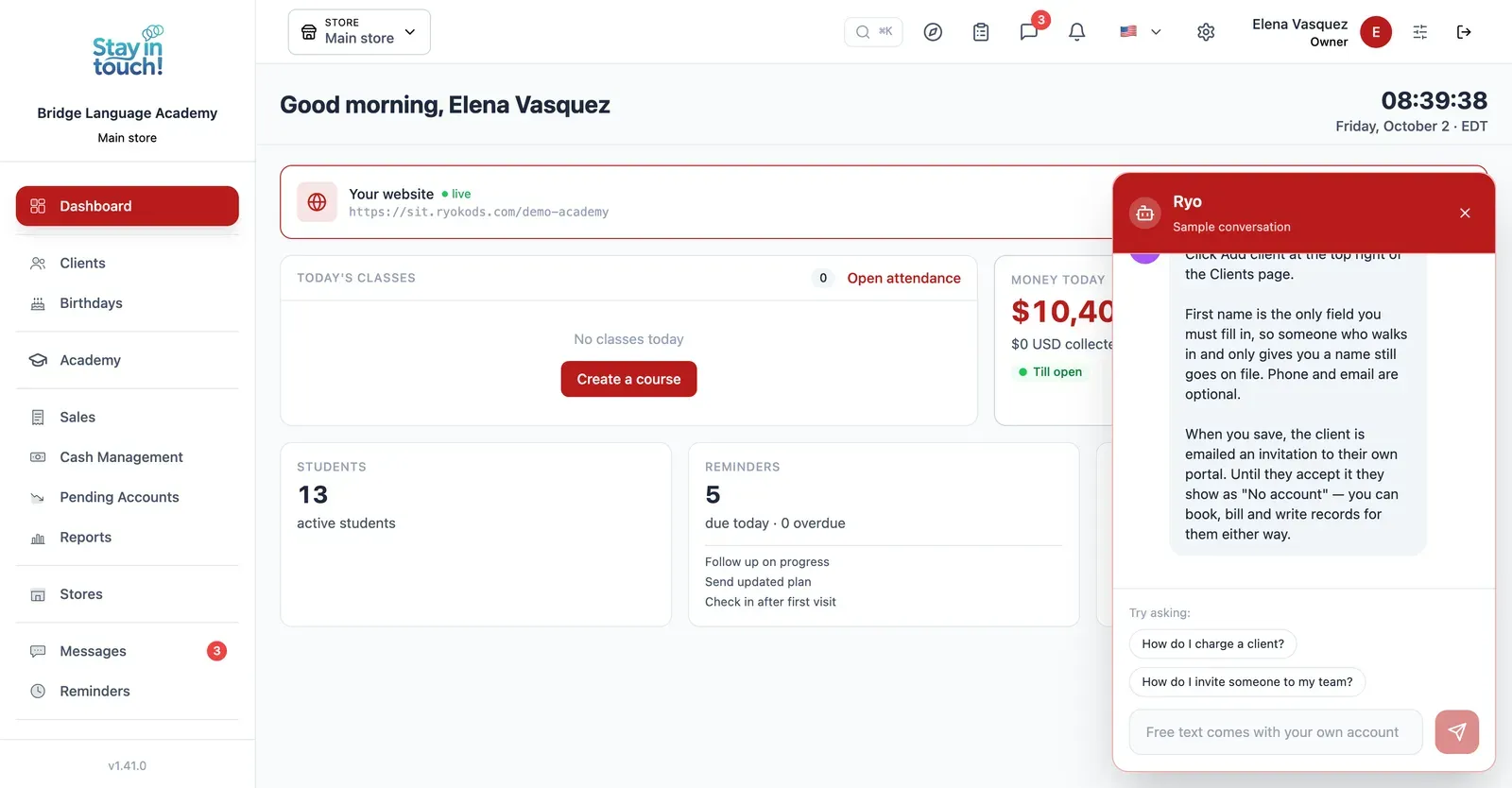
Ryo, the AI assistant
Ask how to do anything in Siimplo and it walks you through it step by step, without leaving the screen you're on.
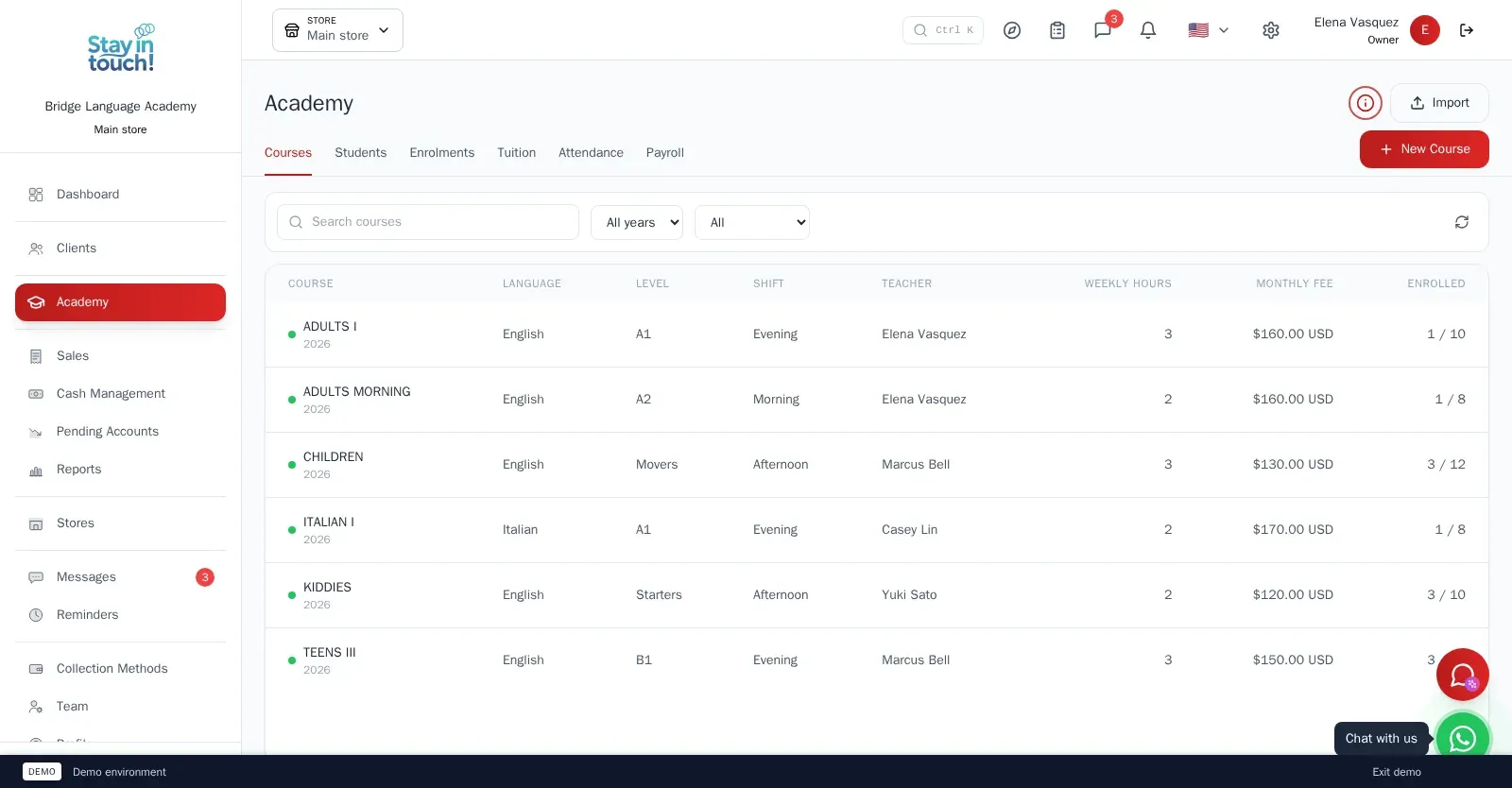
Courses
Every course with its language, level, weekly timetable, teacher and monthly fee — English, Italian, whatever you teach.
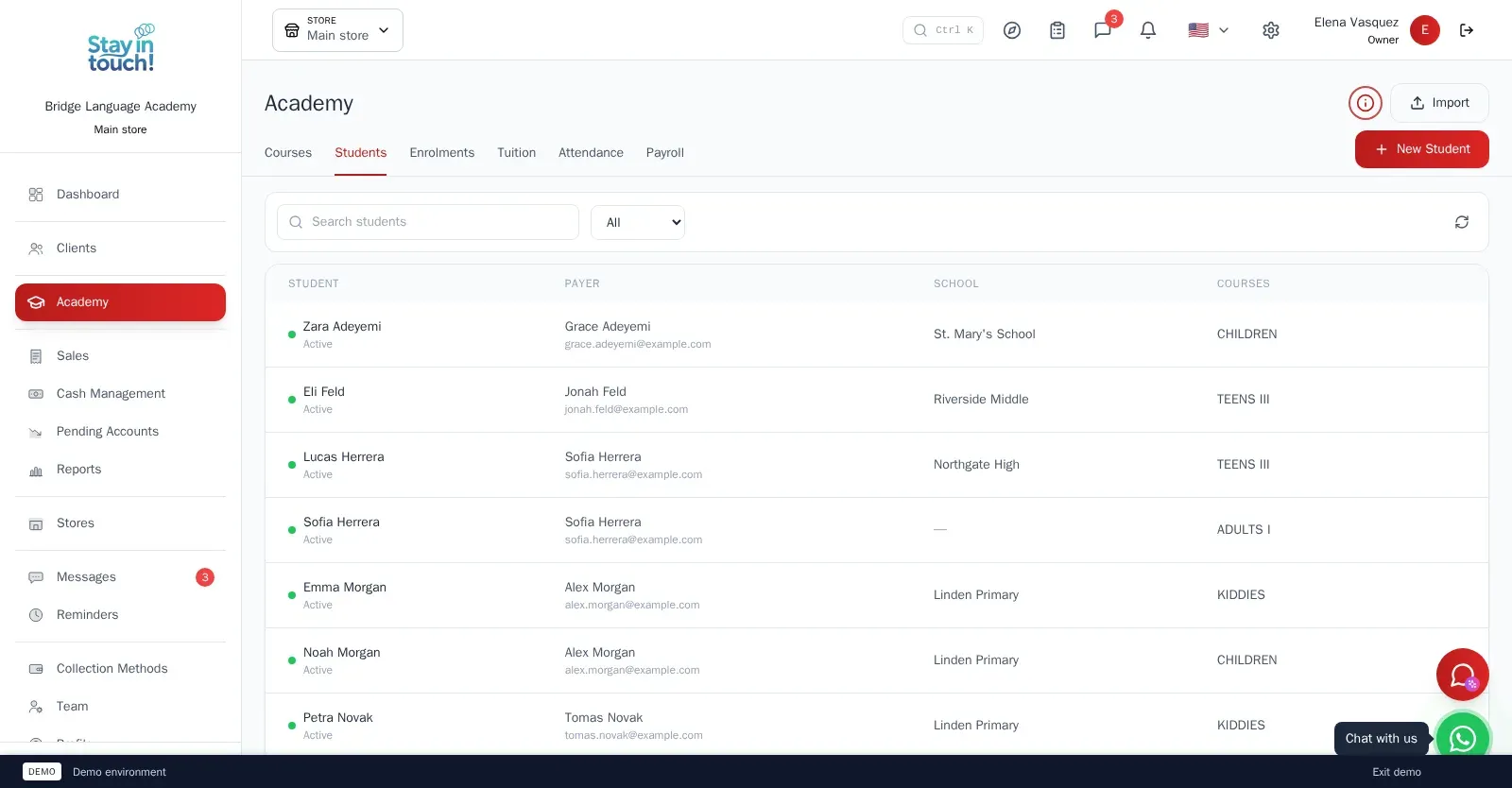
Students
Mostly minors, each under the parent or adult who pays, with status, course history and contact details in one record.
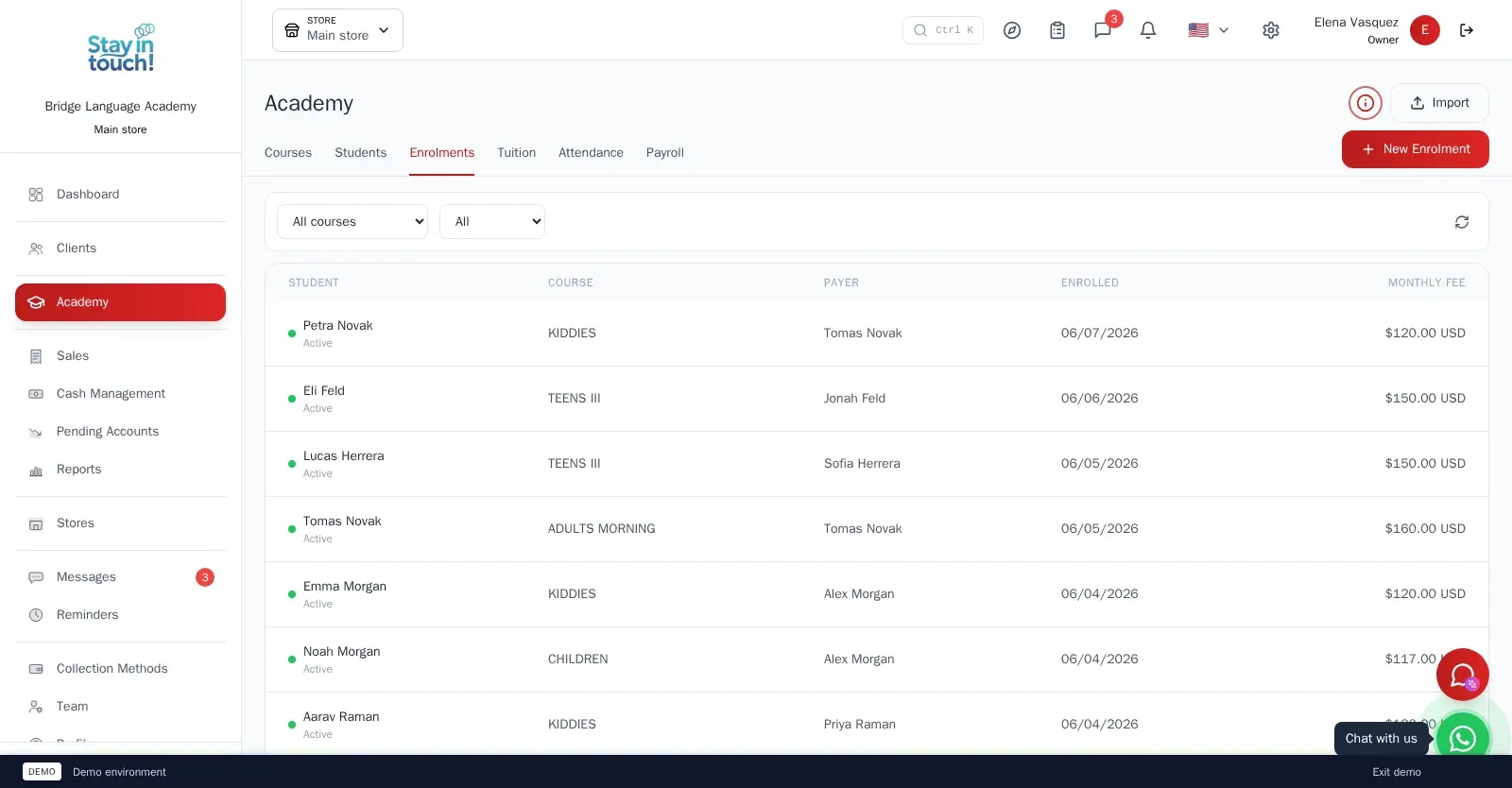
Enrolments
Enrol a student in a course and the whole monthly tuition plan is written up front; withdraw and the future instalments go with it.
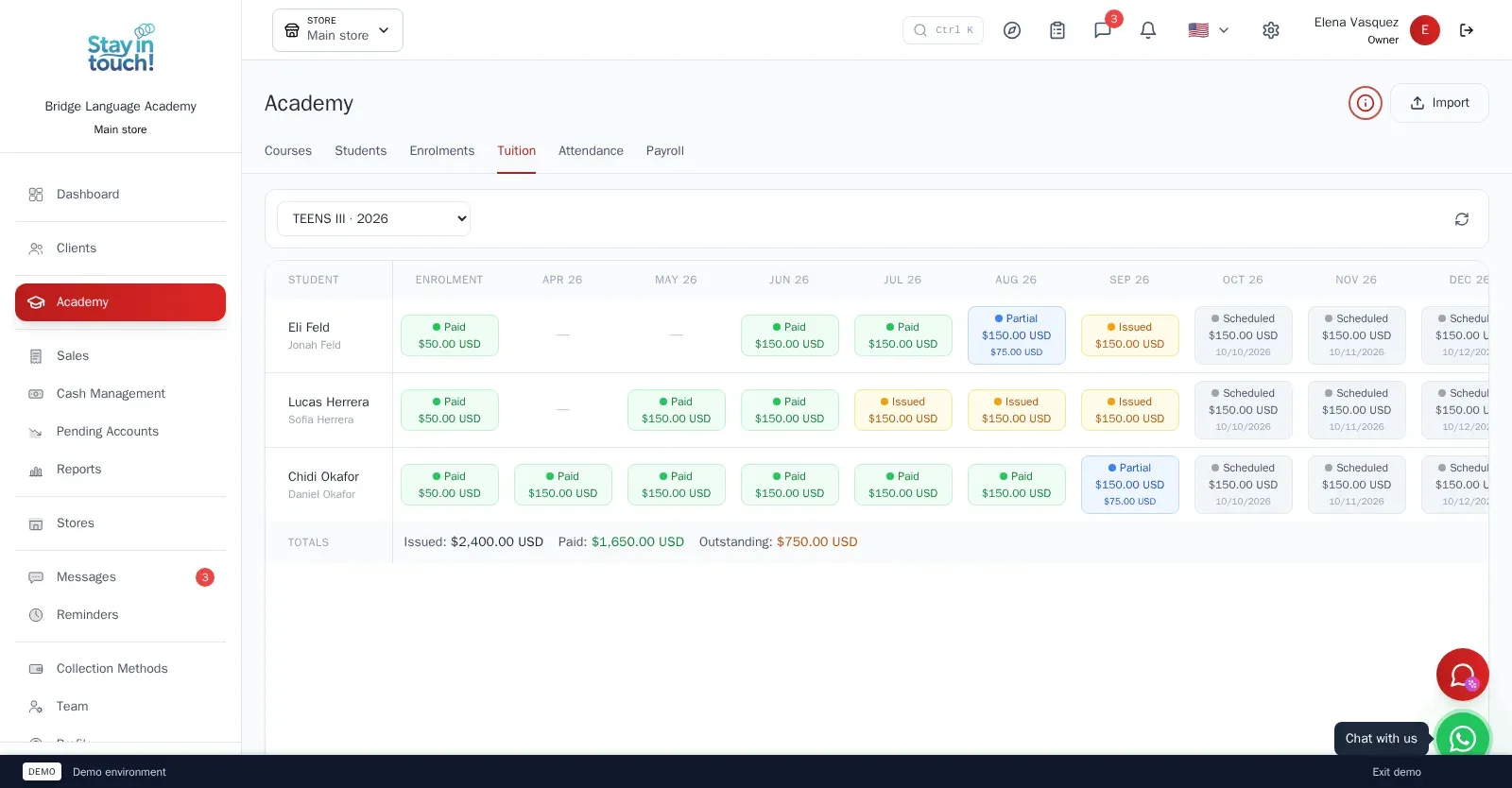
Tuition Grid
Students down, months across: every instalment scheduled, pending, partially paid, paid or waived — each one an invoice you can open.
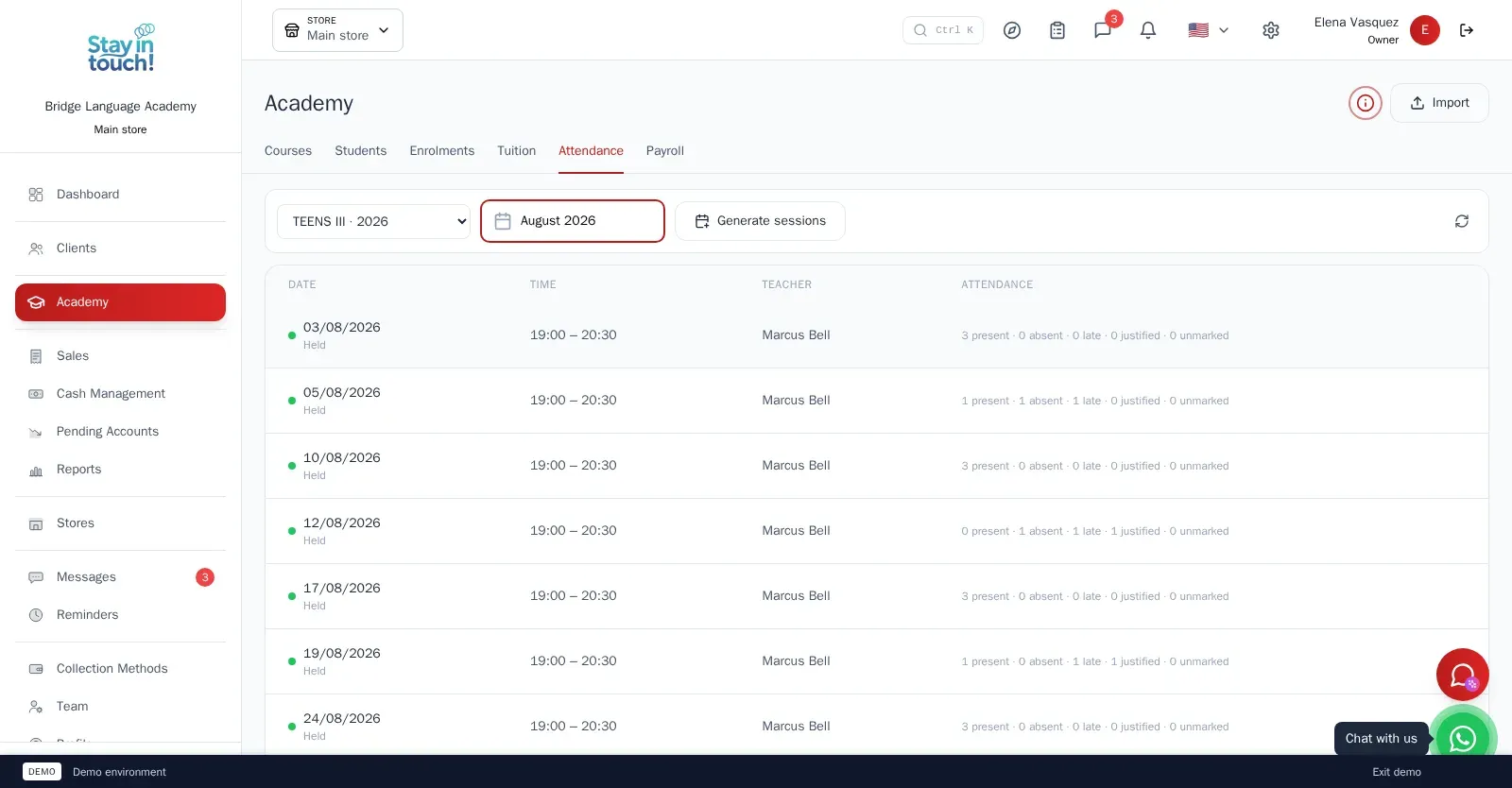
Attendance
Class sessions generated from the timetable, a roll call per session — present, absent, late or justified — and a substitute teacher when needed.
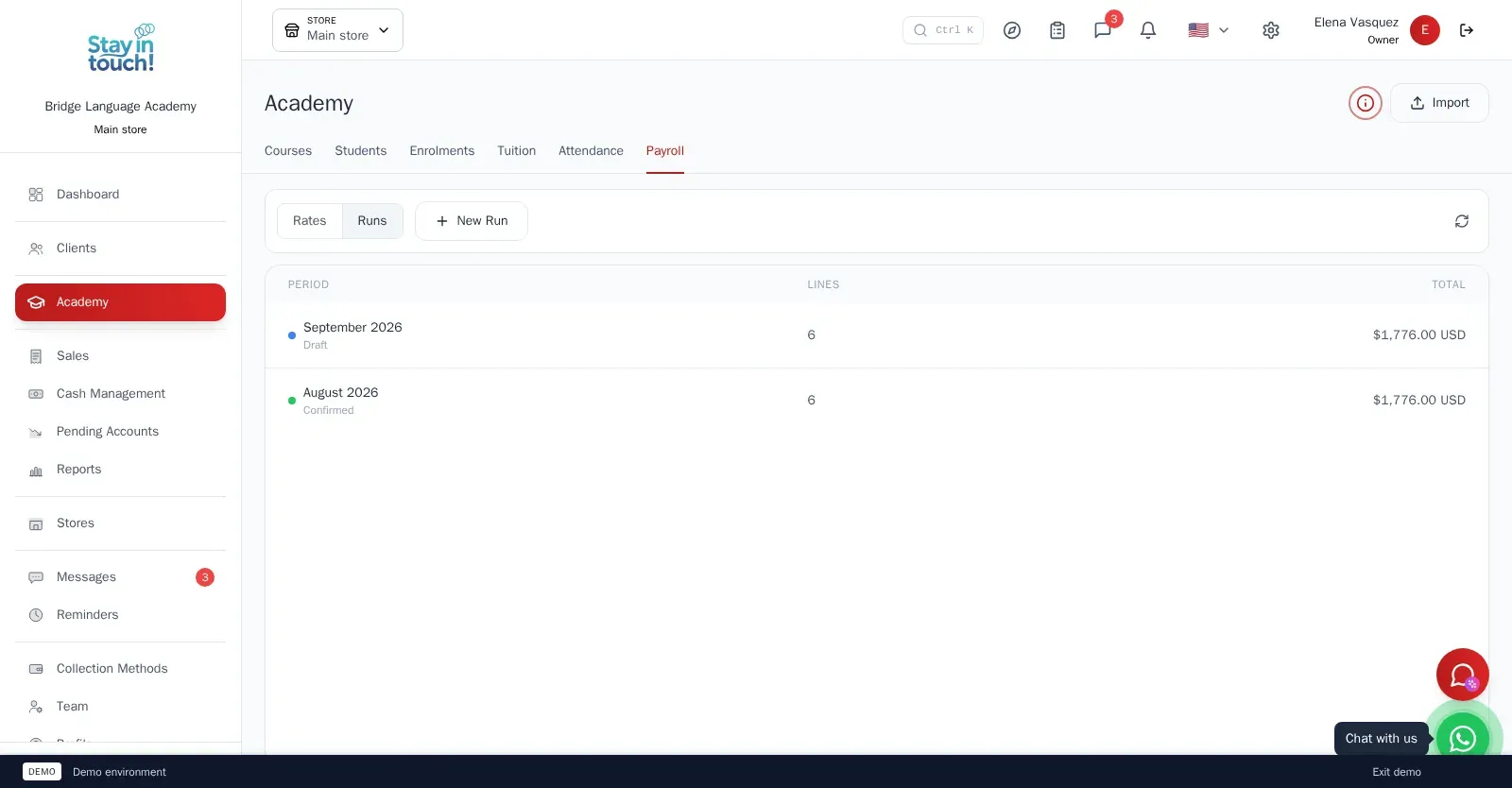
Teacher Payroll
A monthly rate per weekly hour for each teacher; the monthly run adds it up and posts one payroll entry per teacher to the cash register.
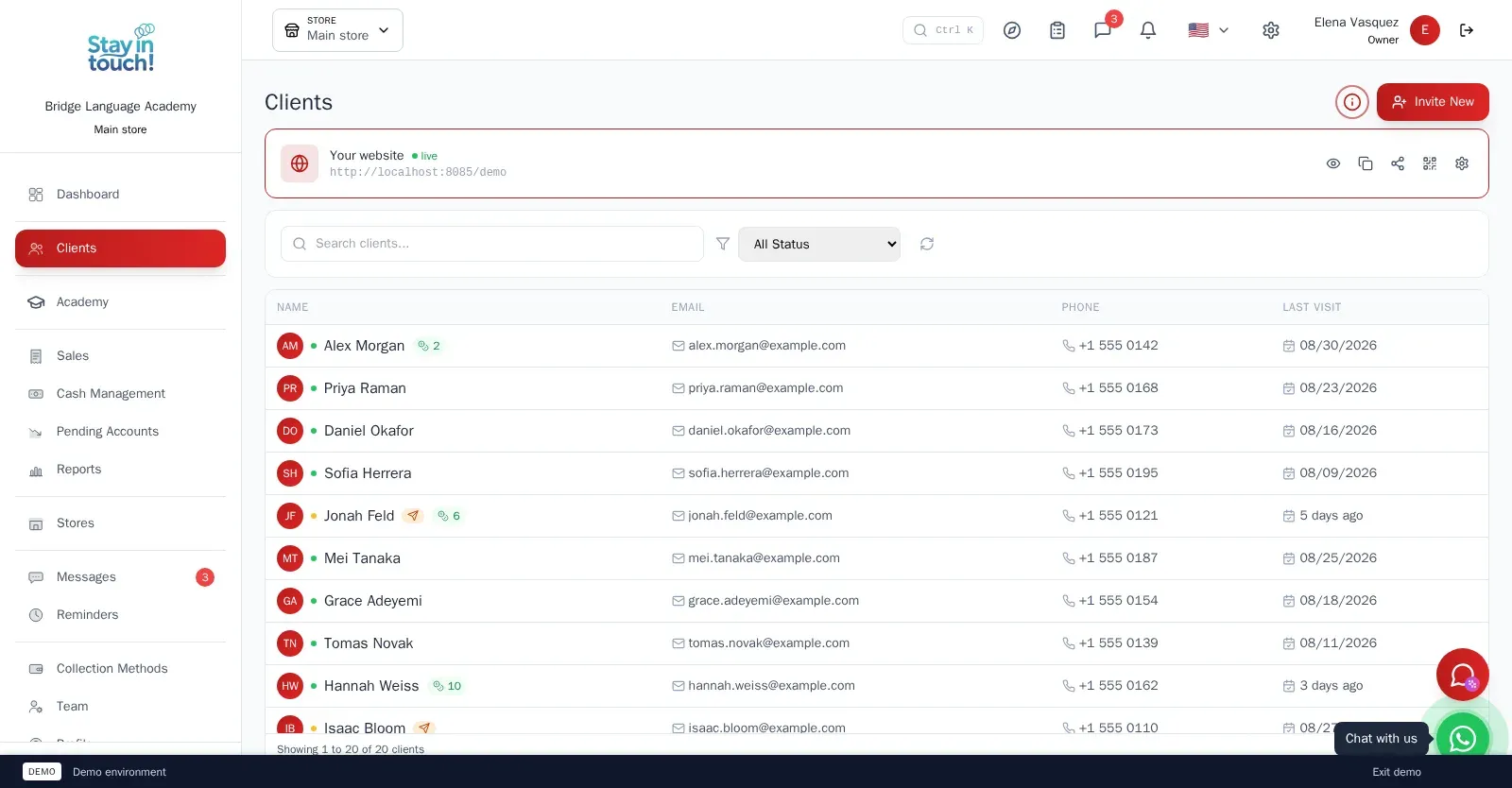
Families
The parents and adults who pay, with contact details and the students under each — the account every invoice is issued to.
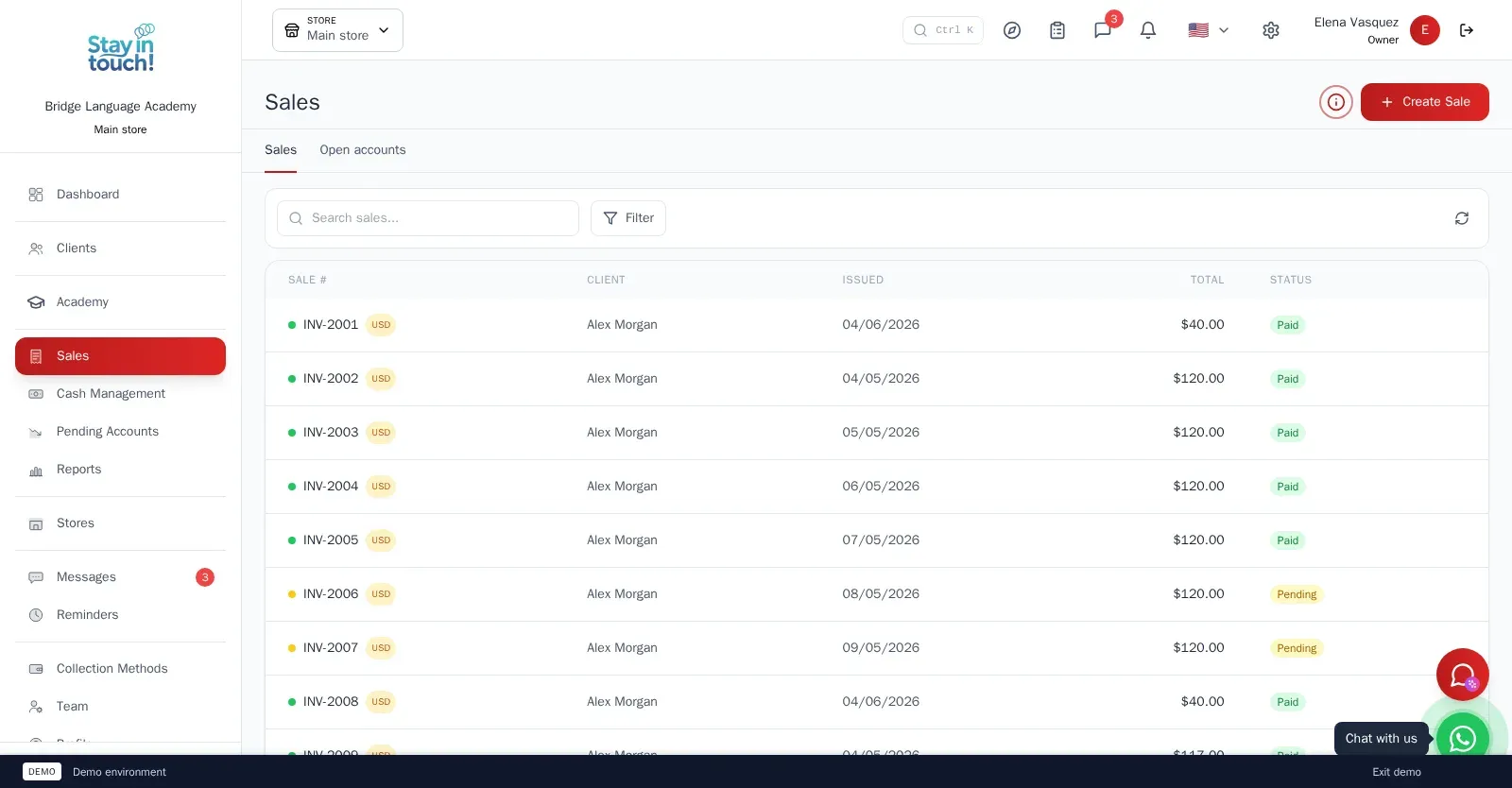
Sales & Invoices
Every invoice in one ledger — paid, partially paid, pending or draft — with the register built into the same screen.
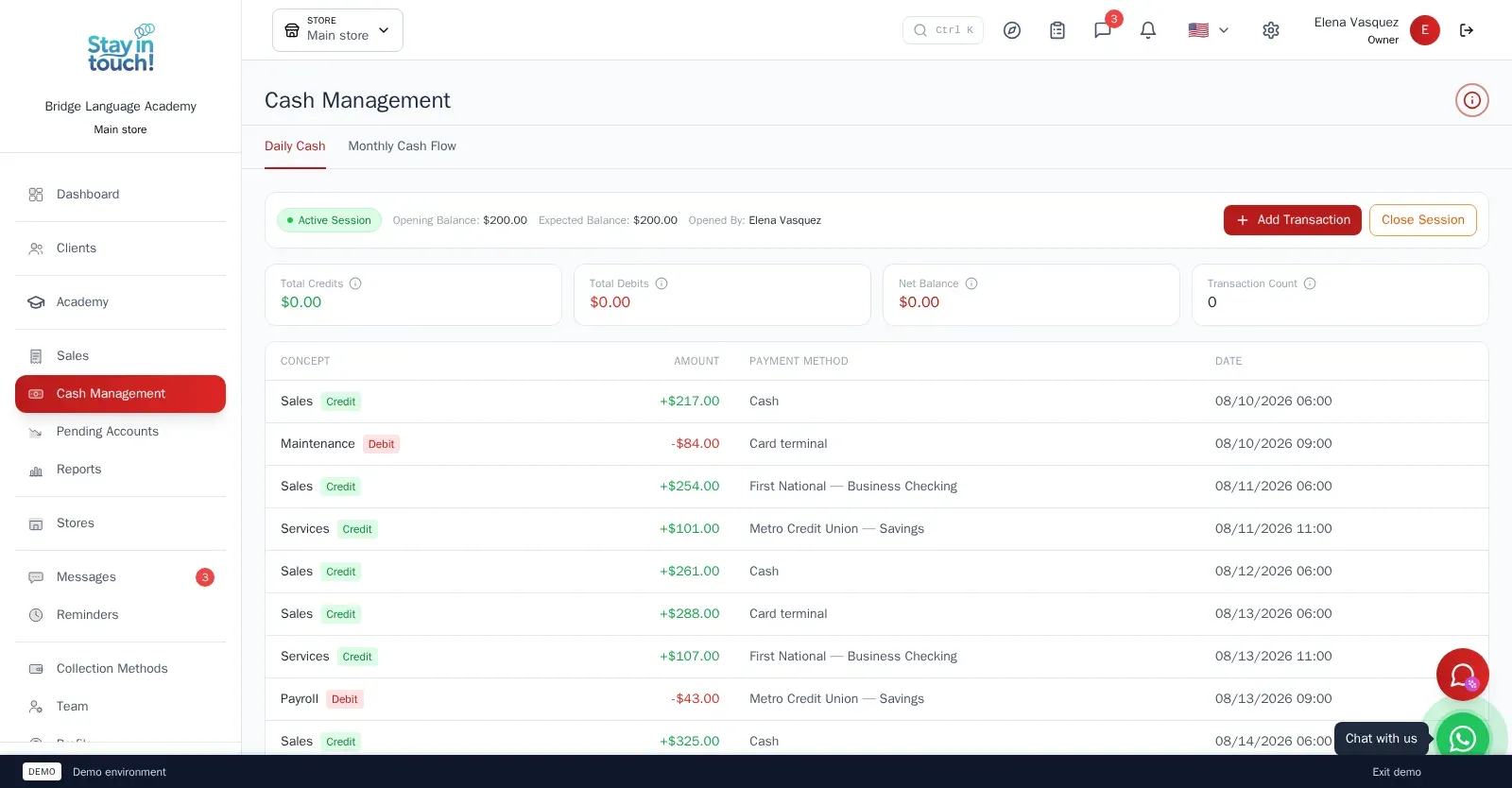
Cash Control
Open and close the register with opening and expected balances, income, expenses and every movement tagged by payment method.
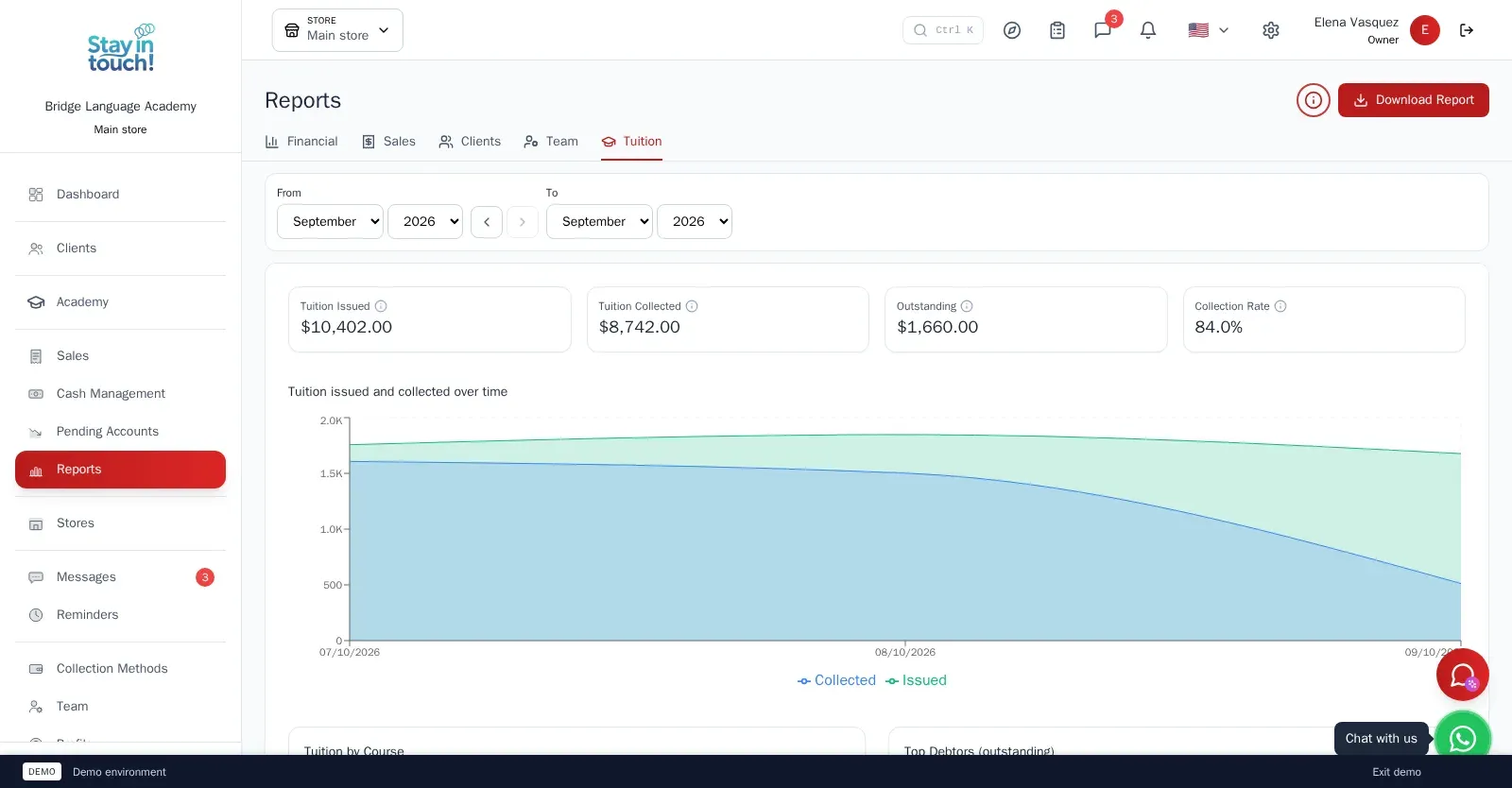
Reports
Tuition issued against tuition collected, your top debtors, and income, expenses and net profit for any period.
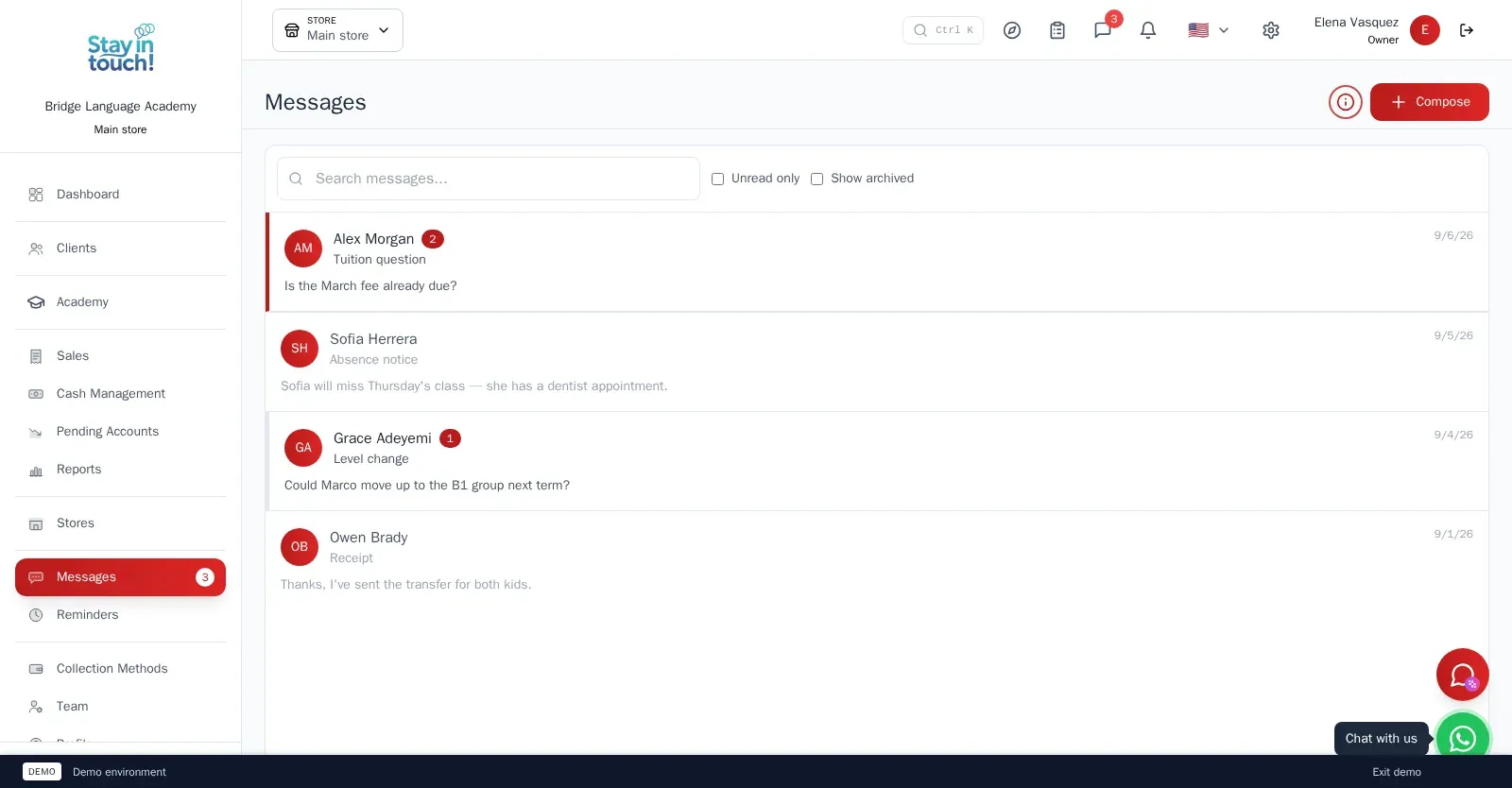
Messages
Client conversations kept in the record instead of scattered across personal phones, with unread counts and archiving.
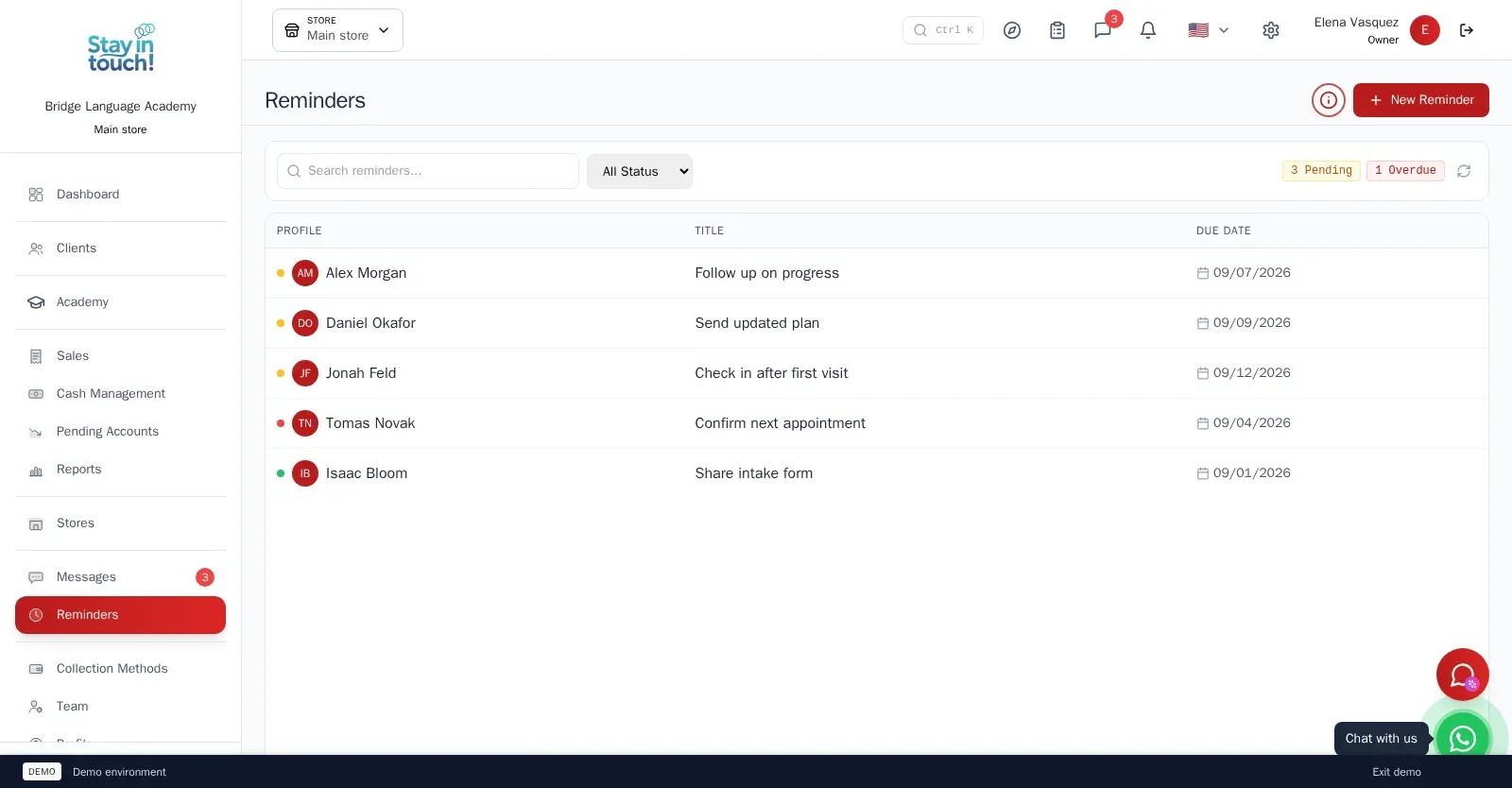
Reminders
Follow-up tasks tied to a client with due dates, so “I'll call them back” becomes something you can actually track.
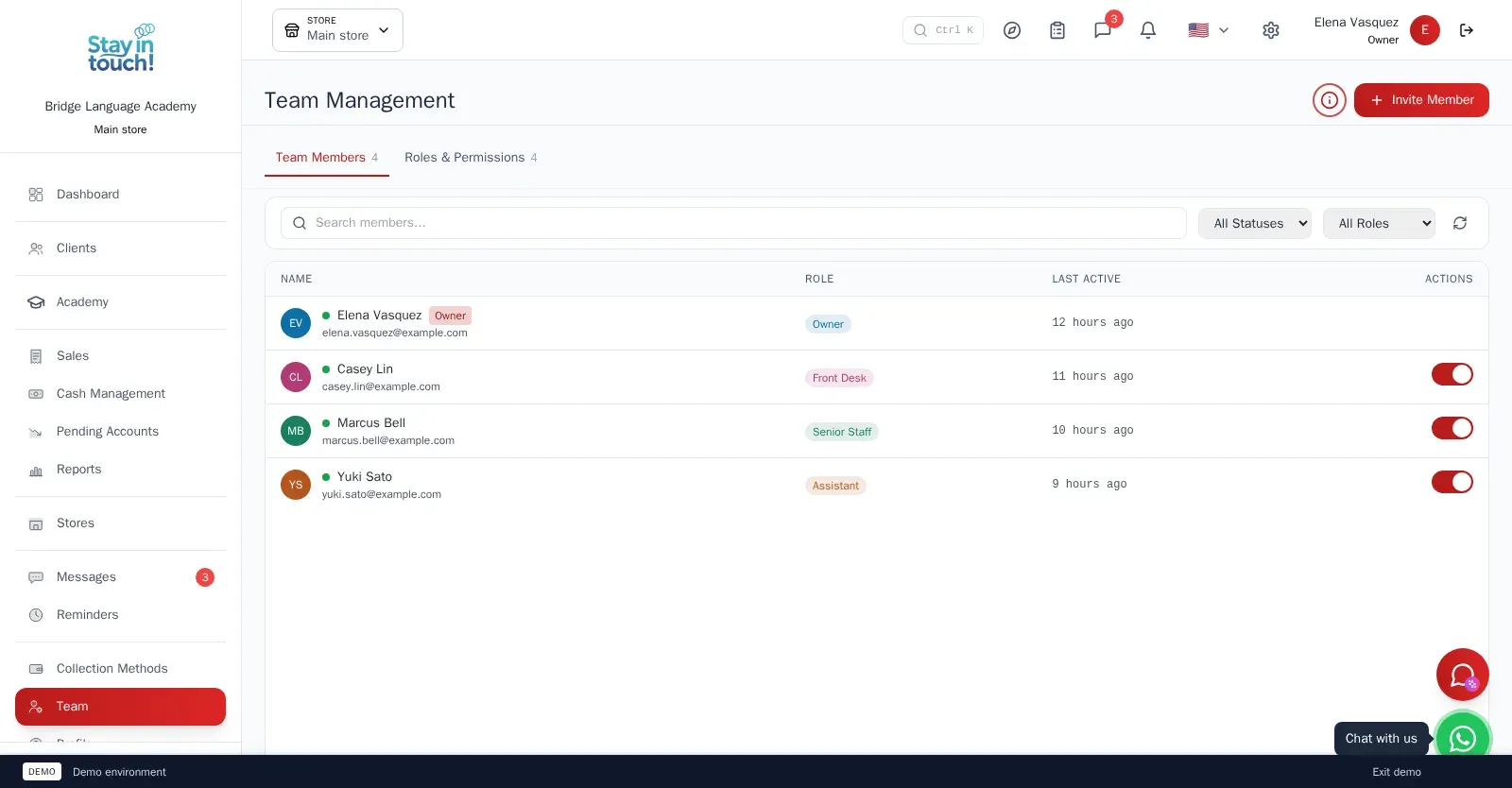
Team & Permissions
Your staff roster with roles, last activity and access toggles, plus a permissions tab as the business grows.
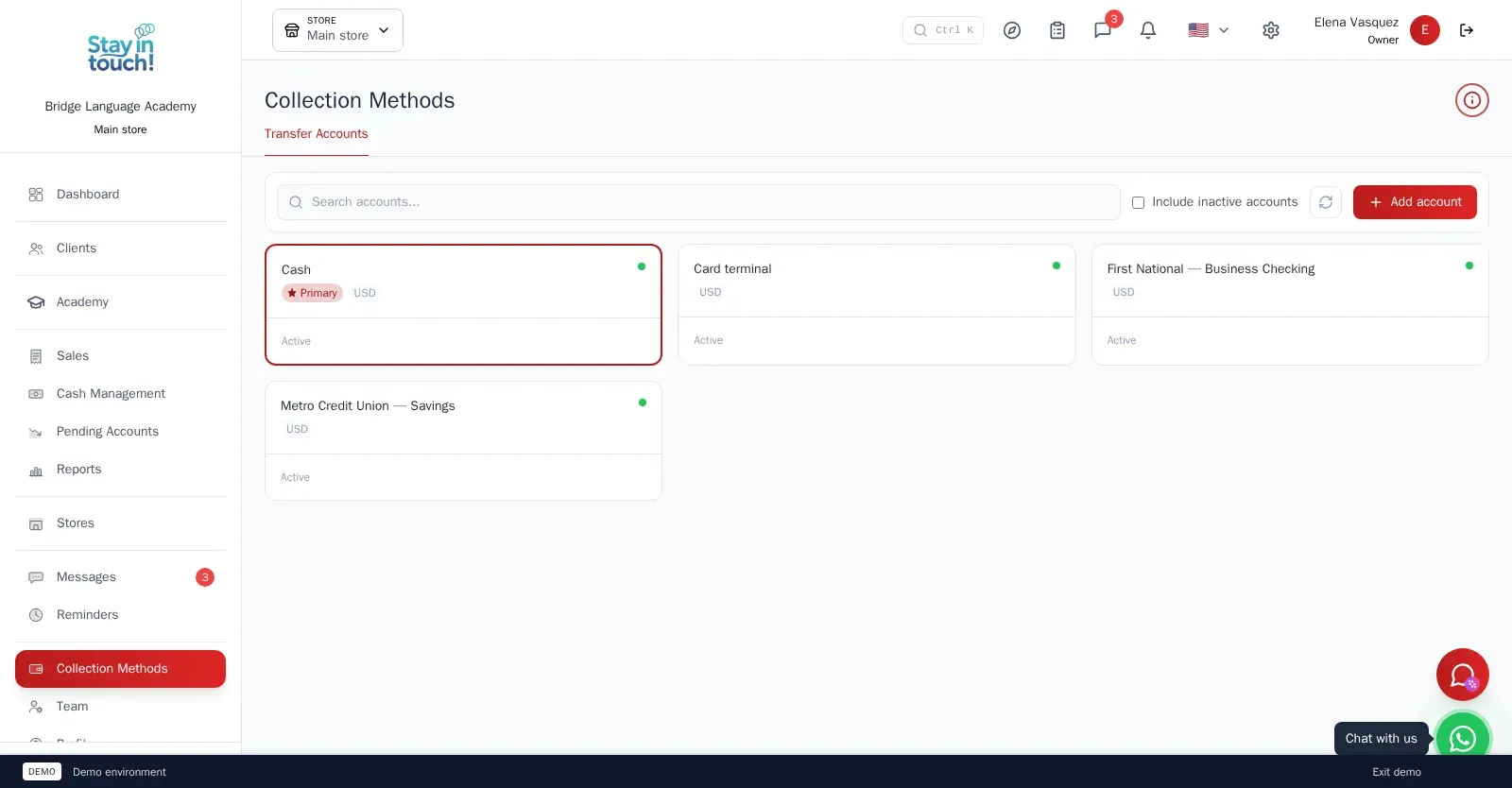
Payment Methods
Every way you collect — cash, card terminal, bank accounts — each with its currency and active state.
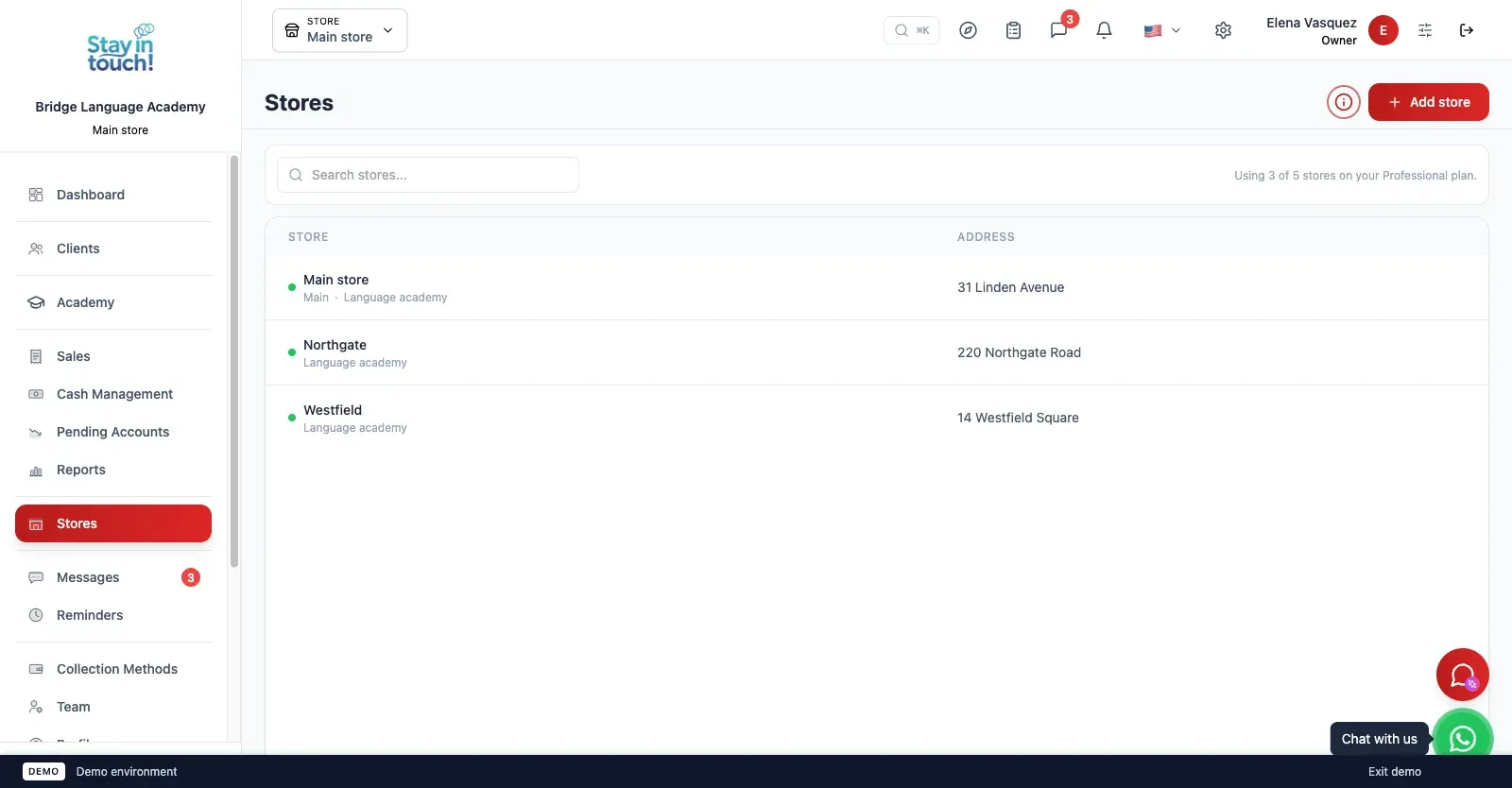
Multi-store
Run every branch of the academy from one account on the top plan, each with its own team, courses and register.
Screen 1 of 17
Website included
Your own website, free from day one
Every Siimplo account publishes a page for your academy: your courses with timetables and monthly fees, your address and your WhatsApp — no designer, no hosting.
Your courses with timetables and fees
Address, phone and WhatsApp
Parents sign up on their own
Automatic messages
What reaches your client
Not sample copy: these are the approved templates the platform sends, exactly as they go out.
Pick the moment
Courses
Billing
Reminders
5 automatic messages in your trade, each with its own approved template.
They go out from your business's own WhatsApp. Connecting your own number is free on every plan.
The nudges nobody asked for — a reminder, an invitation to book again — start switched off on purpose: no one is messaged from a flow their business never turned on.
On by default
Privacy
Your data, under lock and key
What your clients tell you is stored encrypted. Without the key, not even a full copy of the database gives it up.
What gets encrypted
Student and family details
Notes and progress entries
Emergency contact
Messages and WhatsApp
Included on every plan, the free one too. Nothing to set up.
Student record
- Notes
- Needs extra work on listening comprehension
- Family notes
- Mother asks for reports by email
- Messages
- Can she sit the exam on the July date?
Tap to see how it's stored
What isn't encrypted, and why
Dates, names and account numbers stay readable: they are how the system finds the record. What gets encrypted is what the record says.
Who can see it
Encryption doesn't replace permissions. Every role — owner, front desk, senior staff, assistant — sees only what it should, over the same data.
Your data is yours
Export all your data in 1 click
In Settings → Export data, tick “Select all” and click once. We prepare everything in the background and email you a link to a single .zip file with one spreadsheet per list, ready to open in Excel, Google Sheets or Numbers.
No lock-in
Exporting doesn't depend on your plan. Even if you move to the free plan, you can take out everything you've recorded since day one.
Spreadsheets that just open
Every list is a CSV file with column headings in your language and accented names intact.
Everything, or one period
Lists with dates — sales, cash and the like — can be narrowed to a date range. Leave it empty and you get everything.
Included in every plan, the free one too. Only the account owner can export, and the emailed link works for 30 days.
Settings → Export data
Select all
- Families
- Students
- Courses
- Enrollments
- Sales and tuition, line by line
- Cash movements
- Reminders
Emailed to you: one .zip, one spreadsheet per list
Artificial intelligence
AI drafts, you confirm
Siimplo uses AI for the work that takes your time but not your judgment: finding a gap in the calendar, writing a first draft, reading a spreadsheet, checking a receipt. Whatever gets saved to your account goes through the same path as if you'd done it by hand, with your role's permissions.
Ryo, your assistant
Ask how to do anything in Siimplo and it answers with the steps, without leaving the screen you're on. It follows the conversation, so you can ask a follow-up.
AI helpers in your forms
- Import the spreadsheet you run the academy on: AI works out which column is which, even when the headings don't match.
Ryo, the AI helpers and receipt validation are included depending on your plan. What AI writes is a draft: review it before you rely on it. Your clients never talk to the AI.
Ryo
AI assistant
How do I add a teacher to the team?
In Team, invite her by email and give her a role, which sets what she can see and do. She gets an invitation and signs in with a password or her Google account.
Booking to confirm
Confirm bookingRyo never books on its own: the appointment exists only once you press "Confirm booking".
And also
The details that save your day
What we've been adding to the portal, built around how you work.
Birthdays
A list of upcoming birthdays for your students and their families, so none slips by.
Tags, and how they found you
Tag clients — VIP, wholesale, whatever helps — filter by tag, and note how each one found you. Bookings from your website are recorded automatically.
Merge duplicate clients
The account owner combines two duplicate records of the same client into one, keeping all of their history.
A portal your clients install
Families add their portal to their phone's home screen and see the tuition and sales you billed them, with what's paid and what's still owed.
Your own WhatsApp number
Connect your business's WhatsApp number on any plan and answer your clients' messages from the Siimplo inbox.
Activity log
The account owner sees who changed what, and when: prices, hours, clients, stock, cash, sales and more.
What parents see
Every paying parent gets a portal of their own — no more calls to ask what's owed.
Courses & Timetable
Each of their children's courses, with the weekly timetable and the teacher.
Attendance
Every class session marked present, absent, late or justified.
Tuition
Each month's instalment and whether it's paid, partial or pending — with the invoice behind it.
Why choose us?
Join the academies that stopped running the year on spreadsheets.
Modern Interface
Intuitive and easy to use from day one
Cloud Access
Manage from anywhere and any device
Tuition on Time
Each instalment becomes an invoice a week before it's due, and reminders keep the follow-up in one list
Your data, under lock and key
Your students' and families' details are stored encrypted in the database, not just in transit. With role permissions, everyone on your team sees only what they should.
Tuition issued vs collected, at a glance
Make data-driven decisions with a clear view of your academy
Access your academy's complete dashboard from any browser. See what you issued against what you collected, who owes the most, and where the month's money went.
Tuition issued vs collected, month by month
Top debtors — the families with the most outstanding
Income, expenses and net profit by period
Teacher payroll posted to the monthly register
Customers
Businesses that already trust us
In the words of the people who run Siimplo every day.
Every student's tuition is generated each month and I know who's behind the same day. Enrollment season stopped being the month I dreaded.
I ran fall enrollment from the website instead of a stack of paper forms. A student signs up for a course and they're already on the roster.
I'd like more ways to structure levels, and I've told the team so. What I wouldn't give up is attendance: the teacher marks it and the family sees it.
Paying seven teachers by the hour used to be my worst day of the month. Now it comes out of the classes that were actually taught.
Parents get the tuition notice and the cancelled-class notice without me writing a message. That was worth the price on its own.
Steps to Digitize
Get started in three simple steps
Load Your Academy
Create your courses and teachers — or upload your Excel workbook and let the assistant read every sheet.
Enrol Your Students
Enrol each student under the parent who pays. The monthly tuition plan is written up front.
Collect and Pay
Follow the tuition grid, take roll call per class and run the monthly teacher payroll.
Monthly Plans
Choose the plan that fits your academy. All plans include core features and 24/7 support.
Free
Perfect for getting started
- Up to 10 paying families
- Your website with your courses
- Families & students
- Courses & weekly timetable
- Tuition grid & invoices
- Sensitive data encryption
- One-click export of all your data
Starter
For independent academies
- Your website with your courses
- Families & students
- Courses & weekly timetable
- Tuition grid & invoices
- Class sessions & roll call
- Parent portal
- Sales & Invoicing
- Cash Management
- Accounts receivable
- Auto Reminders
- Messaging
- Sensitive data encryption
- One-click export of all your data
- AI helpers
Professional
For growing academies
- Your website with your courses
- Families & students
- Courses & weekly timetable
- Tuition grid & invoices
- Class sessions & roll call
- Parent portal
- Sales & Invoicing
- Cash Management
- Accounts receivable
- Auto Reminders
- Messaging
- Teacher rates & payroll
- Excel workbook import
- Reports & analytics
- Team Management
- Priority Support
- Additional stores
- WhatsApp notifications
- Sensitive data encryption
- One-click export of all your data
- AI helpers
- Ryo, the AI assistant
Frequently Asked Questions
Everything you need to know about management software for language academies.
What does management software for a language academy include?
How does tuition work?
My students are minors. Who is the client?
Can I import what I already have in Excel?
How are teachers paid?
Does it work for any language, and for a small academy?
Can I take my data out?
What does the AI do, and what doesn't it?
Your passion is teaching, ours is your peace of mind.
Join the language academies that already run courses, tuition and teachers on Siimplo.
Start Now