
For English academies and language institutes
Software for English academies that actually collects the fees.
Course groups with their schedule, the paying adult kept separate from the student attending, each month's fee as its own record, and every teacher's pay worked out at close.
- Scheduling
- modules.clinical-records.title
- Cash Control
The one studying and the one paying are rarely the same person
This is the difference that breaks most generic systems. A language academy has an eleven-year-old in the Tuesday group, and it has a mother or father who receives the invoice, asks why it went up and mentions they'll pay late this month. Two different people with two different needs.
In Siimplo the student hangs off the responsible adult. The student's record holds their group, their attendance and their progress; the adult's holds the running balance, the fees and the payments. When two siblings attend, both hang off the same account and the fee is seen together.
There's also a parent portal: they log in and see their children's fees, what's up to date and what isn't. Half of a front desk's enquiries are exactly that.
March's fee isn't the same object as April's fee
Treating tuition as one number that repeats monthly is why by July nobody knows who owes what. Here each fee is a record with its month, amount, due date and status, and the grid shows the whole year at a glance: who's current, who owes two, and who quietly stopped coming in May.
Due notices go out over WhatsApp, which is where a parent replies, on Meta-approved templates. Each reminder switches on separately, so nothing fires that the academy didn't decide to send.
If you're coming from an Excel sheet, it can be imported. That's the part that stalls most migrations, which is why it's solved before anything else.
Teachers have to be paid too
Each teacher has a rate per weekly hour. At month end the system totals the hours they taught and records one movement per teacher in the till, so payroll stops being a separate calculation somebody redoes by hand every thirty days.
Attendance is taken per class, against the group's list, and stays as the student's history. It earns its keep in the awkward mid-year conversation, when a parent needs to hear why their child isn't progressing.
On the administrative side the portal runs sales, till, receivables and reporting. If the academy has more than one site, additional locations sit on the top plan, each with its own team, courses and till.
What it solves month to month
Groups with schedules
Each course with its day, hour, teacher and student list.
Student and paying adult
The student attends, the adult gets the fee. Two siblings share one account.
Tuition grid
Each fee with its month, amount and status. The whole year at a glance.
Per-class attendance
Against the group list, kept as the student's history.
Teacher payroll
A rate per weekly hour, totalled at close and recorded in the till.
Parent portal
Parents log in and see their children's fees without calling the front desk.
The academy, screen by screen
The real portal, running right here. Go in and click anything.
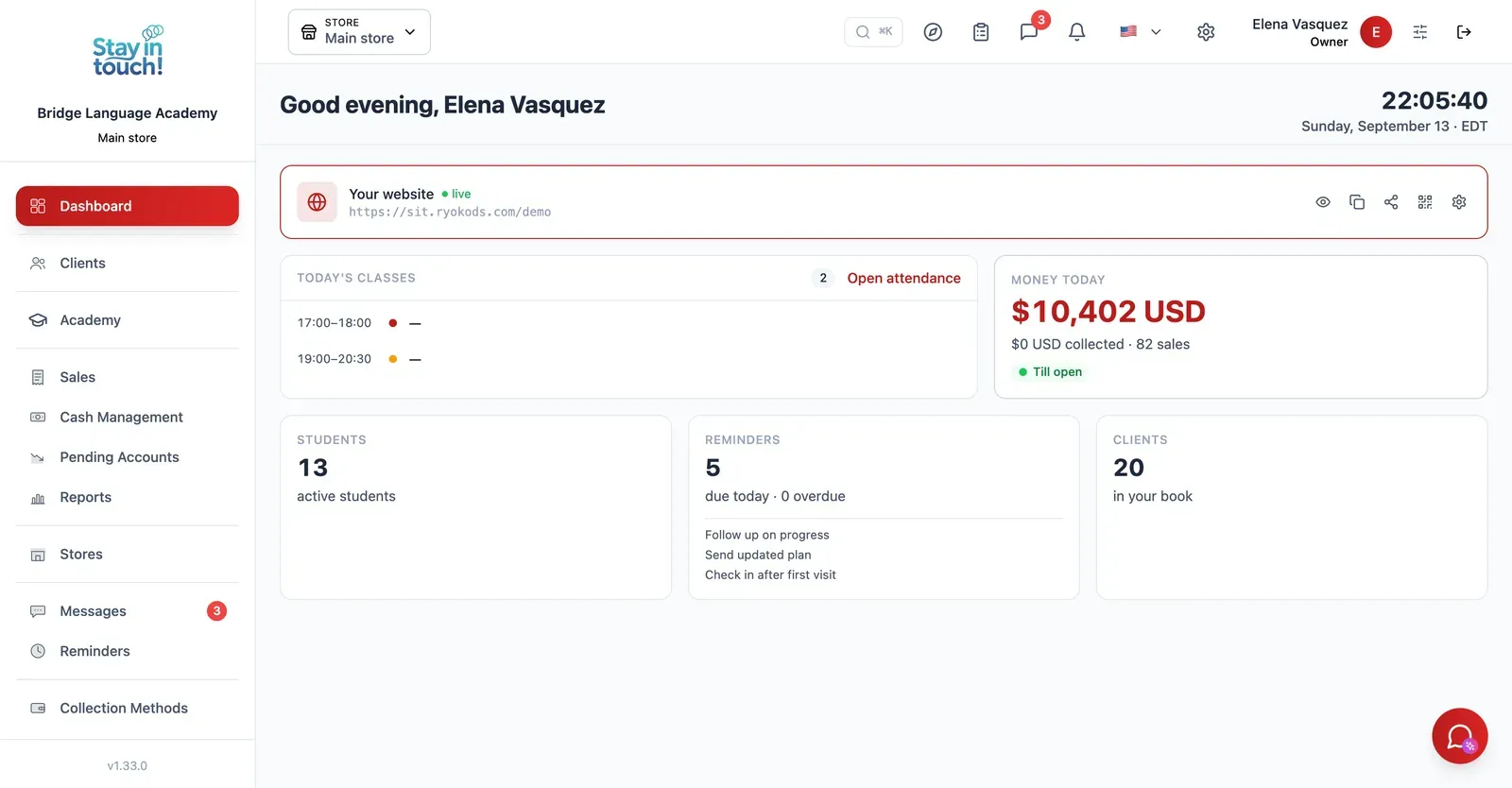
Dashboard
Your academy on one screen the moment you log in — families, students and this month's collections.
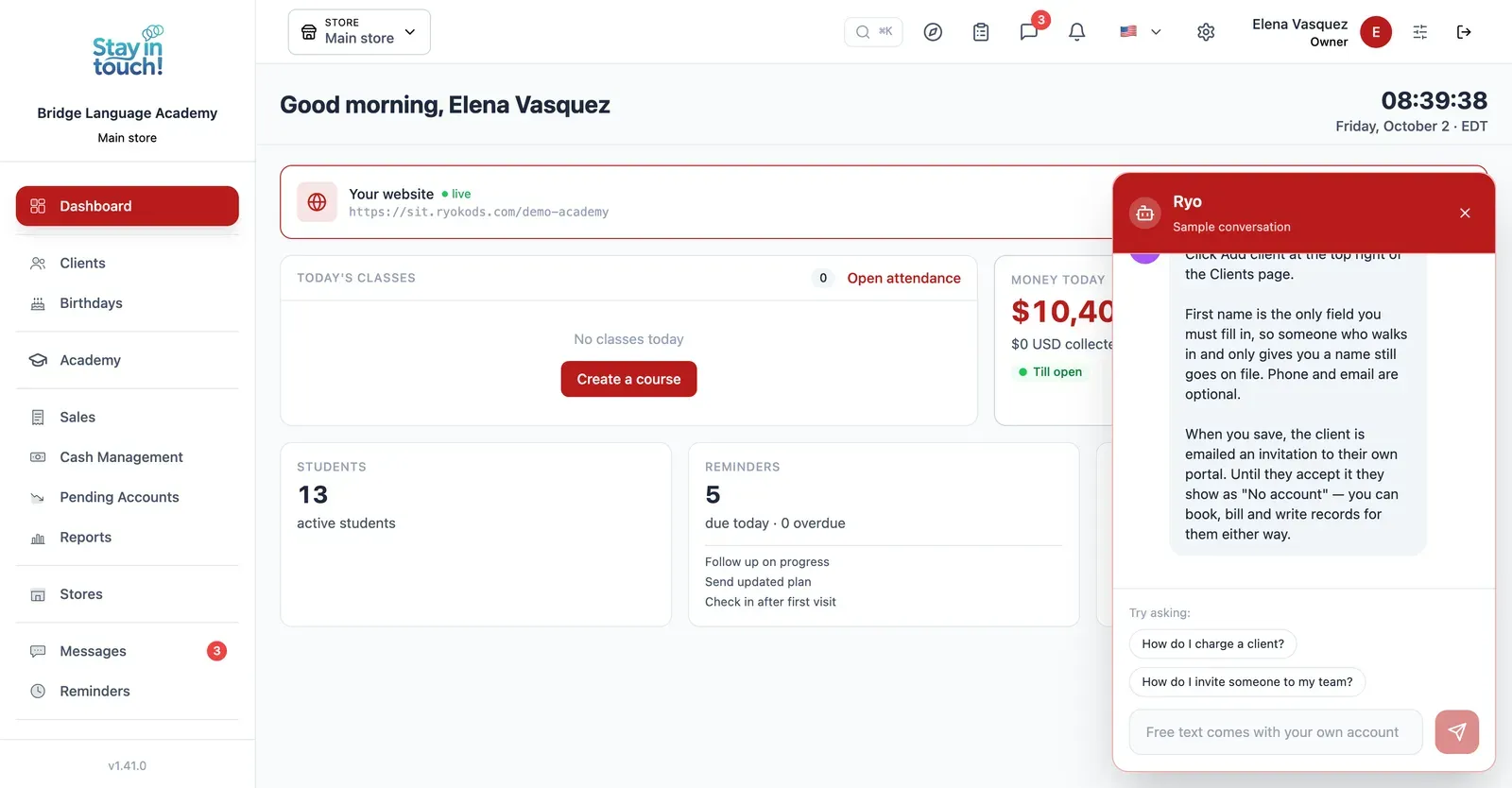
Ryo, the AI assistant
Ask how to do anything in Siimplo and it walks you through it step by step, without leaving the screen you're on.
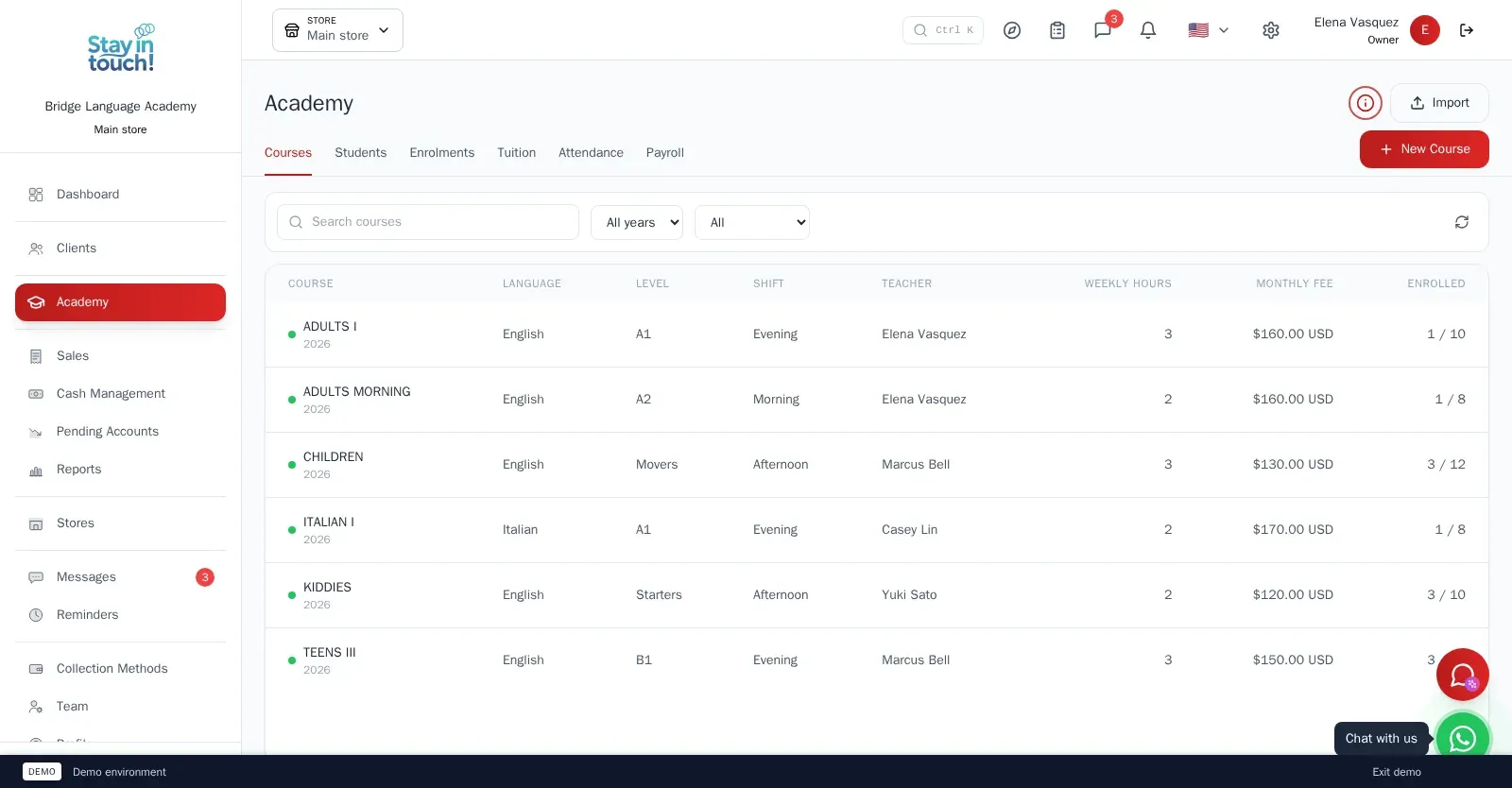
Courses
Every course with its language, level, weekly timetable, teacher and monthly fee — English, Italian, whatever you teach.
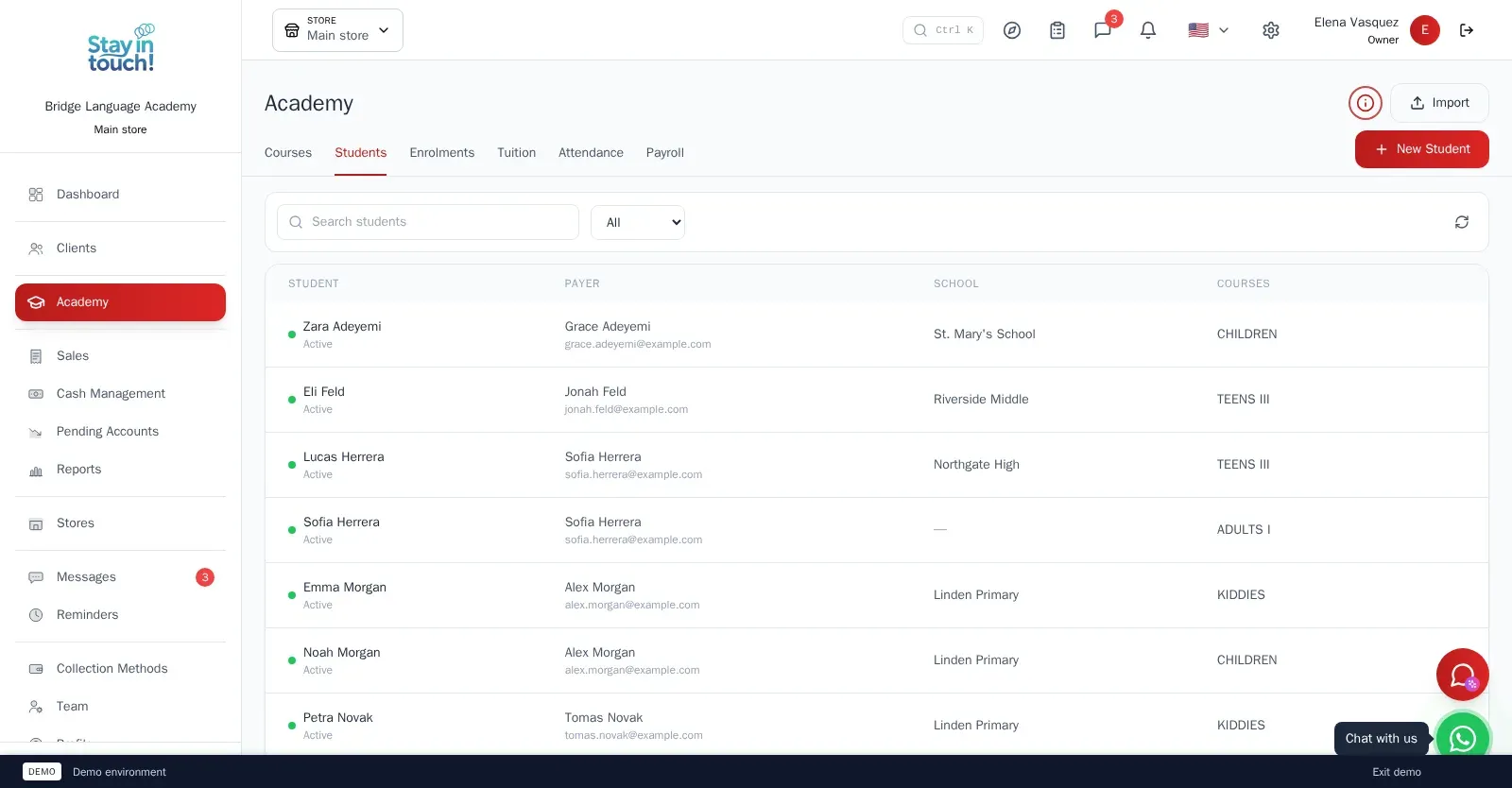
Students
Mostly minors, each under the parent or adult who pays, with status, course history and contact details in one record.
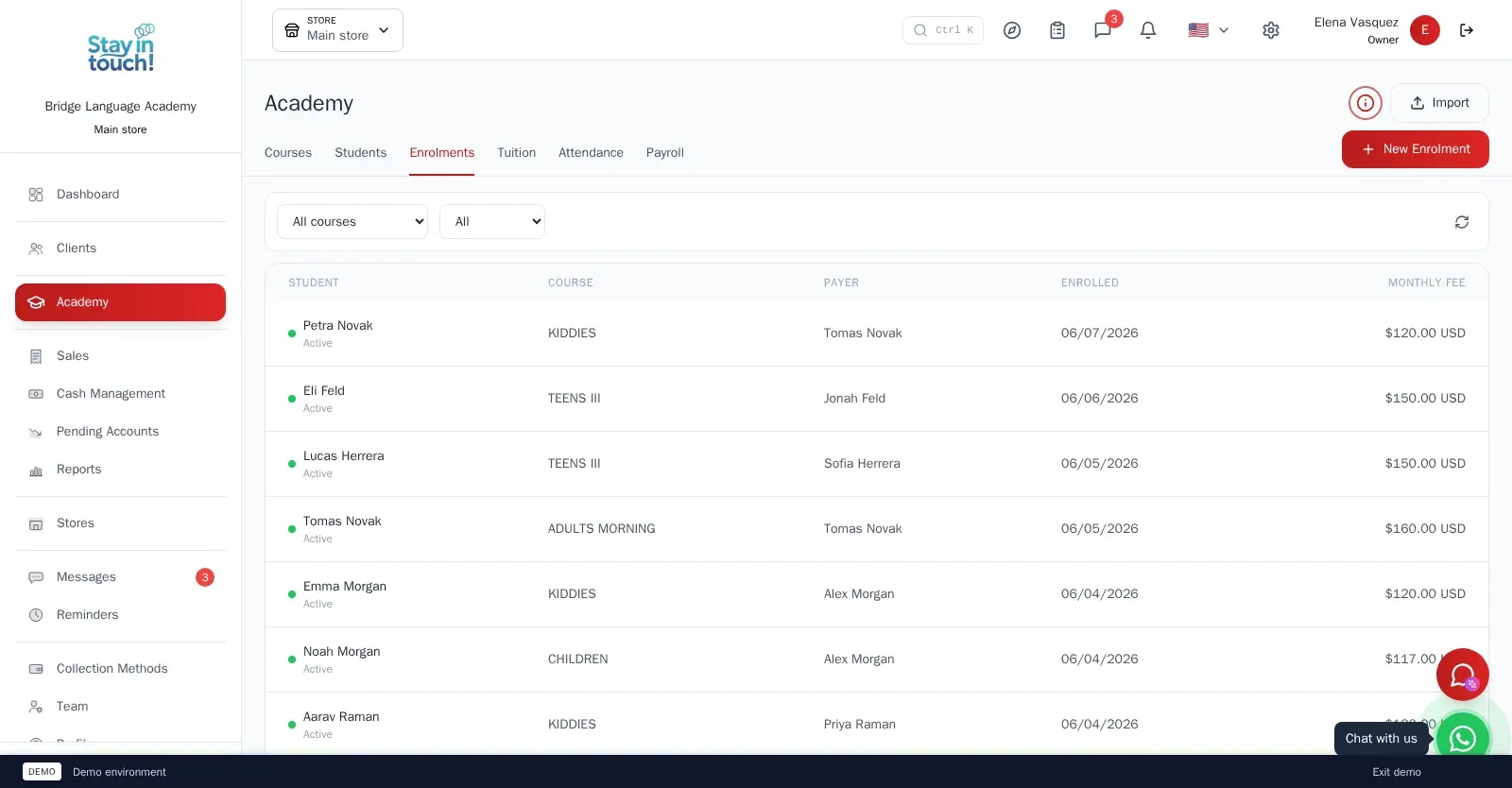
Enrolments
Enrol a student in a course and the whole monthly tuition plan is written up front; withdraw and the future instalments go with it.
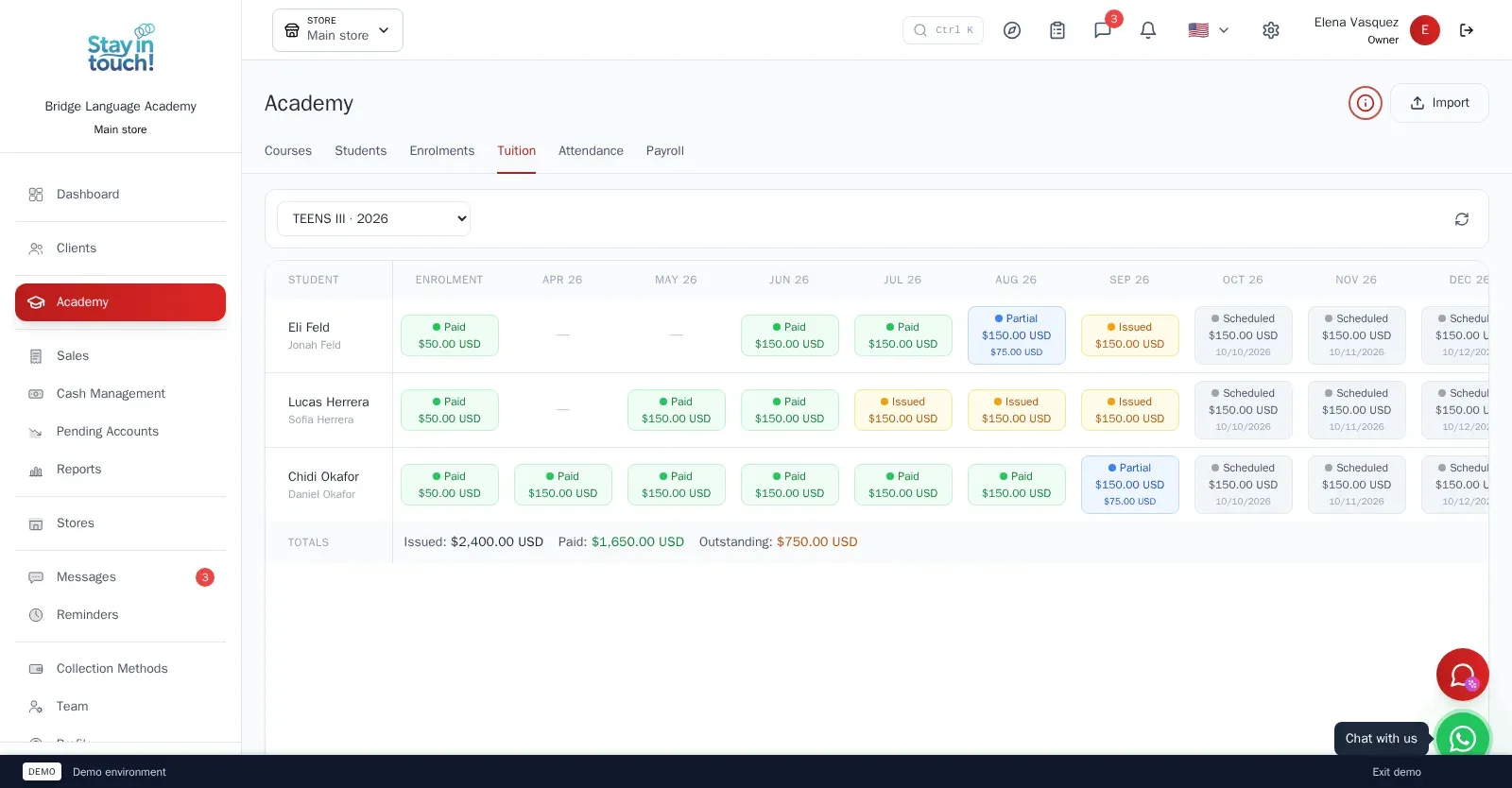
Tuition Grid
Students down, months across: every instalment scheduled, pending, partially paid, paid or waived — each one an invoice you can open.
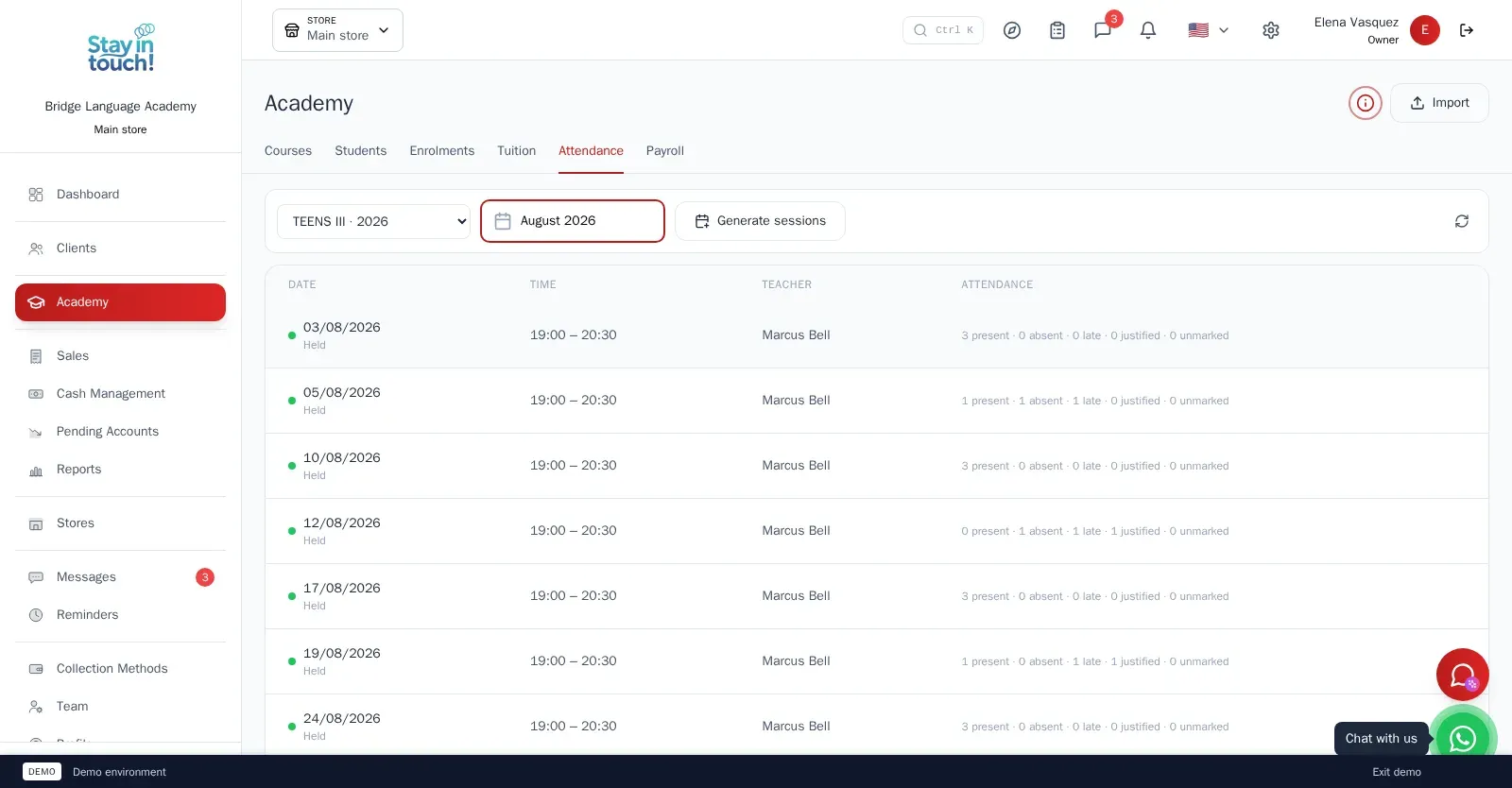
Attendance
Class sessions generated from the timetable, a roll call per session — present, absent, late or justified — and a substitute teacher when needed.
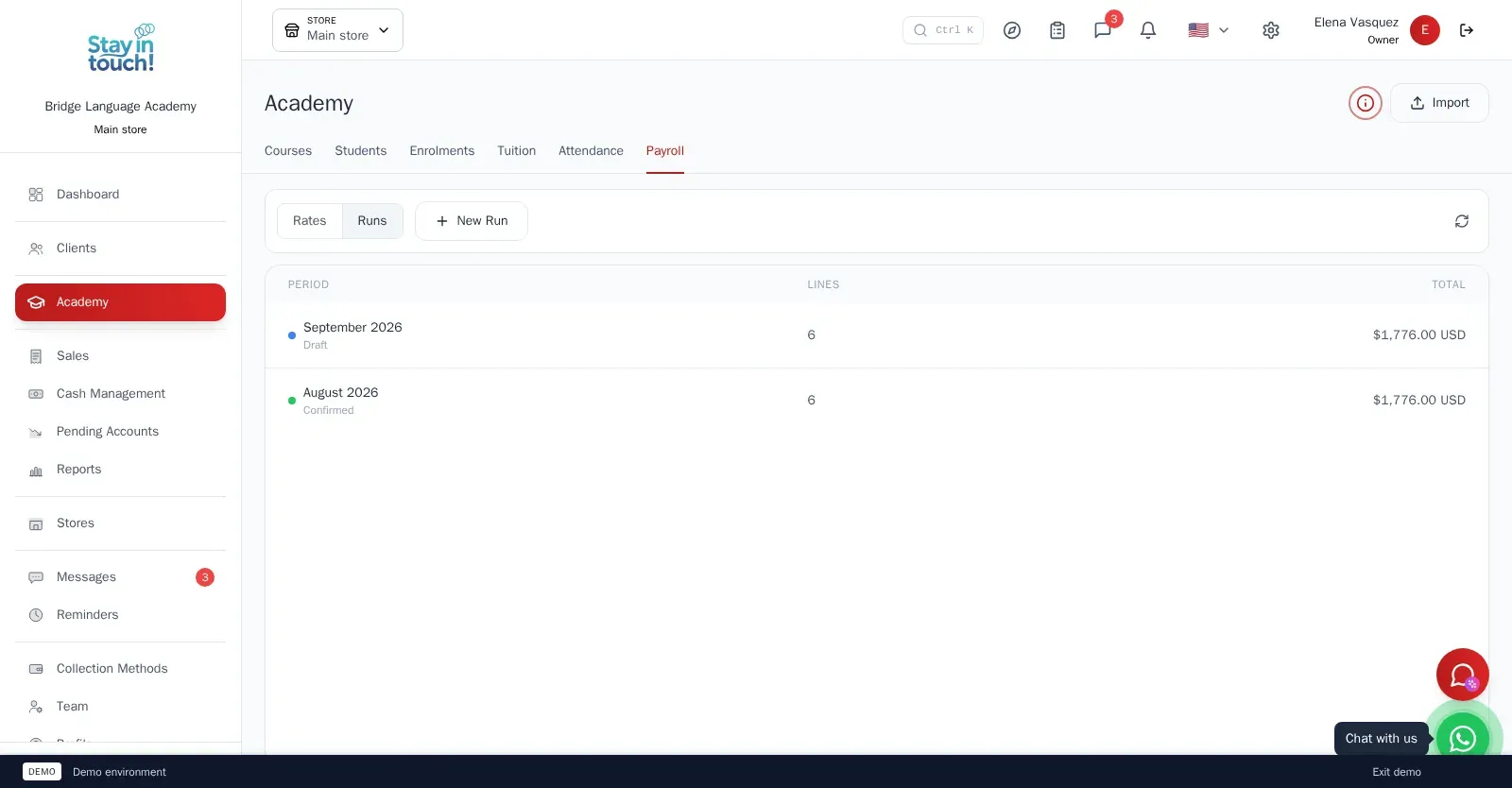
Teacher Payroll
A monthly rate per weekly hour for each teacher; the monthly run adds it up and posts one payroll entry per teacher to the cash register.
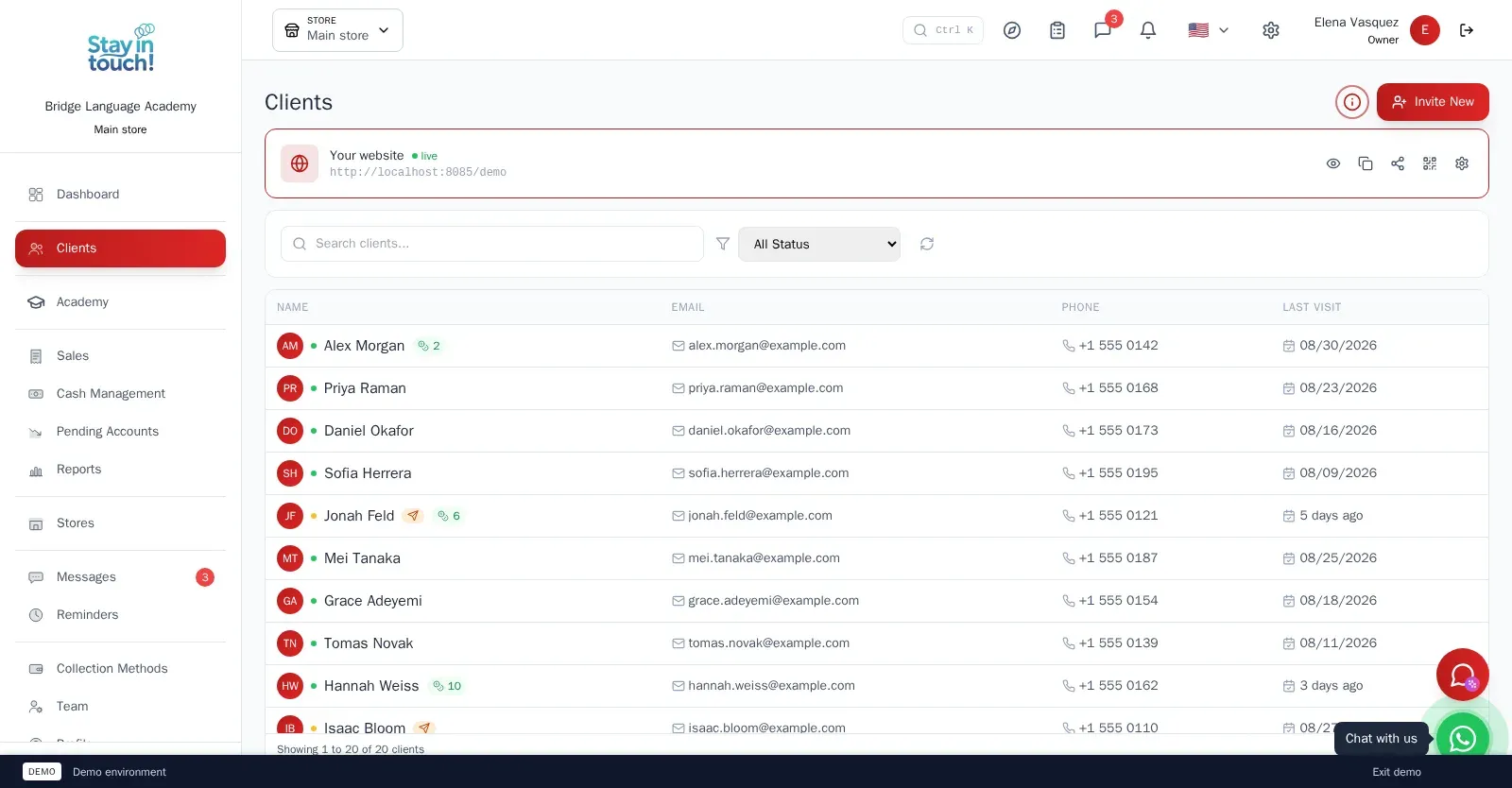
Families
The parents and adults who pay, with contact details and the students under each — the account every invoice is issued to.
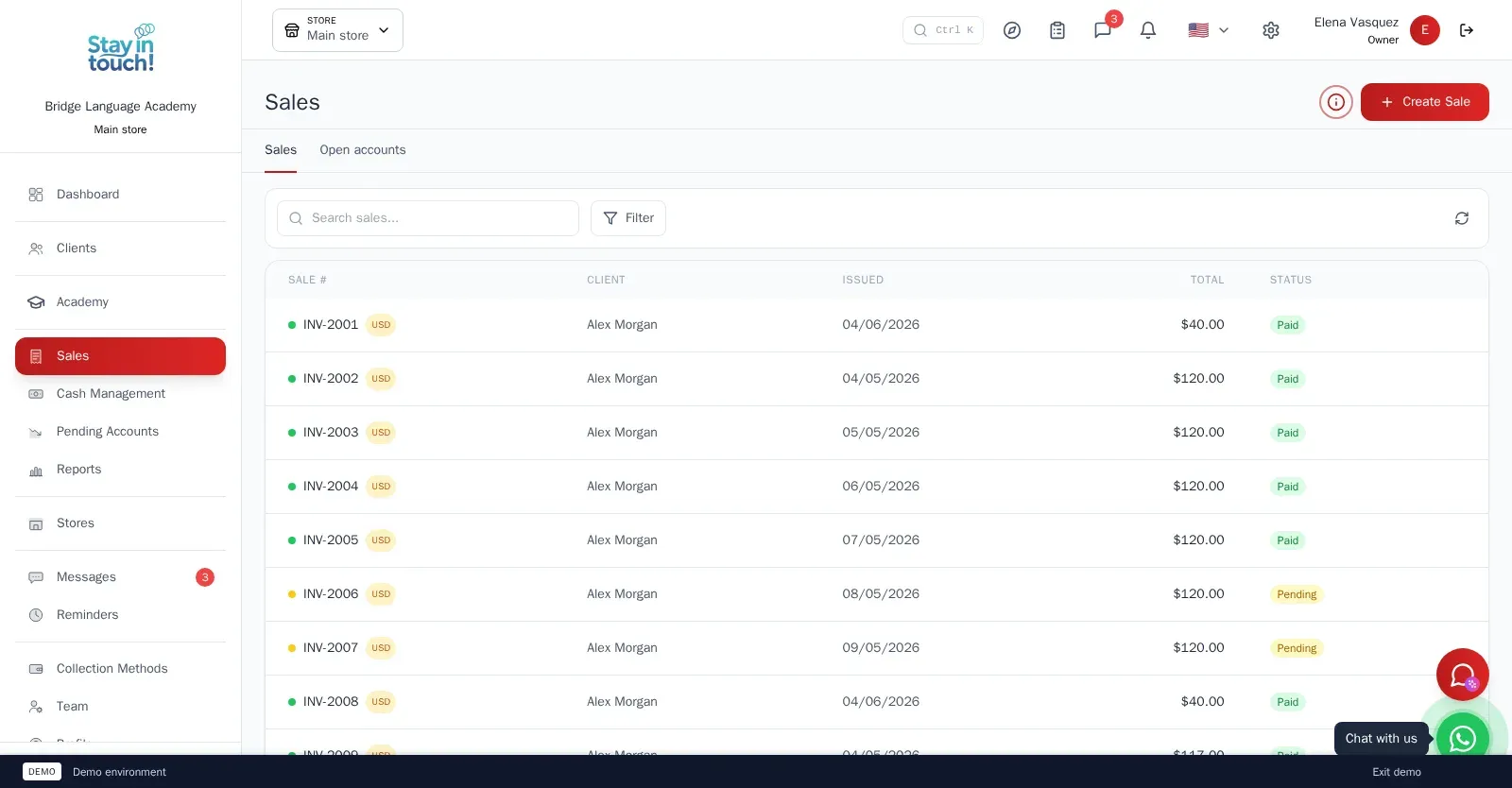
Sales & Invoices
Every invoice in one ledger — paid, partially paid, pending or draft — with the register built into the same screen.
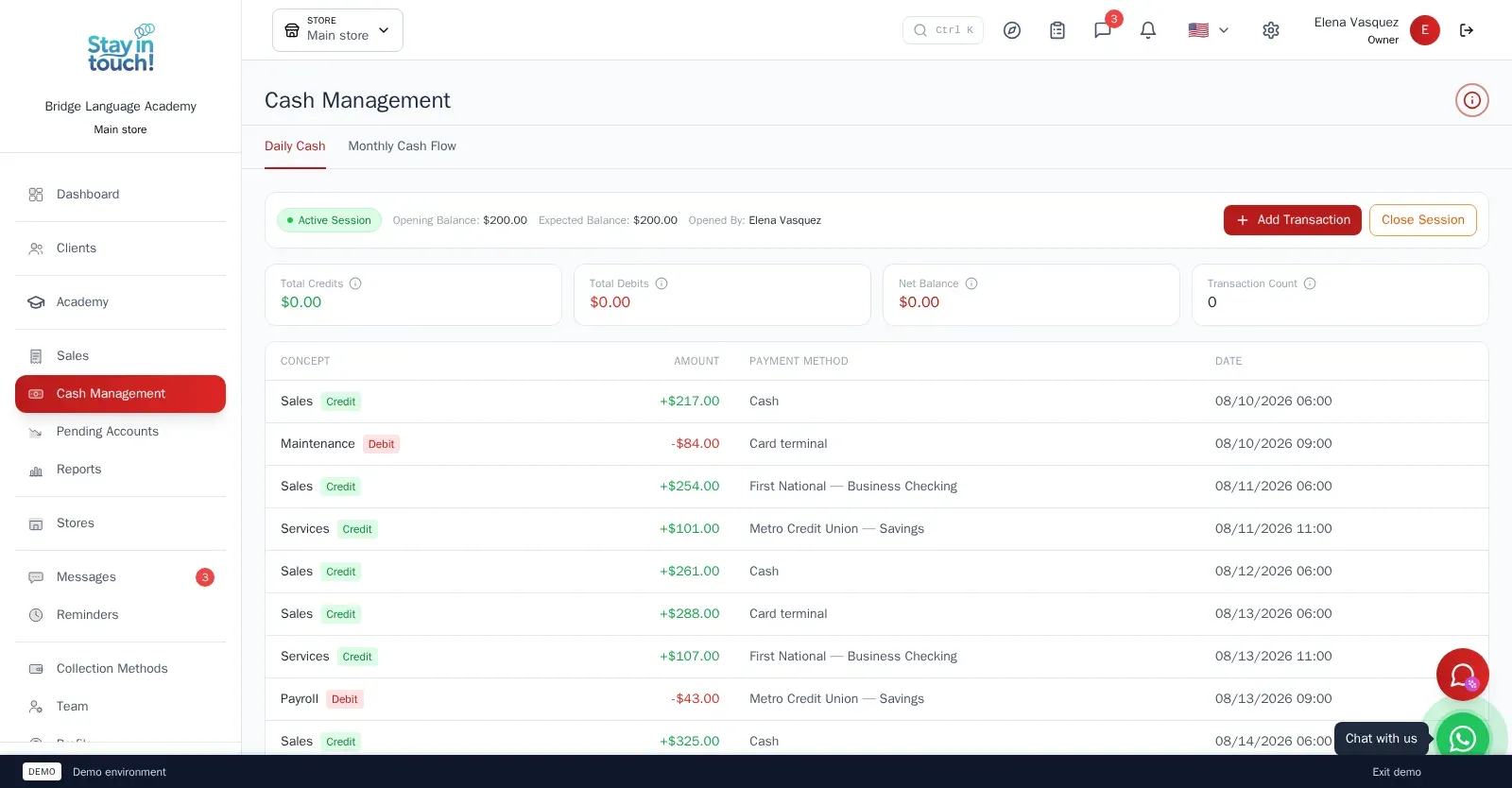
Cash Control
Open and close the register with opening and expected balances, income, expenses and every movement tagged by payment method.
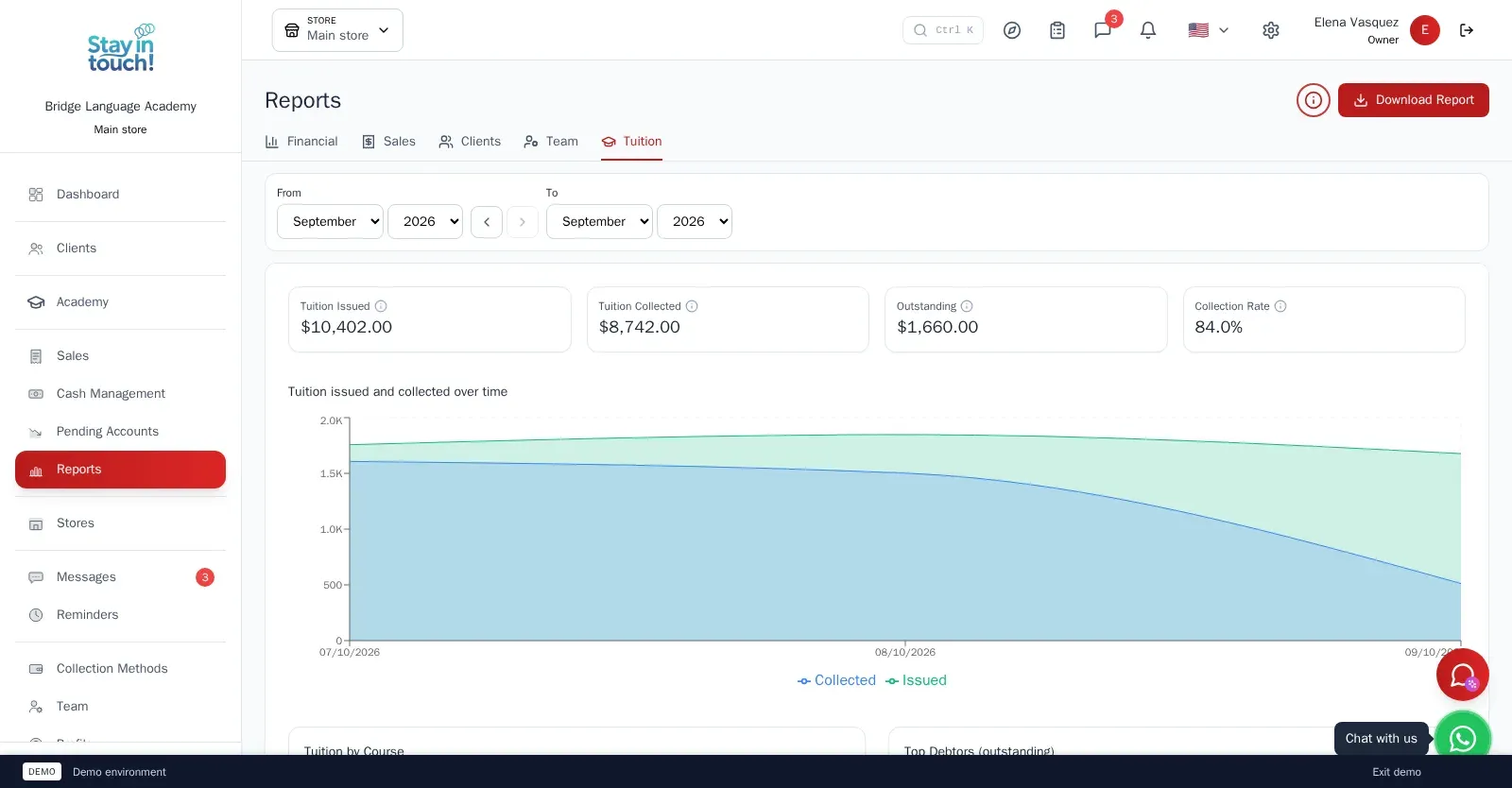
Reports
Tuition issued against tuition collected, your top debtors, and income, expenses and net profit for any period.
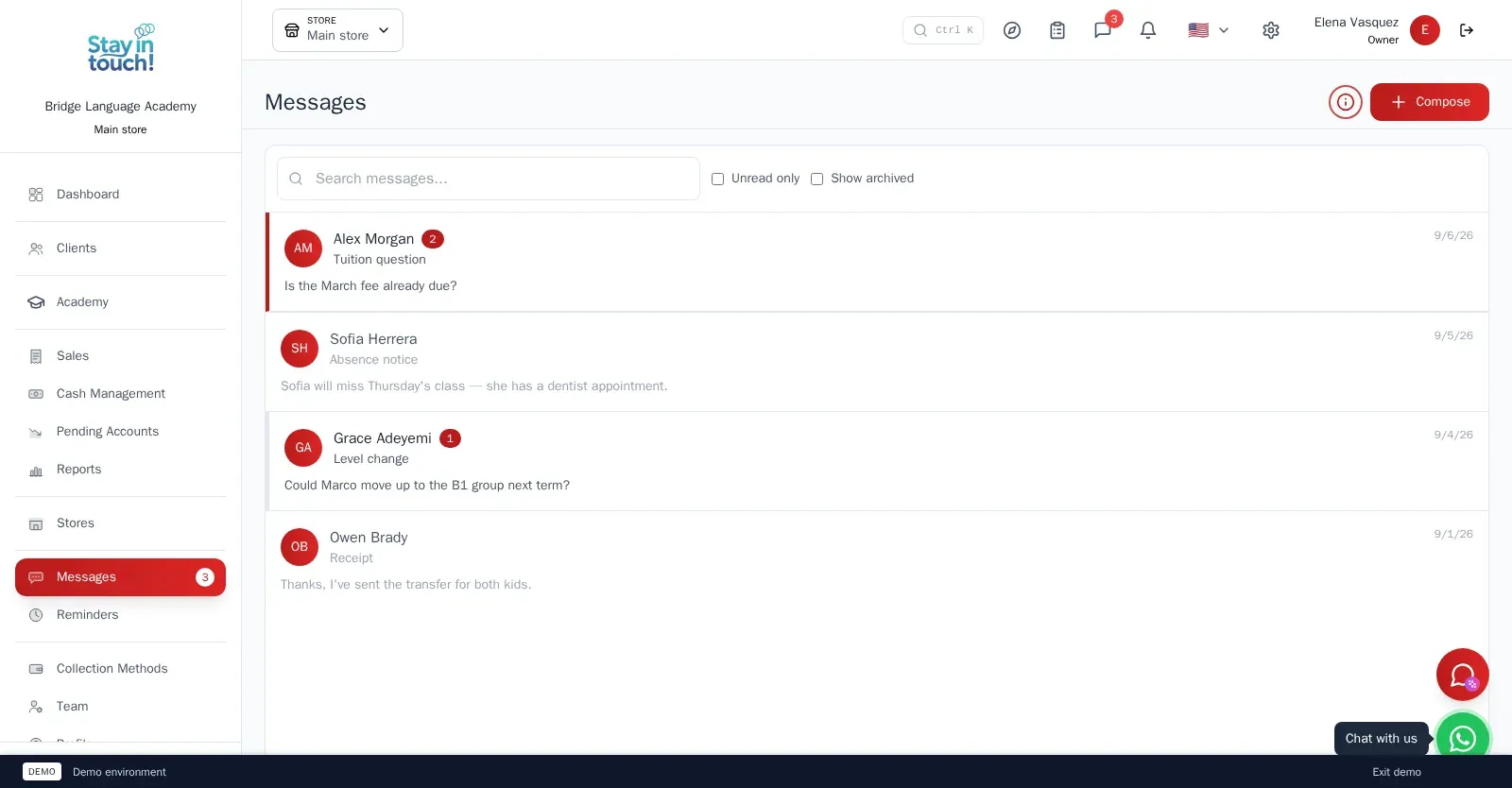
Messages
Client conversations kept in the record instead of scattered across personal phones, with unread counts and archiving.
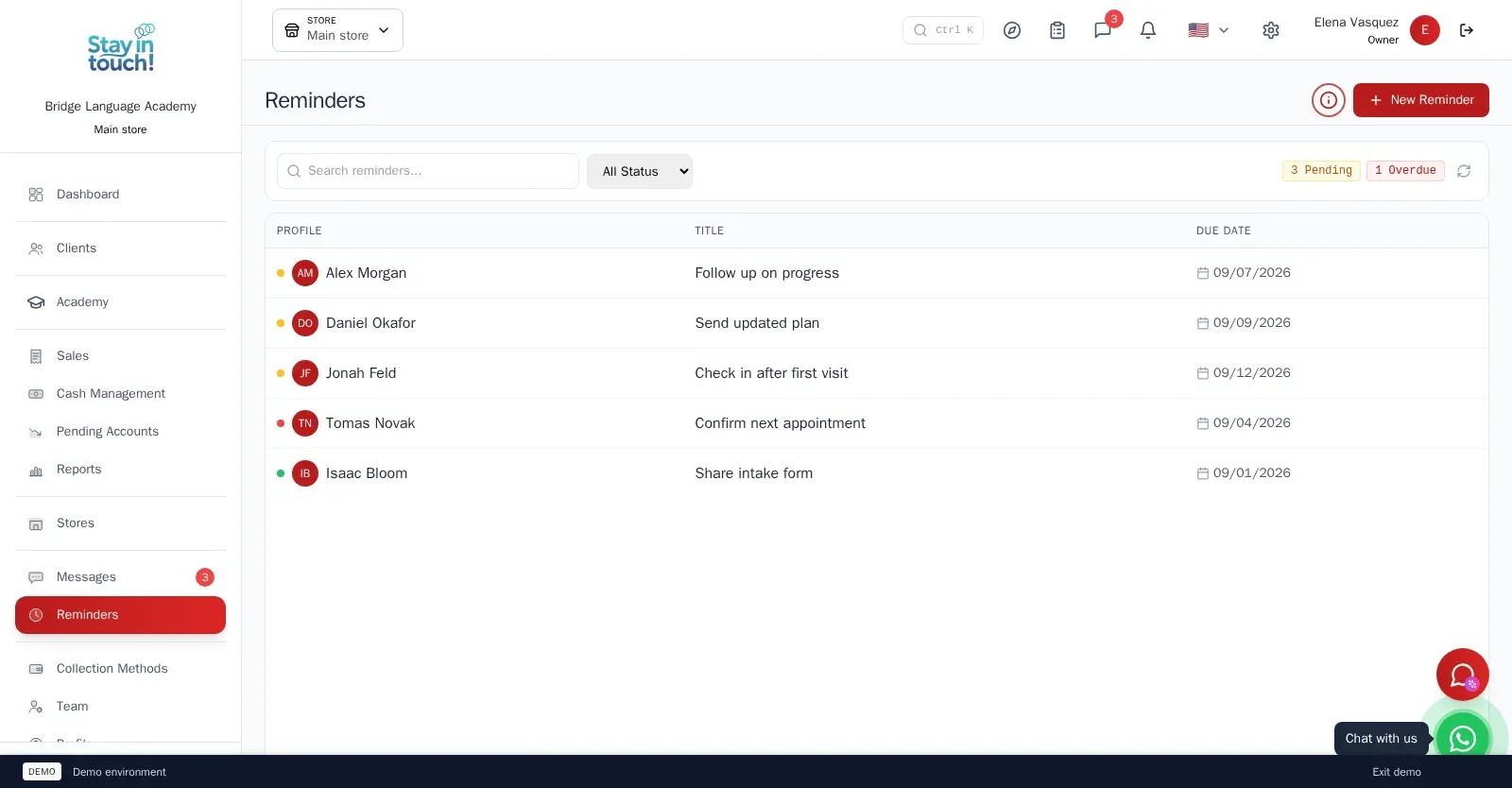
Reminders
Follow-up tasks tied to a client with due dates, so “I'll call them back” becomes something you can actually track.
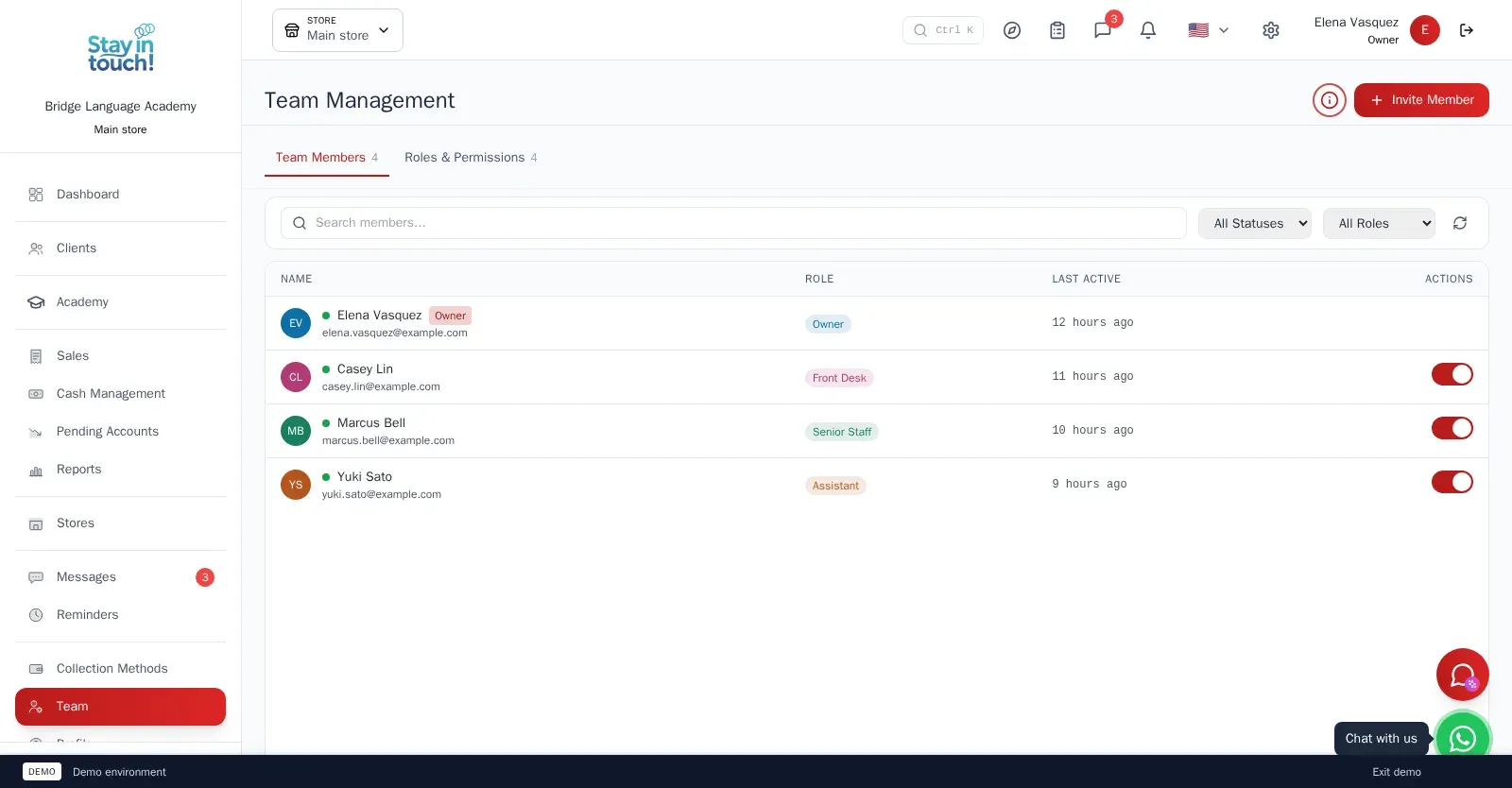
Team & Permissions
Your staff roster with roles, last activity and access toggles, plus a permissions tab as the business grows.
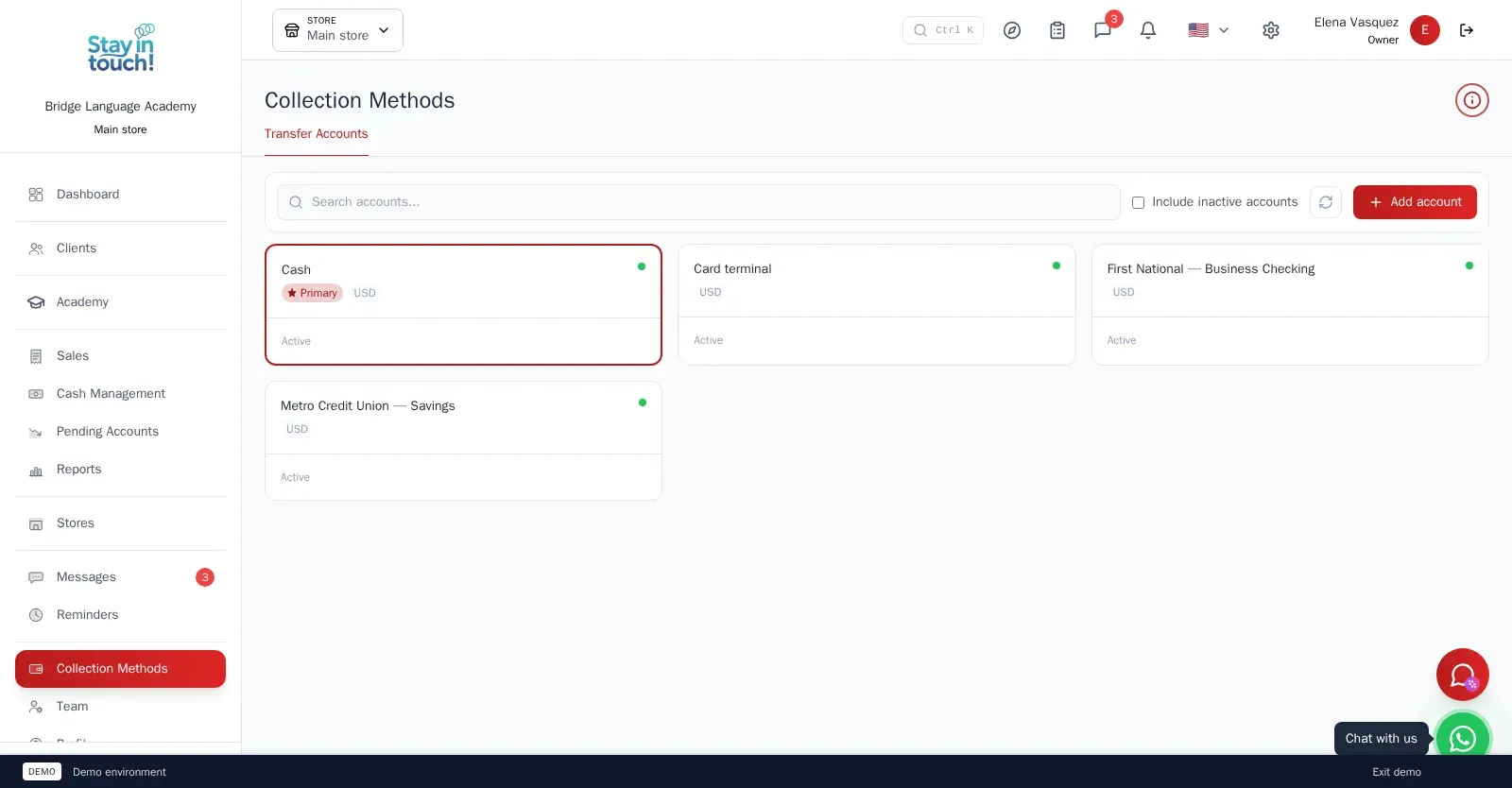
Payment Methods
Every way you collect — cash, card terminal, bank accounts — each with its currency and active state.
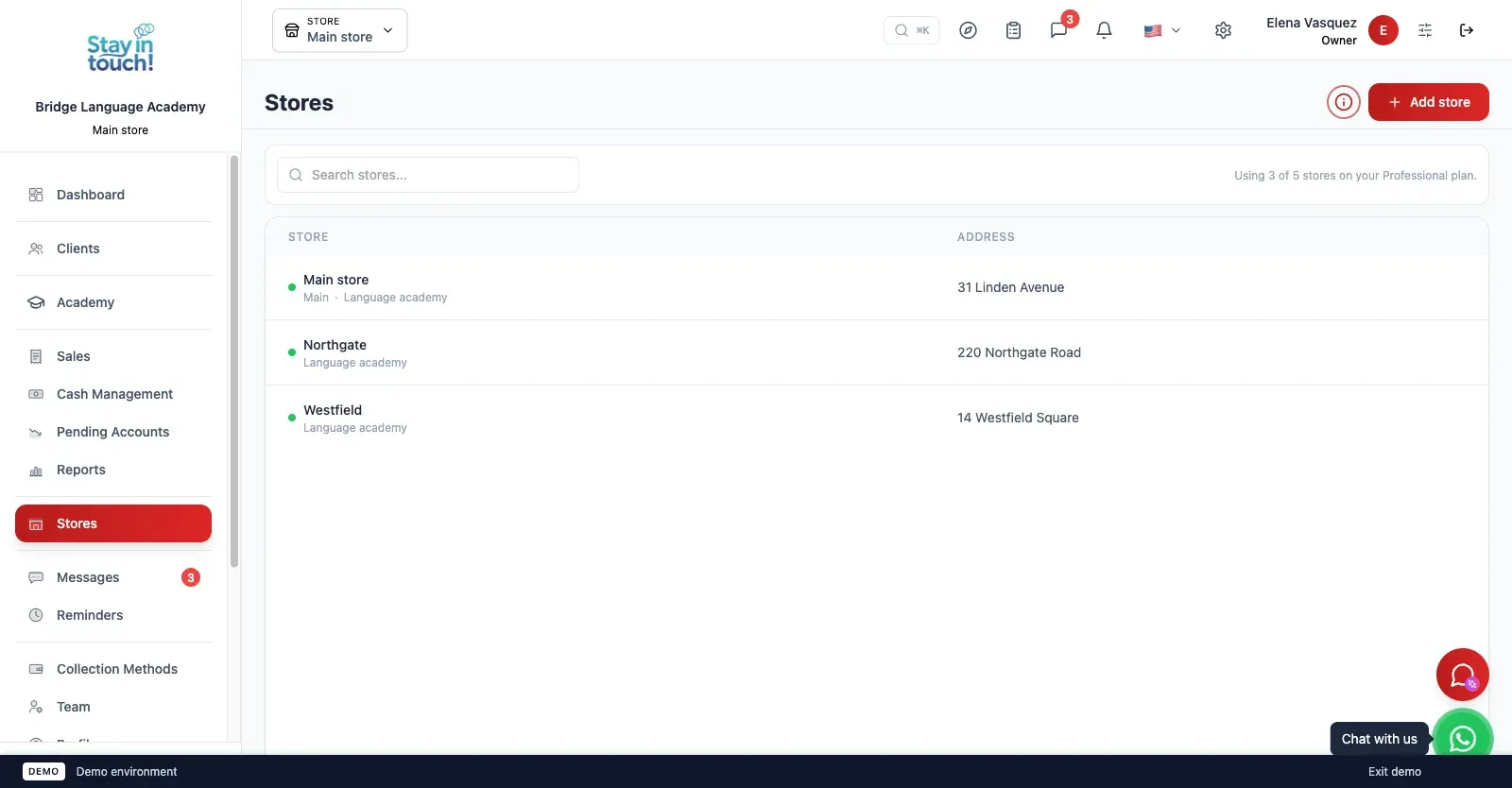
Multi-store
Run every branch of the academy from one account on the top plan, each with its own team, courses and register.
Screen 1 of 17
Website included
Your own website, free from day one
Every Siimplo account publishes a page for your academy: your courses with timetables and monthly fees, your address and your WhatsApp — no designer, no hosting.
Your courses with timetables and fees
Address, phone and WhatsApp
Parents sign up on their own
Frequently asked questions
Can I import my students from Excel?
Can parents see the fees?
Does it have appointment scheduling?
Does it work if I have more than one site?
Does it issue AFIP electronic invoices?
Is there a free plan?
Load one group and its fees.
Ten students, one teacher and the month's grid. Twenty minutes tells you whether it fits. The free plan asks for no card.
Get Started