
For pharmacies and drugstores
Pharmacy retail software for the stock and the register.
High turnover, thousands of presentations, two shifts on the counter. Siimplo tracks stock by SKU, closes cash per shift with the person responsible, and holds each customer's balance.
- Scheduling
- modules.clinical-records.title
- Cash Control
High turnover means stock goes stale fast
A pharmacy sells a lot and sells small. That means inventory falls out of date in hours rather than weeks: one busy morning moves a hundred units across twenty presentations. If stock is deducted at close of day or in a weekly count, the number is never good enough to buy from.
Siimplo deducts at the moment of sale, from the barcode on the box. Each presentation is its own SKU, so the 4oz syrup and the 8oz don't collapse into one line, and the supplier order comes from real numbers.
When something drops below the minimum you set it appears in the reorder list, which is the difference between buying what's missing and buying what somebody remembered.
Two shifts, one register, and a shortfall with no owner
A pharmacy counter is rarely staffed by the same person all day, and cash changes hands. When closing happens once per day, a shortfall has no owner and the conversation gets uncomfortable for everyone, even when the difference is a change error.
Siimplo closes cash per work shift, with the person responsible and a breakdown by payment method: cash, transfers and cards kept apart. Each shift closes its own, and a difference shows up the same day.
The reports add it up afterwards however you need — by day, by presentation, by who sold it — without anyone building a spreadsheet at month end.
The regular customer's account
A good share of a neighborhood pharmacy is the known customer who takes now and pays later, or who leaves credit behind when they overpay. That's a running account, and kept on paper it's where the margin evaporates.
In Siimplo every customer carries a balance: taken, paid and outstanding, on screen before anything leaves the counter. Credit comes off the next purchase by itself.
If you run more than one location, each keeps its own stock and its own register, and the numbers consolidate when you want to read them together rather than asking someone to email a spreadsheet on Mondays.
What you'll use every day
Stock by presentation
Every box and size as its own SKU, with reorder alerts.
Barcodes
Scan and sell, with stock deducted at the moment of sale.
Cash per shift
Closed by the person responsible, broken down by payment method.
Account balances
Each customer's balance and credit, visible before goods go out.
Multiple locations
Separate stock and register per store, with consolidated numbers.
Online catalog
A public website with products and prices, included on every plan.
See Siimplo running in your pharmacy
Every module, the way your team will use it through a busy counter hour.
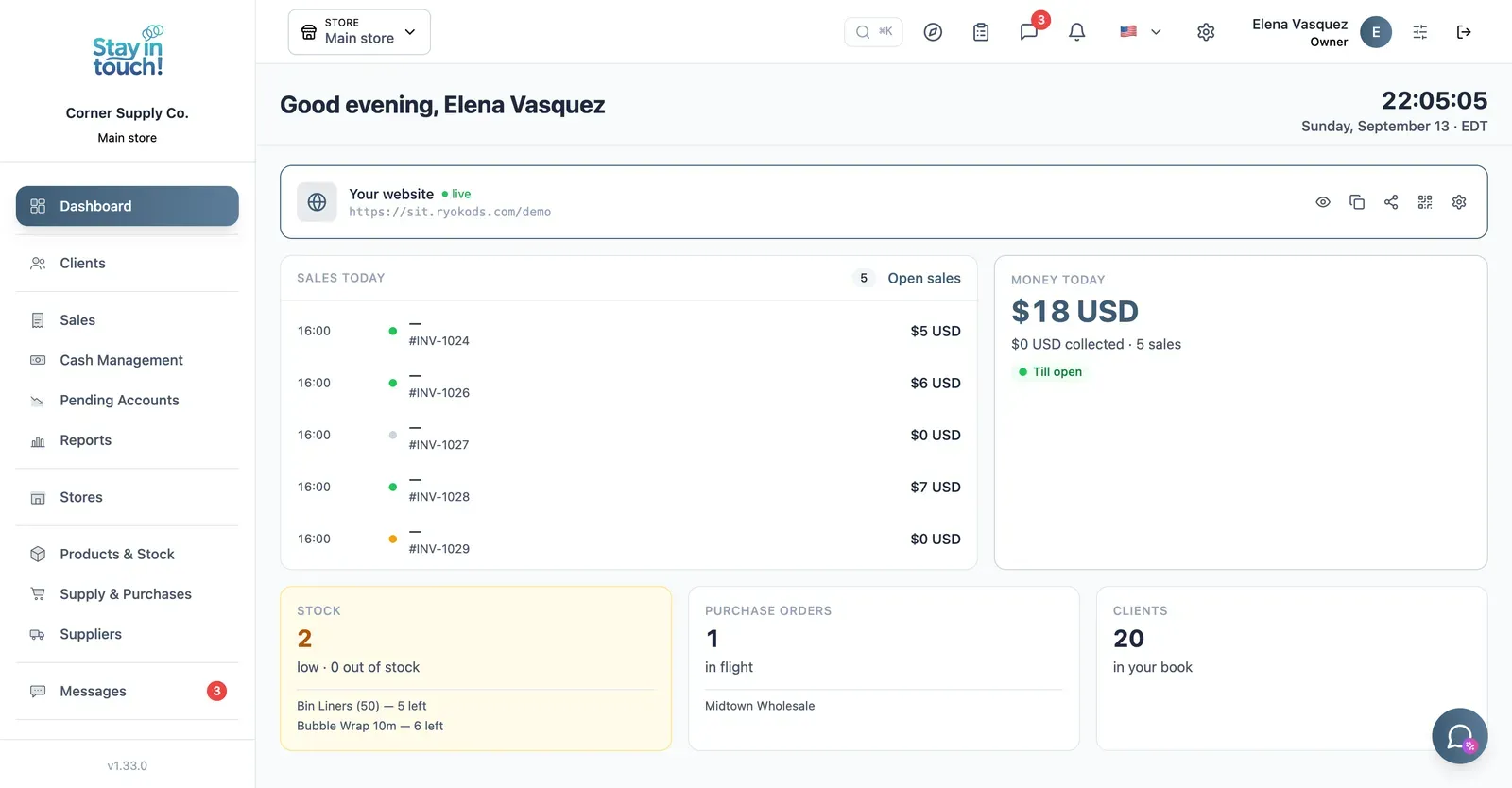
Dashboard
Your customer count and the Virtual Reception link customers scan to register themselves — your front door, online.
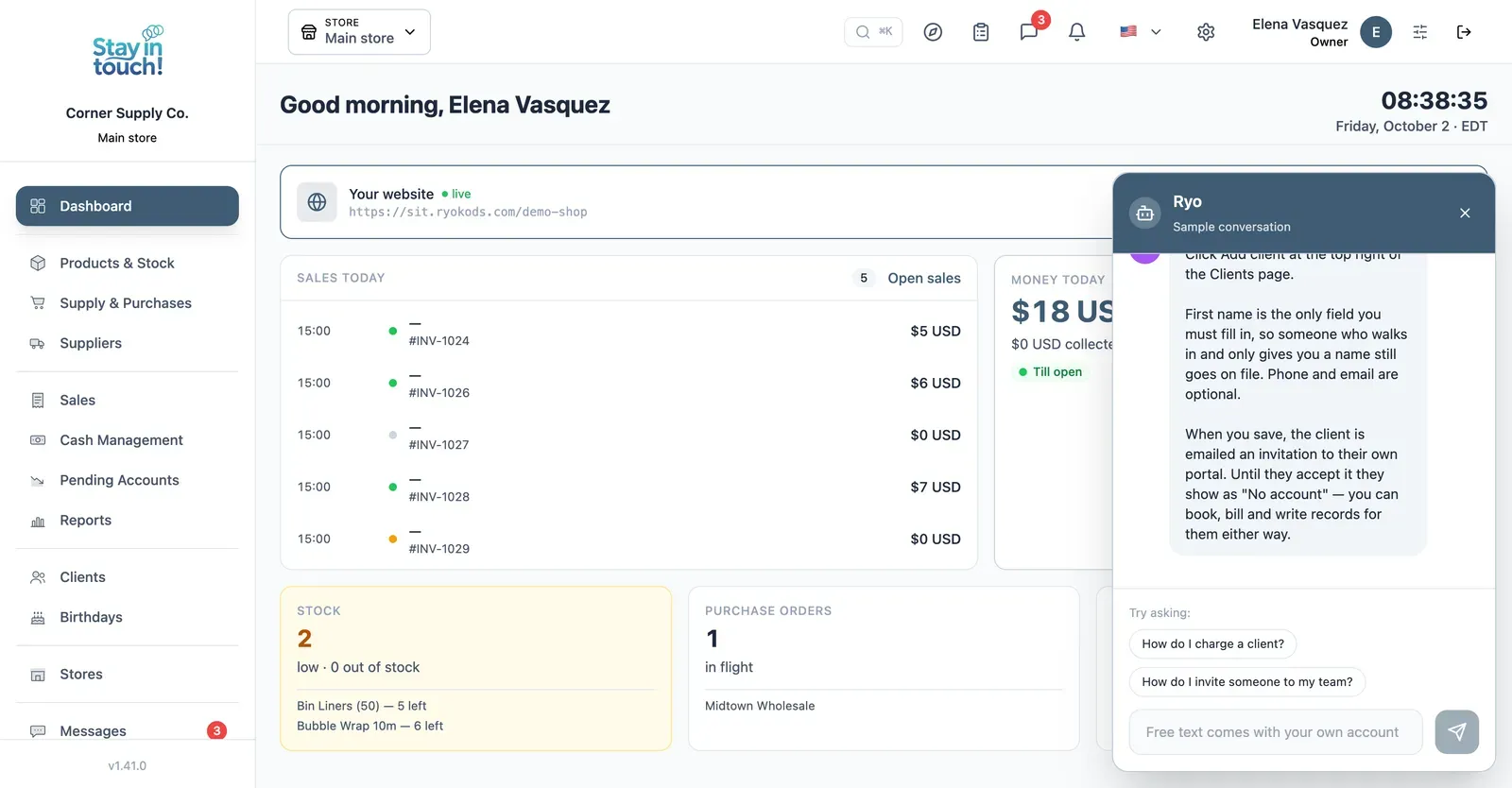
Ryo, the AI assistant
Ask how to do anything in Siimplo and it walks you through it step by step, without leaving the screen you're on.
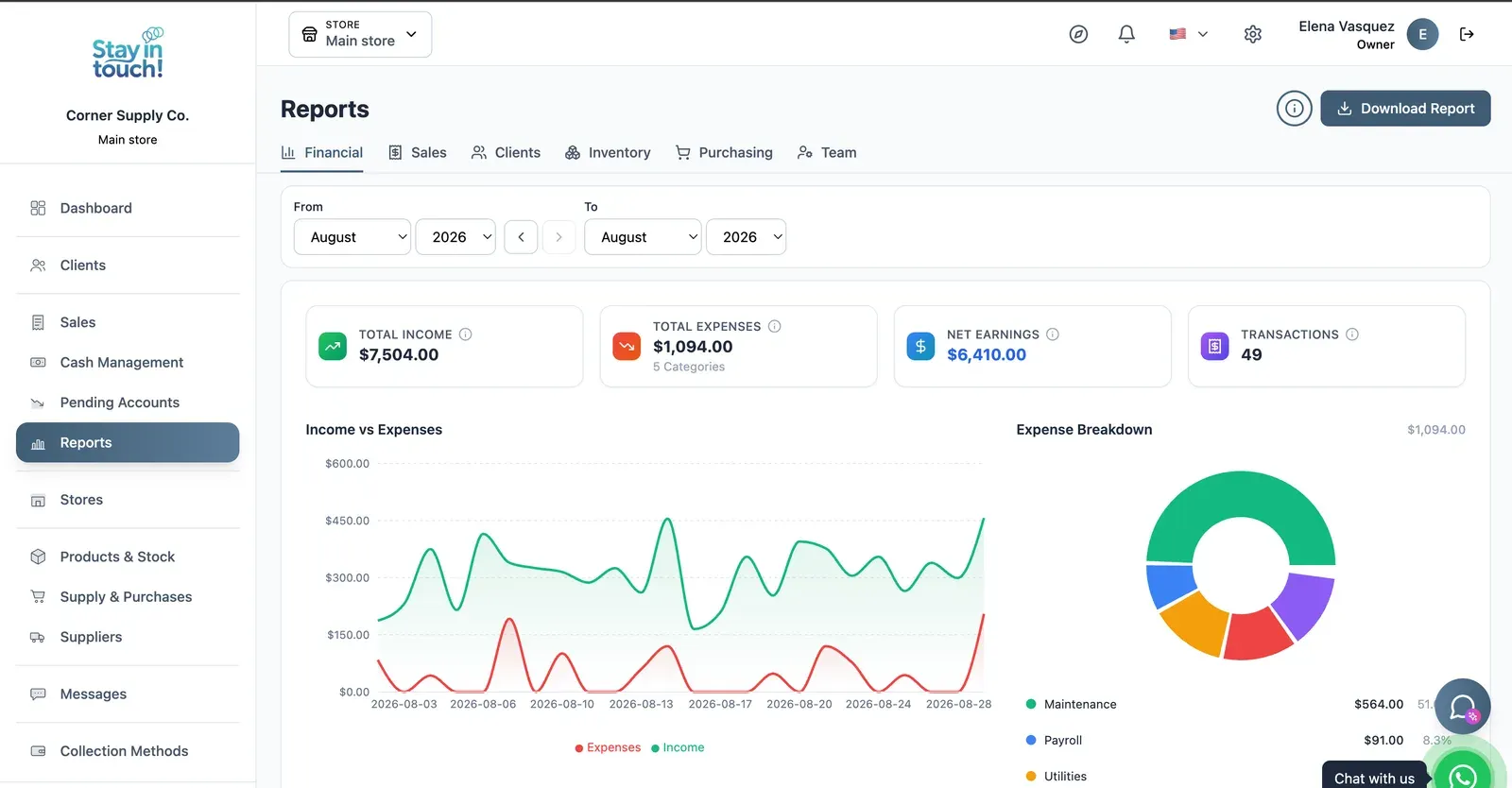
Reports
Revenue, expenses and net profit for any date range, with a trend chart, a category breakdown and a downloadable report.
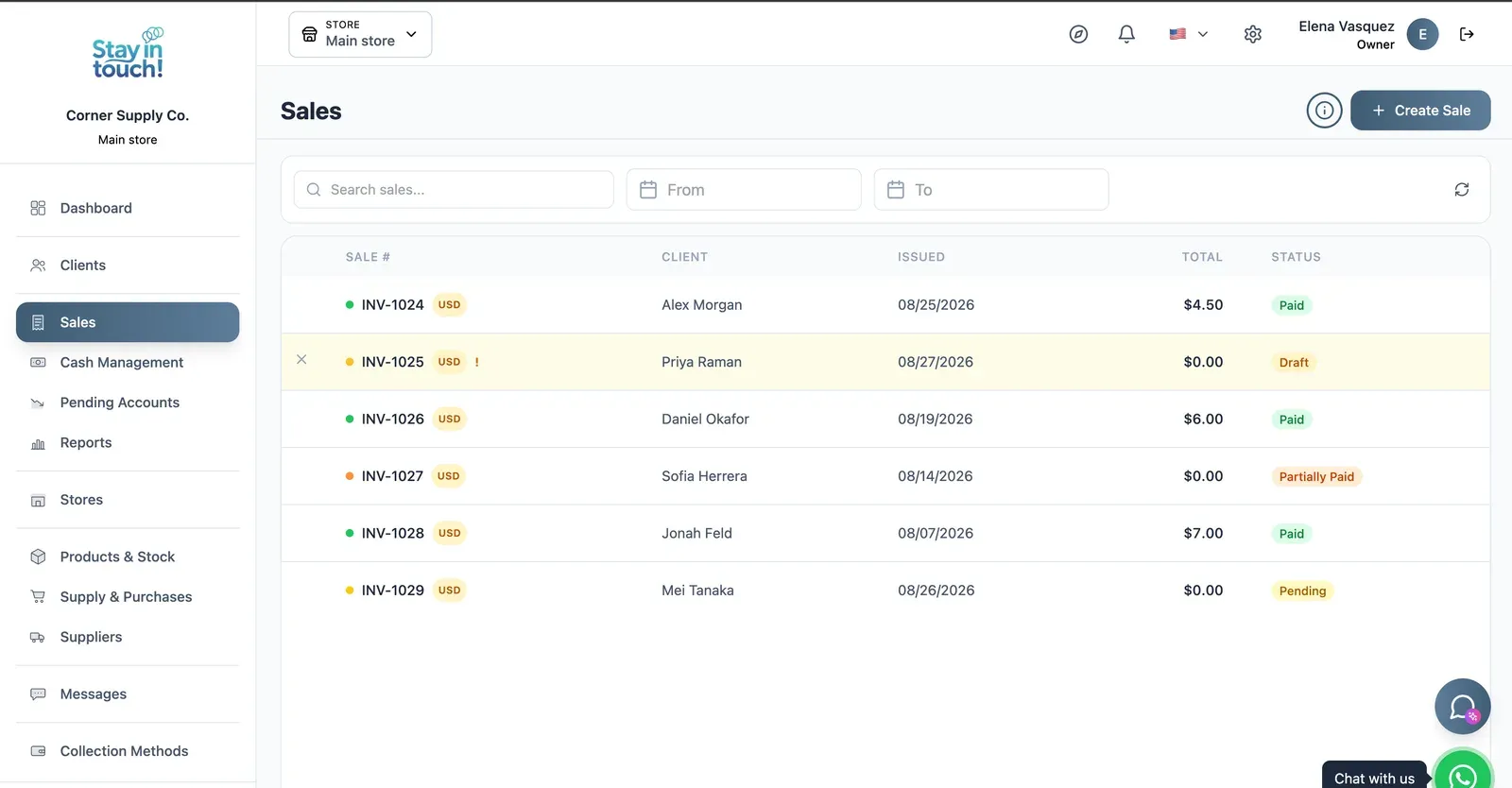
Sales
Every sale in one ledger — paid, partially paid, pending or draft — with the register on the same screen.
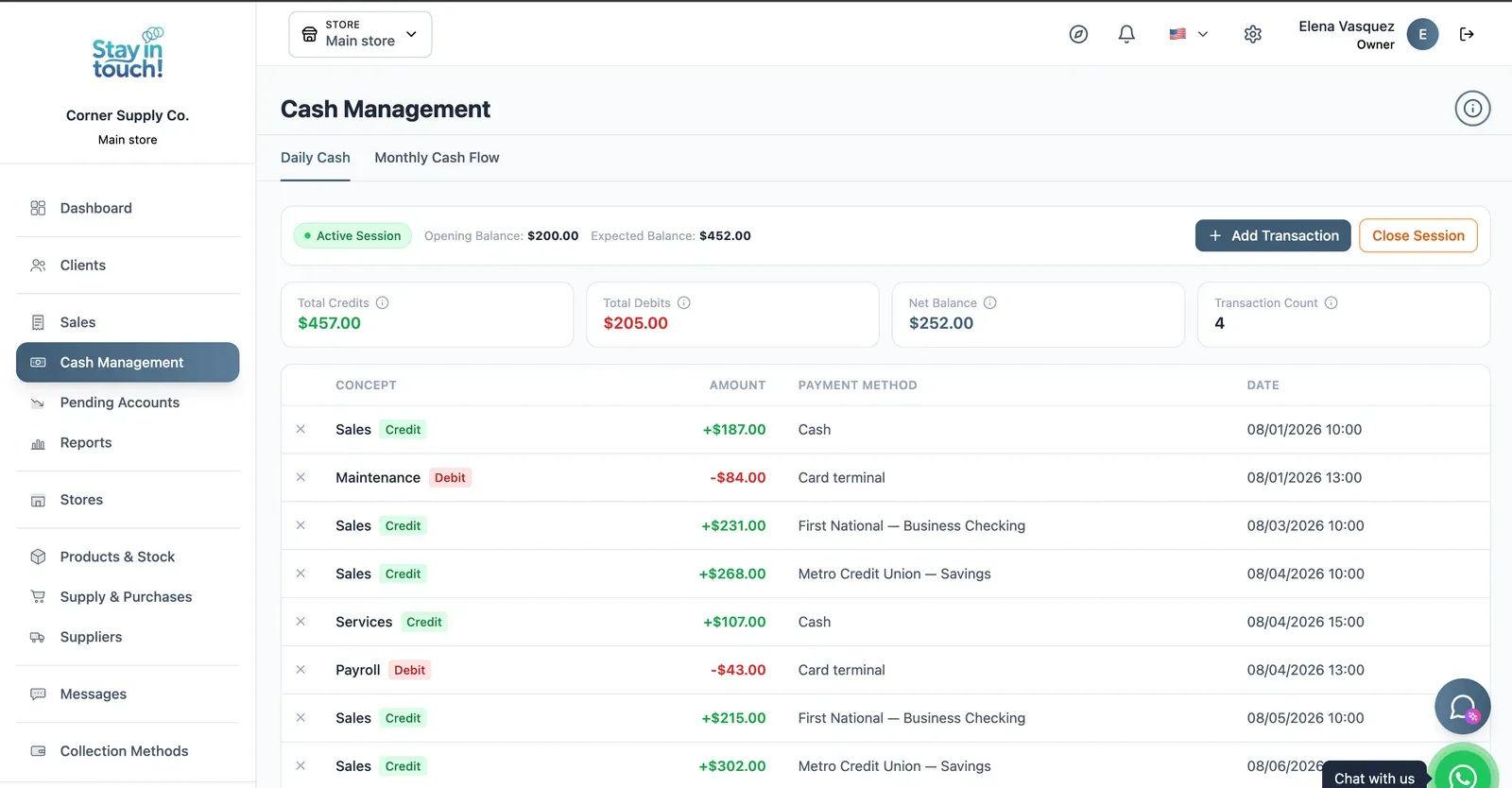
Cash Control
Open and close the register with opening and expected balances, income, expenses and every movement tagged by payment method.
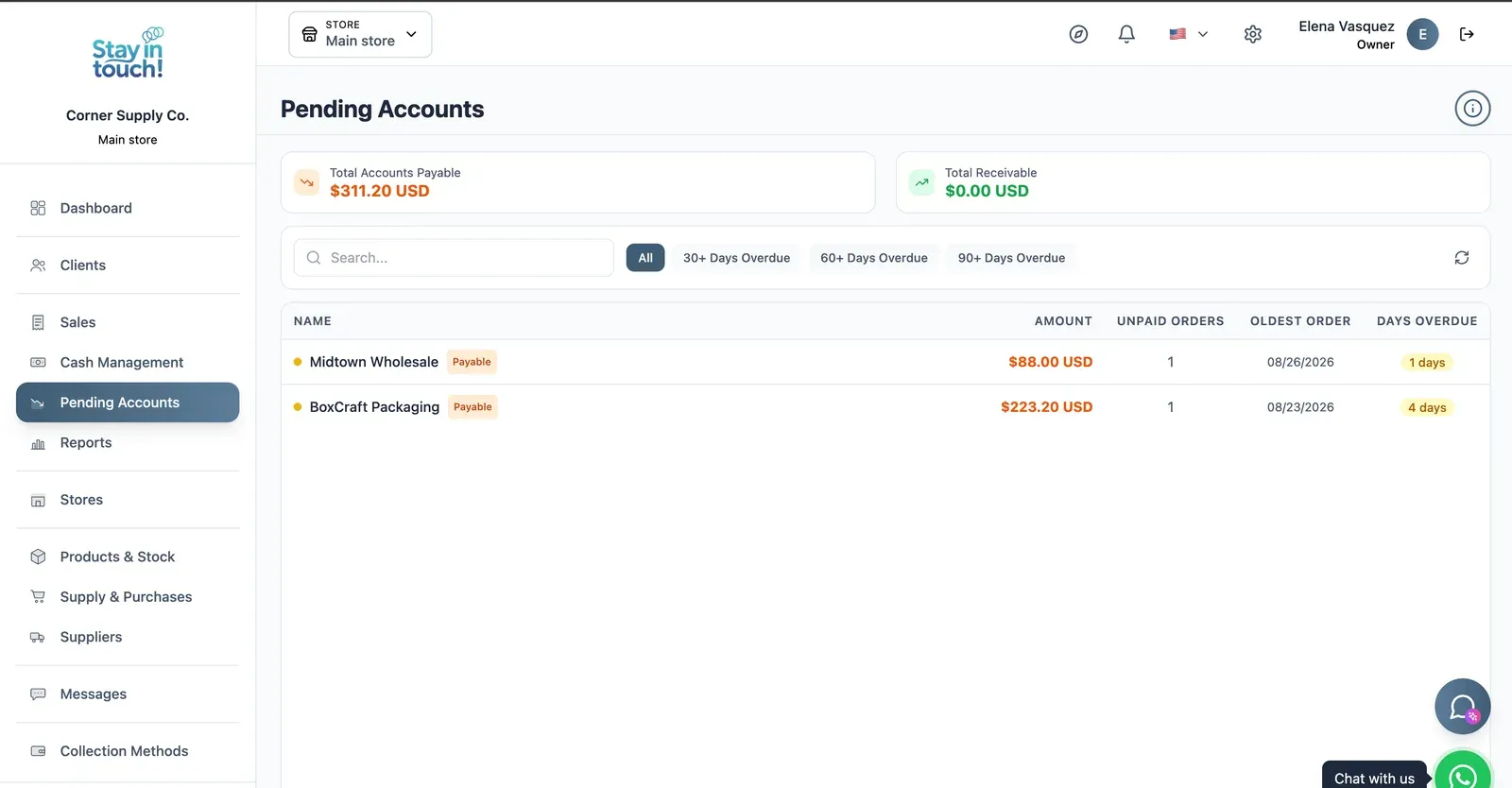
Payables & Receivables
What you owe and what you're owed, aged past 30, 60 and 90 days, with the overdue count on every row.
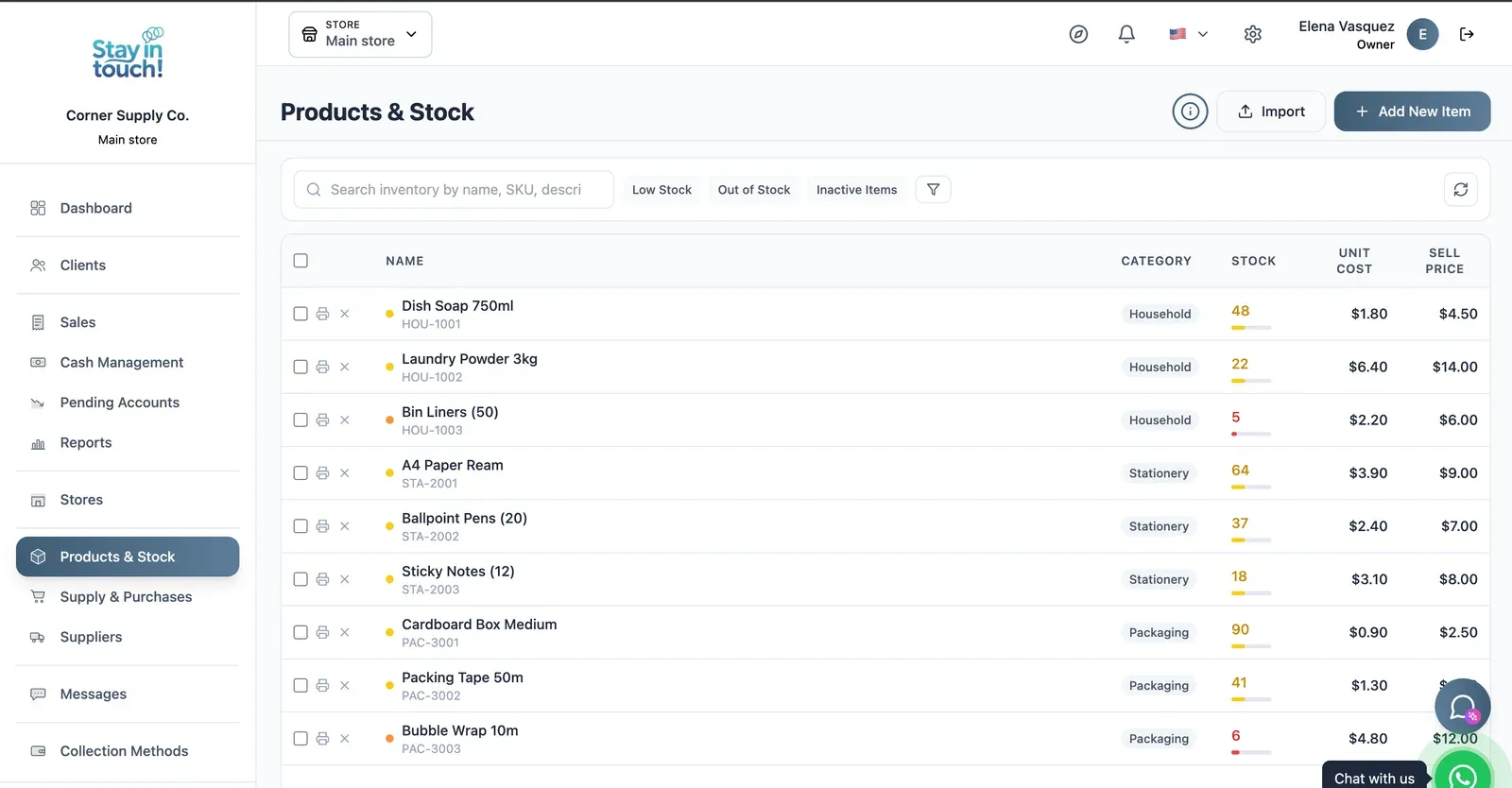
Products & Stock
SKU-level stock across every category, low items flagged in red, cost against sale price, bulk actions and label printing.
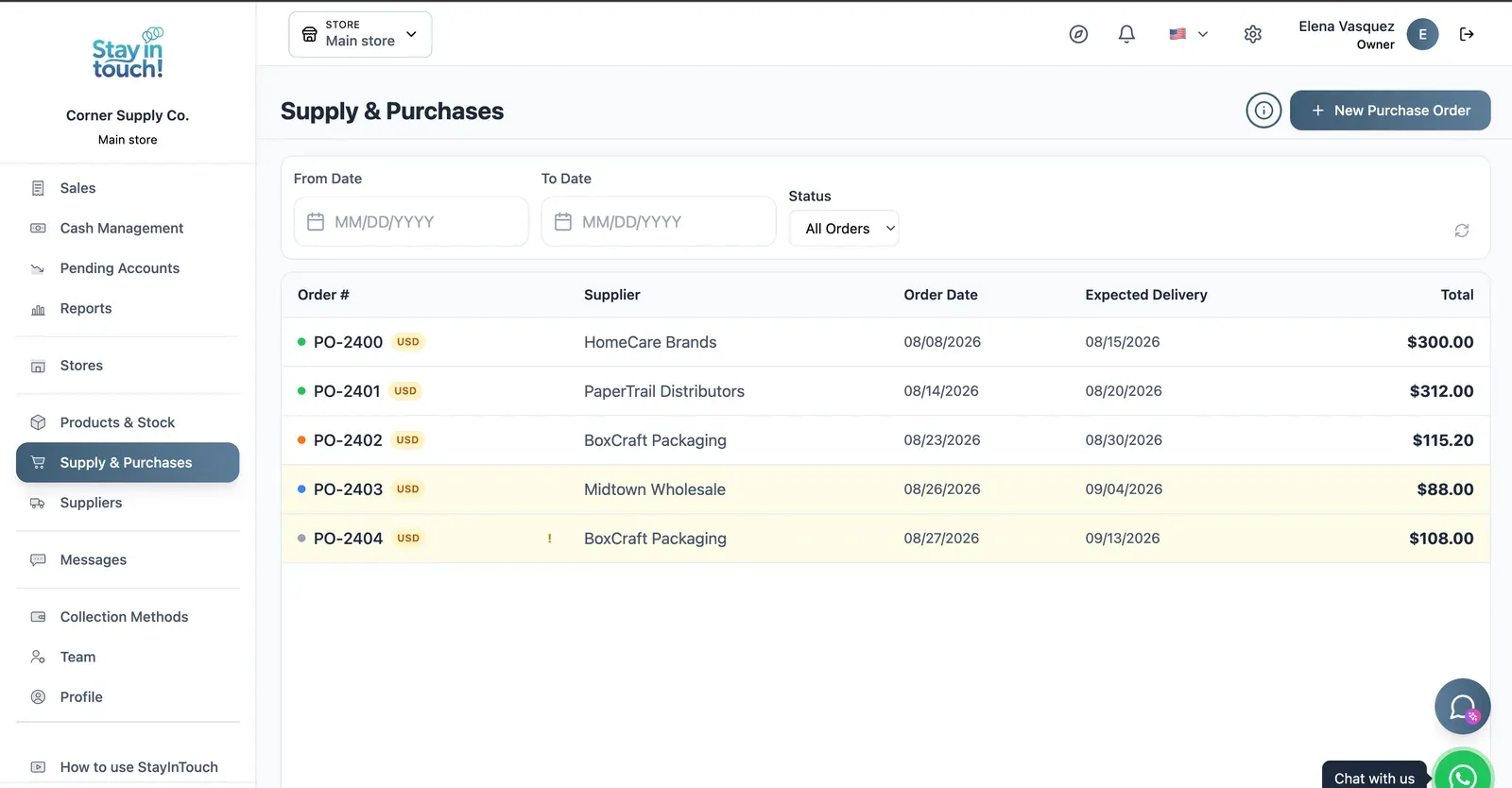
Purchase Orders
Track what you've ordered from whom, when it was placed and when it's due — with late deliveries flagged.
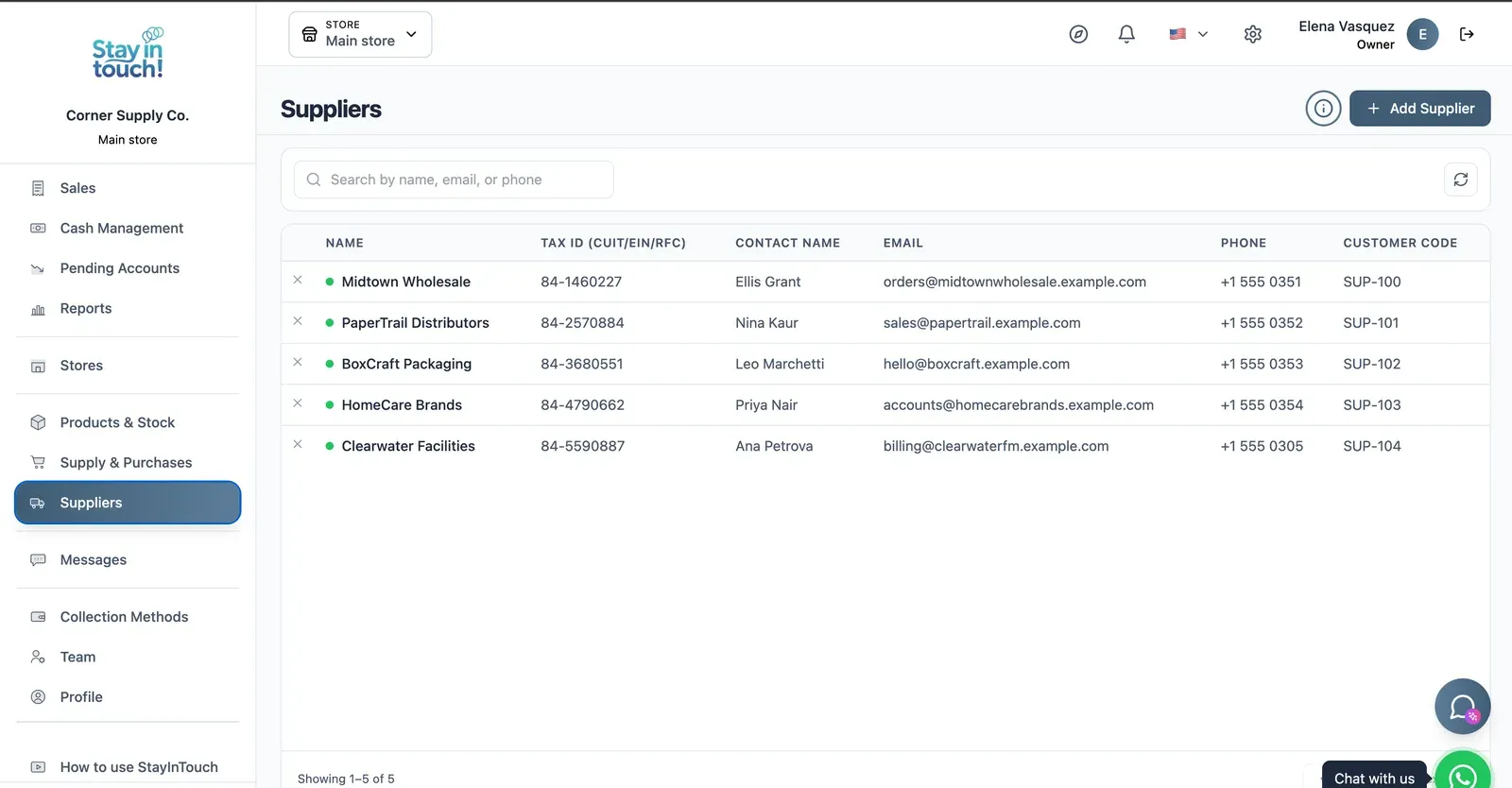
Suppliers
Your vendor book with tax ID, contact person, ordering email and internal supplier code.
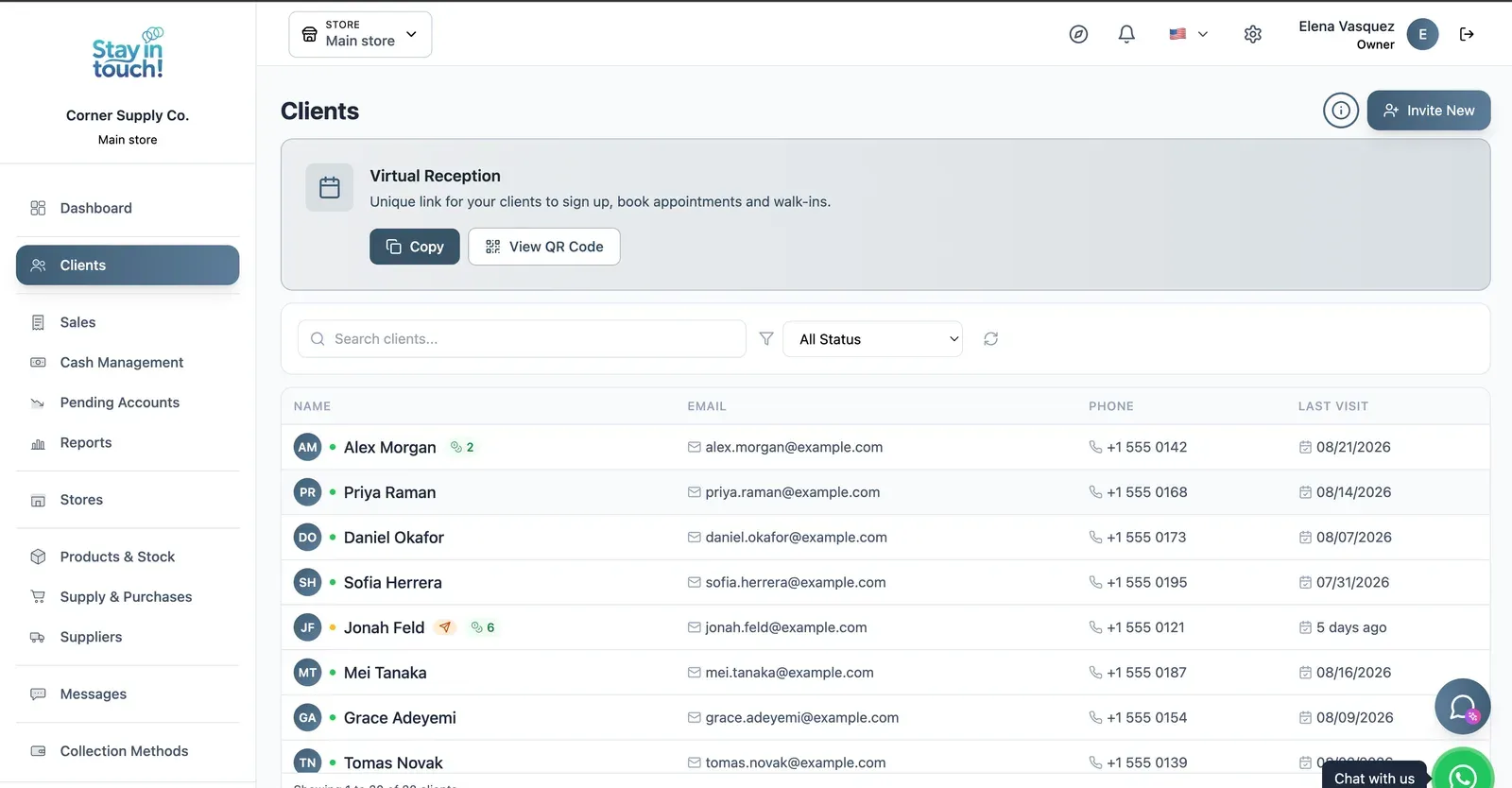
Customers
Your customer book with contact details and store credit, plus the shareable registration link at the top.
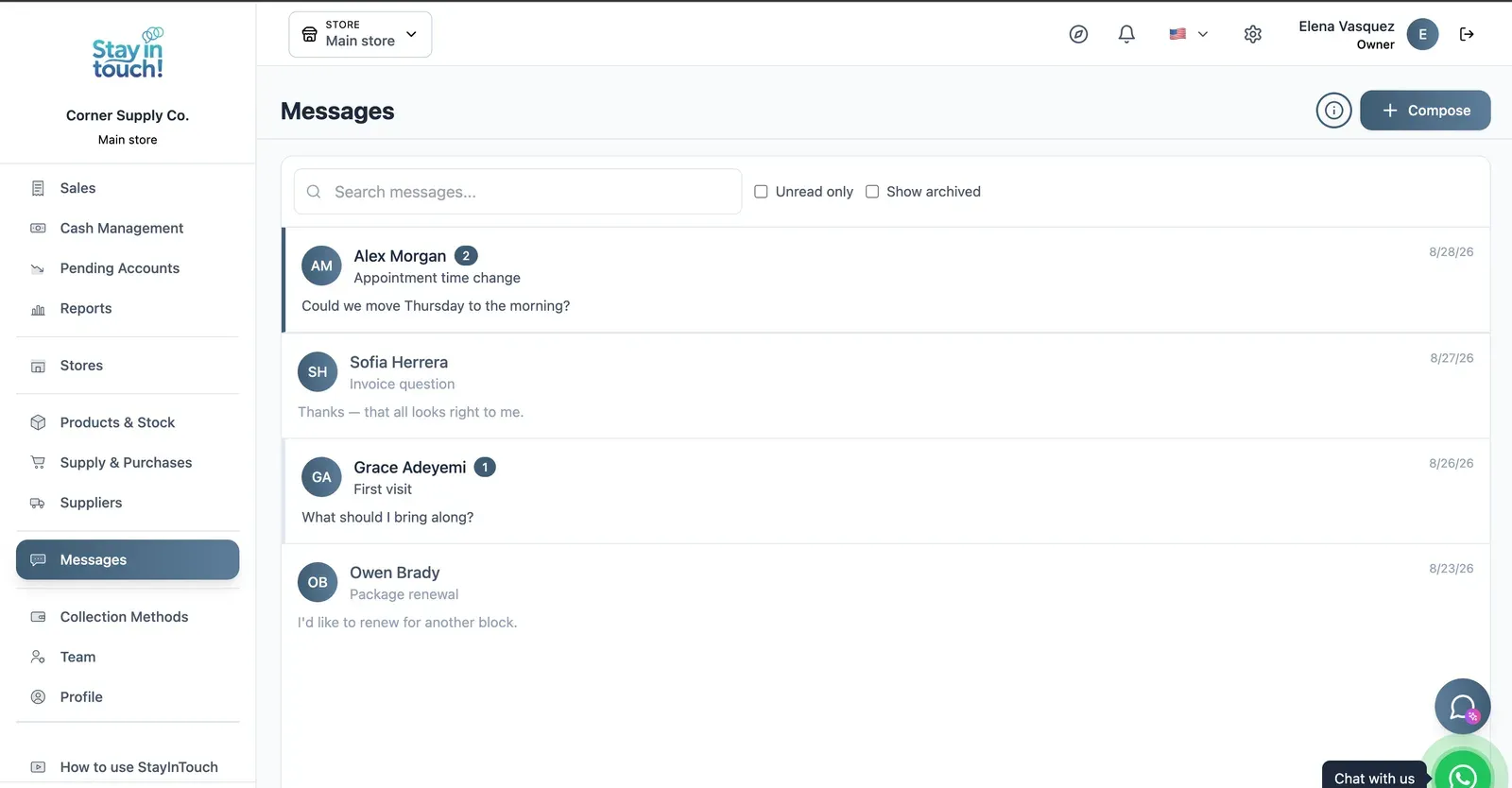
Messages
Client conversations kept in the record instead of scattered across personal phones, with unread counts and archiving.
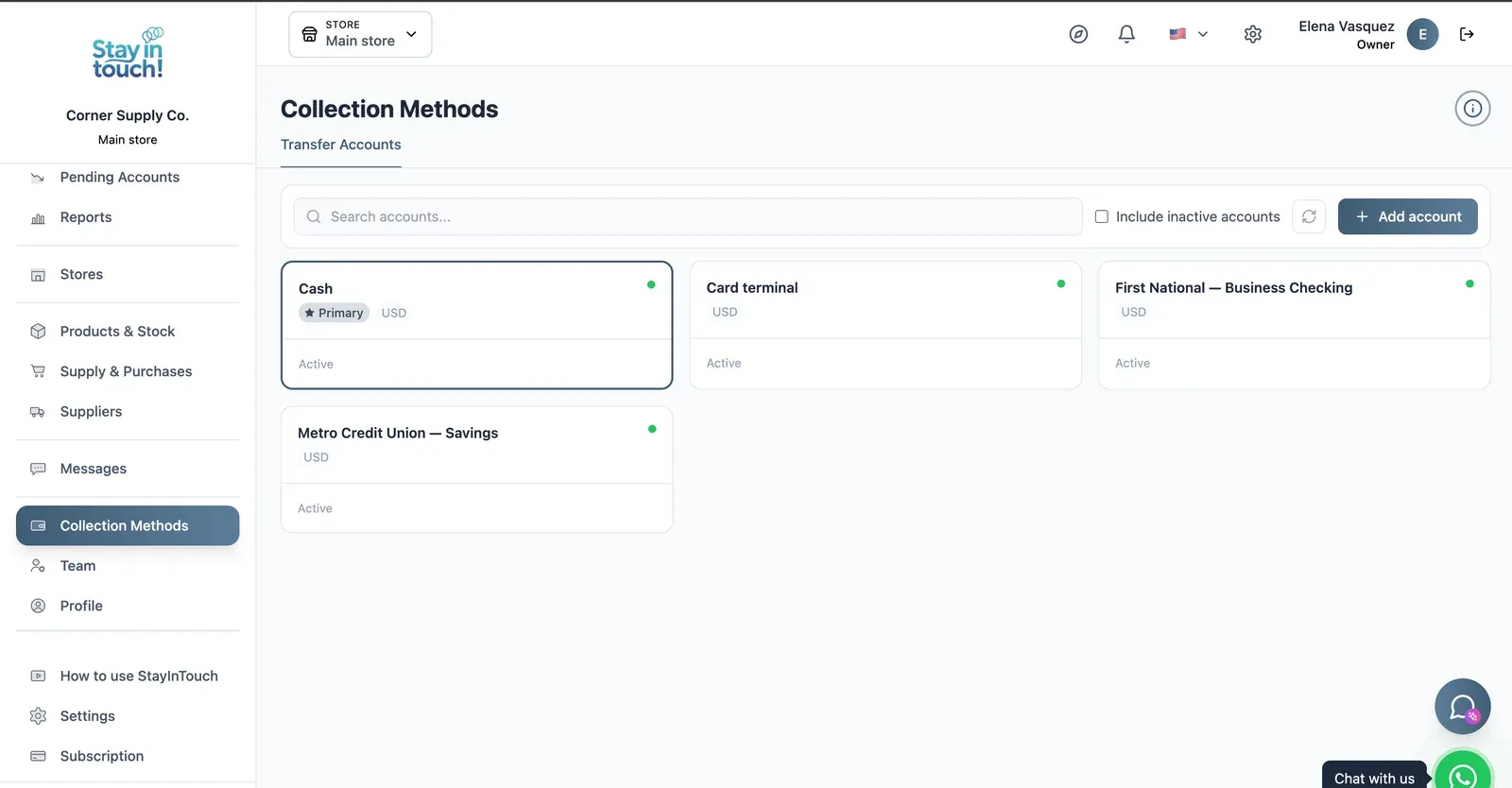
Payment Methods
Every way you collect — cash, card terminal, bank accounts — each with its currency and active state.
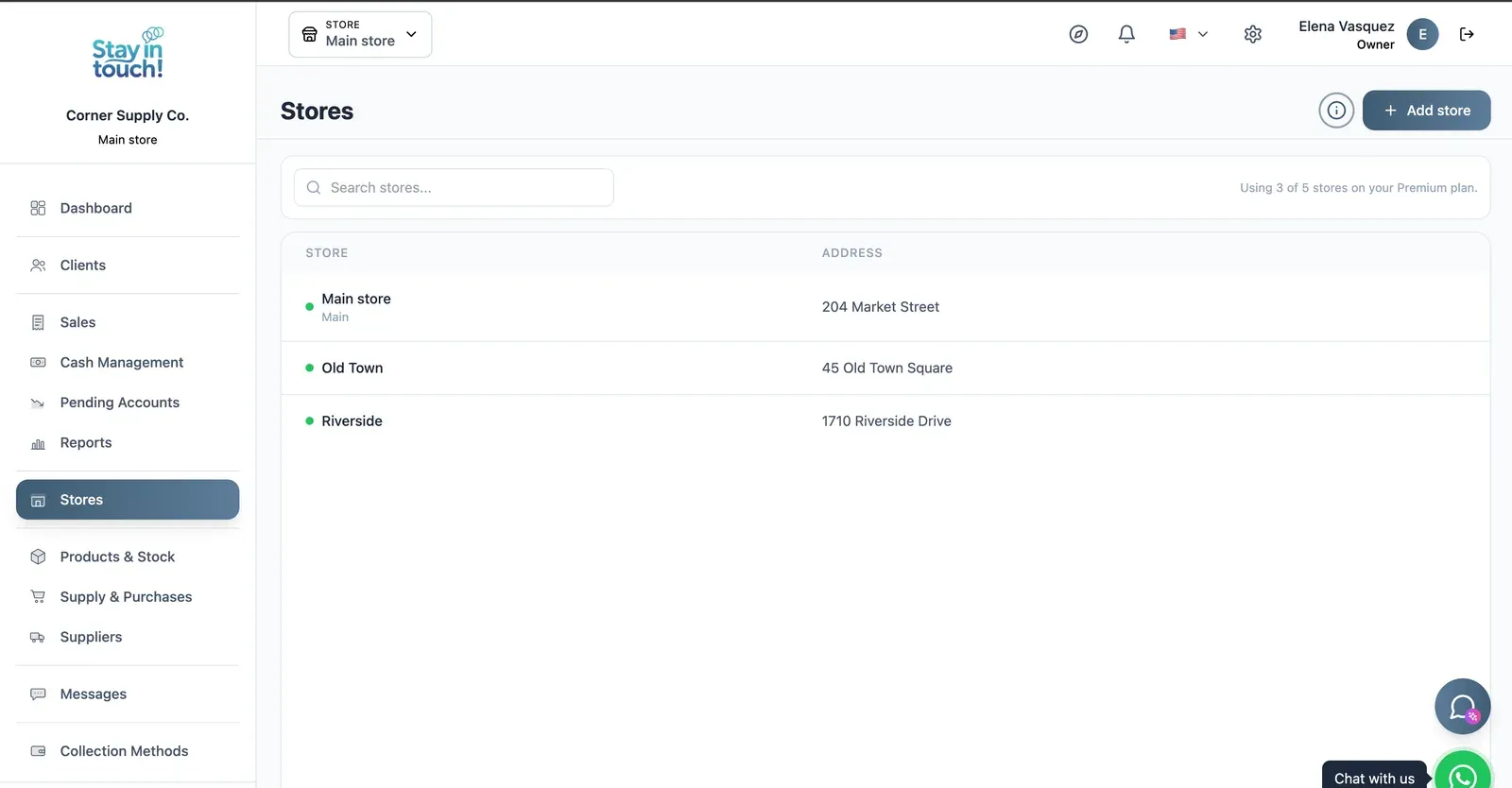
Multi-store
Run every store from one account on the top plan, each with its own team, stock and register.
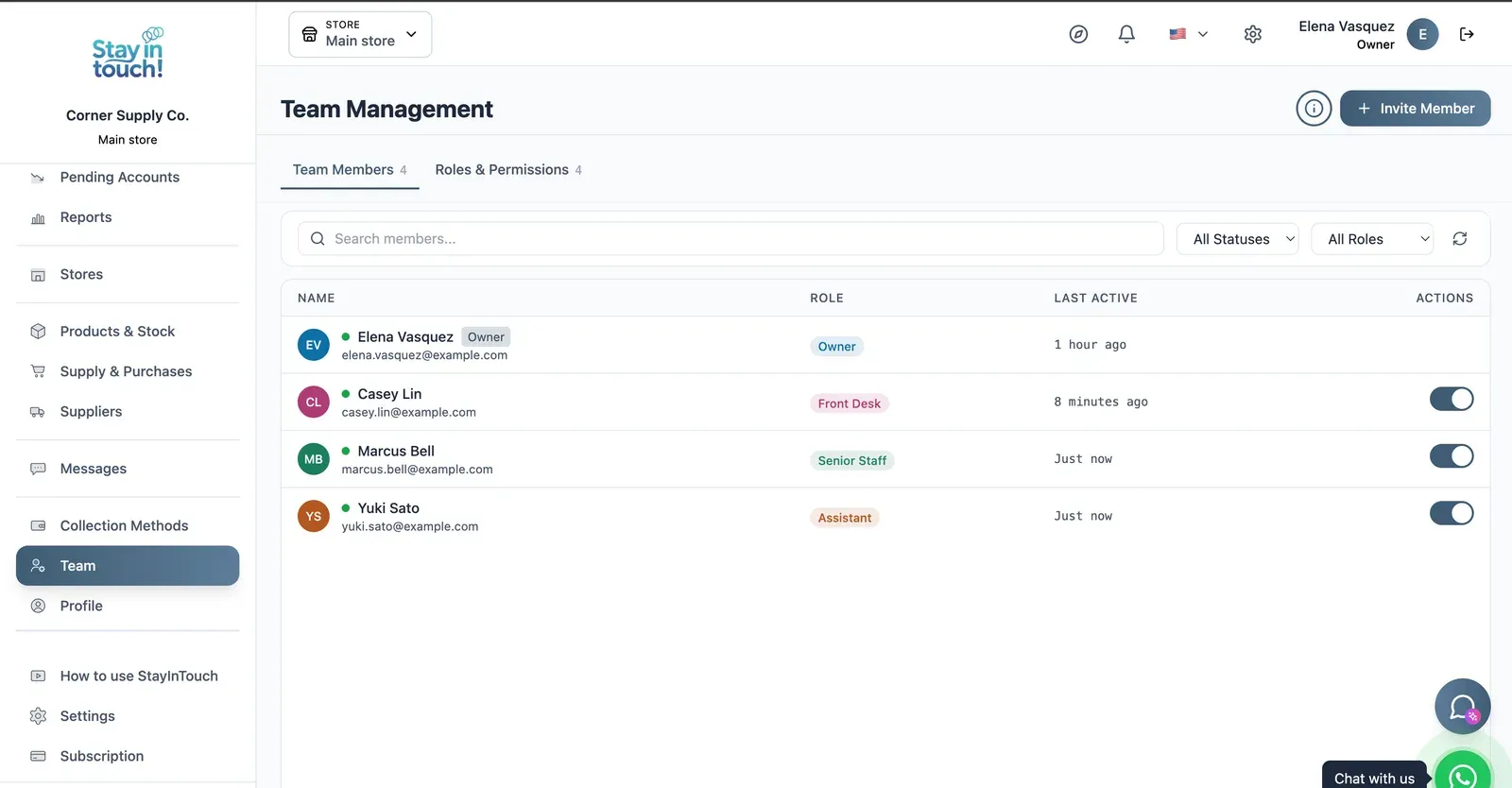
Team & Permissions
Your staff roster with roles, last activity and access toggles, plus a permissions tab as the business grows.
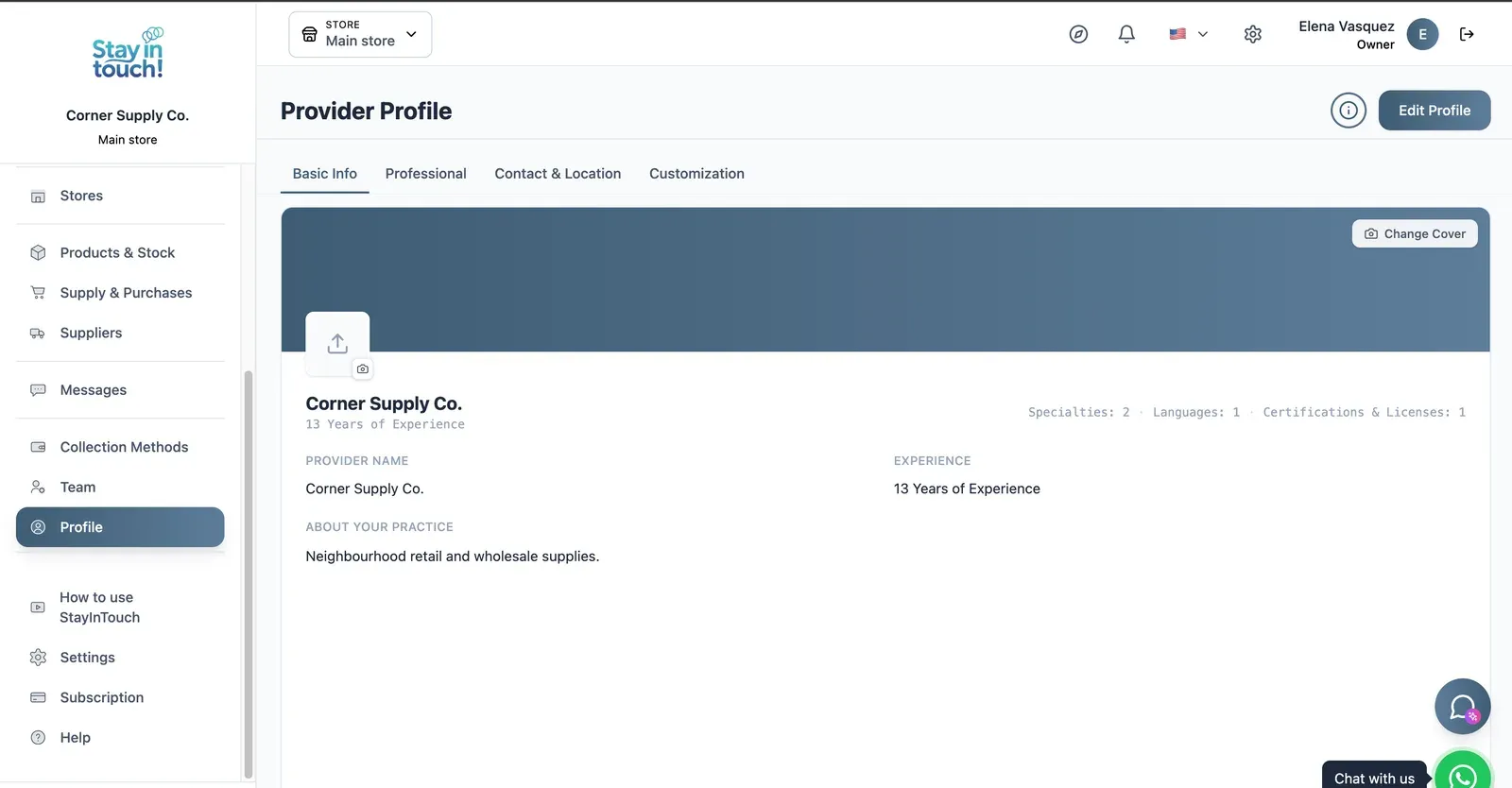
Store Profile
Your public store page: cover image, logo, description, hours and location, editable across four tabs.
Screen 1 of 15
Website included
Your own website, free from day one
Every Siimplo account publishes a page for your store: your catalog with prices, your address and your WhatsApp — no designer, no hosting.
Your catalog with photos and prices
Address, phone and WhatsApp
Clients sign up on their own
Common questions
Does it handle prescriptions or insurance billing?
So what is it for in a pharmacy?
Is there a free version?
Does it track lots or expiry dates?
Does it close cash per shift?
Does it hold customer credit?
Can I run several locations?
Is it available outside the US?
Try it on tomorrow's counter.
Load your fastest-selling presentations and close a shift. The free plan asks for no card.
Get Started