
For bakeries
Bakery software that balances the counter.
Sold by weight and by the unit, baked before dawn, and at seven in the evening what didn't sell is waste. Siimplo charges by weight, closes cash per shift, and shows you what really sells.
- Scheduling
- modules.clinical-records.title
- Cash Control
By weight, by the dozen and by the unit, on one ticket
A bakery is the retail case where a flat list of one-price-per-item helps least. Pastries go by weight, bread may go by unit or by weight, cakes are special orders, and all three land on the same ticket. A system that only understands "one item, one price" forces someone to do arithmetic by hand ten times an hour.
In Siimplo each product is defined with the unit it sells in — by weight, by unit or by the dozen — with its price. The counter charges correctly without anyone multiplying from memory, and the ticket prints the detail the customer expects.
It also makes the sales data usable: if pastries go out by weight, the report tells you how many pounds left the store, not how many "pastry sales" happened.
What you bake and what you sell aren't the same number
A bakery's margin is decided before dawn, when someone chooses how much to mix. Over-produce and you bin product at seven in the evening; under-produce and you close with an empty case at five. The difference between the two is sales information, and almost nobody has it by day and by product.
Siimplo records each sale as it happens, so the daily report shows what went out and at what time, by product. One week of data shows which day is worth baking more for and which product doesn't justify the oven.
It is not a production system, and that's worth saying plainly: it doesn't cost recipes or scale batches. What it does is give you real demand, which is the half that's usually missing.
The morning shift and the afternoon one
A bakery opens early, changes staff mid-day and closes with a different register. If closing happens once a day, a morning change error shows up mixed in with the afternoon and never gets resolved.
Siimplo closes per shift, with the person responsible and a breakdown by payment method. Special orders are entered as a sale with their deposit, so Saturday's cake doesn't depend on a note taped to the register, and the balance sits under the customer's name.
If you run two locations, or a store and a stand, each keeps its own register and stock, with the numbers readable together when you want them.
What you'll use every day
Selling by weight
Pound, dozen or unit — each product with its own selling unit and price.
Orders with deposits
A special order is a sale with its deposit, held under the customer's name.
Cash per shift
Morning and afternoon close separately, with a person and payment methods.
Sales by product and hour
What went out and when, which is how you decide how much to bake.
Stock of what you buy
Flour, bags and anything you resell, with reorder alerts.
Online catalog
A public website with products and prices, included on every plan.
See Siimplo running in your bakery
Every module, the way whoever's on the counter will actually use it.
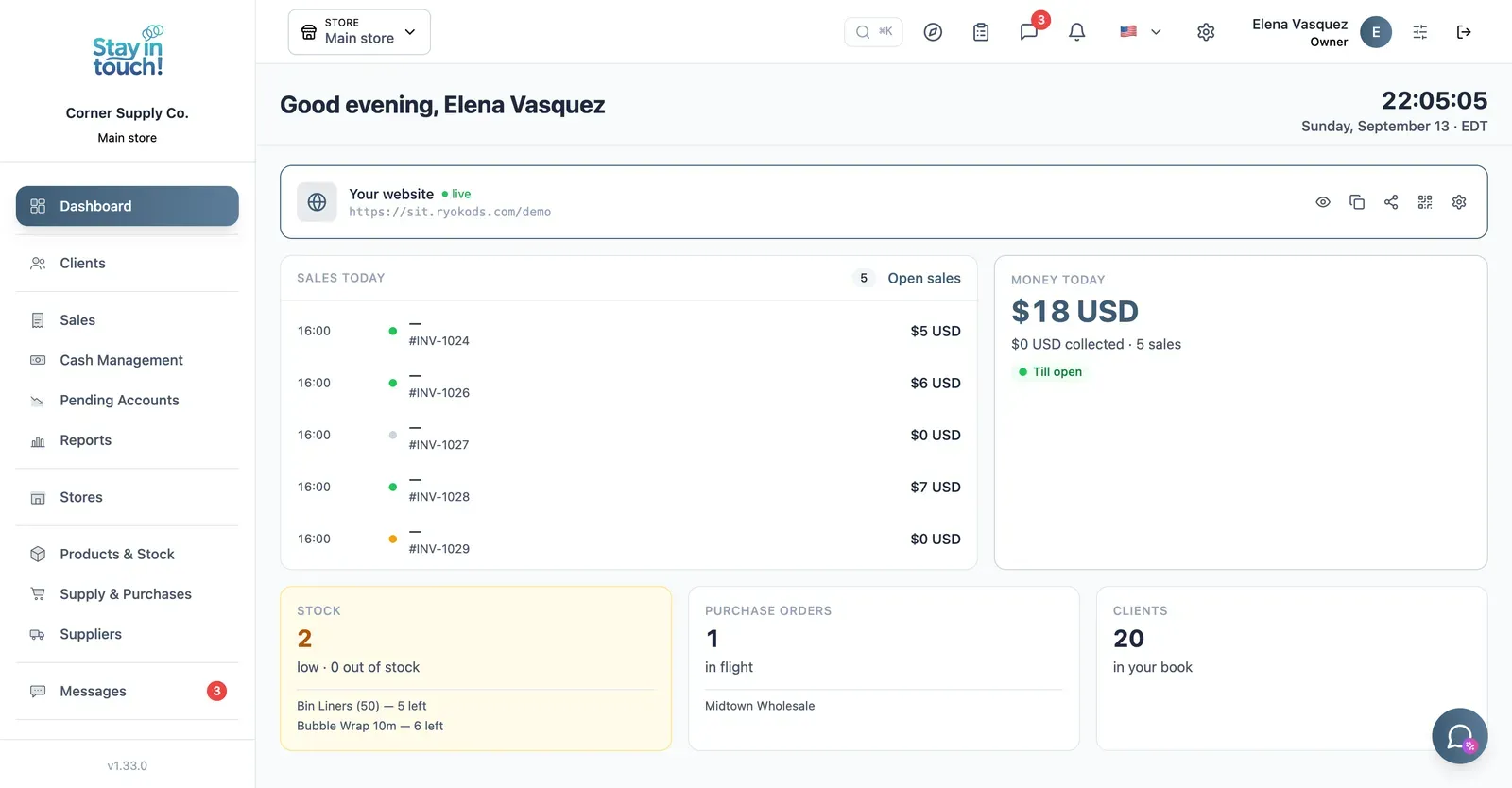
Dashboard
Your customer count and the Virtual Reception link customers scan to register themselves — your front door, online.
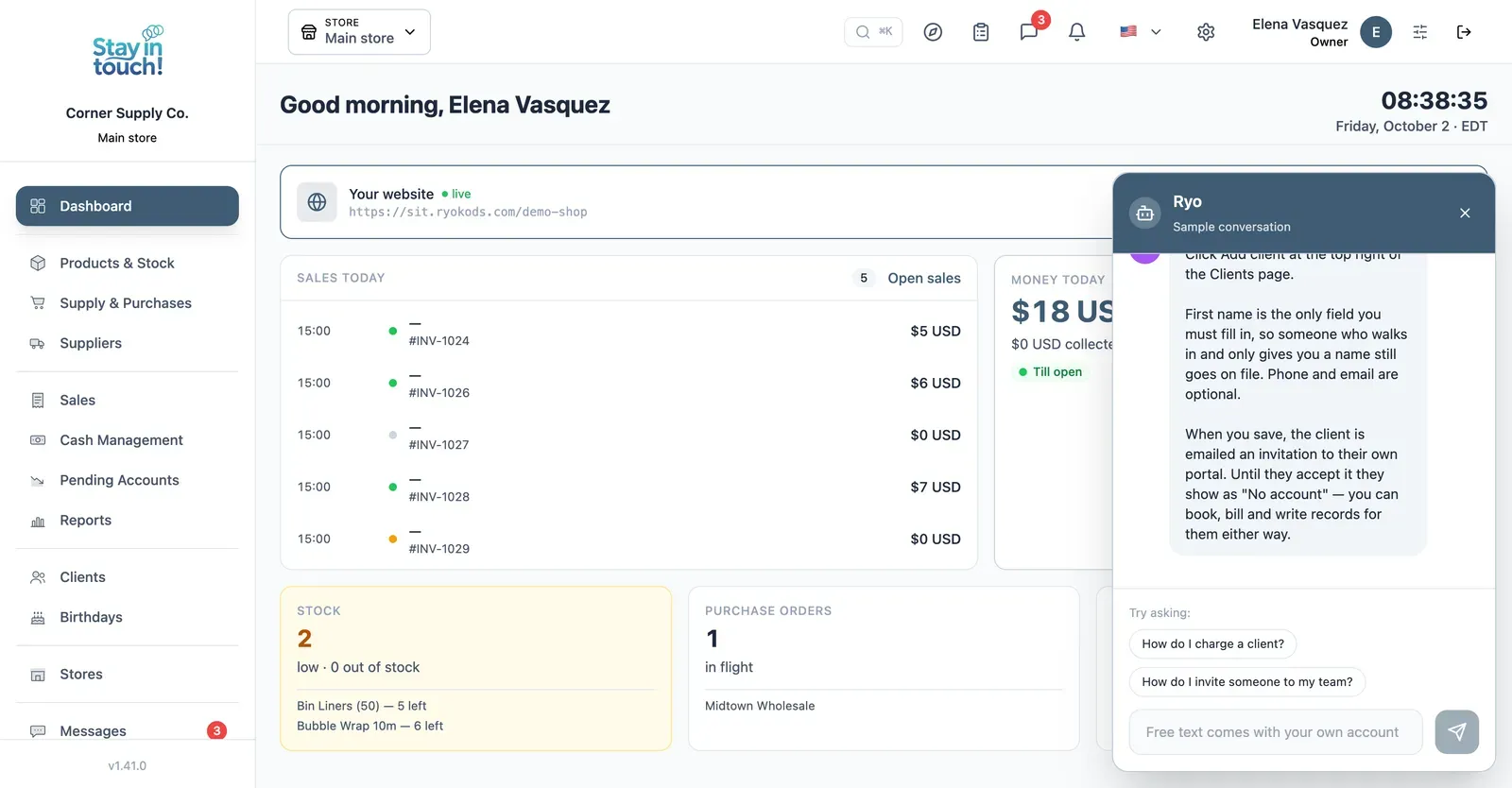
Ryo, the AI assistant
Ask how to do anything in Siimplo and it walks you through it step by step, without leaving the screen you're on.
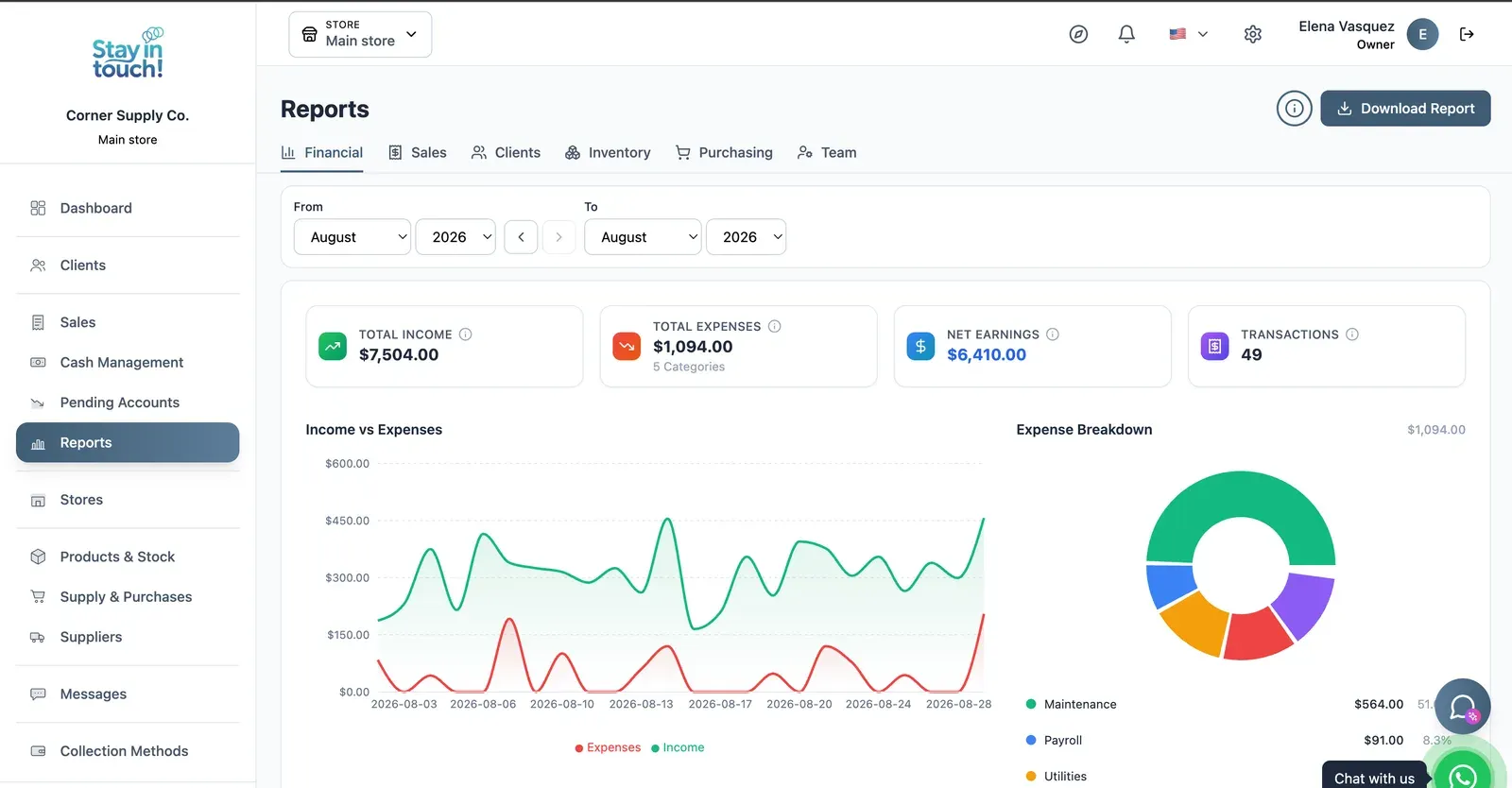
Reports
Revenue, expenses and net profit for any date range, with a trend chart, a category breakdown and a downloadable report.
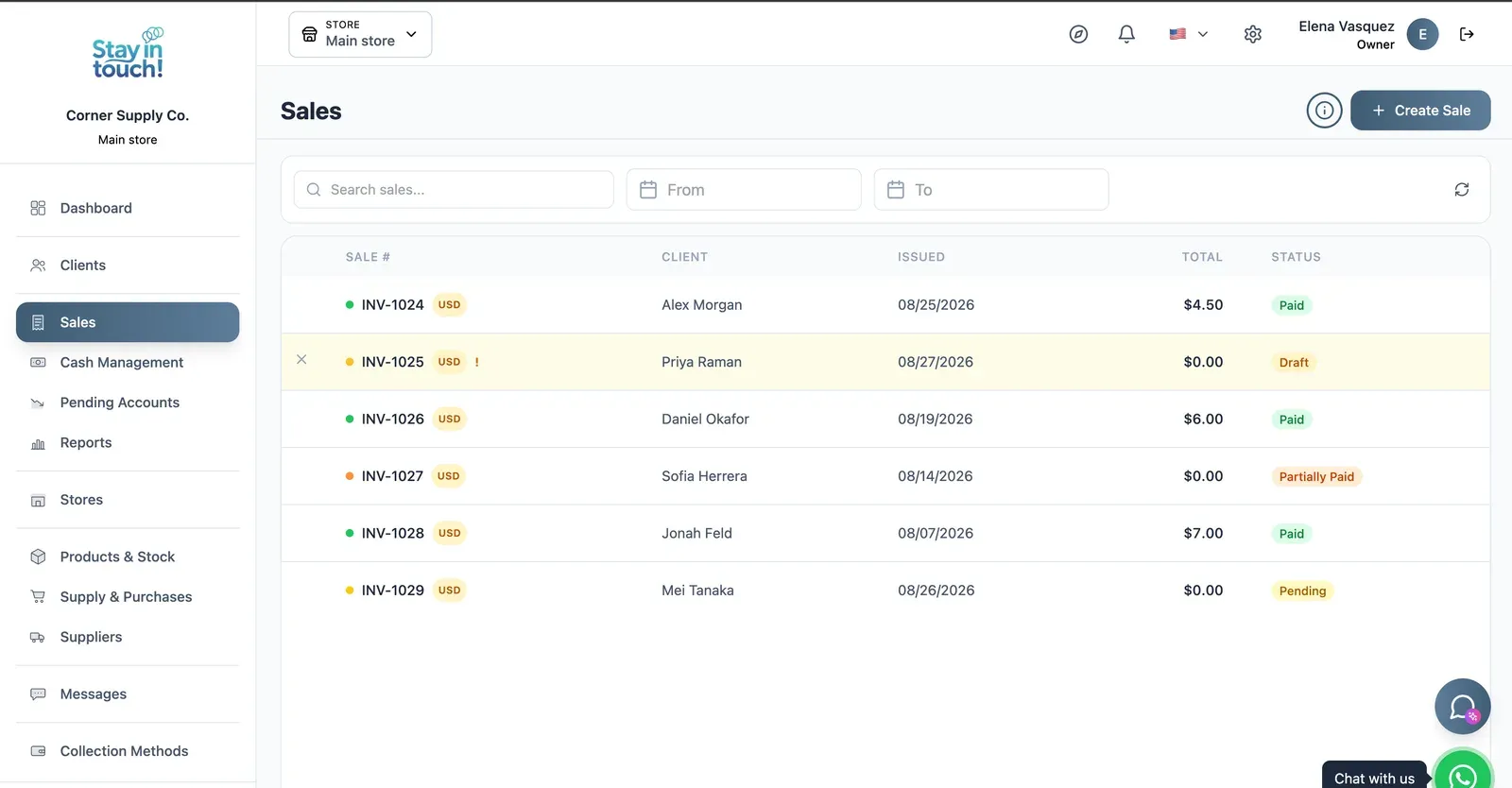
Sales
Every sale in one ledger — paid, partially paid, pending or draft — with the register on the same screen.
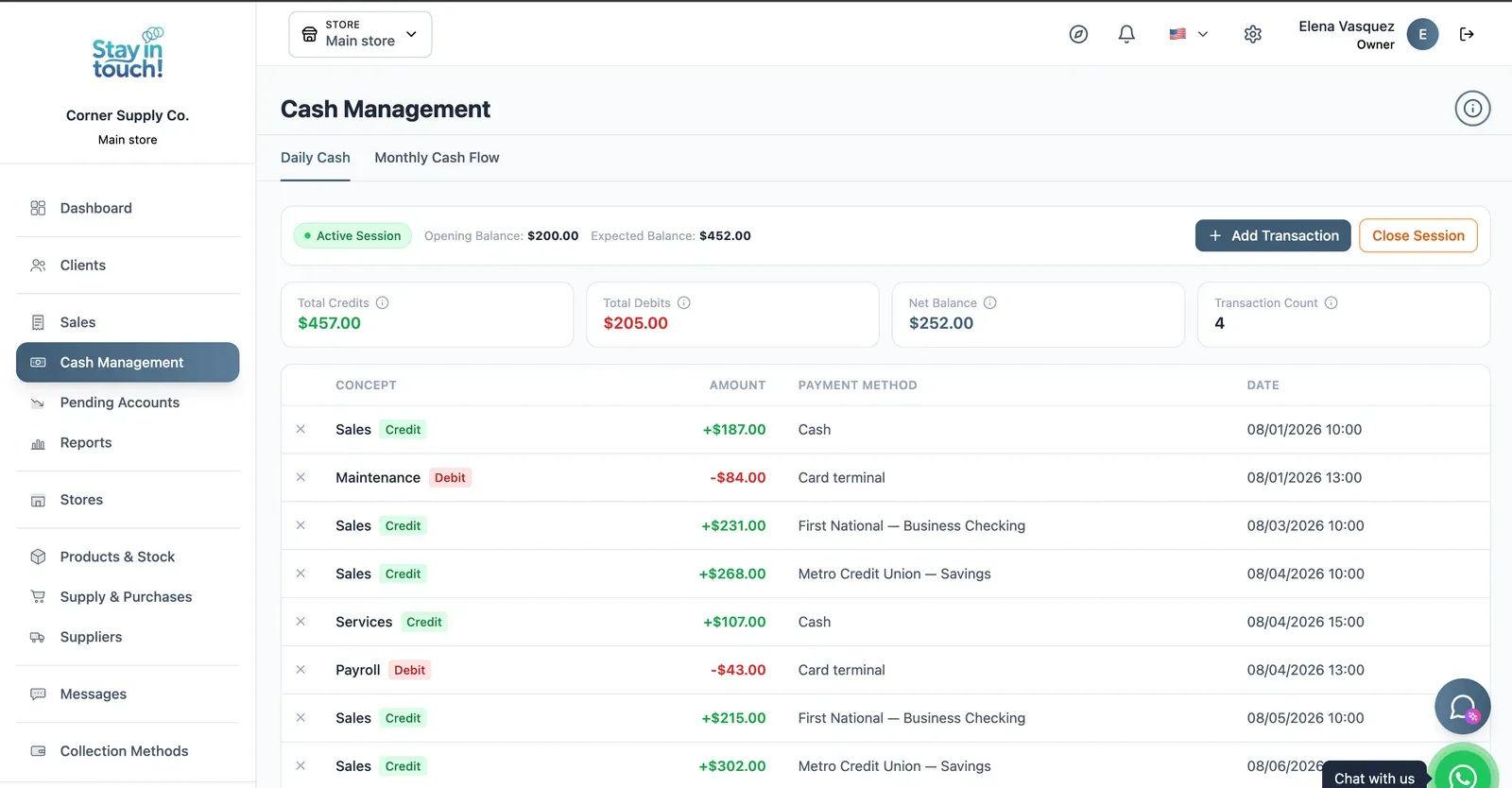
Cash Control
Open and close the register with opening and expected balances, income, expenses and every movement tagged by payment method.
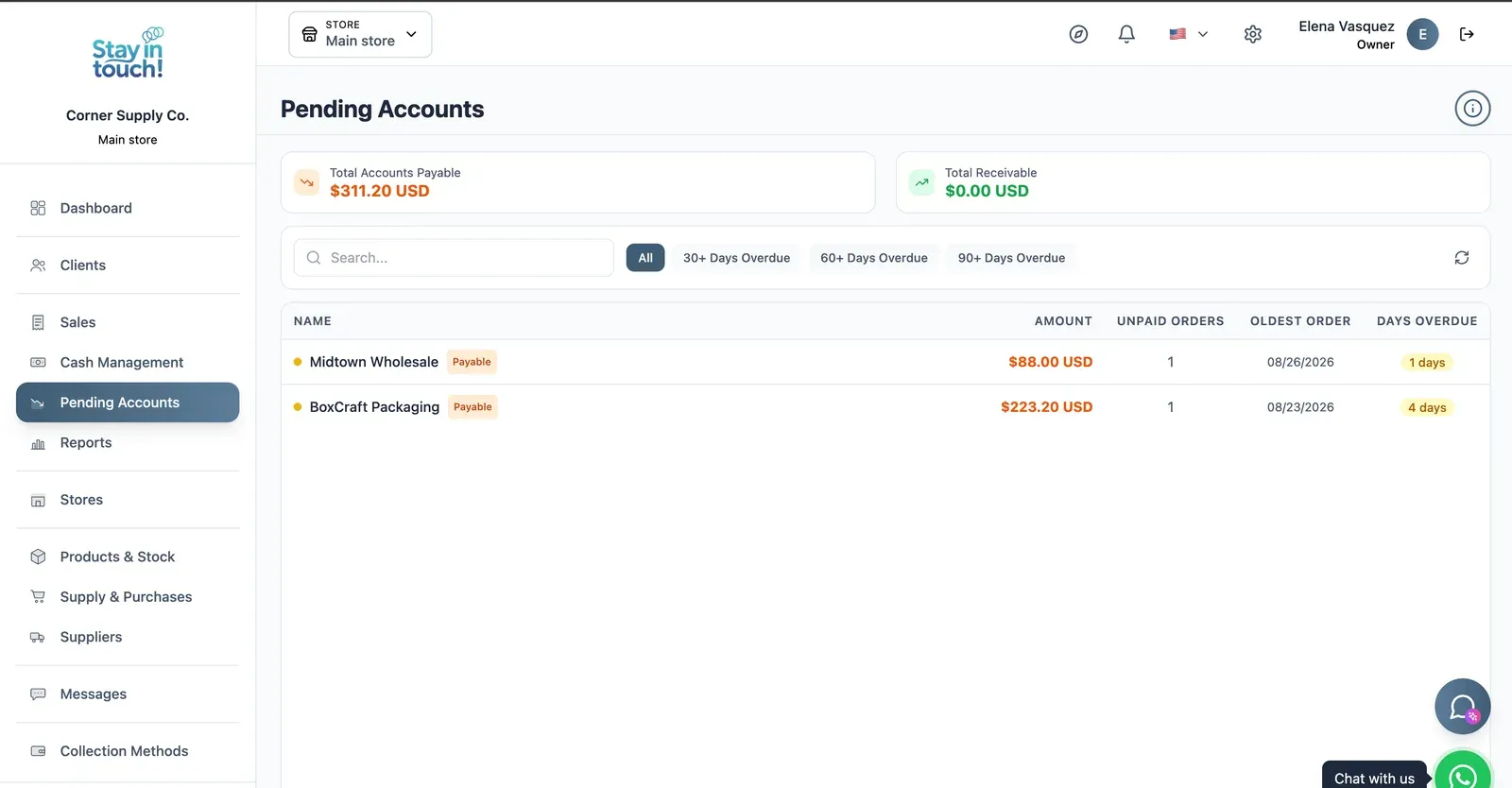
Payables & Receivables
What you owe and what you're owed, aged past 30, 60 and 90 days, with the overdue count on every row.
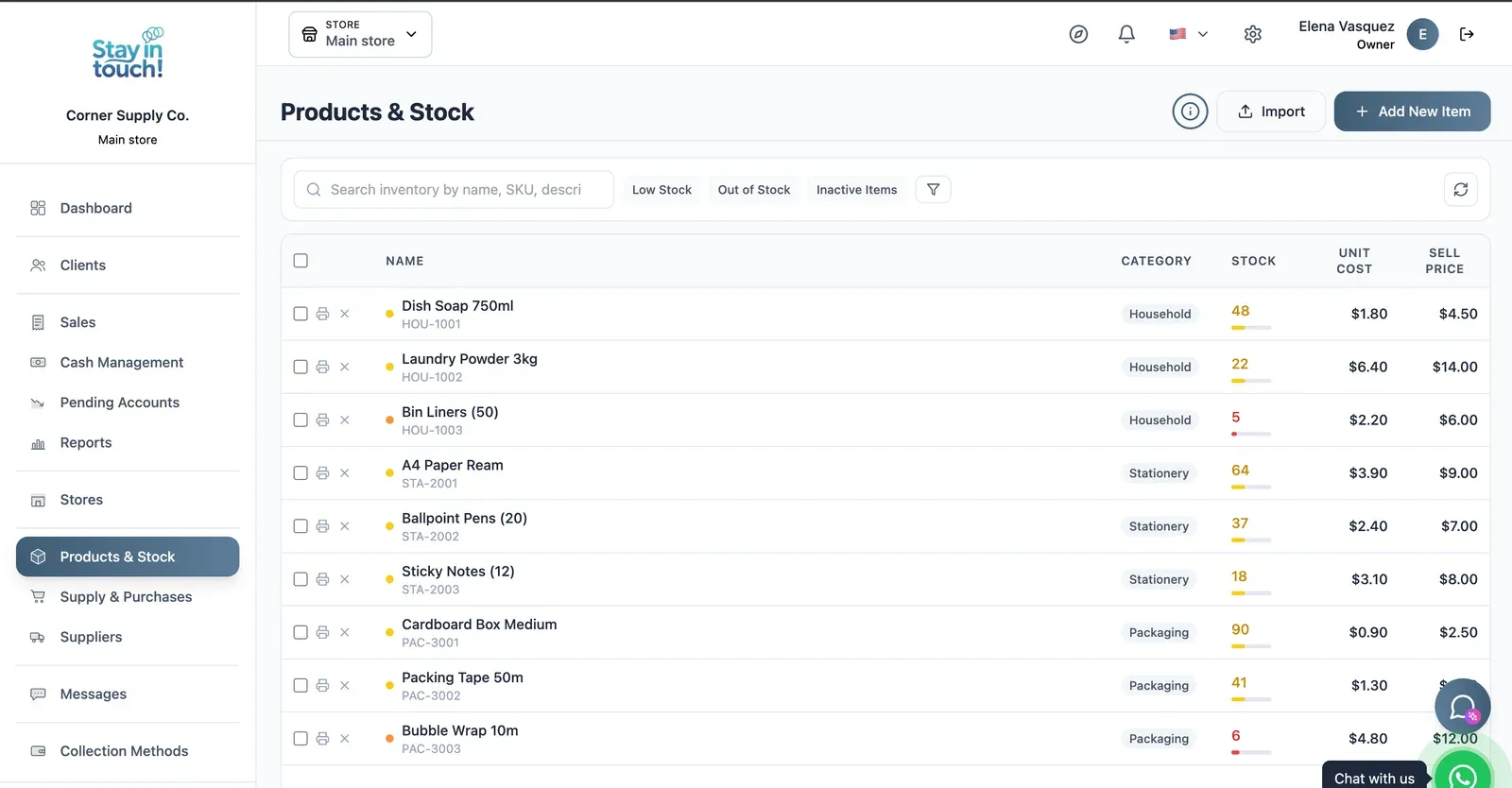
Products & Stock
SKU-level stock across every category, low items flagged in red, cost against sale price, bulk actions and label printing.
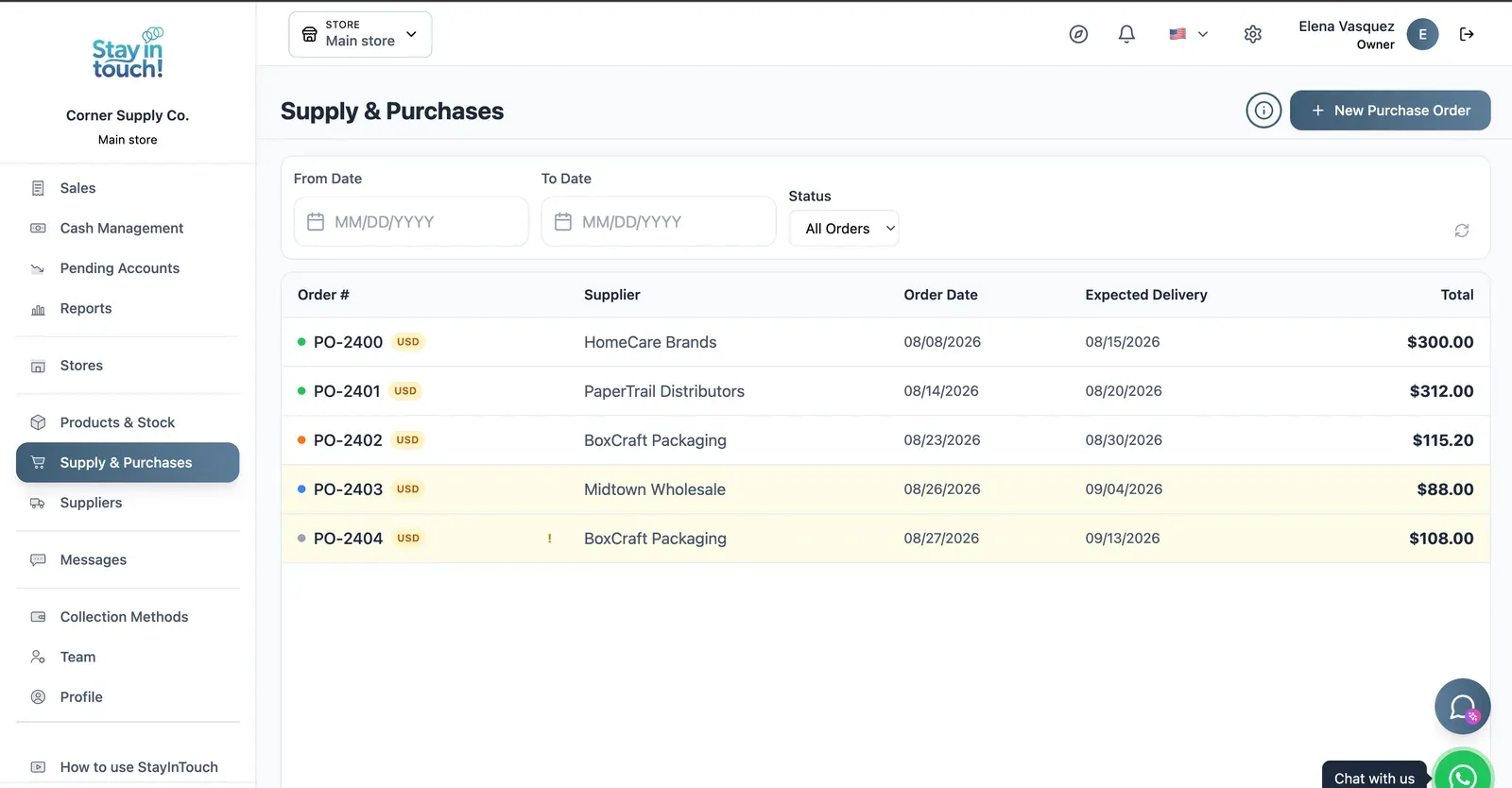
Purchase Orders
Track what you've ordered from whom, when it was placed and when it's due — with late deliveries flagged.
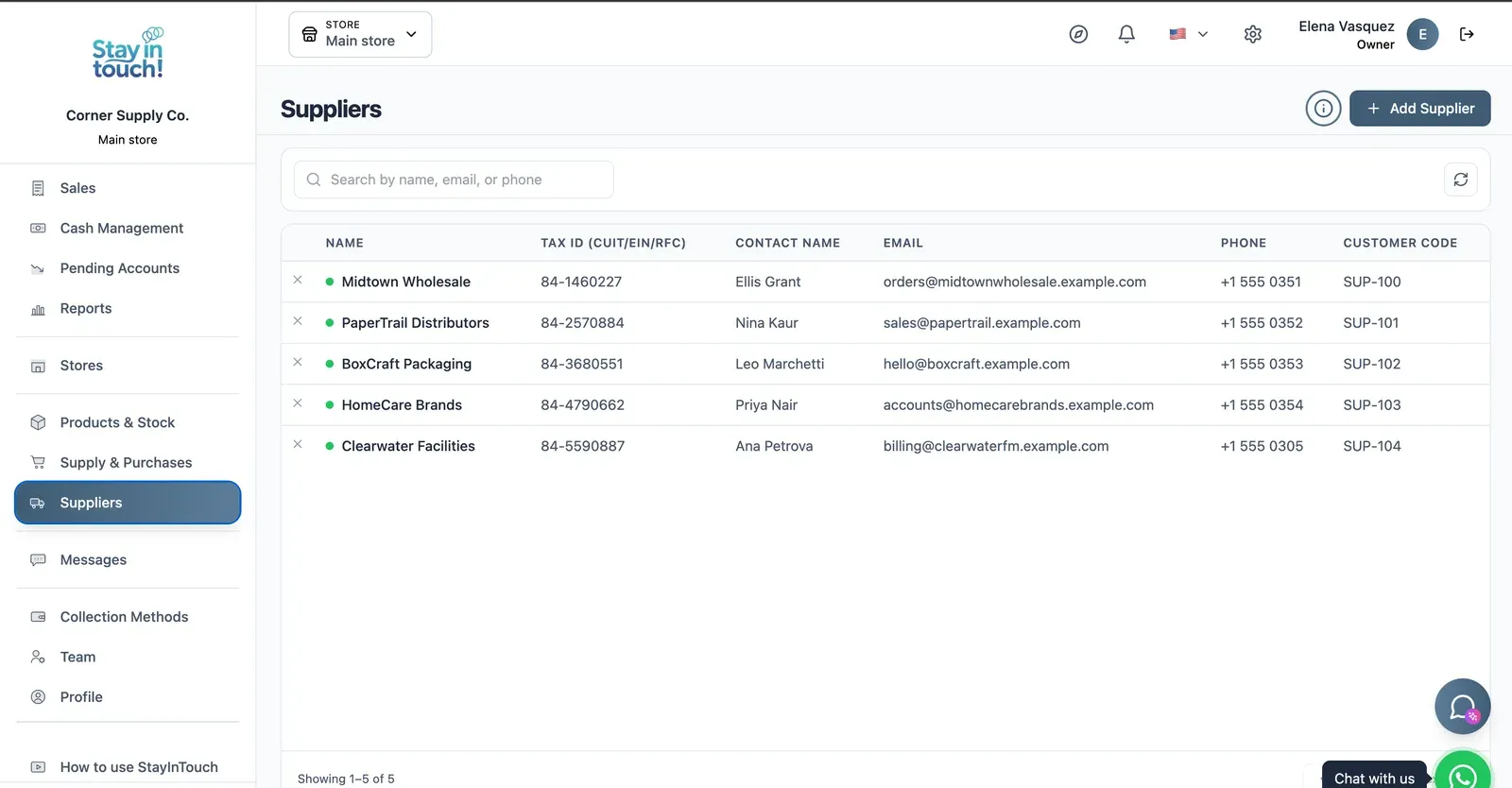
Suppliers
Your vendor book with tax ID, contact person, ordering email and internal supplier code.
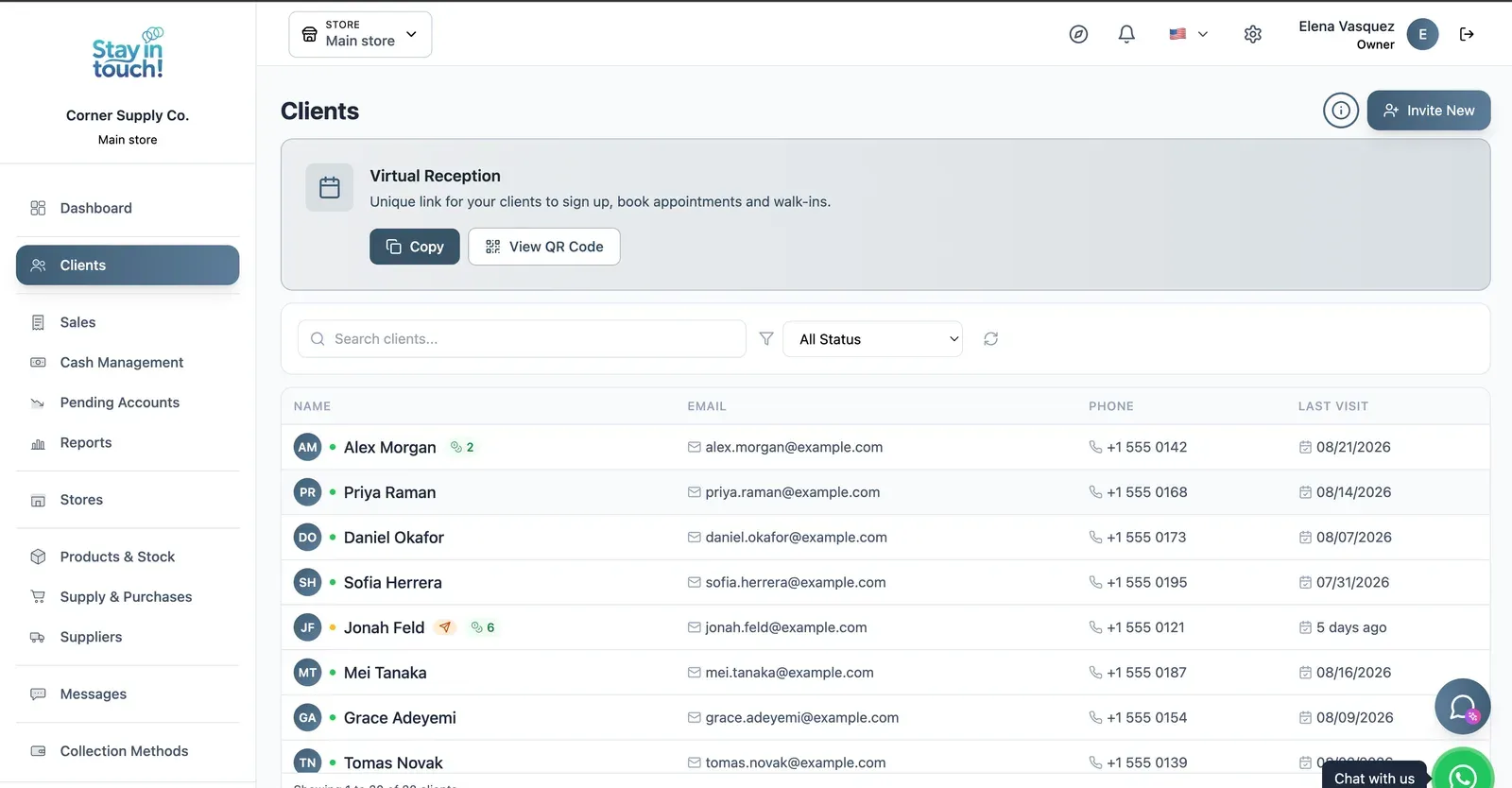
Customers
Your customer book with contact details and store credit, plus the shareable registration link at the top.
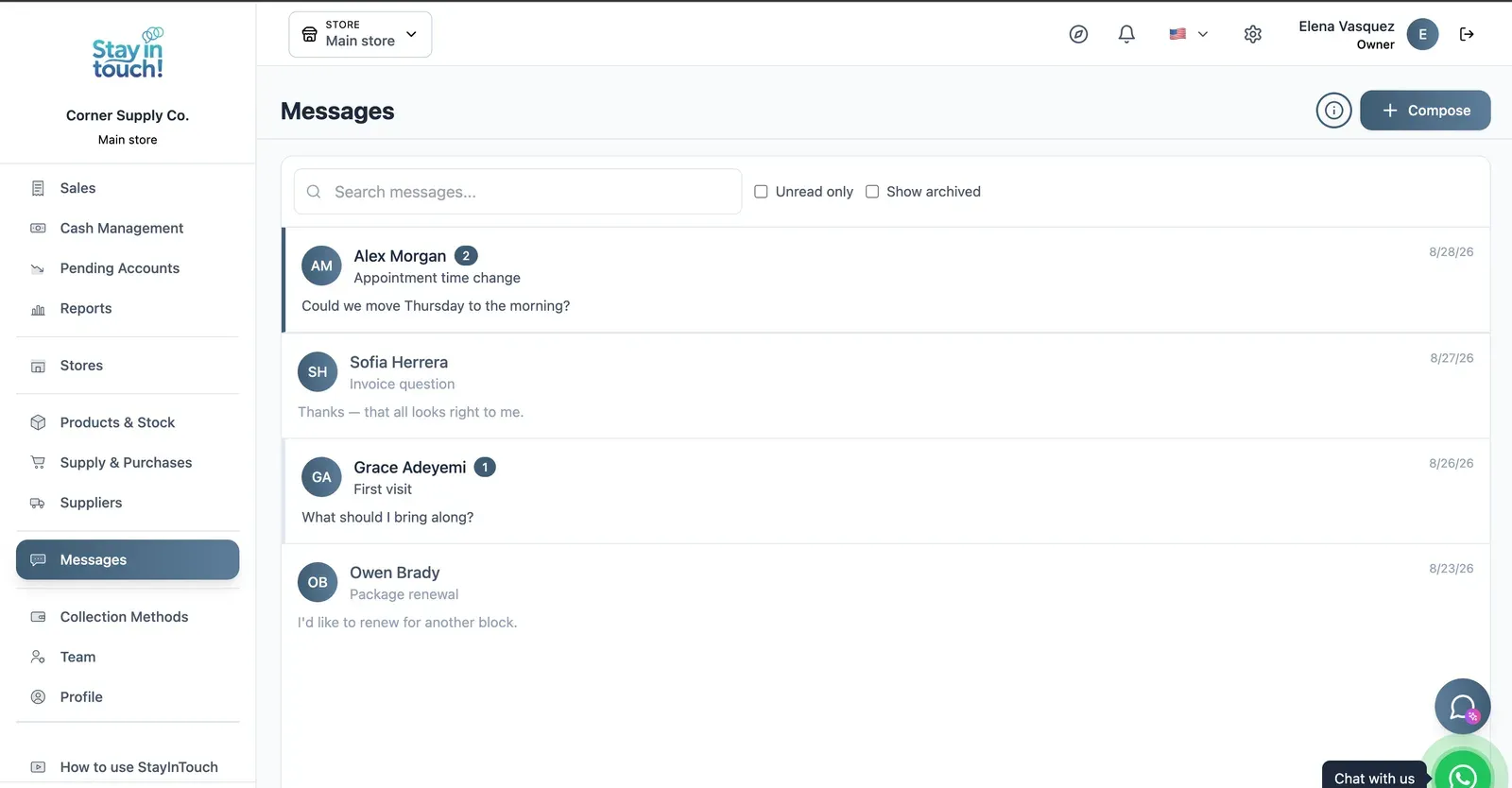
Messages
Client conversations kept in the record instead of scattered across personal phones, with unread counts and archiving.
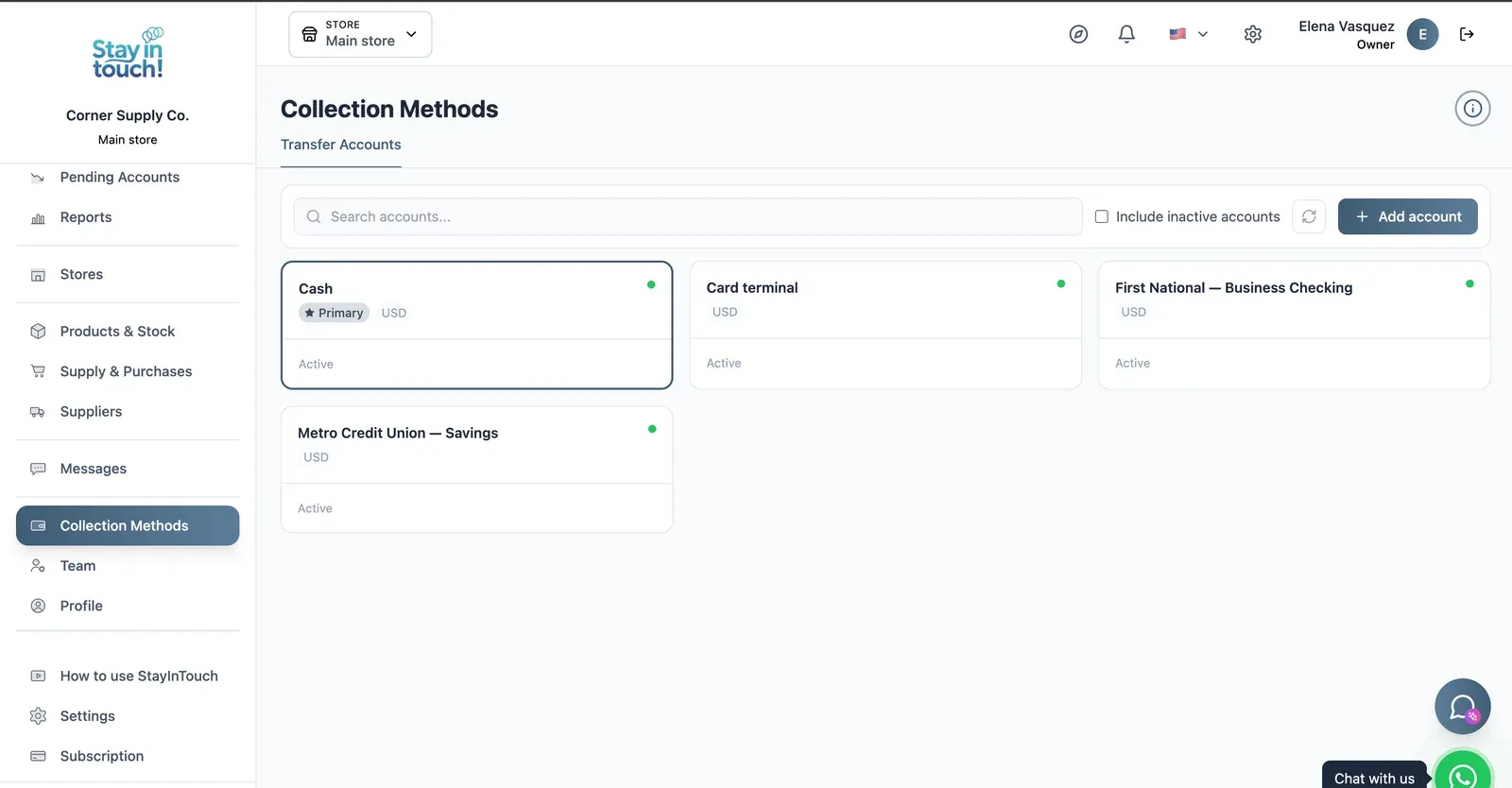
Payment Methods
Every way you collect — cash, card terminal, bank accounts — each with its currency and active state.
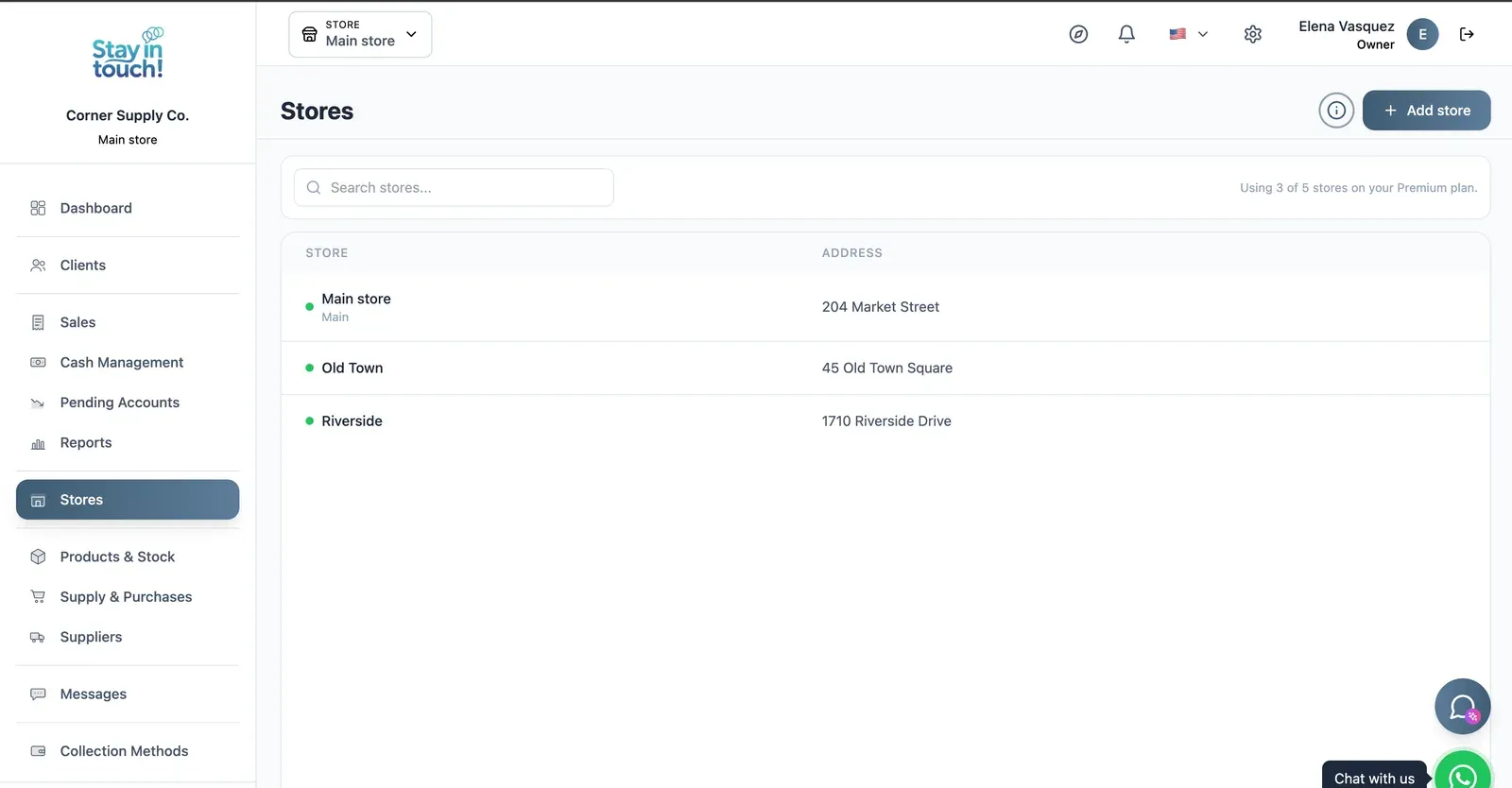
Multi-store
Run every store from one account on the top plan, each with its own team, stock and register.
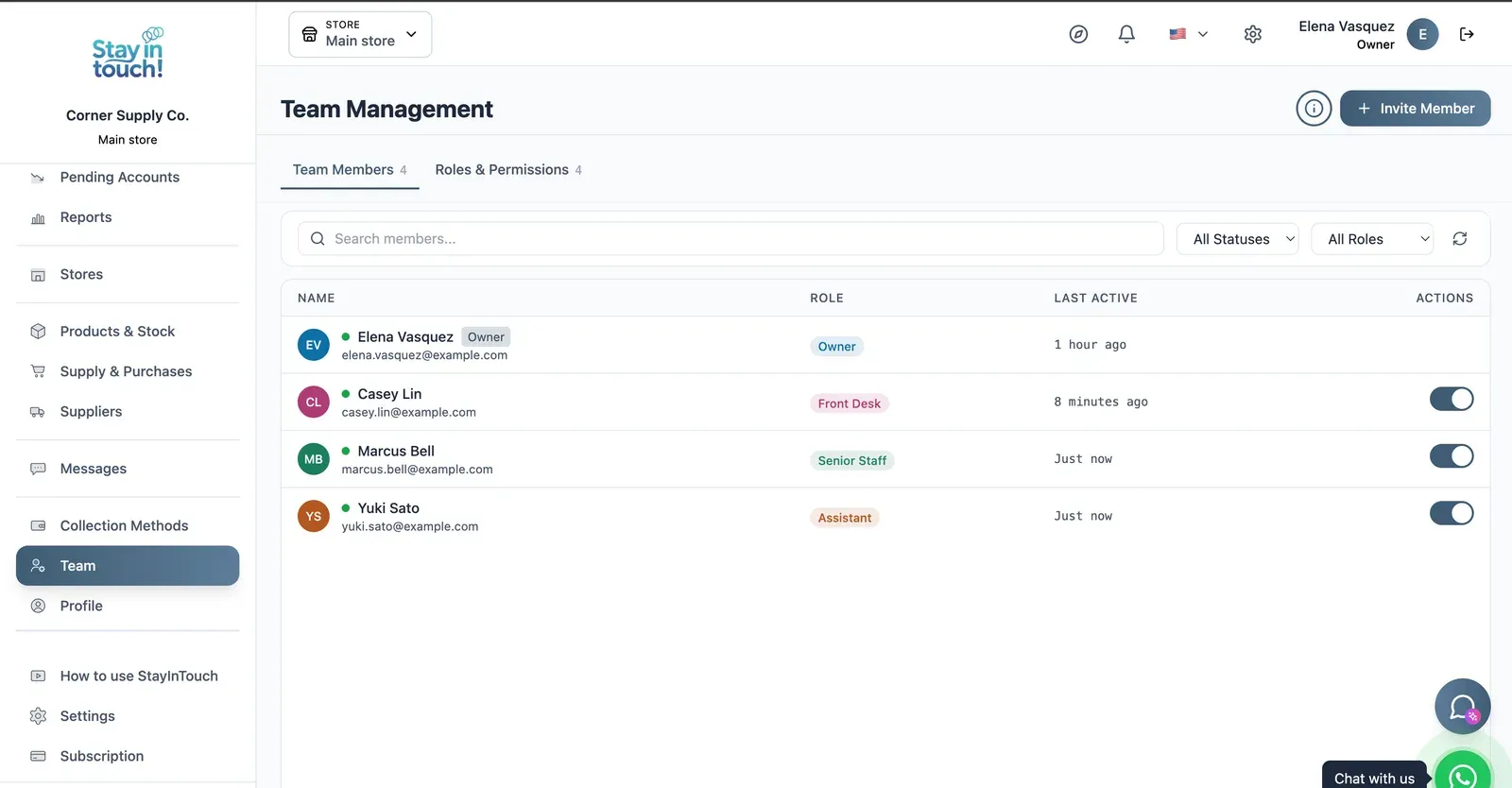
Team & Permissions
Your staff roster with roles, last activity and access toggles, plus a permissions tab as the business grows.
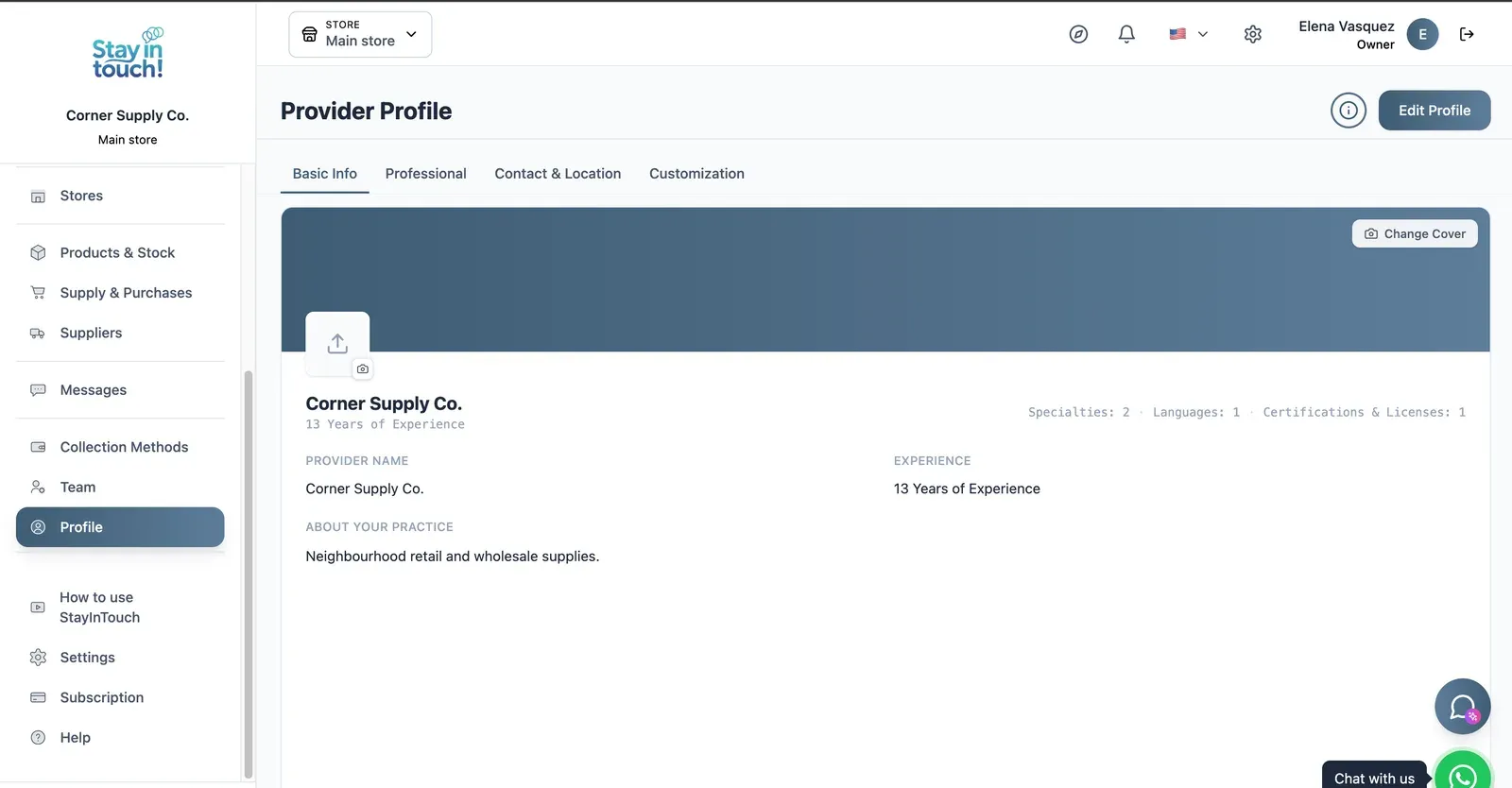
Store Profile
Your public store page: cover image, logo, description, hours and location, editable across four tabs.
Screen 1 of 15
Website included
Your own website, free from day one
Every Siimplo account publishes a page for your store: your catalog with prices, your address and your WhatsApp — no designer, no hosting.
Your catalog with photos and prices
Address, phone and WhatsApp
Clients sign up on their own
Common questions
Can I sell by weight?
Is there free bakery software?
Does it cost recipes or production?
How does it handle special orders?
Does it close cash per shift?
Does it work with a scale?
Does it include appointment scheduling?
Is it available outside the US?
Try it on tomorrow's counter.
Load your products by weight and by unit, and close a shift. The free plan asks for no card.
Get Started