
Every feature
Everything Siimplo includes, in detail
The modules, what each plan includes, what your clients receive and how we look after your data.
How it works
Not another tool to bolt on
Most businesses end up with a booking app, a spreadsheet for stock and a notebook for the register. Siimplo is all of it, already connected.
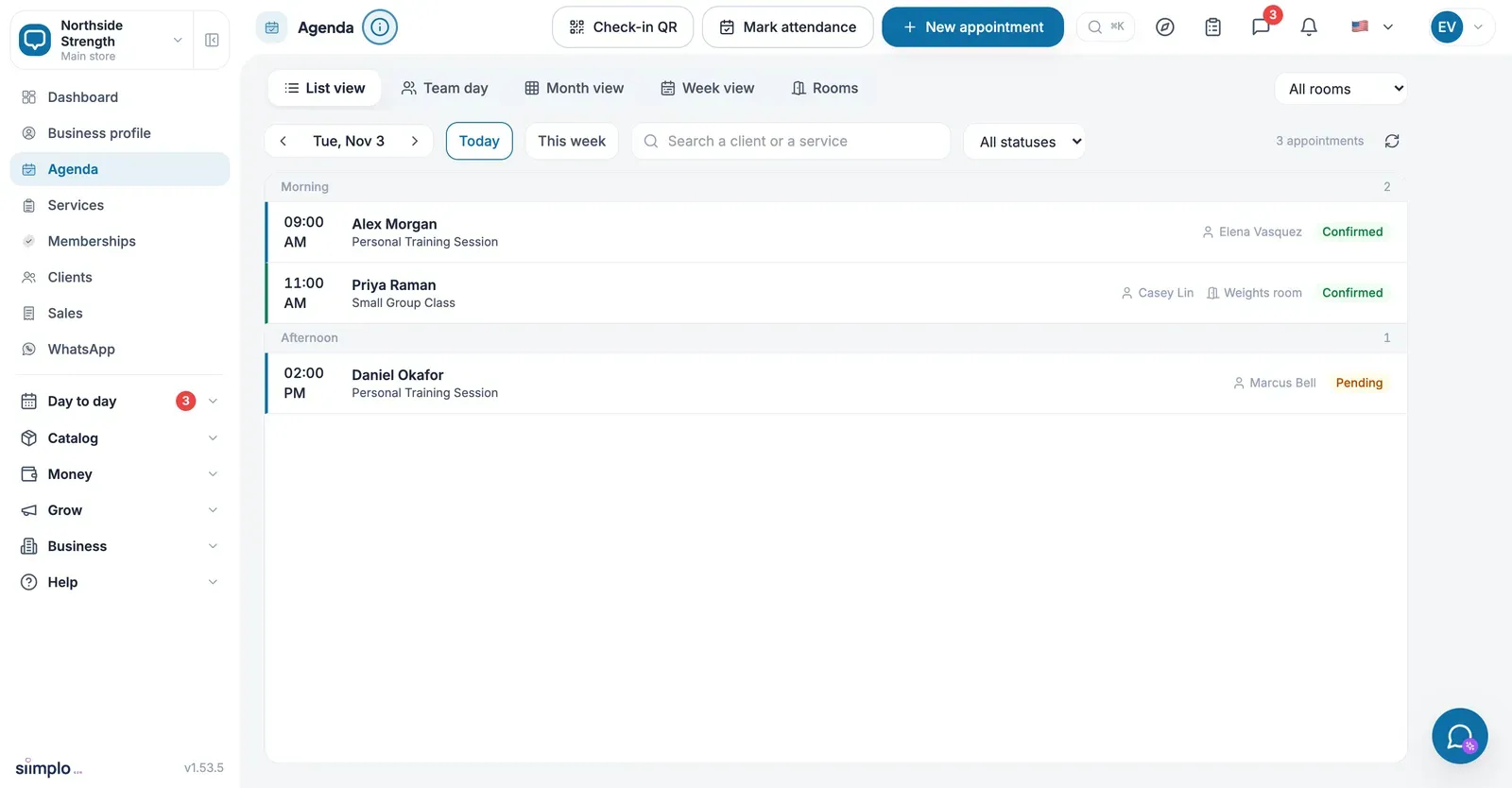
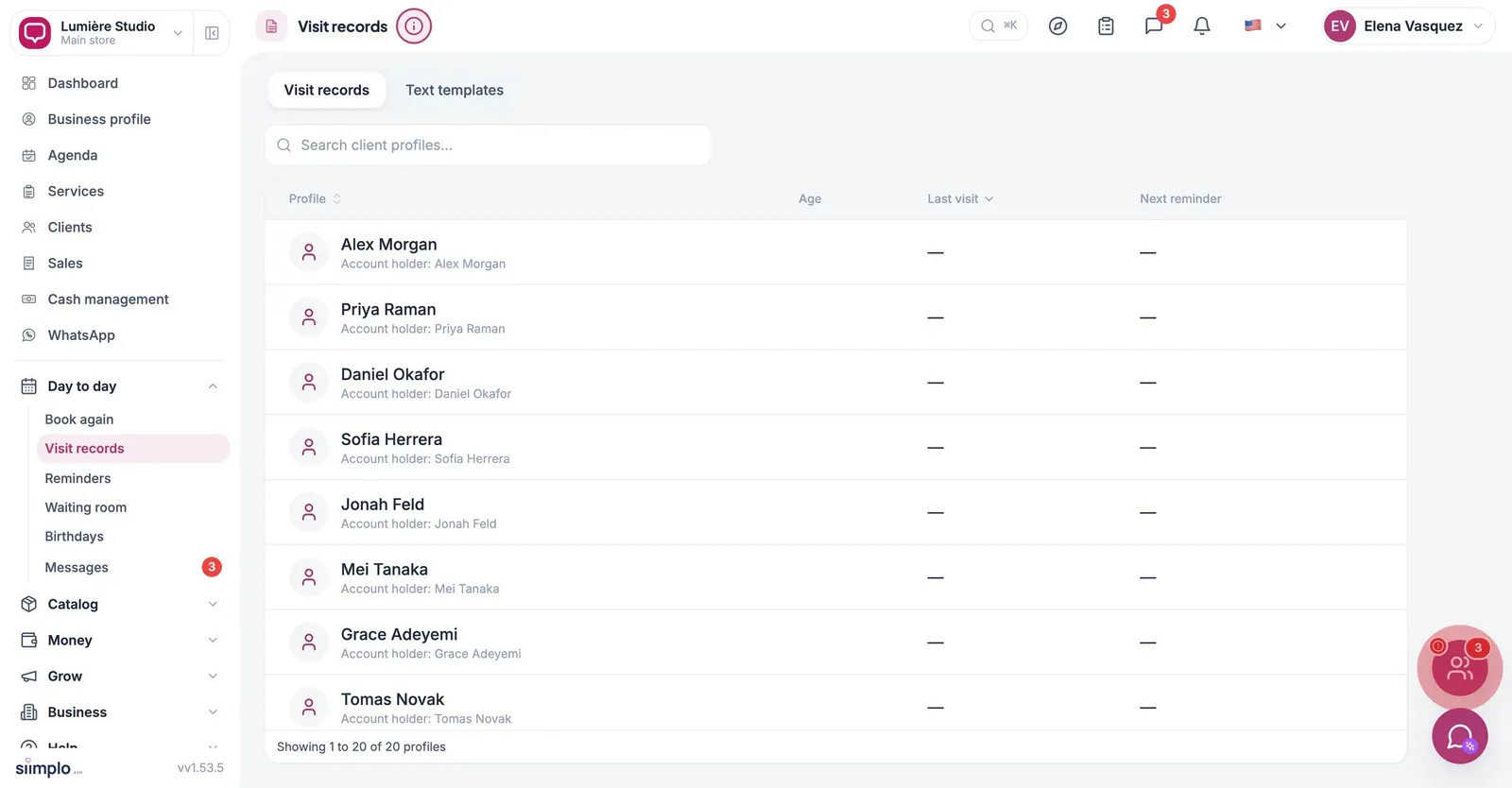
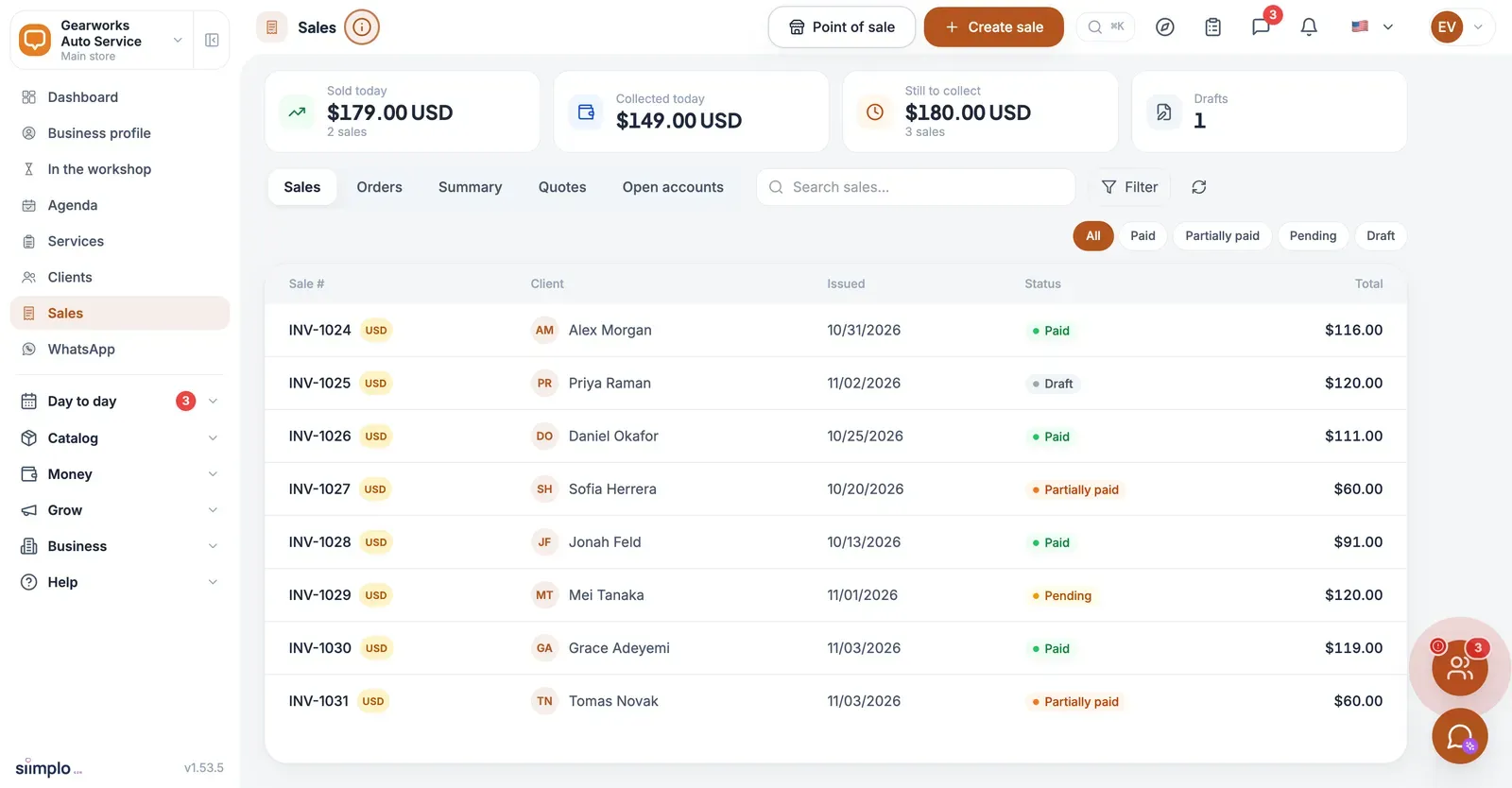
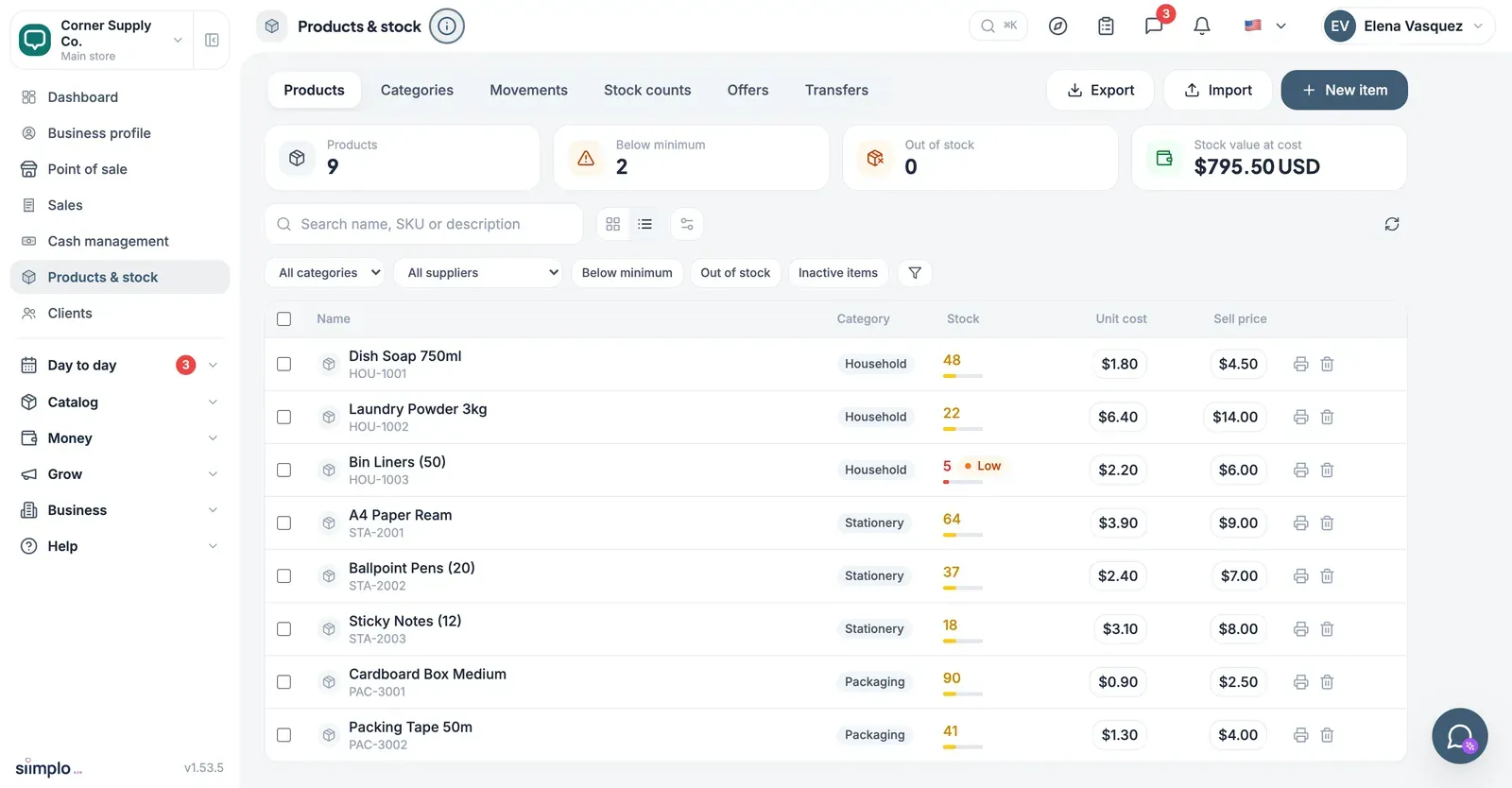
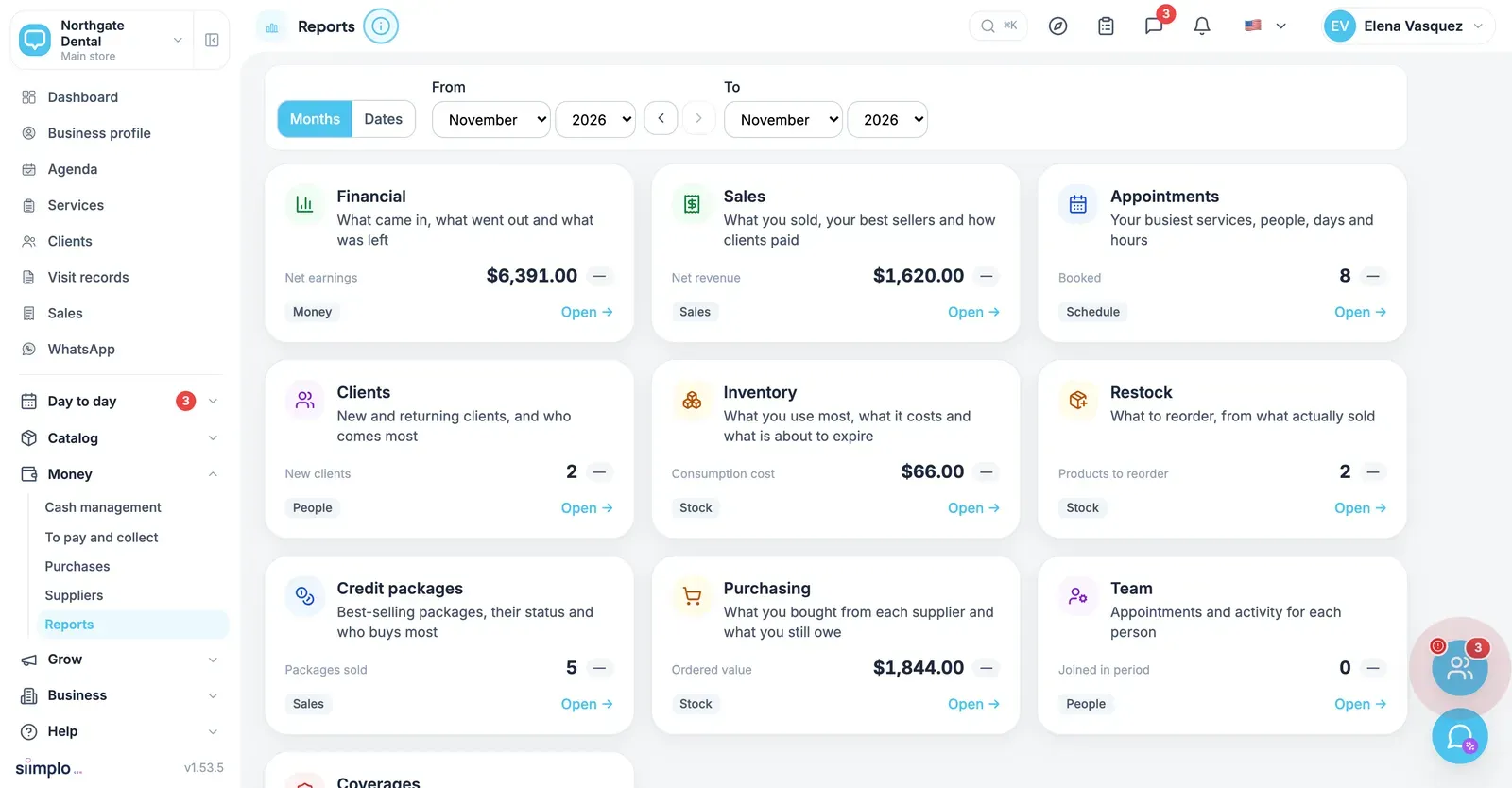
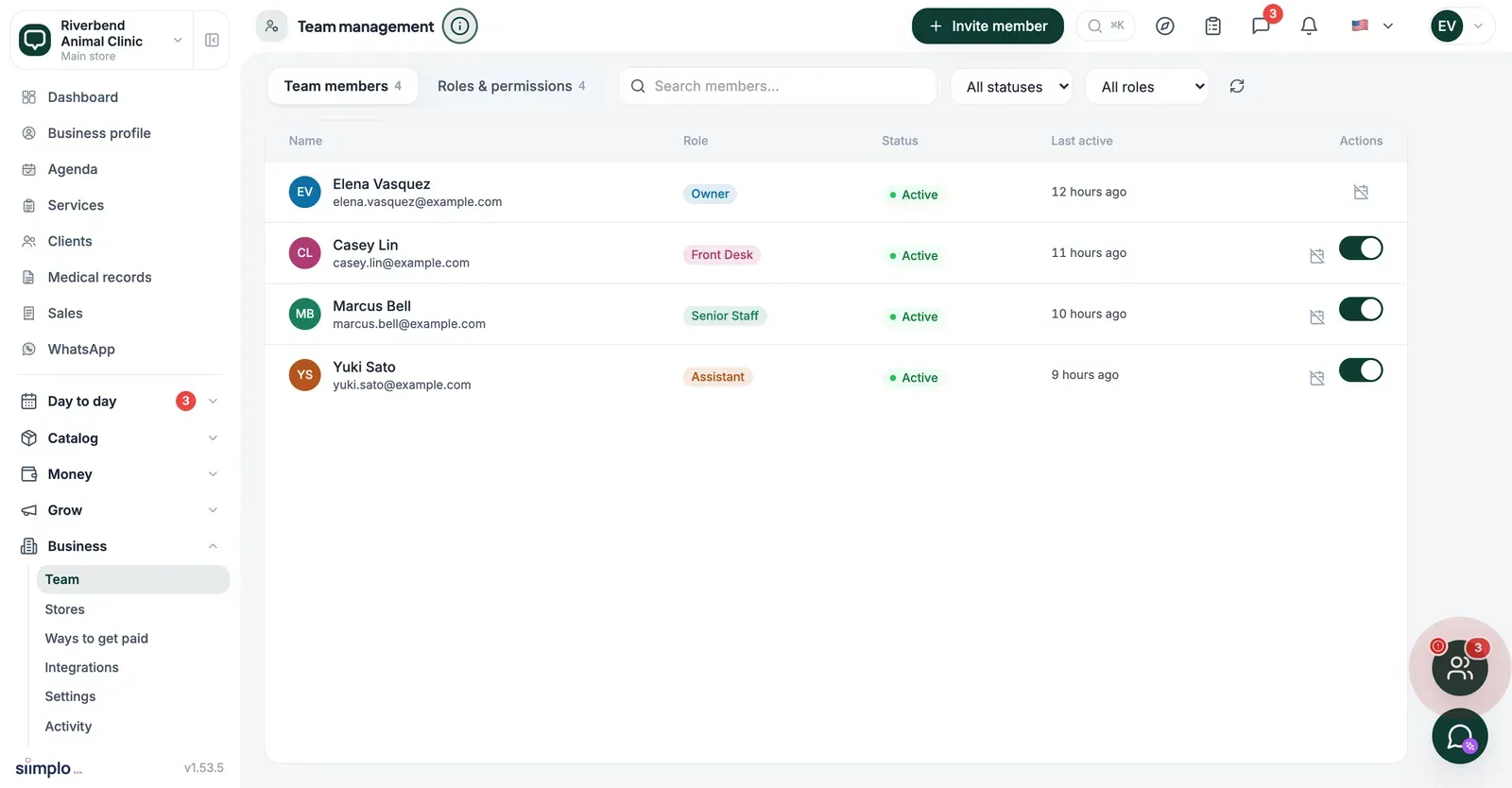
Step 1 of 6Module: Website and schedule
1Website and scheduleFitness & Wellness
They book you online
Your website comes with the account. A client picks a service and a time, the appointment lands on your schedule and the WhatsApp confirmation goes out. Nobody answered a phone.
2ClientsAesthetics & Beauty
Every client, with their history
What was done, what was advised, what was left pending: the client's record keeps all of it, and sensitive data is stored encrypted in the database.
3Sales and cashAutomotive
The appointment becomes a sale
You charge from the same screen, with whatever payment method. The till updates itself and, in Argentina, you issue the ARCA invoice from the sale.
4Stock and suppliersRetail & Shop
The sale moves the stock
Every product sold is deducted on the spot. When something drops below its minimum, you build the purchase order right there.
5ReportsDental Clinics
And the till feeds the report
Income, expenses and profit for any period, from what you already entered during the day. There is no spreadsheet to fill in at month end.
6Team and locationsVeterinary
Your whole team, on one account
Each person signs in with their own user and sees what is theirs. Open a second location and it is still one account, not another subscription.
One system, end to end
A booking becomes a sale, a sale moves the register, the register feeds the report. Nothing gets re-typed.
Only what you need
Every module can be switched on or off. Start with scheduling and clients; turn on stock and suppliers when you're ready.
Built for your industry
The same platform, but a vet sees medical records, a gym sees training plans, and a store skips the calendar entirely.
Grows with your locations
Open a second site and it stays one account, not a second subscription — the top plan lets you add more stores.
Modules
One platform, every module
The same set of tools underneath every industry version.
- Dashboard
- Scheduling
- Services
- Clients
- Waiting Room
- Credit Packages
- Sales & quotes
- Cash Control
- Payables & Receivables
- Reports
- Products & Stock
- Purchase Orders
- Suppliers
- Messages
- Reminders
- Payment Methods
- Team & Permissions
- Public Profile
- Website
- Multi-store
- Marketing
16 modules
Schedule and clients
Appointments as a list or a calendar, services with a duration and a price, every client's record, the waiting room and prepaid credit packages.
- Dashboard
- Scheduling
- Services
- Clients
- Waiting Room
- Credit Packages
24 modules
Sales, cash and payments
Sales paid, partly paid or pending; the till opened and closed by payment method; what you owe and what you are owed; and every way you take payment.
- Sales & quotes
- Cash Control
- Payables & Receivables
- Payment Methods
33 modules
Stock and suppliers
Inventory per product with minimums that warn you, purchase orders with their delivery date and the supplier book.
- Products & Stock
- Purchase Orders
- Suppliers
42 modules
Communication
Client conversations inside the system, not on personal phones, and dated follow-up tasks so that “I'll call them later” actually happens.
- Messages
- Reminders
53 modules
Your online presence
The public website with booking and a catalog, your business profile and the Instagram posts the AI draws from your brand kit.
- Website
- Public Profile
- Marketing
63 modules
Team, locations and reports
Users with roles and permissions, all your locations on one account and the income, expense and profit reports.
- Team & Permissions
- Multi-store
- Reports
Activate the modules you need — the rest stay out of your way.
Everything included
58 features, so nothing is missing
Beyond the modules, every plan brings what a service business actually needs. Whatever depends on the plan or the trade says so on its card.
Memberships
Monthly plans with check-in for your clients; at a vet clinic, wellness plans for the pets.
Fitness, Mind, Beauty, Dental and Vet
Credit packages
Prepaid blocks of sessions the system deducts on its own: price, used, remaining and expiry.
Session-based trades
Rewards
A rewards program for your members, from the same portal.
Fitness
Birthdays
Your clients' birthdays in plain sight, to say hello or send a promo on time.
Tags and source
Tag clients and record where they came from, to know which channel brings business.
QR coupons
Discount coupons with their QR code, to hand out and redeem at the counter.
Client portal
Clients see their appointments, credits and payments in a portal that installs like an app.
17 features
Clients who come back
Memberships, credits, rewards and the small reasons to write to a client again.
- Memberships
- Credit packages
- Rewards
- Birthdays
- Tags and source
- QR coupons
- Client portal
29 features
A schedule without friction
What a real schedule needs when it serves people, with more than one person and more than one room.
- Online booking 24/7
- Booking limits
- Repeating appointments
- Schedule views
- Waiting room
- Stays and the workshop
- Video calls
- Closures and time off
- Google Calendar
36 features
Messages that go out by themselves
Everything a client receives without anyone on the team having to remember.
- WhatsApp notifications
- One-tap confirmation
- Follow-ups
- Team reminders
- Your WhatsApp number
- Messaging
410 features
Charging and invoicing
From the appointment to the sale, from the sale to the till, and from the till to the invoice.
- Sales
- Quotes
- E-invoicing (ARCA)
- Online payments
- Cash management
- Open accounts
- Payment methods
- AI receipt check
- Supply purchases
- Stock history
56 features
Your business, online
What your clients see of you before they set foot in the door.
- Your full website
- Page per service
- Promotions and notices
- Link and QR code
- Instagram posts
- Public profile
63 features
AI drafts, you confirm
Three AI helpers, all on the Professional plan, none that decides on its own.
- Ryo, the AI assistant
- AI helpers
- Verified receipts
78 features
Your data and your team
What lets an account be trusted to several people for years.
- Sensitive data encryption
- Export everything in 1 click
- Team management
- Locations
- Activity log
- Merge duplicates
- Spanish and English
- Priority support
89 features
What only your trade has
The same platform, but each version brings what that business cannot do without.
- Clinical records
- Home visits
- Dental chart
- Session notes
- Training plans
- Client records
- Vehicle profiles
- Tuition and attendance
- Import your spreadsheet
Professional website included
Your own website, free from day one
Every Siimplo account publishes a complete website for your business, on every plan, the free one too: your story, your services with photos, a gallery, FAQs and online booking. No designer, no hosting.
Your story, your team and your FAQs
Services with photos and a Book button
Photo gallery, video and client reviews
Clients book themselves, 24/7
Automatic messages
What reaches your client
Not sample copy: these are the approved templates the platform sends, exactly as they go out.
Pick the moment
Appointments
Waiting room
Billing
Credits
Hospitalisation
Reminders
Visits
19 automatic messages in your trade, each with its own approved template.
They go out from your business's own WhatsApp. Connecting your own number is free on every plan.
The nudges nobody asked for — a reminder, an invitation to book again — start switched off on purpose: no one is messaged from a flow their business never turned on.
On by default
Privacy
Your data, under lock and key
What your clients tell you is stored encrypted. Without the key, not even a full copy of the database gives it up.
What gets encrypted
Client records, notes and allergies
Clinical records and session notes, in the verticals that use them
Emergency contact and insurance details
Messages and WhatsApp
Included on every plan, the free one too. Nothing to set up.
Client record
- Notes
- Prefers a call before anything is confirmed
- Allergies
- Penicillin
- Emergency contact
- Lucy Hartman — (512) 555-0134
Tap to see how it's stored
What isn't encrypted, and why
Dates, names and account numbers stay readable: they are how the system finds the record. What gets encrypted is what the record says.
Who can see it
Encryption doesn't replace permissions. Every role — owner, front desk, senior staff, assistant — sees only what it should, over the same data.
Your data is yours
Export all your data in 1 click
In Settings → Export data, tick “Select all” and click once. We prepare everything in the background and email you a link to a single .zip file with one spreadsheet per list, ready to open in Excel, Google Sheets or Numbers.
No lock-in
Exporting doesn't depend on your plan. Even if you move to the free plan, you can take out everything you've recorded since day one.
Spreadsheets that just open
Every list is a CSV file with column headings in your language and accented names intact.
Everything, or one period
Lists with dates — sales, cash and the like — can be narrowed to a date range. Leave it empty and you get everything.
Included in every plan, the free one too. Only the account owner can export, and the emailed link works for 30 days.
Settings → Export data
Select all
- Clients, pets, vehicles and family members
- Sales, line by line
- Appointments
- Products, stock and suppliers
- Purchase orders
- Cash movements
- Credits and memberships
- Clinical records
- Students, courses and enrollments
- Reminders and follow-ups
Emailed to you: one .zip, one spreadsheet per list
Artificial intelligence
AI drafts, you confirm
Siimplo uses AI for the work that takes your time but not your judgment: finding a gap in the calendar, writing a first draft, reading a spreadsheet, checking a receipt. Whatever gets saved to your account goes through the same path as if you'd done it by hand, with your role's permissions.
Ryo, your assistant
Ask in your own words and it answers how to use Siimplo. In the trades with a calendar it also reads your real schedule — "who's free tomorrow at 10?" — and drafts the appointment on a card, which goes into the calendar when you press "Confirm booking".
AI helpers in your forms
- Create a service by describing it in your own words: AI fills in the form and writes the description, and you review it before saving.
- Import your product spreadsheet: AI works out which column is which, even when the headings don't match.
- A summary of a client's history or records over the months you pick, in the trades with clinical records, ready to print as a PDF.
Receipts that check themselves
When a client uploads the bank transfer for an appointment deposit, a credit package or a membership, AI checks that the receipt isn't altered or a repeat, and that the amount, bank and account holder match. If everything checks out the payment is confirmed on its own; if something doesn't, it hands it to you to review. You switch it on per payment method.
Ryo, the AI helpers and receipt validation come with the Professional plan. What AI writes is a draft: review it before you rely on it. Your clients never talk to the AI.
Ryo
AI assistant
Who's free tomorrow at 10?
Tomorrow at 10:00 am Sarah and Mark are free for Consultation. Who should I book?
Anna Lewis, with Sarah
Booking to confirm
Anna Lewis
Consultation · 30 min
Tomorrow · 10:00 am
With Sarah
Confirm bookingRyo never books on its own: the appointment exists only once you press "Confirm booking".
Marketing
Instagram posts drawn from your brand
Describe what you want to post and Siimplo draws it in your own colours, layout and typography — a post, a carousel of two to five slides or a story — and posts it to your Instagram account when you say so.
- 1
Build your brand kit once
Add up to six images you already use — past posts, flyers, your website — and the logo to print: the one on your profile or one just for marketing.
- 2
Say what it should say
Type it in your own words — “20% off this month — book from our website” — pick post, carousel or story, and tick which of your address, phone, WhatsApp or Instagram handle to print on it.
- 3
It cooks in about a minute
The picture is drawn from your kit, so it keeps your palette and your look. Open it full size, download it, or press Post to Instagram and Siimplo publishes it to the account you connected, with the caption you write.
- Not quite right? Recreate it with a note — “bigger headline, more white space” — and keep the first one too.
- Mark the ones you like and filter your history by them.
- Every piece comes at the size Instagram uses — 4:5 for posts and carousels, 9:16 for stories — and posts straight from Siimplo once your Instagram account is connected.
Marketing is sold as packs of posts, not as part of a plan: Light posts once a week, Regular three times a week, Daily every day. A post is one image, a story or a whole carousel, and every post includes two redraws. Buy, change or cancel your pack from your Billing page. Pictures are drawn by AI — check them before posting. Siimplo does not make videos.

Ready to try it?
Create your free account and pick your trade. The first 2 months of the Professional plan are on us.
Create a free account