
For businesses that run on appointments
Online booking and scheduling, without the phone calls.
The phone rings while you're working and the message arrives at eleven at night. With online booking the client picks from the times you opened, gets the reminder automatically, and you check the calendar once.
- Appointments
- modules.clinical-records.title
- Cash Control
What booking by phone and message actually costs
Booking over WhatsApp looks free because nothing is invoiced. In practice it costs two expensive things: it interrupts work in progress, and it arrives when the business is closed. The eleven p.m. message gets answered at nine a.m., and some of those clients have already booked somewhere else.
It also costs mistakes. A calendar filled in by hand from messages ends up with two people in the same slot, an appointment written on the wrong day, or a gap that existed and nobody offered because it wasn't visible.
Online booking doesn't replace service, it replaces coordination. The client sees real availability, picks a time, and is booked — with nobody needing to be free at that moment.
Not every service takes the same time
The reason many online calendars fail is that they treat time as identical blocks. A check-up and a first visit don't take the same time; a basic wash and a full detail don't either; a cut and a color even less.
When the system doesn't know that, the day disorders itself: you accept five bookings in two hours because the grid said half an hour each, and reality takes double. From then on everyone waits.
In Siimplo every service carries its own duration and price, and availability is calculated from that. If a service doesn't fit a gap, that time isn't offered — not at the counter and not online.
Reminders are what cut no-shows
The unannounced no-show is the silent cost of any appointment business: the hour isn't billed and can no longer be sold. The cause is rarely indifference — the appointment was made three weeks ago and forgotten.
Automatic WhatsApp reminders handle most of that. The client confirms or reschedules with notice, and the gap they free can still be offered to someone else.
And because each staff member has their own calendar and hours, the whole team is visible on one screen without anyone coordinating by hand who covers what.
There's a second-order effect worth naming: once bookings and reminders run themselves, the calendar stops being a record of what happened and becomes a forecast. You can see next week before it arrives, which is what makes it possible to open an extra slot, move someone, or decide not to staff a quiet afternoon.
What the booking system includes
Booking from your site
Your own website with online booking, included on every plan.
Real duration per service
Availability calculated from the time each service actually takes.
A calendar per staff member
Each with their own hours and services, on one screen.
Automatic reminders
Confirmations and nudges over WhatsApp, with no messages to write.
Walk-ins
Entered on arrival, taking the real slot, so the day is complete.
Client history
Who came, when and what was done, alongside the appointment.
See the calendar running
Every module, the way your team will use it. These captures are from the salon version.
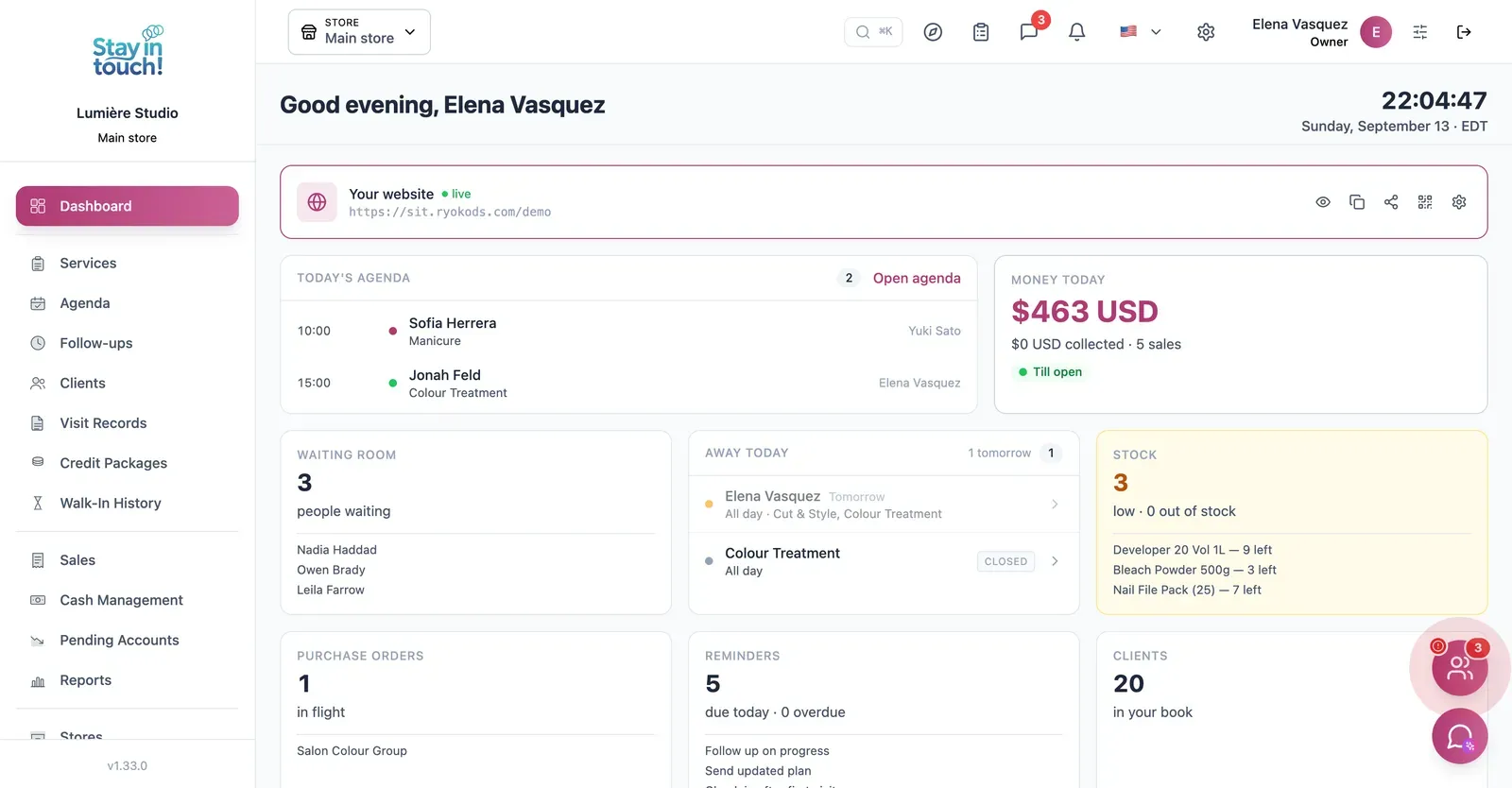
Dashboard
Today's appointments, your client count and the booking site clients use — live from the day you sign up.
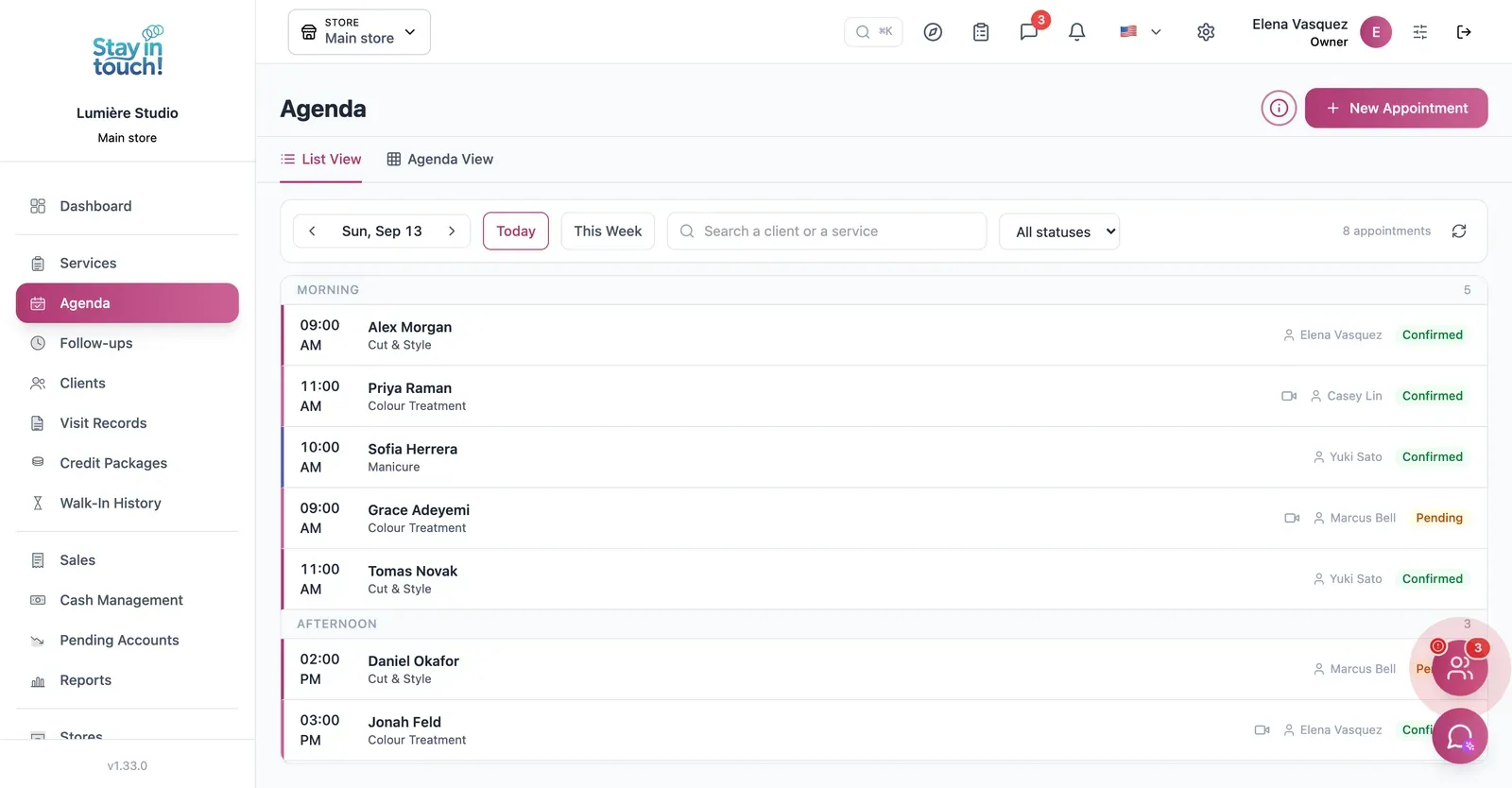
Appointments
Cuts, colour and manicures across the day with the stylist assigned and the client, in list or calendar view.
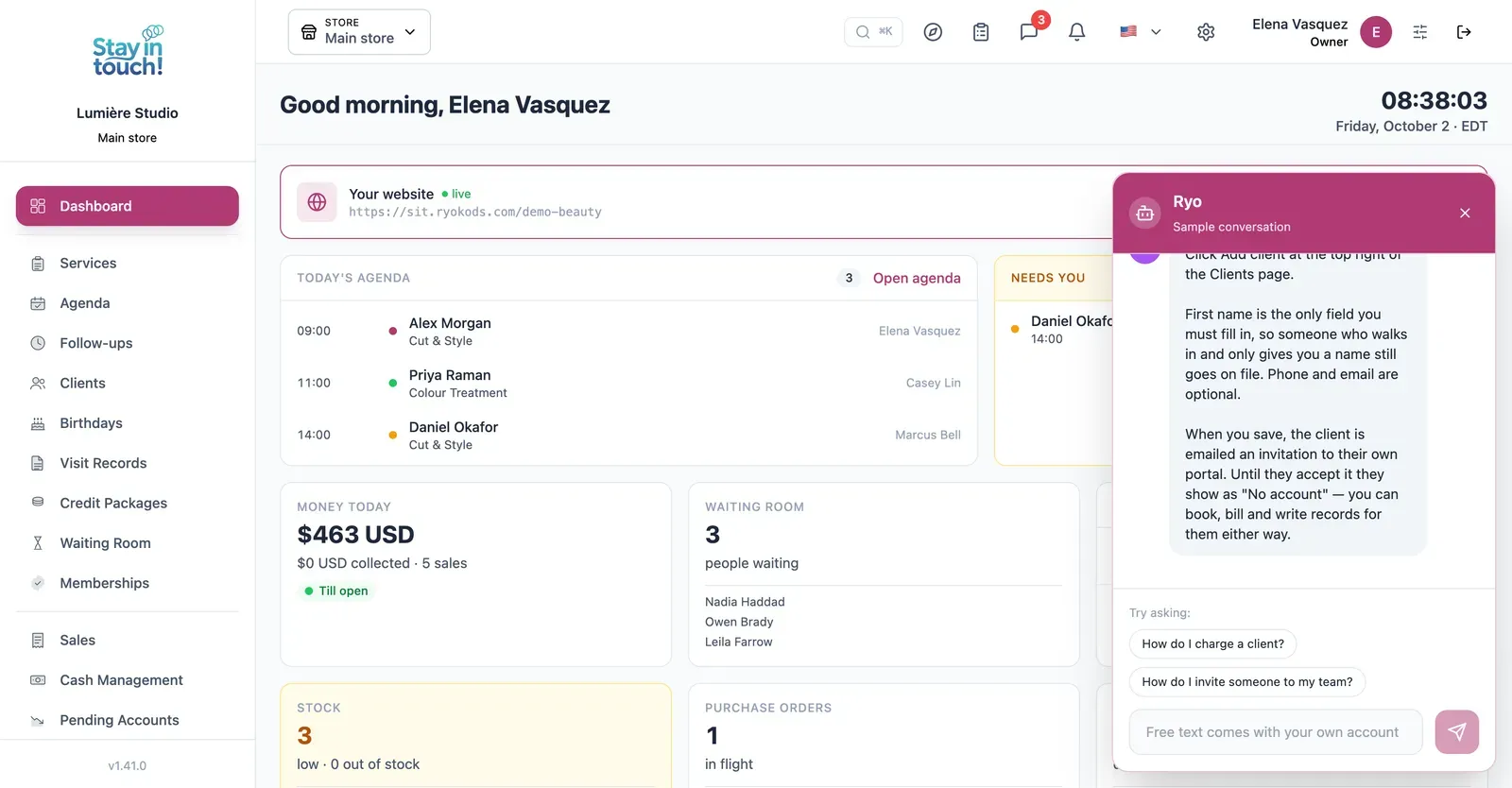
Ryo, the AI assistant
Ask in your own words and it walks you through Siimplo step by step; it also reads your real schedule and drafts the appointment for you to confirm.
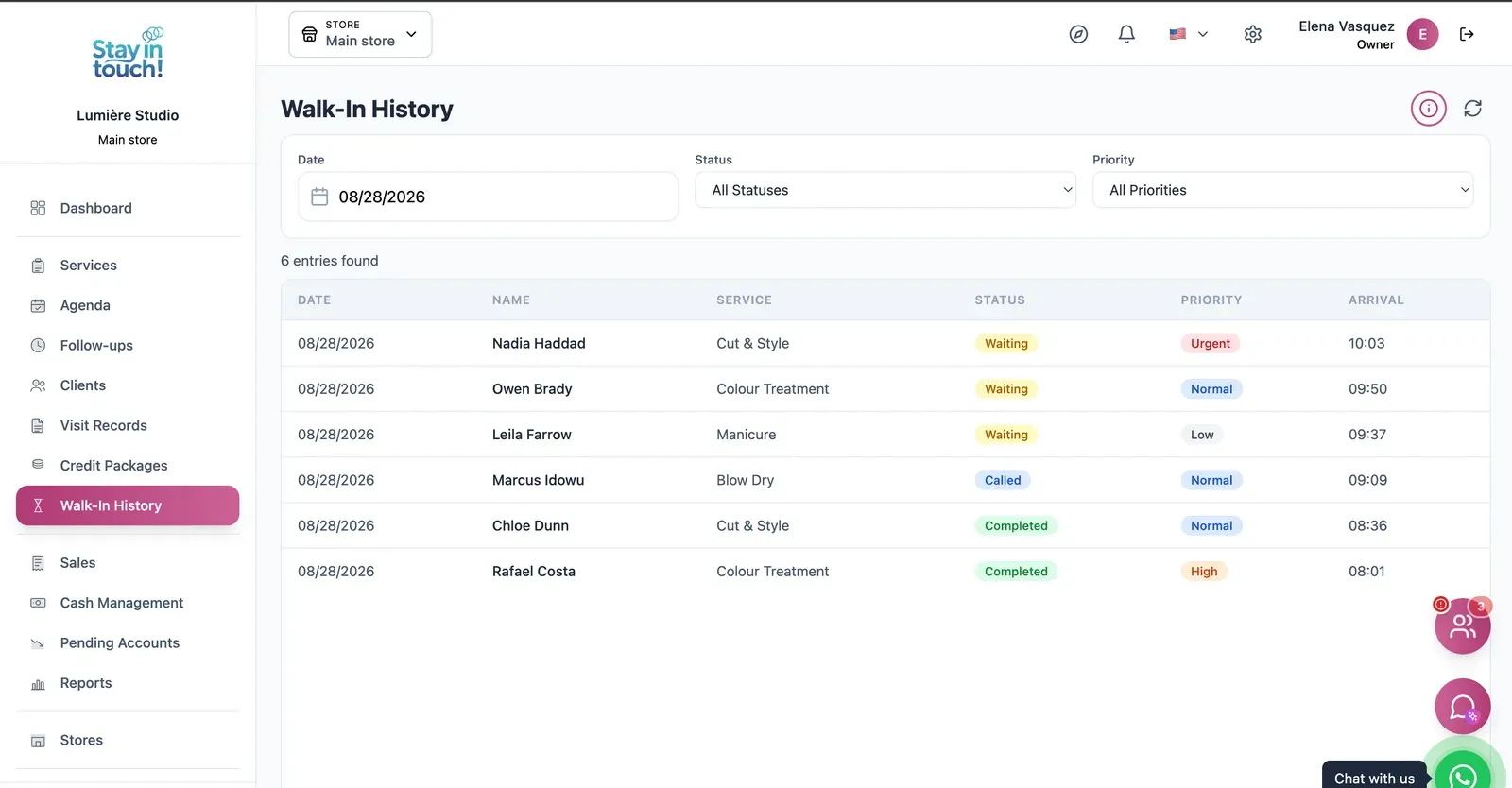
Walk-ins
Who's waiting, who's in the chair and who's done, with priority tags for a busy Saturday.
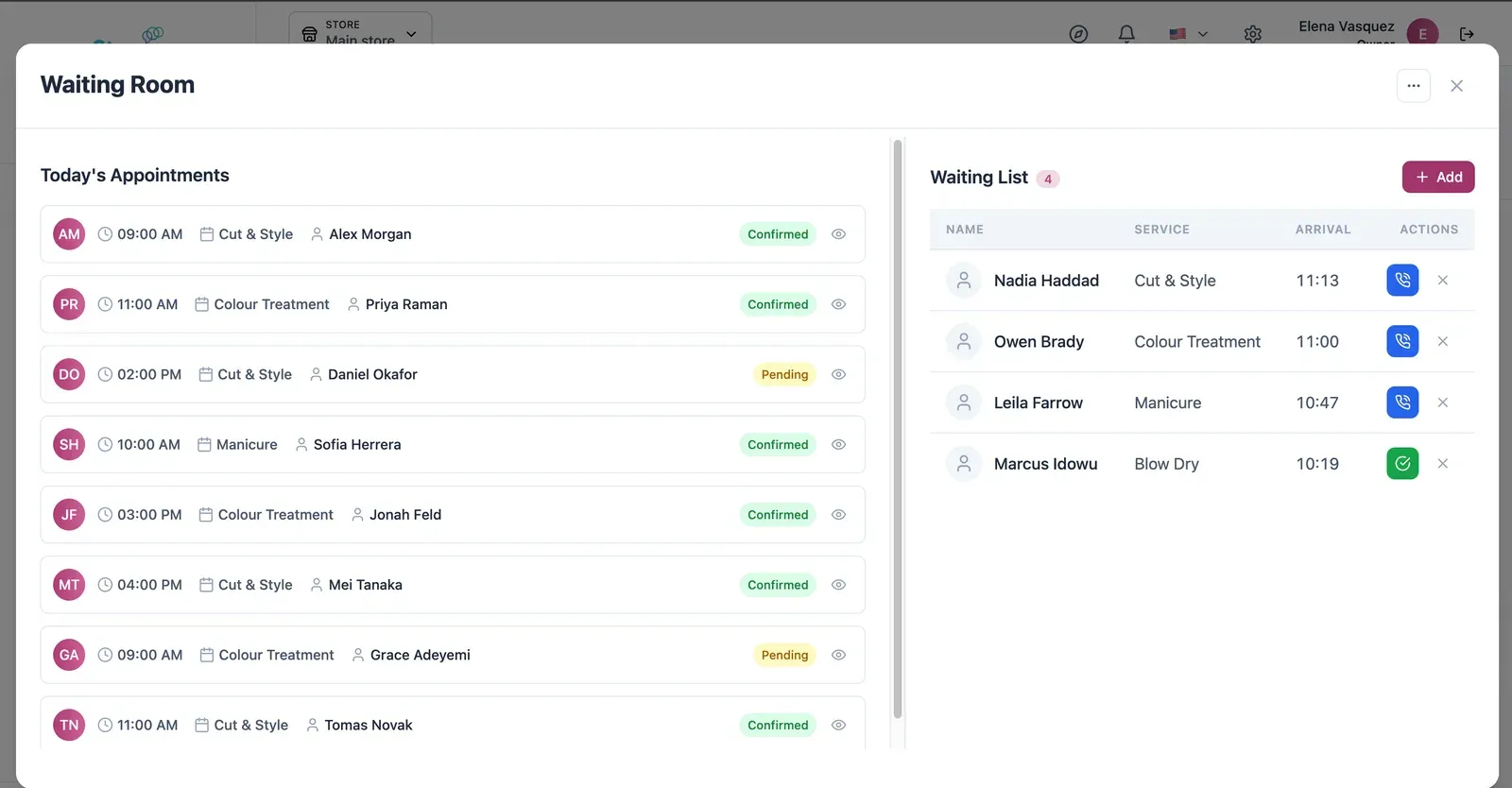
Live Waiting Room
Today's appointments on one side, who has arrived on the other — call the next one in with a single click.
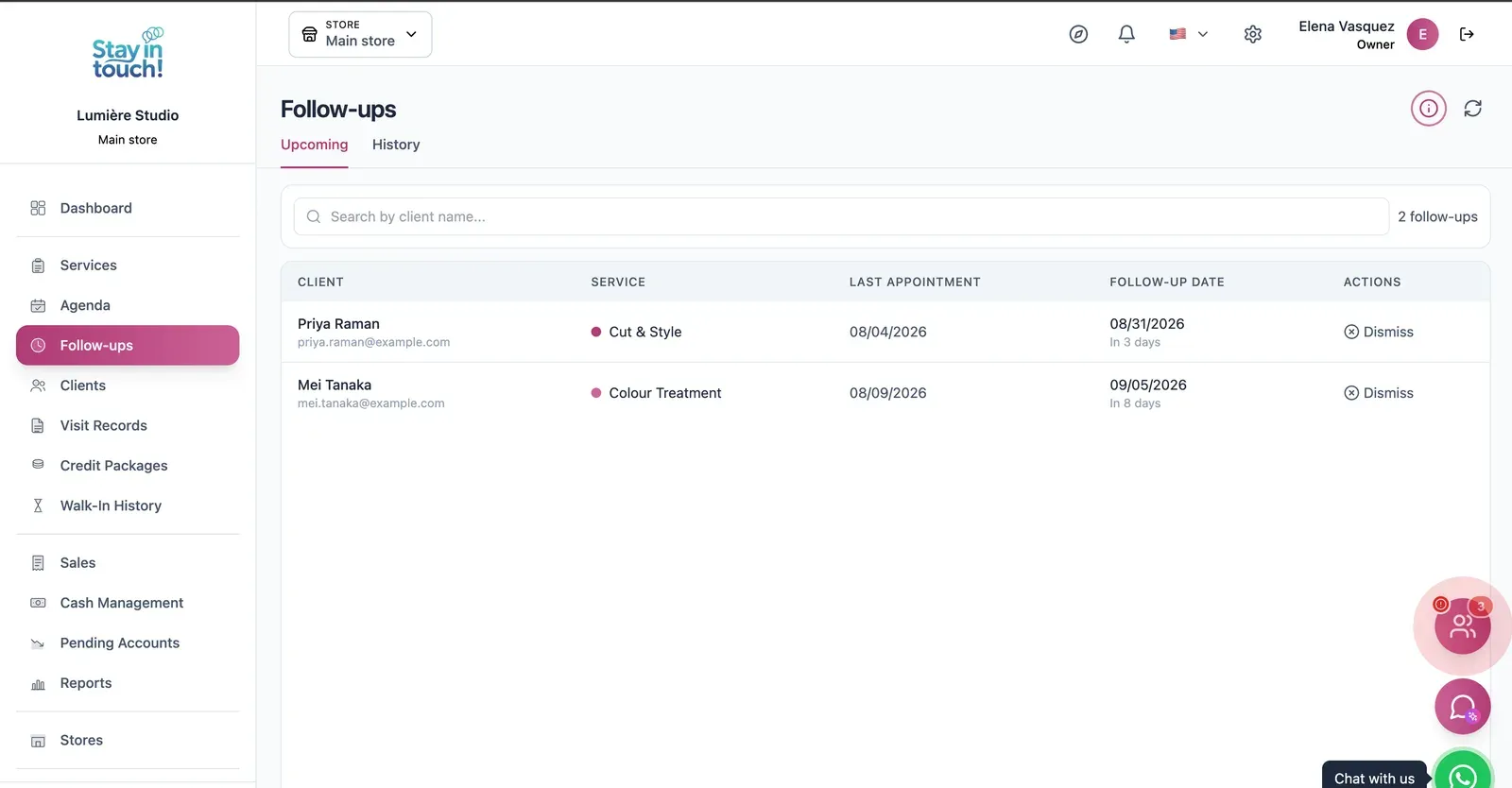
Follow-ups
Who is due back and when — post-visit checks and recalls queued automatically instead of living in someone's head.
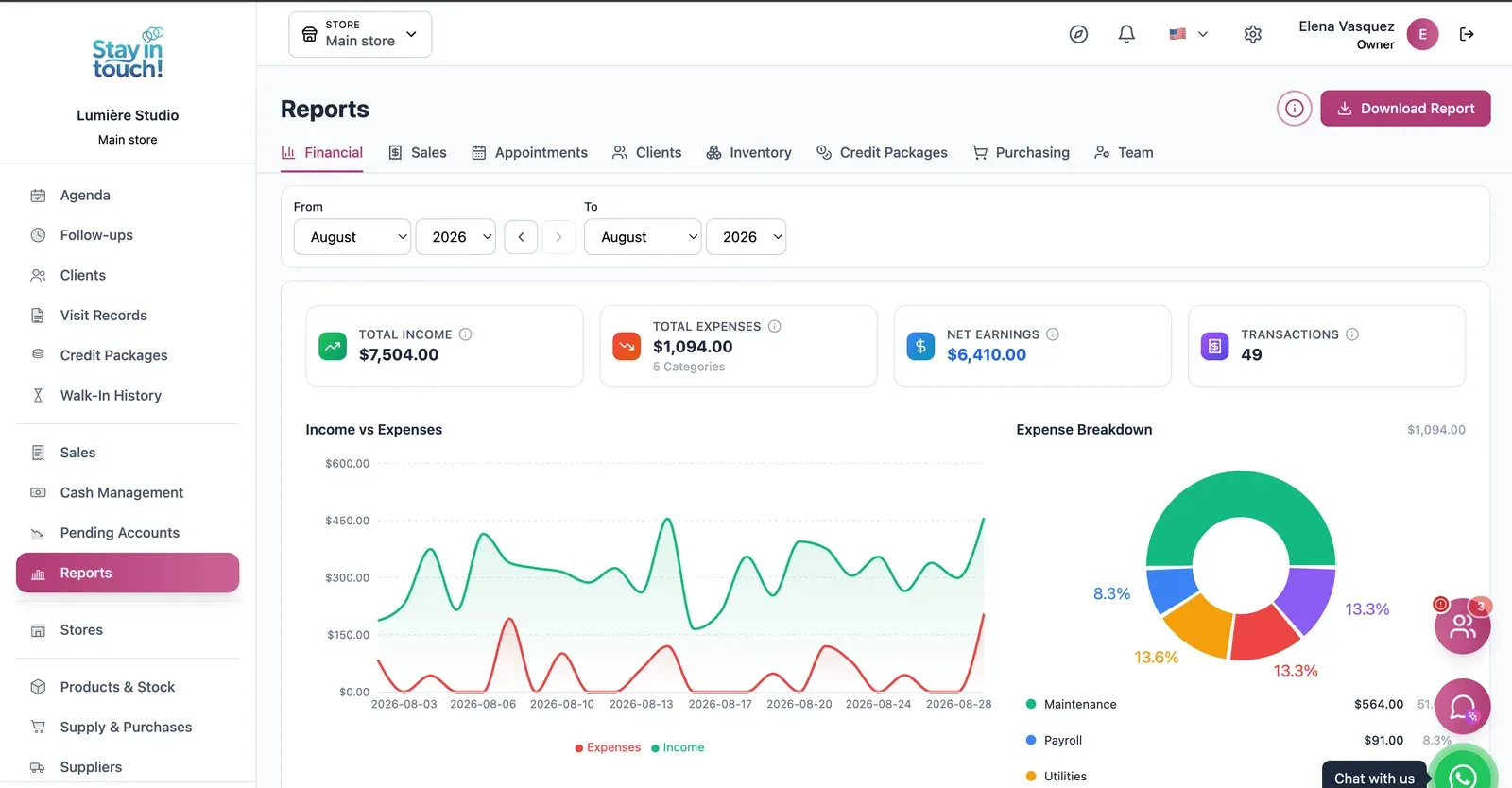
Reports
Revenue, expenses and net profit for any date range, with a trend chart, a category breakdown and a downloadable report.
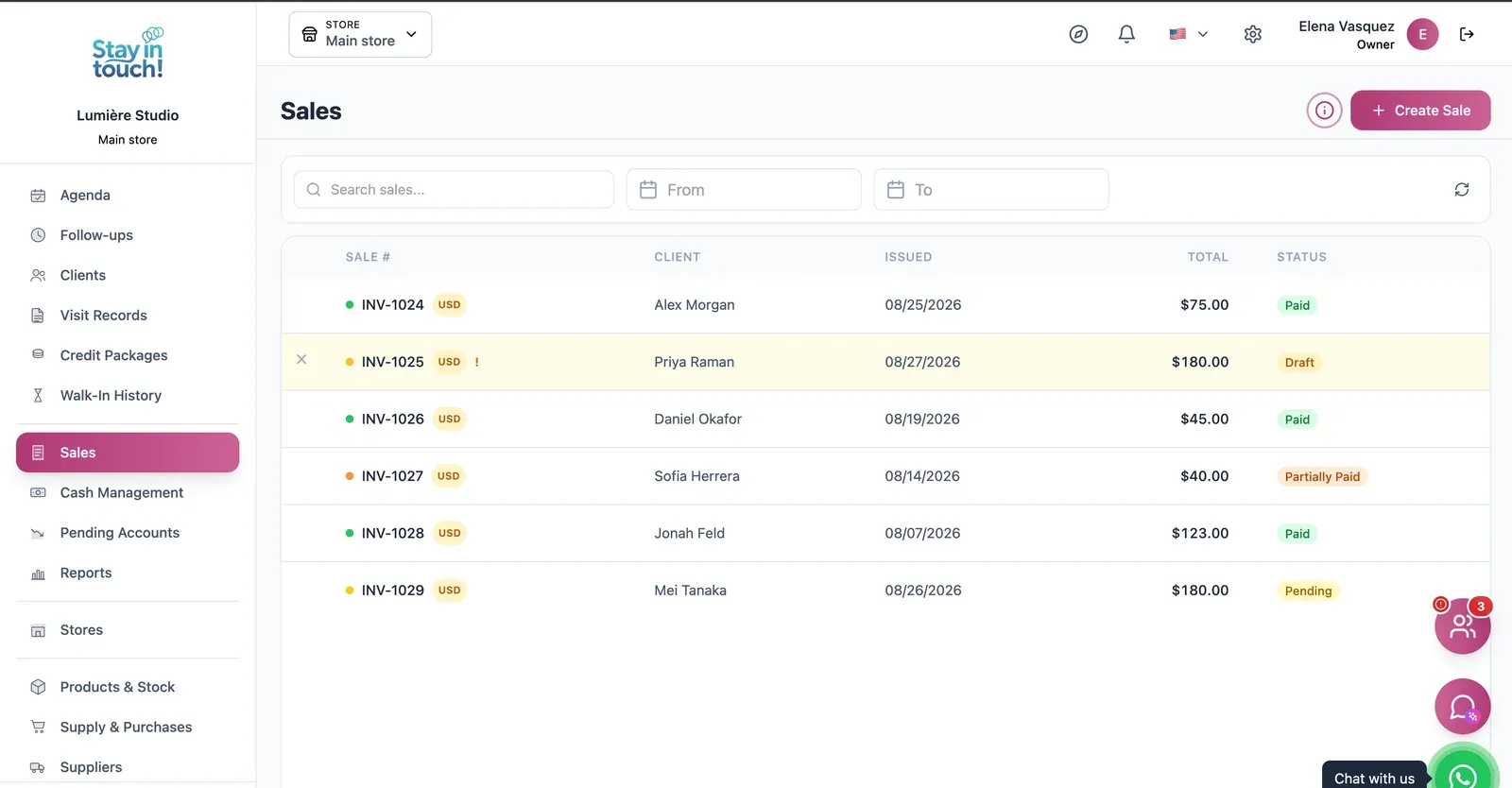
Sales & Invoices
Every invoice in one ledger — paid, partially paid, pending or draft — with the register built into the same screen.
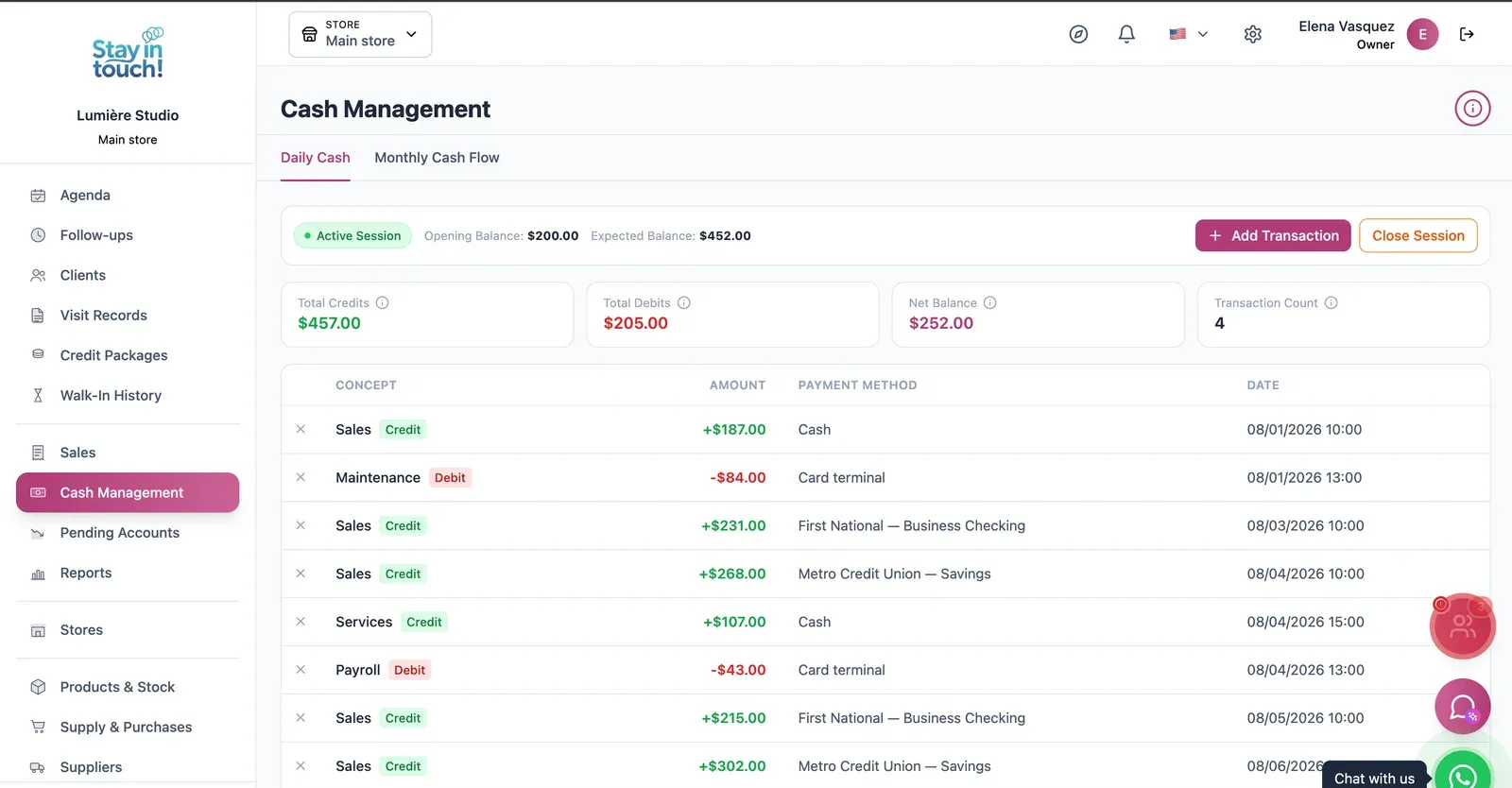
Cash Control
Open and close the register with opening and expected balances, income, expenses and every movement tagged by payment method.
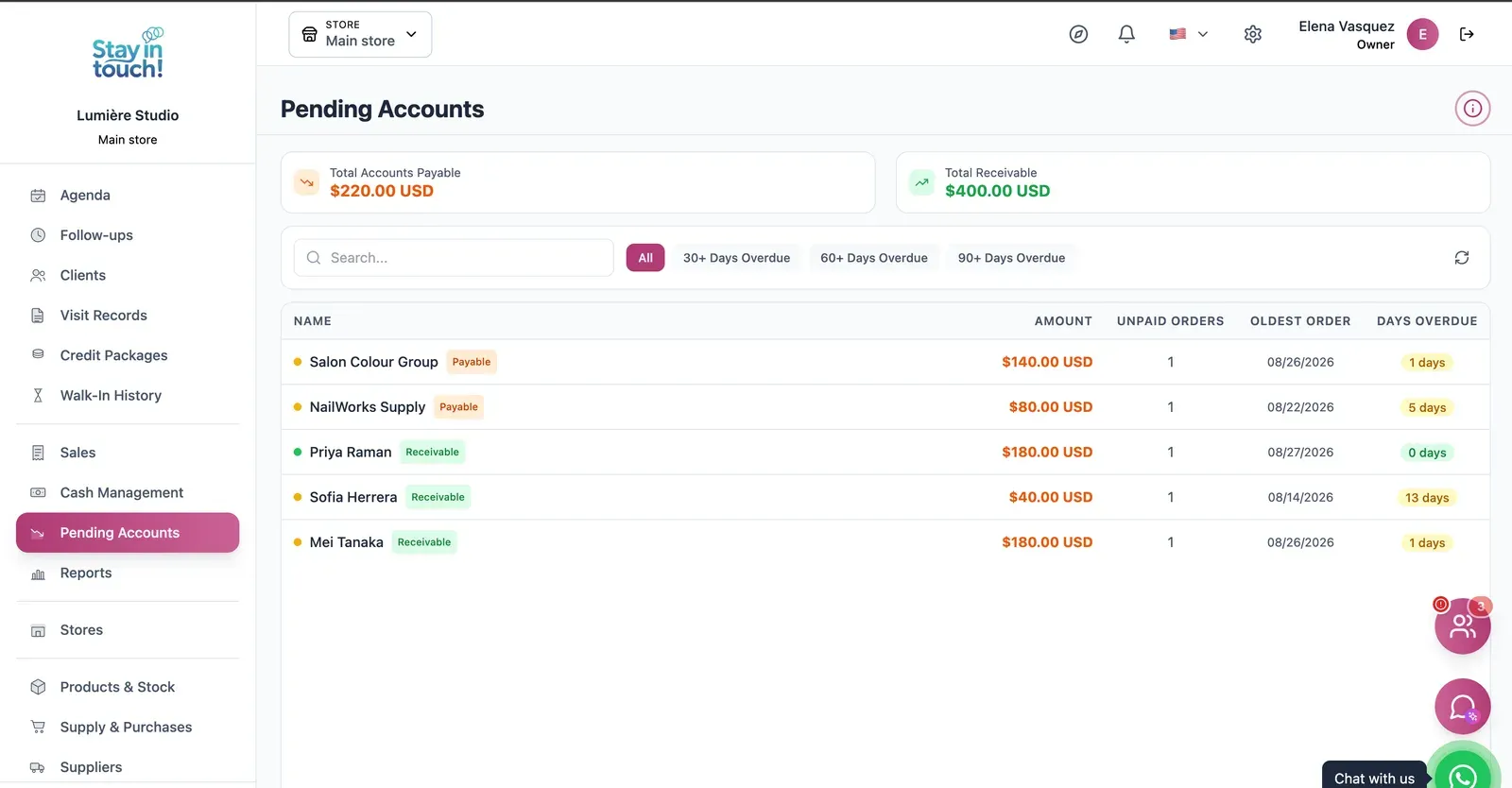
Payables & Receivables
What you owe and what you're owed, aged past 30, 60 and 90 days, with the overdue count on every row.
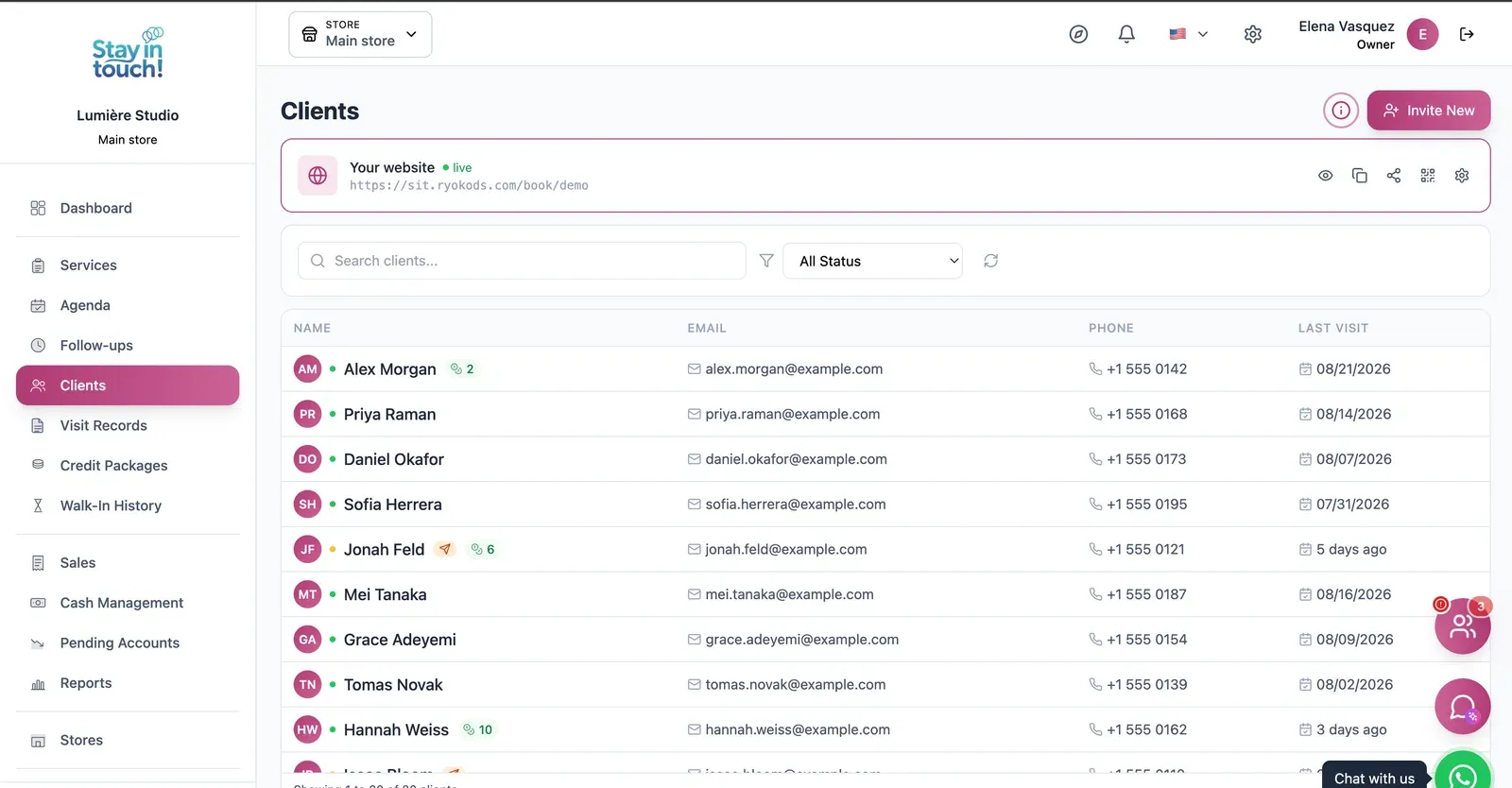
Clients
Your client book with contact details and remaining credits, invitable to your booking site in one click.
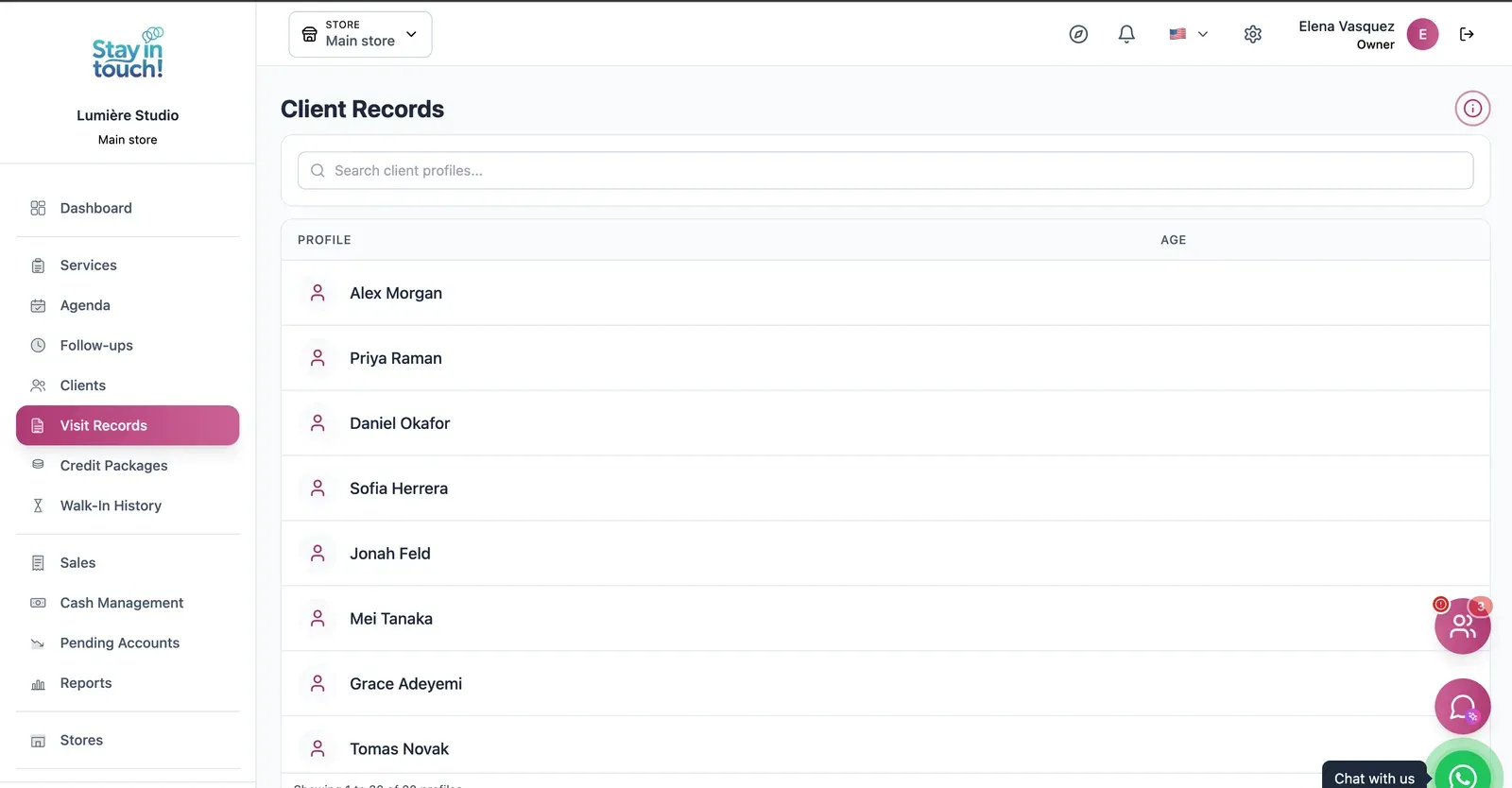
Client History
What you did last time, on every client — formulas, treatments and notes that survive staff turnover.
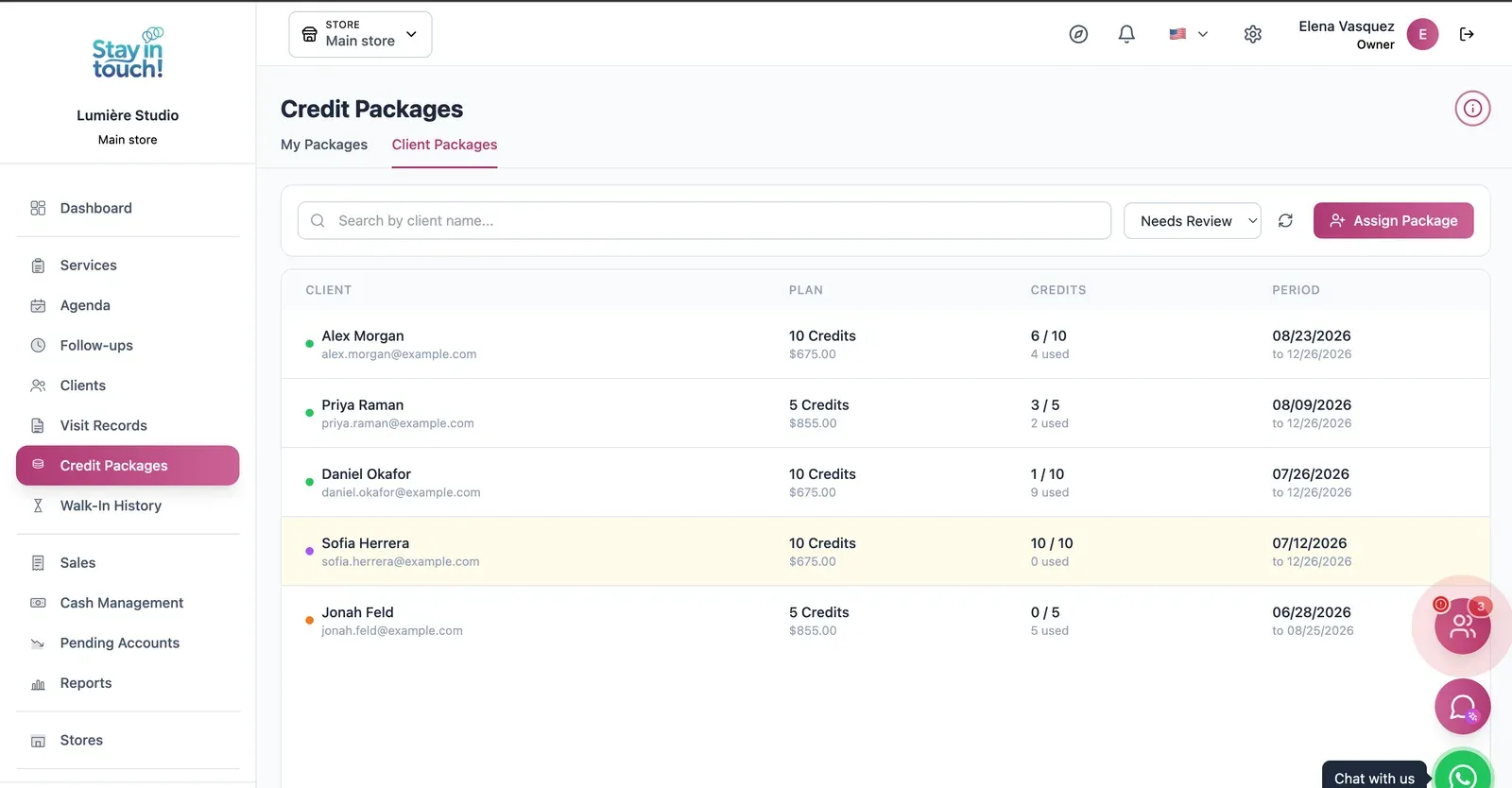
Client Packages
Prepaid packages of 5 or 10 visits with credits used, credits left and validity — repeat business, paid up front.
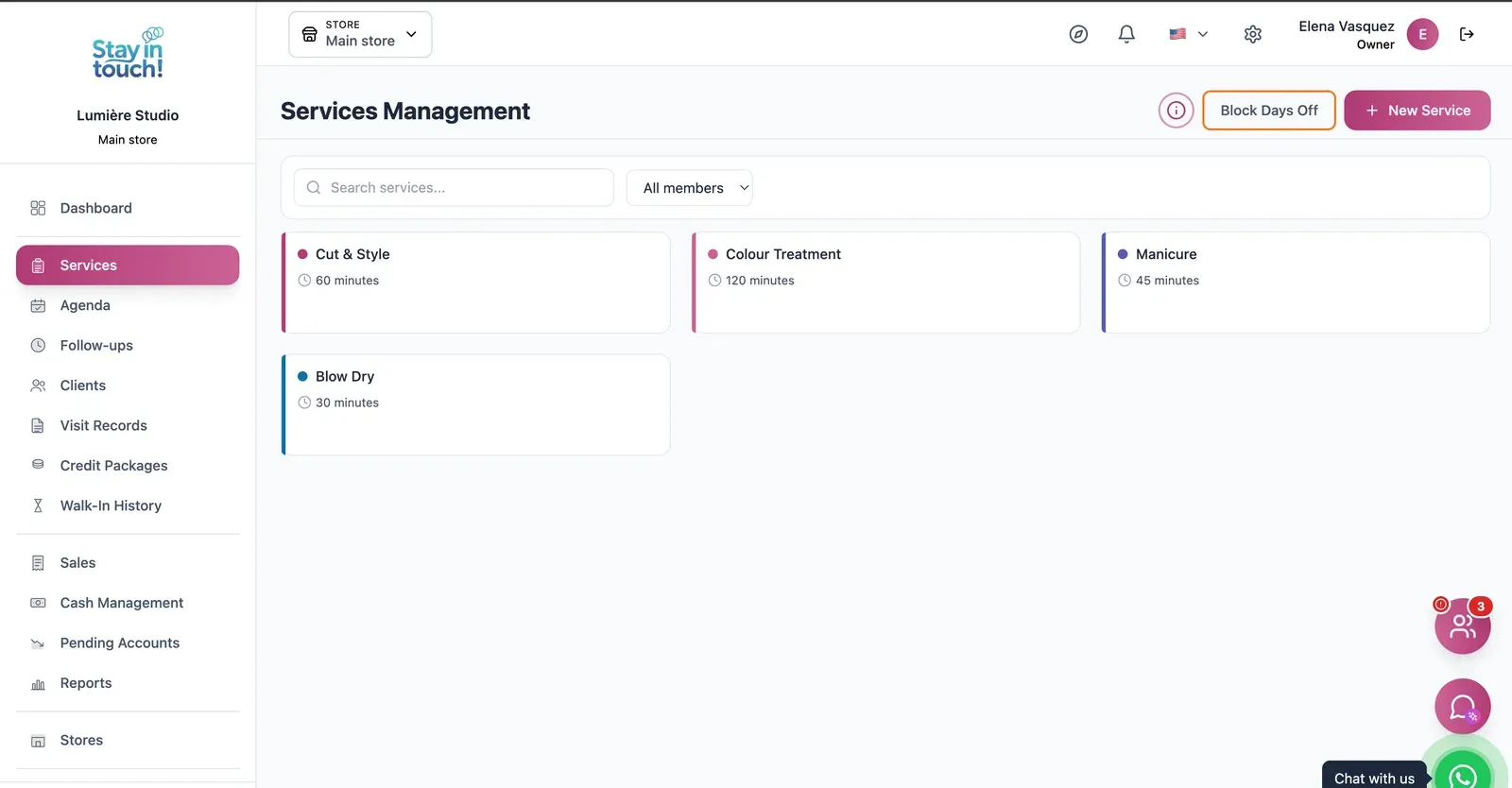
Services
Cut and style, colour treatments, manicures and more, each with its own duration, colour and eligible stylists.
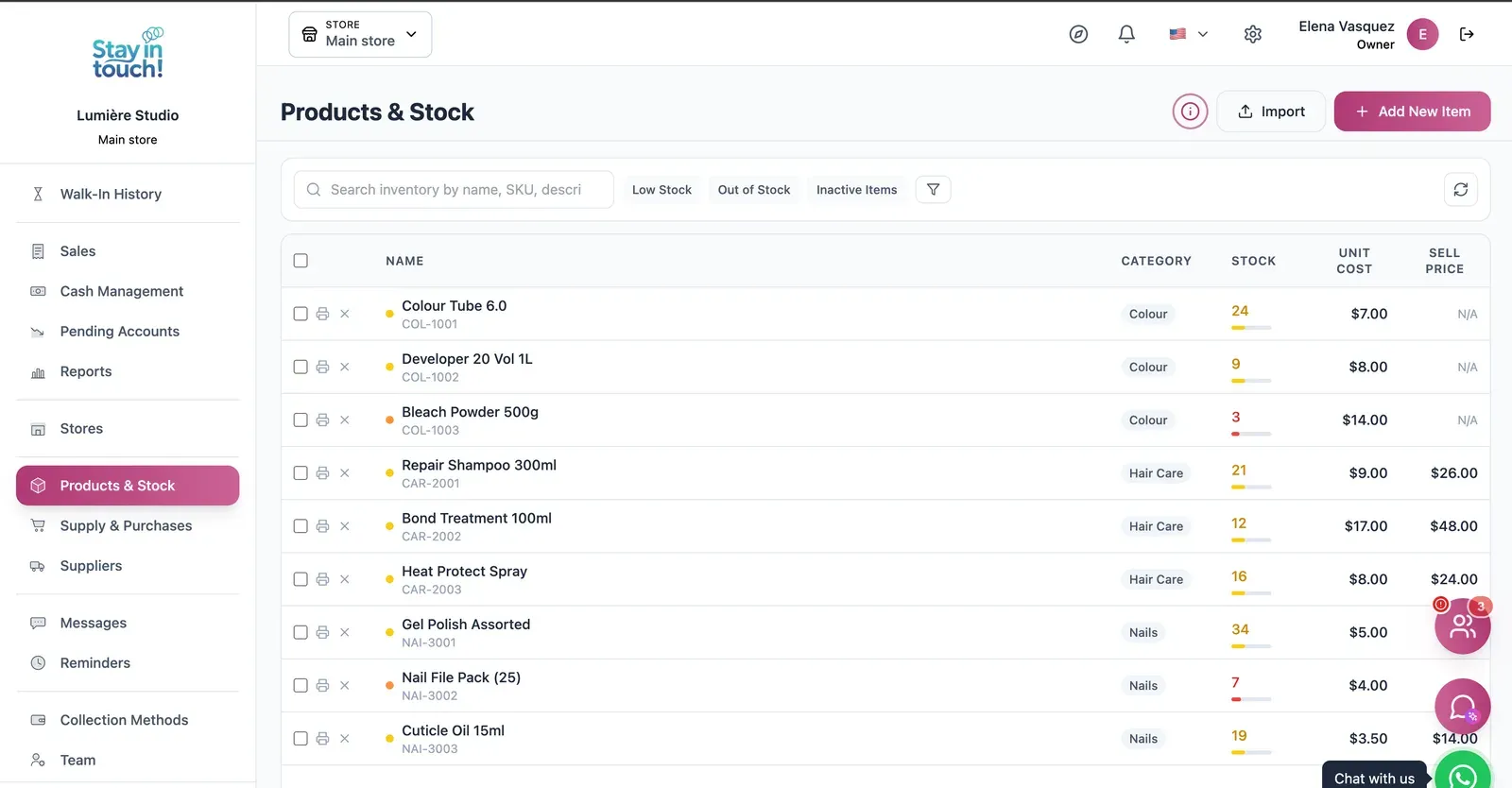
Retail & Back Bar
Retail products and back-bar stock with SKUs, cost against retail price, and low-stock flags.
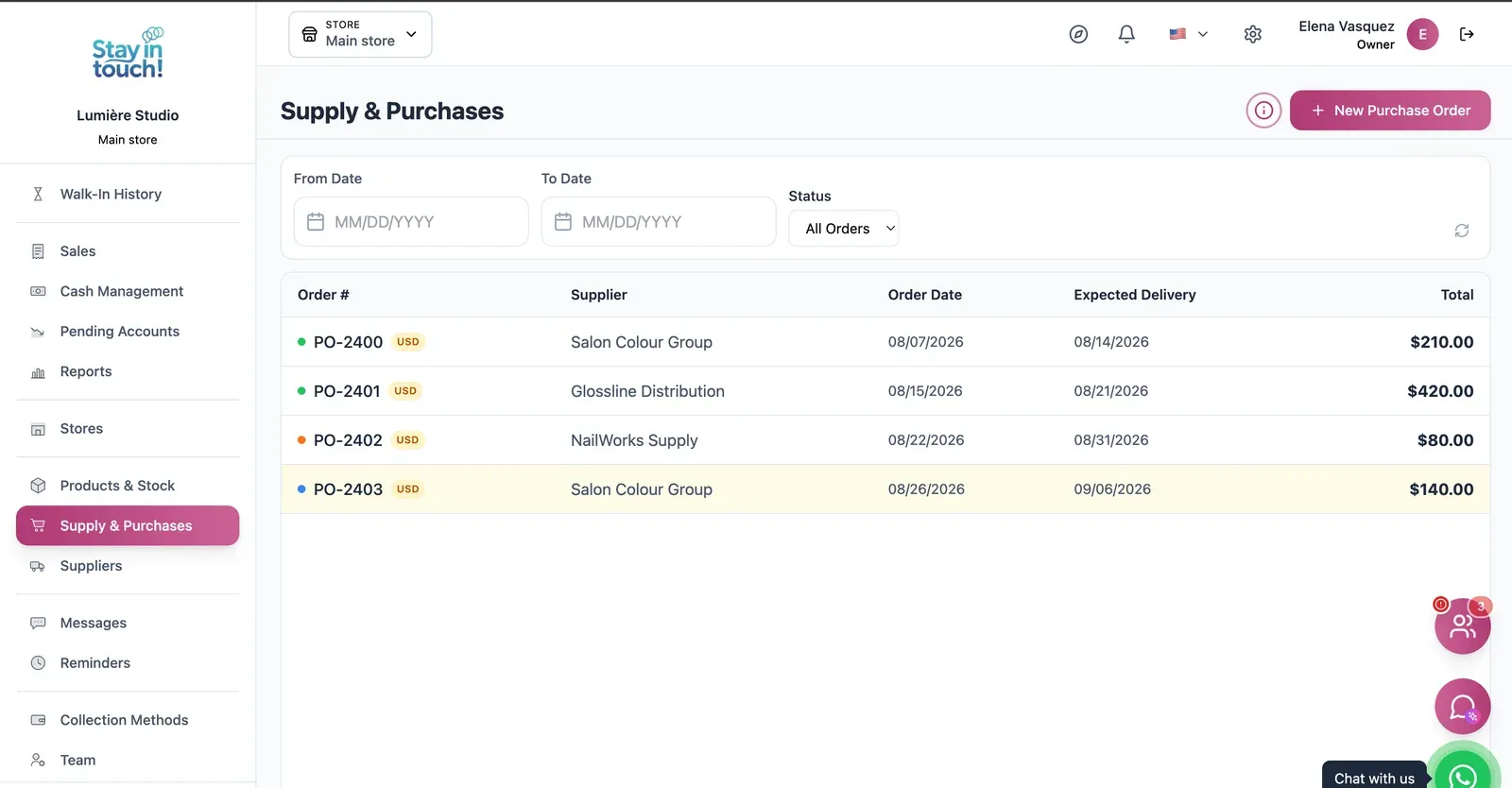
Purchase Orders
Track what you've ordered from whom, when it was placed and when it's due — with late deliveries flagged.
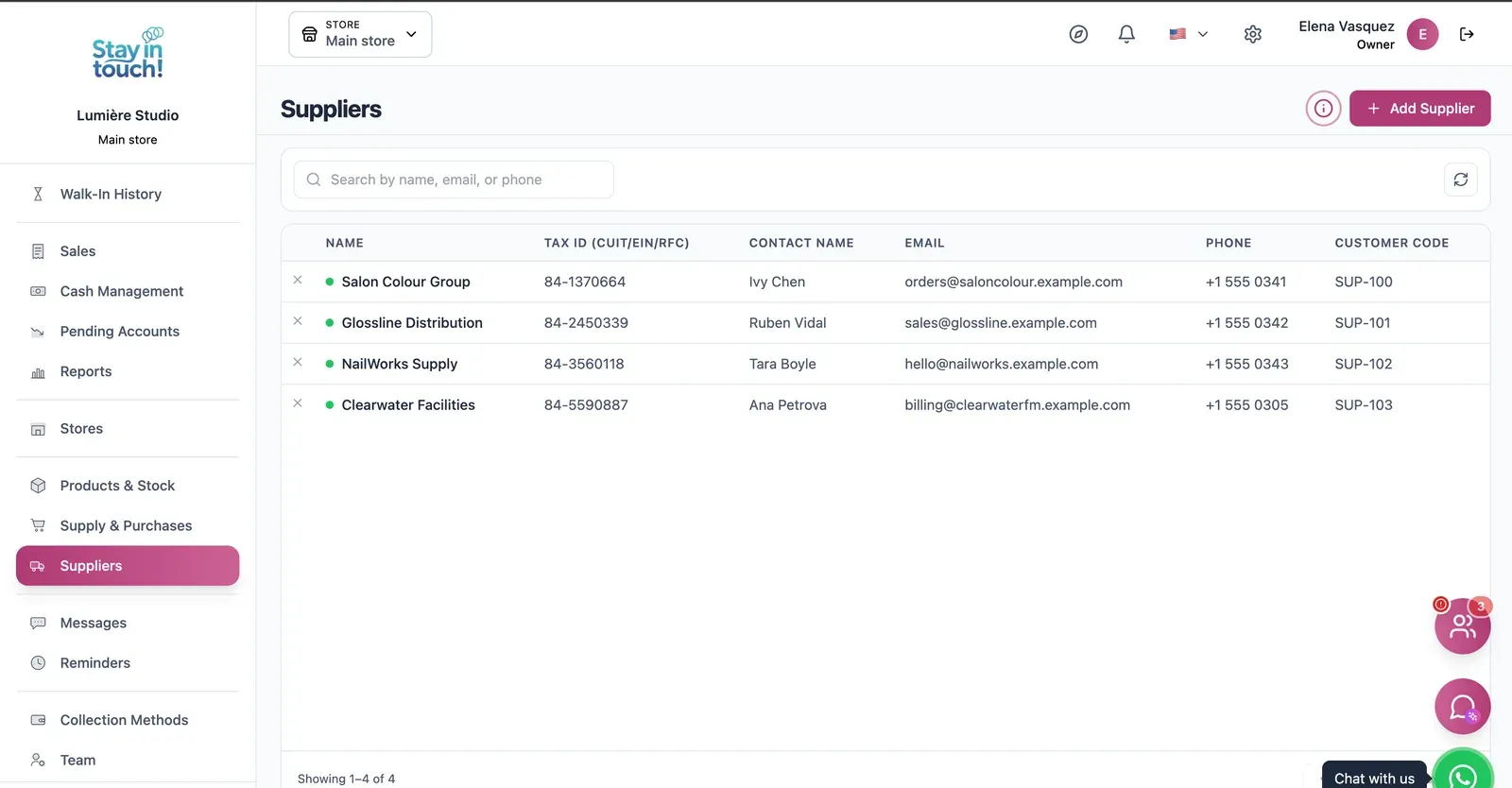
Suppliers
Your vendor book with tax ID, contact person, ordering email and internal supplier code.
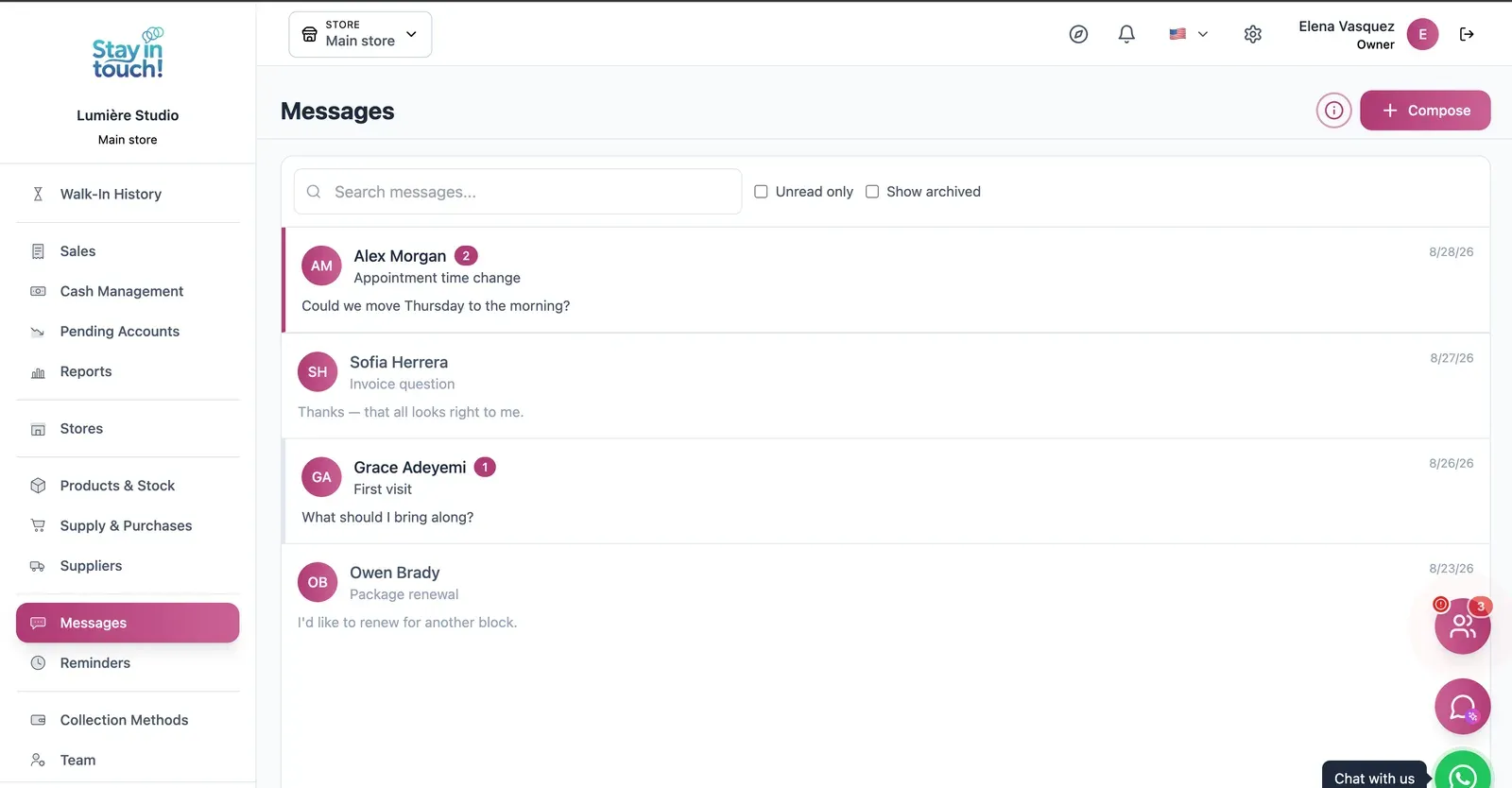
Messages
Client conversations kept in the record instead of scattered across personal phones, with unread counts and archiving.
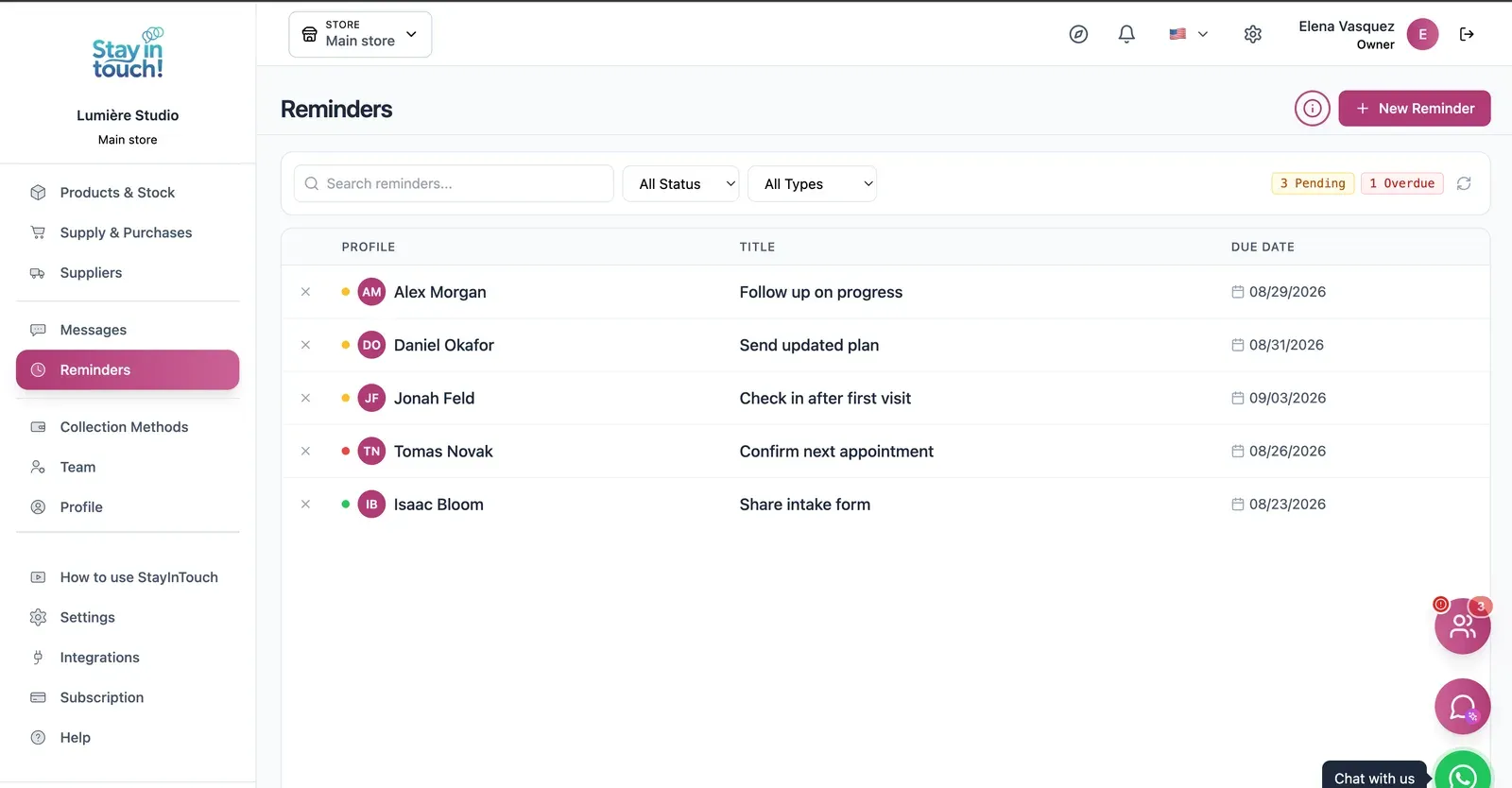
Reminders
Follow-up tasks tied to a client with due dates, so “I'll call them back” becomes something you can actually track.
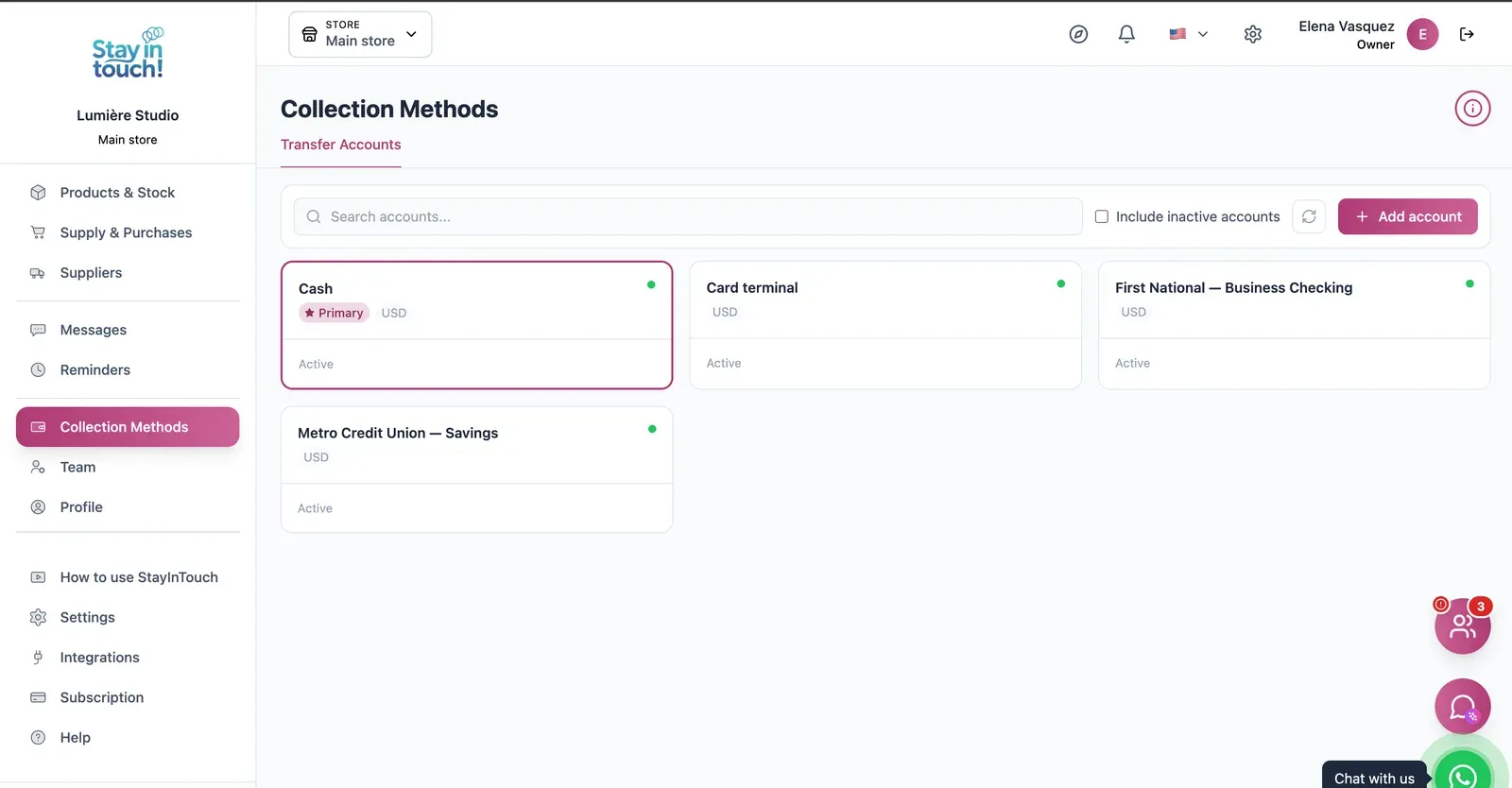
Payment Methods
Every way you collect — cash, card terminal, bank accounts — each with its currency and active state.
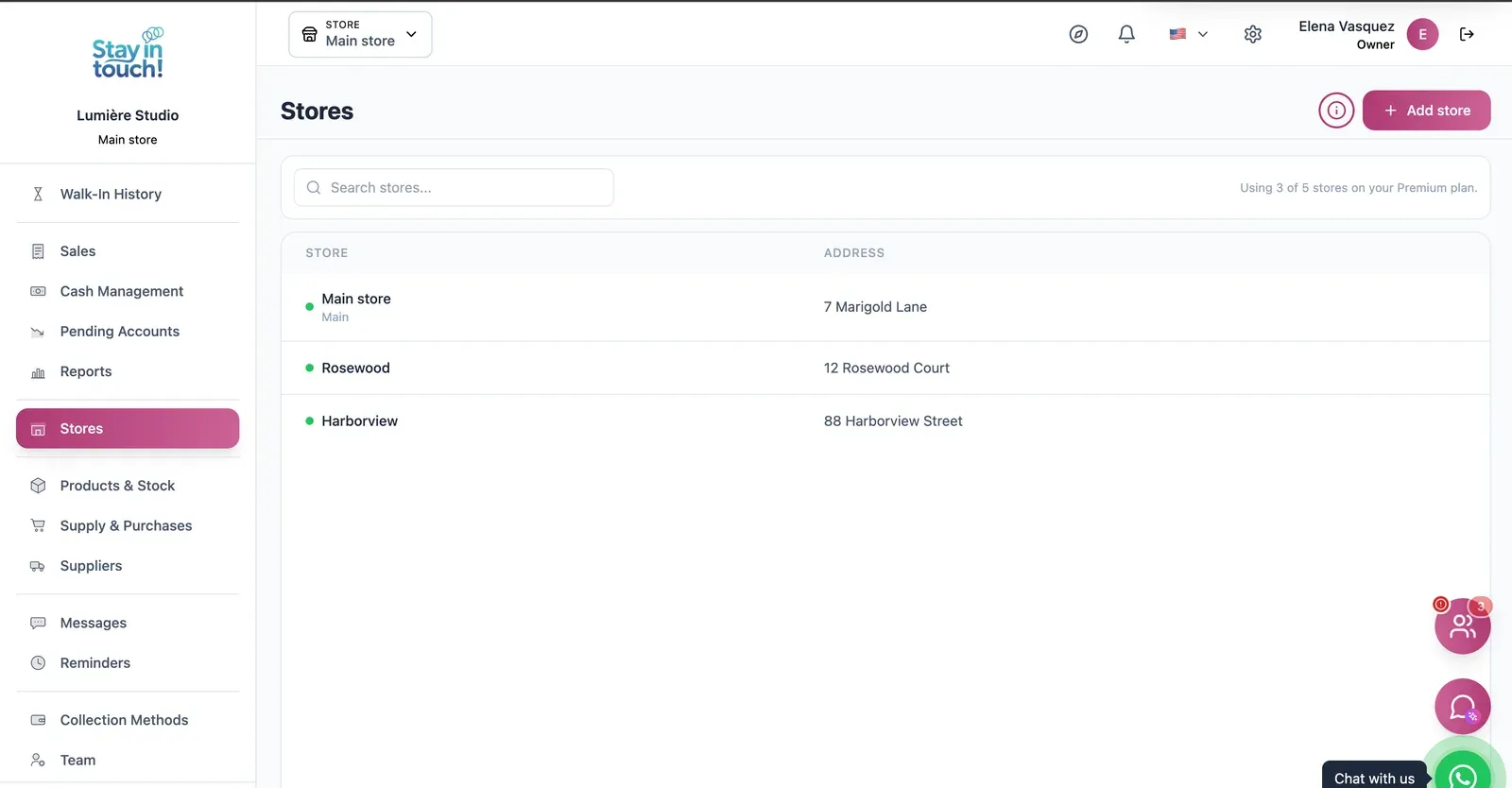
Multi-store
Run every store from one account on the top plan, each with its own team, stock and register.
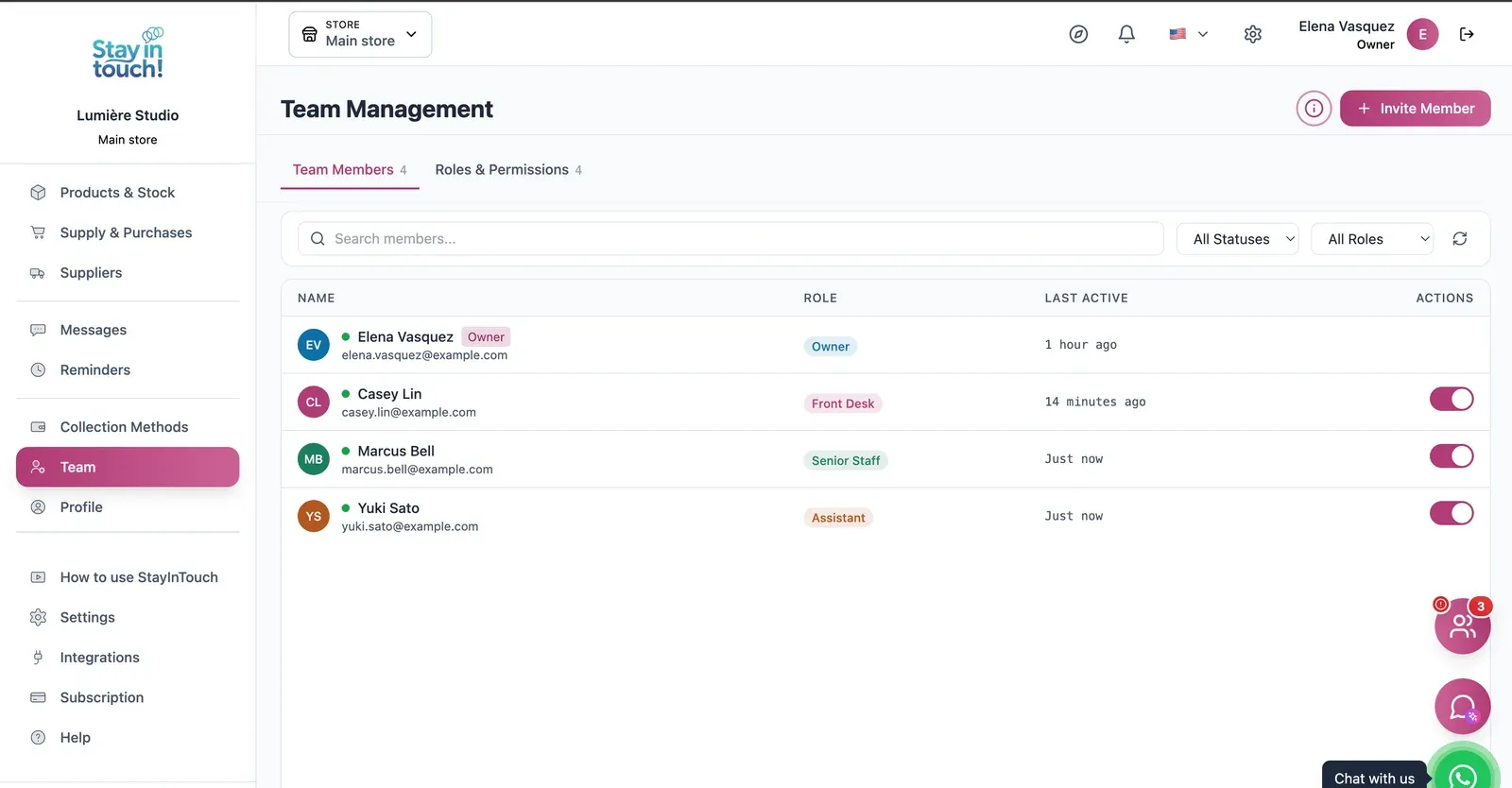
Team & Permissions
Your staff roster with roles, last activity and access toggles, plus a permissions tab as the business grows.
Screen 1 of 22
Website included
Your own website, free from day one
Every Siimplo account publishes a page for your business: your services, online booking and your catalog — no designer, no hosting.
Your services on display, always up to date
Clients book themselves, 24/7
Product catalog with prices
Common questions
Do I need to have a website already?
Is there free scheduling software?
Does it work with several staff?
Can I price services differently?
What about clients who just walk in?
Can clients cancel or reschedule?
Does it replace WhatsApp?
Is it available outside the US?
Try it on this week's calendar.
Add your services with their durations and open your hours. The free plan asks for no card.
Get Started