
The hair salon software that remembers every color.
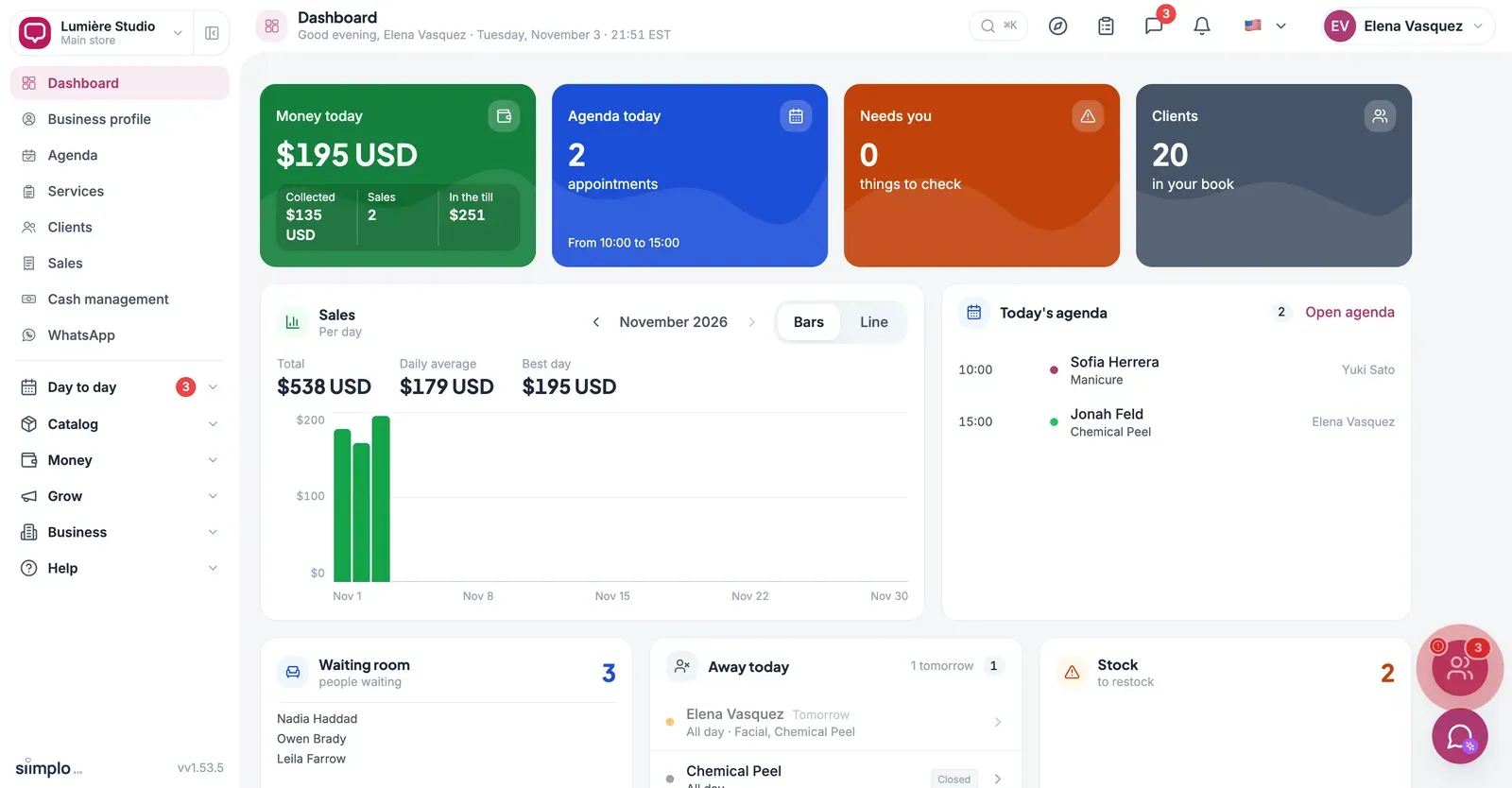
Clients come back for the shade that worked and the person who did it. Siimplo keeps the formula on the record, runs the calendar by stylist and closes the till with real numbers.
- Free website
- Online booking
- WhatsApp reminders
- Client history
- Sales & ARCA e-invoicing
- Online payments
- Stock control
- Gift cards
- Memberships
- AI Instagram posts
- Ryo, the AI assistant
Works with what you already use
Google Calendar
Your schedule, synced
WhatsApp
Automatic messages to your clients
Mercado Pago
Your clients pay online
Stripe
Card payments, in any country
ARCA
Electronic Factura C
Instagram
Post from Siimplo
Google Calendar
Your schedule, synced
WhatsApp
Automatic messages to your clients
Mercado Pago
Your clients pay online
Stripe
Card payments, in any country
ARCA
Electronic Factura C
Instagram
Post from Siimplo
%20--%3e%3csvg%20version='1.1'%20id='Livello_1'%20xmlns='http://www.w3.org/2000/svg'%20xmlns:xlink='http://www.w3.org/1999/xlink'%20x='0px'%20y='0px'%20viewBox='0%200%20200%20200'%20enable-background='new%200%200%20200%20200'%20xml:space='preserve'%3e%3cg%3e%3cg%20transform='translate(3.75%203.75)'%3e%3cpath%20fill='%23FFFFFF'%20d='M148.882,43.618l-47.368-5.263l-57.895,5.263L38.355,96.25l5.263,52.632l52.632,6.579l52.632-6.579%20l5.263-53.947L148.882,43.618z'/%3e%3cpath%20fill='%231A73E8'%20d='M65.211,125.276c-3.934-2.658-6.658-6.539-8.145-11.671l9.132-3.763c0.829,3.158,2.276,5.605,4.342,7.342%20c2.053,1.737,4.553,2.592,7.474,2.592c2.987,0,5.553-0.908,7.697-2.724s3.224-4.132,3.224-6.934c0-2.868-1.132-5.211-3.395-7.026%20s-5.105-2.724-8.5-2.724h-5.276v-9.039H76.5c2.921,0,5.382-0.789,7.382-2.368c2-1.579,3-3.737,3-6.487%20c0-2.447-0.895-4.395-2.684-5.855s-4.053-2.197-6.803-2.197c-2.684,0-4.816,0.711-6.395,2.145s-2.724,3.197-3.447,5.276%20l-9.039-3.763c1.197-3.395,3.395-6.395,6.618-8.987c3.224-2.592,7.342-3.895,12.342-3.895c3.697,0,7.026,0.711,9.974,2.145%20c2.947,1.434,5.263,3.421,6.934,5.947c1.671,2.539,2.5,5.382,2.5,8.539c0,3.224-0.776,5.947-2.329,8.184%20c-1.553,2.237-3.461,3.947-5.724,5.145v0.539c2.987,1.25,5.421,3.158,7.342,5.724c1.908,2.566,2.868,5.632,2.868,9.211%20s-0.908,6.776-2.724,9.579c-1.816,2.803-4.329,5.013-7.513,6.618c-3.197,1.605-6.789,2.421-10.776,2.421%20C73.408,129.263,69.145,127.934,65.211,125.276z'/%3e%3cpath%20fill='%231A73E8'%20d='M121.25,79.961l-9.974,7.25l-5.013-7.605l17.987-12.974h6.895v61.197h-9.895L121.25,79.961z'/%3e%3cpath%20fill='%23EA4335'%20d='M148.882,196.25l47.368-47.368l-23.684-10.526l-23.684,10.526l-10.526,23.684L148.882,196.25z'/%3e%3cpath%20fill='%2334A853'%20d='M33.092,172.566l10.526,23.684h105.263v-47.368H43.618L33.092,172.566z'/%3e%3cpath%20fill='%234285F4'%20d='M12.039-3.75C3.316-3.75-3.75,3.316-3.75,12.039v136.842l23.684,10.526l23.684-10.526V43.618h105.263%20l10.526-23.684L148.882-3.75H12.039z'/%3e%3cpath%20fill='%23188038'%20d='M-3.75,148.882v31.579c0,8.724,7.066,15.789,15.789,15.789h31.579v-47.368H-3.75z'/%3e%3cpath%20fill='%23FBBC04'%20d='M148.882,43.618v105.263h47.368V43.618l-23.684-10.526L148.882,43.618z'/%3e%3cpath%20fill='%231967D2'%20d='M196.25,43.618V12.039c0-8.724-7.066-15.789-15.789-15.789h-31.579v47.368H196.25z'/%3e%3c/g%3e%3c/g%3e%3c/svg%3e)



Siimplo in numbers
Beauty and aesthetics on Siimplo, in numbers
What this trade's businesses do on the platform, every day.
+360
appointments requested per day
+12,000
client records
+270
promotions published
+165
active businesses
Platform figures, rounded down.
A day with Siimplo
One whole day, connected end to end
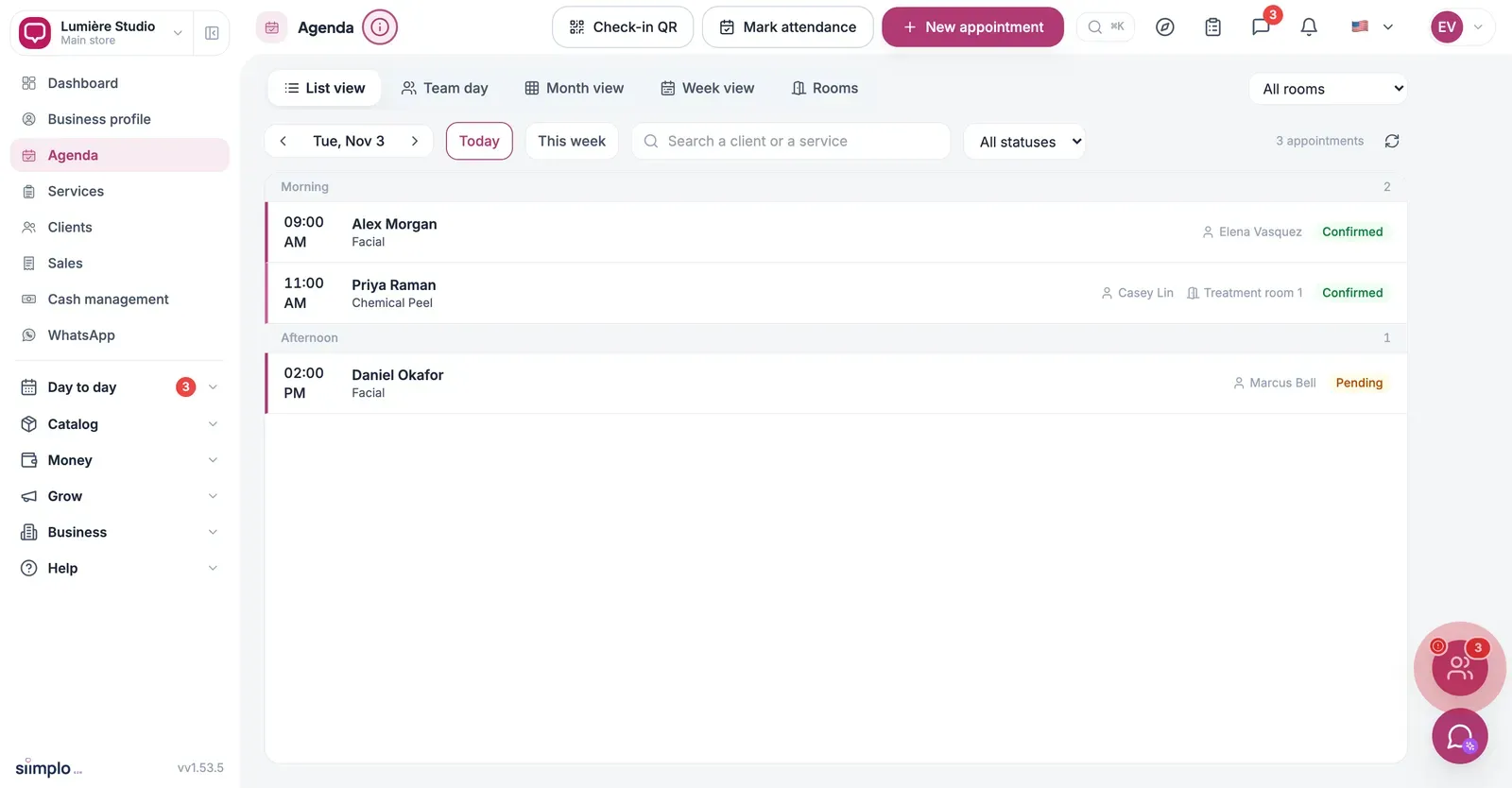
Follow Camila, a client of Studio Lumen, from the moment the booking comes in until you close the till. Each step happens in a different module, and nothing is entered twice.

Step 1 of 8Module: Website
18:40 amWebsite
They find you
Camila looks for an appointment on a phone and lands on your business's website: the one that comes with the account, with your services, your team and a Book button.
28:43 amSchedule
Books, and it is confirmed
The service, the time, done: the appointment shows up in your schedule and Camila gets the WhatsApp with the day, the time and the place. You touched nothing.
3Before the visitReminders
The reminder goes out by itself
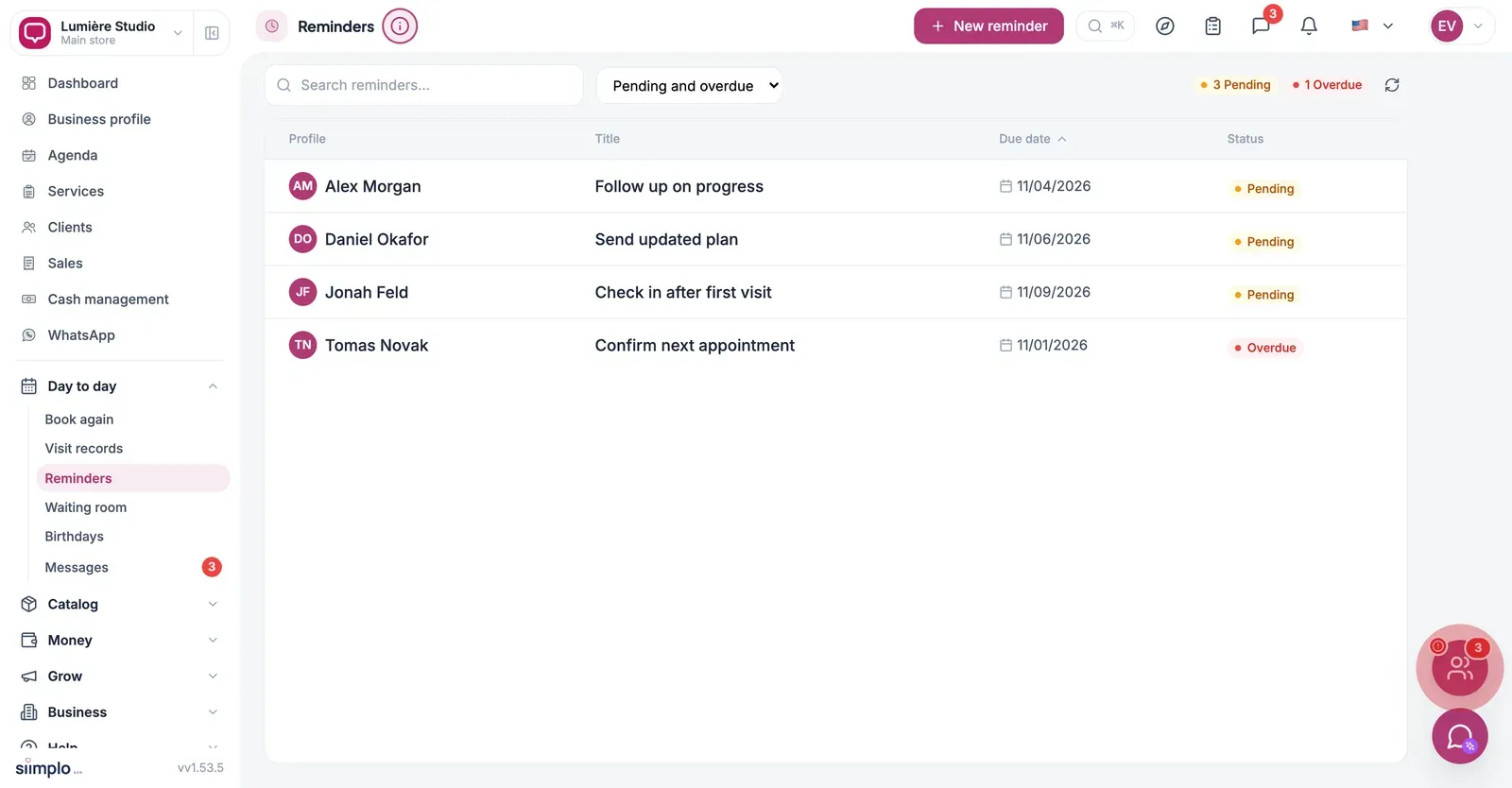
Ahead of the appointment, Siimplo sends Camila a WhatsApp reminder. Fewer no-shows without anyone on the team picking up the phone.
410:30 amClient records
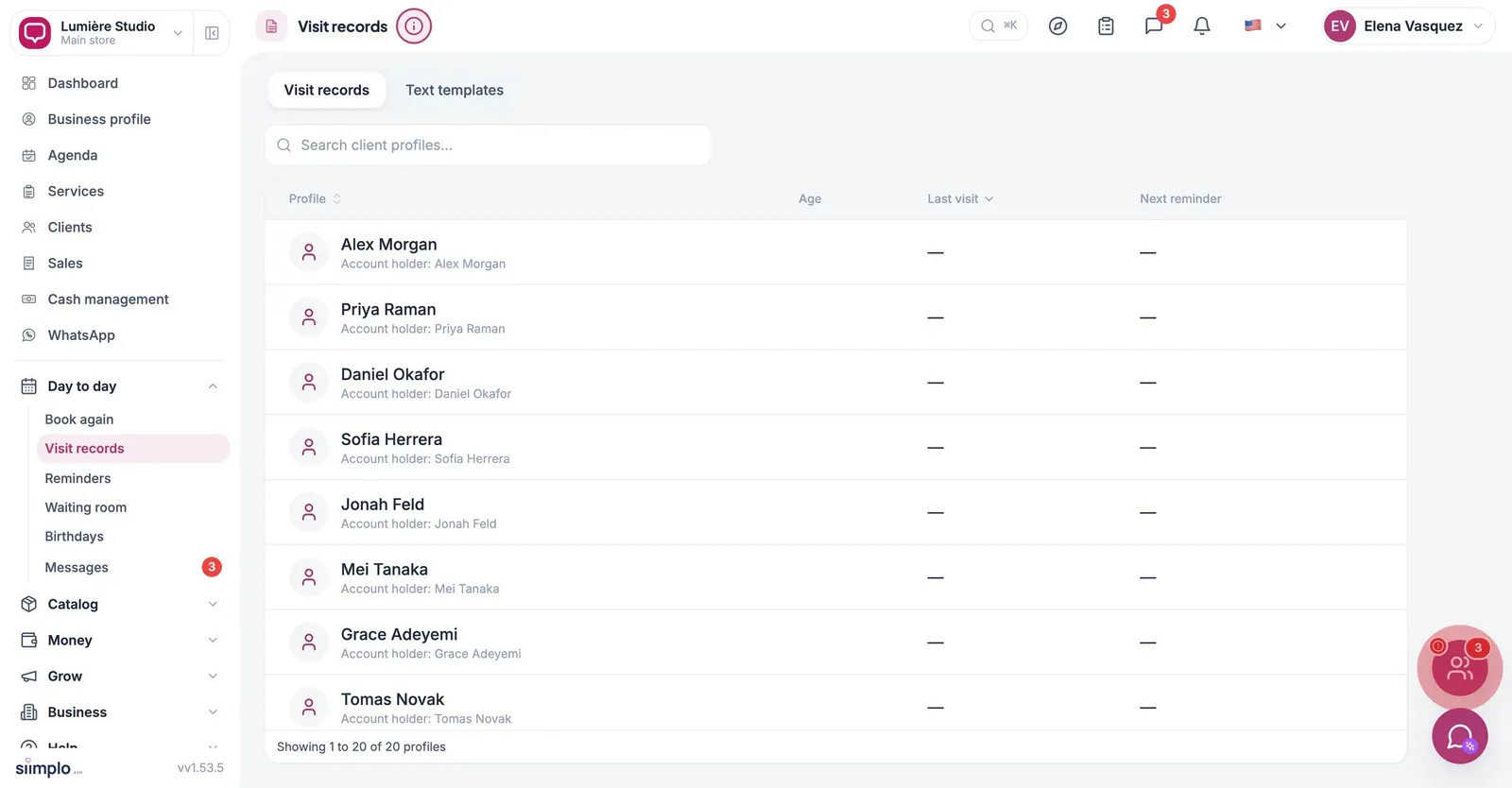
You see them with their record at hand
The client record opens on the last service, the products you used and their preferences. You note today's before they leave.
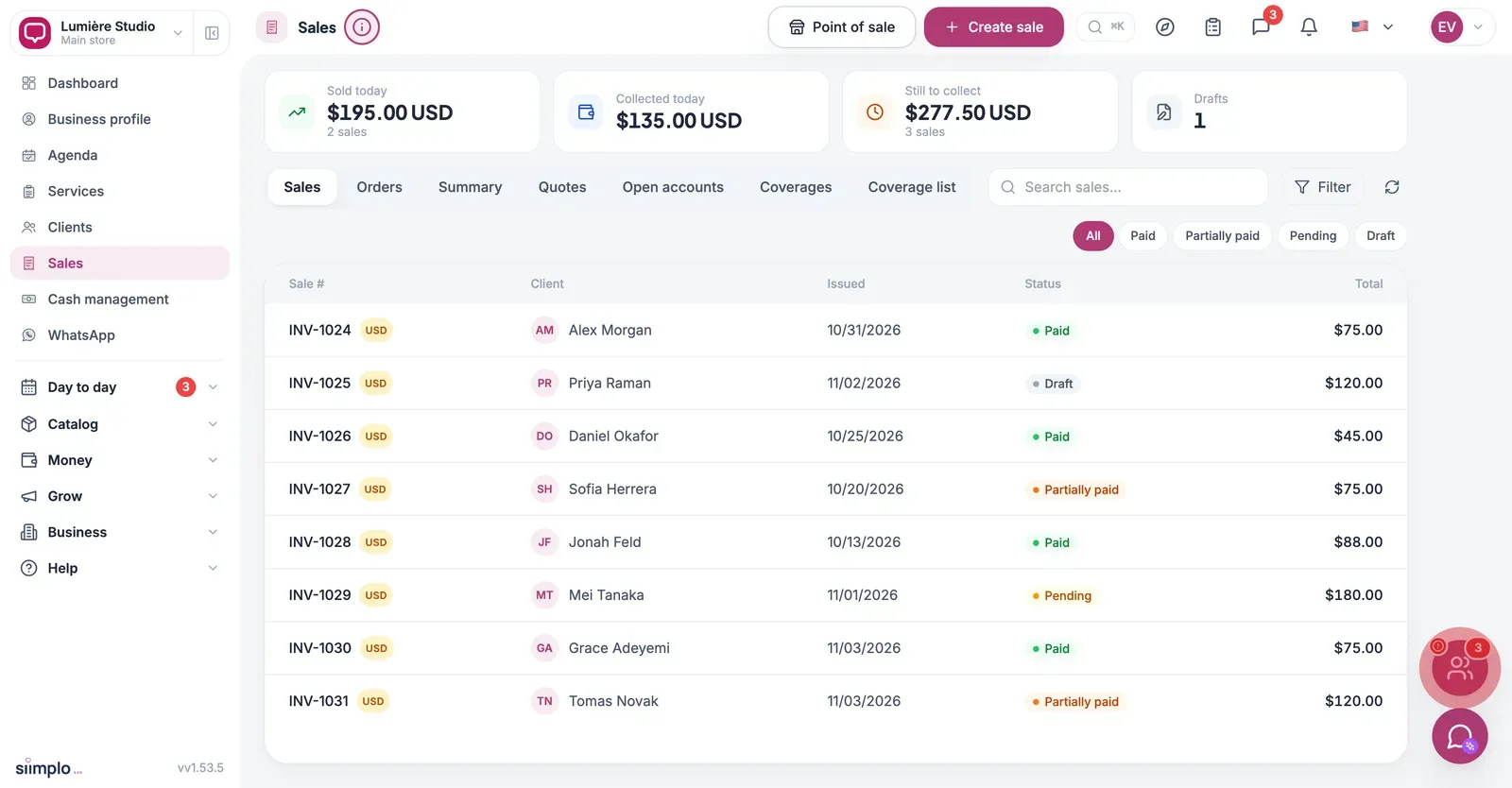
511:05 amSales and cash
You charge in the same place
The appointment becomes a sale. You pick the payment method, the till updates itself and Camila gets the payment confirmation on WhatsApp.
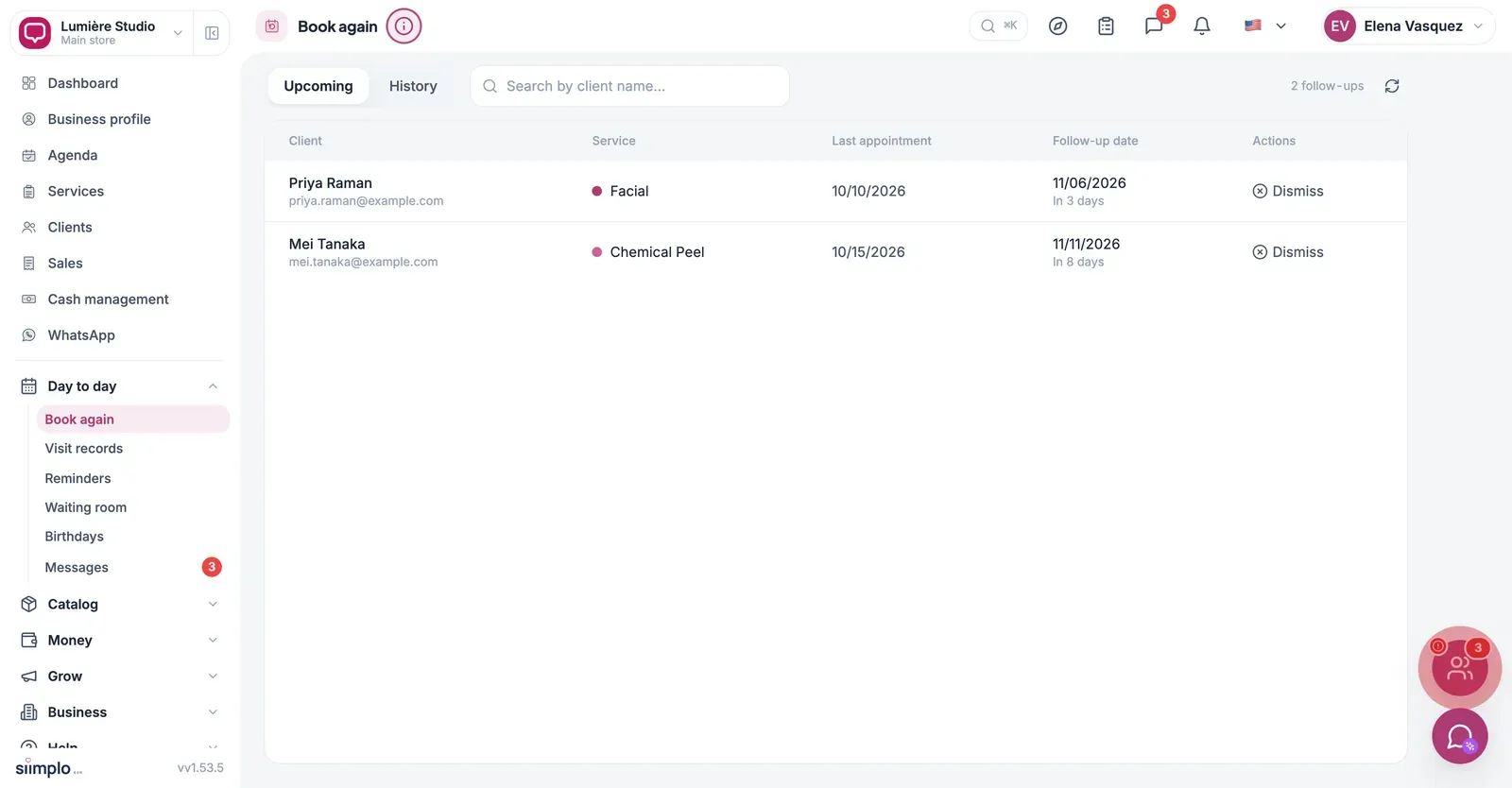
6Weeks laterFollow-ups
The follow-up is not forgotten
When the touch-up is due, Siimplo reminds Camila for you, on the right day. It is a message you switch on: no client gets anything you did not enable.
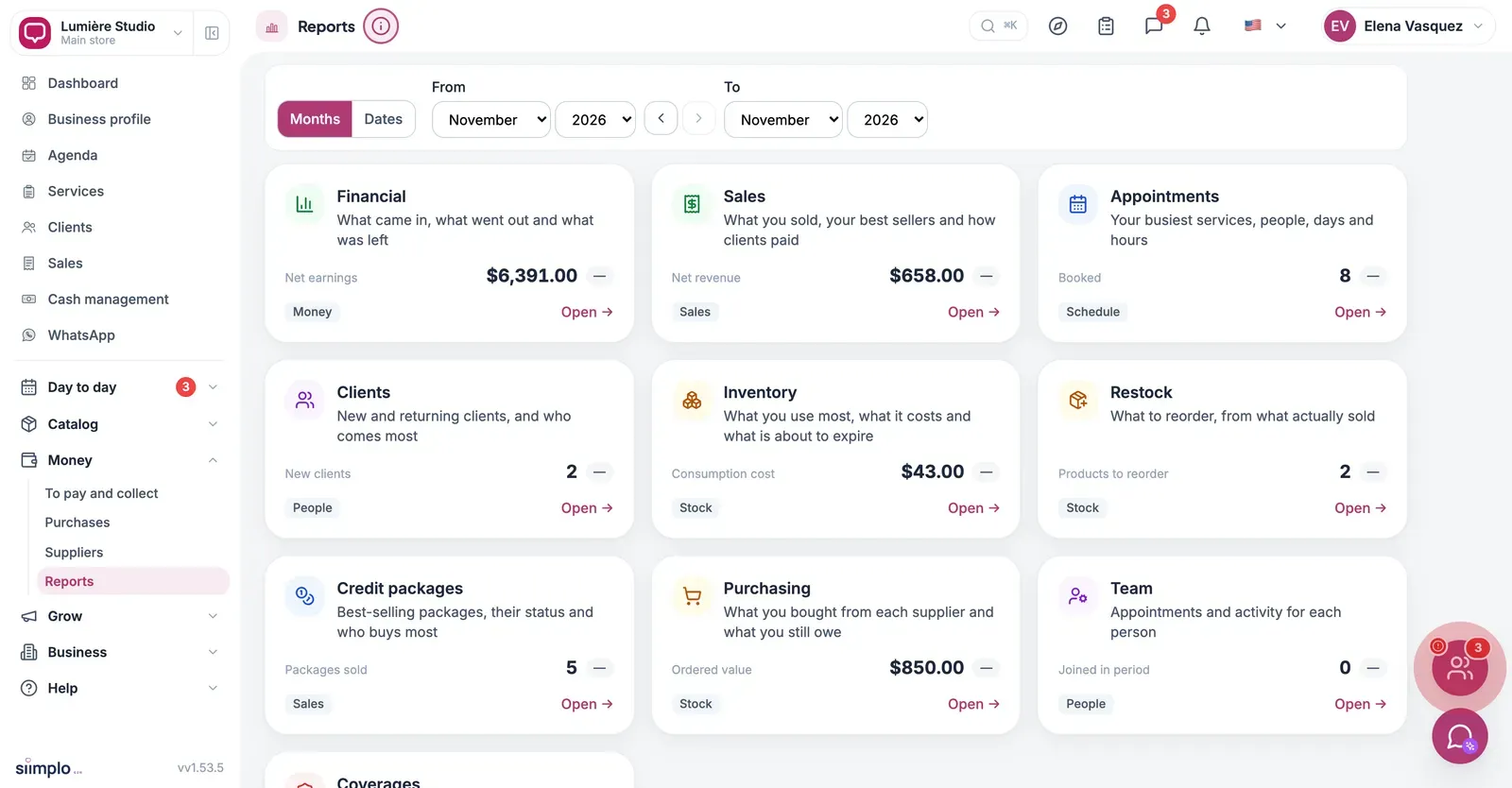
77:30 pmReports
You close the day with the numbers done
How much was sold, by which method and which service did best: the report is built from what you already entered during the day. There is no spreadsheet to fill in.
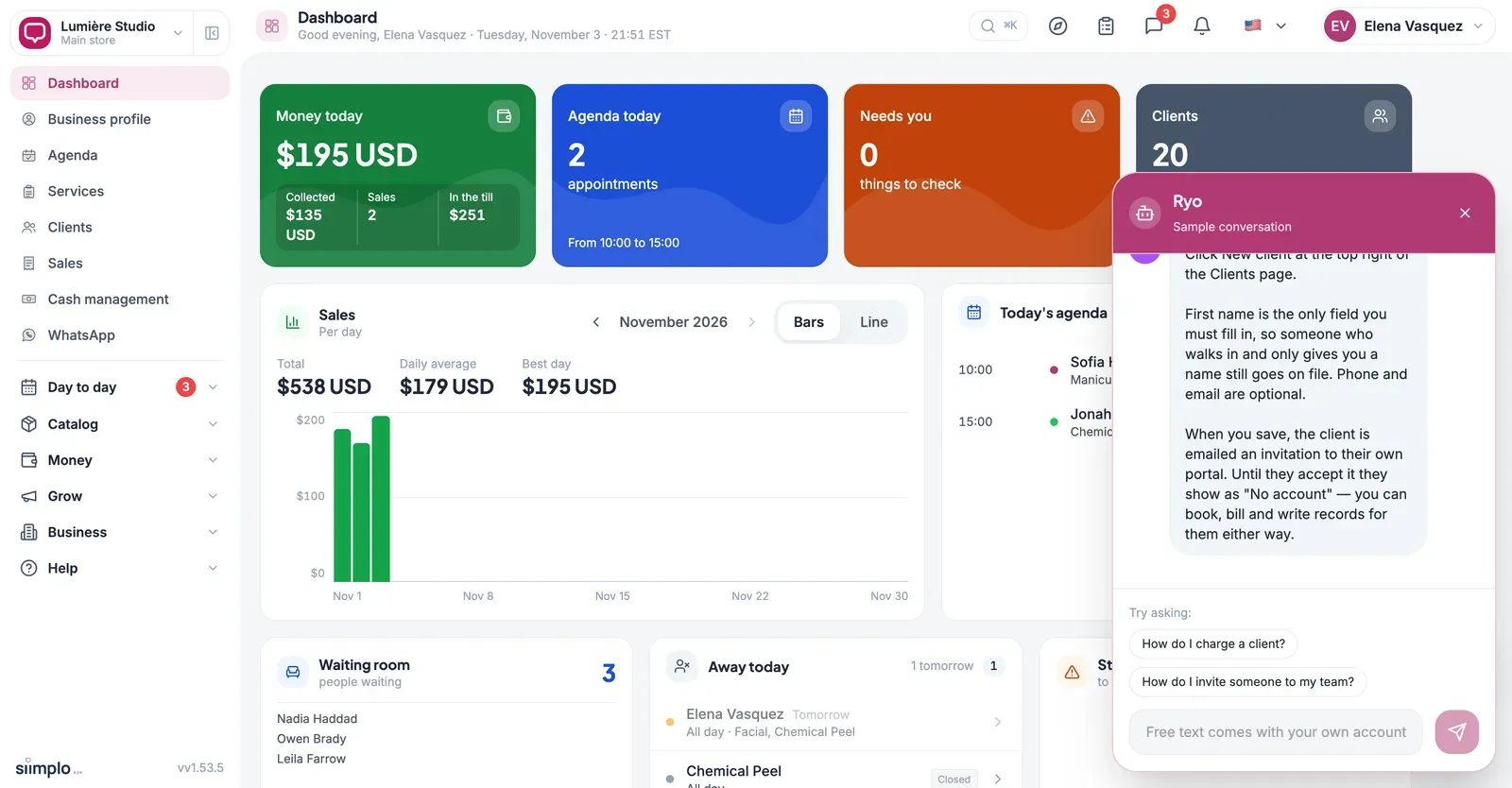
8Whenever you need itAI
And when you need a hand, there is Ryo
Ask what you have tomorrow or how to record an expense. Ryo reads your schedule, drafts the answer and, if there is something to book, leaves it ready for you to confirm.
Live follow-up
We don't leave you alone with the software
Most businesses don't know where to start or what to do next. Someone from the Siimplo team walks with you: sets everything up with you, checks in to see how it's going, and helps you decide how to keep growing.
A kick-off video call
We set your account up with you: your details, your clients and your website, so you leave the call with everything running.
We check in on how it's going
We go over what you're using, what's missing and where you got stuck.
A person on WhatsApp, not a bot
When you don't know how to do something, you message someone on the team who knows your account.
Ideas to grow, not just support
We help you think through your business's next step: how to take payments, how to bring in more clients, how to organise the day.
Included on every plan, Free too. No extra cost.
Monthly Plans
Choose the plan that fits your business. All plans include core features and 24/7 support.
Our best plan, free for 2 months
Everyone who signs up starts on the full Professional plan, free for 2 months. It's automatic, no code needed. When they end, you carry on in Free or pick a paid plan.
Free
Perfect for getting started
- Max 10 clients
- Max 10 weekly slots
- 1 user
- Your website with online booking
- Online Booking
- Client Profiles
- Service records
- Booking link & QR code
- Sales: up to 50 a month
- Online payments through your own Mercado Pago or Stripe
- Stock and suppliers: up to 20 products
- Reports for the last 30 days
- Sensitive data encryption
- One-click export of all your data
- Live follow-up: we help you set everything up and grow
- Instagram marketing: post packs sold separately
Starter
For independent businesses
- Everything in Free, plus:
- Unlimited clients
- Unlimited weekly slots
- A team of up to 2 users
- Unlimited sales
- ARCA e-invoicing in Argentina (Factura C)
- Cash Management
- Stock: up to 300 products
- 12 months of reports, with comparisons and PDF / Excel export
- Promotions and notices on your website and client portal
- Auto Reminders
- Messaging
- Credit system
- Memberships with check-in
- WhatsApp notifications: 50 a month
- Google Calendar sync
- Waiting room
- Priority Support
Professional
For growing businesses
2 months free when you sign up
- Everything in Starter, plus:
- Unlimited users
- Additional stores
- ARCA Factura A and B, with VAT books (Responsable Inscripto)
- Stock: unlimited products
- Product purchases
- Sell your products online from your website
- Events and workshops: QR tickets sold from your website
- Digital products: downloads and recorded courses
- Your full report history, plus a weekly or monthly summary by email
- WhatsApp notifications: 500 a month
- WhatsApp campaigns from your own business number
- AI helpers
- Ryo, the AI assistant
- AI receipt validation
Compare plans
WhatsApp notifications are sent from Siimplo’s number; connecting your own business number is available on every plan. WhatsApp campaigns go out from your own business number, which you connect, and Meta charges for each message separately. Instagram marketing is bought separately, as monthly post packs, on any plan.
Why is it free? Because a system that keeps your business in order is like wifi or electricity: the basics of getting work done, not a luxury. We don't want any small business left out because it can't pay. That's why the Free plan is forever.
Calculator
What do no-shows cost you?
Enter your numbers: how many appointments a week, what you charge, how many people don't turn up. The maths is yours, and it never leaves your screen.
This percentage is your assumption, not our figure. Siimplo doesn't publish a no-show reduction rate because we don't measure one. Pick whatever seems reasonable for your business.
- Missed appointments a month
- 17
- Revenue lost a month
- $867
- Revenue lost a year
- $10,400
- Hours a month confirming by hand
- 5.8 h
- What you'd get back if a reminder prevents 30%
- $260 a month
- The reminder: Siimplo sends each client a WhatsApp 24 hours before the appointment, with the date, time and service. It's on by default.
- At about 173 appointments a month, one reminder each needs more than Starter's 50 notifications. It fits in Professional's 500 a month.
- The deposit: on every plan, clients can pay a deposit when they book, through Mercado Pago or Stripe, and the booking confirms itself.
- The hours: the time you spend today messaging people one by one to confirm. If the reminder goes out on its own, that time is yours again.
Everything your business needs to grow.
A complete platform designed for aesthetics and beauty businesses.
- Free website
- Online booking
- WhatsApp reminders
- Client history
- Sales & ARCA e-invoicing
- Online payments
- Stock control
- Gift cards
- Memberships
- AI Instagram posts
- Ryo, the AI assistant
- Walk-ins
- Follow-ups
- Reports
- Cash Control
- Payables & Receivables
- Clients
- Client Packages
- Services
- Purchase Orders
- Suppliers
- Messages
- Multi-store
- Team & Permissions
A day at your business
From booking to checkout, in one place
This is Siimplo on an ordinary day: your client books, you welcome her, you do the work and you get paid.
 New appointmentCamila · Facial · Thu 18, 11:00 AM1
Your client books herself
From the link in your Instagram bio or your website, at any hour. She picks the service and the time, and it lands in your calendar.
 Reminder sent24 h before · via WhatsApp2
Everything ready when she walks in
She got a WhatsApp reminder the day before. When she arrives you already know who she is, what she's having done and with whom.
 Camila's recordSensitive skin · no acids3
Her record, at hand
Treatments, allergies, photos and notes from every visit in her client record. You pick up where you left off, without asking.
 Sale recordedFacial + serum · $148.004
Check out, and the till is up to date
Ring up the service and the product she takes home, and the payment goes straight into the day's cash register.
Professional website included
Your own website, free from day one
Every Siimplo account publishes a complete website for your business, on every plan, the free one too: your story, your services with photos, a gallery, FAQs and online booking. No designer, no hosting.
Your story, your team and your FAQs
Services with photos and a Book button
Photo gallery, video and client reviews
Clients book themselves, 24/7
Automatic messages
What reaches your client
Not sample copy: these are the approved templates the platform sends, exactly as they go out.
Pick the moment
Appointments
Billing
Credits
Reminders
13 automatic messages in your trade, each with its own approved template.
They go out from your business's own WhatsApp. Connecting your own number is free on every plan.
The nudges nobody asked for — a reminder, an invitation to book again — start switched off on purpose: no one is messaged from a flow their business never turned on.
On by default
Privacy
Your data, under lock and key
What your clients tell you is stored encrypted. Without the key, not even a full copy of the database gives it up.
What gets encrypted
Client records and notes
Allergies and sensitivities
Emergency contact
Visit history
Messages and WhatsApp
Included on every plan, the free one too. Nothing to set up.
Client record
- Record
- Color 6.34, low tolerance to ammonia
- Notes
- Prefers morning slots, comes with her daughter
- Emergency contact
- Lucy Hartman — (512) 555-0134
Tap to see how it's stored
What isn't encrypted, and why
Dates, names and account numbers stay readable: they are how the system finds the record. What gets encrypted is what the record says.
Who can see it
Encryption doesn't replace permissions. Every role — owner, front desk, senior staff, assistant — sees only what it should, over the same data.
Your data is yours
Export all your data in 1 click
In Settings → Export data, tick “Select all” and click once. We prepare everything in the background and email you a link to a single .zip file with one spreadsheet per list, ready to open in Excel, Google Sheets or Numbers.
No lock-in
Exporting doesn't depend on your plan. Even if you move to the free plan, you can take out everything you've recorded since day one.
Spreadsheets that just open
Every list is a CSV file with column headings in your language and accented names intact.
Everything, or one period
Lists with dates — sales, cash and the like — can be narrowed to a date range. Leave it empty and you get everything.
Included in every plan, the free one too. Only the account owner can export, and the emailed link works for 30 days.
Settings → Export data
Select all
- Clients
- Sales, line by line
- Appointments
- Products and stock
- Suppliers and purchases
- Cash movements
- Credit packages
- Memberships
- Reminders
- Follow-ups
- Service records and assessments
Emailed to you: one .zip, one spreadsheet per list
Artificial intelligence
AI drafts, you confirm
Siimplo uses AI for the work that takes your time but not your judgment: finding a gap in the calendar, writing a first draft, reading a spreadsheet, checking a receipt. Whatever gets saved to your account goes through the same path as if you'd done it by hand, with your role's permissions.
Ryo, your assistant
Ask in your own words — "who's free tomorrow at 10?", "when is there room this week?" — and Ryo reads your real schedule, only what your role is allowed to see. If you want to book, it drafts the appointment on a card, and it goes into the calendar when you press "Confirm booking".
AI helpers in your forms
- Create a service by describing it in your own words: AI fills in the form and writes the description, and you review it before saving.
- Import your product spreadsheet: AI works out which column is which, even when the headings don't match.
- A summary of a client's service records over the months you pick, written by AI, saved and ready to print as a PDF.
Receipts that check themselves
When a client uploads the bank transfer for an appointment deposit, a credit package or a membership, AI checks that the receipt isn't altered or a repeat, and that the amount, bank and account holder match. If everything checks out the payment is confirmed on its own; if something doesn't, it hands it to you to review. You switch it on per payment method.
Ryo, the AI helpers and receipt validation come with the Professional plan. What AI writes is a draft: review it before you rely on it. Your clients never talk to the AI.
Ryo
AI assistant
Who's free Saturday at 11 for color?
On Saturday at 11:00 am Ashley is free for Color. Who should I book?
Megan Taylor
Booking to confirm
Megan Taylor
Color · 90 min
Saturday · 11:00 am
With Ashley
Confirm bookingRyo never books on its own: the appointment exists only once you press "Confirm booking".
Marketing
Instagram posts drawn from your brand
Describe what you want to post and Siimplo draws it in your own colours, layout and typography — a post, a carousel of two to five slides or a story — and posts it to your Instagram account when you say so.
- 1
Build your brand kit once
Add up to six images you already use — past posts, flyers, your website — and the logo to print: the one on your profile or one just for marketing.
- 2
Say what it should say
Type it in your own words — “Balayage + treatment for the price of one until Friday — book online” — pick post, carousel or story, and tick which of your address, phone, WhatsApp or Instagram handle to print on it.
- 3
It cooks in about a minute
The picture is drawn from your kit, so it keeps your palette and your look. Open it full size, download it, or press Post to Instagram and Siimplo publishes it to the account you connected, with the caption you write.
- Not quite right? Recreate it with a note — “bigger headline, more white space” — and keep the first one too.
- Mark the ones you like and filter your history by them.
- Every piece comes at the size Instagram uses — 4:5 for posts and carousels, 9:16 for stories — and posts straight from Siimplo once your Instagram account is connected.
Marketing is sold as packs of posts, not as part of a plan: Light posts once a week, Regular three times a week, Daily every day. A post is one image, a story or a whole carousel, and every post includes two redraws. Buy, change or cancel your pack from your Billing page. Pictures are drawn by AI — check them before posting. Siimplo does not make videos.

And also
The details that save your day
What we've been adding to the portal, built around how you work.
ARCA e-invoicing
Issue a Factura C from a finished sale, with ARCA's CAE and QR code on the PDF, and void it with a Nota de Crédito C when needed. You use your own certificate, and each location invoices on its own point of sale. For monotributistas and exempt businesses in Argentina, on the Starter and Professional plans.
Get paid online with Mercado Pago or Stripe
Connect your own Mercado Pago or Stripe account in one click and your clients pay online: the deposit for a booking, a credit package, or what's left on a sale. The money goes straight into your account, the booking confirms itself and the payment is recorded in your cash register — no receipts to check. With both connected, your client picks. On every plan: Mercado Pago in Argentina, in pesos; Stripe by card, wherever Stripe operates, in your account's currency.
Confirm from the reminder
Your clients confirm or cancel from the reminder, and the calendar shows who confirmed and who hasn't answered yet.
Repeating appointments
Book a standing appointment once: every one to four weeks on the days you pick, or every one to six months on the same day of the month.
The calendar your way
One column per team member to see everyone's day, or the week and a three-day view by the hour. Tap a free hour to book.
QR coupons
Create discounts per service and hand them out as a QR code that opens your website with the coupon already applied.
A page for every service
Each service gets its own page on your website, with a cover photo, a gallery, a long description and FAQs.
Birthdays
A list of your clients' upcoming birthdays, so none slips by.
Tags, and how they found you
Tag clients — VIP, wholesale, whatever helps — filter by tag, and note how each one found you. Bookings from your website are recorded automatically.
Promotions and notices
Post a promotion or a notice — “2x1 on packs this week”, “Closed Monday the 25th” — with an optional image and button, and the dates it runs. It shows as a banner on your website and in your clients’ portal until it ends or you switch it off. On paid plans.
Instagram posts drawn from your brand
Keep a brand kit — up to six images you already use and your logo — and describe what you want to post. Siimplo draws a post, a carousel of up to five slides or a story in your colours, layout and typography, with your address, phone or Instagram printed on it if you like. Recreate it with a change until it is right, keep the ones you like, download it or post it to your Instagram account from Siimplo. Sold as packs of posts a month, bought from your Billing page.
A portal your clients install
Your clients add their portal to their phone's home screen and see the sales you made them, with what's paid and what's still owed.
Activity log
The account owner sees who changed what, and when: prices, hours, clients, stock, cash, sales and more.
Why choose us?
Join beauty businesses that are already optimizing their daily operations.
Modern Interface
Intuitive and easy to use from day one
Cloud Access
Manage from anywhere and any device
Appointment Reminders
Automatic booking confirmation and follow-up reminders
Your data, under lock and key
Your clients' records are stored encrypted in the database, not just in transit. With role permissions, everyone on your team sees only what they should.
Powerful Reports & Insights
Make data-driven decisions with a clear view of your business
Access your business's complete dashboard from any browser. Track income, expenses, sales and payments, all in one place.
Income, expenses and net profit by period
Services and products sold by category
Product and supply purchases
Sales history and payment status
Customers
Businesses that already trust us
In the words of the people who run Siimplo every day.

The calendar fills itself from the link in my Instagram bio. I've stopped answering "any openings Thursday?" thirty times a day.
 Julieta RoldánOwner · Estética BrumaCórdoba
Every client's color formula sits in her record. She's back two months later and we mix the same shade without guessing.
 Camila PeraltaColorist and partner · Color Studio VeraBuenos Aires

In high season the calendar is packed and that's when it earns its keep. In winter I use half of it and still pay for it, because I'm not going back.
 Noelia GiménezManager · Spa AguavivaVilla Carlos Paz
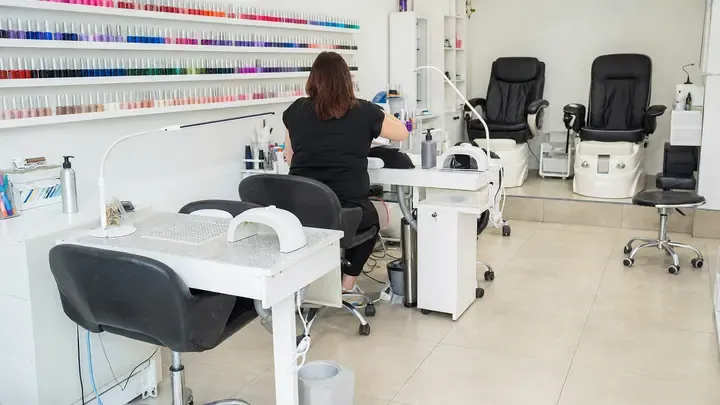
The day-before reminder took away almost all the no-shows. If someone can't make it she says so, and the slot goes to the next person.
 Sabrina LuceroOwner · Nails LabRosario

Three chairs, three calendars. I close out the day in two minutes and know exactly what each barber brought in.
 Fernando AyalaBarber and owner · Barbería DistritoMendoza
Steps to Digitize
Get started in three simple steps
Configure Your Business
Upload your services, team members, and initial product inventory.
Activate Online Booking
Share the booking link with your clients so they can start scheduling on their own.
Manage and Grow
Track client service history and let the system organize your finances and sales.
Frequently asked questions
Is there free hair salon software?
Can I save each client's color formula?
Can clients choose their stylist?
Can I take a deposit online?
What about walk-ins?
Does it work on a phone?
Does it work outside Argentina?
Your passion is beauty, ours is your peace of mind.
Join the beauty businesses that are already optimizing their daily operations with Ryoko.
Start Now