
For clinics and practices
Digital dental charting, with outstanding work always visible.
The state of every tooth, what's been done and what's still pending, on one screen. No deciphering a chart drawn by hand three years ago on a card.
- Appointments
- modules.clinical-records.title
- Cash Control
A paper tooth chart ages badly
A card record with the chart drawn by hand works on the day it's filled in. The trouble starts afterwards: every check-up adds marks over the previous ones, three clinicians use slightly different conventions, and two years later the drawing tells a story only its author can read.
The real damage isn't cosmetic. When the chart can't be read clearly, outstanding work disappears: treatment that was quoted and never done blends into treatment that was, and nobody raises it again.
In Siimplo the chart is digital and state-based: each tooth carries its own, and changing it records when and in which consultation it changed. The drawing doesn't get muddier over time, because it isn't a drawing.
The record is the progression, not a snapshot
A chart shows today's state. The record shows how you got here, which is what you need when a patient returns with discomfort in a tooth you've already worked on.
Each consultation sits in chronological order with what was observed, what was done and what was charged. Imaging attaches to the consultation it belongs to, so the radiograph doesn't live in a separate folder named after the patient with a date in the filename.
When the clinician seeing the patient isn't the one who treated them — which in a multi-dentist practice is half the time — that difference between snapshot and progression is what avoids repeating a study or re-explaining the same thing.
The other reason to keep records in order shows up when there's a complaint. Being able to show what state each tooth was in before treatment, with the date of every change and the imaging attached from that day, is a very different position from reconstructing it from memory two years later.
Accepted, completed, and what's left
Treatment plans and clinical records usually live apart, and that's exactly where treatment gets lost. The patient accepted six procedures, four were done, and the remaining two exist only in somebody's memory.
In Siimplo the treatment plan sits with the patient and carries its state, so opening the record shows what was accepted, what was completed and what remains. That's the information that turns a routine check-up into the continuation of a treatment.
And because the record lives in the system rather than a filing cabinet, the practice keeps its histories when a clinician leaves — an administrative problem before it's a clinical one.
What the record holds
Charting per tooth
The state of each one, with a record of when it changed.
Chronological progression
Every consultation with what was seen, done and charged.
Attached imaging
Radiographs and photos tied to the consultation they belong to.
Treatment plan
Accepted, completed and outstanding, on the same screen.
Team access
The same record for any clinician with permission.
Scheduled recall
The next check-up date, which triggers the reminder.
See the charting and records running
Every module, the way your team will use it during a consultation.
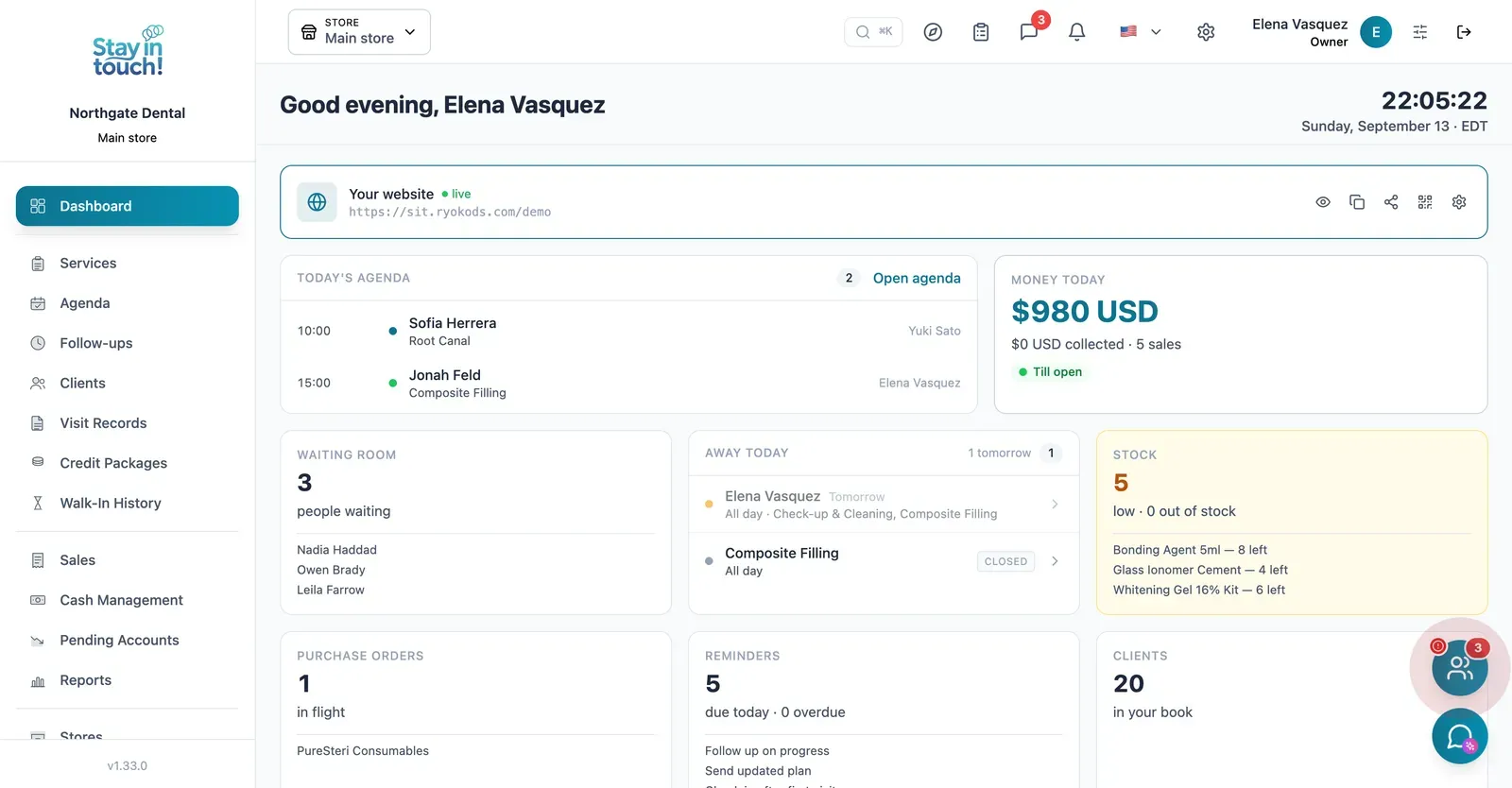
Dashboard
Today's appointments, your patient count and the booking site patients use — live from the day you sign up.
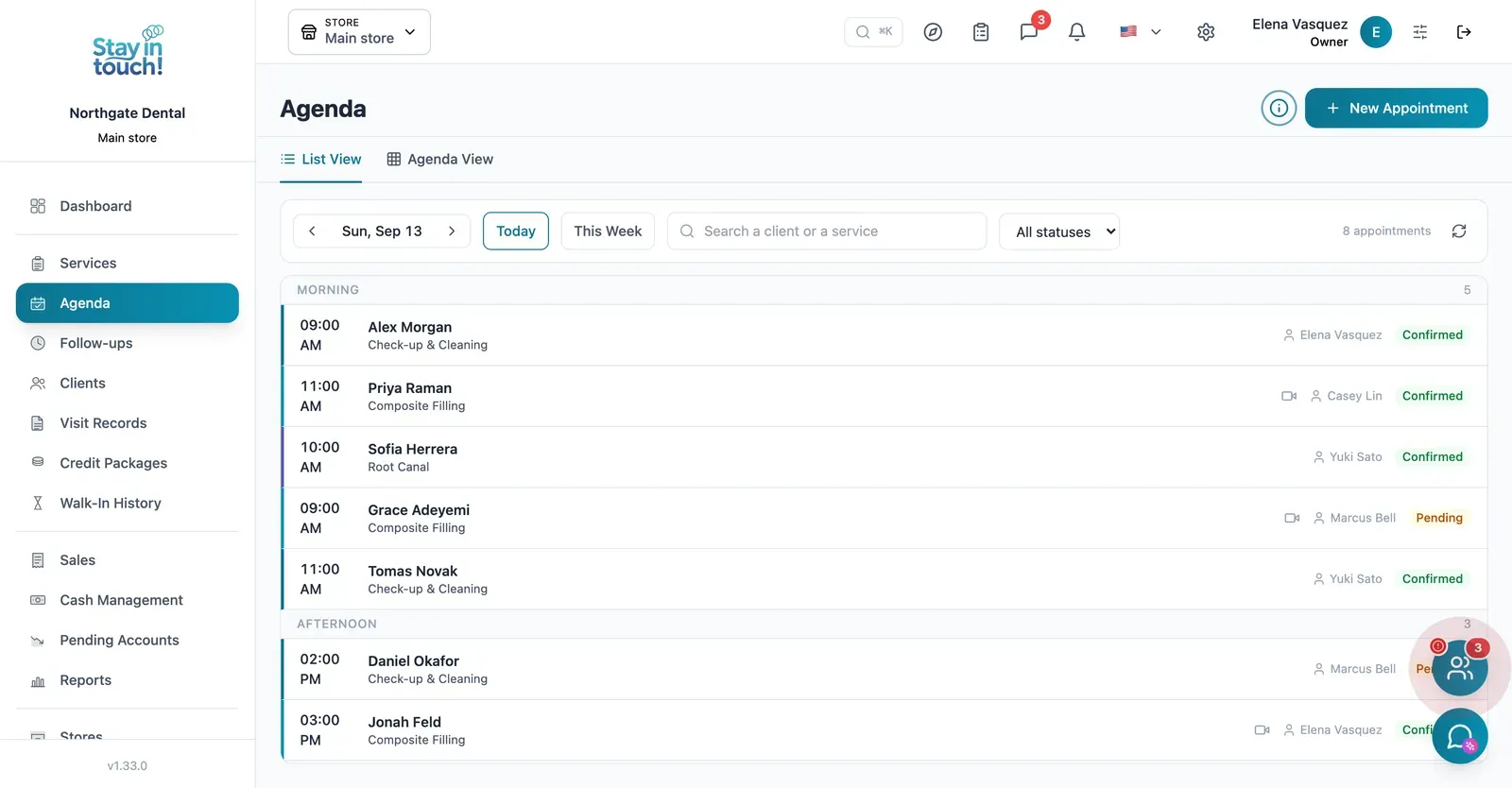
Appointments
Check-ups, fillings and root canals across the day with the dentist assigned and the chair booked, in list or calendar view.
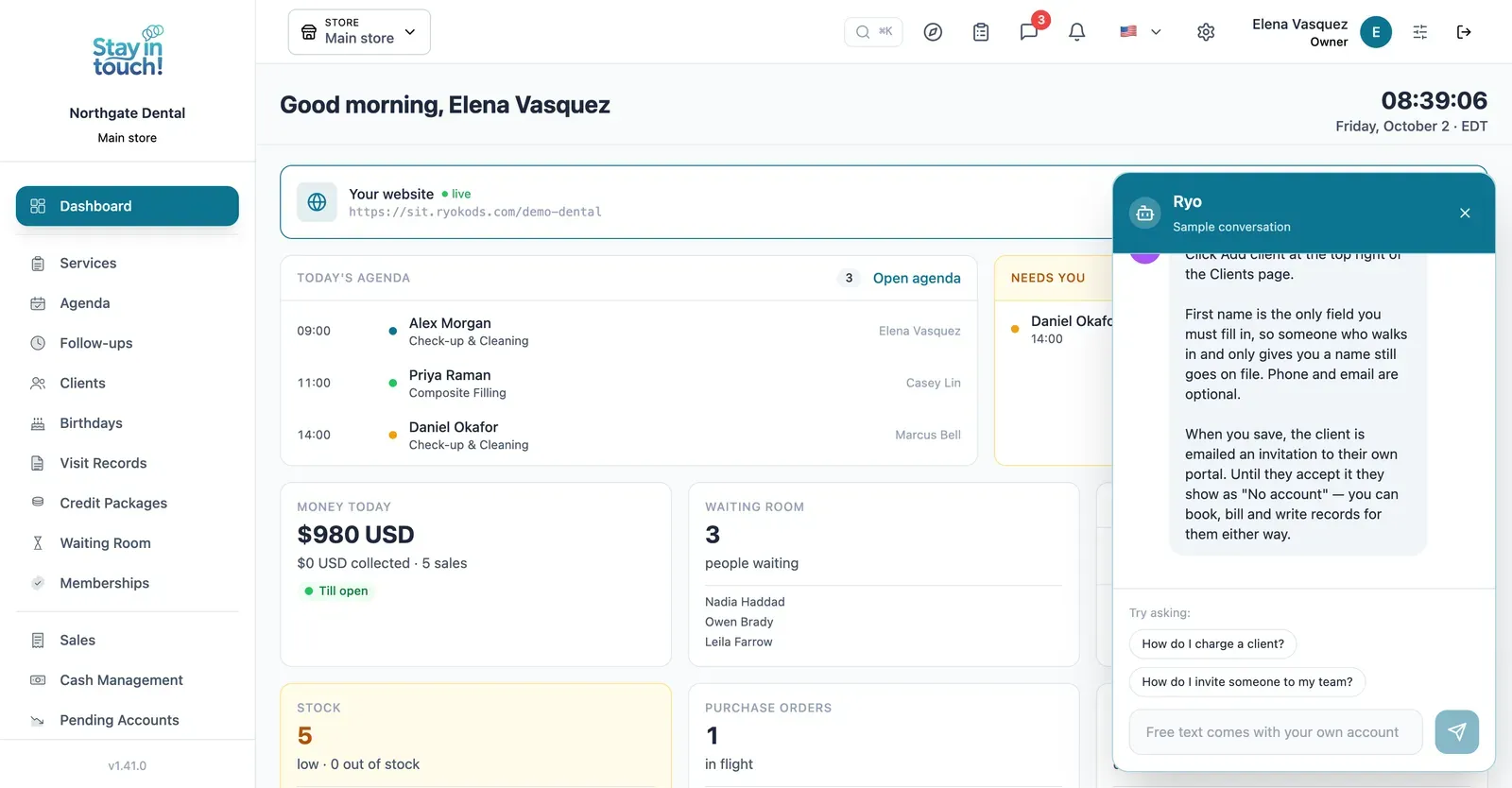
Ryo, the AI assistant
Ask in your own words and it walks you through Siimplo step by step; it also reads your real schedule and drafts the appointment for you to confirm.
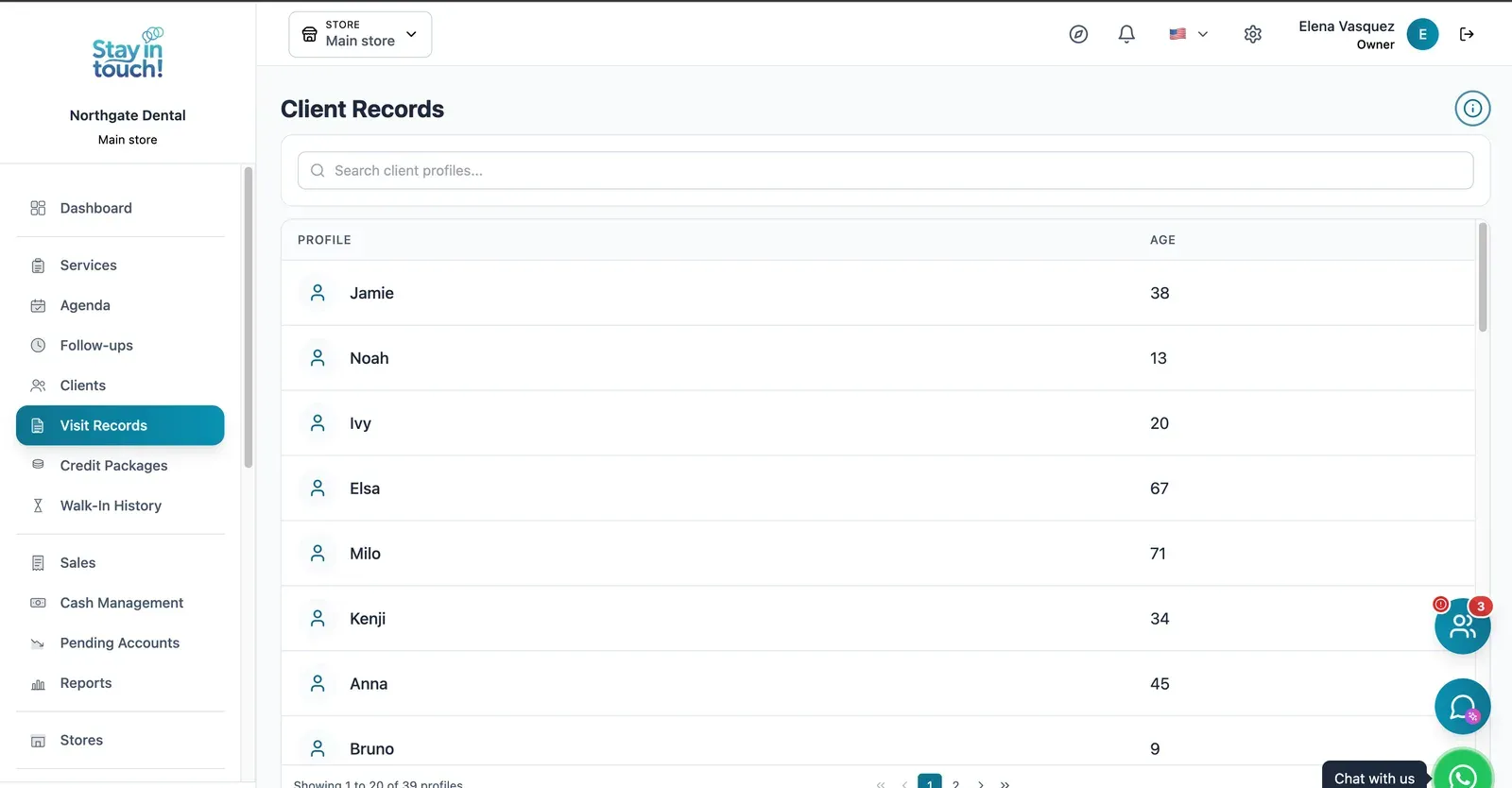
Treatment Records
Every patient's dental history in one place — procedures, notes and findings that survive staff turnover.
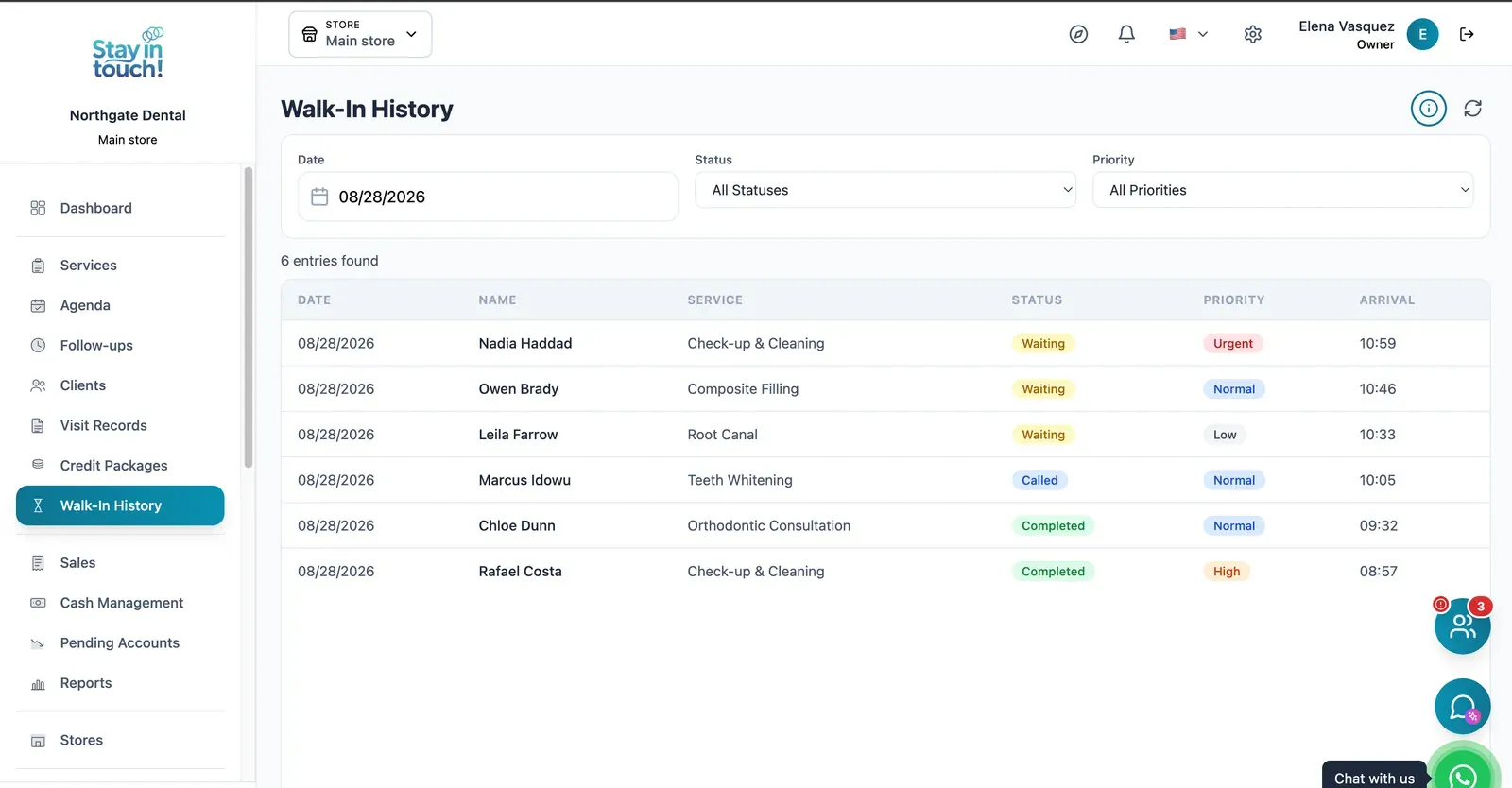
Waiting Room
A dated log of everyone who arrived — waiting, called or seen — with priority tags and arrival times.
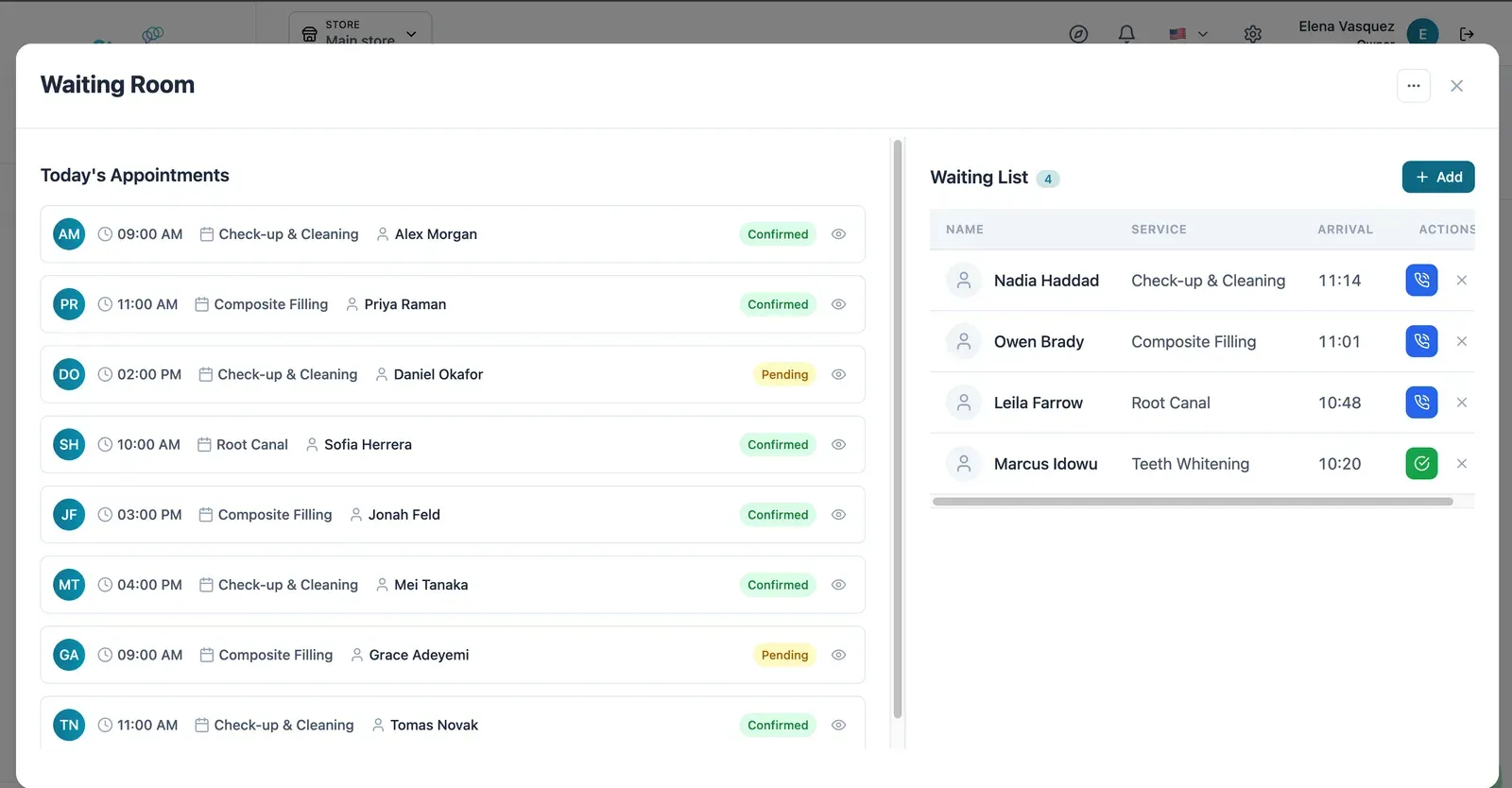
Live Waiting Room
Today's appointments on one side, who has arrived on the other — call the next one in with a single click.
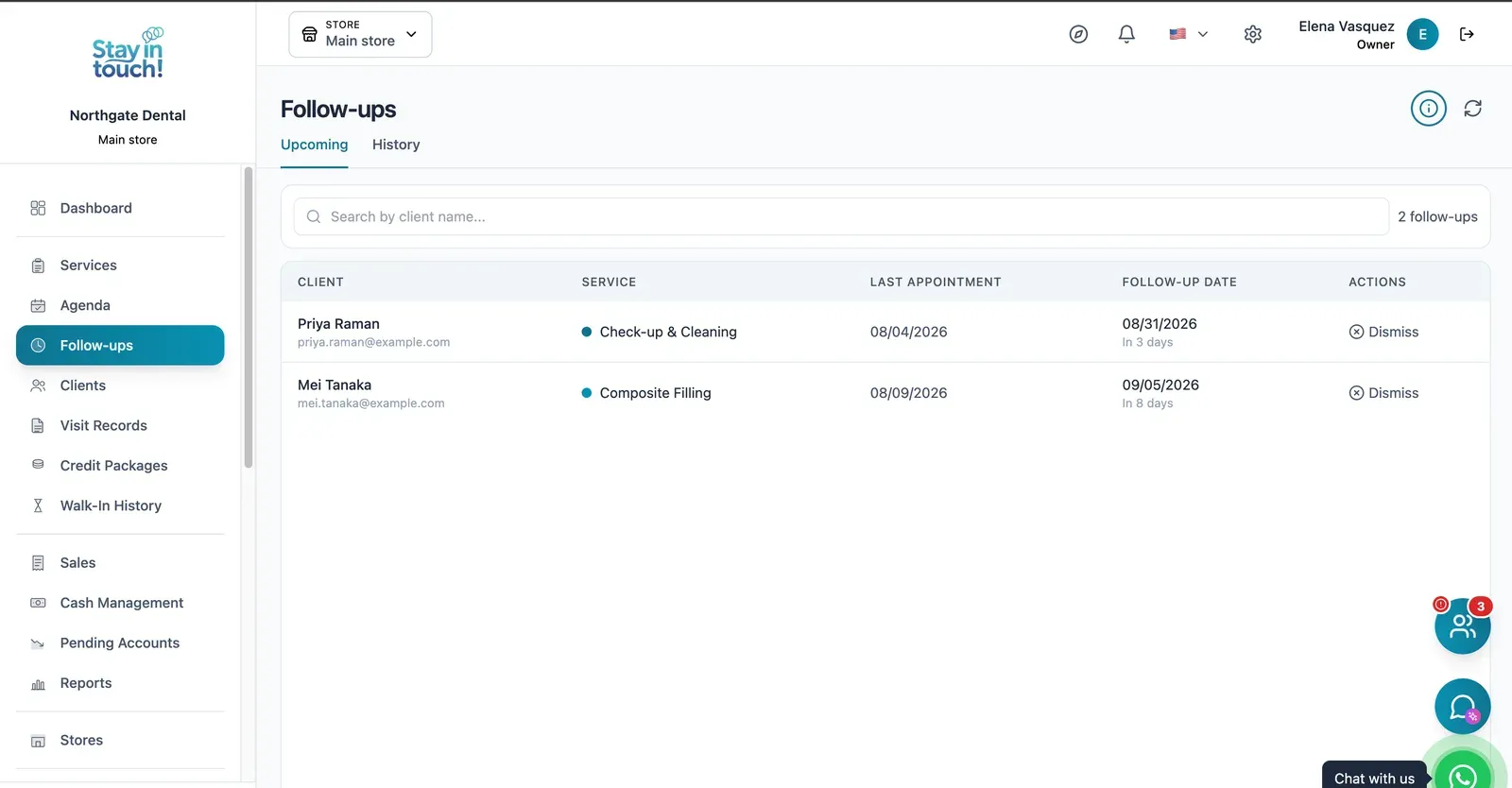
Recalls & Follow-ups
Who is due back and when — six-month recalls and post-treatment checks queued automatically instead of living in someone's head.
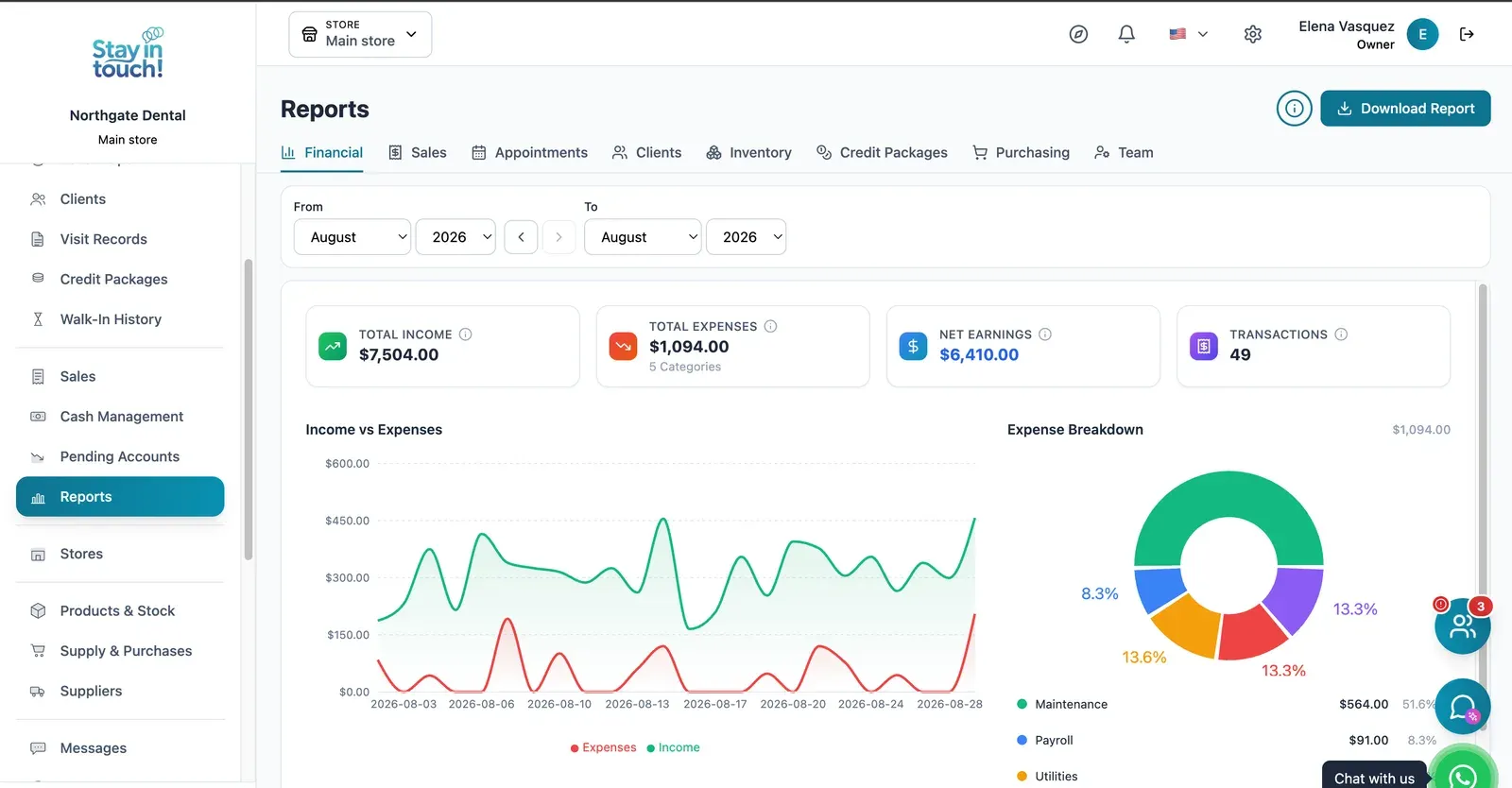
Reports
Revenue, expenses and net profit for any date range, with a trend chart, a category breakdown and a downloadable report.
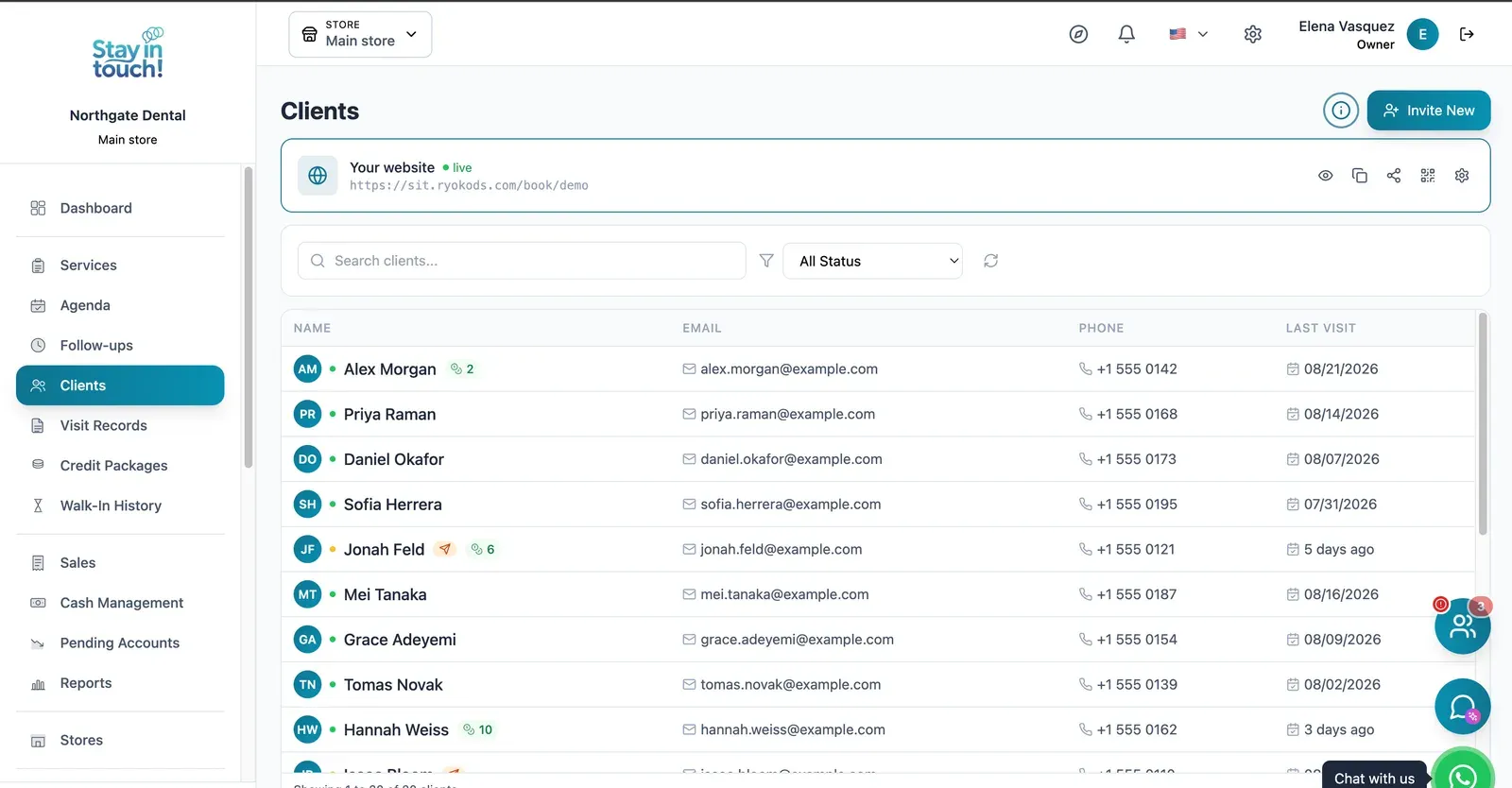
Patients
Your patient directory with contact details and remaining credits, invitable to your booking site in one click.
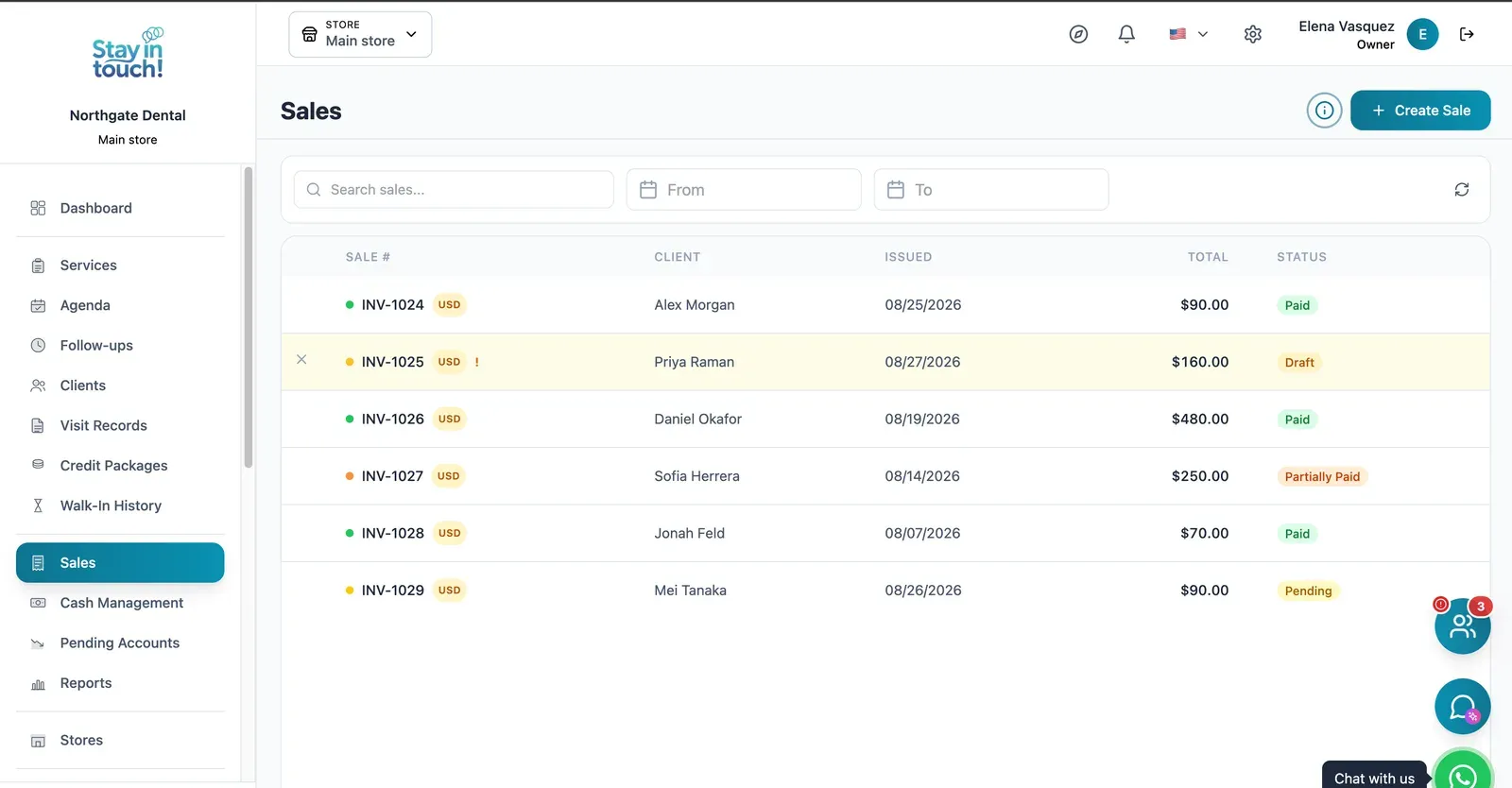
Sales & Invoices
Every invoice in one ledger — paid, partially paid, pending or draft — with the register built into the same screen.
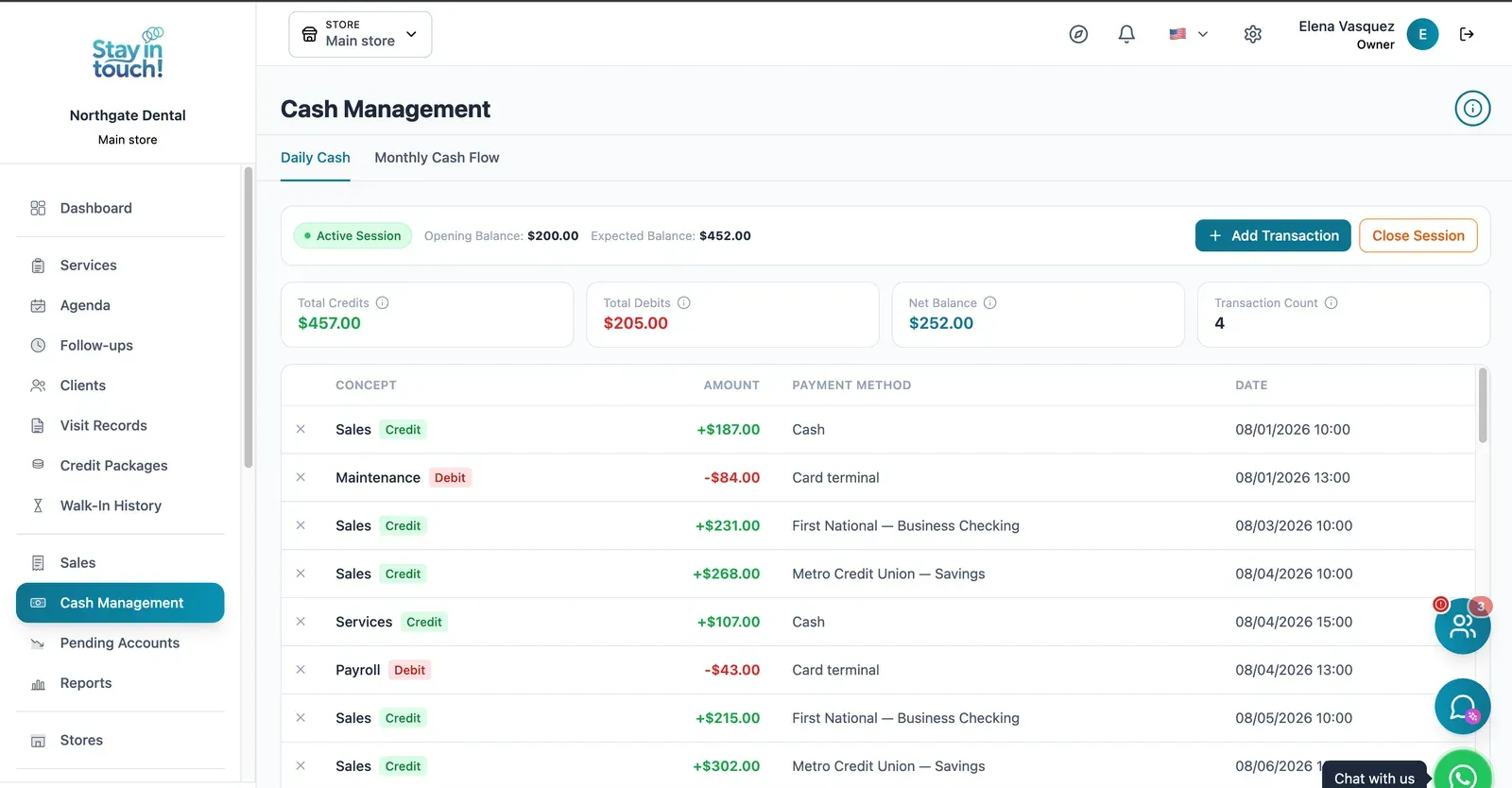
Cash Control
Open and close the register with opening and expected balances, income, expenses and every movement tagged by payment method.
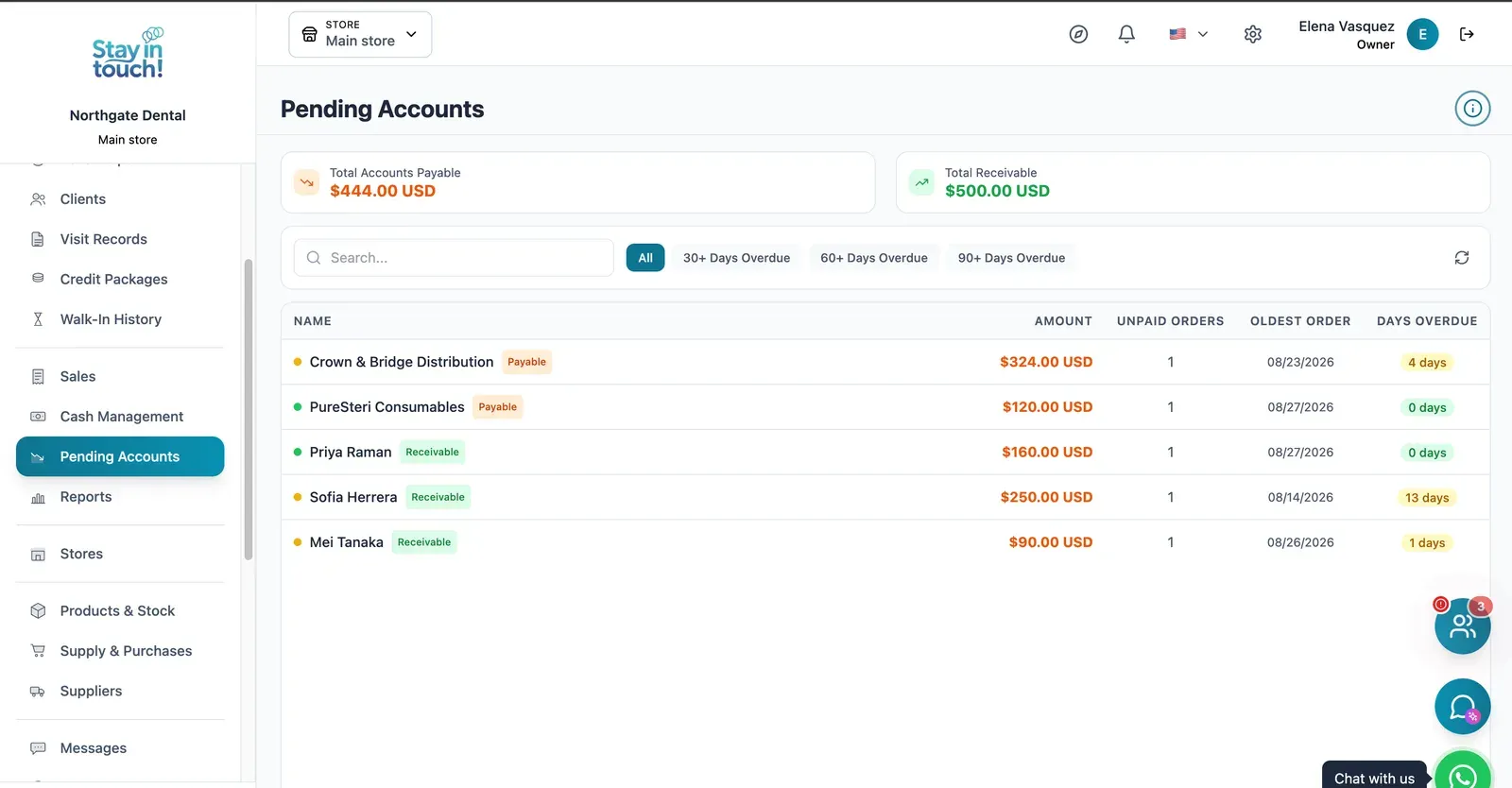
Payables & Receivables
What you owe and what you're owed, aged past 30, 60 and 90 days, with the overdue count on every row.
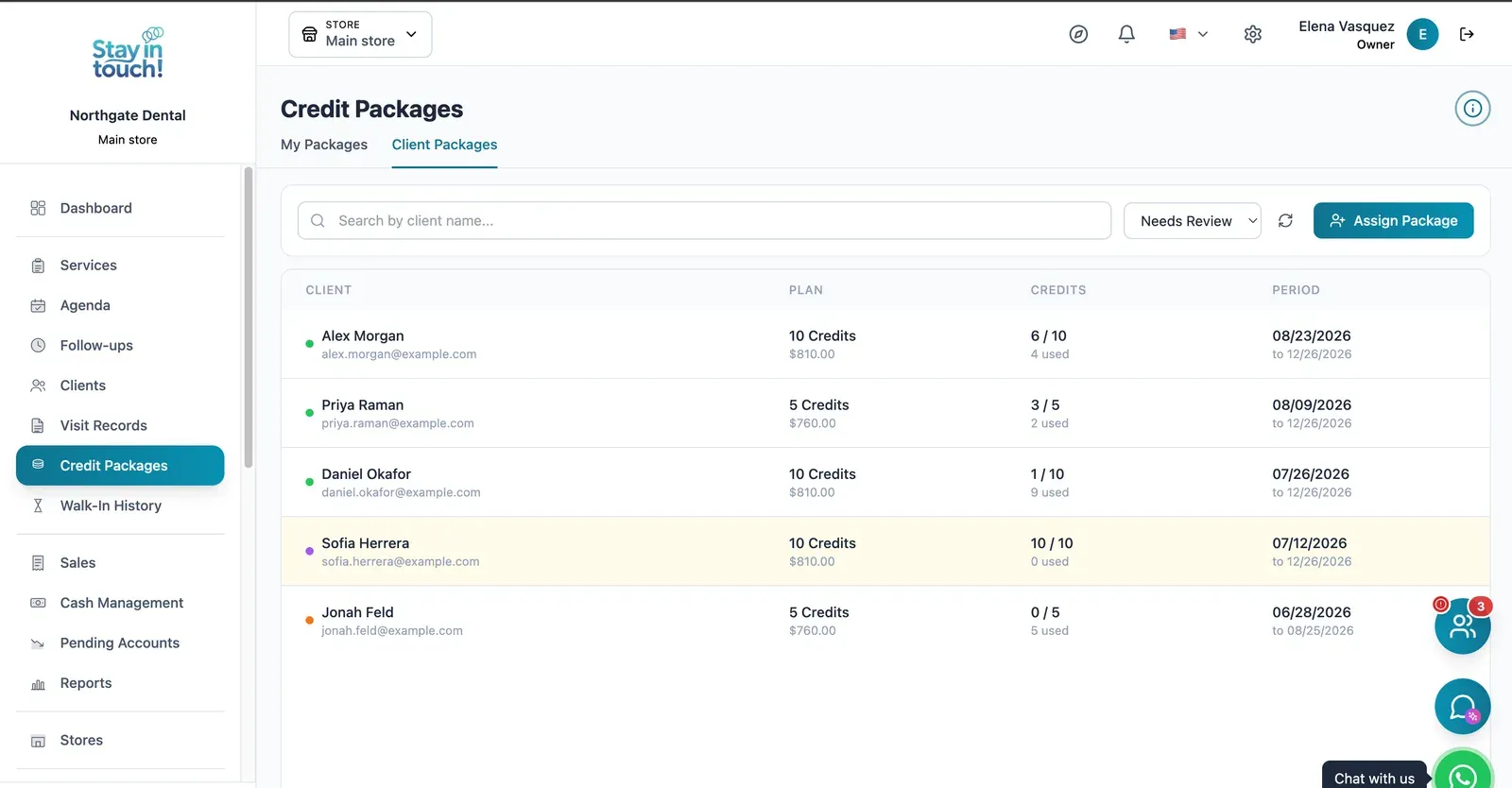
Treatment Plans
Sell multi-visit treatment plans up front and let the system count the visits down: price, visits used, visits left and expiry.
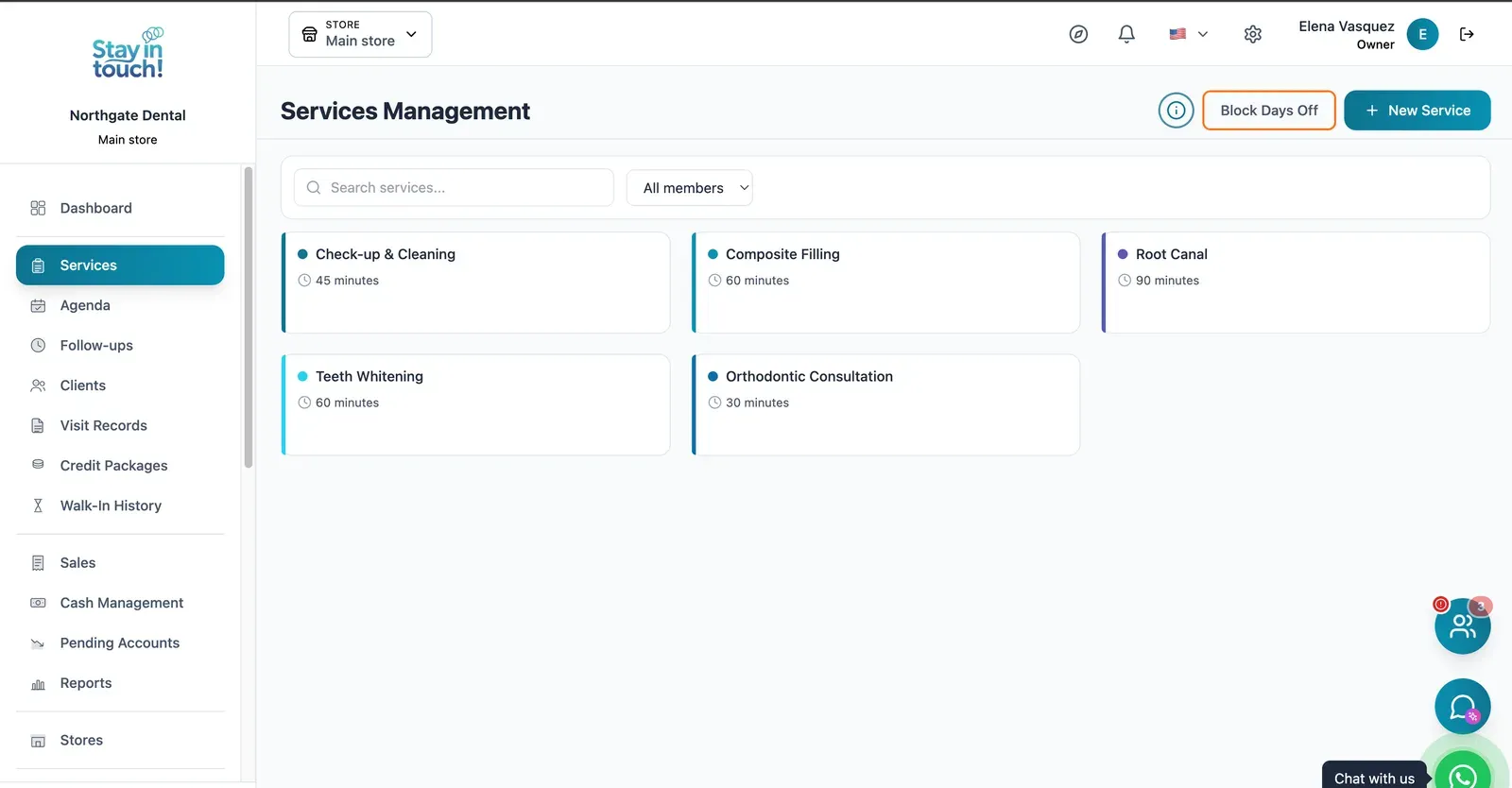
Treatments
Cleanings, composite fillings, root canals and more, each with its own duration, colour and eligible practitioners.
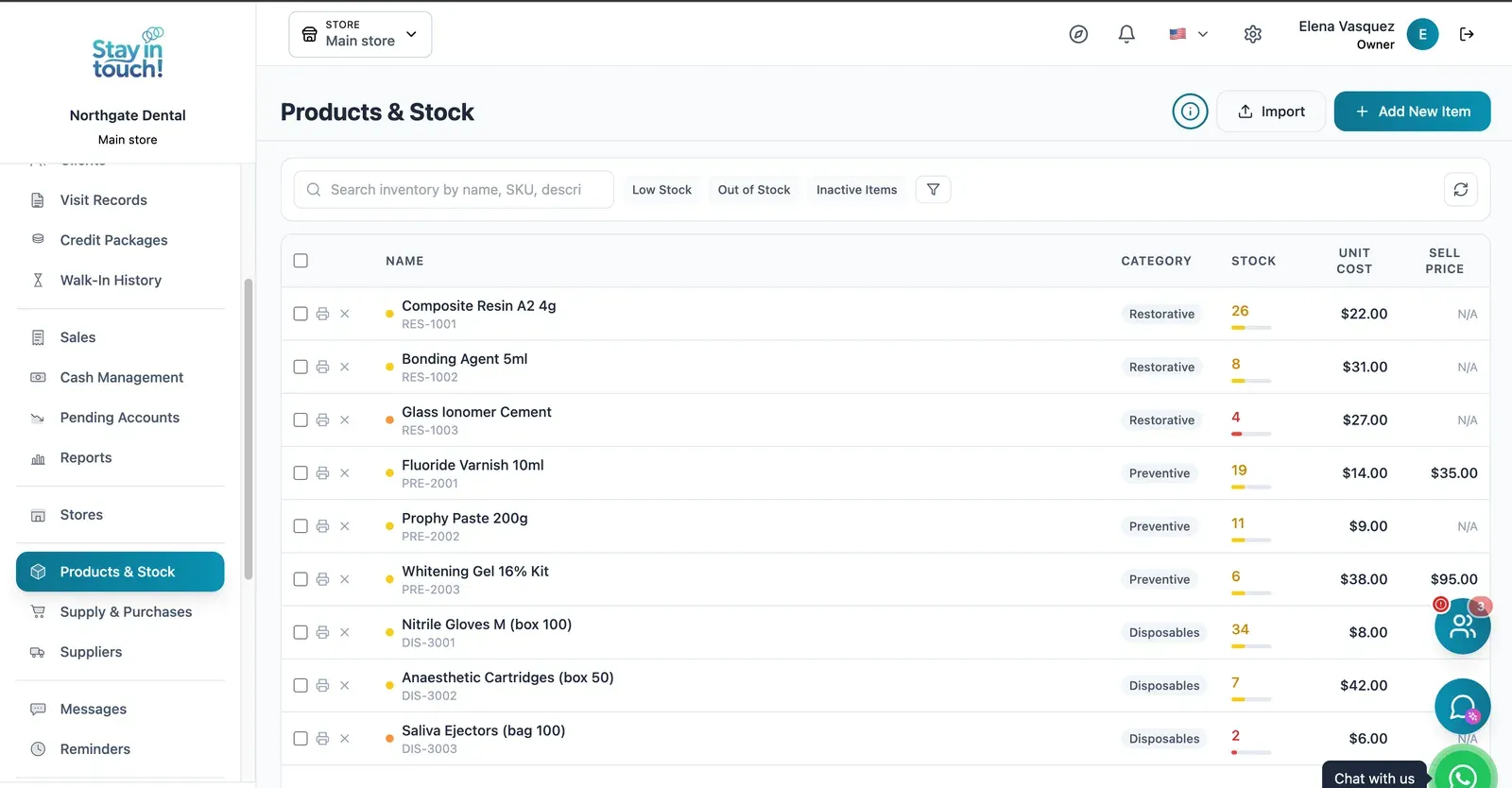
Supplies & Stock
Composites, anaesthetics, burs and consumables with cost against sale price, and low-stock flags before you run out mid-procedure.
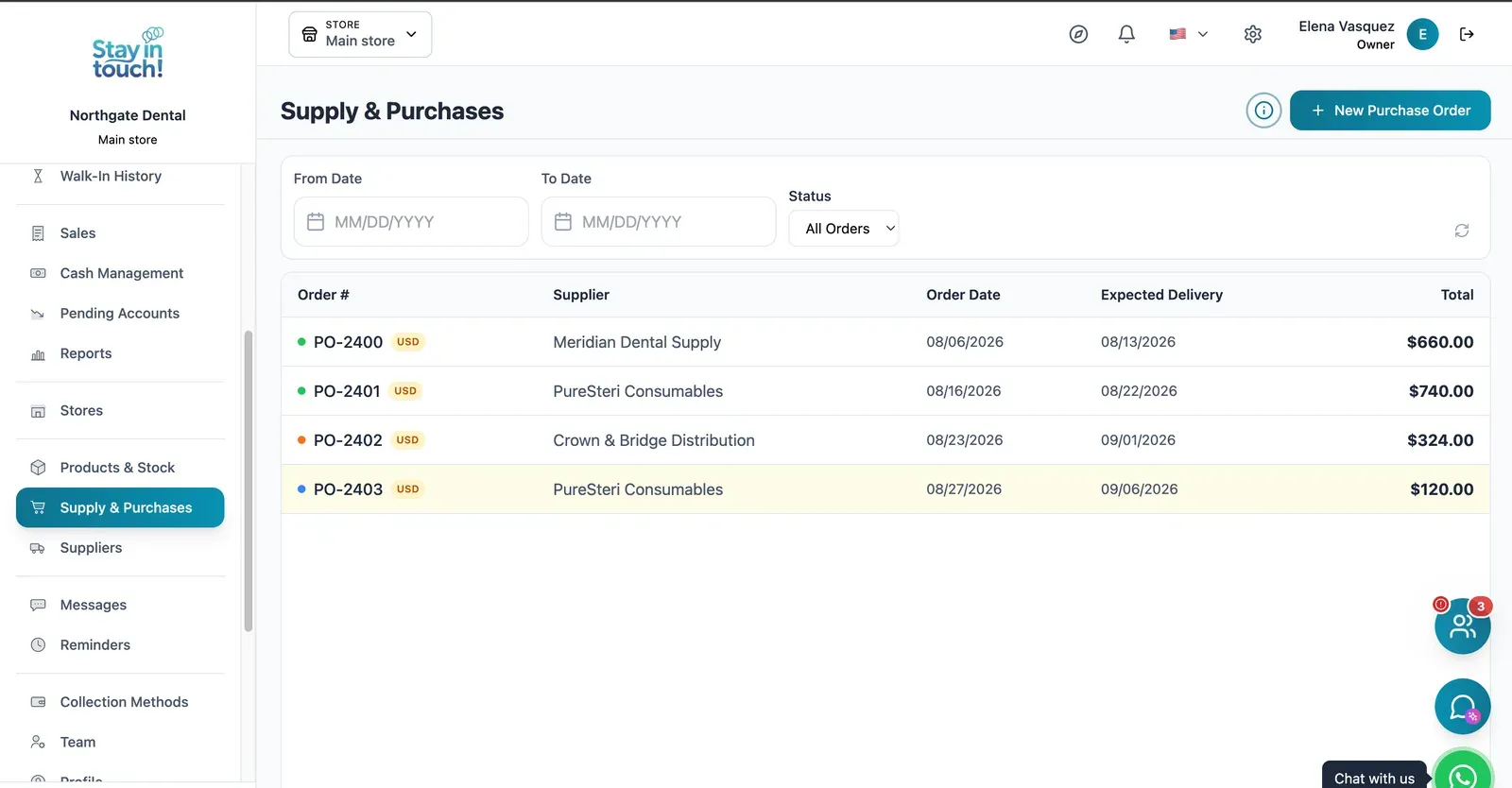
Supply Orders
Orders to your dental suppliers with dates and status, so restocking is a record rather than a phone call you half remember.
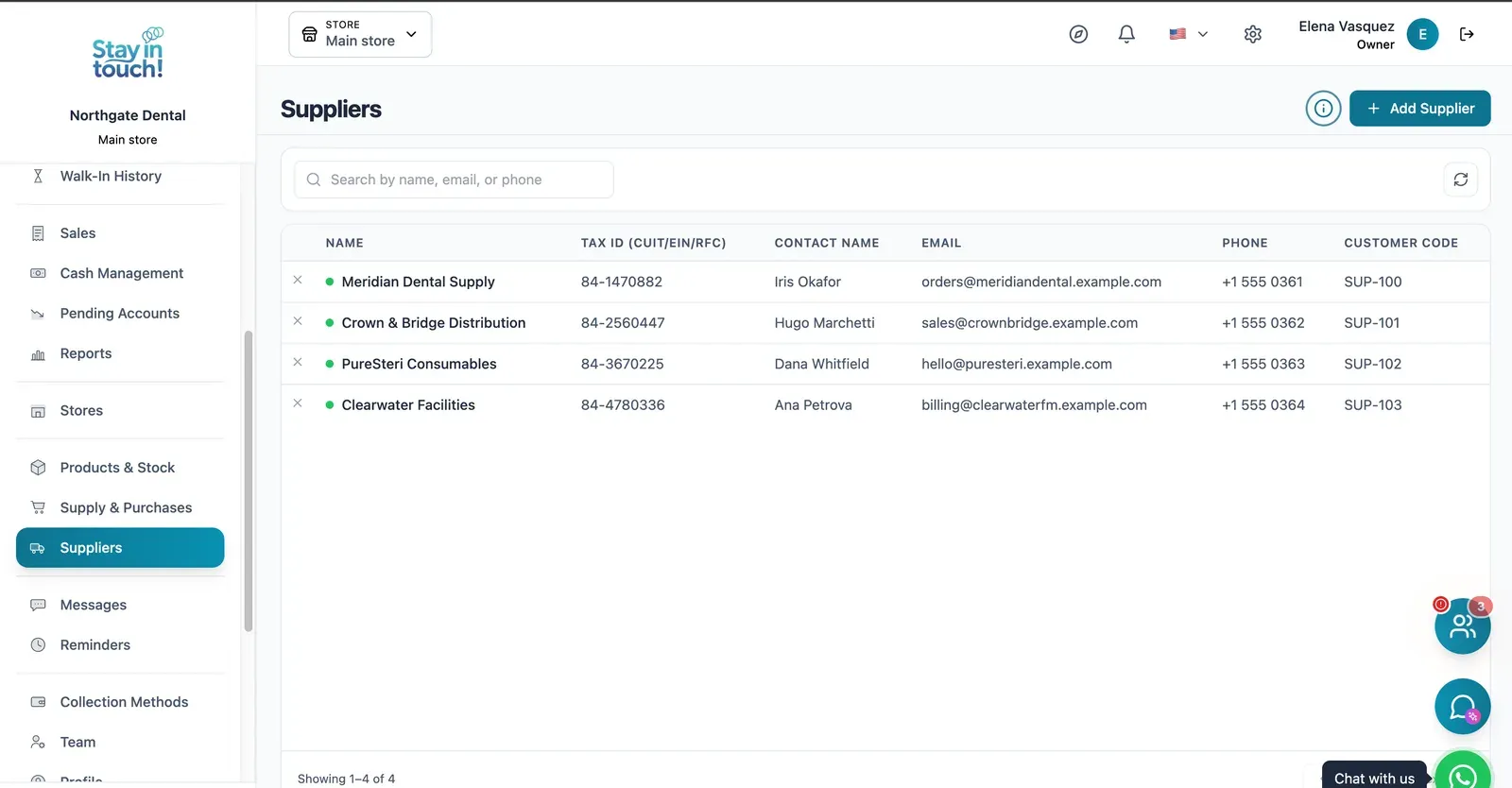
Suppliers
Your vendor book with tax ID, contact person, ordering email and internal supplier code.
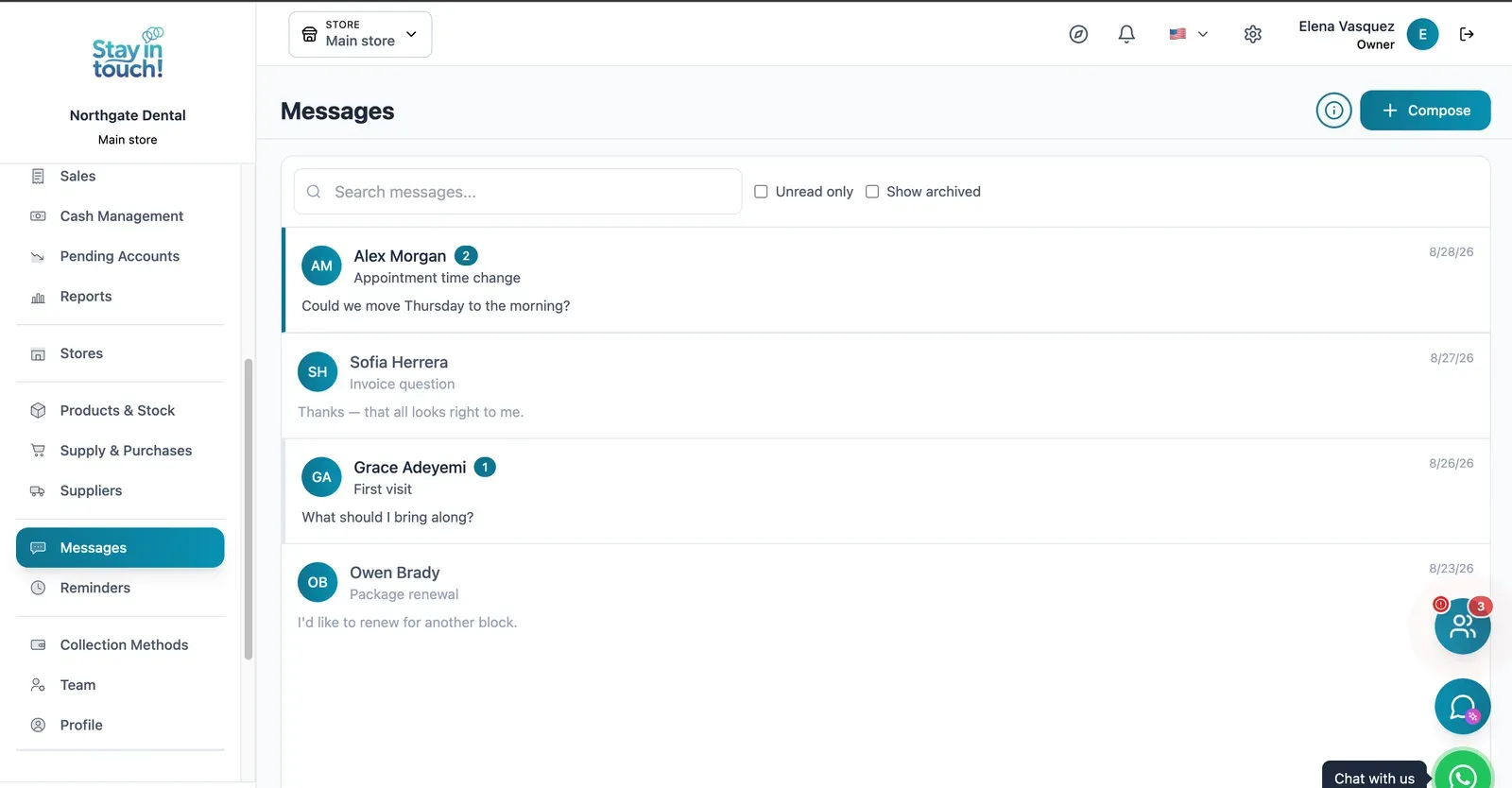
Messages
Client conversations kept in the record instead of scattered across personal phones, with unread counts and archiving.
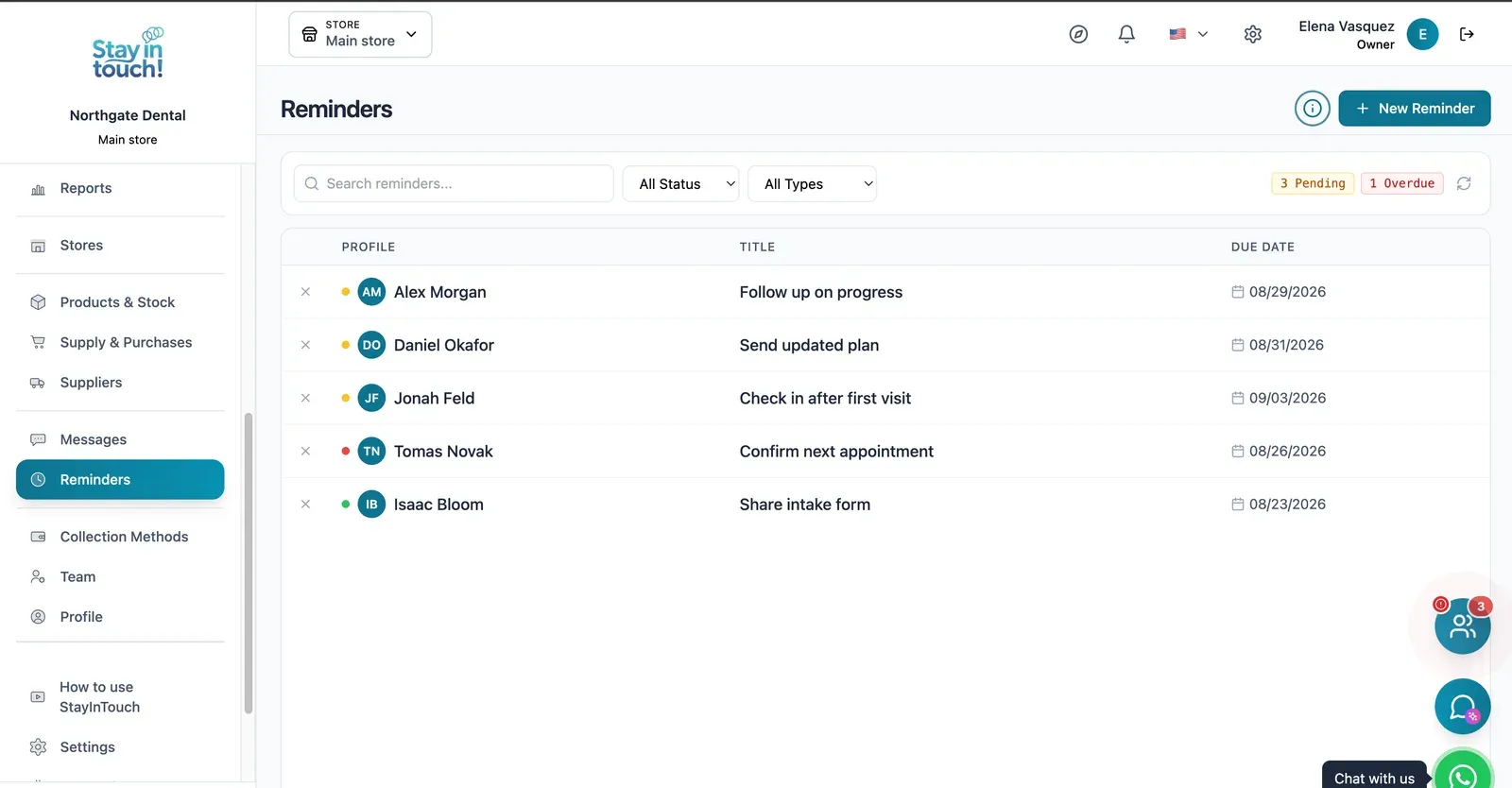
Reminders
Follow-up tasks tied to a client with due dates, so “I'll call them back” becomes something you can actually track.
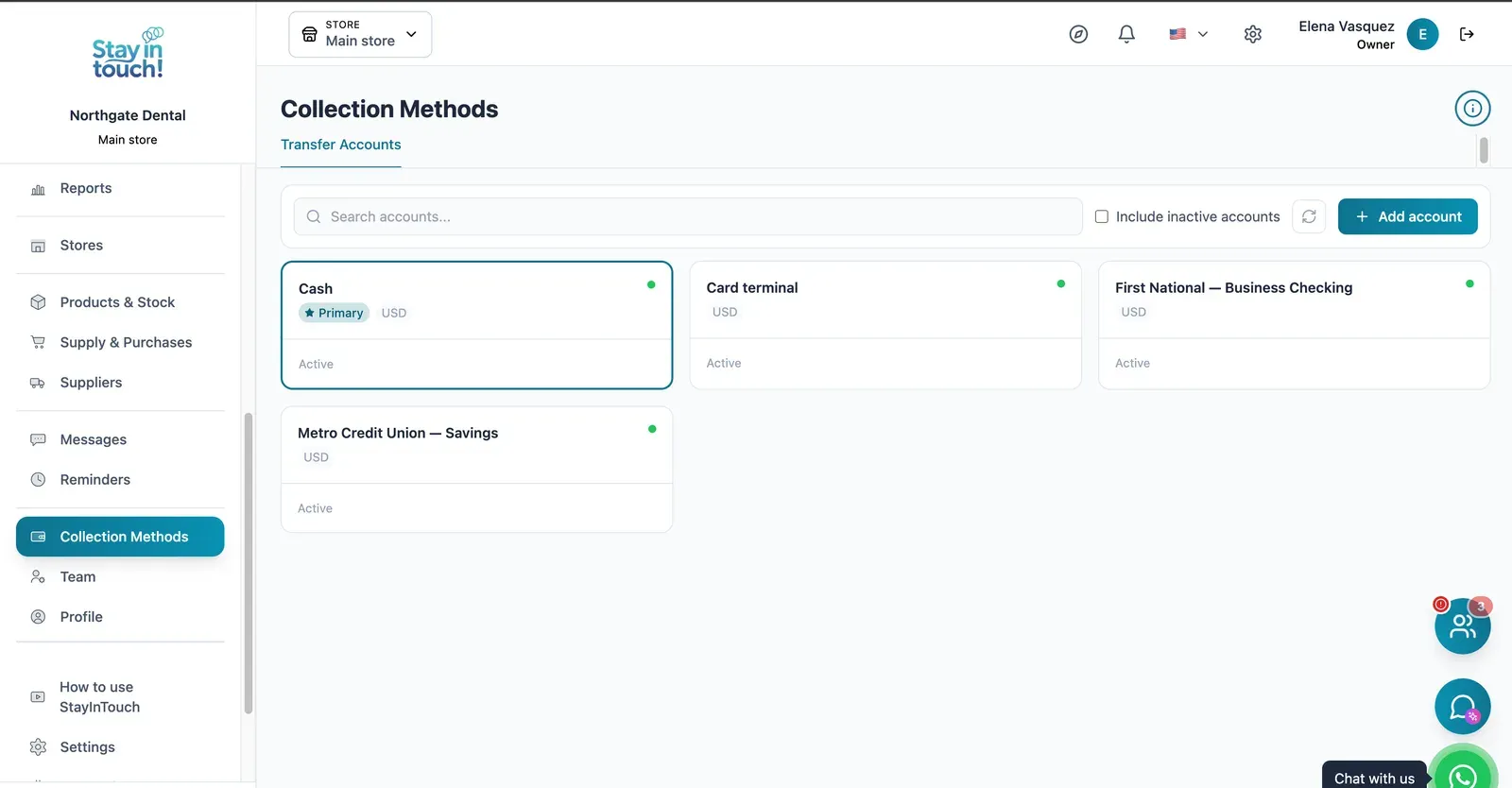
Payment Methods
Every way you collect — cash, card terminal, bank accounts — each with its currency and active state.
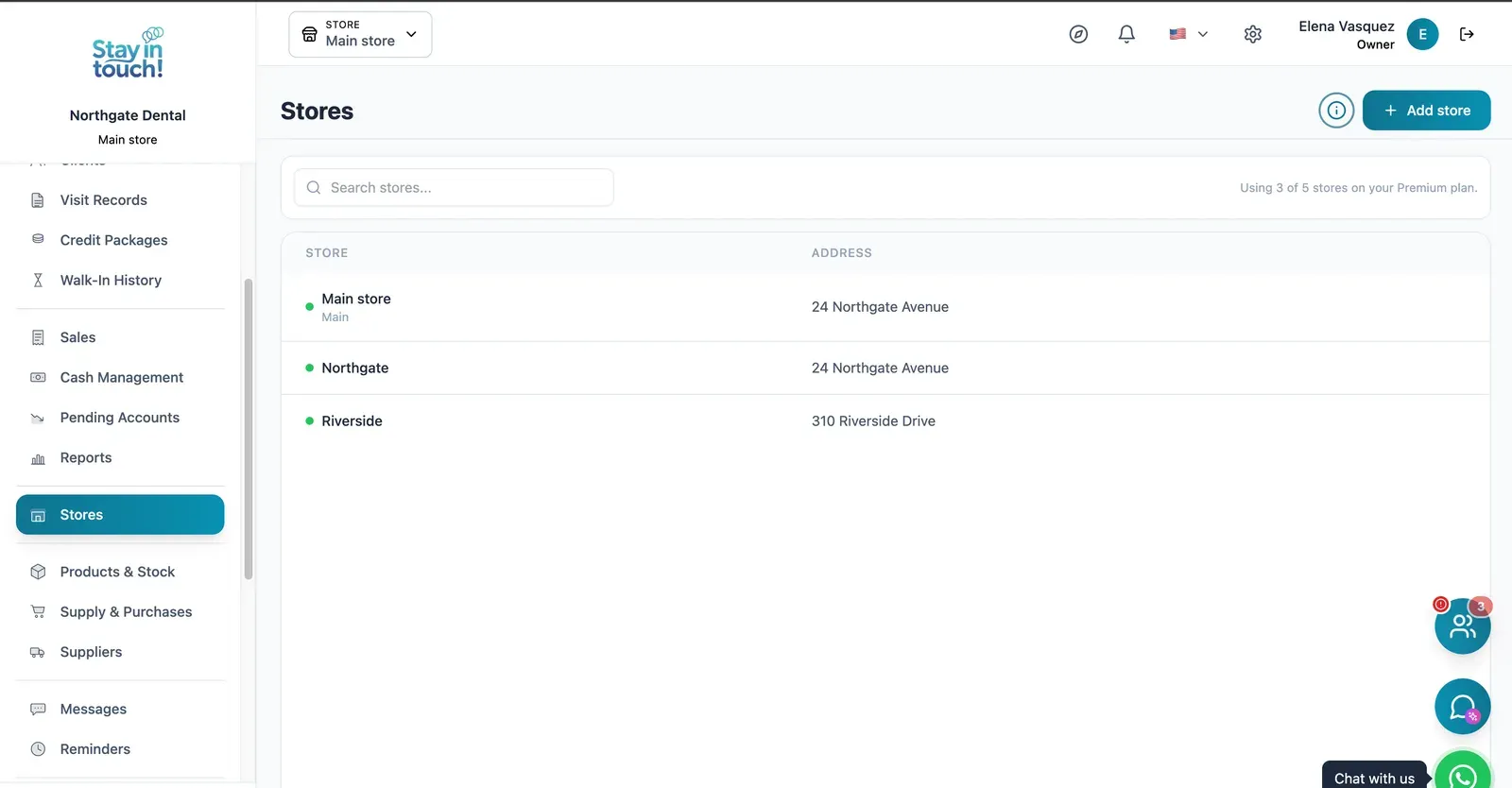
Multi-store
Run every store from one account on the top plan, each with its own team, stock and register.
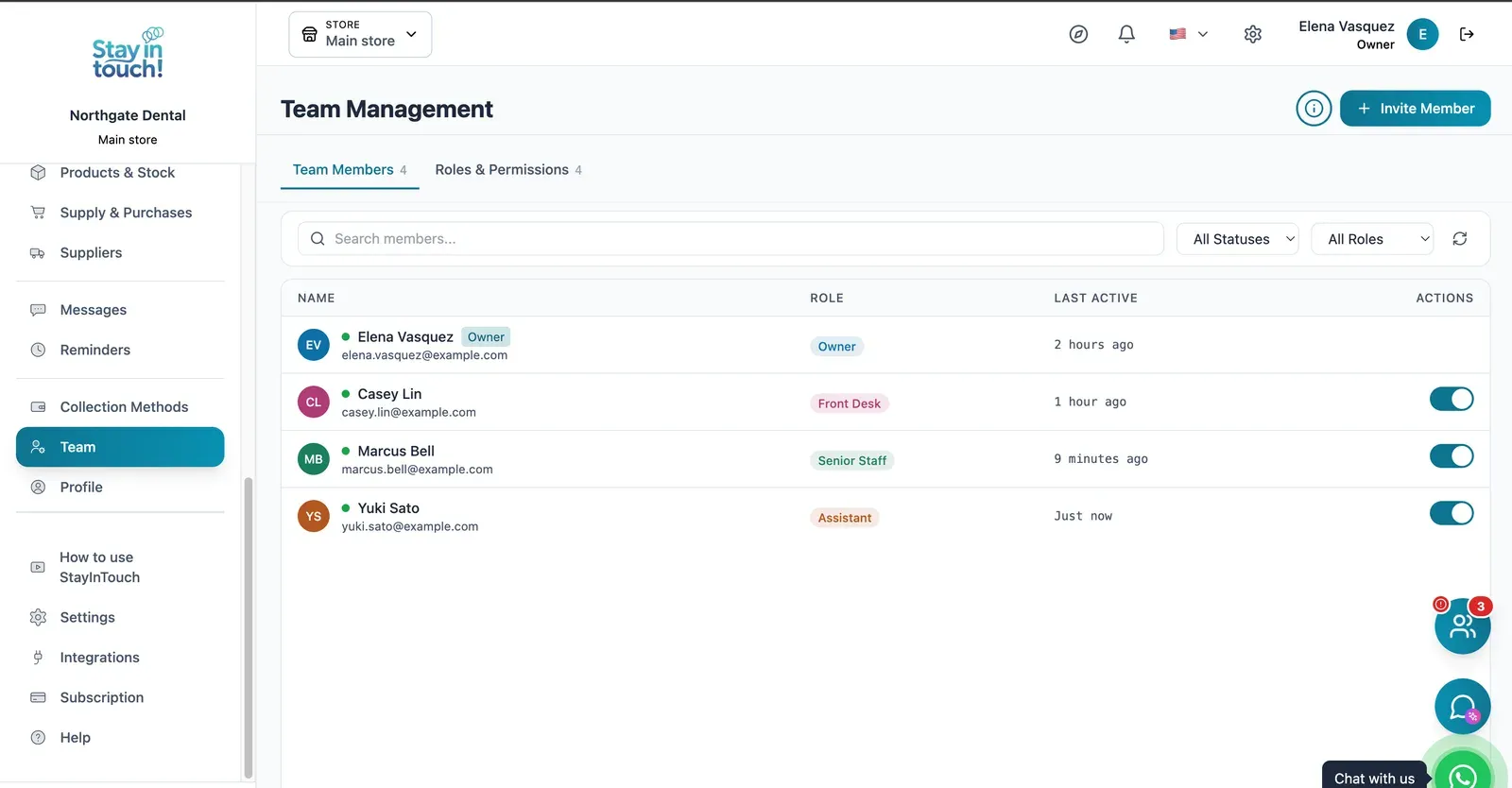
Team & Permissions
Your staff roster with roles, last activity and access toggles, plus a permissions tab as the business grows.
Screen 1 of 22
Website included
Your own website, free from day one
Every Siimplo account publishes a page for your business: your services, online booking and your catalog — no designer, no hosting.
Your services on display, always up to date
Clients book themselves, 24/7
Product catalog with prices
Common questions
Is the chart digital or do I draw it?
Can I attach radiographs?
Does it show outstanding treatment?
Can several clinicians see the same record?
Is charting on the free plan?
Can I migrate from paper cards?
Does it log who made each change?
Is it available outside the US?
Try it on one patient's record.
Chart a mouth and add a treatment plan, then see what's left outstanding. The free plan asks for no card.
Get Started