
For psychology practices
Software for psychologists that treats notes as what they are.
What gets written after a session is the most sensitive information a practice holds. Here it's stored encrypted — not in a notebook or a shared document.
- Sessions
- modules.clinical-records.title
- Cash Control
Session notes aren't ordinary notes
A psychology practice holds material unlike anything another business keeps: what a client said, what the clinician observed, what was worked through and what was left open. That doesn't belong in a shared spreadsheet or a phone's notes app, and yet that is where it usually ends up.
In Siimplo, session notes live inside the client record, ordered by date, and are stored encrypted with AES-256-GCM. That's encryption at rest: not even a full copy of the database reveals them in plain text. The same applies to client observations, emergency contacts and message contents.
It's worth saying what this isn't: it is not end-to-end encryption. The system decrypts to show you the note, so it defends against a stolen database, a leaked backup or a disk leaving the building — not against someone holding your username and password. We'd rather explain it that way than sell a bigger word.
No-shows are fixed by reminding, not by penalising
The session that isn't cancelled and isn't used is the most common loss a practice takes, and it's rarely bad faith: Thursday at four felt far away when the appointment was booked three weeks ago.
Reminders go out on their own over WhatsApp, which is where people actually reply, using Meta-approved templates. Each notice switches on and off separately, so you decide whether to confirm the booking, remind the day before, both, or neither.
For regular clients there are session packages: buy four, they're drawn down as they're used, and the system knows how many remain without anyone keeping count on paper.
The administrative half, which also exists
Beyond the calendar and the records, the portal runs the day's till, sales, each client's outstanding balance and payment methods. If you share a practice or have a team, each clinician gets their own calendar and login, and there's a waiting room to see who has arrived.
Appointments can be booked from your website, which comes with the account: your name, your services, your hours and a booking link with a QR code. They land straight in the calendar with nobody retyping them.
The free plan has no expiry date and opens without a credit card. It's capped on client count, not on time, and already includes the calendar, the records, the website and the encryption.
What you'll use every session
Encrypted session notes
By date, inside the client record, stored with AES-256-GCM on every plan.
Calendar and online booking
Appointments from your website or a link and QR code, landing straight in the calendar.
WhatsApp reminders
Confirmation and advance notice, on Meta-approved templates. Each switches on separately.
Session packages
Four, eight or whatever you set. Drawn down as used, with the balance visible.
Waiting room
Who arrived, how long ago and who's next, without stepping out to look.
Till and balances
What came in today, what each client owes and how they paid.
The practice, screen by screen
The real portal, running right here. Go in and click anything.
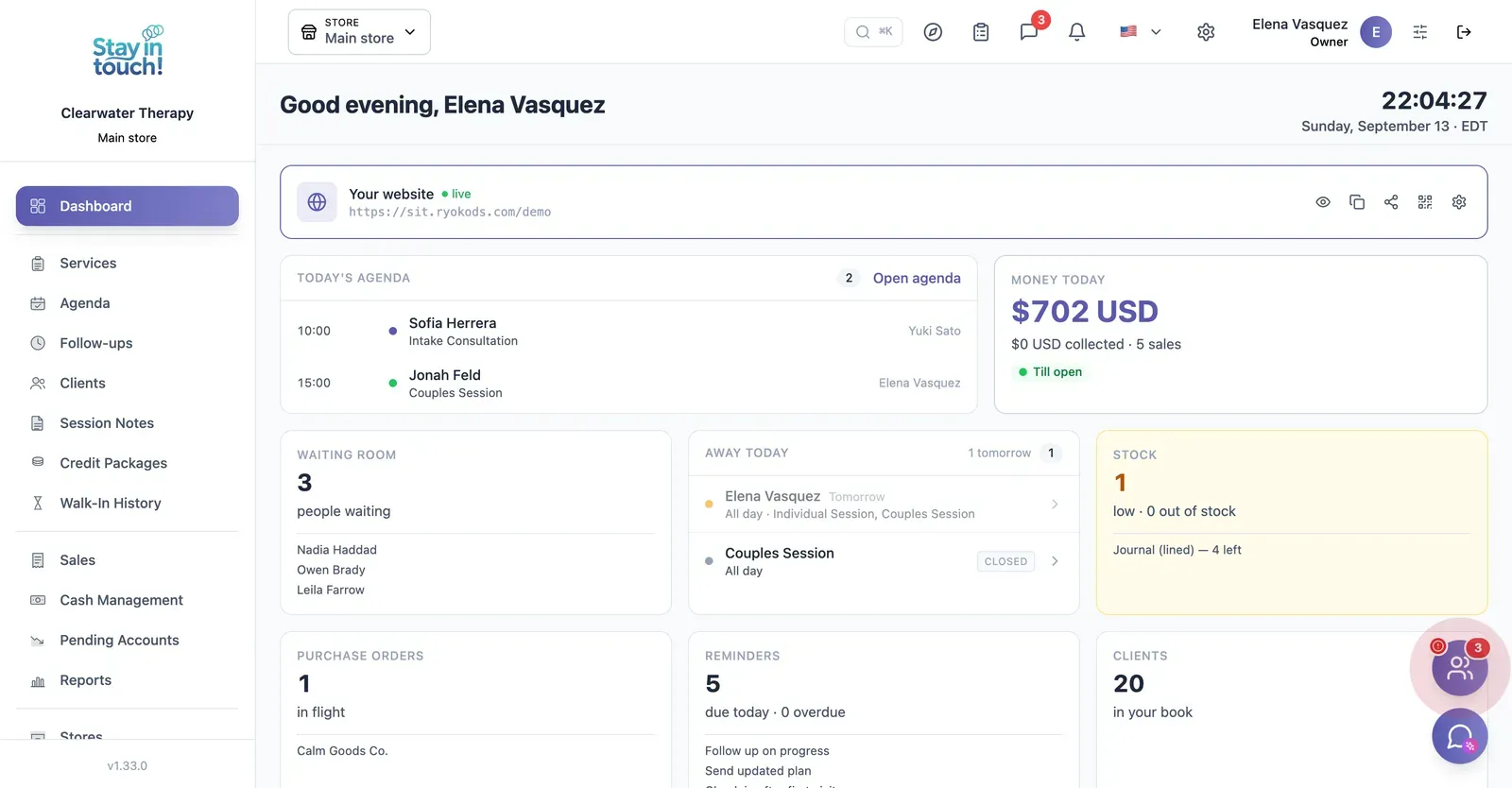
Dashboard
Today's sessions, your active client count and the intake link new clients use to book a first appointment.
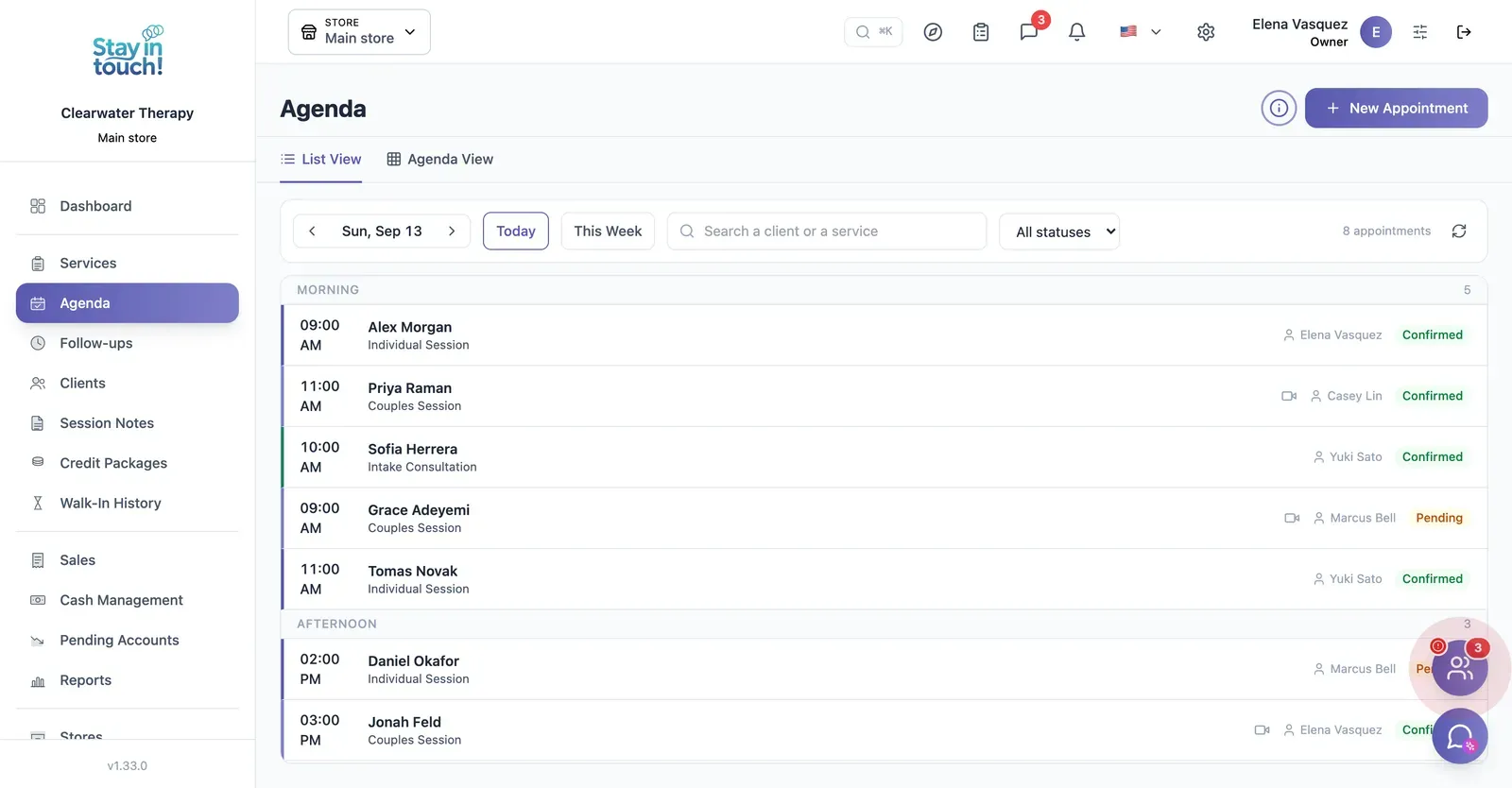
Sessions
Individual, couples, intake and group sessions across the day, with the practitioner assigned and confirmation status.
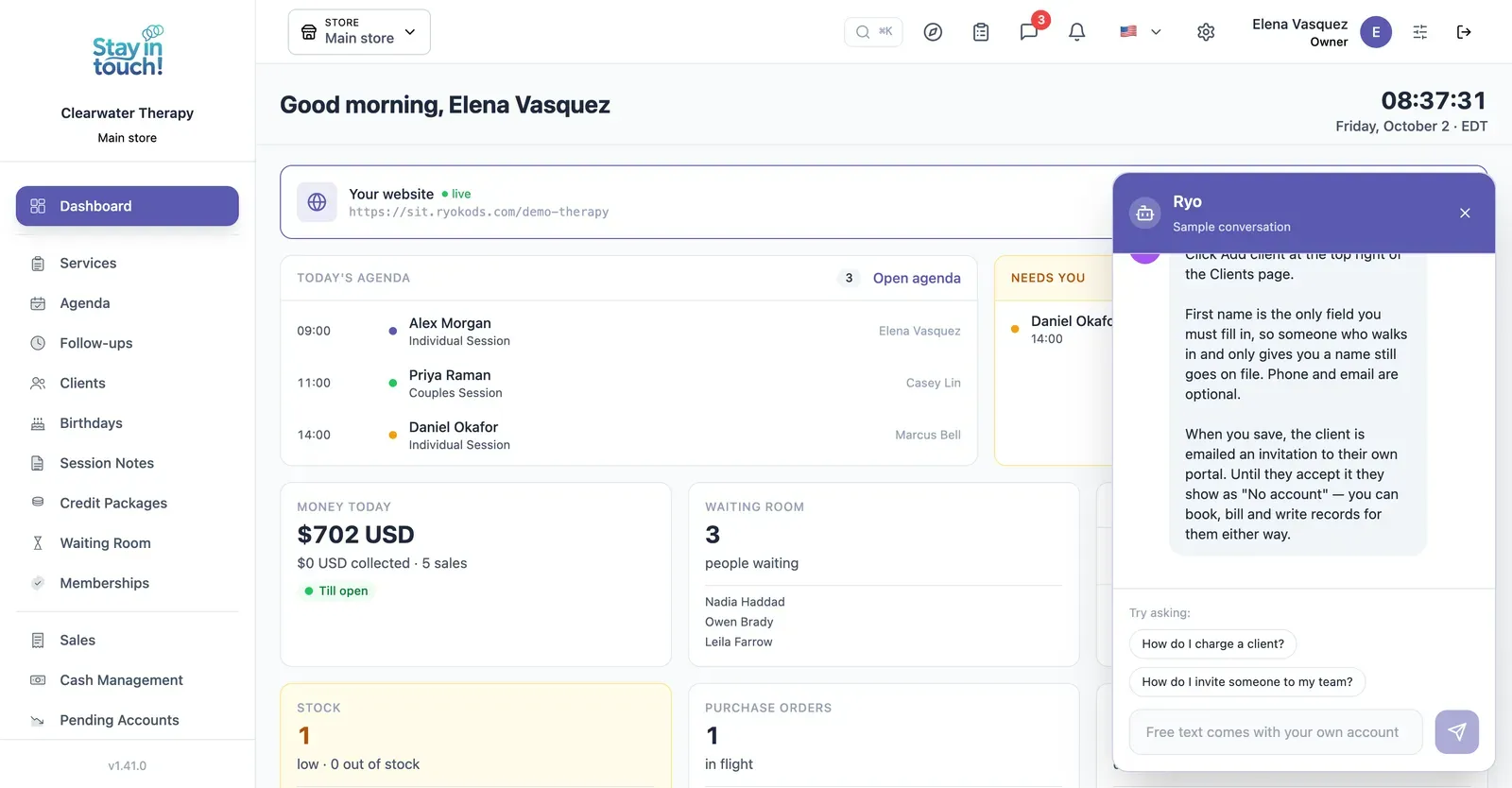
Ryo, the AI assistant
Ask in your own words and it walks you through Siimplo step by step; it also reads your real schedule and drafts the appointment for you to confirm.
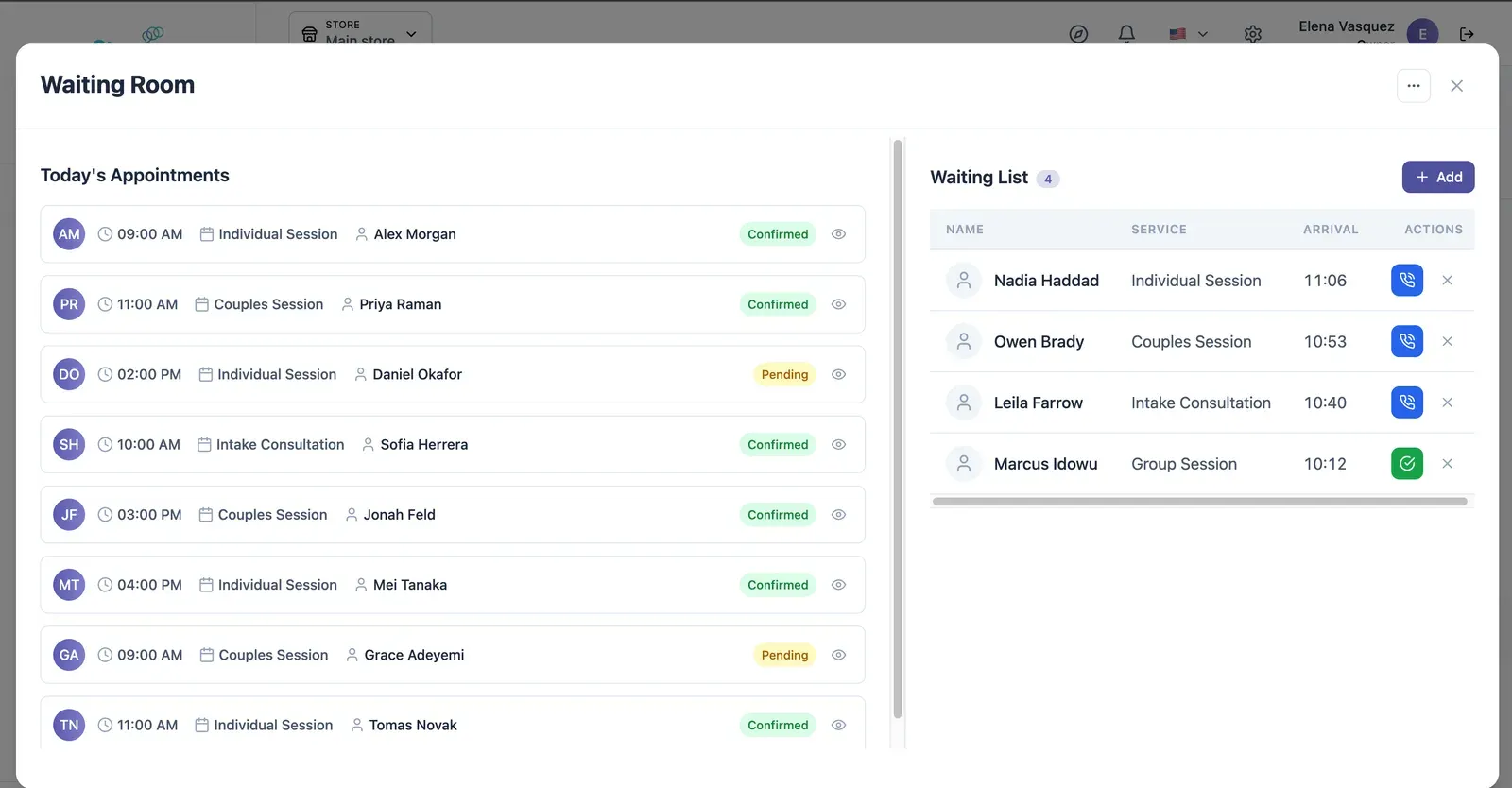
Live Waiting Room
Today's appointments on one side, who has arrived on the other — call the next one in with a single click.
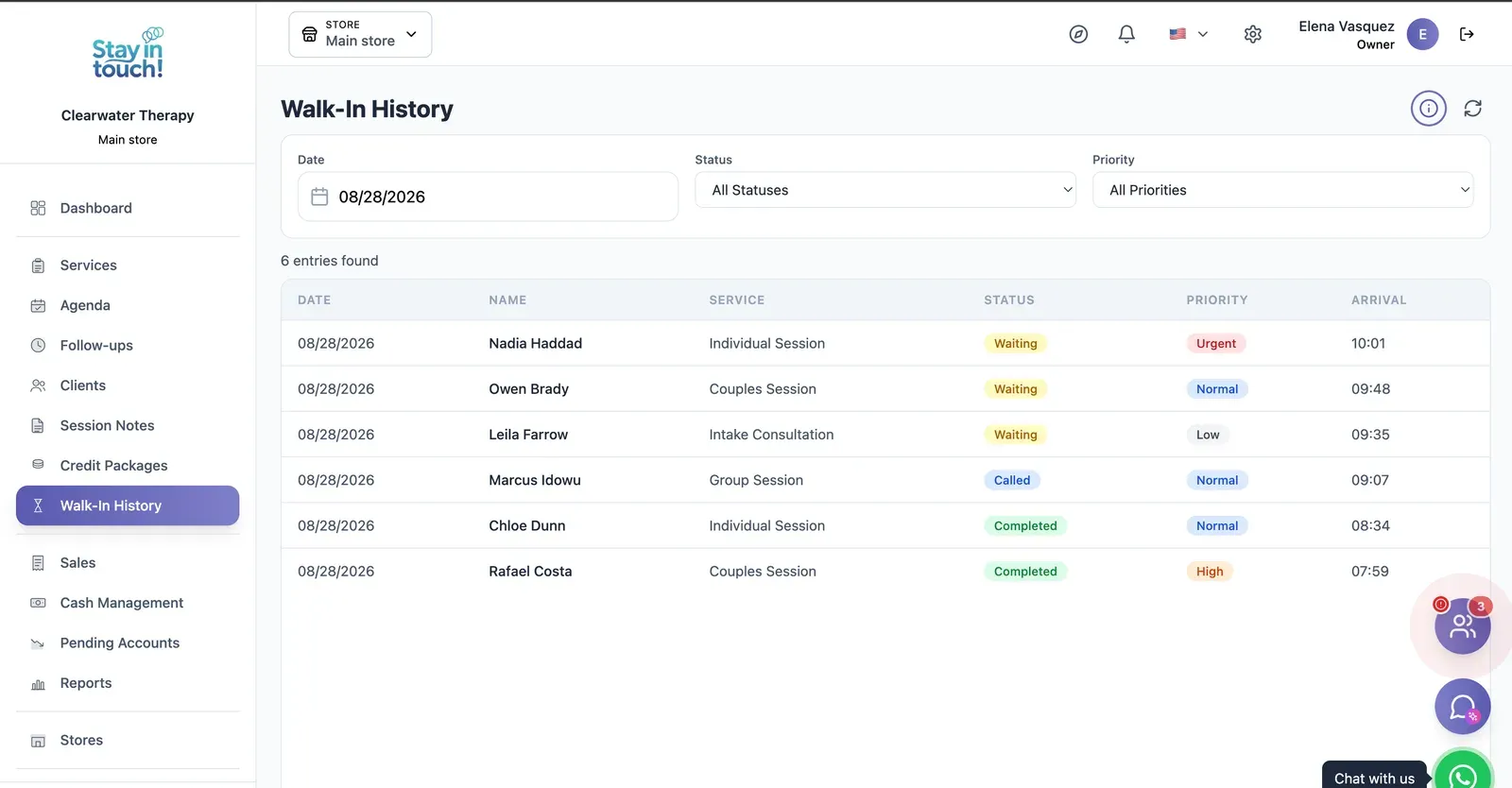
Waiting Room Log
A dated record of arrivals and how long each client waited, kept for every session.
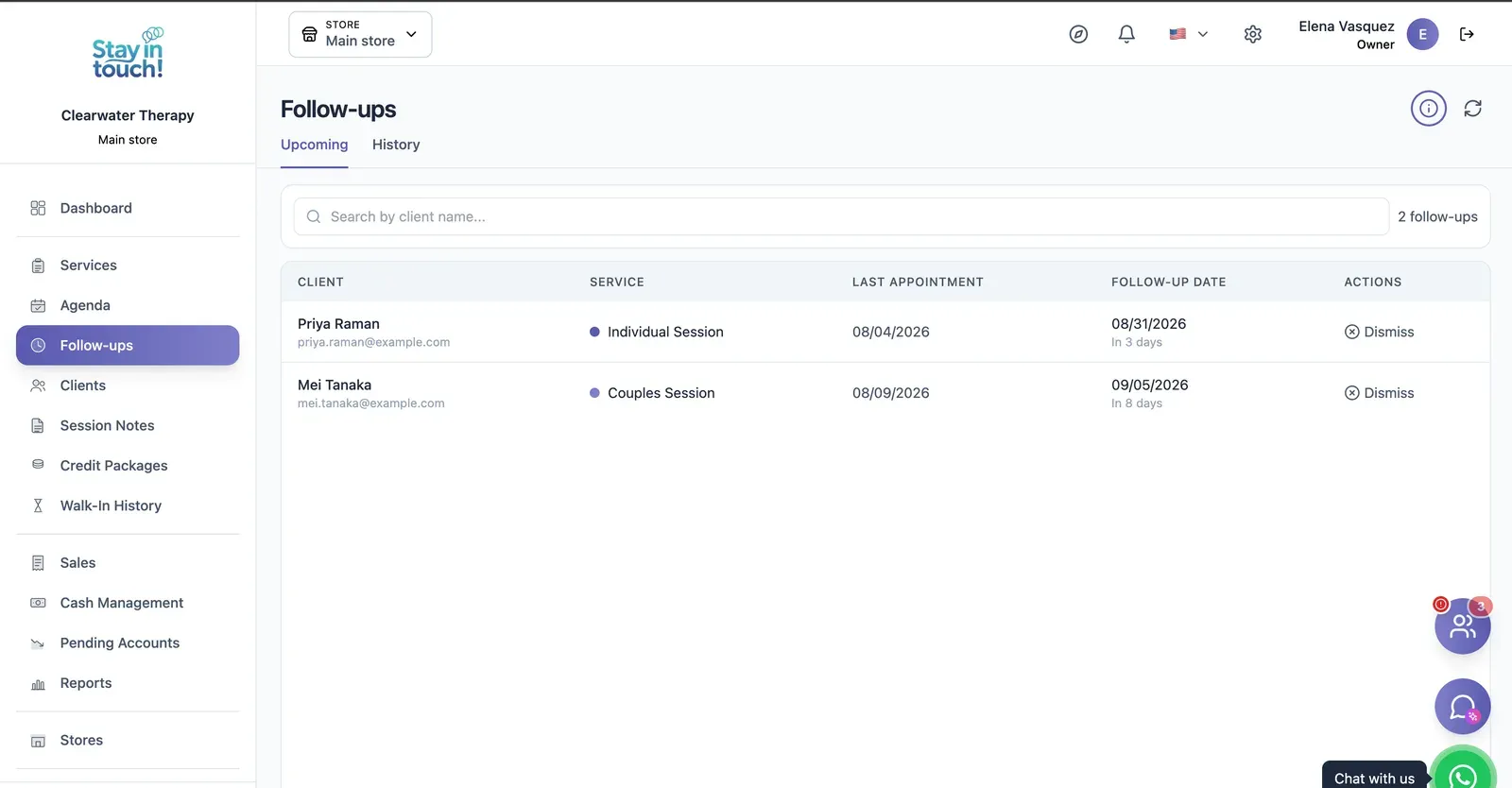
Follow-ups
Who is due back and when — post-visit checks and recalls queued automatically instead of living in someone's head.
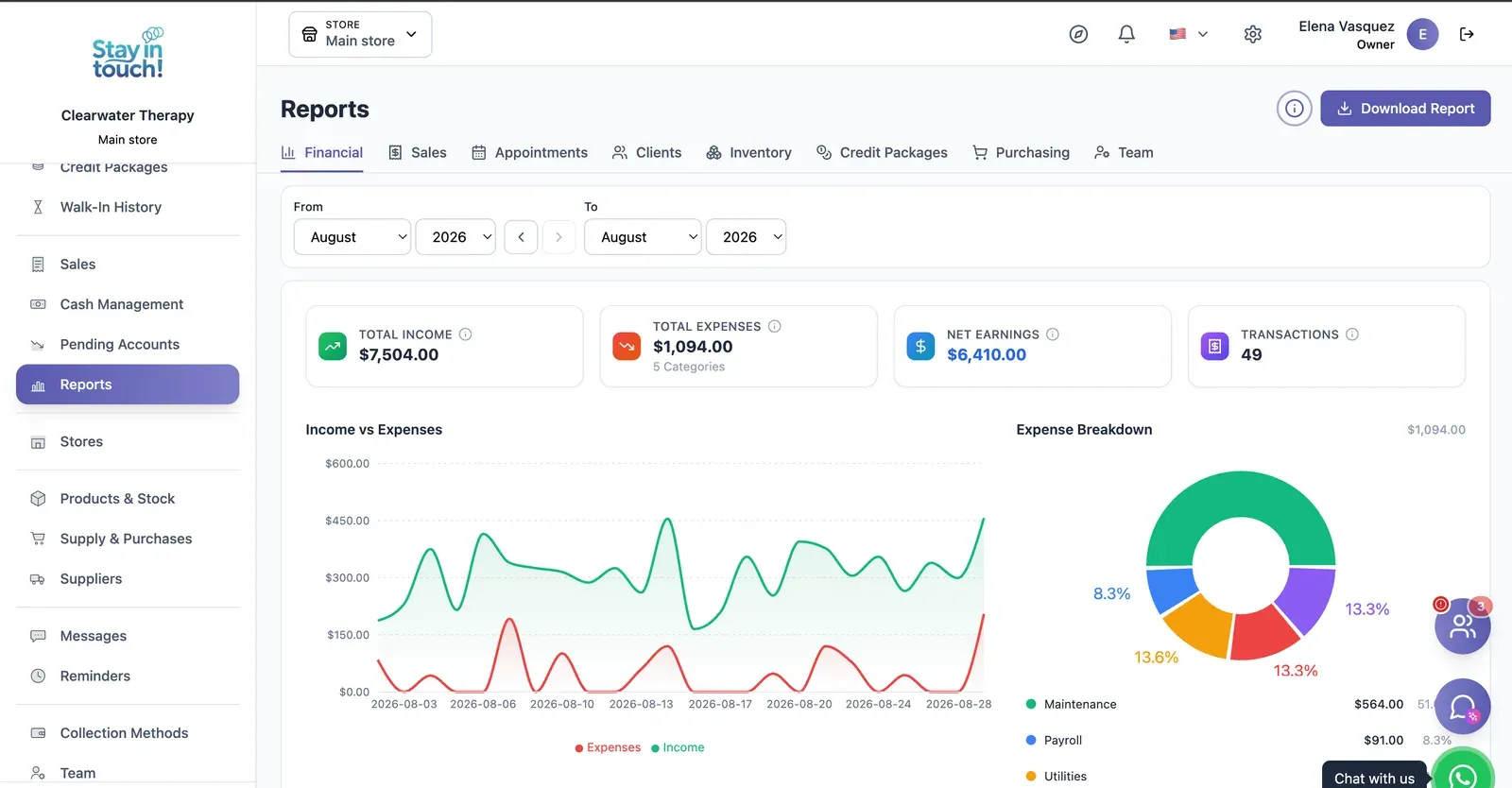
Reports
Revenue, expenses and net profit for any date range, with a trend chart, a category breakdown and a downloadable report.
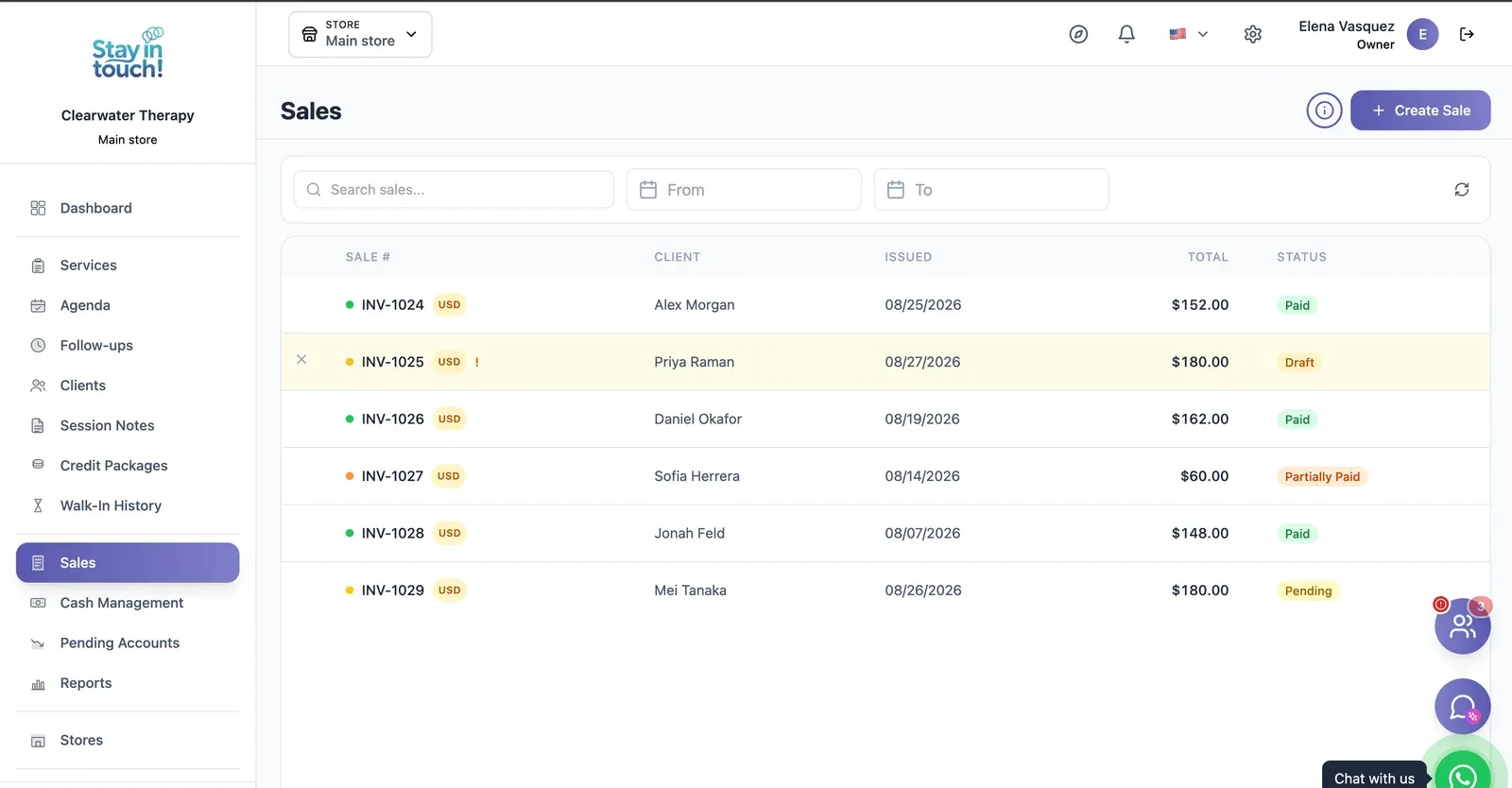
Sales & Invoices
Every invoice in one ledger — paid, partially paid, pending or draft — with the register built into the same screen.
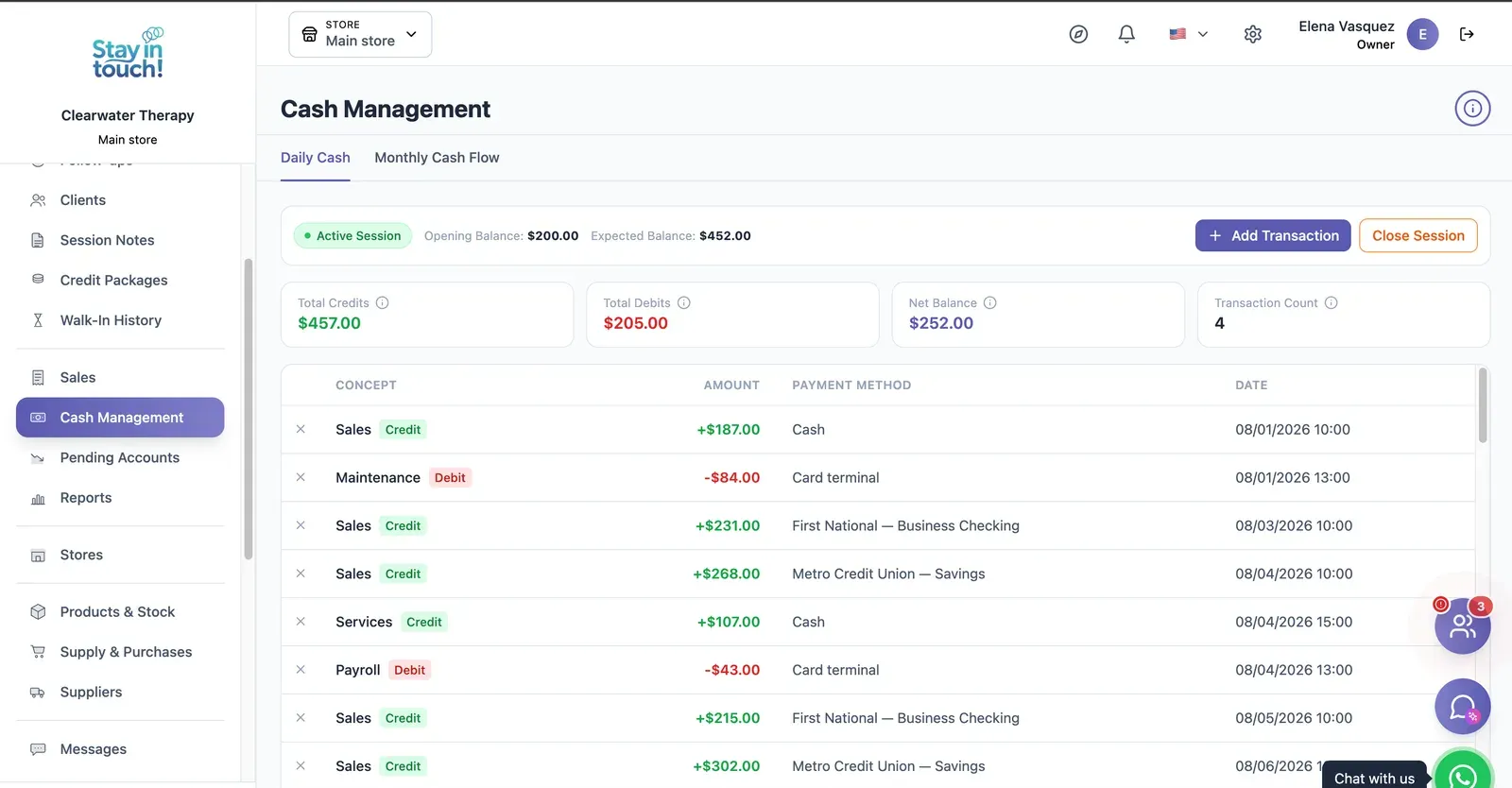
Cash Control
Open and close the register with opening and expected balances, income, expenses and every movement tagged by payment method.
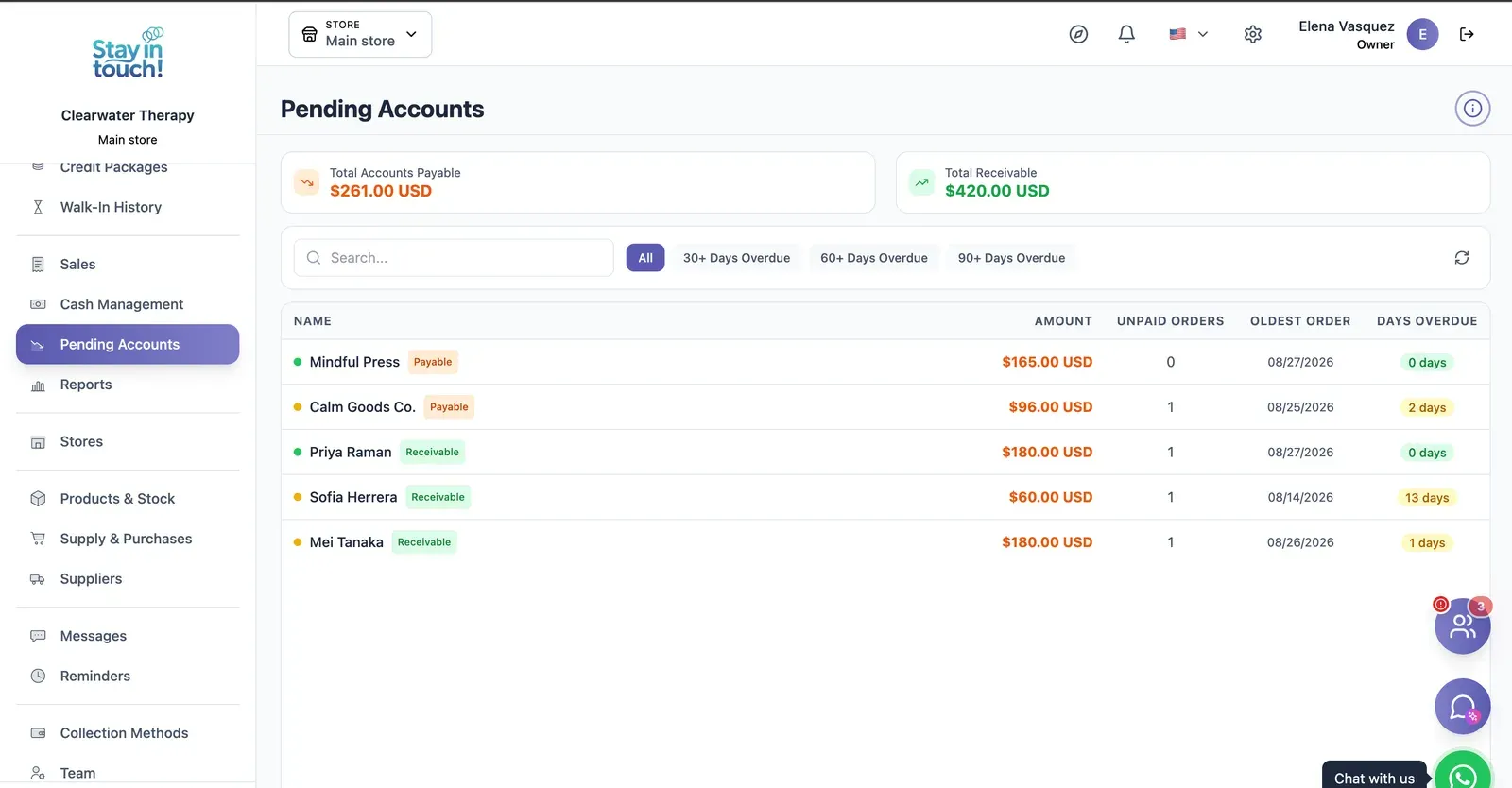
Payables & Receivables
What you owe and what you're owed, aged past 30, 60 and 90 days, with the overdue count on every row.
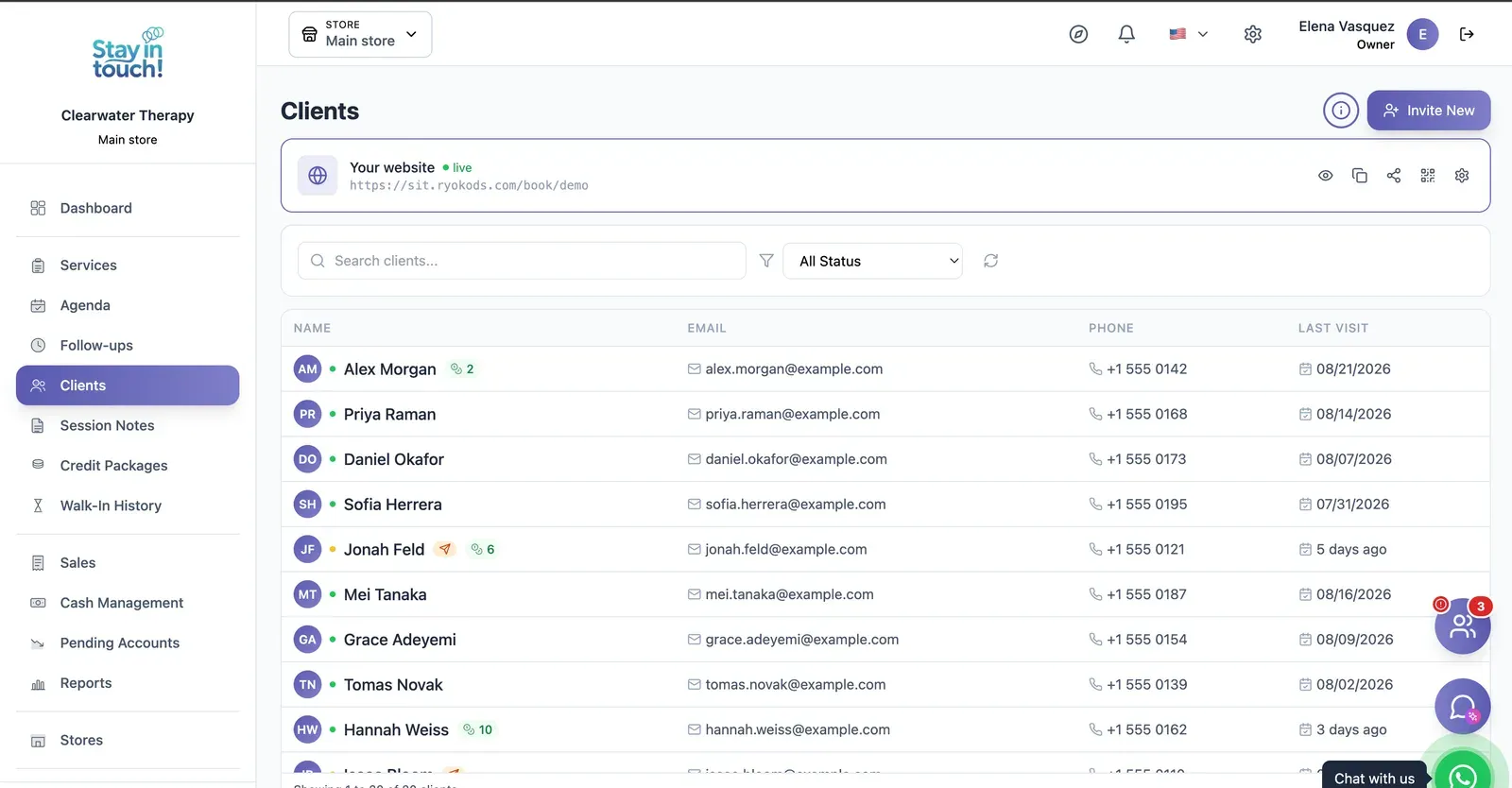
Clients
Your caseload with contact details, remaining session credits and status, searchable and invitable in one click.
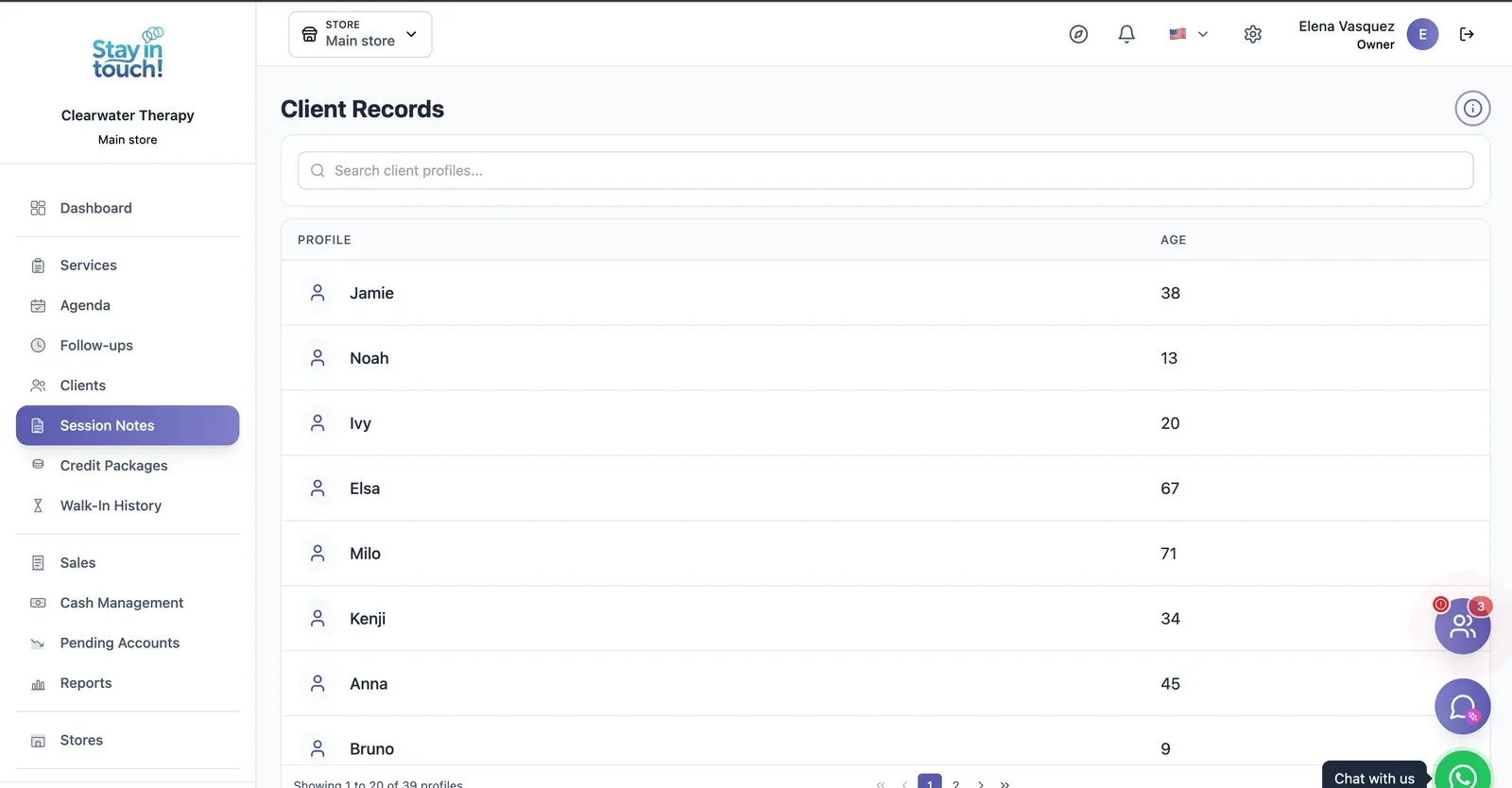
Session Notes
A private clinical record per client, session by session, searchable across your whole caseload.
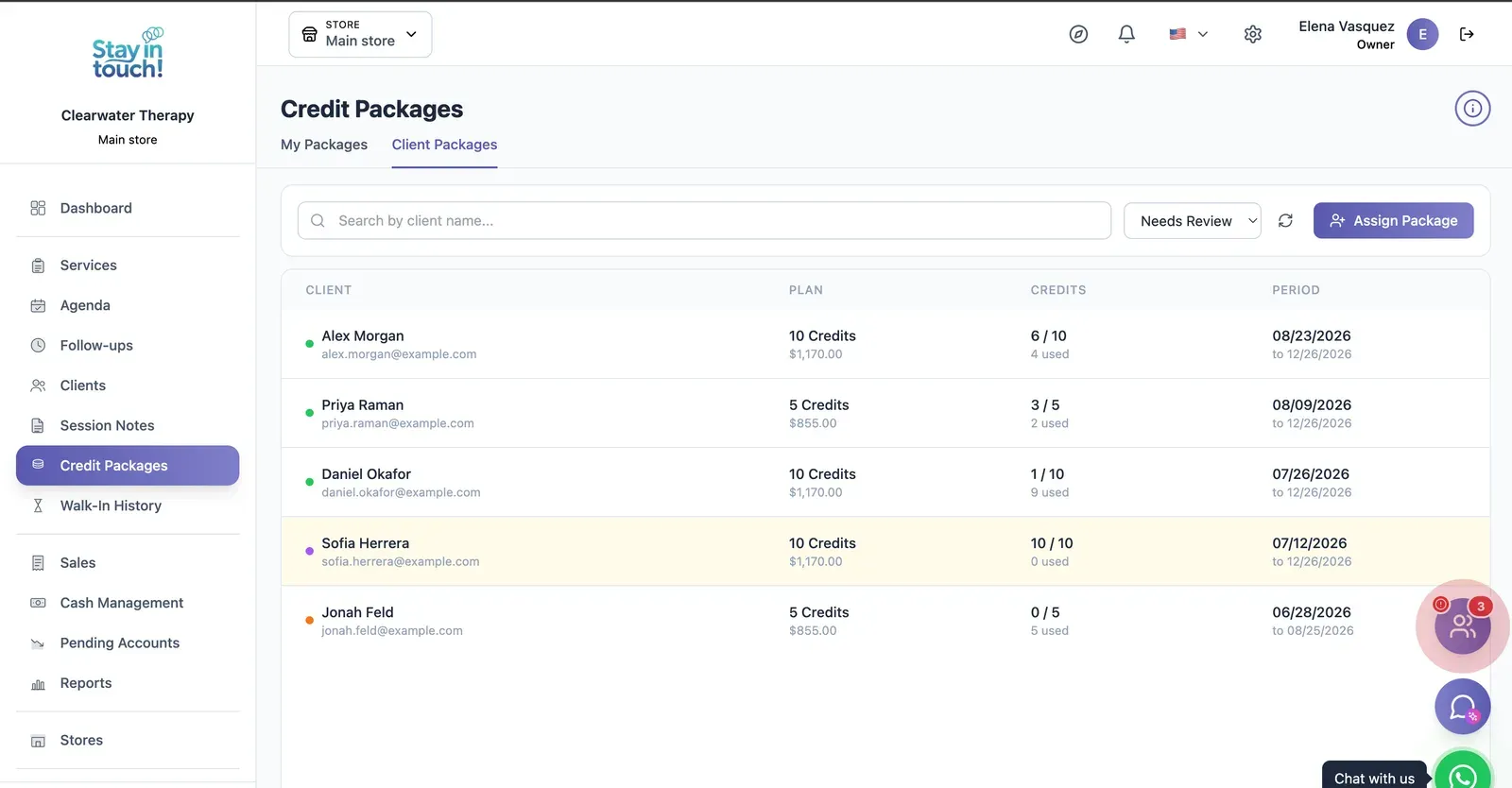
Session Blocks
Prepaid blocks of sessions per client with credits used, credits left and validity — flagged when they need renewing.
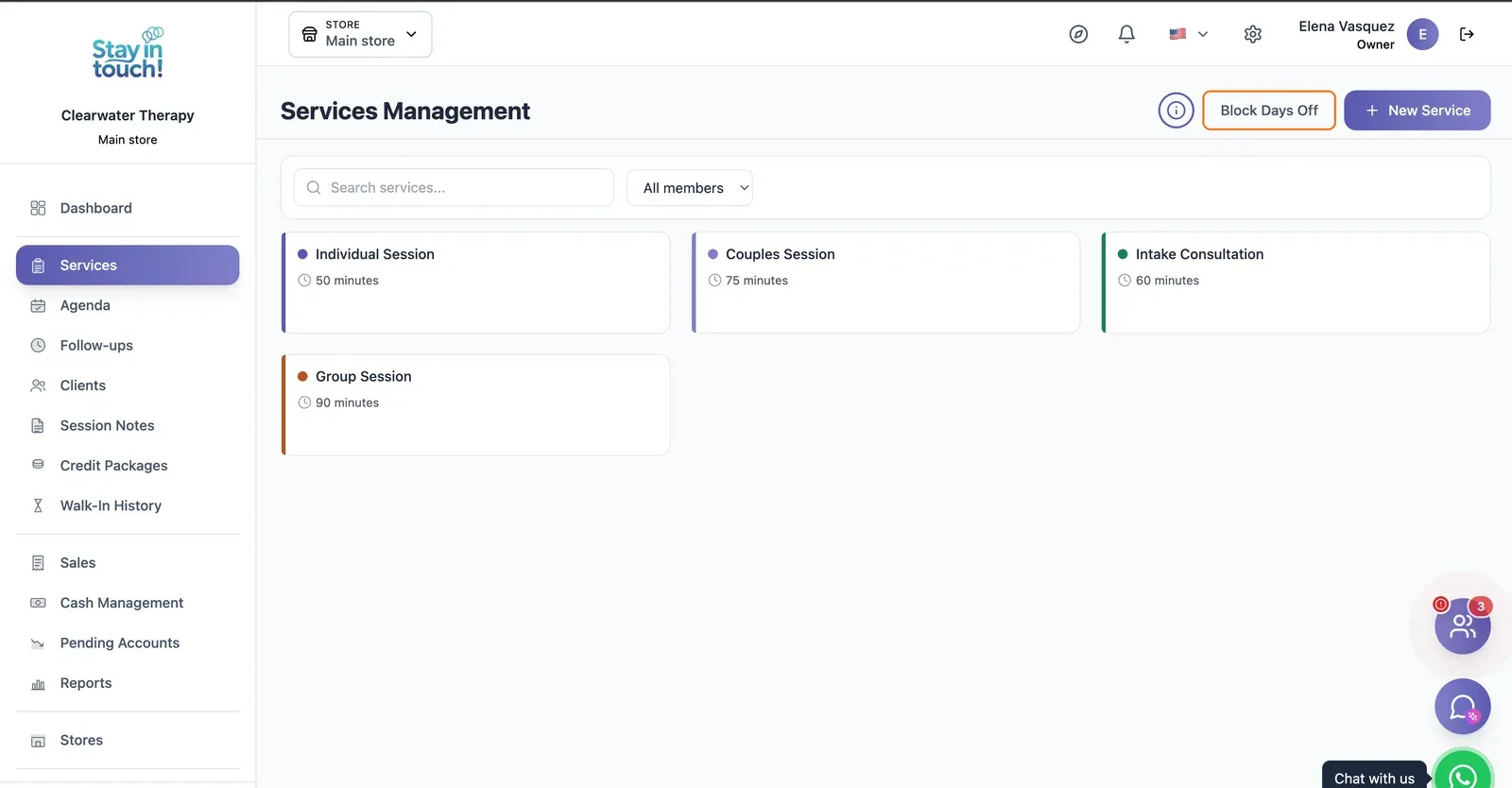
Session Types
Individual, couples, intake and group sessions, each with its own length, colour and practitioner.
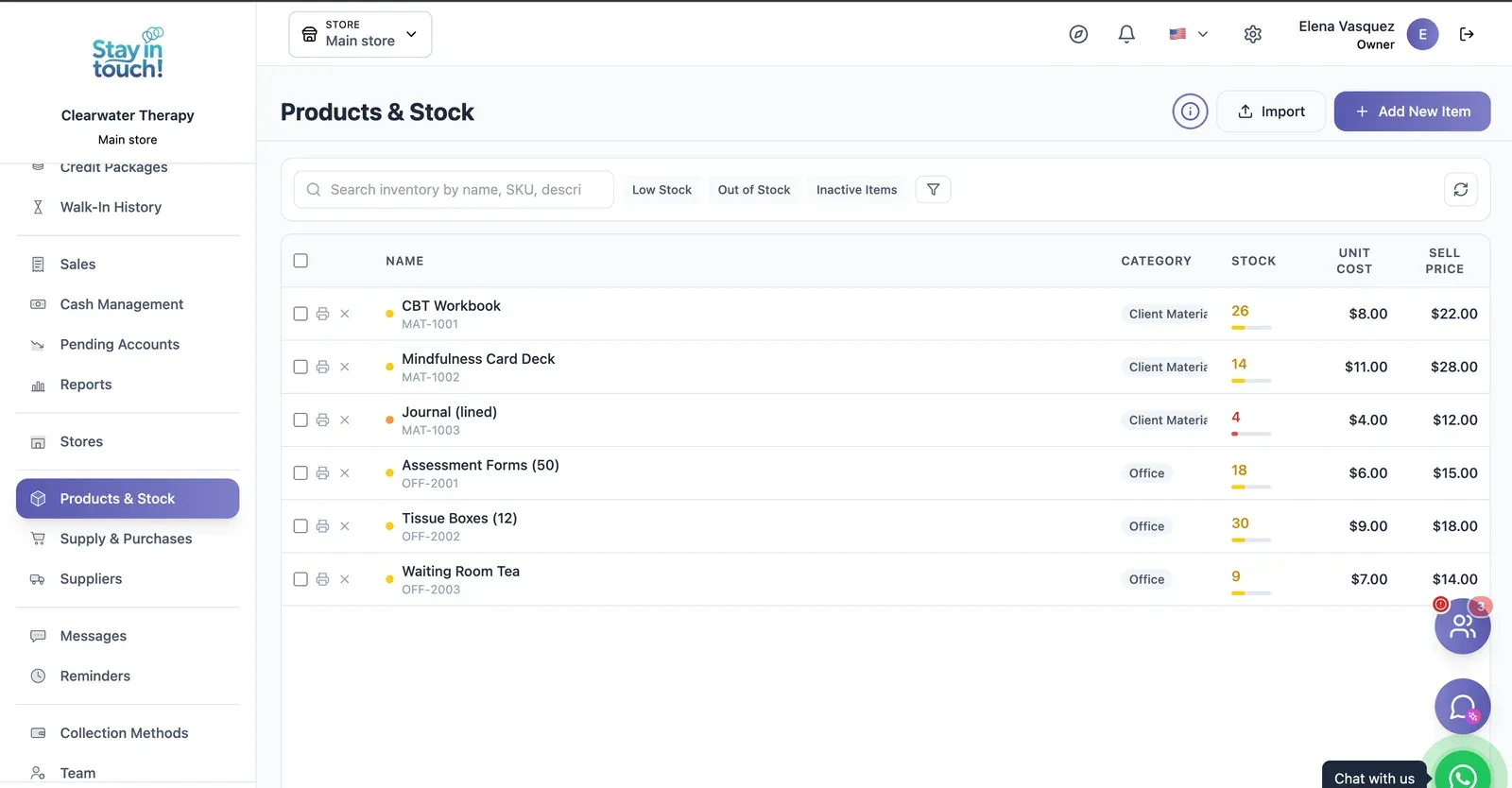
Products & Stock
SKU-level stock with cost and sale price, colour-coded levels that flag what's running low, and CSV import.
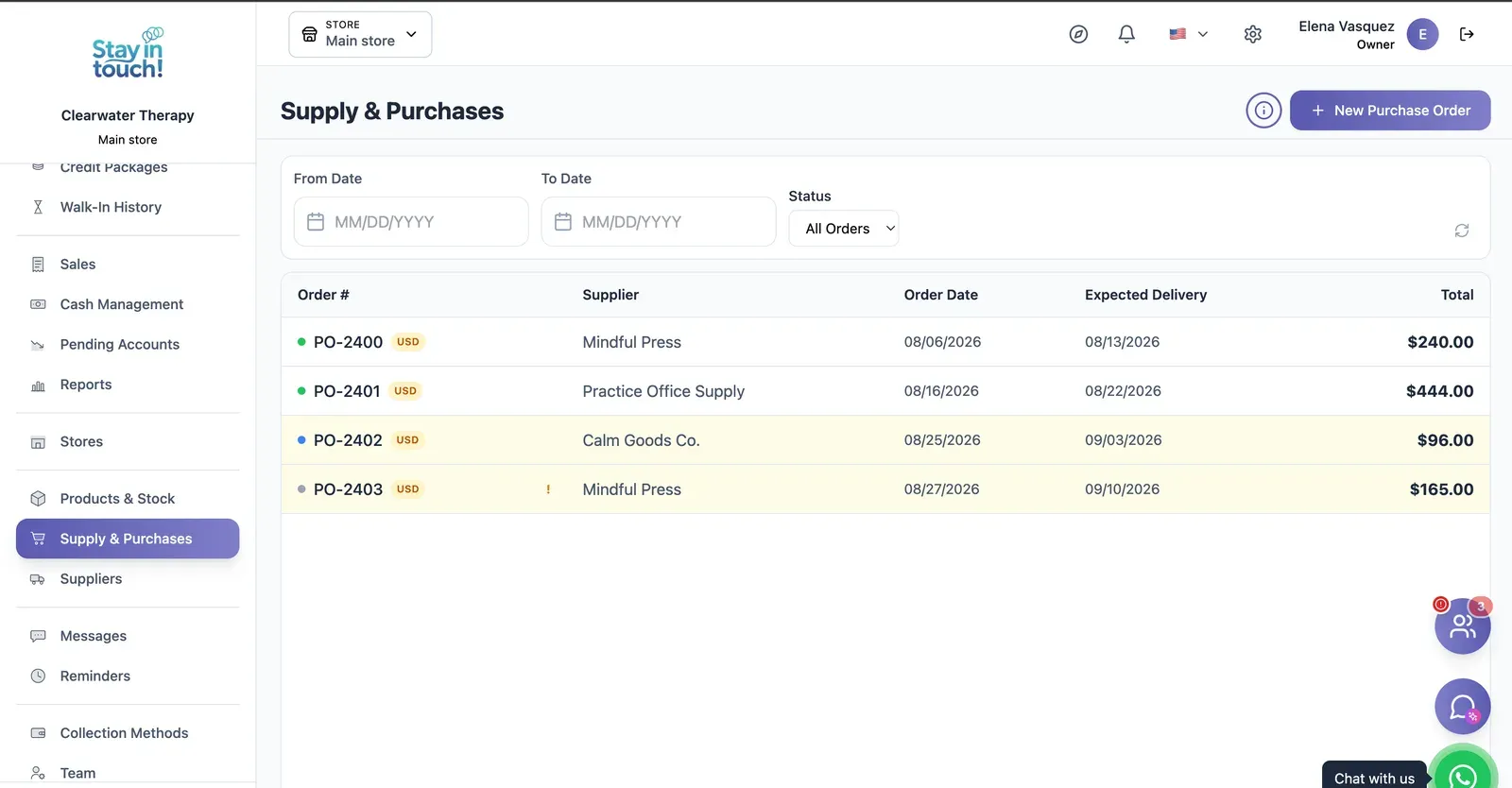
Purchase Orders
Track what you've ordered from whom, when it was placed and when it's due — with late deliveries flagged.
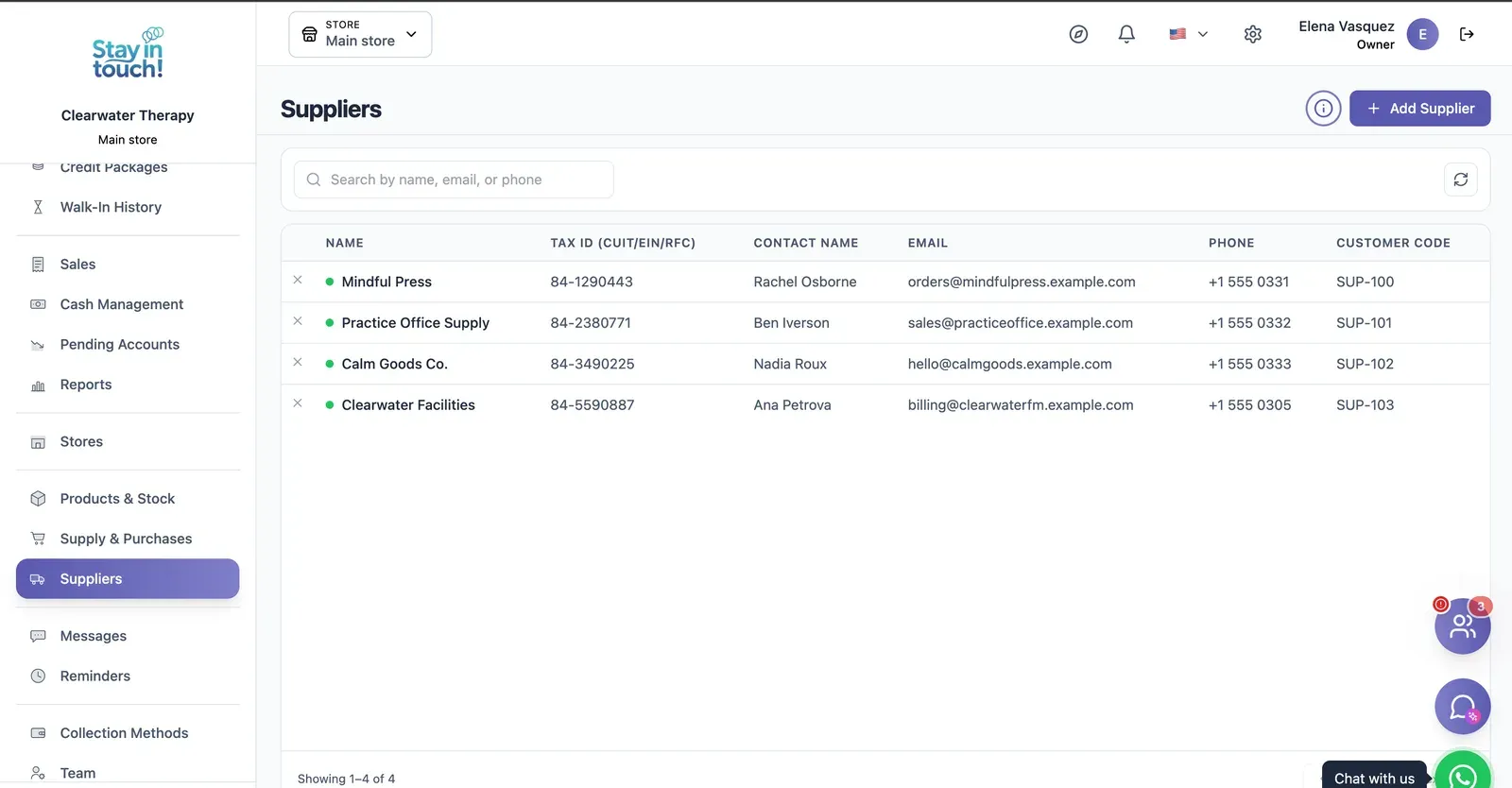
Suppliers
Your vendor book with tax ID, contact person, ordering email and internal supplier code.
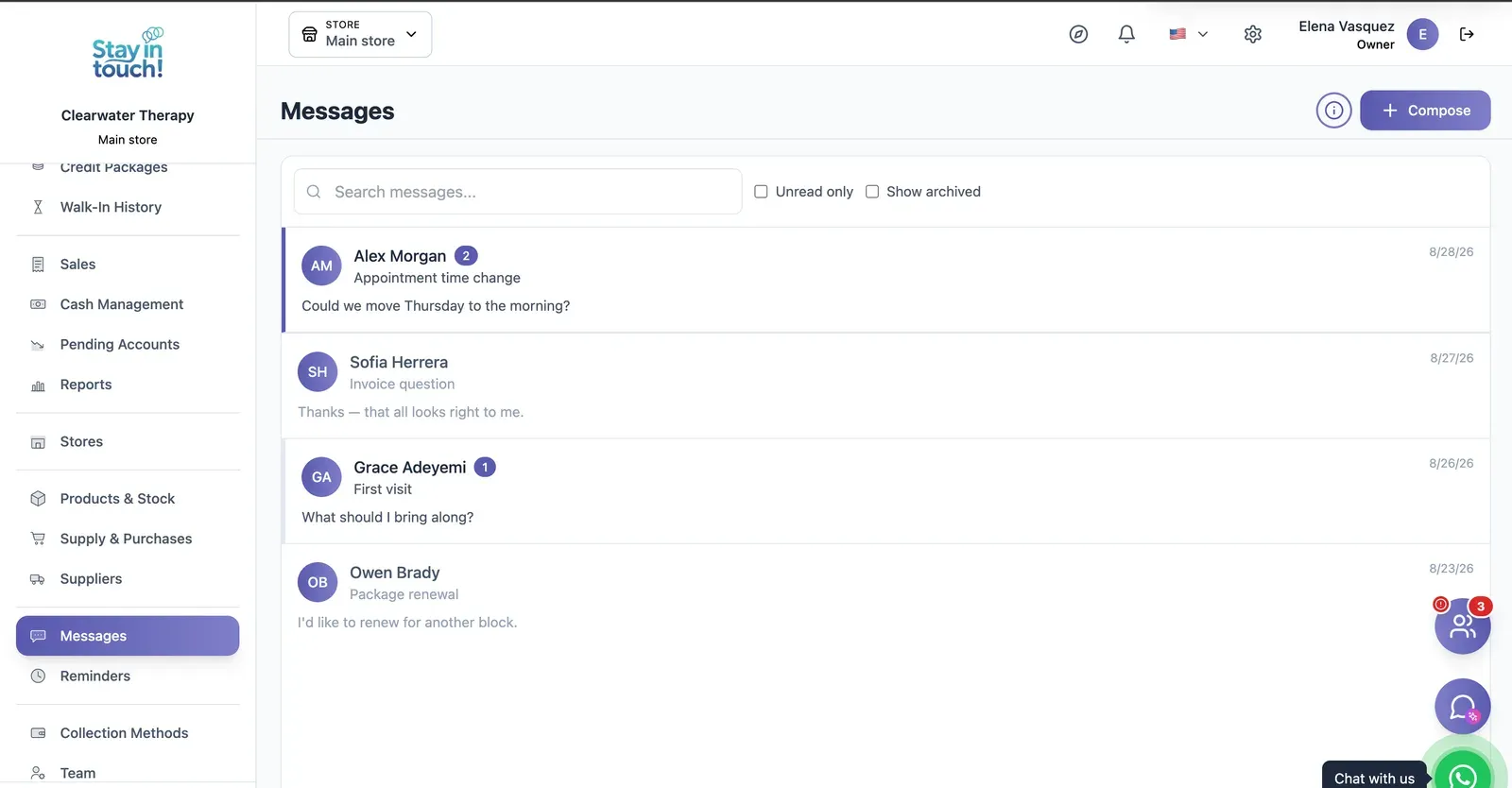
Messages
Client conversations kept in the record instead of scattered across personal phones, with unread counts and archiving.
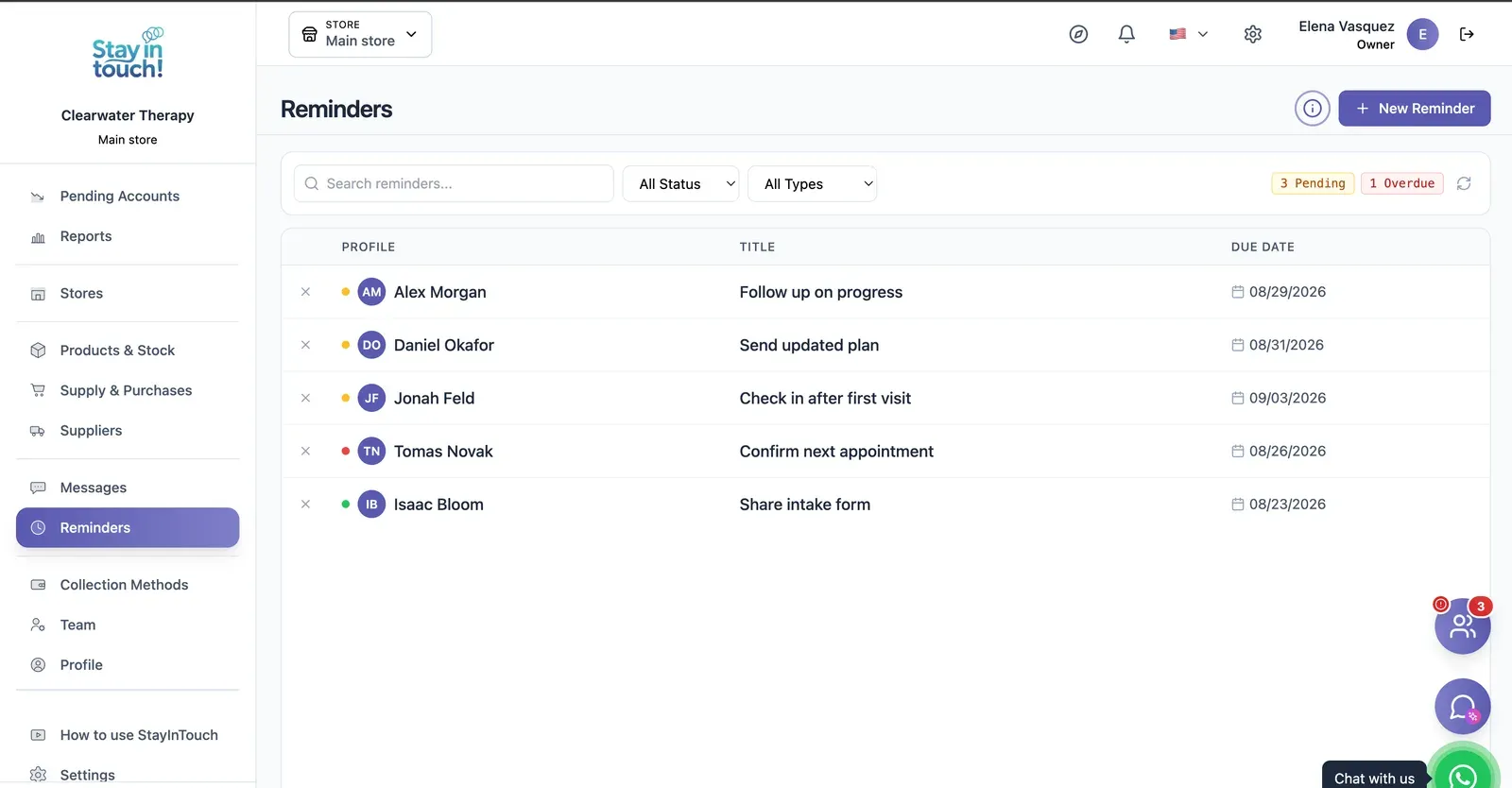
Reminders
Follow-up tasks tied to a client with due dates, so “I'll call them back” becomes something you can actually track.
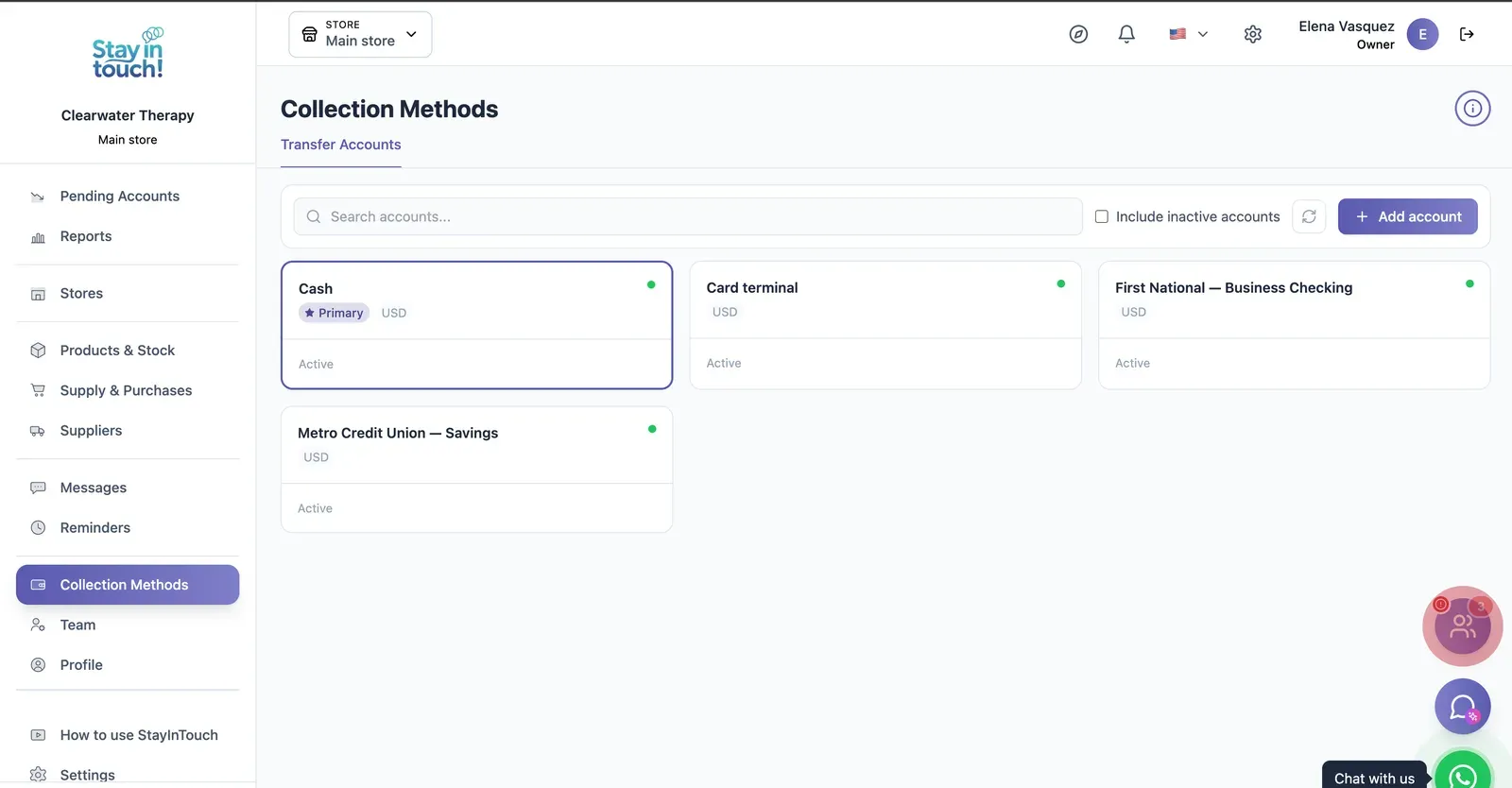
Payment Methods
Every way you collect — cash, card terminal, bank accounts — each with its currency and active state.
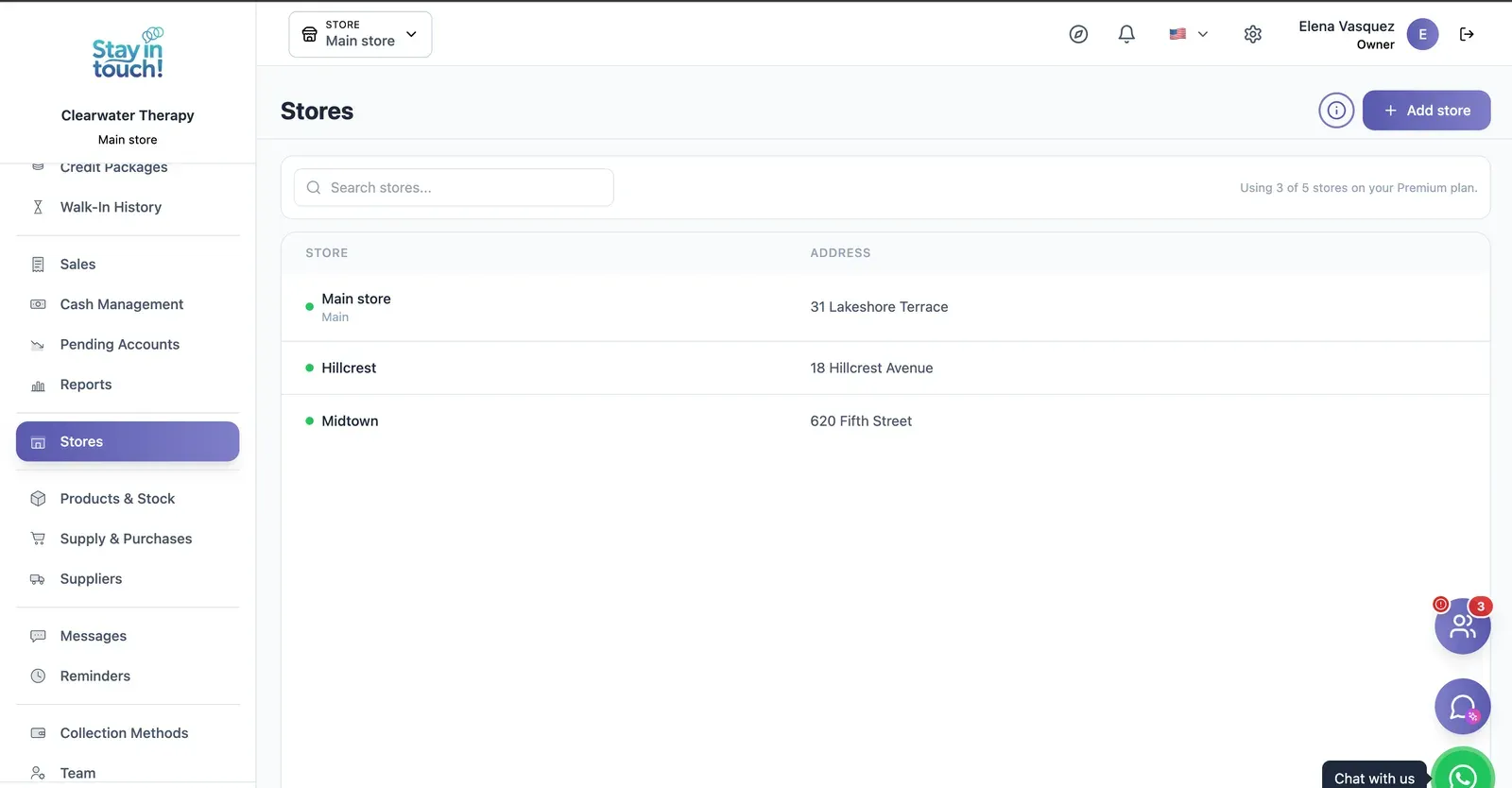
Multi-store
Run every store from one account on the top plan, each with its own team, stock and register.
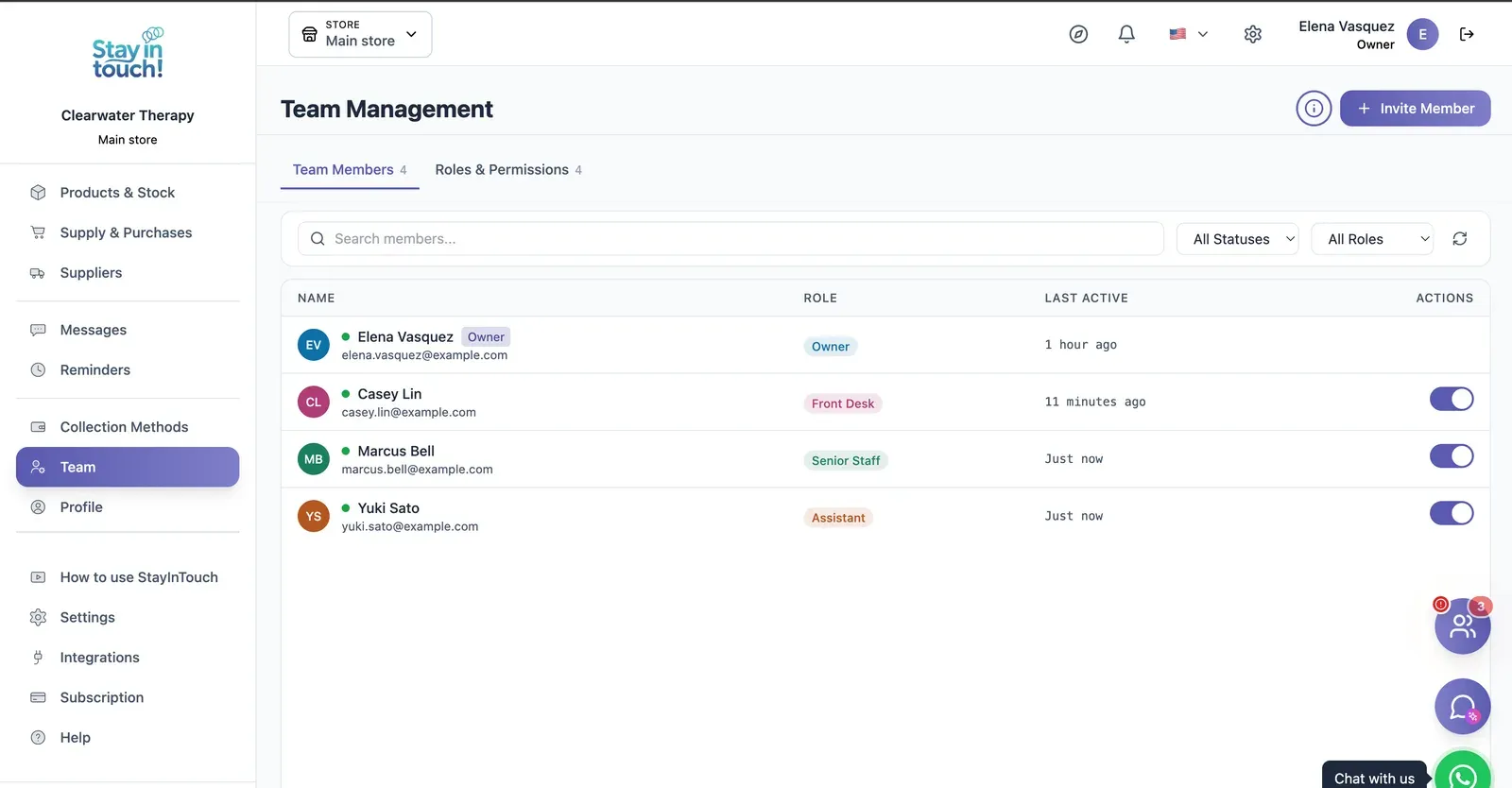
Team & Permissions
Your staff roster with roles, last activity and access toggles, plus a permissions tab as the business grows.
Screen 1 of 22
Website included
Your own website, free from day one
Every Siimplo account publishes a page for your business: your services, online booking and your catalog — no designer, no hosting.
Your services on display, always up to date
Clients book themselves, 24/7
Product catalog with prices
Frequently asked questions
Are session notes protected?
Does it work for a solo practitioner?
Do I need a credit card to try it?
Can clients book themselves?
Does it issue AFIP electronic invoices?
Can I export what I've loaded?
Try it on the clients you already have.
Load ten records, send one reminder, and see whether it saves you Thursday's message. The free plan asks for no card.
Get Started