
For veterinary clinics in Argentina
Veterinary software for Argentina, without promises that fall apart later
Picking a system is hard to undo. This page says what Siimplo handles, what it leaves out, and how to test it on your own clients before paying anything.
- Appointments
- Medical Records
- Cash Control
Software is never neutral about the country it runs in
Much of the veterinary software that surfaces in a search was built for somewhere else. Some of it comes from Spain, some from Mexico or Costa Rica, and it shows in small things that grate daily: the channel clients are reached on, the vocabulary on the records, phone formats, the way a subscription gets charged.
In Argentina the channel is WhatsApp, not email. A vaccine reminder sent by email is barely read; the same message on WhatsApp gets a reply in minutes. Siimplo sends its automatic notices over WhatsApp using Meta-approved templates, not an email that lands in a promotions tab.
The other difference is duller and more important: how the subscription gets paid. A lot of foreign systems need an international card before you can try anything, and that alone stops a clinic from ever reaching the product. Here you can open the account and use it without entering any payment method at all.
Invoicing, said up front rather than in the third meeting
This is the first thing any Argentine clinic asks and the question that gets the most evasion, so here it is plainly: Siimplo does not issue AFIP electronic invoices. There is no tax integration, it does not generate type A, B or C comprobantes, and it does not replace your invoicing tool.
What it does handle is everything commercial around that: it records the sale, runs the day's till, carries each owner's outstanding balance, tracks the stock you sell and notes which payment method was used. In practice most clinics using it invoice elsewhere and use Siimplo to know what happened at the counter.
If your operation depends on the management system issuing the fiscal document, better to know today than after loading six hundred records. We would rather lose the enquiry than have someone migrate and discover it two months in.
What costs money, what doesn't, and why the price is published
There is a free plan with no expiry date. It is not a fifteen or thirty day trial that switches off: if you never pay, you keep using it. It is capped on client count, but it includes the calendar, the owner record with their pets, the public website with online booking, and encryption of sensitive fields.
The paid plans are published on the pricing page with the number visible. That sounds like a detail, but in this category half the systems make you request a quote to learn the price, which turns a ten-minute decision into three phone calls and a meeting.
What sits behind the paywall is what carries a real running cost: automatic WhatsApp messages, which Meta charges for per send, full stock control, reporting, additional locations and hospitalisation. They are not gated to force a sale; they are gated because they cost money every month.
What you'll actually use daily
Calendar with online booking
An appointment booked from your site lands straight in the calendar, with nobody retyping it.
Owners and their pets
One record per person, every pet hanging off it, and the full history of each.
Clinical records
Progress per visit, weight, vaccines with expiry dates and attached studies.
WhatsApp reminders
Vaccines coming due, post-op checks and appointment confirmations. Each notice switches on or off separately.
Till, sales and balances
What came in today, what each owner owes and how they paid.
Hospitalisation and boarding
Which animals are staying, since when, and under what instructions.
The real system, not a brochure
Not an illustration or a brochure: the portal you'd use, running on this page.
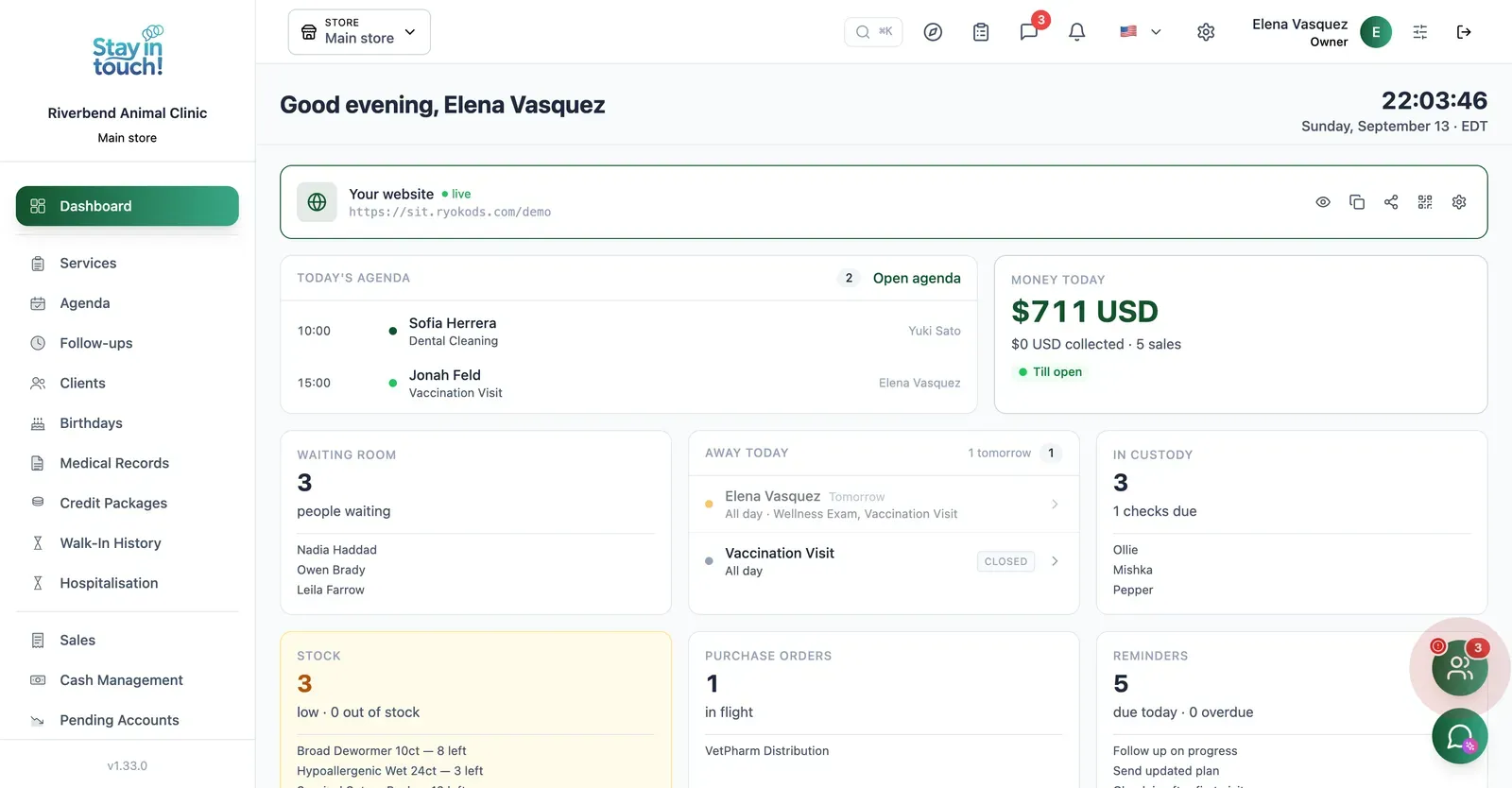
Dashboard
Today's appointments, your client count and the booking link pet owners use — the whole clinic on one screen.
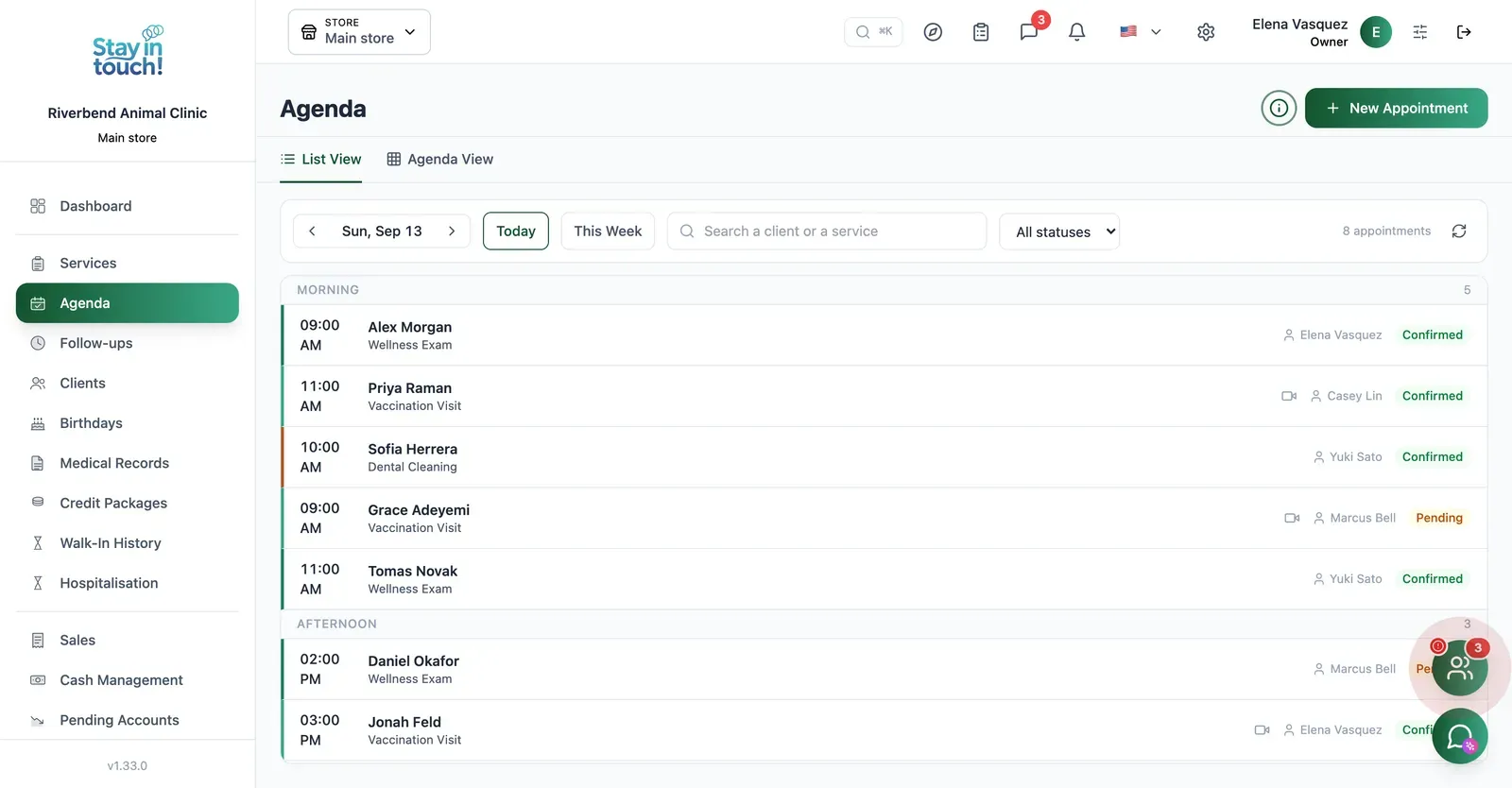
Appointments
The day's bookings with the service, the vet assigned and confirmation status, in list or calendar view.
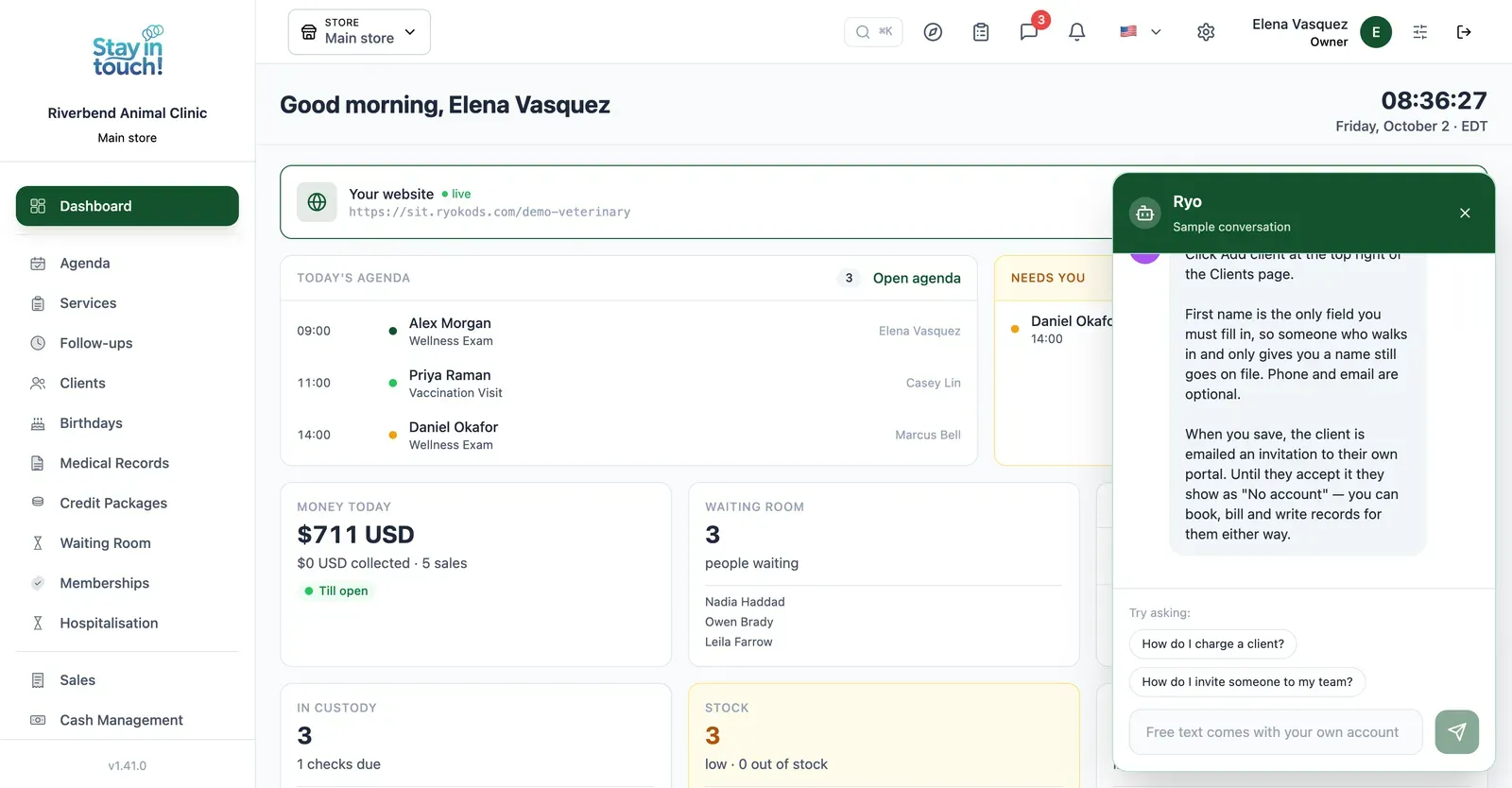
Ryo, the AI assistant
Ask in your own words and it walks you through Siimplo step by step; it also reads your real schedule and drafts the appointment for you to confirm.
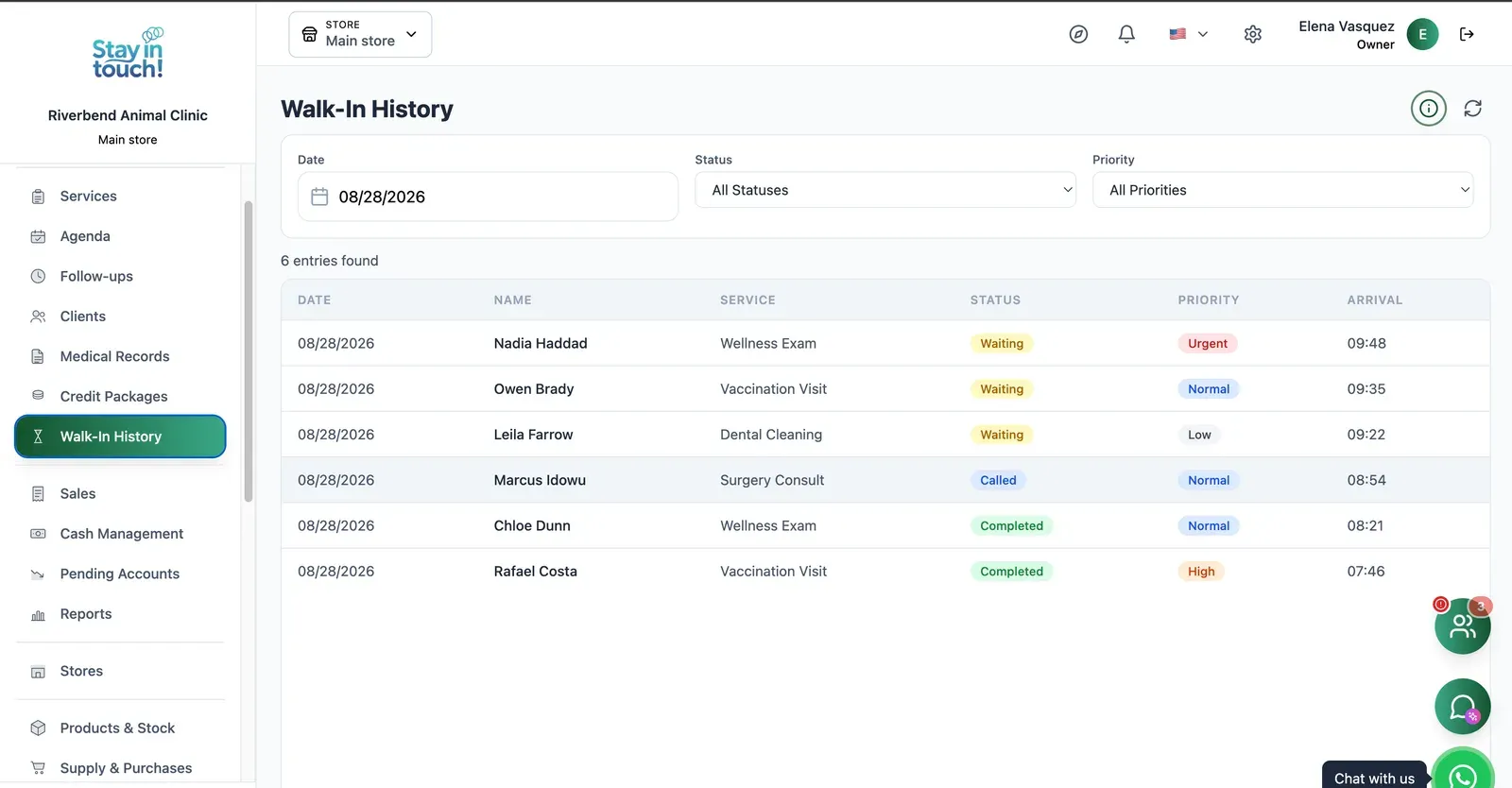
Waiting Room
Triage your walk-ins: waiting, called or seen, tagged urgent through low, with arrival times on every row.
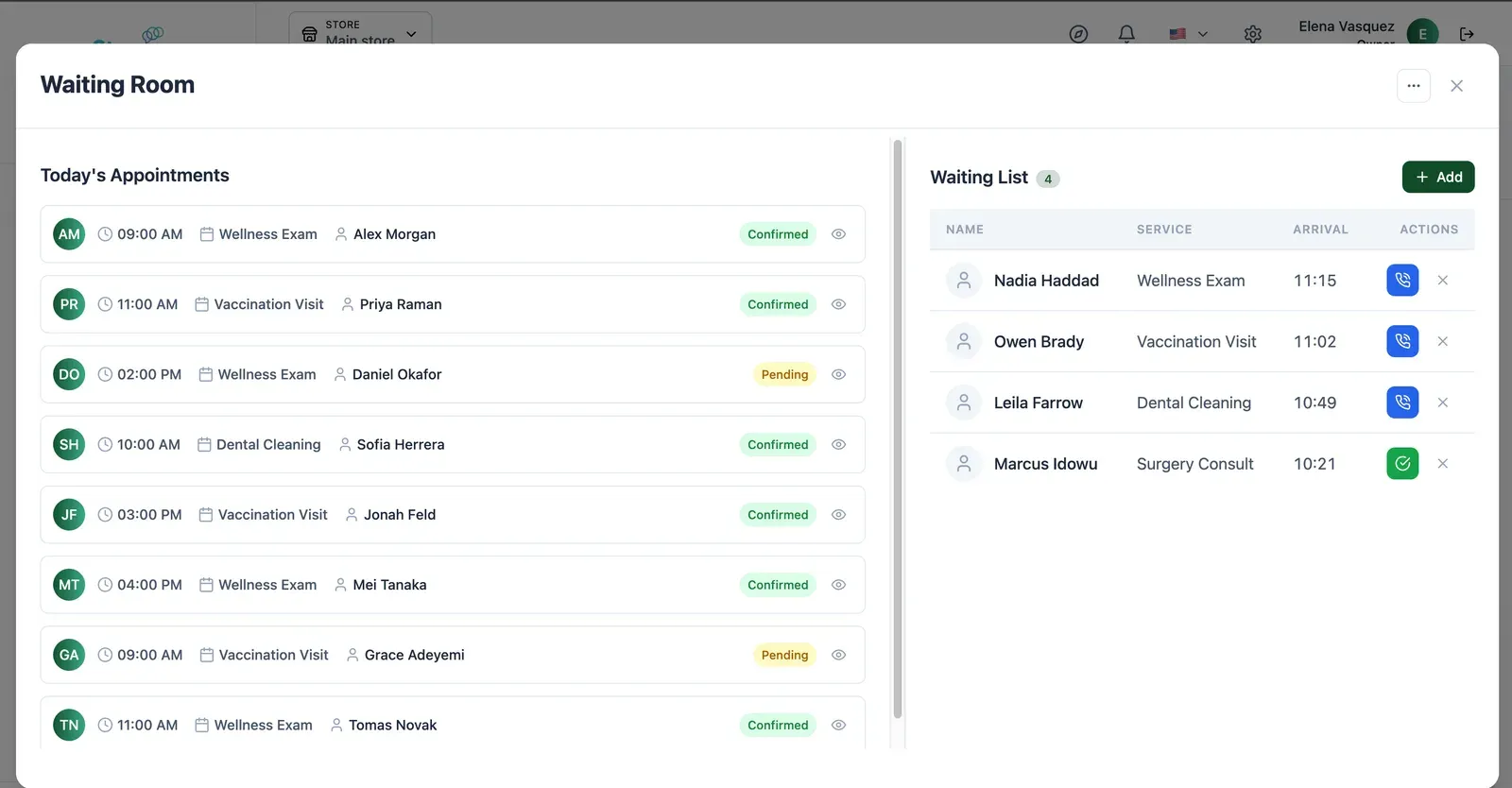
Live Waiting Room
Today's appointments on one side, who has arrived on the other — call the next one in with a single click.
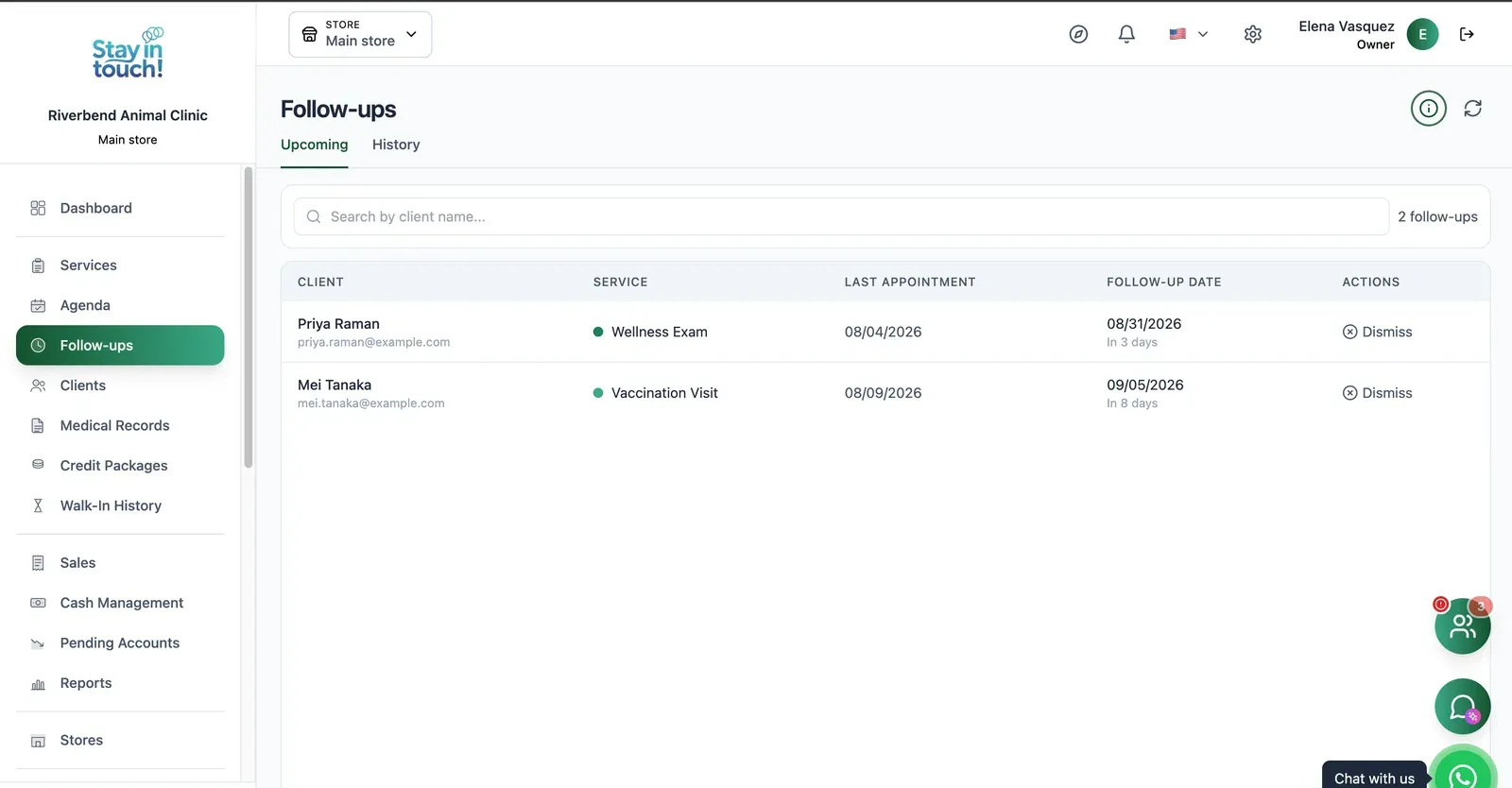
Follow-ups
Who is due back and when — post-visit checks and recalls queued automatically instead of living in someone's head.
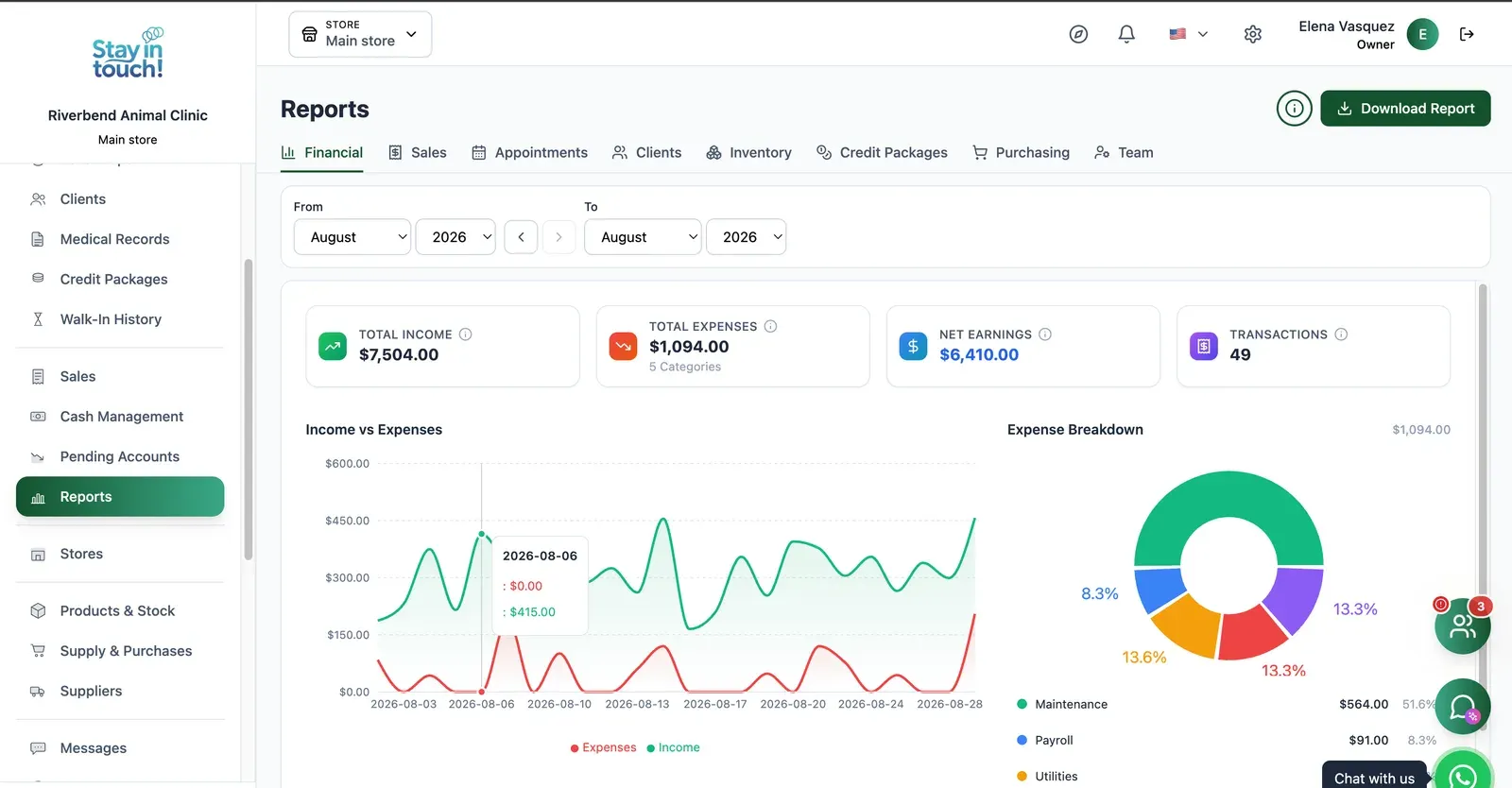
Reports
Revenue, expenses and net profit for any date range, with a trend chart, a category breakdown and a downloadable report.
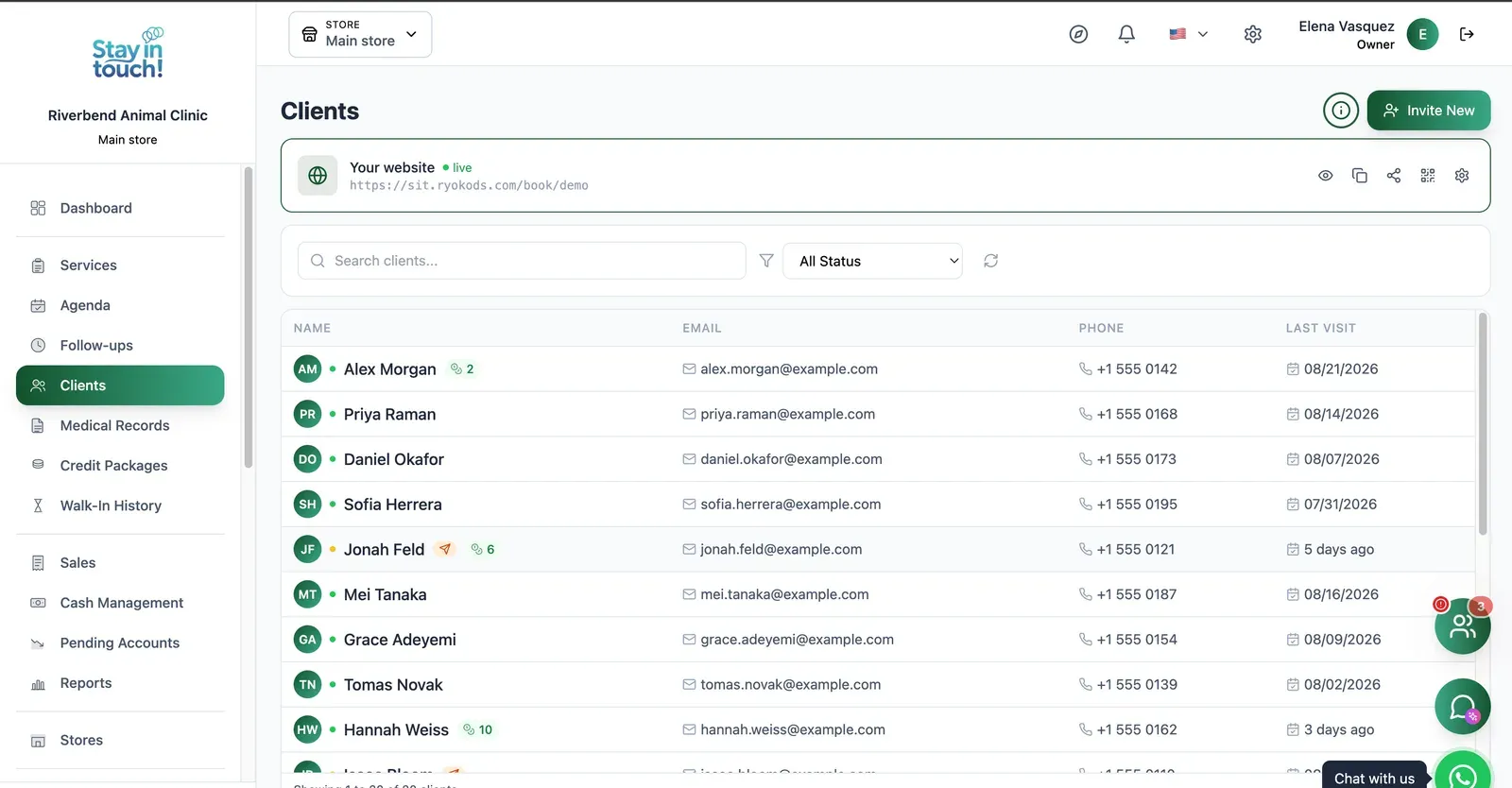
Pet Owners
Every owner with contact details and remaining credits, invitable to your booking site in one click.
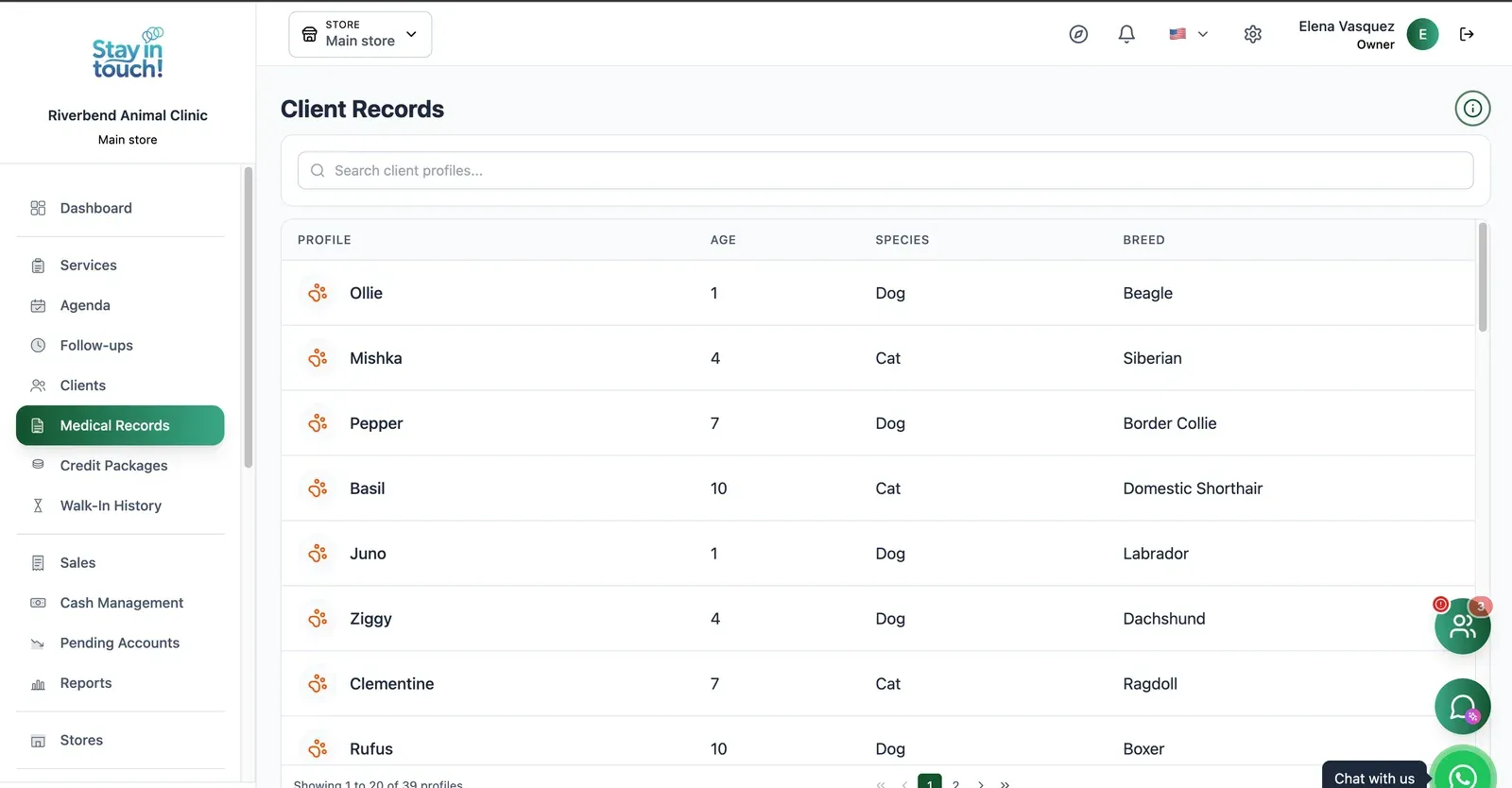
Medical Records
A profile for every patient — species, breed, age — carrying the clinical history that follows the animal across visits.
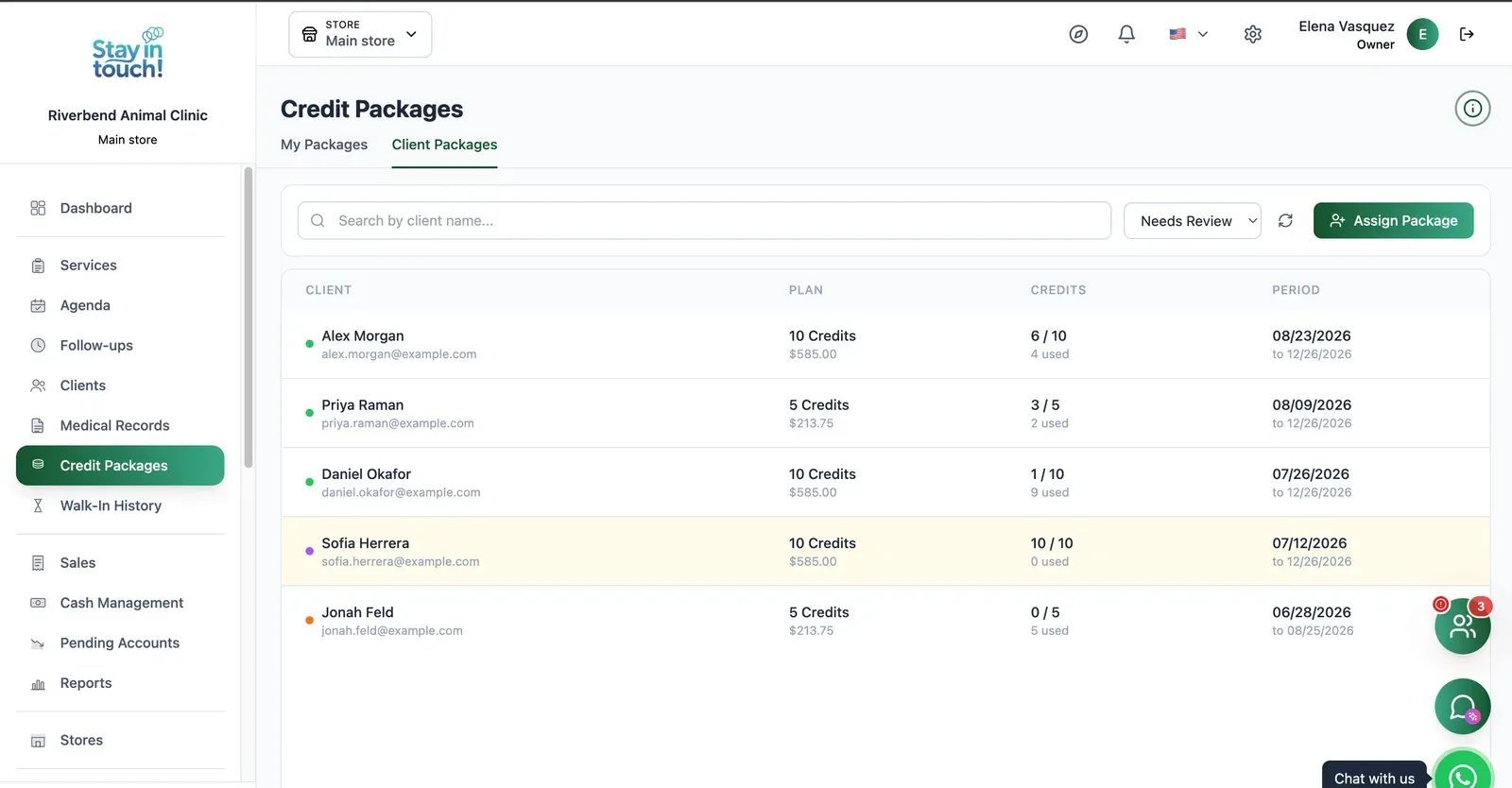
Credit Packages
Prepaid plans per client with credits used, credits left and validity — plus a filter for the ones about to expire.
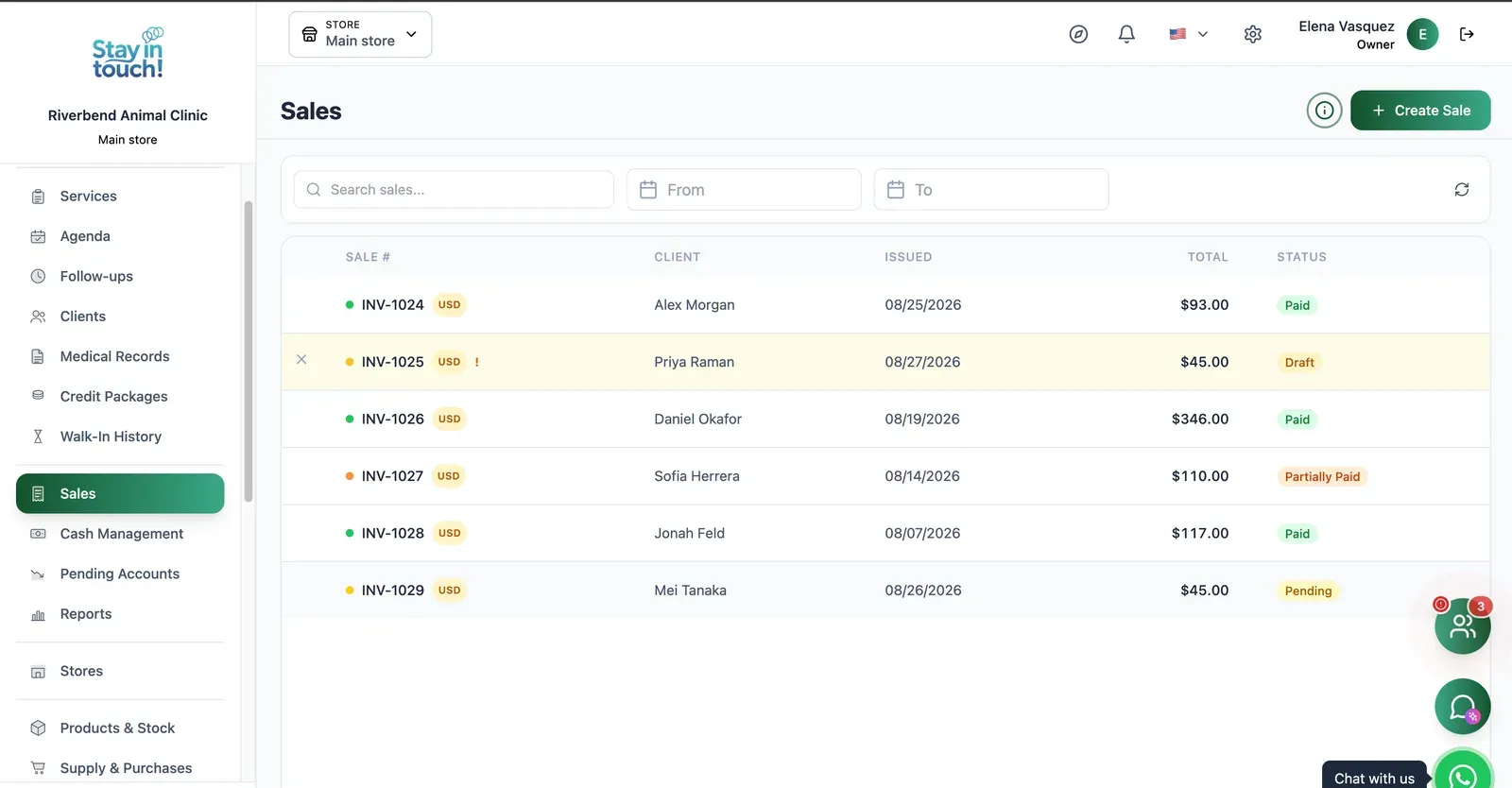
Sales & Invoices
Every invoice in one ledger — paid, partially paid, pending or draft — with the register built into the same screen.
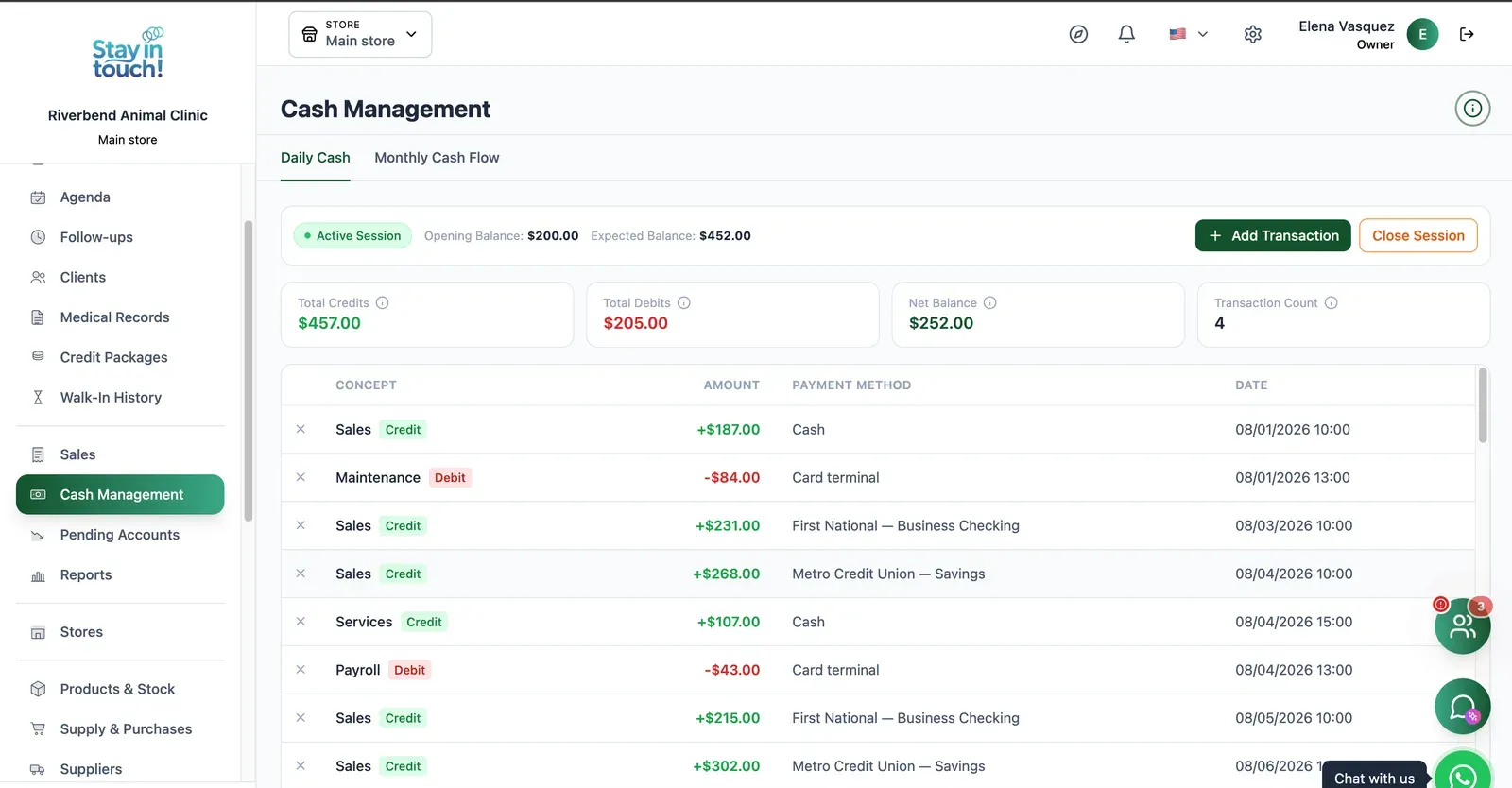
Cash Control
Open and close the register with opening and expected balances, income, expenses and every movement tagged by payment method.
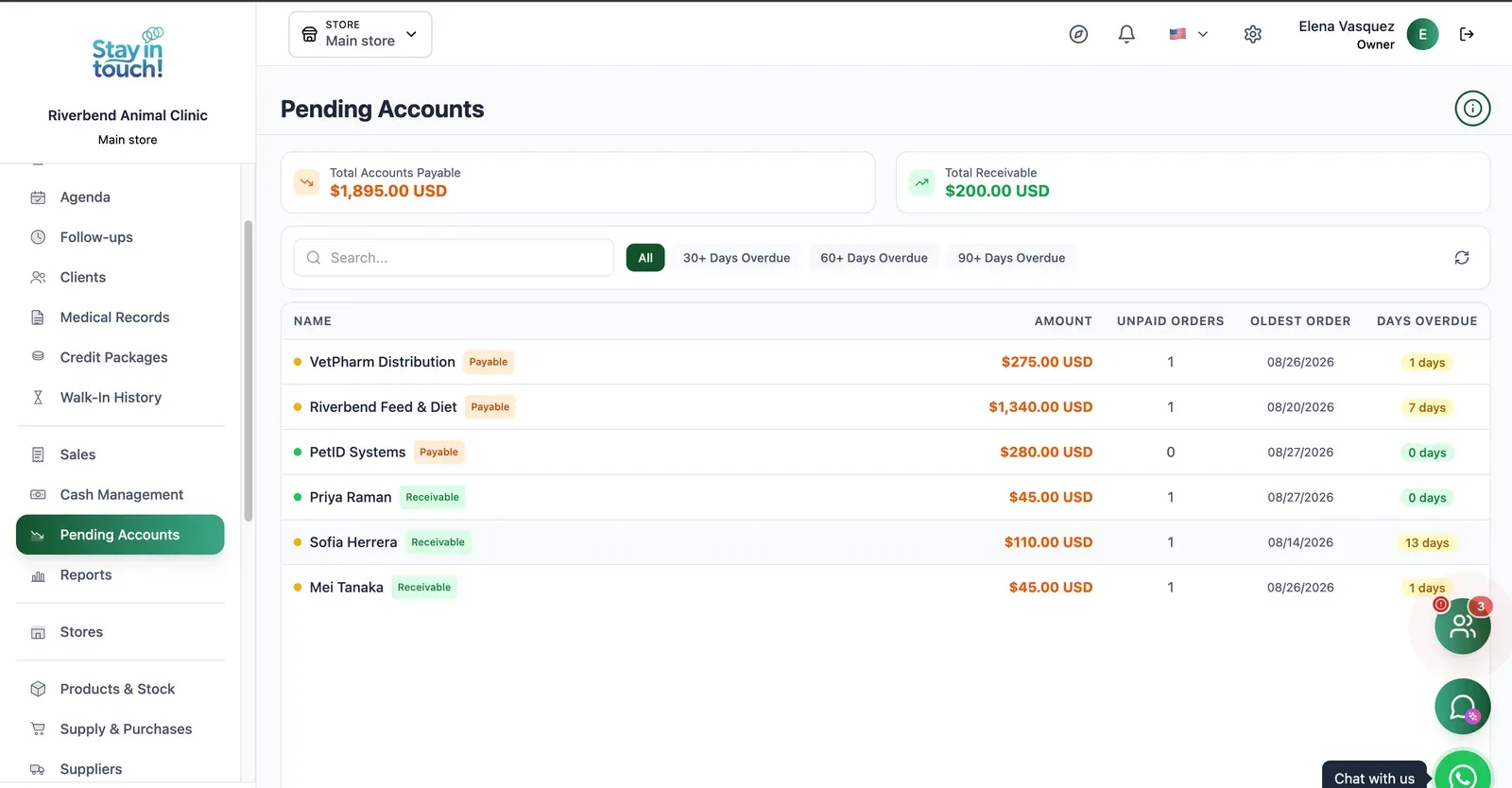
Payables & Receivables
What you owe and what you're owed, aged past 30, 60 and 90 days, with the overdue count on every row.
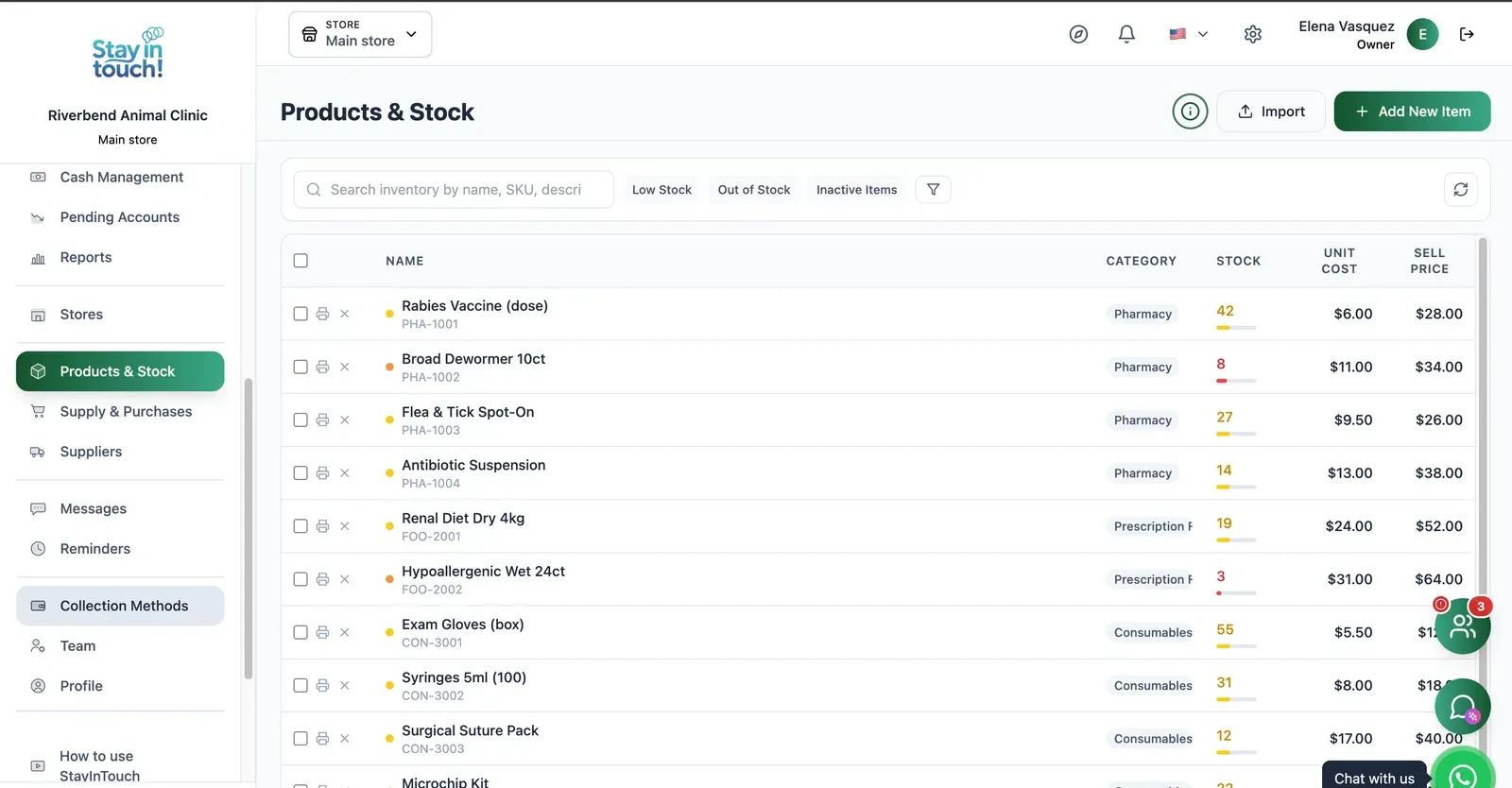
Inventory & Stock
Medication, medicated food and disposables with SKUs, stock bars, cost and sale price, and low-stock alerts.
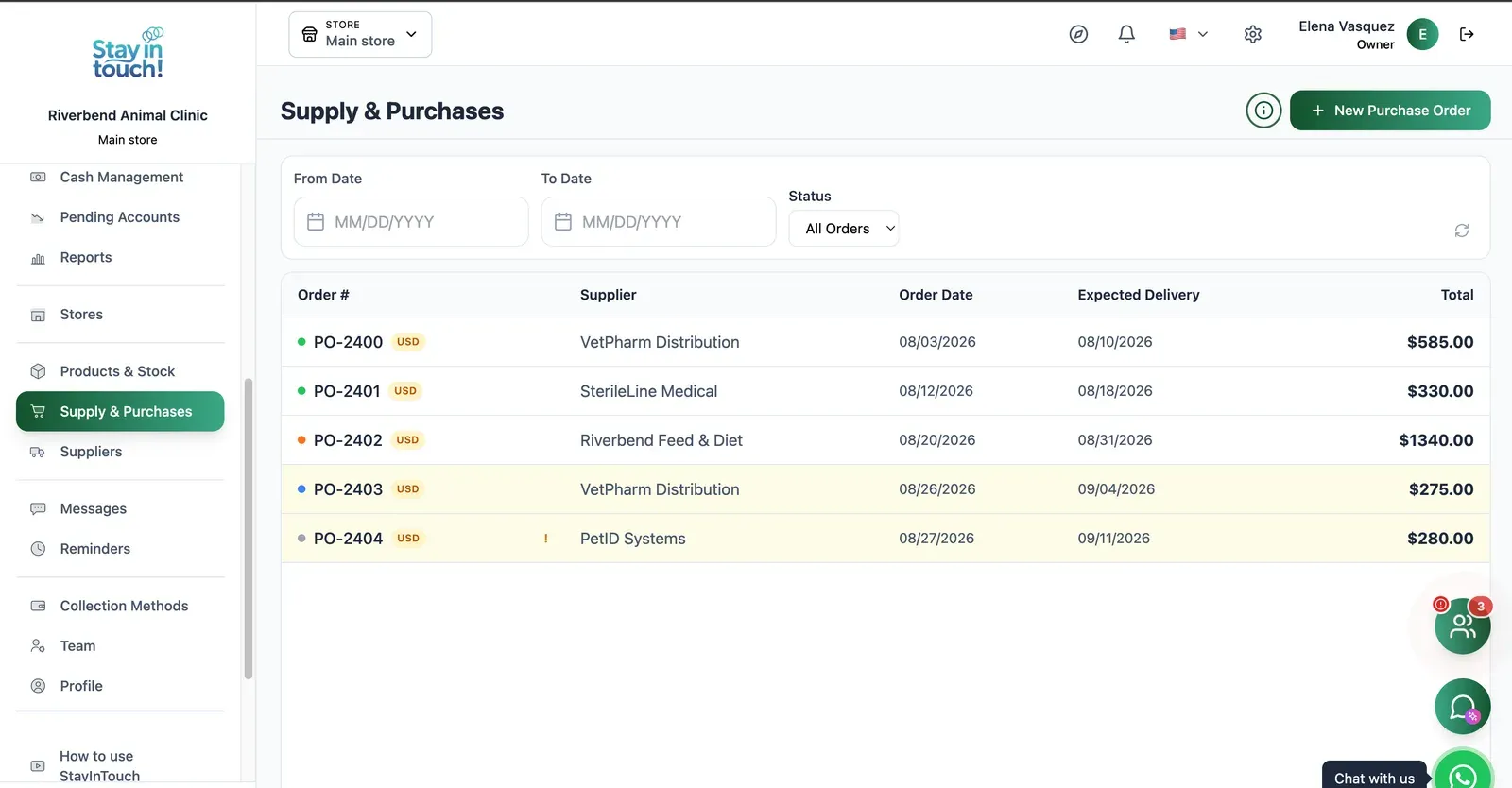
Purchase Orders
Track what you've ordered from whom, when it was placed and when it's due — with late deliveries flagged.
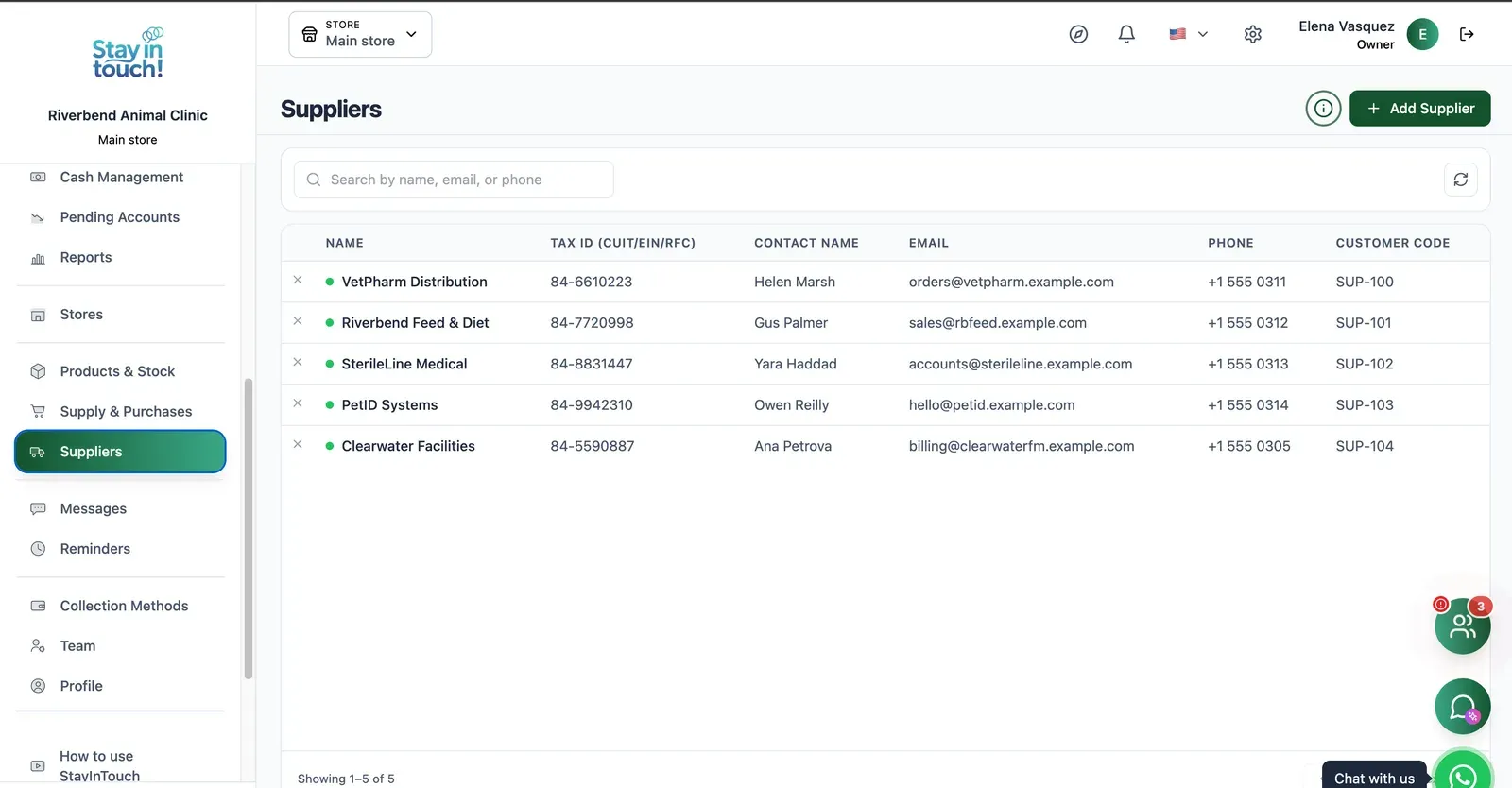
Suppliers
Your vendor book with tax ID, contact person, ordering email and internal supplier code.
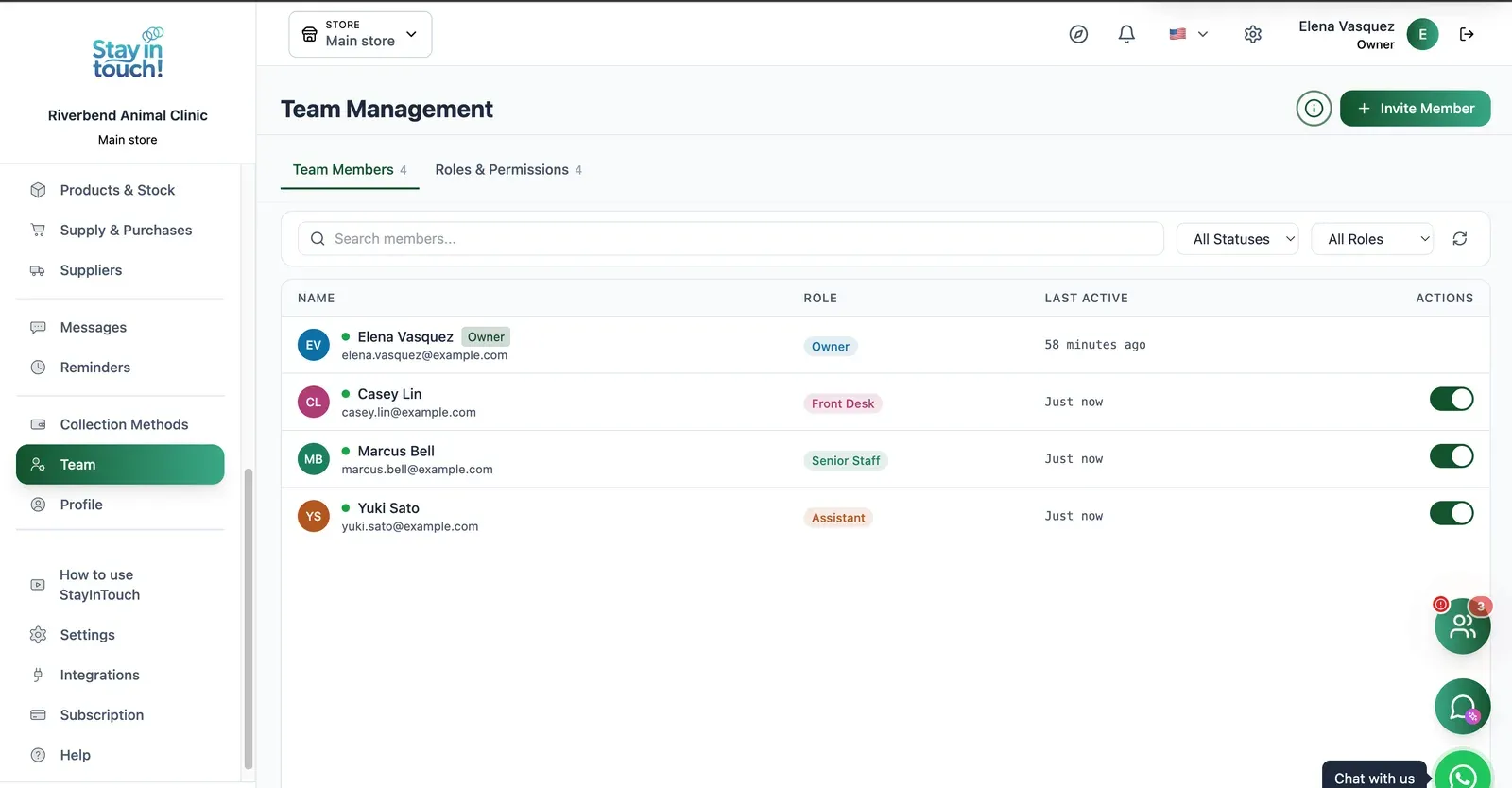
Team & Permissions
Your staff roster with roles, last activity and access toggles, plus a permissions tab as the business grows.
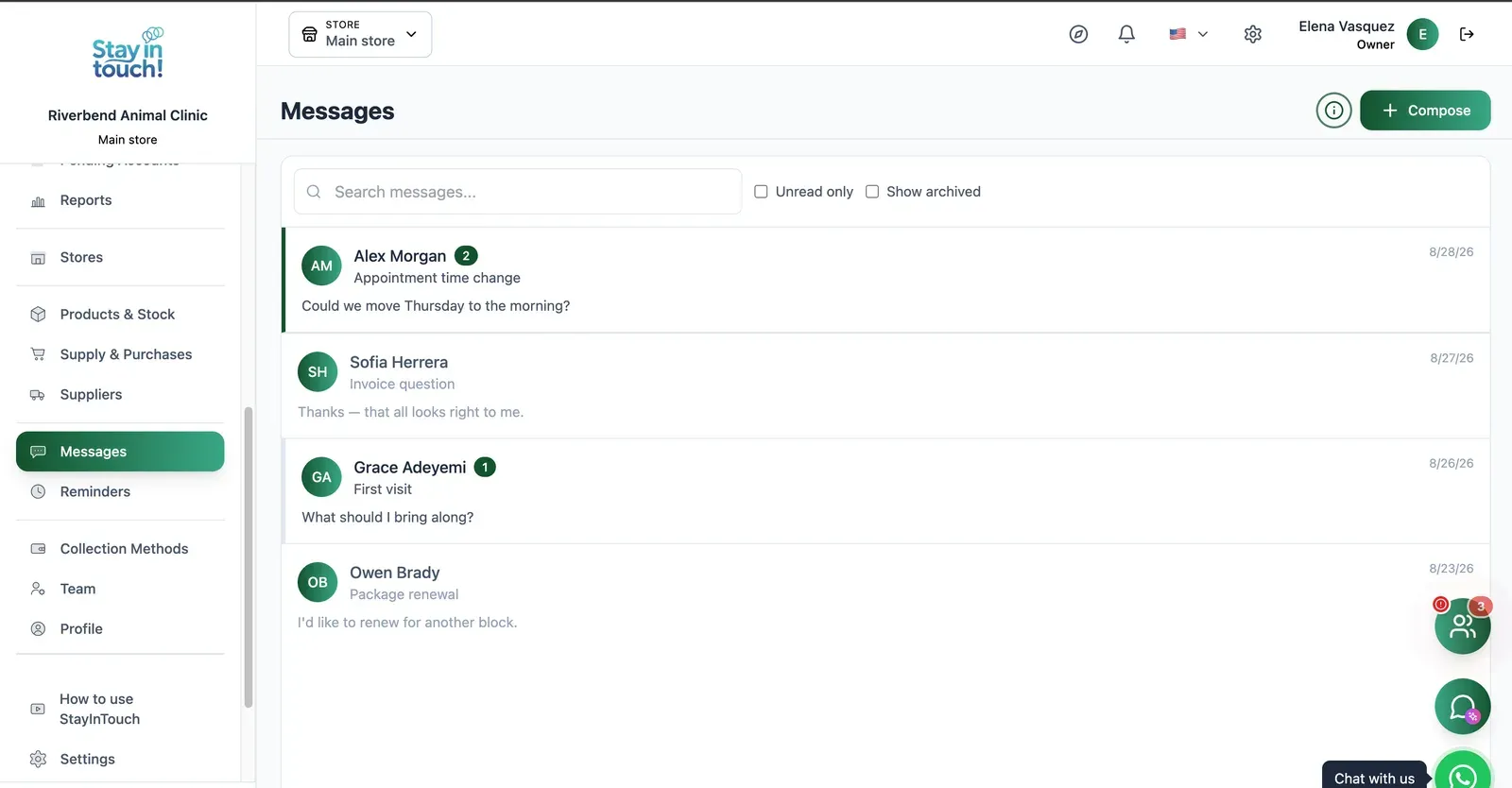
Messages
Client conversations kept in the record instead of scattered across personal phones, with unread counts and archiving.
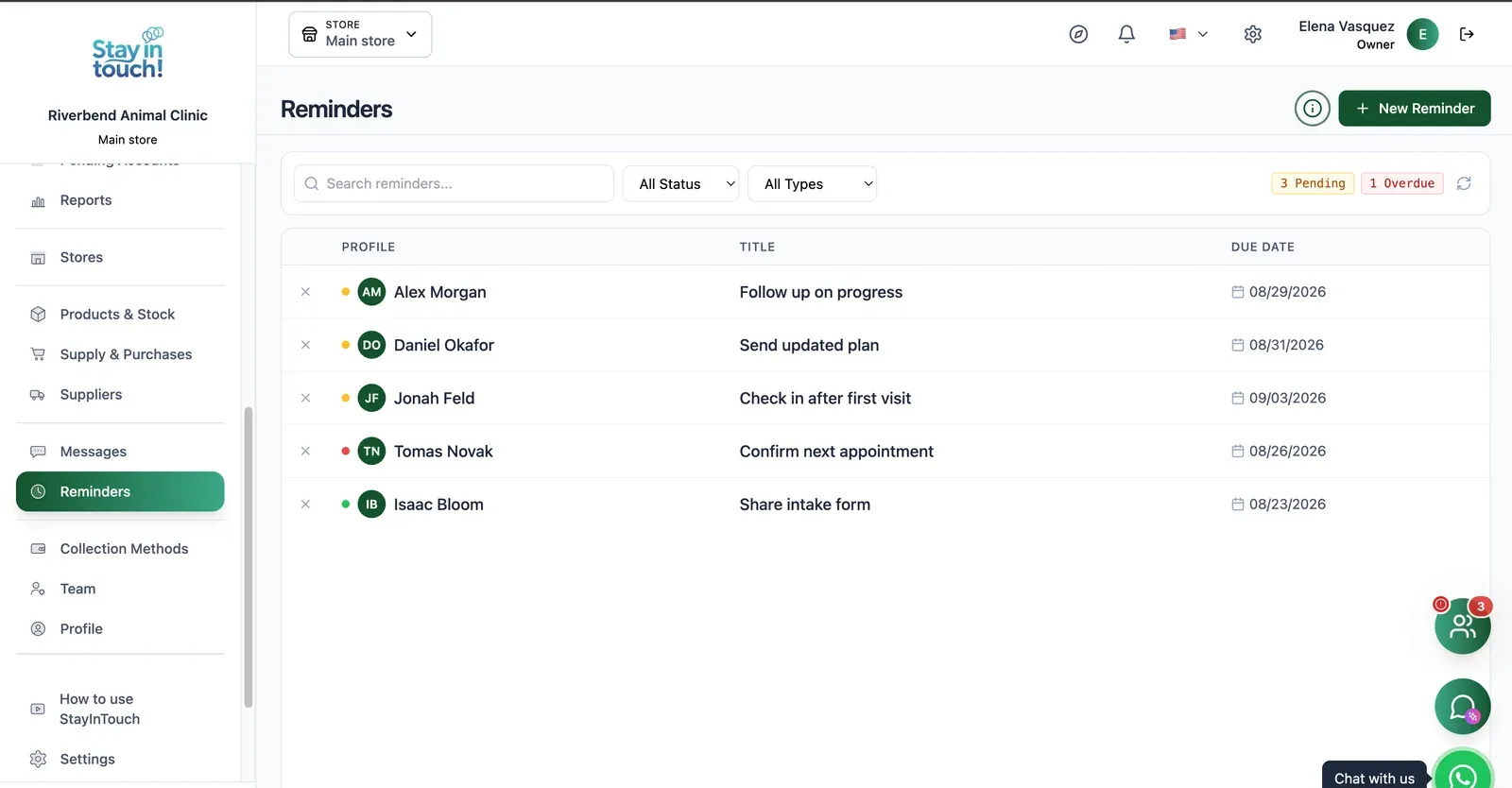
Reminders
Follow-up tasks tied to a client with due dates, so “I'll call them back” becomes something you can actually track.
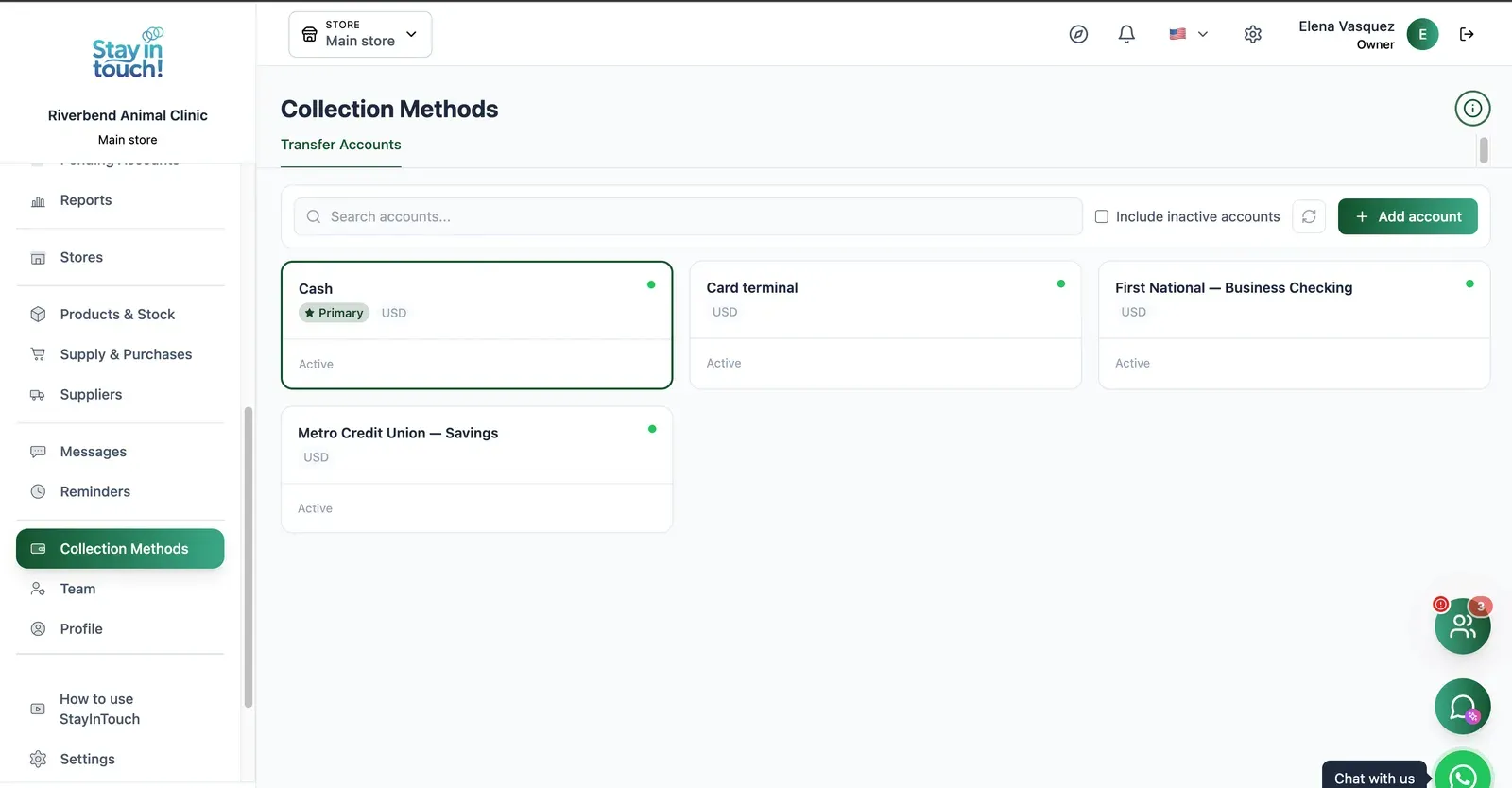
Payment Methods
Every way you collect — cash, card terminal, bank accounts — each with its currency and active state.
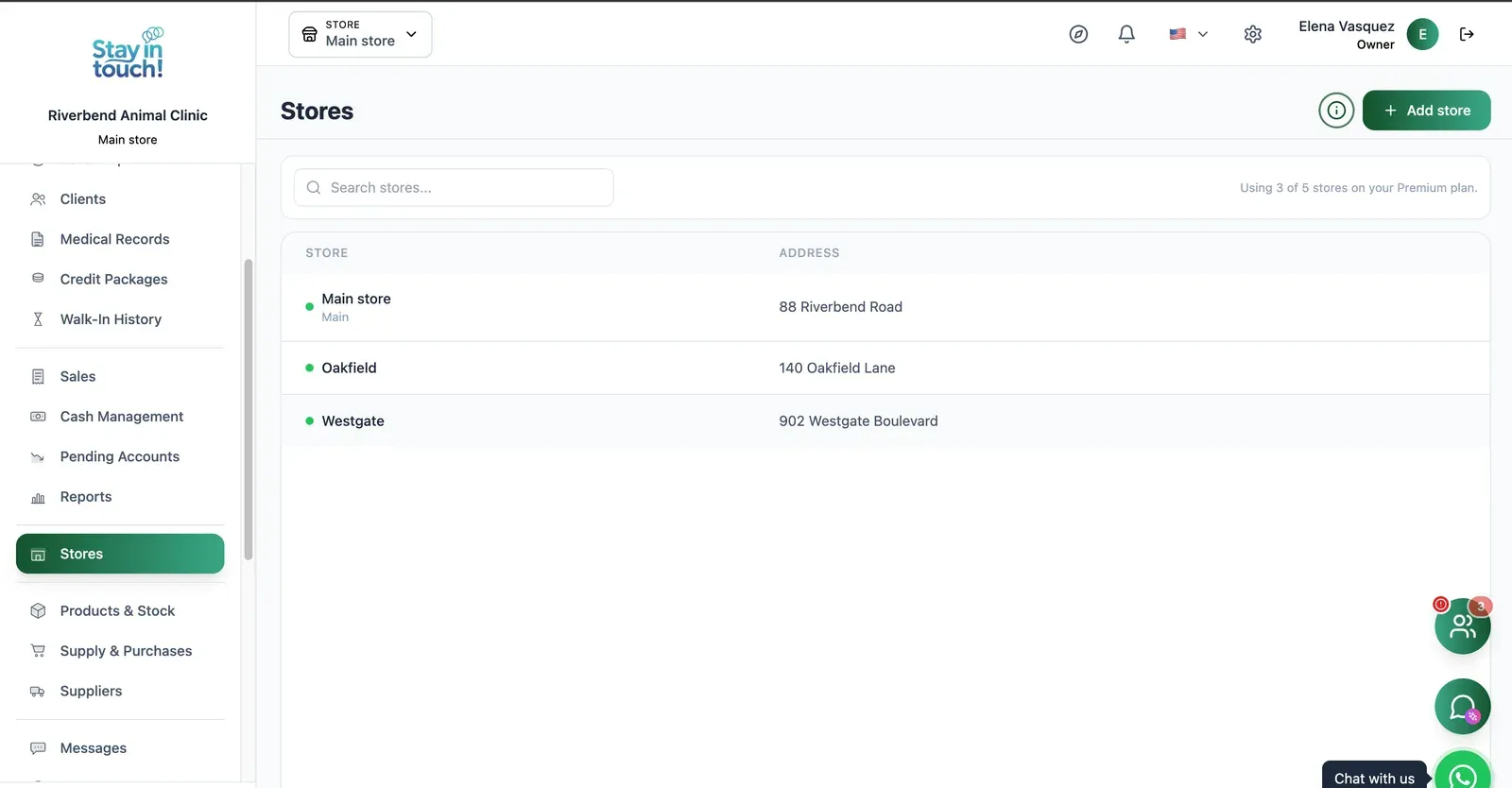
Multi-store
Run every store from one account on the top plan, each with its own team, stock and register.
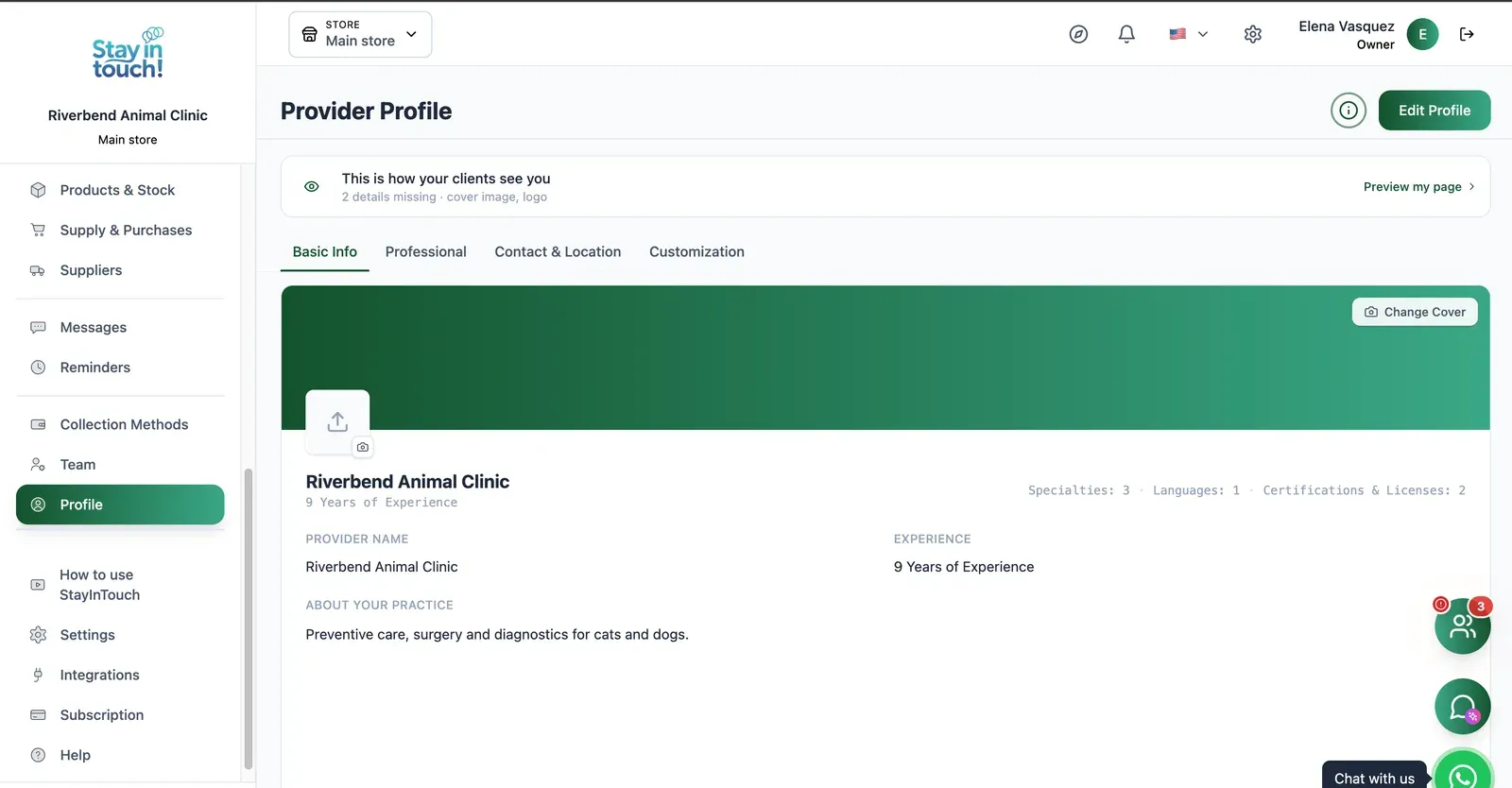
Public Profile
The client-facing page for your business: cover image, logo, description, specialties, languages and certifications.
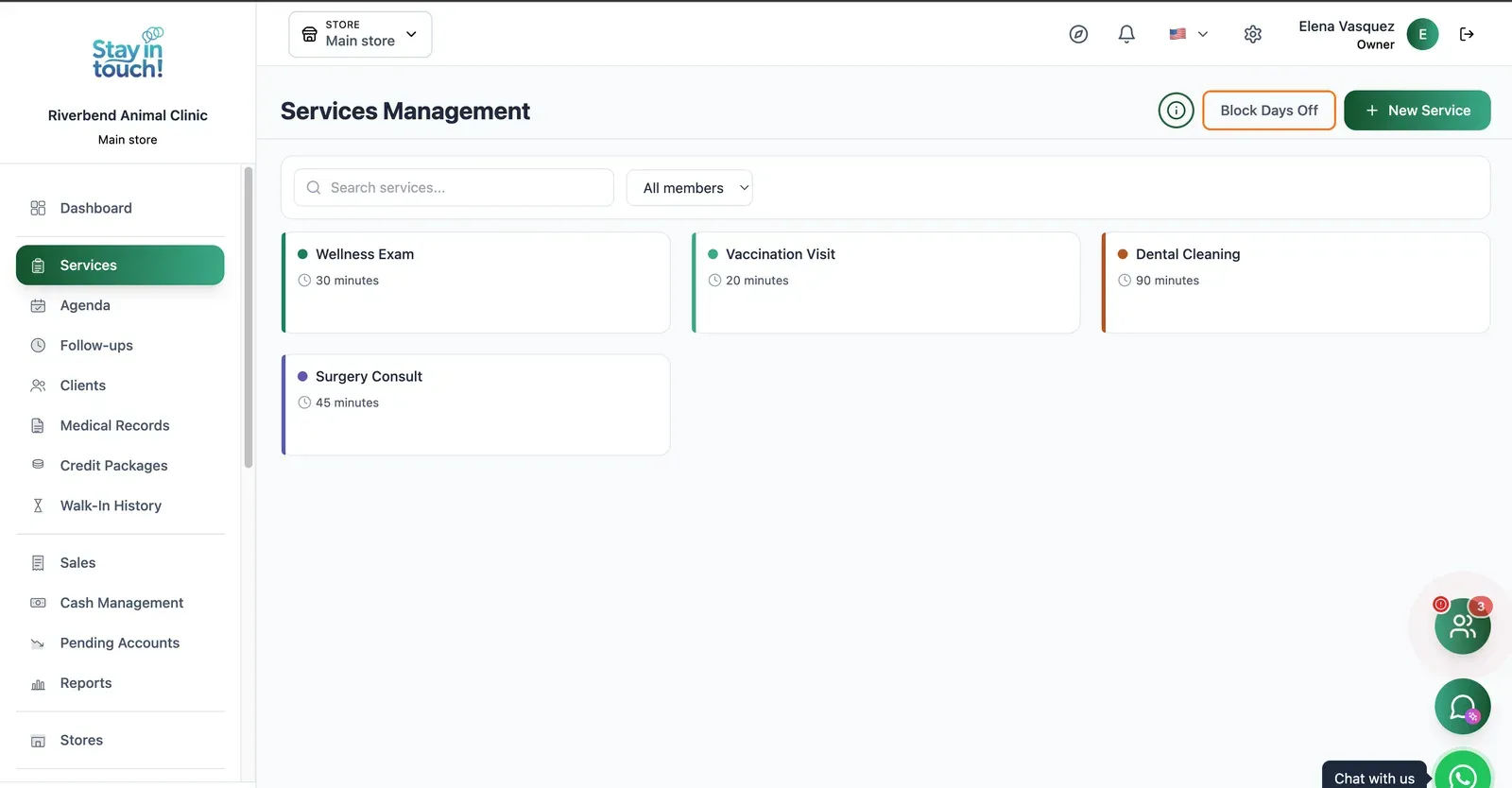
Services
Check-ups, vaccinations, dental cleanings and surgical consults, each with its own duration and blackout days.
Screen 1 of 23
Website included
Your own website, free from day one
Every Siimplo account publishes a page for your business: your services, online booking and your catalog — no designer, no hosting.
Your services on display, always up to date
Clients book themselves, 24/7
Product catalog with prices
Frequently asked questions
Does it issue AFIP electronic invoices?
Do I need a credit card to start?
Can I get my data out if I leave?
Does it work if I have more than one location?
Are clinical records protected?
Can I try it before registering?
Try it on twenty of your own clients.
No migration needed yet. Load a few real owners, send one reminder, and see whether it earns its place.
Get Started